Community listing page, reviews here may not be monitored by the author.
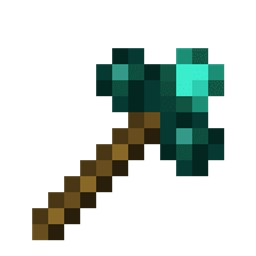
Morphing Multi-Tool


No reviews yet
A tool that morphs into the right tool for the block your looking at

Community voices
Reviews
No reviews yet. Be the first to review this project!
Get it on
Available Platforms
Compatibility
Supported Environments
Must be installed on both the client and the server.
About
Project Details
For authors
Embed Badge
If you're the author of this project, you can embed a live badge anywhere that supports HTML or Markdown. It updates automatically whenever ratings change.
Use HTML for any page that supports it, or Markdown for README files and Markdown-based descriptions.
Identifiers
Platform IDs
About
Description
A tool that will morph into the right tool to break the block you are looking at, given the right tool is inside the Morphing Mult-Tool
Things to bear in mind:
- It only morphs to a tool if it's the correct harvest tool for the block your looking at. It DOES NOT morph for right clicking tools for a block i.e wrenches. Please use Morph-O-Tool for that
- Picking up the Morphing Multi-Tool while it's morphed as another tool, will change it back. Same with dropping it
- You can only have 1 of each tool class, i.e you can't have two pickaxes, or two spades ect
- Mod tools with the same tool class as other tools, such as hammers (tool class: pickaxe), and excavators (tool class: shovel) from Thermal Expansion will take up the tool class
- Mod tools with their own tool class e.g. a Sickel from Thermal Exansion will be work like normal tools
- Mod tools without a tool class e.g. a Hoe. Will not be able to be added to the Morphing Multi-Tool
Adding a tool: Same way as a bundle. Pickup the Morphing Mult-Tool in your inventory and right click on the tool you wish to add. The order you add your tools in will be the order they will be checked when finding out what tool to morph to. So if you have two tools for leaves, say a sickel and shears. The tool it will morph into will be whichever was added first. Press shift on the Morphing Multi-Tool to see this order
Removing a tool: Pickup the Morphing Mult-Tool in your inventory and right click on an empty slot. The order in which the tools are removed is the inverse of the order you added them. e.g. if you added a pickaxe, shovel, and shears. The order they'd be removed in would be shears, shovel, pickaxe
Known issues:
- Swapping to axe when looking at grass(not grass block), tall grass, flowers. Is a bug with the Axe's destroy speed for them blocks. It's 0.2, instead of 0.1
A tool that morphs into the right tool to break the block you are looking at, given the right tool is inside the Morphing Mult-Tool
Things to bear in mind:
- It only morphs to a tool if it's the correct harvest tool for the block your looking at. It DOES NOT morph for right clicking tools for a block i.e wrenches. Please use Morph-O-Tool for that
- Picking up the Morphing Multi-Tool while it's morphed as another tool, will change it back. Same with dropping it
- You can only have 1 of each tool class, i.e you can't have two pickaxes, or two spades ect
- Mod tools with the same tool class as other tools, such as hammers (tool class: pickaxe), and excavators (tool class: shovel) from Thermal Expansion will take up the tool class
- Mod tools with their own tool class e.g. a Sickel from Thermal Exansion will be work like normal tools
- Mod tools without a tool class e.g. a Hoe. Will not be able to be added to the Morphing Multi-Tool
Adding a tool: Same way as a bundle. Pickup the Morphing Mult-Tool in your inventory and right click on the tool you wish to add. The order you add your tools in will be the order they will be checked when finding out what tool to morph to. So if you have two tools for leaves, say a sickel and shears. The tool it will morph into will be whichever was added first. Press shift on the Morphing Multi-Tool to see this order
Removing a tool: Pickup the Morphing Mult-Tool in your inventory and right click on an empty slot. The order in which the tools are removed is the inverse of the order you added them. e.g. if you added a pickaxe, shovel, and shears. The order they'd be removed in would be shears, shovel, pickaxe
Known issues:
Swapping to axe when looking at grass(not grass block), tall grass, flowers. Is a bug with the Axe's destroy speed for them blocks. It's 0.2, instead of 0.1
Screenshots
Gallery
Versions
Files
Relations
Project Relations
More like this
Similar Mods
Suggestions use data such as tags, dependencies, dependents, descriptions, titles, and more to rank how much they overlap with this mod.
On ModDex
Community snapshot
By the numbers
Statistics
 (opens in a new tab)
Get it on
Available Platforms
On ModDex
Community snapshot
By the numbers