Community listing page, reviews here may not be monitored by the author.
Motion Craft


No reviews yet
Vanilla-friendly motion polish for hotbars, inventories, item pickups, crafting, containers, tooltips, and responsive HUD feedback.
Community voices
Reviews
No reviews yet. Be the first to review this project!
Get it on
Available Platforms
Compatibility
Supported Environments
Runs entirely on the client. Works on vanilla servers.
About
Project Details
For authors
Embed Badge
If you're the author of this project, you can embed a live badge anywhere that supports HTML or Markdown. It updates automatically whenever ratings change.
Use HTML for any page that supports it, or Markdown for README files and Markdown-based descriptions.
Identifiers
Platform IDs
Resources
External Links
About
Description
Motion Craft
Minecraft with modern UI polish.
Motion Craft is a client-side animation mod that gives Minecraft's existing interfaces weight, momentum, and responsive visual feedback. It keeps the vanilla layouts, textures, information, and gameplay intact while making the interactions you repeat every session feel smoother and more satisfying.

Items settle into slots. The hotbar selector carries momentum. Pickups travel toward their destination. Crafting, containers, tooltips, and common survival actions respond with small, coordinated motion.
The result is still unmistakably Minecraft, just more alive.
See It in Motion
The previews play automatically. Select one to open the full-quality MP4 demo.
World-to-Slot Pickups
Hotbar Motion
Inventory Choreography

Crafting Feedback
Signature Features
World-to-Slot Pickups

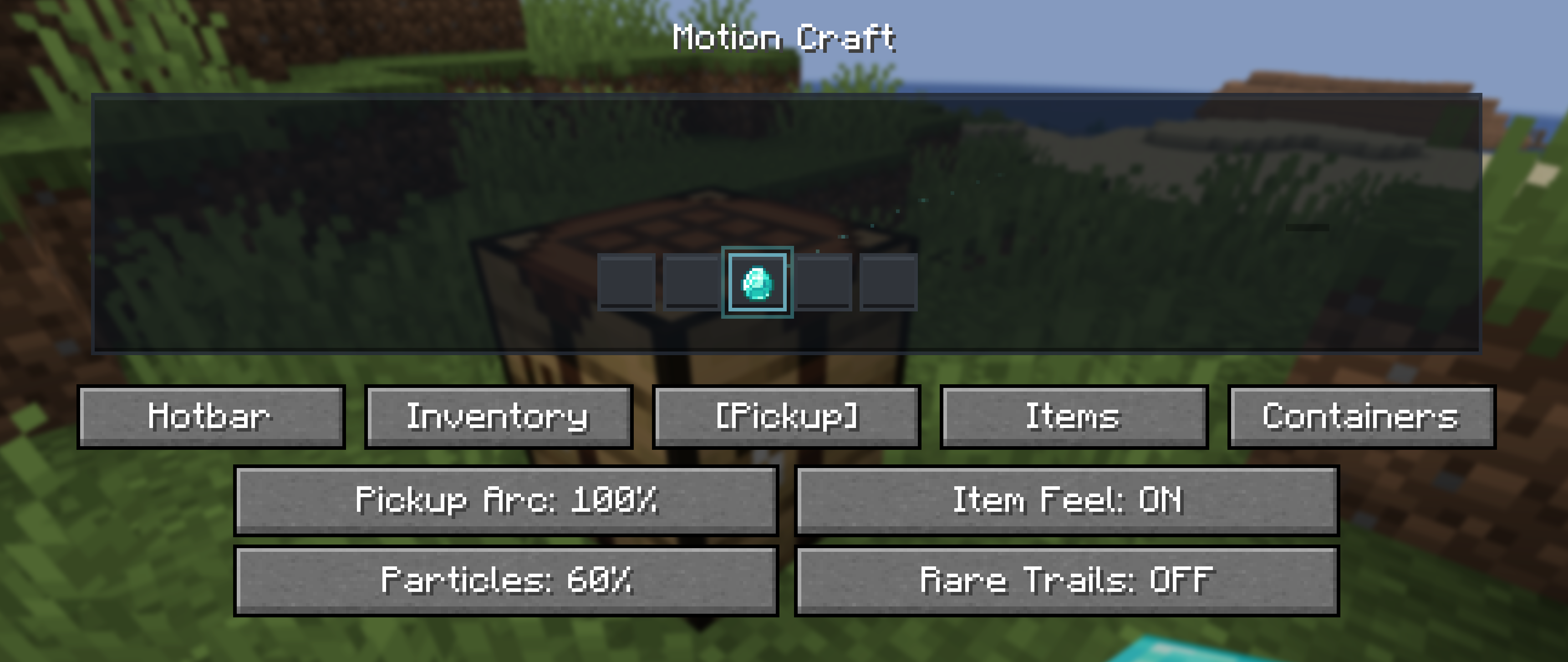
Picked-up items visually travel toward the hotbar or inventory and land with a soft settle. Newly discovered and rare items receive a restrained shine so an important acquisition feels connected to the world instead of silently appearing in a slot.
Physical Inventory Motion

- Smooth item hover and click response
- Cursor-item inertia and movement-sensitive motion
- Animated shift-click transfers and number-key swaps
- Stack merge flow and full-stack settle feedback
- Equipment-slot landing motion
- Crafting ingredients converging when the result is claimed
- Gentle screen unfolding and staggered container reveals
These effects communicate where an item came from and where it went without changing inventory behavior.
Item Personalities
Different items follow different motion rules rather than sharing one generic sparkle:
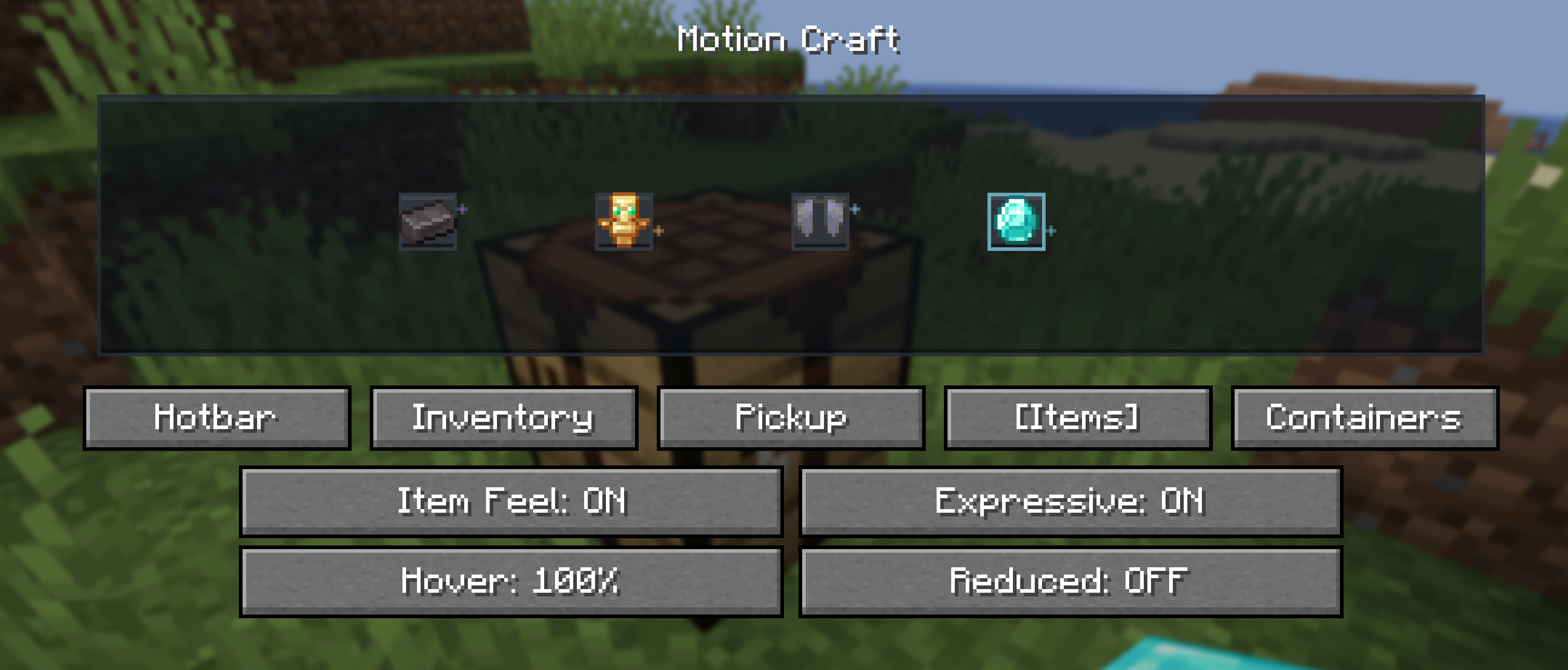
- Netherite feels heavier and settles with less bounce
- Diamonds respond with a clean, crisp shimmer
- Totems float and carry a warm golden presence
- Elytra glide with lighter motion
- Potions wobble like liquid when moved
- Bows feel elastic, while tools and weapons respond with firmer recoil
- Enchanted items receive restrained glint motion
Personality effects are brief and interaction-driven, not constantly emitted particles.
Container Personalities
Vanilla screens keep their original textures but gain distinct motion character:
- Chests feel warm and springy
- Furnaces, smokers, and blast furnaces use restrained heat feedback
- Anvils land with heavier compression
- Smithing responds with a precise metallic snap
- Brewing uses soft fluid pulses
- Enchanting receives a subtle magical drift
Motion Config
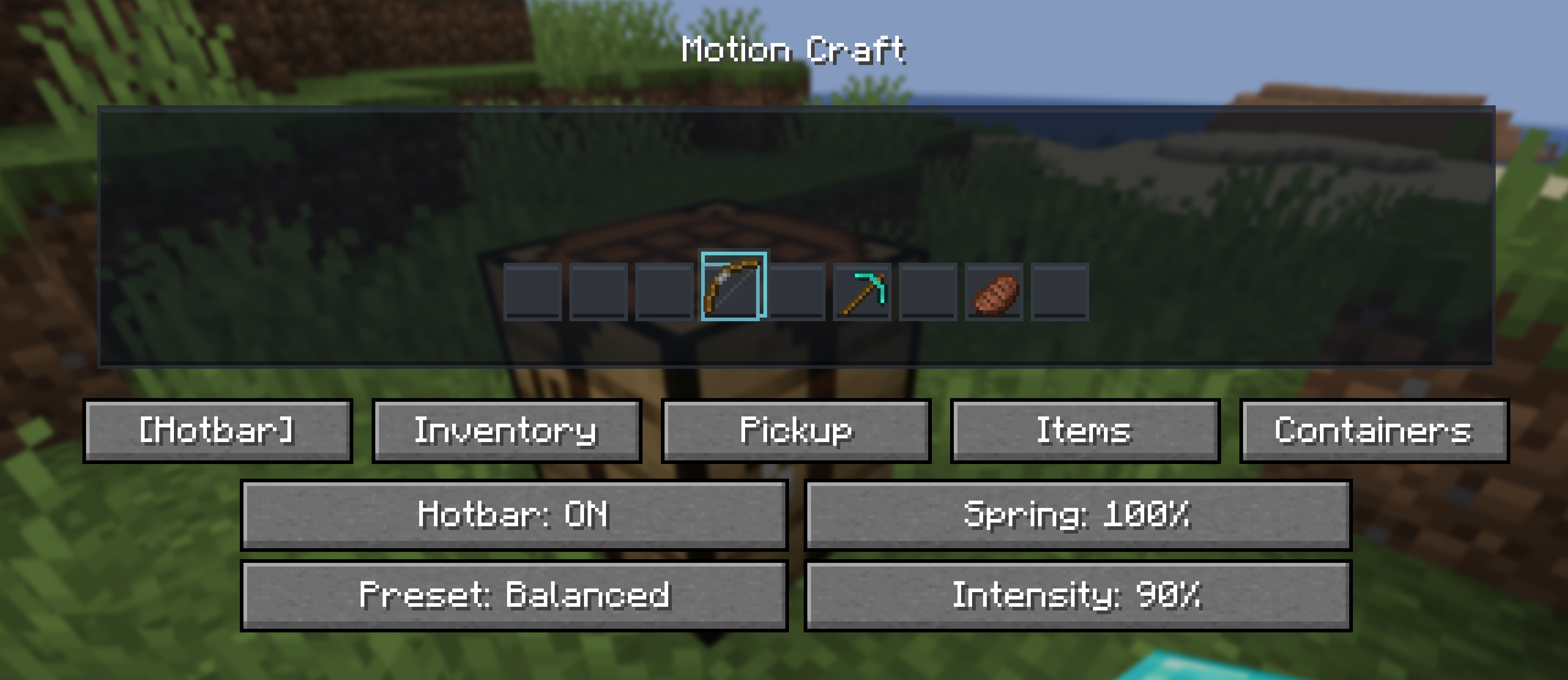
Press O to open Motion Craft's configuration screen. The key can be changed in Minecraft's Controls(keybinds) menu.
Choose a Subtle, Balanced, or Expressive preset, then tune intensity, spring strength, hover scale, pickup flight, particles, item personalities, container personalities, and individual effect groups. Reduced Motion is available for players who prefer gentler feedback.
Motion Craft also respects Minecraft's accessibility screen-effect scale as a master animation intensity.
Live Preview and Tuning
Compatibility
- Client-side only
- Loaders: Fabric, Forge, and NeoForge
- Minecraft: 26.1, 26.1.1, 26.1.2, and 26.2
- Fabric requirement: Fabric API
- License: All Rights Reserved
Use the file built for your exact Minecraft version and mod loader. Motion Craft can be used on vanilla servers because it changes only client rendering and interaction feedback.
Motion Craft
Minecraft with modern UI polish.
Motion Craft is a client-side animation mod that gives Minecraft's existing interfaces weight, momentum, and responsive visual feedback. It keeps the vanilla layouts, textures, information, and gameplay intact while making the interactions you repeat every session feel smoother and more satisfying.
Items settle into slots. The hotbar selector carries momentum. Pickups travel toward their destination. Crafting, containers, tooltips, and common survival actions respond with small, coordinated motion.
The result is still unmistakably Minecraft, just more alive.
See It in Motion
The previews play automatically. Select one to open the full-quality MP4 demo.
World-to-Slot Pickups
Hotbar Motion
Inventory Choreography
Crafting Feedback
Signature Features
World-to-Slot Pickups
Picked-up items visually travel toward the hotbar or inventory and land with a soft settle. Newly discovered and rare items receive a restrained shine so an important acquisition feels connected to the world instead of silently appearing in a slot.
Physical Inventory Motion
- Smooth item hover and click response
- Cursor-item inertia and movement-sensitive motion
- Animated shift-click transfers and number-key swaps
- Stack merge flow and full-stack settle feedback
- Equipment-slot landing motion
- Crafting ingredients converging when the result is claimed
- Gentle screen unfolding and staggered container reveals
These effects communicate where an item came from and where it went without changing inventory behavior.
Item Personalities
Different items follow different motion rules rather than sharing one generic sparkle:
- Netherite feels heavier and settles with less bounce
- Diamonds respond with a clean, crisp shimmer
- Totems float and carry a warm golden presence
- Elytra glide with lighter motion
- Potions wobble like liquid when moved
- Bows feel elastic, while tools and weapons respond with firmer recoil
- Enchanted items receive restrained glint motion
Personality effects are brief and interaction-driven, not constantly emitted particles.
Container Personalities
Vanilla screens keep their original textures but gain distinct motion character:
- Chests feel warm and springy
- Furnaces, smokers, and blast furnaces use restrained heat feedback
- Anvils land with heavier compression
- Smithing responds with a precise metallic snap
- Brewing uses soft fluid pulses
- Enchanting receives a subtle magical drift
Motion Config
Press O to open Motion Craft's configuration screen. The key can be changed in Minecraft's Controls(keybinds) menu.
Choose a Subtle, Balanced, or Expressive preset, then tune intensity, spring strength, hover scale, pickup flight, particles, item personalities, container personalities, and individual effect groups. Reduced Motion is available for players who prefer gentler feedback.
Motion Craft also respects Minecraft's accessibility screen-effect scale as a master animation intensity.
Live Preview and Tuning
Compatibility
- Client-side only
- Loaders: Fabric, Forge, and NeoForge
- Minecraft: 26.1, 26.1.1, 26.1.2, and 26.2
- Fabric requirement: Fabric API
- License: All Rights Reserved
Use the file built for your exact Minecraft version and mod loader. Motion Craft can be used on vanilla servers because it changes only client rendering and interaction feedback.
Screenshots
Gallery
Versions
Files
Relations
Project Relations
More like this
Similar Mods
Suggestions use data such as tags, dependencies, dependents, descriptions, titles, and more to rank how much they overlap with this mod.
On ModDex
Community snapshot
By the numbers
Statistics
Want to reach Minecraft players?
We're looking for a server hosting partner to feature here and other parts of the site. Interested? Send us a message!
Get in touchGet it on
Available Platforms
On ModDex
Community snapshot
By the numbers
Statistics
Resources