Community listing page, reviews here may not be monitored by the author.
Mouse Tweaks Complementary

No reviews yet
perform actions that normally require opening a GUI without ever actually opening one.
Community voices
Reviews
No reviews yet. Be the first to review this project!
Get it on
Available Platforms
About
Project Details
For authors
Embed Badge
If you're the author of this project, you can embed a live badge anywhere that supports HTML or Markdown. It updates automatically whenever ratings change.
Use HTML for any page that supports it, or Markdown for README files and Markdown-based descriptions.
Identifiers
Platform IDs
Resources
External Links
About
Description
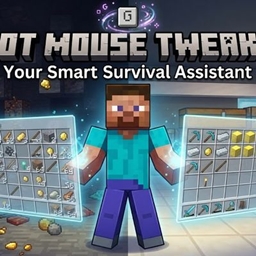
Not Mouse Tweaks, just like Mouse Tweaks, helps you get rid of all the annoying and boring problems with vanilla inventory management, but its features are distinct and complementary. The core principle of Not Mouse Tweaks is to perform actions that normally require opening a GUI without ever actually opening one.
Part A: Context-Aware Sorting
Press G to automatically equip the best tools, weapons, and potions based on your current biome, dimension, and surrounding blocks.
Smart Compression: Instantly condenses raw materials, ingots, and scattered items into blocks or maximum stacks to save space.
Quickly rotate:Press R to quickly rotate your inventory items vertically with a single action! This feature lets you cycle items instantly between your hotbar and your main inventory rows, making gear management faster and more efficient on the go.
Part B: Quick Transfer & Handheld Shulkers:
Shift-left-click to instantly move items, or directly deposit and withdraw from a Shulker Box held in your hand without placing it.
1.Empty Hand + Shift + Left-Click: Take all items from container.
2.Holding Item + Shift +Left-Click: Put all items into container.
3.Deposit from Shulker Box to Container: Hold a Shulker Box in your Main Hand + Shift + Left-Click a container. (Pours all items from the Shulker Box into the target container).
4.Withdraw from Container to Shulker Box: Keep your Main Hand Empty, hold a Shulker Box in your Off-Hand + Shift + Left-Click a container. (Sucks all items from the target container directly into the Shulker Box in your off-hand).
Part C :Villager FastTrades :
Hold the required item in your main hand and right-click Villager to trade it immediately. Shift + Right-Click: Empty your backpack of all affordable resources and complete bulk trades automatically with one click.
Part D:Quick Crafting Version 1.1.0+
Holding Logs:
Press C: Instantly converts them into 4x Planks.
Holding Planks:
Press C: Crafts a Crafting Table (4+ planks) or 4 Sticks (2-3 planks).
Shift + C:Crafting Sticks
Holding Coal/Charcoal: Automatically consumes sticks—or auto-crafts them from planks and logs if missing—to produce 4 Torches.
Bulk Crafting (Hold Shift + C): Continuously crafts items until your materials run out or your inventory fills up.
Screenshots
Gallery
Versions
Files
Relations
Project Relations
More like this
Similar Mods
Suggestions use data such as tags, dependencies, dependents, descriptions, titles, and more to rank how much they overlap with this mod.
- Villagers Manage : Show Jobsite & Teleport & clear job
- Mouse Tweaks
- Mouse Tweaks Unofficial
- Mouse Tweaks x ItemLocks Compat
- AE2 + Mouse Tweaks Fix
- More Mouse Tweaks
- Legacy Mouse Tweaks
- AE2 Mouse Tweaks Scroll Fix - Neoforge
- Old Mouse Tweaks
- Iron Chests Tweaks Compat
- InventoryTweaks StationAPI
- OFF Client
On ModDex
Community snapshot
By the numbers
Statistics
Want to reach Minecraft players?
We're looking for a server hosting partner to feature here and other parts of the site. Interested? Send us a message!
Get in touchGet it on
Available Platforms
On ModDex
Community snapshot
By the numbers
Statistics
Resources