
Community listing page, reviews may not be monitored by the author.
Moveable Tiles

No reviews yet
Moveable Spawners, Chests, Barrels and More!

Community voices
Reviews
No reviews yet. Be the first to review this project!
Get it on
Available Platforms
About
Project Details
For authors
Embed Badge
If you're the author of this project, you can embed a live badge anywhere that supports HTML or Markdown. It updates automatically whenever ratings change.
Use HTML for any page that supports it, or Markdown for README files and Markdown-based descriptions.
Identifiers
Platform IDs
About
Description
This datapack lets you convert tile entities (chests, spawners, furnaces, etc) into minecarts allowing you to move them anywhere you want without disturbing their contents. This datapack also removes the recipes for adding blocks in minecarts. (You will need to use this datapack instead)
 Click on the above image, select plan (at least 4GB), use code
 legopitstop to get 25% off your first month and enjoy playing with your friends!
DISCLAIMER
There is a known bug that when you break the minecart with a block it will not save/drop the block (Making the block that you use disappear)
Example Uses
- Move your spawner to another location.
- Create automatic storage systems
- Move items from one dimension to another.
- Create a factory with color-coded carts using shulker box minecarts to keep everything organized.
How to put a tile entity in a minecart:
- First, you will need to place a piston under the block that you want to move. Make sure to leave a one-block gap under the block.
- Now place a rail on top of the piston and place the minecart on the rail.
- Finally, remove the rail and power the piston. The piston should push the Minecart into the block and will place it in the minecart.
- Done! You can now move the non-moveable block!
How to remove a block from a minecart:
- Place an Activator rail and power it
- Move the minecart over the activator rail to make the block jump out of the minecart leaving a normal minecart.
- The block will jump into any open gap around the minecart.
Supported blocks
- Chest
- Trapped Chest
- TNT
- Furnace
- Blast Furnace
- Smoker
- Hopper
- Shulker Box (All colors)
- Barrel
FAQ
Can I add this to my mod pack?
Sure, as long as you give proper credit and follow the license.
Are you going to downgrade to older versions (ie; 1.15, 1.12, 1.8)?
I will if there is enough demand for a certain version and I have time to.
Screenshots
Gallery
-
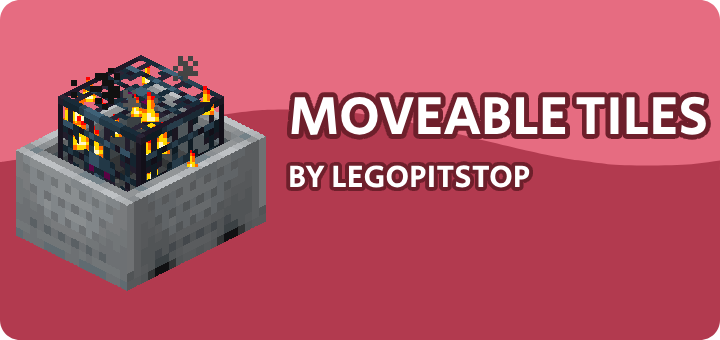 Banner
Versions
Files
Relations
Project Relations
More like this
Similar Mods
Suggestions use data such as tags, dependencies, dependents, descriptions, titles, and more to rank how much they overlap with this mod.
On ModDex
Community snapshot
By the numbers
Statistics


Get it on
Available Platforms
On ModDex
Community snapshot
By the numbers