Community listing page, reviews here may not be monitored by the author.


Community voices
Reviews
No reviews yet. Be the first to review this project!
Get it on
Available Platforms
About
Project Details
For authors
Embed Badge
If you're the author of this project, you can embed a live badge anywhere that supports HTML or Markdown. It updates automatically whenever ratings change.
Use HTML for any page that supports it, or Markdown for README files and Markdown-based descriptions.
Identifiers
Platform IDs
Resources
External Links
About
Description
🧪 MrChair1's Reactive Skins (Add-on)
⚠️ Note: This is an expansion for [MrChair1's Skin Changer]. You must have the base mod (v1.6.1) installed for this to work.
This mod is currently not being updated. I'm currently focusing on the base mod.
✨ Features
- Dynamic Skin Switching: Your skin now adapts to your gameplay! Automatically swap skins when specific in-game conditions are met.
- Smart Conditions: Create rules based on three key variables:
- ❤️ Health: Trigger a "damaged" skin when your health drops below a certain amount (e.g., < 10 HP).
- 🌎 Biome: Automatically wear camouflage or themed outfits when entering specific biomes (e.g., Desert, Birch Forest).
- 🌧️ Weather: Put on a raincoat skin automatically when it starts raining.
- Customizable Rules: Combine multiple conditions into a single rule (e.g., IF Health < 5 AND Weather = Rain).
- Total Control:
- Toggle Switch: Easily turn individual rules ON or OFF without deleting them.
- Priority System: Use the
^andvarrows to prioritize which rule takes precedence if multiple conditions are met. - Editor: Edit or delete existing rules on the fly via the simple GUI.
🚀 How to Use
-
-
Open the Menu: Press K (or your bound key) to open the standard Skin Changer menu.
-
Access Reactions: Click the new "Reactions" button in the top right corner.
-
Create a Rule: Click "+ New Rule".
-
Set Conditions:
-
Click "+ Add Condition" to select triggers (Health, Biome, or Weather).
-
Set your logic (e.g., Health
<10). -
Click "Target Skin" to select which texture should apply when these conditions are met.
-
-
Save & Play: Click Done. Your skin will now react automatically to the world around you!
-
(Note: By default the mod checks for the rule conditions every 10 ticks (0.5 seconds), this can be changed through the configuration menu accessible in the top right corner of the menus with your rules or the Mod Menu mod's configuration button.)
📦 Compatibility
- Requires: MrChair1's Skin Changer
- Minecraft Version: 1.21.1
- Loader: Fabric
- Multiplayer: ✅ (Follows the same sync rules as the base mod).
☕ Support me on Ko-fi 💖: https://ko-fi.com/mrchair1
🎥 Support me on YouTube 💌: https://www.youtube.com/@MrChair1
🔴🧾Feel free to leave feedback in the comments!
Screenshots
Gallery
-
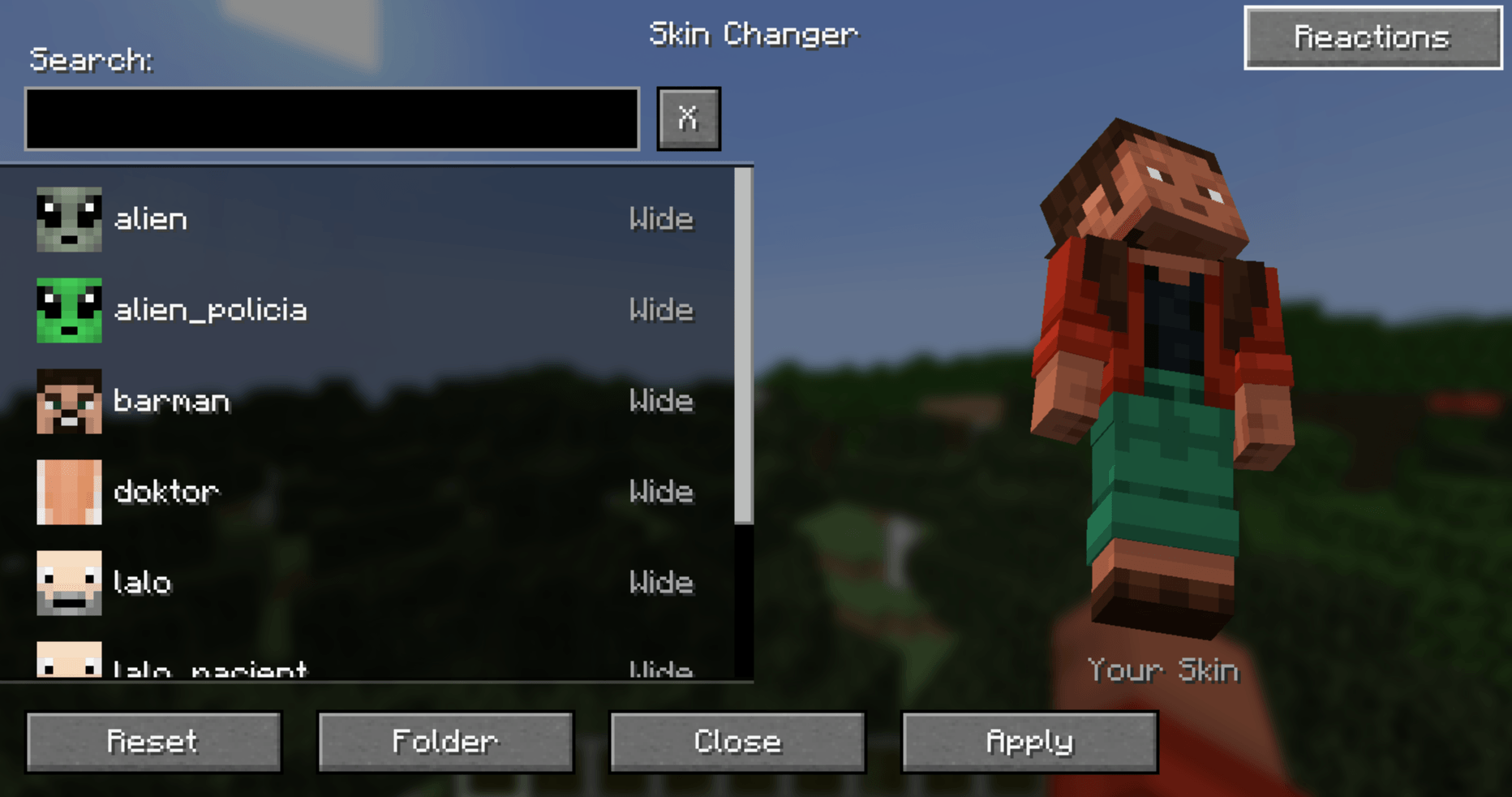 Button
 -
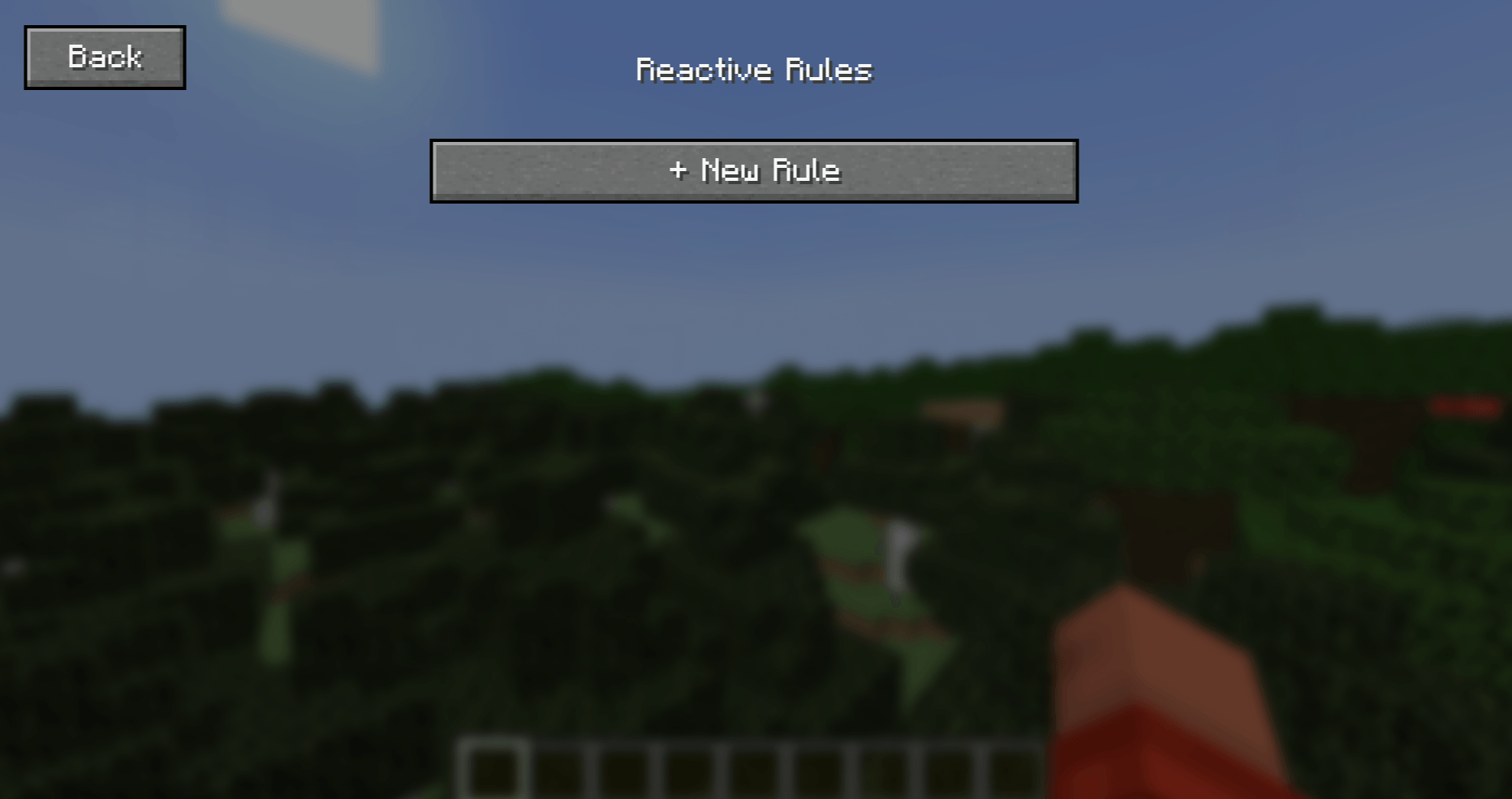 Reactive Rules Menu
 -
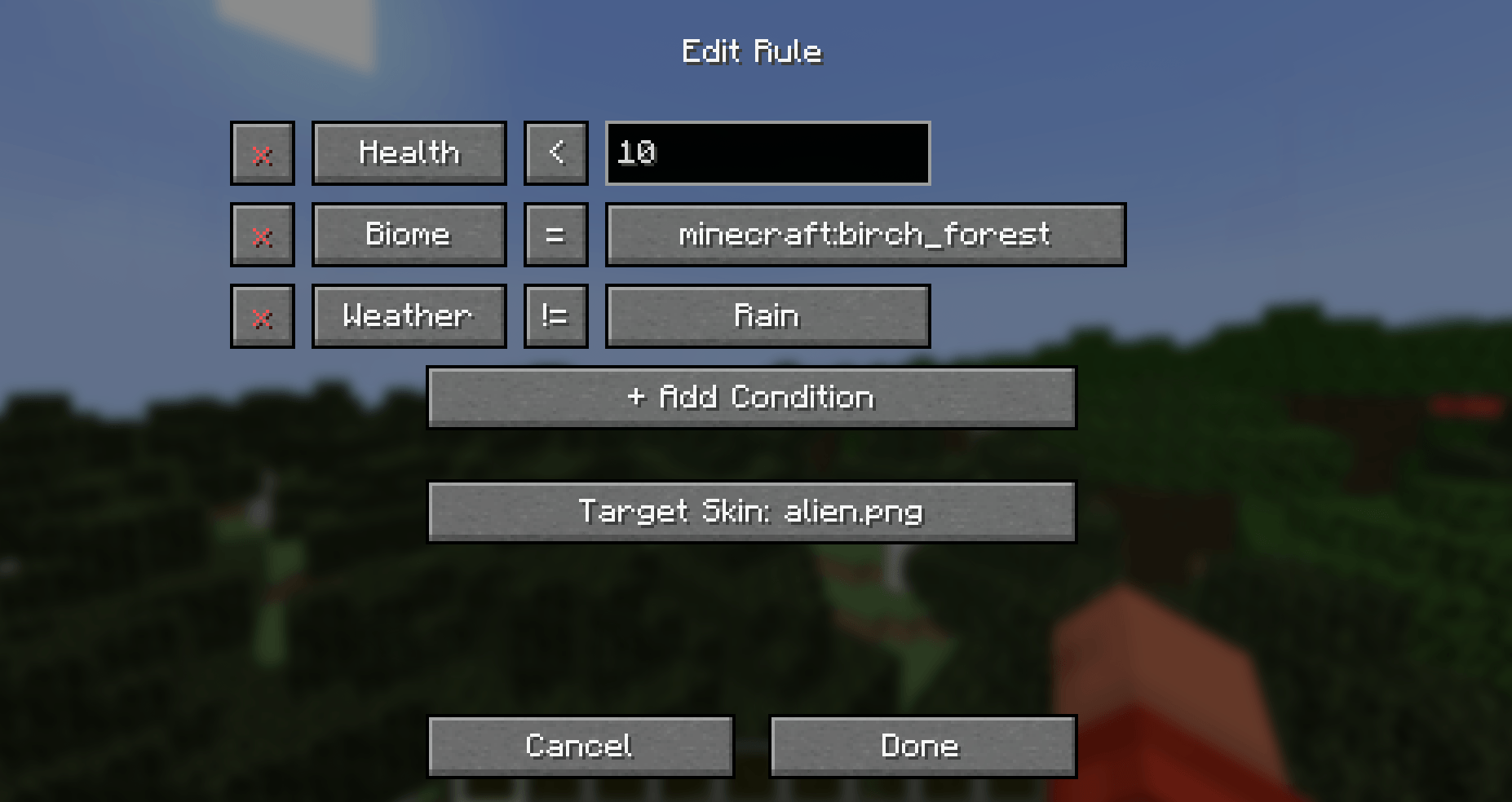 Edit Rule Menu
 -
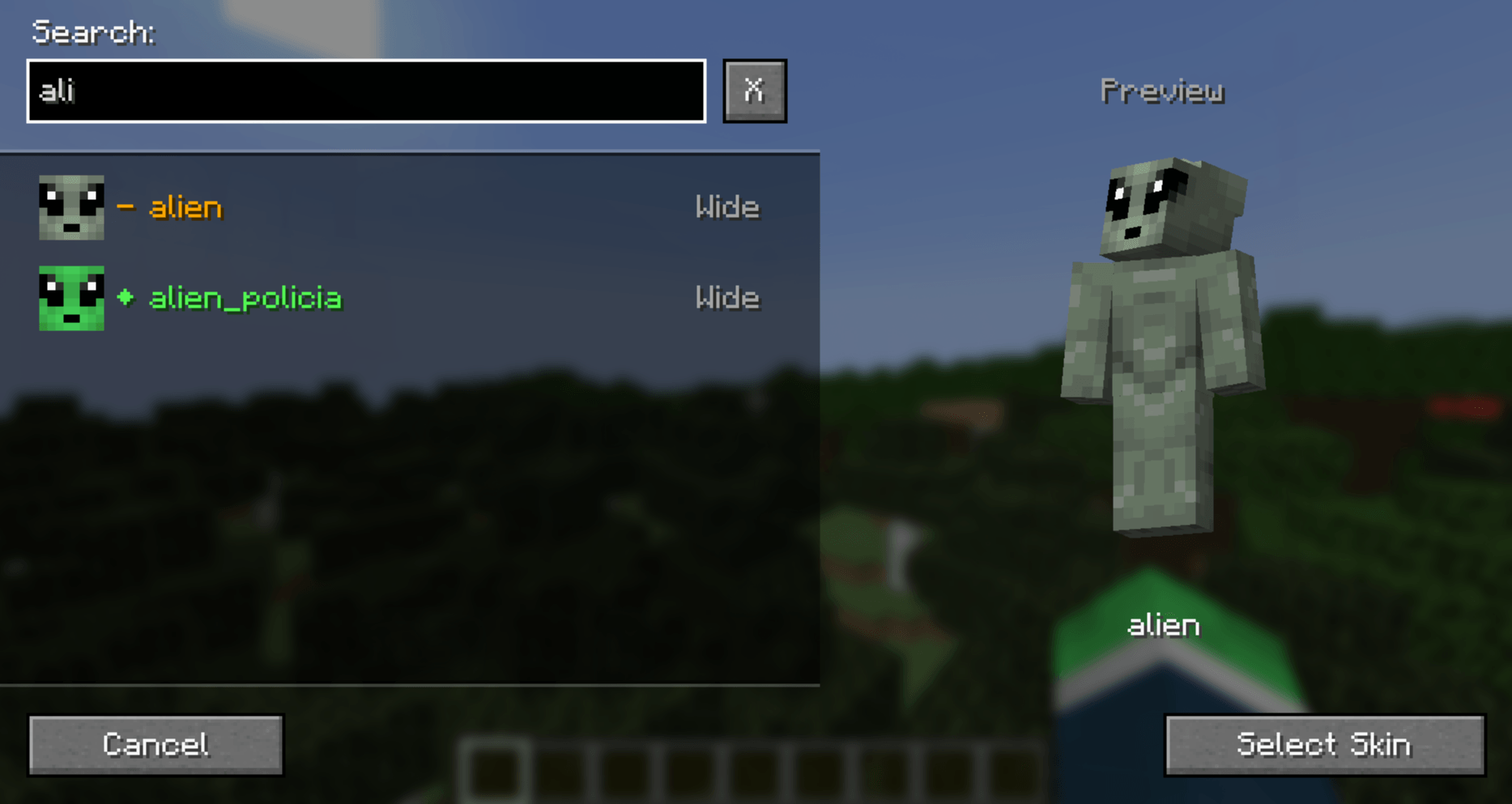 Select Skin Menu
 -
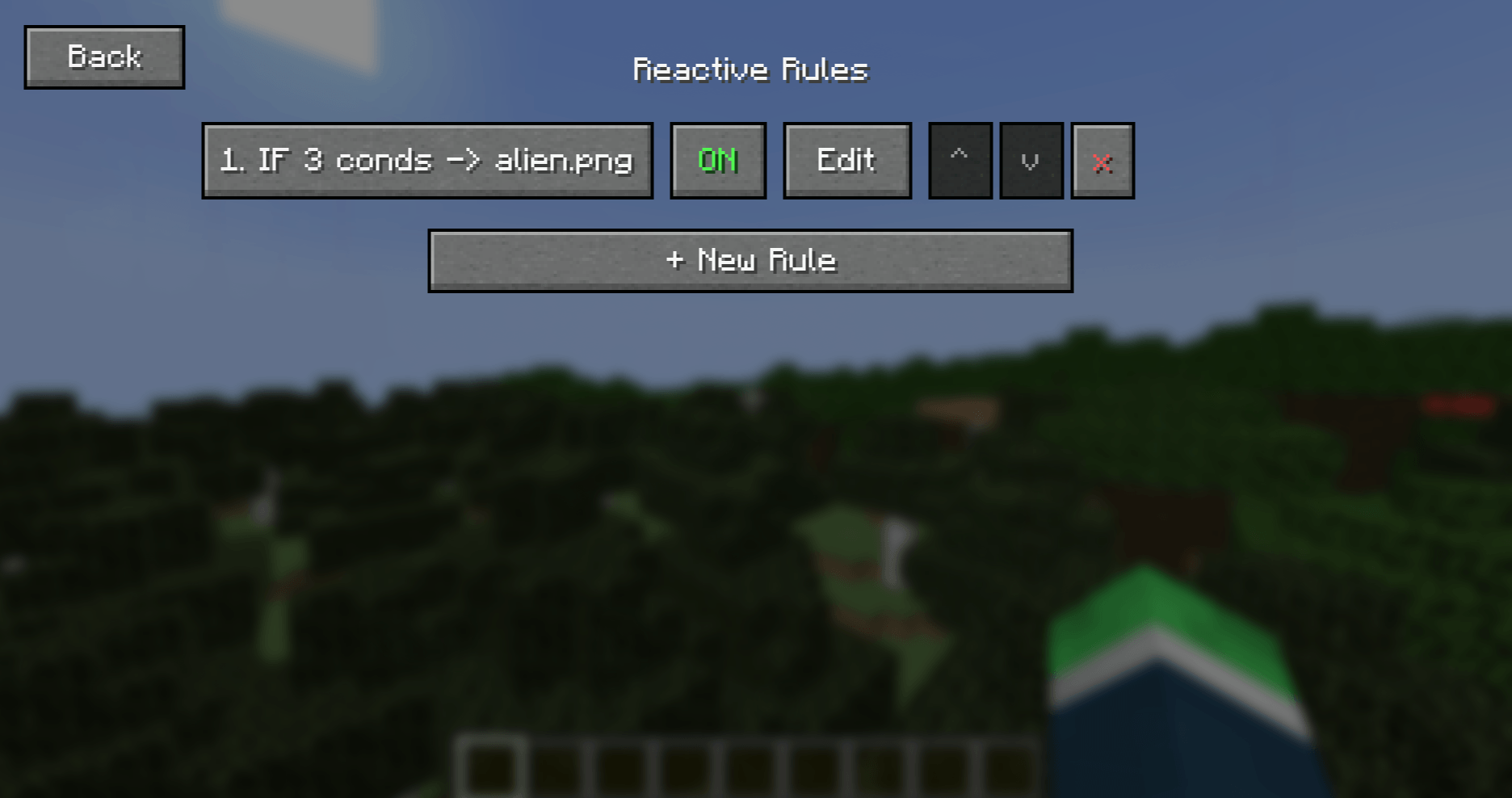 Added New Rule
 -
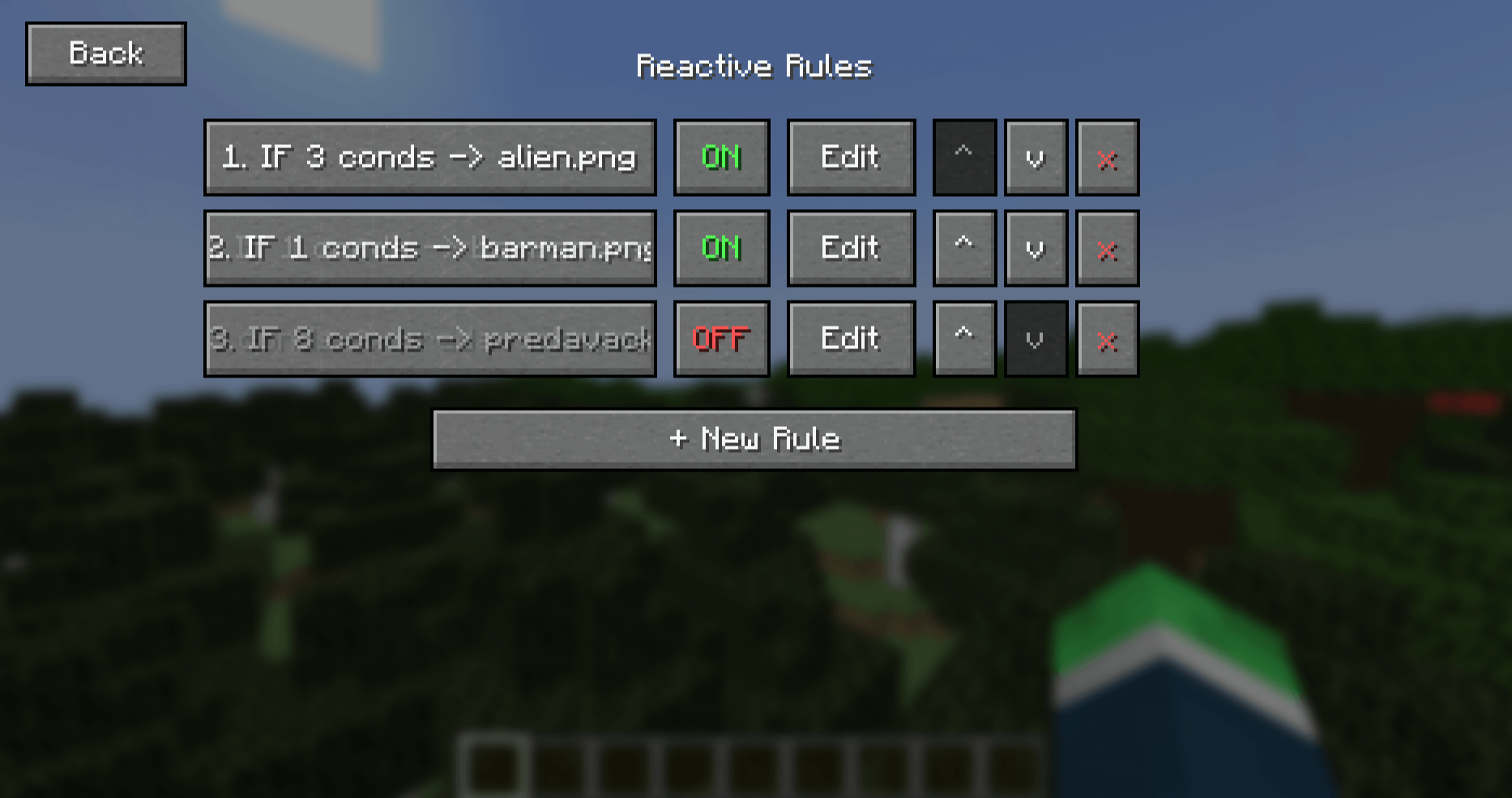 A lot of rules!
Versions
Files
Relations
Project Relations
More like this
Similar Mods
Suggestions use data such as tags, dependencies, dependents, descriptions, titles, and more to rank how much they overlap with this mod.
On ModDex
Community snapshot
By the numbers
Statistics
 (opens in a new tab)
Get it on
Available Platforms
On ModDex
Community snapshot
By the numbers
Statistics
Resources