Community listing page, reviews here may not be monitored by the author.
MrChair1's Skin Changer


No reviews yet
Simply change your skins in-game!

Community voices
Reviews
No reviews yet. Be the first to review this project!
Get it on
Available Platforms
Compatibility
Supported Environments
Required on the client. Installing it on the server adds functionality.
About
Project Details
For authors
Embed Badge
If you're the author of this project, you can embed a live badge anywhere that supports HTML or Markdown. It updates automatically whenever ratings change.
Use HTML for any page that supports it, or Markdown for README files and Markdown-based descriptions.
Identifiers
Platform IDs
Resources
External Links
About
Description
🎨 MrChair1's Skin Changer



⚠ For players updating from older versions (before 1.7.0):
You no longer need a separate slim/ folder. The mod now automatically detects whether a skin is Wide (Steve) or Slim (Alex).

- Instant Updates: Change your skin in real-time without restarting the game.
- Multiplayer Sync: If your friends have the mod, they will see your custom skin, and you will see theirs.
- In-Game Skin Downloader: Fetch and download skins directly inside the menu by typing a Minecraft Username or pasting an skin texture URL. Now with drag and drop support.
- Legacy Skin Auto-Converter: Automatically upgrades older 64x32 skins to the modern 64x64 format upon detection.
- Delete Skins: Safely delete skins right from the menu with a 2-step confirmation (moves files to your OS Trash when supported).
- Rename Skins: Rename skins from the menu.
- Customizable UI Sounds: Cycle through custom click sound effects, which automatically save to your config.
- Dual Model Support: Full support for both Wide (Steve) and Slim (Alex) models. Fully auto-detected.
- HD Skin Support: Supports standard 64x64 skins and high-definition 128x128 skins.
- Error Handling: Includes checks to prevent loading massive files that could crash the game. With error tooltips displayed right in the menu.

- 🔍 Search Bar: Quickly find skins by name.
- 🔍 Fetch Bar: Grab new skins from usernames or texture urls.
- 🟢 Active Indicator: See which skin is currently equipped with a green diamond (◆).
- 👕 Live Preview: See a preview of the skin before you apply it.
- 💬 Notifications: Get notifications when fetching, applying, or deleting skins.

- Open the Menu: Press
Kin-game to open the Skin Changer menu.
(Note: You can change this keybind in your Control settings, or access the menu via the Config button if you use the Mod Menu mod.) - Add Your Skins:
• From the Web: Type a player's username or paste a direct skin texture URL into the "Fetch" box and hit download.
• From your PC: Click the "Folder" icon button inside the menu. Drop your.pngskin files directly into this folder. Or drag and drop the .png files onto the Skin Changer menu. - Select, Apply & Enjoy: Click your desired skin from the list and apply it!
Multiplayer support ✔
For other players to see your skin, the server must have the mod installed to relay the data, and other players need the mod installed to receive it.
☕ Support me on Ko-fi 💖: https://ko-fi.com/mrchair1
🎥 Support me on YouTube 💌: https://www.youtube.com/@MrChair1
🔴🧾Feel free to leave feedback in the comments!
🎨 MrChair1's Skin Changer
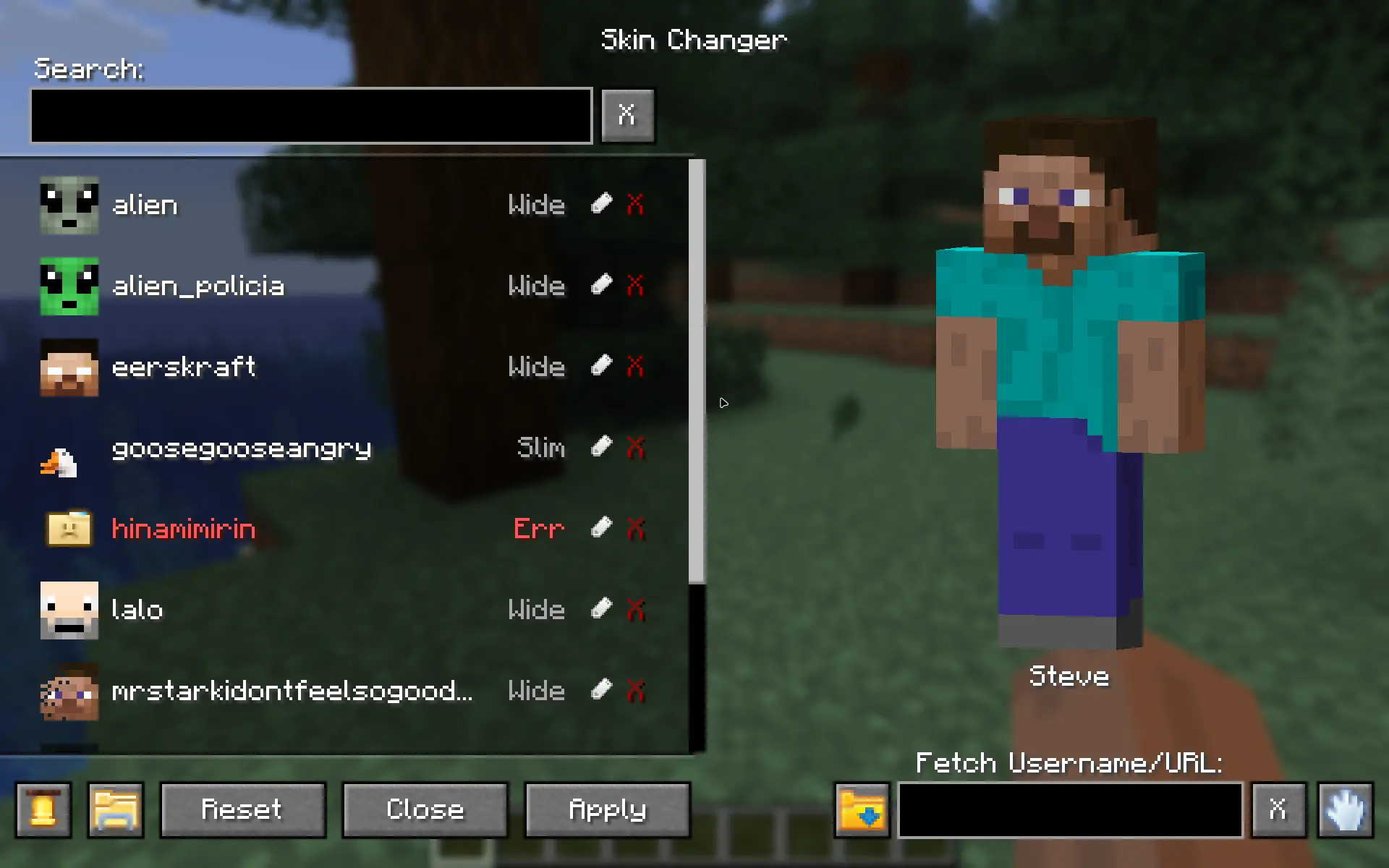

- Instant Updates: Change your skin in real-time without restarting the game.
- Multiplayer Sync: If your friends have the mod, they will see your custom skin, and you will see theirs.
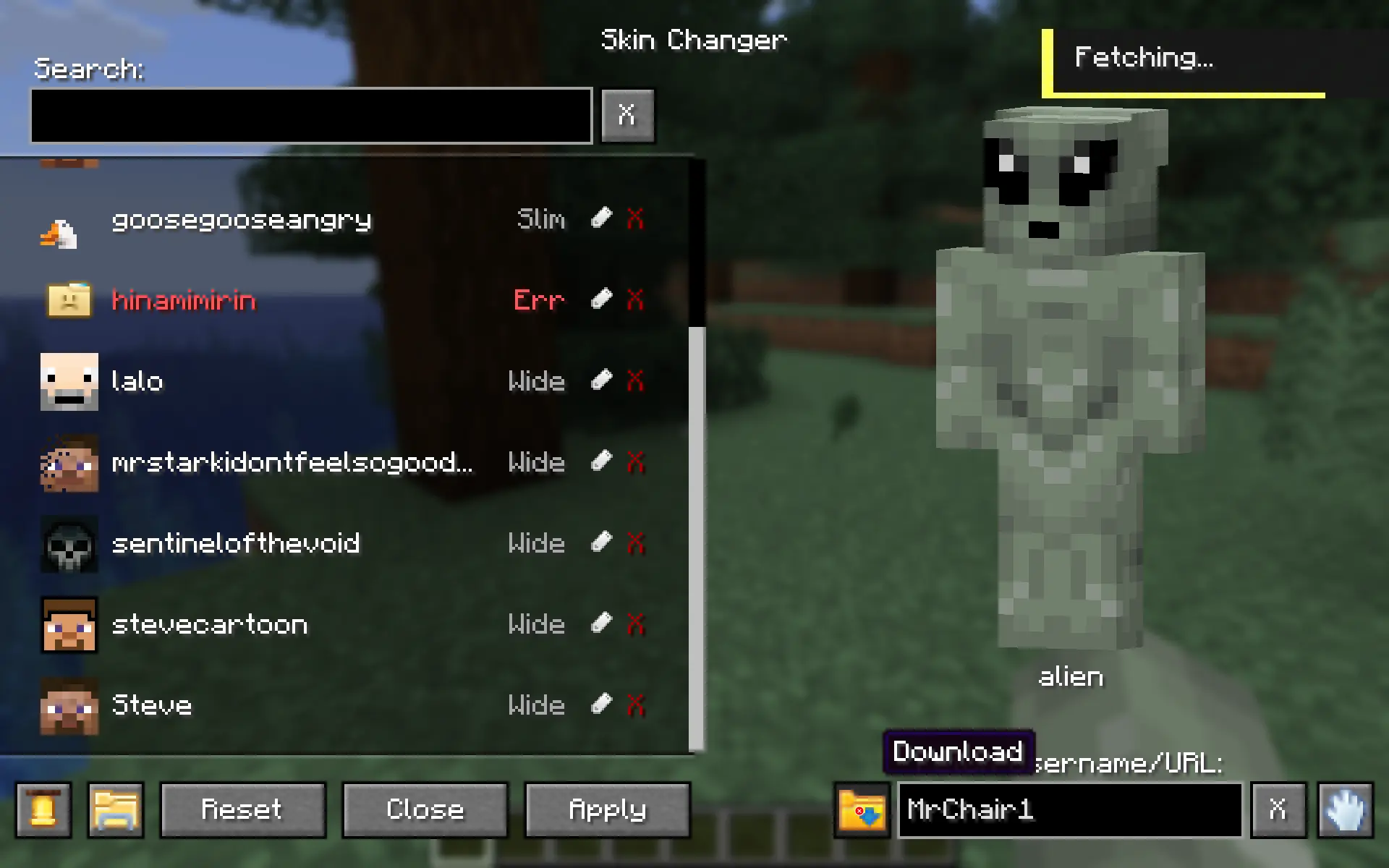
- In-Game Skin Downloader: Fetch and download skins directly inside the menu by typing a Minecraft Username or pasting an skin texture URL.
- Legacy Skin Auto-Converter: Automatically upgrades older 64x32 skins to the modern 64x64 format upon detection.
- Delete Skins: Safely delete skins right from the menu with a 2-step confirmation (moves files to your OS Trash when supported).
- Rename Skins: Rename skins from the menu.
- Customizable UI Sounds: Cycle through custom click sound effects, which automatically save to your config.
- Dual Model Support: Full support for both Wide (Steve) and Slim (Alex) models. Fully auto-detected.
- HD Skin Support: Supports standard 64x64 skins and high-definition 128x128 skins.
- Error Handling: Includes checks to prevent loading massive files that could crash the game. With error tooltips displayed right in the menu.

- 🔍 Search Bar: Quickly find skins by name.
- 🔍 Fetch Bar: Grab new skins from usernames or texture urls.
- 🟢 Active Indicator: Clearly see which skin is currently equipped with a green diamond (◆).
- 👕 Live Preview: See a preview of the skin before you apply it.
- 💬 Notifications: Get notifications when fetching, applying, or deleting skins.

- Open the Menu: Press
Kin-game to open the Skin Changer menu.
(Note: You can change this keybind in your Control settings, or access the menu via the Config button if you use the Mod Menu mod.) - Add Your Skins:
• From your PC: Click the "Folder" icon button inside the menu. Drop your.pngskin files directly into this folder.
• From the Web: Type a player's username or paste a direct skin texture URL into the "Fetch" box and hit download. - Select, Apply & Enjoy: click your desired skin from the list and apply it!
Multiplayer support ✔
For other players to see your skin, the server must have the mod installed to relay the data, and other players need the mod installed to receive it.
Screenshots
Gallery
-
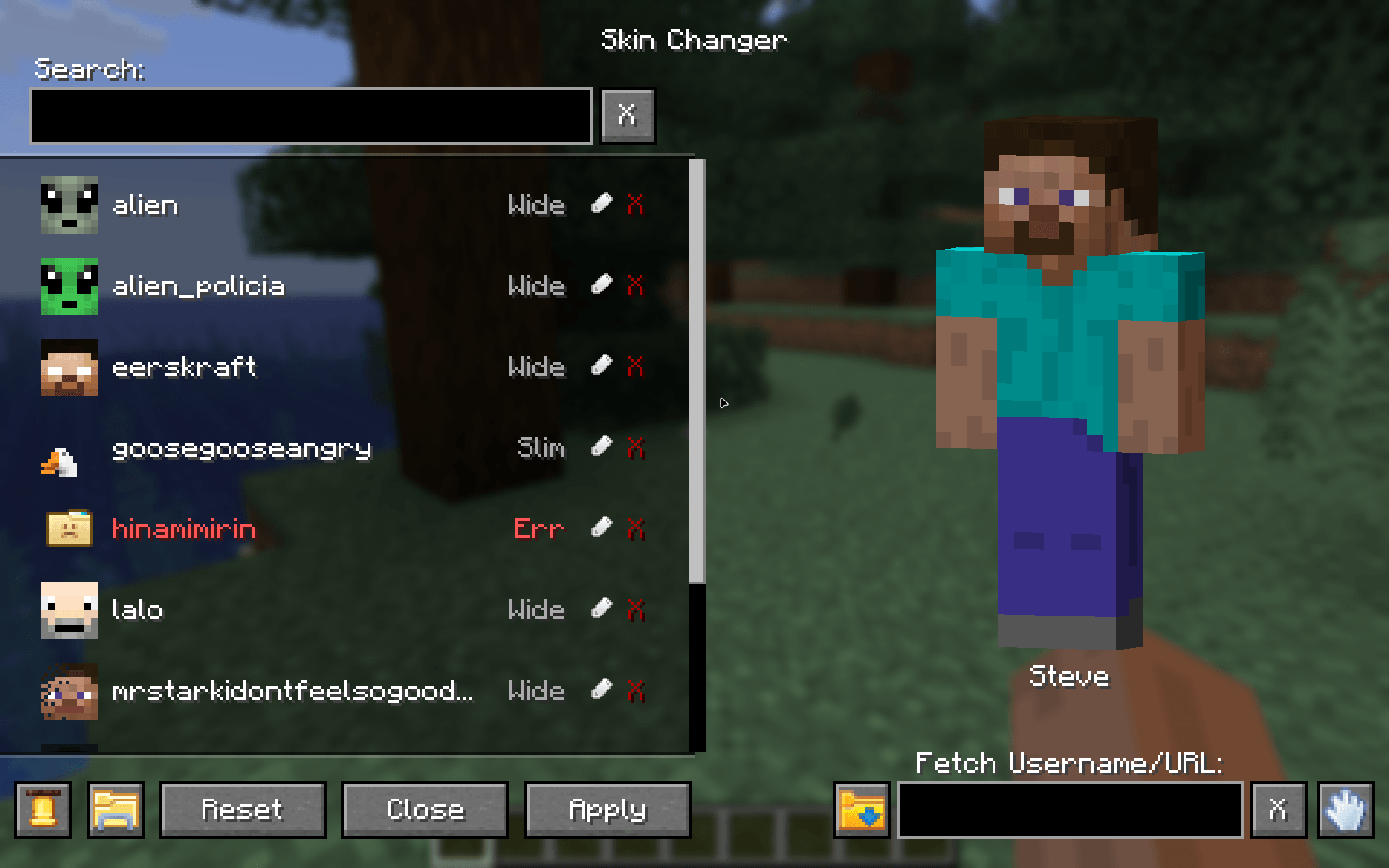 Skin Changer Menu Main menu of the mod
 -
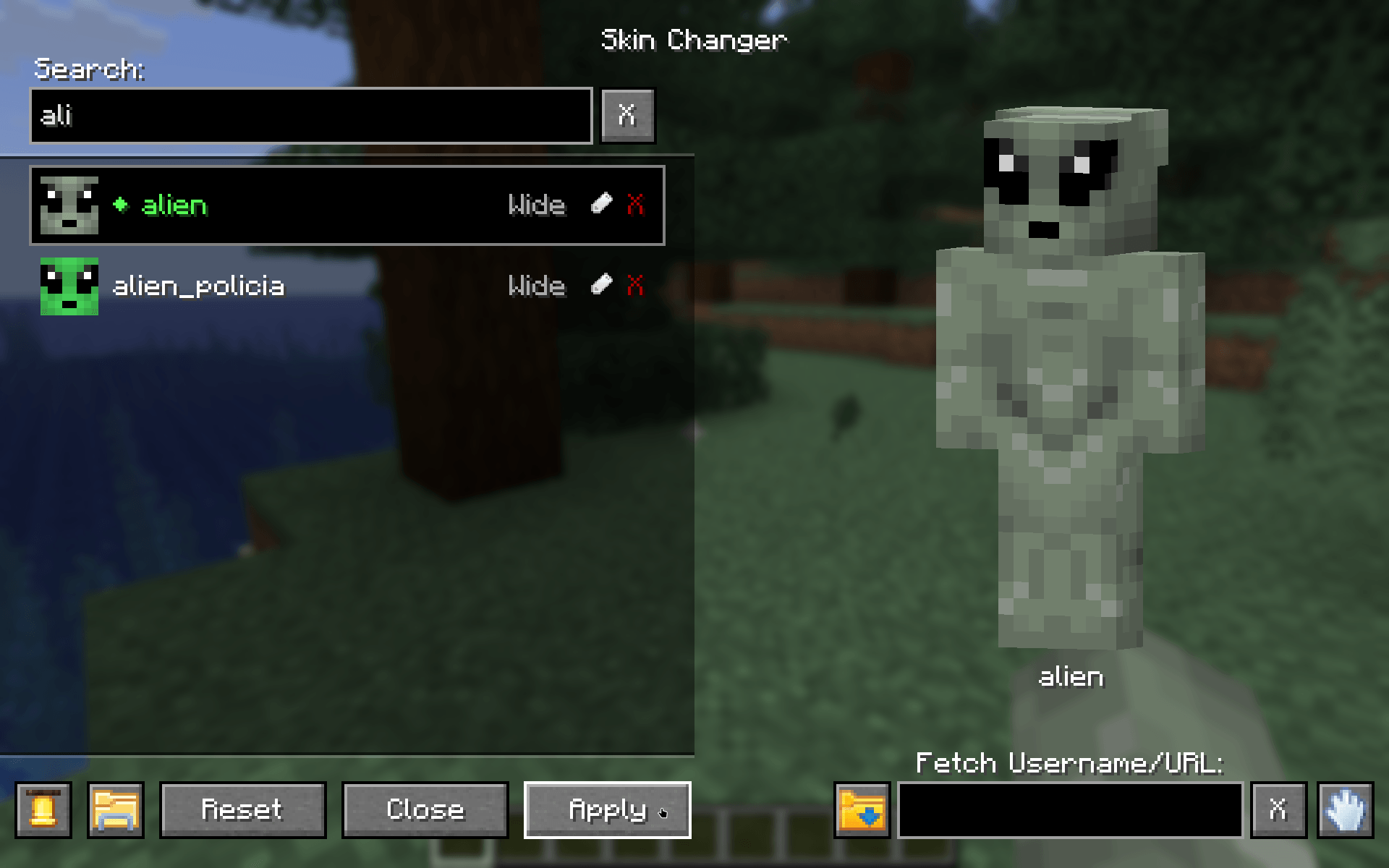 Search & Apply Find your skins in the skin list, select and apply them!
 -
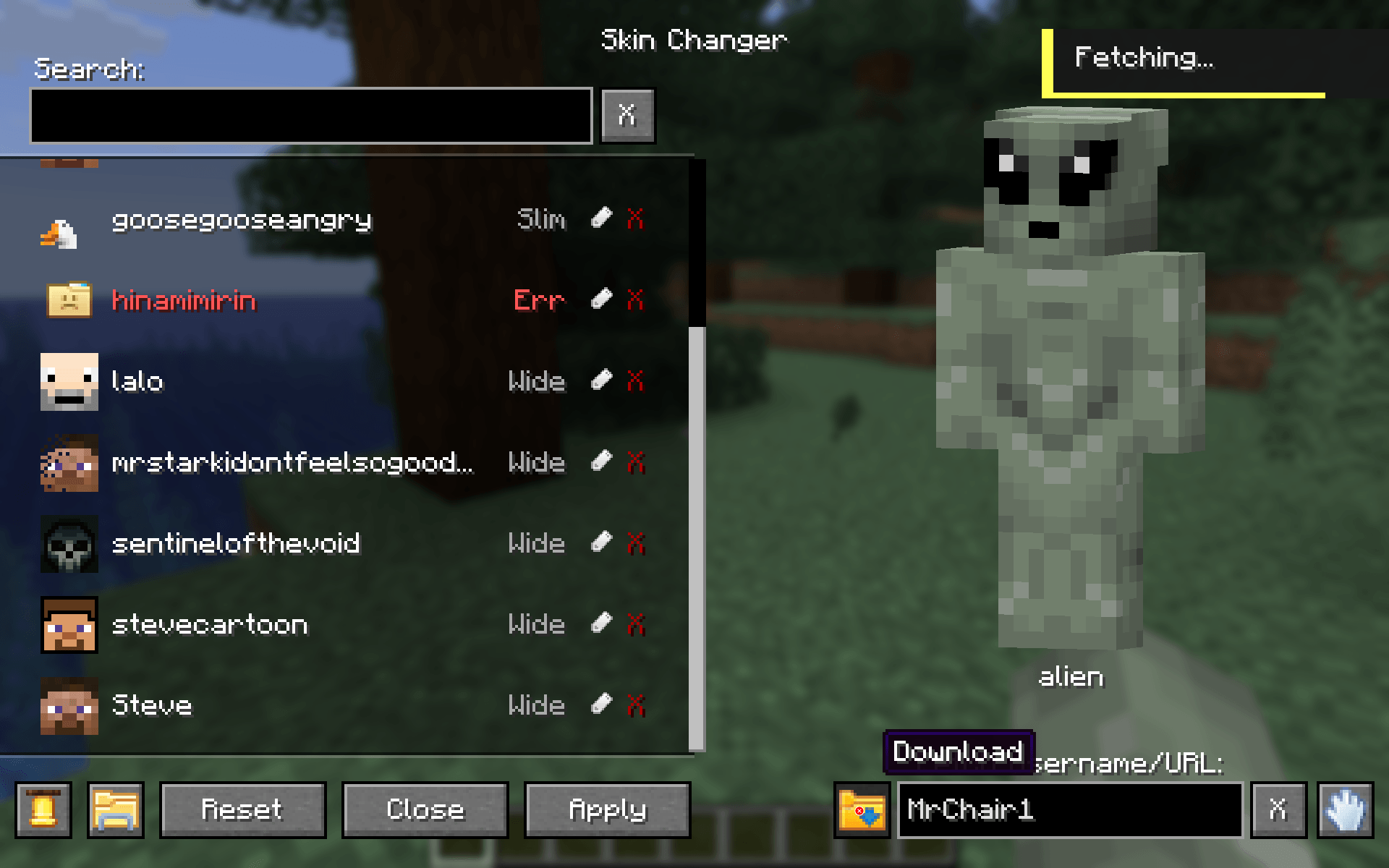 Fetch & Download Fetch any players skin or download them from a URL right into your skin directory
 -
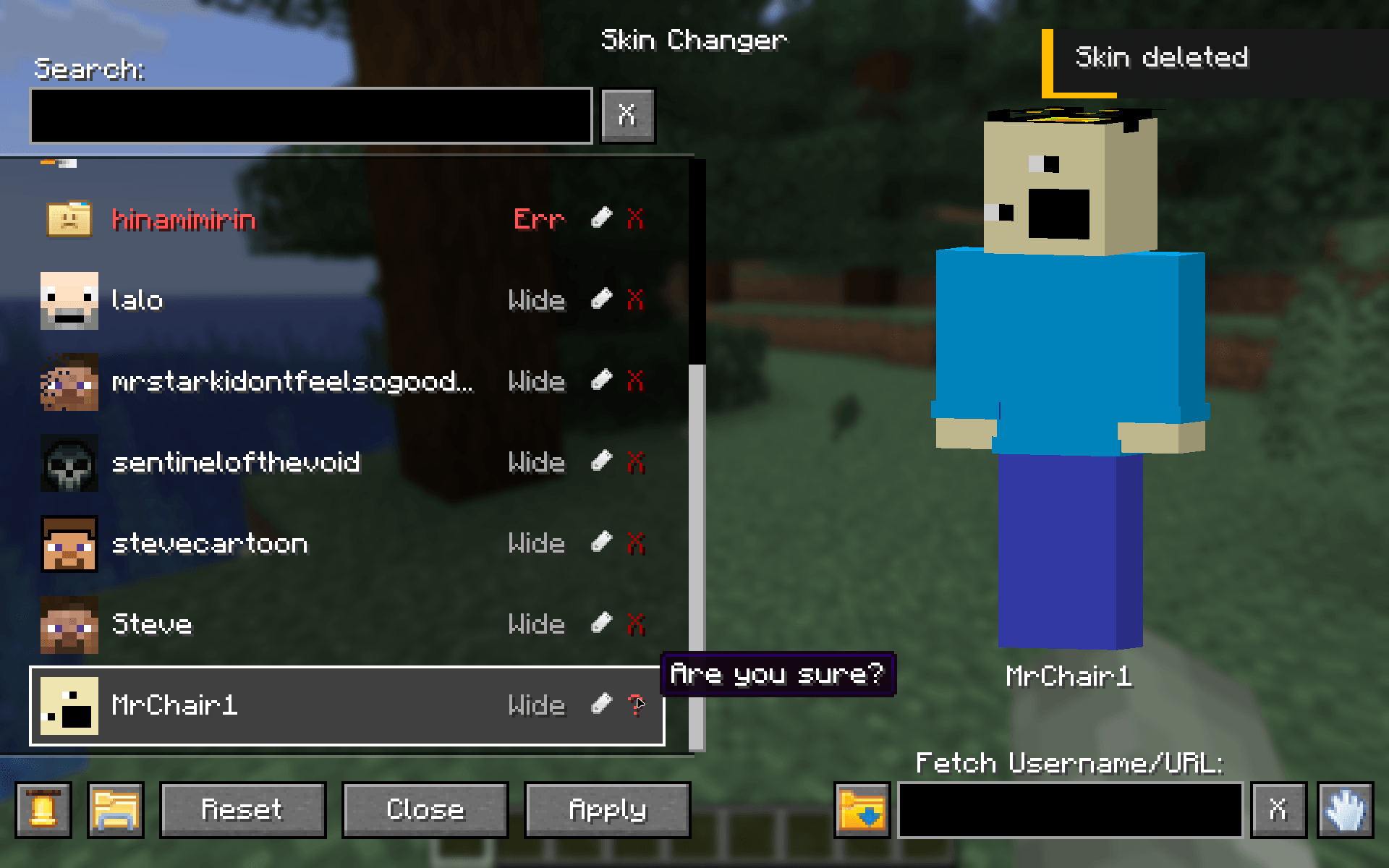 Delete skins Delete skins in the list right from the menu
 -
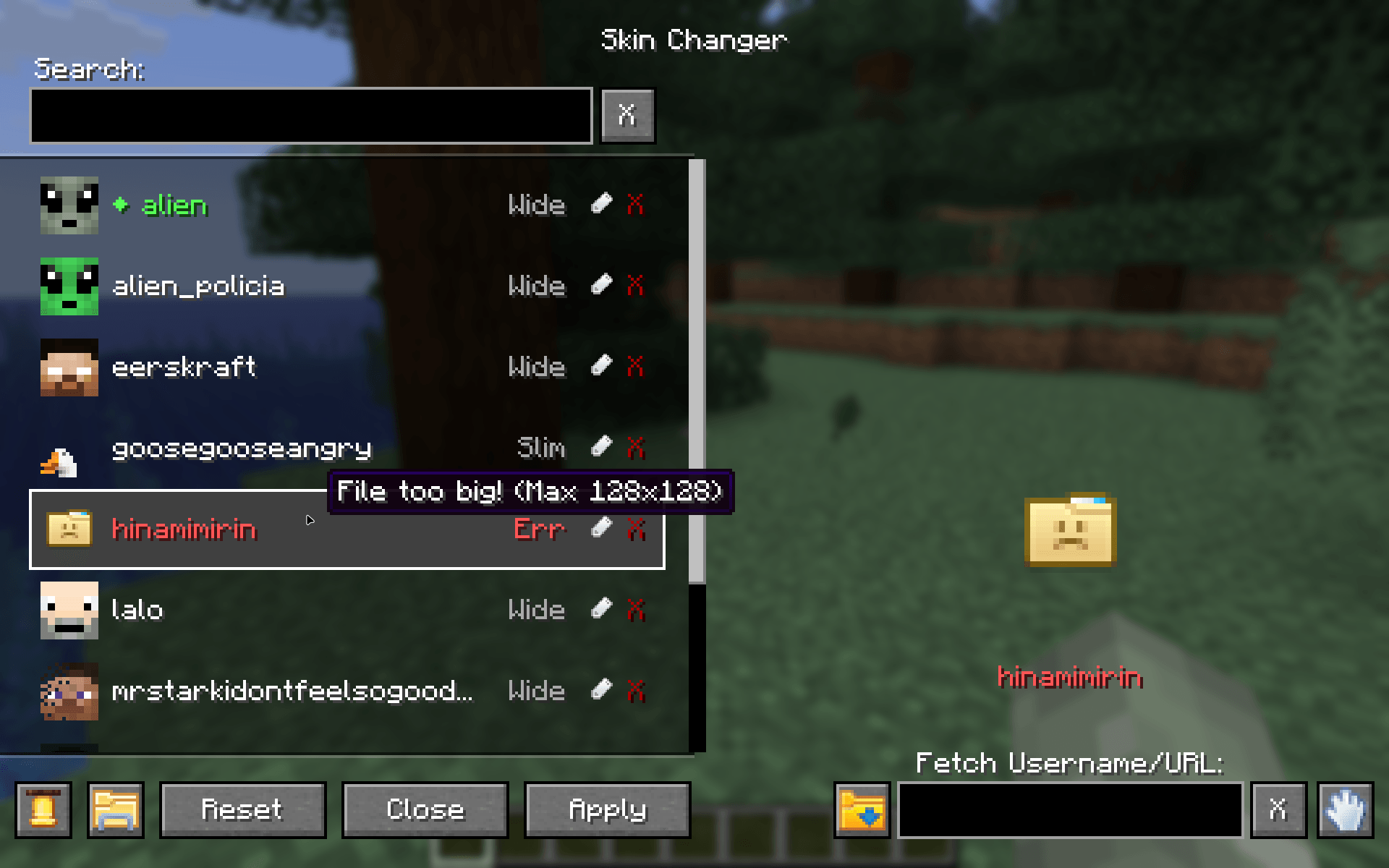 Error handling Shows you bad files in your skin directory
-
 Skin Changer Menu Main menu of the mod
 -
 Search, Select & Apply Find your skins in the skin list, select and apply them!
 -
 Fetch and Download Fetch any players skin or download them from a URL right into your skin directory
 -
 Delete skins Delete skins in the list right from the menu
 -
 Error handling Shows you bad files in your skin directory
Versions
Files
Relations
Project Relations
More like this
Similar Mods
Suggestions use data such as tags, dependencies, dependents, descriptions, titles, and more to rank how much they overlap with this mod.
On ModDex
Community snapshot
By the numbers
Statistics
 (opens in a new tab)
Get it on
Available Platforms
On ModDex
Community snapshot
By the numbers
Statistics
Resources