Community listing page, reviews here may not be monitored by the author.
My Photo Paintings

No reviews yet
Create customizable paintings in Minecraft using your own PNG, JPG and JPEG images.
Community voices
Reviews
No reviews yet. Be the first to review this project!
Get it on
Available Platforms
About
Project Details
For authors
Embed Badge
If you're the author of this project, you can embed a live badge anywhere that supports HTML or Markdown. It updates automatically whenever ratings change.
Use HTML for any page that supports it, or Markdown for README files and Markdown-based descriptions.
Identifiers
Platform IDs
Resources
External Links
About
Description
My Photo Paintings
My Photo Paintings makes it quick and easy to turn your own images into custom paintings directly inside Minecraft — no resource packs, manual file copying, or complicated setup required.
Simply use the Photo Painting item on a wall, choose an image from your computer, select the size you want, and place it in your world.
Features
- Import your own PNG, JPG and JPEG images
- Native file picker — no manual resource pack editing required
- Choose painting sizes from 1×1 up to 16×16 blocks
- Automatic size recommendation based on the image aspect ratio
- Two display modes:
- Fit — stretches the full image to the selected size
- Crop — keeps the original aspect ratio and crops the edges if necessary
- Live preview before placing the painting
- Checks whether enough wall space is available
- Supports multiple different images in the same world
- Images are stored directly inside the Minecraft world folder
- Identical images are only stored once
- Works in all four horizontal directions
- Custom images remain available after restarting Minecraft
How image saving works
When you confirm a Photo Painting, the selected image is immediately saved as a PNG inside the current Minecraft world folder.
The placed painting itself is saved by Minecraft as part of the normal world save process.
If Minecraft is force-closed before the next world save, the image file may already exist while the newly placed painting entity has not yet been saved. Under normal gameplay and normal shutdown, this is not an issue.
Storage location
Images are stored inside the world folder under:
my_photo_paintings/images
Crafting Recipe
The Photo Painting is crafted with:
Stick Stick Stick
Stick Paper Stick
Stick Stick Stick
Notes
- The selected source image is copied into the world and no longer depends on the original file on your computer.
- Removing a Photo Painting drops a normal empty Photo Painting item.
- When placing it again, you can choose a new image.
- The mod is currently designed primarily for singleplayer use.
- This mod may be included in any modpack, as long as the license terms are respected.
Screenshots
Gallery
-
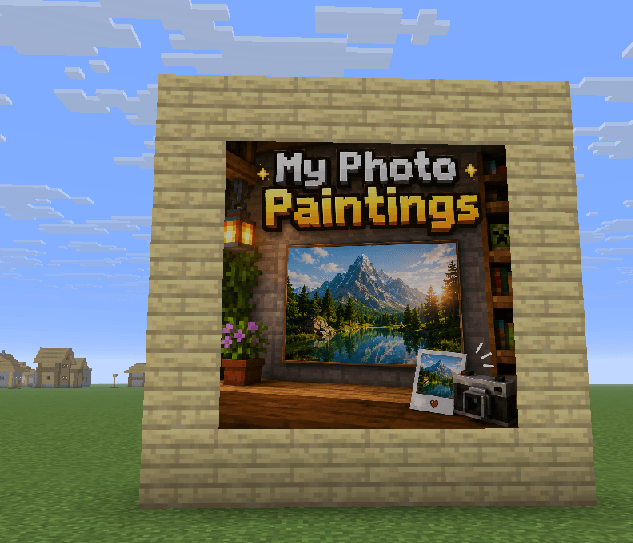 Wall with painting.png Wall with painting.png
 -
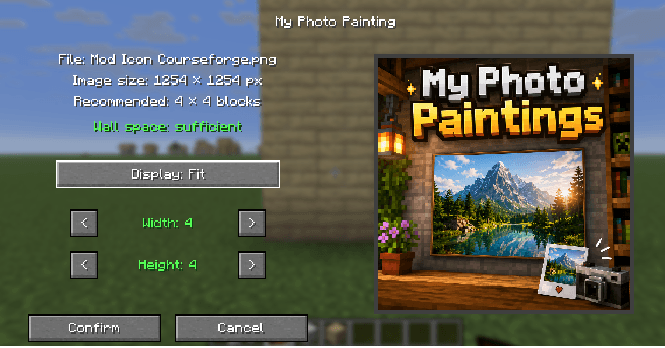 Menue.png Menue.png
 -
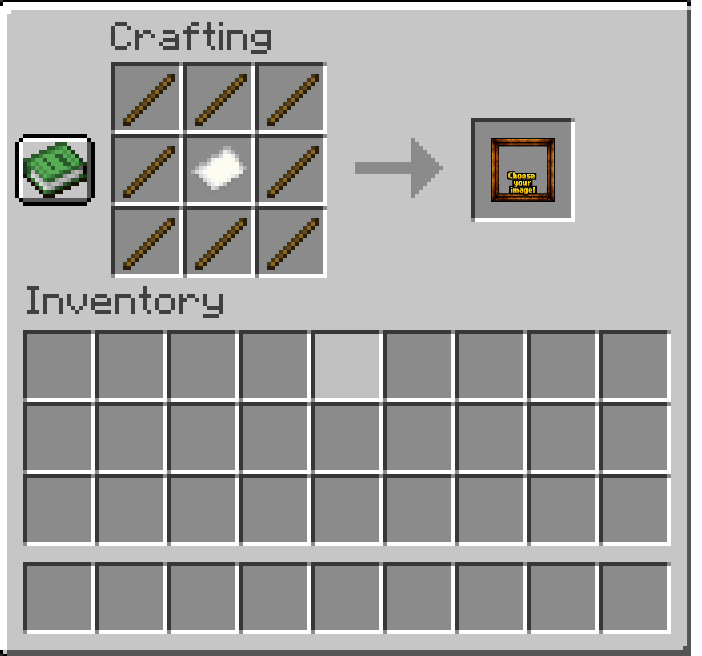 Crafting Recipe.png Crafting Recipe.png
 -
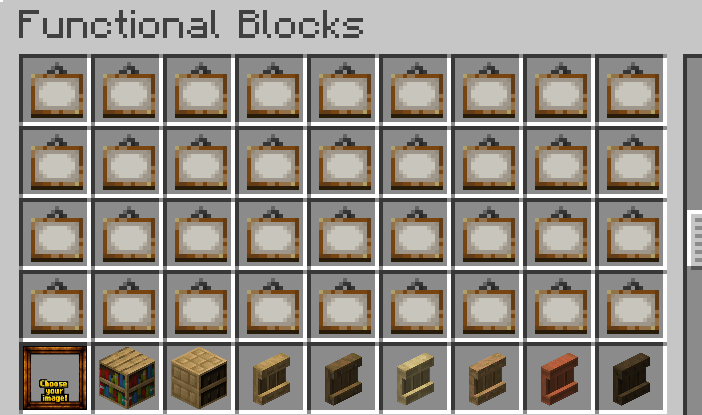 Functional Blocks.png Functional Blocks.png
Versions
Files
Relations
Project Relations
More like this
Similar Mods
Suggestions use data such as tags, dependencies, dependents, descriptions, titles, and more to rank how much they overlap with this mod.
On ModDex
Community snapshot
By the numbers
Statistics
Want to reach Minecraft players?
We're looking for a server hosting partner to feature here and other parts of the site. Interested? Send us a message!
Get in touchGet it on
Available Platforms
On ModDex
Community snapshot
By the numbers
Statistics
Resources