
Community listing page, reviews here may not be monitored by the author.
Name Color Editor

No reviews yet
Enhance your Minecraft server's identity! Name Color Editor is a lightweight Fabric mod that allows every player to express themselves by choosing a custom color for their username.
Community voices
Reviews
No reviews yet. Be the first to review this project!
Get it on
Available Platforms
Compatibility
Supported Environments
Must be installed on both the client and the server.
About
Project Details
For authors
Embed Badge
If you're the author of this project, you can embed a live badge anywhere that supports HTML or Markdown. It updates automatically whenever ratings change.
Use HTML for any page that supports it, or Markdown for README files and Markdown-based descriptions.
Identifiers
Platform IDs
Resources
External Links
About
Description
🎨 Name Color Editor
Enhance your Minecraft server's identity! Name Color Editor is a lightweight Fabric mod that allows every player to express themselves by choosing a custom color for their username and chat messages.
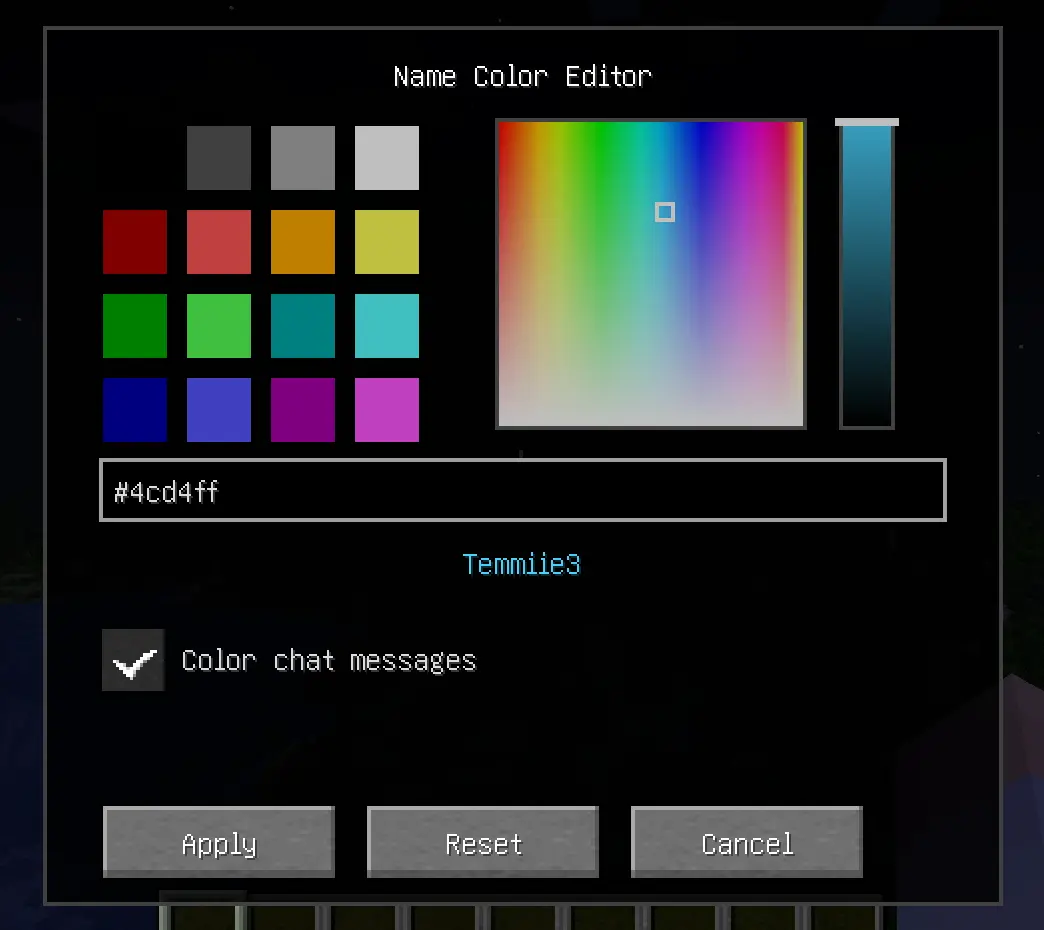
✨ Features
- Professional HSB Picker: Open a beautiful, clean color editor with
/namecolor.- 16 Classic Swatches: All standard vanilla Minecraft colors.
- Hue-Saturation Square: Pick any hue with precision.
- Brightness Slider: Fine-tune the luminosity of your chosen color.
- Chat Coloring Toggle: Choose between coloring just your name or both your name and chat messages.
- Responsive UI: Optimized layout that works on all screen sizes and GUI scales.
- Hex Support: Type or paste any
#RRGGBBcode for total precision. - Universal Visibility: Your chosen color is shown in:
- 💬 Chat messages (optional)
- 📜 Tab list
- 🏷️ Floating Nametags (above your head)
- Server-Side Sync: Colors are synchronized automatically across all online players.
- Persistent Storage: Your color preferences are saved to the server and persist across restarts.
🚀 Installation
🖥️ Client & Server
This mod is required on both the Client and the Server.
- Install Fabric Loader for 1.21.1.
- Download Fabric API and place it in your
modsfolder. - Place Name Color Editor in your
modsfolder.
🛠️ Commands
/namecolor: Opens the color selection GUI.
Screenshots
Gallery
-
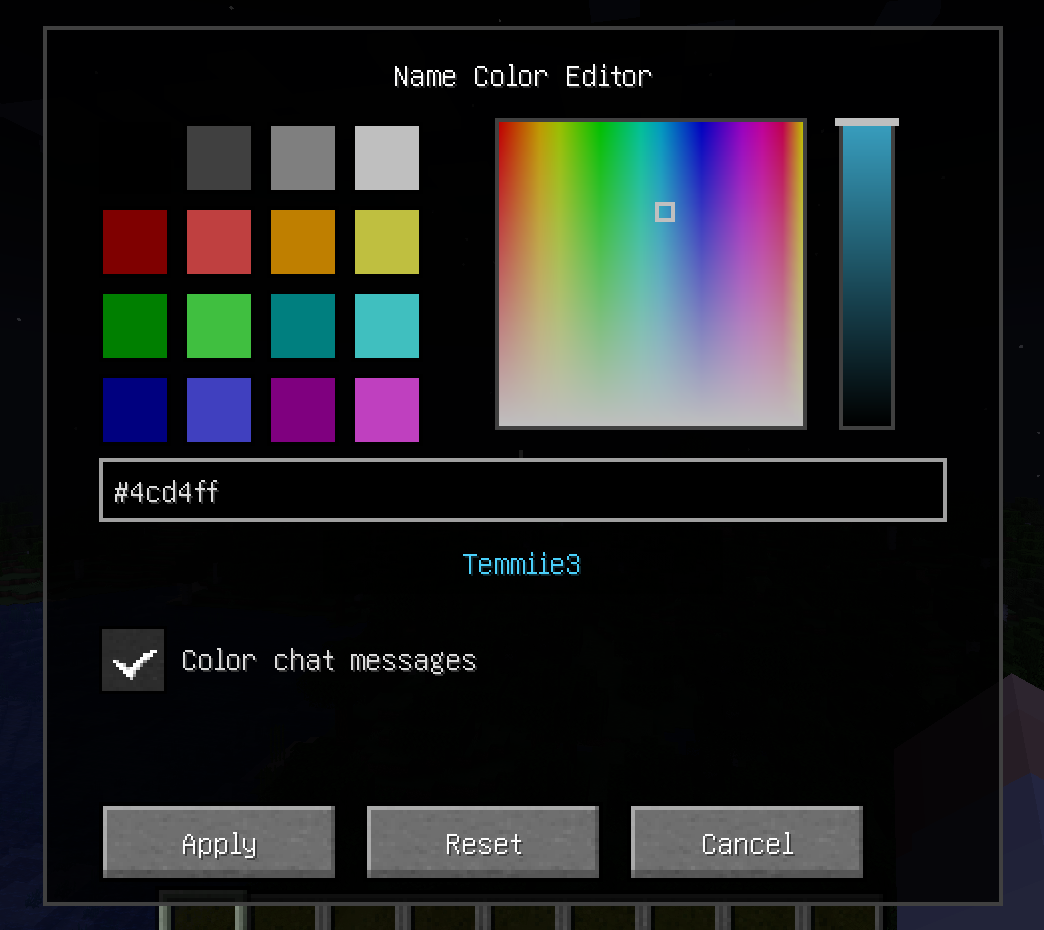 GUI GUI featuring preset color options, a custom color picker with a gradient and slider, a hex color input field, a preview of the username, and a checkbox to enable colored chat messages
Versions
Files
Relations
Project Relations
More like this
Similar Mods
Suggestions use data such as tags, dependencies, dependents, descriptions, titles, and more to rank how much they overlap with this mod.
On ModDex
Community snapshot
By the numbers
Statistics

Want to reach Minecraft players?
We're looking for a server hosting partner to feature here and other parts of the site. Interested? Send us a message!
Get in touchGet it on
Available Platforms
On ModDex
Community snapshot
By the numbers
Statistics
Resources