Community listing page, reviews may not be monitored by the author.
Station Sticker


No reviews yet
An MTR addon with station stickers, line maps, passenger information displays and customizable navigation signs.

Community voices
Reviews
No reviews yet. Be the first to review this project!
Get it on
Available Platforms
Compatibility
Supported Environments
Must be installed on both the client and the server.
About
Project Details
For authors
Embed Badge
If you're the author of this project, you can embed a live badge anywhere that supports HTML or Markdown. It updates automatically whenever ratings change.
Use HTML for any page that supports it, or Markdown for README files and Markdown-based descriptions.
Identifiers
Platform IDs
Resources
External Links
About
Description

Station Sticker is an addon for Minecraft Transit Railway (MTR) that adds metro-style station signs, route maps and passenger information displays.
Inspired by the Saint Petersburg Metro and Moscow Metro, it uses your MTR station and route data to help passengers find their way.
Version 2.0 is now available! Discover arrival displays, direction signs, navigation signs and information screens. 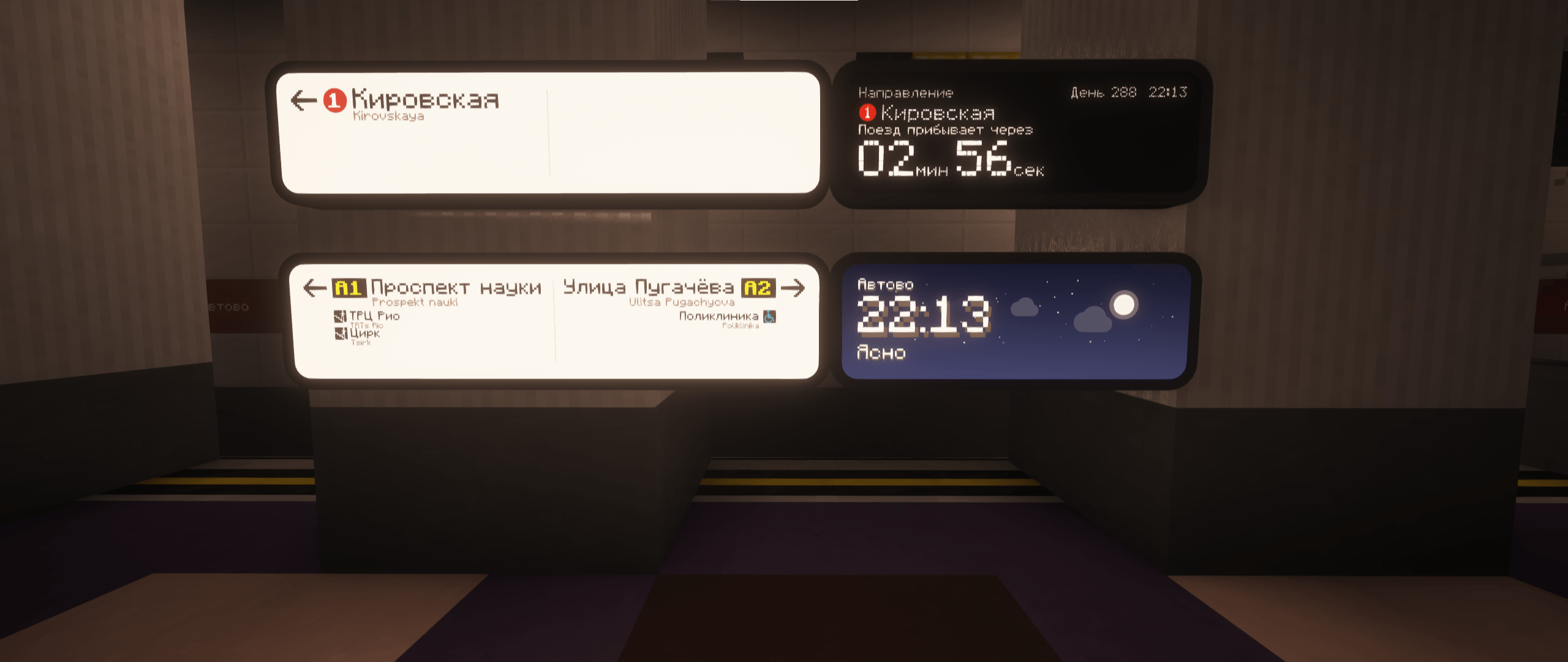
✨ Blocks and features
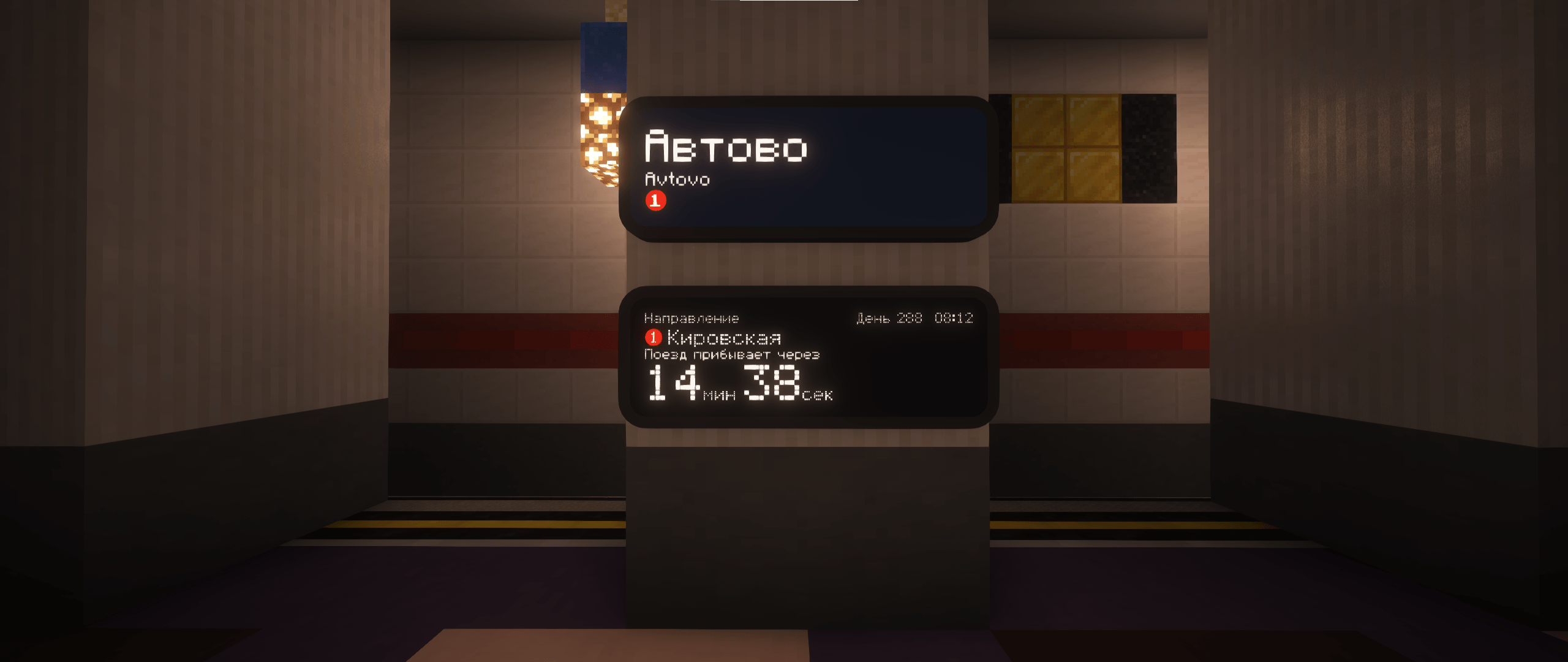
- Station Sticker — automatically displays the station name and line color. Can be placed on walls, floors and ceilings.
- Line Scheme — displays stations and interchanges along a platform’s routes. Reverse its direction with the MTR brush.
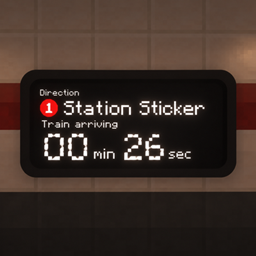
- Arrival Display — new in 2.0 — shows the destination, route number, countdown to the next train and in-game time. Includes an optional arrival chime and a “No Boarding” indication for terminating services.
- Direction Sign — new in 2.0 — shows destinations in both directions, following stations and interchange markers.
- Navigation Sign — new in 2.0 — choose between transfer and station-exit layouts, with configurable arrows, pictograms and MTR exit information.
- Info Display — new in 2.0 — cycles between station information and animated in-game weather.
Direction signs, navigation signs and information screens have an adjustable width of 2–8 blocks. The new displays can be mounted on walls or suspended from ceilings.
Russian and English display text is supported. Existing English translations in multilingual MTR station names are used when available.
🖌️ How to use
- Set up your station, platforms and routes in MTR.
- Place the blocks inside the station area.
- Right-click with the MTR brush to configure supported blocks.
Use the brush to change sign widths and navigation layouts, reverse the line scheme, or toggle the arrival chime.
Numbers inside the colored circles come from MTR’s route-number field. They are separate from platform numbers. Set route numbers in the MTR dashboard to display them on the signs.
🚇 Line Scheme in action
Display your station’s routes and interchanges in the style of the Saint Petersburg Metro.

📦 Requirements
Minecraft Transit Railway is required.
Choose matching Minecraft versions for Station Sticker and MTR. Install the addon on both the client and server when playing multiplayer.
🔗 Links
Created by Tr1nity. Thanks to the MTR team and kykko.
Licensed under the MIT License. 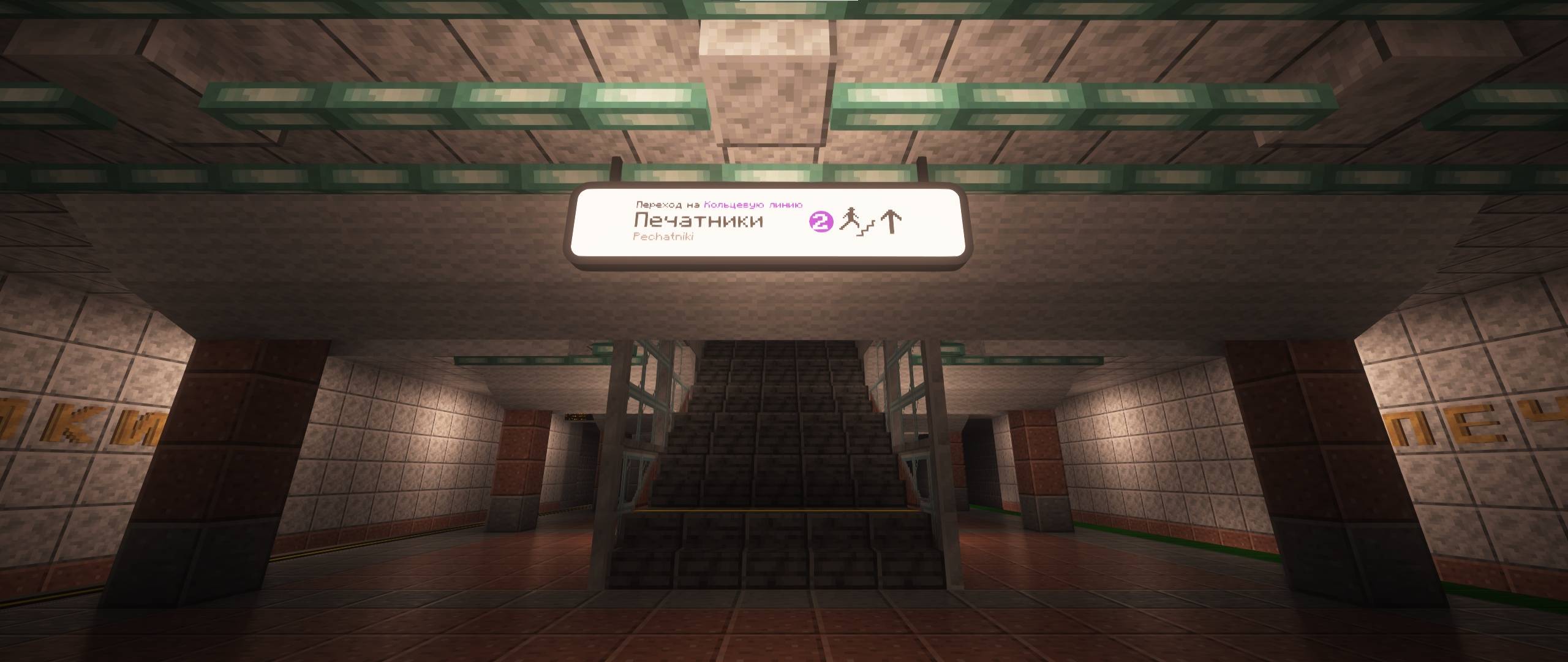

Station Sticker is an addon for Minecraft Transit Railway (MTR) that adds metro-style station signs, route maps and passenger information displays.
Inspired by the Saint Petersburg Metro and Moscow Metro, it uses your MTR station and route data to help passengers find their way.
Version 2.0 is now available! Discover arrival displays, direction signs, navigation signs and information screens.

✨ Blocks and features
- Station Sticker — automatically displays the station name and line color. Can be placed on walls, floors and ceilings.
- Line Scheme — displays stations and interchanges along a platform’s routes. Reverse its direction with the MTR brush.
- Arrival Display — new in 2.0 — shows the destination, route number, countdown to the next train and in-game time. Includes an optional arrival chime and a “No Boarding” indication for terminating services.
- Direction Sign — new in 2.0 — shows destinations in both directions, following stations and interchange markers.
- Navigation Sign — new in 2.0 — choose between transfer and station-exit layouts, with configurable arrows, pictograms and MTR exit information.
- Info Display — new in 2.0 — cycles between station information and animated in-game weather.
Direction signs, navigation signs and information screens have an adjustable width of 2–8 blocks. The new displays can be mounted on walls or suspended from ceilings.
Russian and English display text is supported. Existing English translations in multilingual MTR station names are used when available.
🖌️ How to use
- Set up your station, platforms and routes in MTR.
- Place the blocks inside the station area.
- Right-click with the MTR brush to configure supported blocks.
Use the brush to change sign widths and navigation layouts, reverse the line scheme, or toggle the arrival chime.
Numbers inside the colored circles come from MTR’s route-number field. They are separate from platform numbers. Set route numbers in the MTR dashboard to display them on the signs.
🚇 Line Scheme in action
Display your station’s routes and interchanges in the style of the Saint Petersburg Metro.

📦 Requirements
Minecraft Transit Railway is required.
Choose matching Minecraft versions for Station Sticker and MTR. Install the addon on both the client and server when playing multiplayer.
🔗 Links
Created by Tr1nity. Thanks to the MTR team and kykko.
Licensed under the MIT License.

Screenshots
Gallery
-
Station Sticker on station "Кировский завод" 2026-03-09_12.39.58.png
-
 Station Sticker 2026-03-09_12.24.14.png
-
 Station Sticker 2026-03-09_12.35.56.png
-
 Recipe Station sticker 2026-03-09_15.30.07.png
-
 Recipe Line scheme photo_2026-04-11_04-50-06.jpg
-
Line scheme and Station Sticker compressed_image.jpg
-
 codex-clipboard-082a74e5-ec92-4af5-869a-e391c133cb63.png codex-clipboard-082a74e5-ec92-4af5-869a-e391c133cb63.png
-
codex-clipboard-084bce33-be48-41ec-931e-0794e4c2d367.png codex-clipboard-084bce33-be48-41ec-931e-0794e4c2d367.png
-
codex-clipboard-77f35389-4c72-4d46-9e20-f13655b86b1d.jpg codex-clipboard-77f35389-4c72-4d46-9e20-f13655b86b1d.jpg
-

-

-

-
Line scheme and station sticker
-

-
-

-
Versions
Files
Relations
Project Relations
More like this
Similar Mods
Suggestions use data such as tags, dependencies, dependents, descriptions, titles, and more to rank how much they overlap with this mod.
On ModDex
Community snapshot
By the numbers
Statistics

Get it on
Available Platforms
On ModDex
Community snapshot
By the numbers
Statistics
Resources