Community listing page, reviews here may not be monitored by the author.
Station Builder


No reviews yet
Create decorated railways and stations with few clicks!
Community voices
Reviews
No reviews yet. Be the first to review this project!
Get it on
Available Platforms
Compatibility
Supported Environments
Must be installed on both the client and the server.
About
Project Details
For authors
Embed Badge
If you're the author of this project, you can embed a live badge anywhere that supports HTML or Markdown. It updates automatically whenever ratings change.
Use HTML for any page that supports it, or Markdown for README files and Markdown-based descriptions.
Identifiers
Platform IDs
About
Description
Station Builder
Create decorated railways and stations with few clicks!
Station Builder provides 2 tools for convenient construction of continuous rails and train stations.
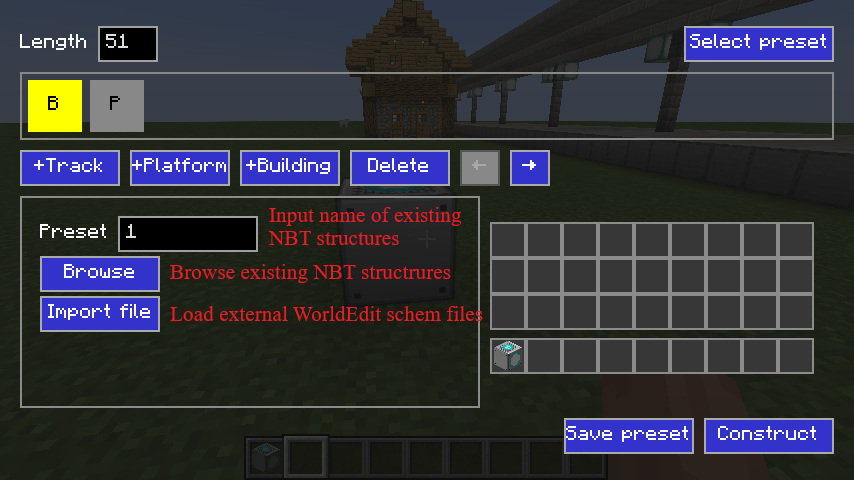
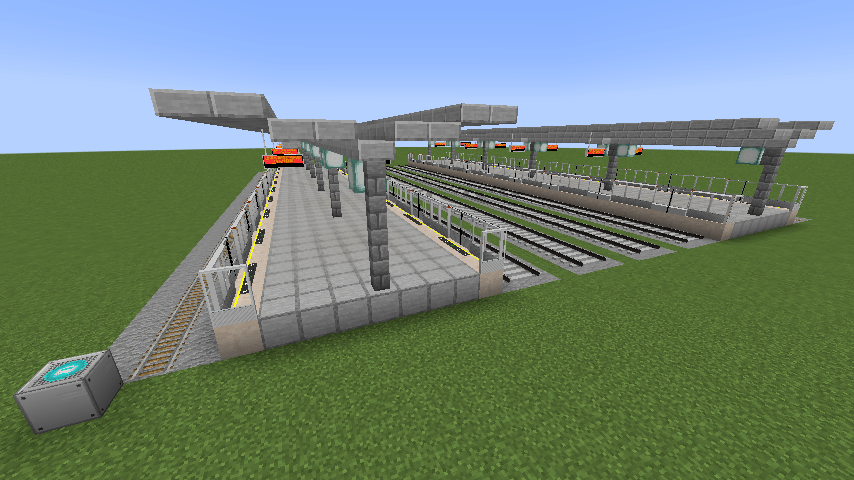
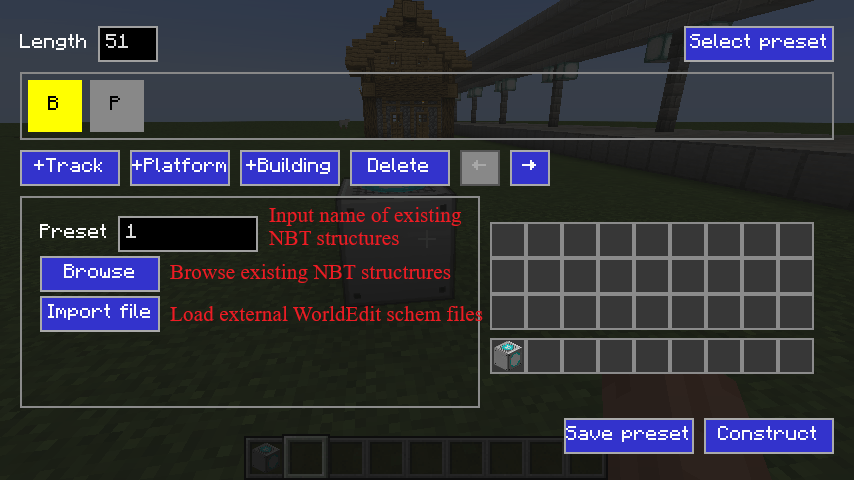
Station Builder: A block to create train station with multiple platforms and tracks. Pillars, canopys, saftey lines/doors, passenger information display system (PIDS), station buildings (can be rotated) and ballasts are created automatically in one click.
- Right click to open GUI and construct.
- Use Building Selector item in this mod to select a building and save, and load them in Station Builder block's GUI. You can also use WorldEdit to save buildings as
.schemfiles (//schem save building_name). - Saftey lines/doors and PIDS needs Minecraft Transit Railway to work (1.20.x requires MTR 4.0.x, and 1.21.x requires MTR 4.1.x).
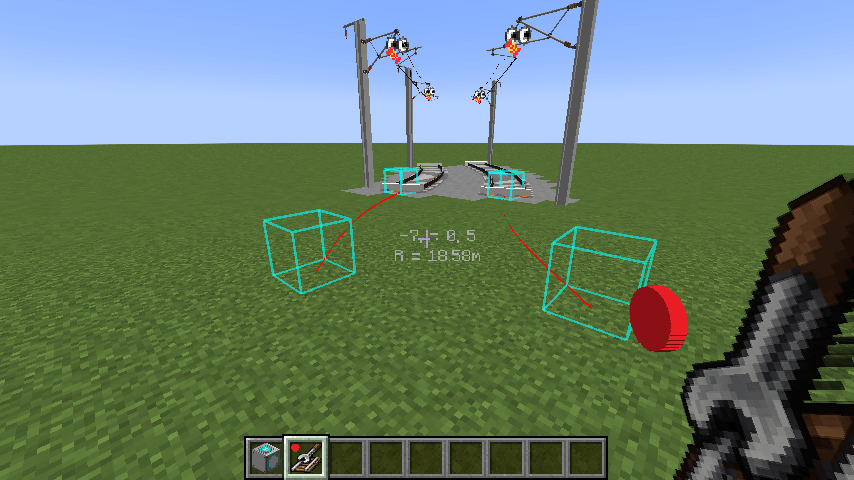
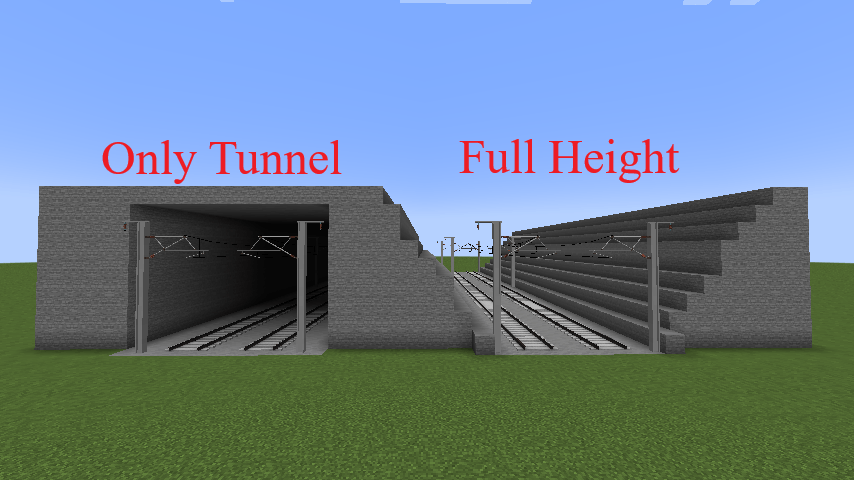
Rail Builder: An item for continuous parallel rails' construction. It could create tunnels, bridges, piers, catenary and ballasts for the rail automatically.
- Right click to build continuous parallel rails. Shift + Right click to open GUI for configuration. Press V to stop continuous building.
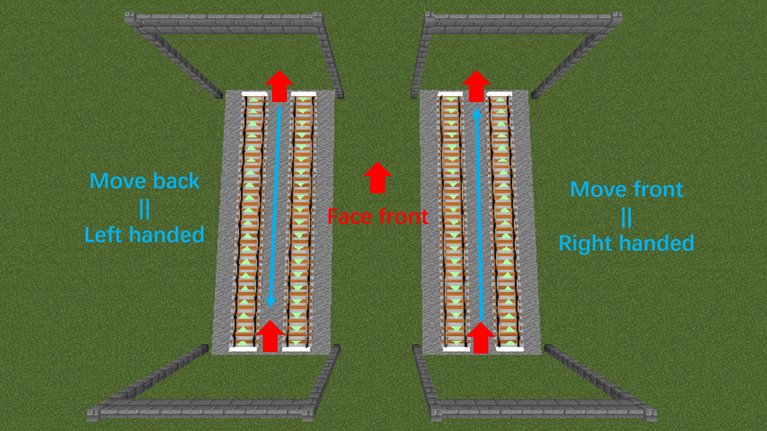
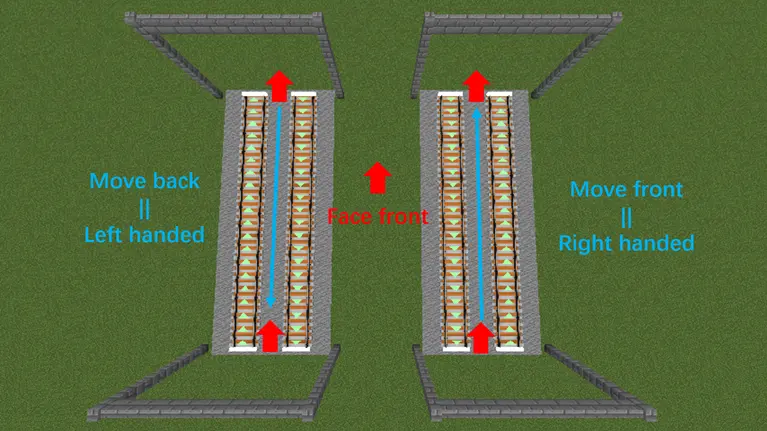
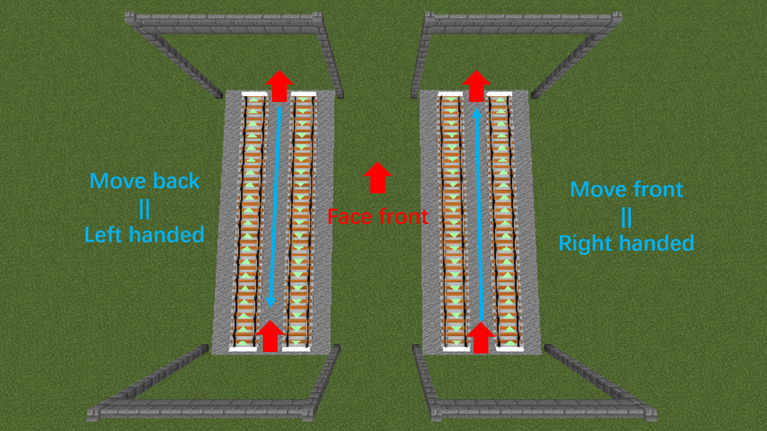
- Support one-way rails in different directions. Move front for right-handed and move back for left-handed.
- This tool needs Minecraft Transit Railway to work (1.20.x requires MTR 4.0.x, and 1.21.x requires MTR 4.1.x).
- Catenaries can be built with Minecraft vanilla blocks. If Station Decoration (MSD) 1.4.0+ is installed in 1.20.x, MSD catenaries can be used.
Images
- Build a station (with both normal rails and MTR rails)

- Build a rail

- Tunnel

- Bridge

- Station Builder GUI

-
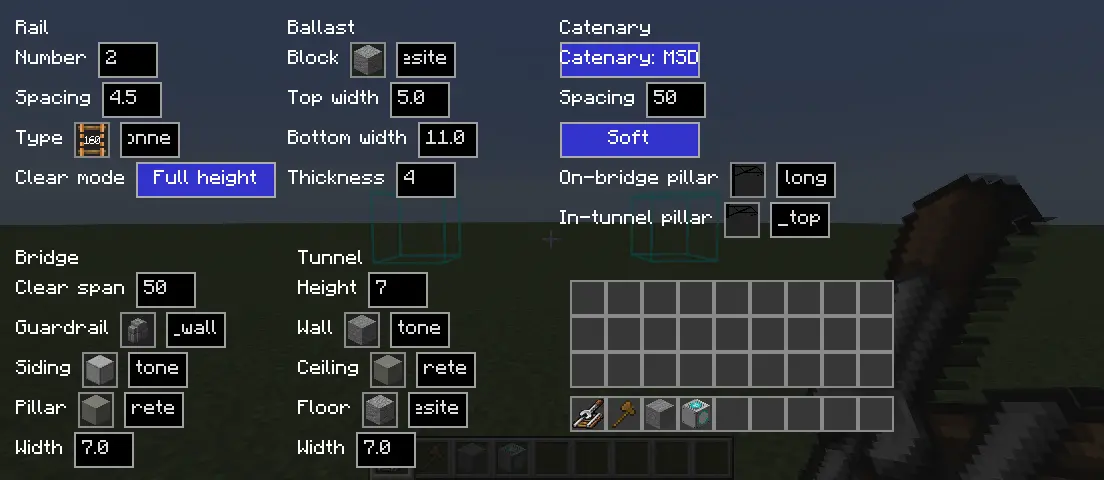
Rail Builder GUI
-
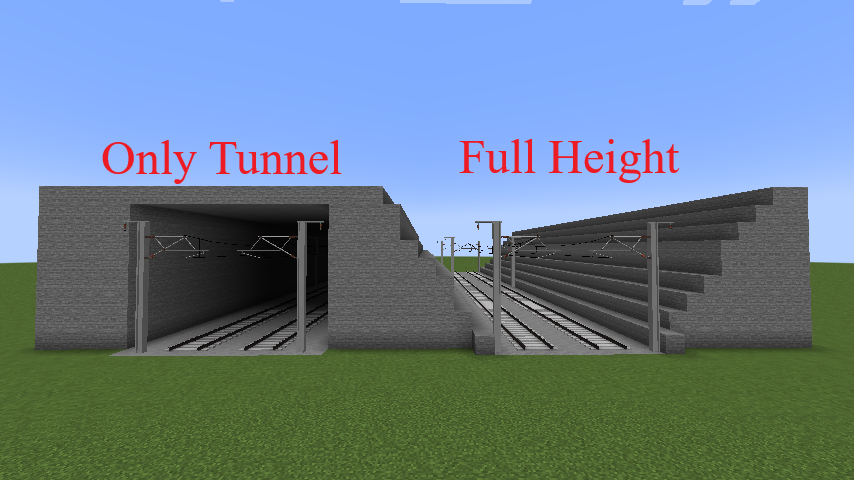
Different "Rail -> Clear Mode":
- One-way rail settings
Station Builder
Create decorated railways and stations with few clicks!
Station Builder provides 2 tools for convenient construction of continuous rails and train stations.
-
Station Builder: A block to create train station with multiple platforms and tracks. Pillars, canopys, saftey lines/doors, passenger information display system (PIDS), station buildings (can be rotated) and ballasts are created automatically in one click.
- Right click to open GUI and construct.
- Use Building Selector item in this mod to select a building and save, and load them in Station Builder block's GUI. You can also use WorldEdit to save buildings as
.schemfiles (//schem save building_name). - Saftey lines/doors and PIDS needs Minecraft Transit Railway to work (1.20.x requires MTR 4.0.x, and 1.21.x requires MTR 4.1.x).
-
Rail Builder: An item for continuous parallel rails' construction. It could create tunnels, bridges, piers, catenary and ballasts for the rail automatically.
- Right click to build continuous parallel rails. Shift + Right click to open GUI for configuration. Press V to stop continuous building.
- Support one-way rails in different directions. Move front for right-handed and move back for left-handed.
- This tool needs Minecraft Transit Railway to work (1.20.x requires MTR 4.0.x, and 1.21.x requires MTR 4.1.x).
- Catenaries can be built with Minecraft vanilla blocks. If Station Decoration (MSD) 1.4.0+ is installed in 1.20.x, MSD catenaries can be used.
Images
-
Build a station (with both normal rails and MTR rails)
-
Build a rail
-
Tunnel
-
Bridge
-
Station Builder GUI
-
To select building in Station Builder GUI
-
Rail Builder GUI
-
Different "Rail -> Clear Mode":
-
One-way rail settings
Screenshots
Gallery
-
 station_builder.png station_builder.png
 -
 rail_builder.png rail_builder.png
 -
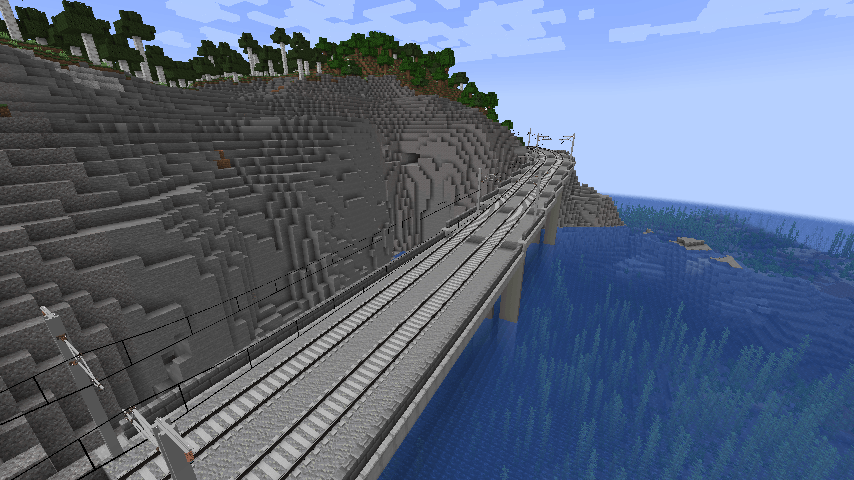 bridge.png bridge.png
 -
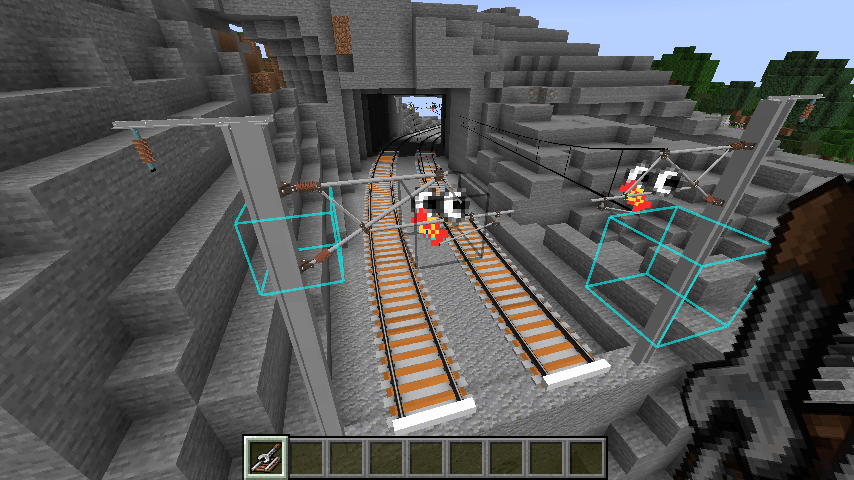 tunnel.png tunnel.png
 -
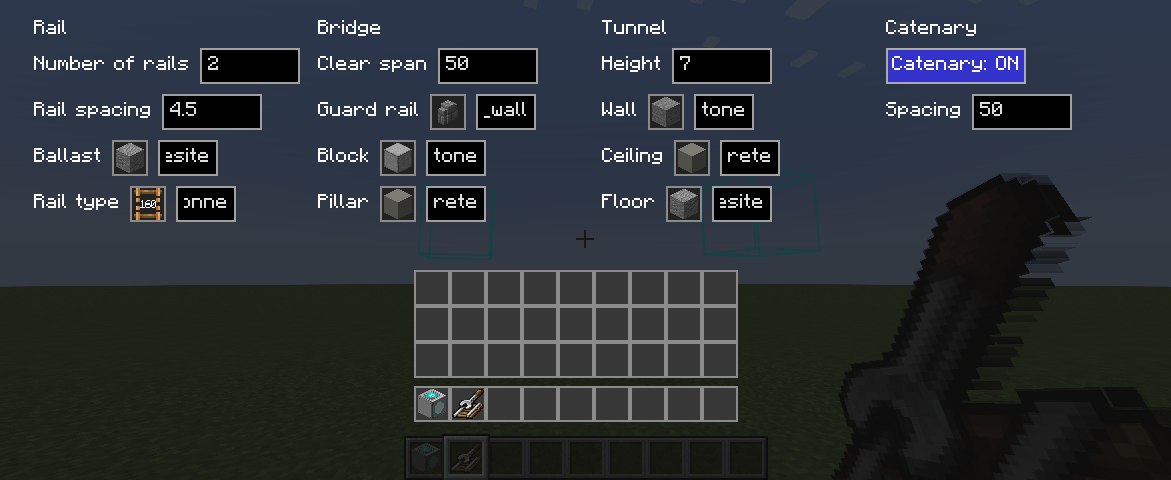 rail_builder_gui.png rail_builder_gui.png
 -
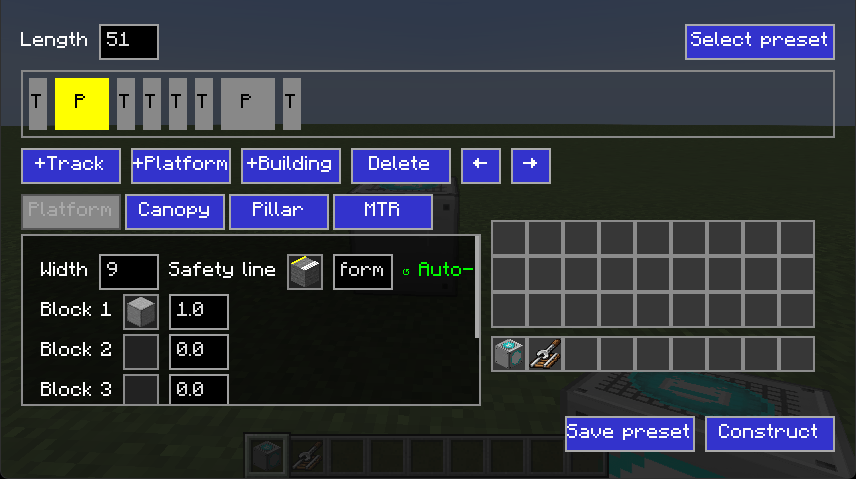 station_builder_gui.png station_builder_gui.png
 -
 Buildings.png Buildings.png
 -
 tunnelonly_vs_fullheight_en.png tunnelonly_vs_fullheight_en.png
 -
 hand-side.png hand-side.png
-
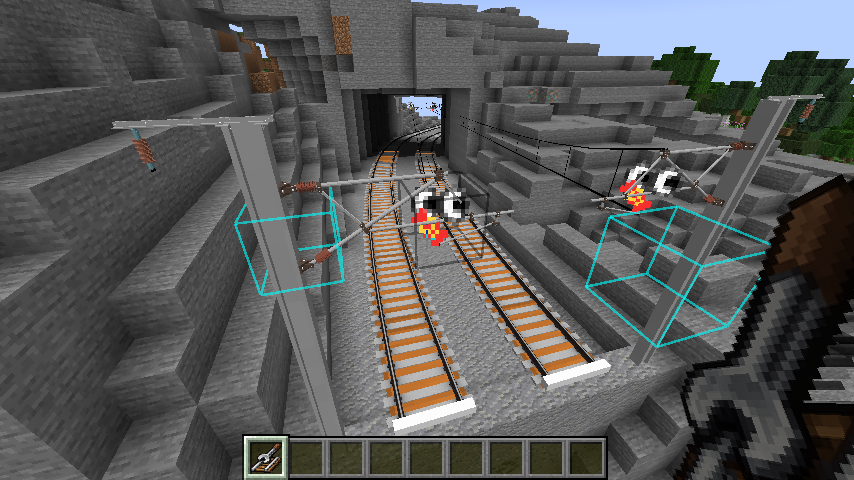 Automatically generated tunnel Tunnels can be generated by Rail Builder.
 -
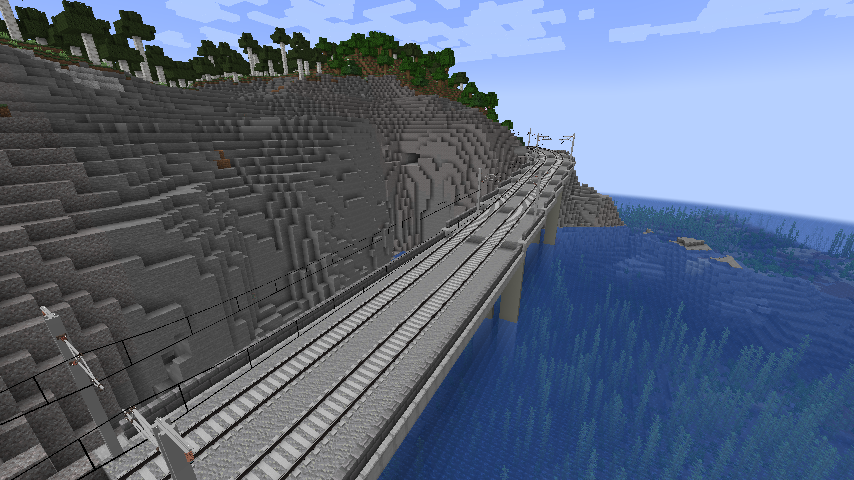 Automatically generated bridge Bridges can be generated by Rail Builder.
 -
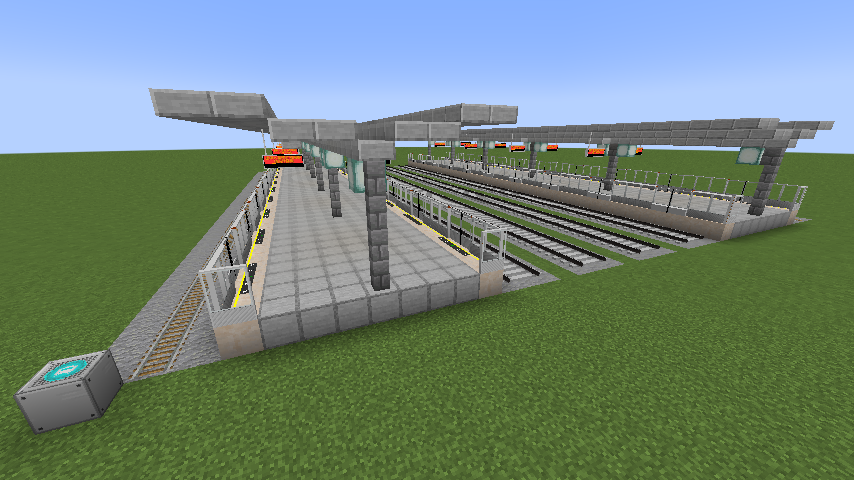 Build a station Build a station with StationBuilder block.
 -
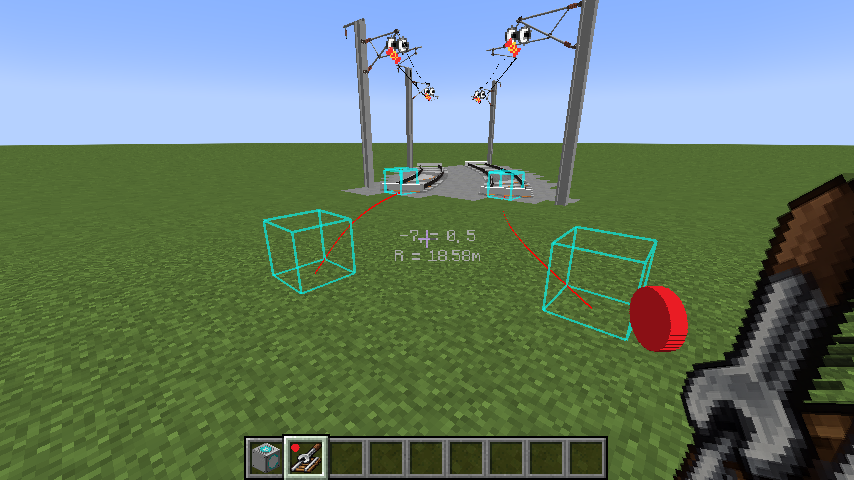 Build a rail Build a rail with preview.
Versions
Files
Relations
Project Relations
More like this
Similar Mods
Suggestions use data such as tags, dependencies, dependents, descriptions, titles, and more to rank how much they overlap with this mod.
On ModDex
Community snapshot
By the numbers
Statistics
Want to reach Minecraft players?
We're looking for a server hosting partner to feature here and other parts of the site. Interested? Send us a message!
Get in touchGet it on
Available Platforms
On ModDex
Community snapshot
By the numbers