Community listing page, reviews here may not be monitored by the author.
NametagToolkit


No reviews yet
A few options to customize and control name tags.
Community voices
Reviews
No reviews yet. Be the first to review this project!
Get it on
Available Platforms
Compatibility
Supported Environments
Required on the client. Installing it on the server adds functionality.
About
Project Details
For authors
Embed Badge
If you're the author of this project, you can embed a live badge anywhere that supports HTML or Markdown. It updates automatically whenever ratings change.
Use HTML for any page that supports it, or Markdown for README files and Markdown-based descriptions.
Identifiers
Platform IDs
Resources
External Links
About
Description
Client-side features work even if the mod is not installed on the server.
! Some servers may consider certain features unfair or cheating. !
Client-Side Features
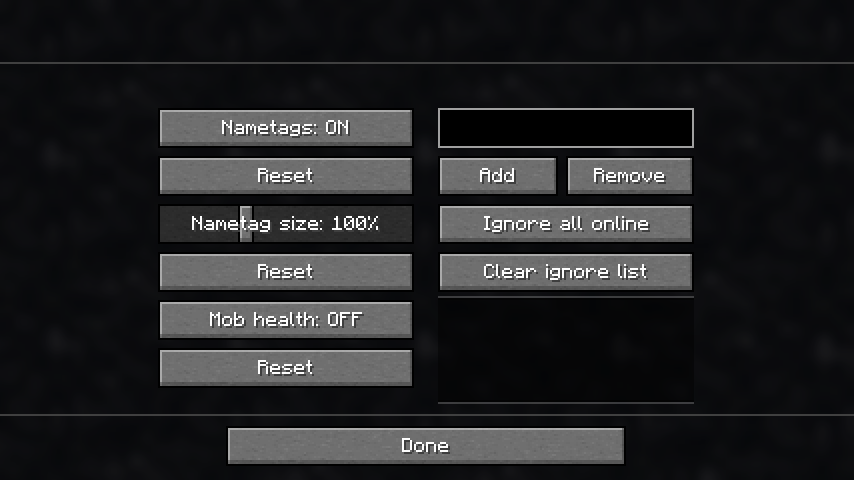
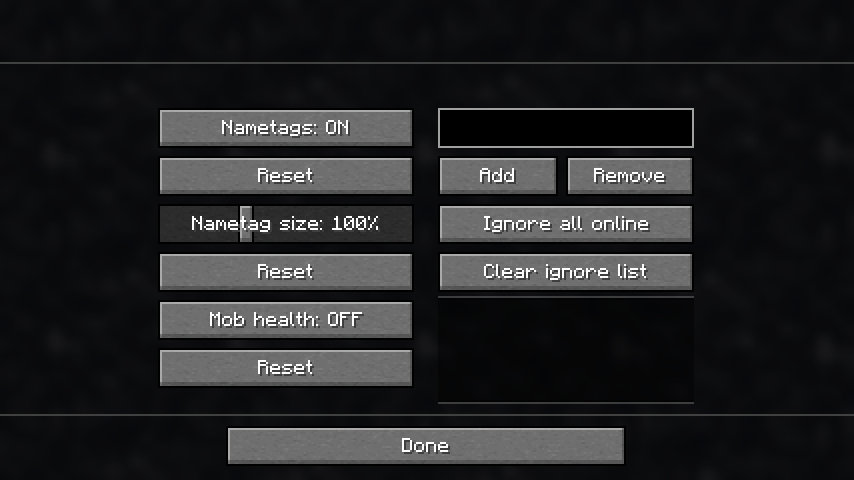
(Configurable in a menu, the hotkey is "g" by default)
- Toggle all nametags: On, Off, or Line of Sight (LOS)
→ With LOS enabled, nametags are hidden through walls
- Adjust the size of nametags
- Add players to an ignore list to hide their nametags individually
Features
- Display a player’s health next to their name
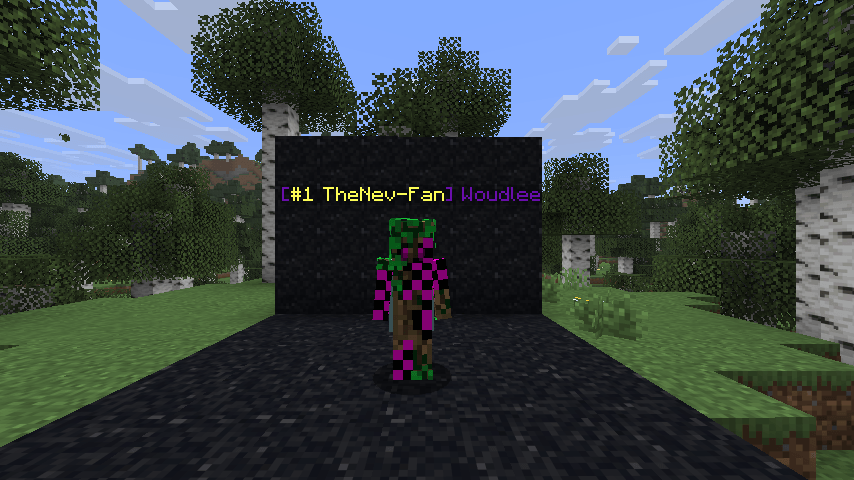
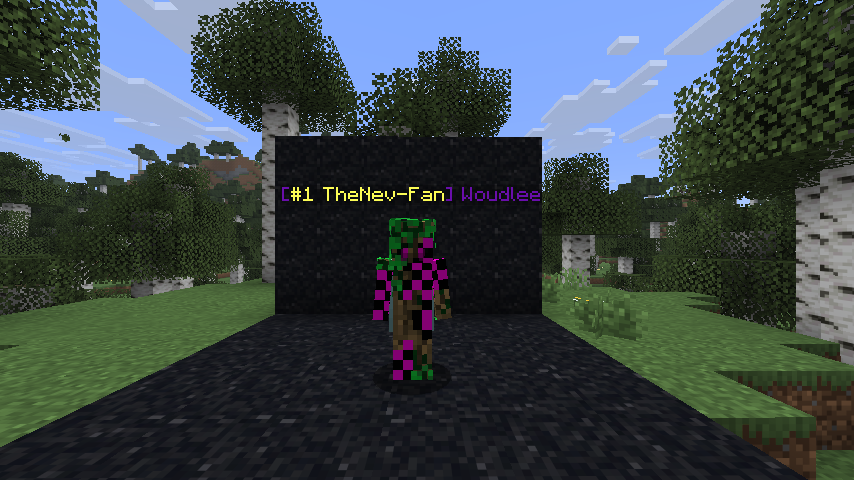
- Set a colored status in front of your name using /status
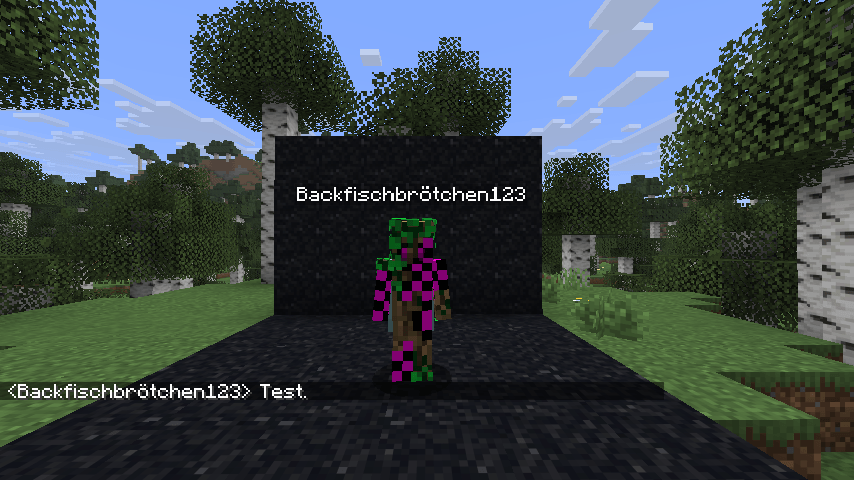
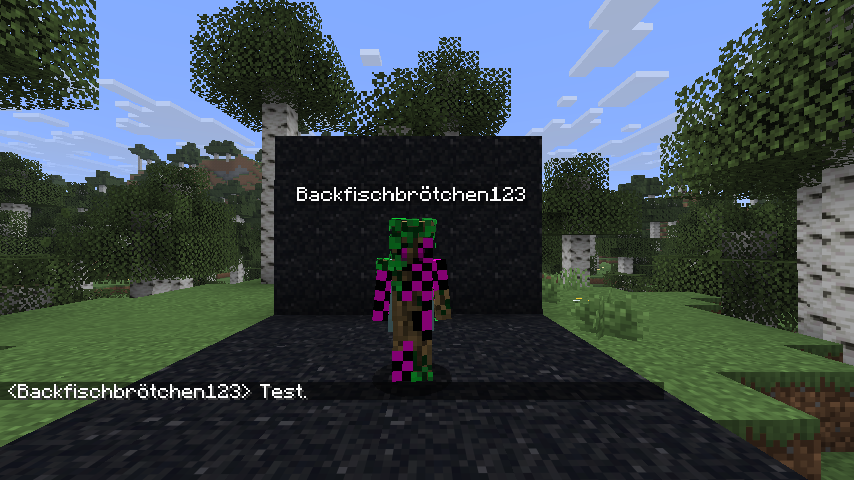
- Change your displayed name using /nickname
→ This does not affect join messages or command targeting (to prevent abuse)
- Enable incognito mode using /incognito
→ Your nametag is hidden
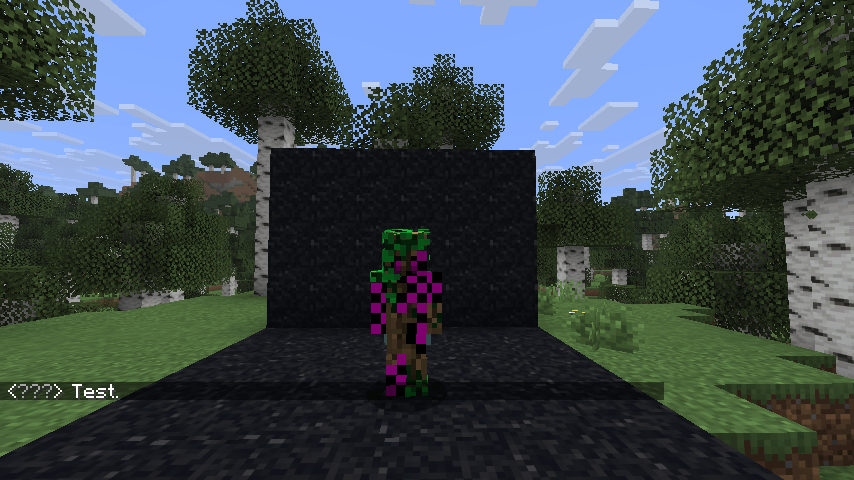
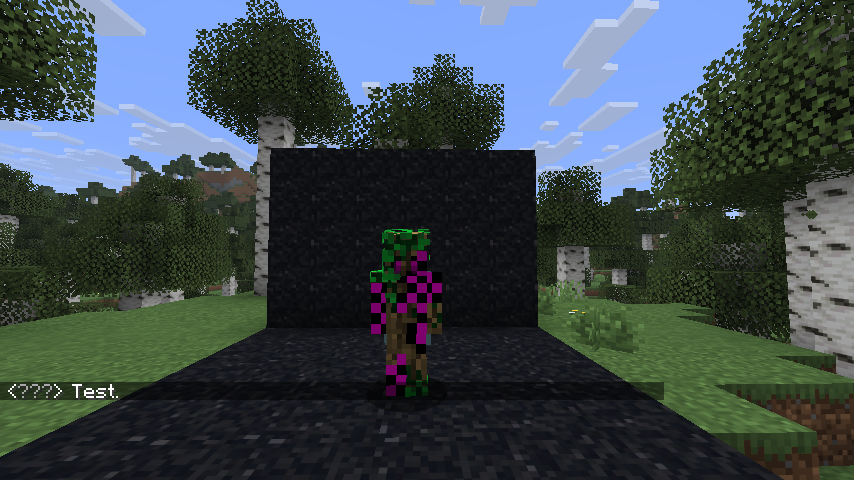
→ Your name appears as "???" in chat
→ You are not listed in tab
- Change your nametag color using /nametagcolor
Operator Commands
Operators can access more powerful versions of these commands by using the /ntt prefix.
These commands allow modifying settings for other players, while non-operator commands always apply only to yourself.
Client-side features work even if the mod is not installed on the server.
Client-Side Features
(Configurable in a menu, the hotkey is "g" by default)
- Toggle all nametags: On, Off, or Line of Sight (LOS) → With LOS enabled, nametags are hidden through walls
- Adjust the size of nametags
- Add players to an ignore list to hide their nametags individually
Features
- Display a player’s health next to their name
- Set a colored status in front of your name using /status
- Change your displayed name using /nickname → This does not affect join messages or command targeting (to prevent abuse)
- Enable incognito mode using /incognito → Your nametag is hidden → Your name appears as "???" in chat → You are not listed in tab
- Change your nametag color using /nametagcolor
Operator Commands
Operators can access more powerful versions of these commands by using the /ntt prefix. These commands allow modifying settings for other players, while non-operator commands always apply only to yourself.
Screenshots
Gallery
-
 2026-04-08_14.07.49.png 2026-04-08_14.07.49.png
 -
 2026-04-08_13.48.30.png 2026-04-08_13.48.30.png
 -
 2026-04-08_13.50.31.png 2026-04-08_13.50.31.png
 -
 2026-04-08_14.06.52.png 2026-04-08_14.06.52.png
Versions
Files
Relations
Project Relations
More like this
Similar Mods
Suggestions use data such as tags, dependencies, dependents, descriptions, titles, and more to rank how much they overlap with this mod.
On ModDex
Community snapshot
By the numbers
Statistics
Want to reach Minecraft players?
We're looking for a server hosting partner to feature here and other parts of the site. Interested? Send us a message!
Get in touchGet it on
Available Platforms
On ModDex
Community snapshot
By the numbers
Statistics
Resources