
Community listing page, reviews here may not be monitored by the author.
Nautilus vs Magma

No reviews yet
Prevents Armored Nautiluses from dying to magma in bubble columns. Configurable per armor tier.
Community voices
Reviews
No reviews yet. Be the first to review this project!
Get it on
Available Platforms
About
Project Details
For authors
Embed Badge
If you're the author of this project, you can embed a live badge anywhere that supports HTML or Markdown. It updates automatically whenever ratings change.
Use HTML for any page that supports it, or Markdown for README files and Markdown-based descriptions.
Identifiers
Platform IDs
Resources
External Links
About
Description
Nautilus vs Magma
Armored nautiluses can still be damaged by magma blocks, which may be unexpected and can easily lead to losing them.
Nautilus vs Magma is a small, configurable NeoForge mod that lets you control whether different armor tiers protect nautiluses from magma damage.
✨ What it does
- Prevents magma block damage (hot floor) for armored nautiluses
- Fully configurable per armor tier:
- Copper
- Iron
- Golden
- Diamond
- Netherite
By default, protection is granted by Golden, Diamond, and Netherite armor.
⚙️ Configurable
Customize magma protection behavior per armor tier:
- Enable or disable immunity for each armor type
- Keep default behavior or expand protection to other tiers

📁 Config Location
The configuration file is generated automatically after launching the game and can be found in the standard mod config directory.
By default, it is located at:
config/nautilusvsmagma-server.toml
Starting from Nautilus vs Magma 1.0.1 for NeoForge, configuration options can also be changed through the in-game config screen.
From the main menu, navigate to Mods → Nautilus vs Magma → Config to access the configuration options.

✅ Features
- 🧠 NeoForge & Fabric support – built for Minecraft 1.21.11+
- 🎮 Client/server compatible – works in singleplayer and multiplayer, no client-side installation required
- ⚙️ Configurable behavior – adjust protection per armor tier
- 🎨 Lightweight & focused – changes only magma interaction
🛠️ Installation and Technical Information
Installation
- Make sure you have one of the supported Minecraft versions with NeoForge or Fabric installed.
- Fabric version requires Fabric API to be installed as well.
- Download the mod
.jarfile. - Place it into your
modsfolder. - Launch the game.
Technical Details
- Supported Minecraft versions: 1.21.11, 26.1-26.2
☕ Support Development
If you enjoy the mod and would like to support future updates and new features, you can support me here:
Buy me a coffee on Ko-fi!
Your support means a lot and helps me dedicate more time to creating new content and improving the mod! ❤️
Screenshots
Gallery
-
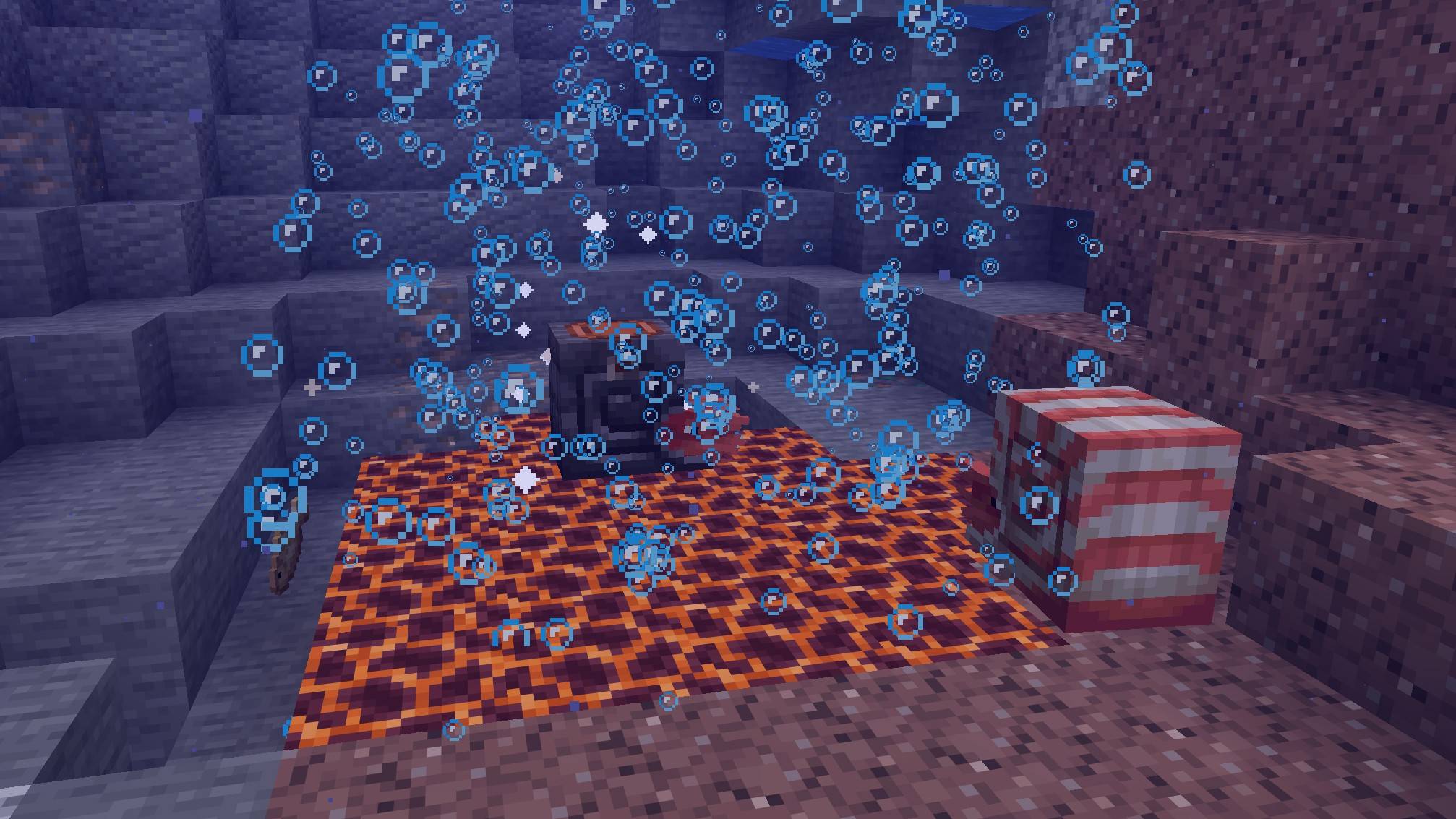 Nautilus in Magma Pool An armored nautilus survives on magma blocks with particle effects, while an unarmored nautilus nearby remains vulnerable in the same environment.
 -
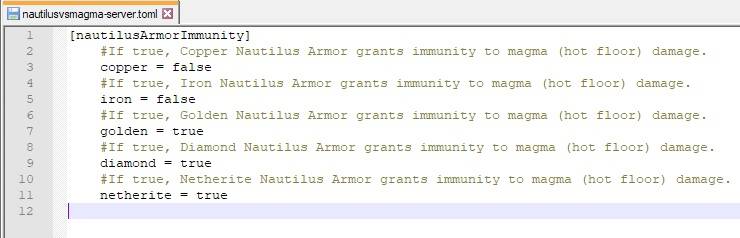 Configuration Configuration
Versions
Files
Relations
Project Relations
More like this
Similar Mods
Suggestions use data such as tags, dependencies, dependents, descriptions, titles, and more to rank how much they overlap with this mod.
On ModDex
Community snapshot
By the numbers
Statistics
Want to reach Minecraft players?
We're looking for a server hosting partner to feature here and other parts of the site. Interested? Send us a message!
Get in touchGet it on
Available Platforms
On ModDex
Community snapshot
By the numbers
Statistics
Resources