Community listing page, reviews may not be monitored by the author.
Better compass+


No reviews yet
A sleek and modern navigation bar that points you to any coordinate in your world. Set a target with a quick key press or through a clean in-game GUI. Never get lost again!

Community voices
Reviews
No reviews yet. Be the first to review this project!
Get it on
Available Platforms
Compatibility
Supported Environments
Runs entirely on the client. Works on vanilla servers.
About
Project Details
For authors
Embed Badge
If you're the author of this project, you can embed a live badge anywhere that supports HTML or Markdown. It updates automatically whenever ratings change.
Use HTML for any page that supports it, or Markdown for README files and Markdown-based descriptions.
Identifiers
Platform IDs
Resources
External Links
About
Description
# Navigation System: A Modern Way to Find Your Way Tired of getting lost or constantly checking your coordinates? Navigation System is a clean, client-side mod that adds a professional and intuitive navigation bar to the top of your screen, guiding you to your destination without cluttering your view.
Whether you need to find your way back to spawn, mark a point of interest, or travel to a specific set of coordinates, this mod makes navigation simple and elegant.
Features
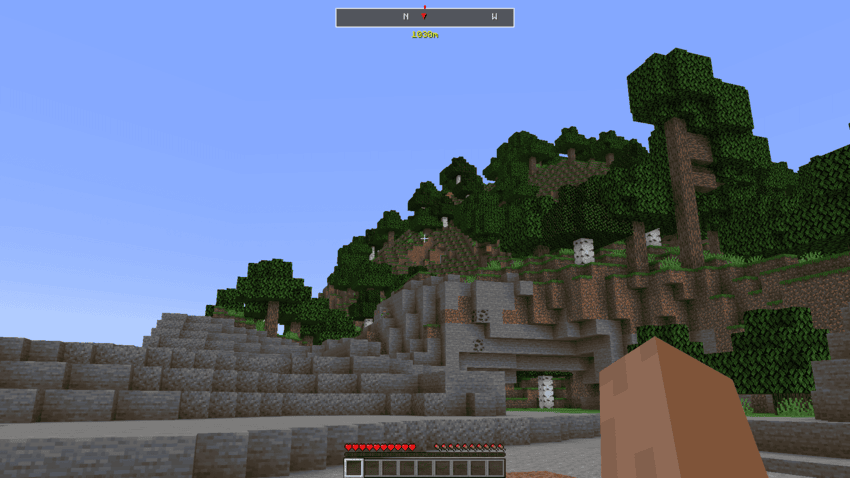
- Sleek Navigation Bar : A minimalist bar at the top of your screen shows you which direction to travel, with a marker pointing to your target and the distance in meters displayed just below.
- Intuitive Settings GUI : Press J to open a clean, professional settings window where you can easily manage your destination.
- Multiple Target Options :
- Spawn Coordinates : Instantly set your target to the world's spawn point.
- Custom Coordinates : Manually enter any X and Z coordinates to navigate to a precise location.
- Current Location : Quickly set your current position as a target to return to later.
- Smart Keybindings :
- J Key : Opens the main Navigation Settings window.
- K Key : Acts as a quick-toggle. Press it once to set your current location as the target. Press it again to deactivate navigation.
- Built-in Safeguards : The mod is designed to prevent accidental changes. If you have a target set, the quick-toggle key ( K ) will only deactivate navigation, not reset your coordinates.
- Professional UI : The settings window is designed for ease of use, with clear sections, placeholder text, and visual feedback for invalid inputs.
How to Use
- Open Settings ( J Key) : Press J to open the main settings window. From here, you can:
- Click "Spawn coordinates" to point the navigation bar to your world's spawn.
- Enter coordinates into the X and Z fields and click "Set custom coordinates" .
- Click "Current location" to set the bar to your current position.
- Quick-Set Target ( K Key) :
- If navigation is off, press K to instantly set your current location as the target.
- If navigation is on, press K to deactivate it.
- Follow the Bar : Once a target is set, the navigation bar will appear at the top of your screen. Simply turn until the red marker (▼) is in the center and start walking! With its clean design and simple controls, Navigation System is the perfect tool for any adventurer looking for a better way to navigate their world.
# # Navigation System: A Modern Way to Find Your Way
Tired of getting lost or constantly checking your coordinates? Navigation System is a clean, client-side mod that adds a professional and intuitive navigation bar to the top of your screen, guiding you to your destination without cluttering your view.
# Navigation System: A Modern Way to Find Your Way
Tired of getting lost or constantly checking your coordinates? Navigation System is a clean, client-side mod that adds a professional and intuitive navigation bar to the top of your screen, guiding you to your destination without cluttering your view.
Whether you need to find your way back to spawn, mark a point of interest, or travel to a specific set of coordinates, this mod makes navigation simple and elegant.
Features
- Sleek Navigation Bar : A minimalist bar at the top of your screen shows you which direction to travel, with a marker pointing to your target and the distance in meters displayed just below.
- Intuitive Settings GUI : Press J to open a clean, professional settings window where you can easily manage your destination.
- Multiple Target Options :
- Spawn Coordinates : Instantly set your target to the world's spawn point.
- Custom Coordinates : Manually enter any X and Z coordinates to navigate to a precise location.
- Current Location : Quickly set your current position as a target to return to later.
- Smart Keybindings :
- J Key : Opens the main Navigation Settings window.
- K Key : Acts as a quick-toggle. Press it once to set your current location as the target. Press it again to deactivate navigation.
- Built-in Safeguards : The mod is designed to prevent accidental changes. If you have a target set, the quick-toggle key ( K ) will only deactivate navigation, not reset your coordinates.
- Professional UI : The settings window is designed for ease of use, with clear sections, placeholder text, and visual feedback for invalid inputs.
How to Use
- Open Settings ( J Key) : Press J to open the main settings window. From here, you can:
- Click "Spawn coordinates" to point the navigation bar to your world's spawn.
- Enter coordinates into the X and Z fields and click "Set custom coordinates" .
- Click "Current location" to set the bar to your current position.
- Quick-Set Target ( K Key) :
- If navigation is off, press K to instantly set your current location as the target.
- If navigation is on, press K to deactivate it.
- Follow the Bar : Once a target is set, the navigation bar will appear at the top of your screen. Simply turn until the red marker (▼) is in the center and start walking! With its clean design and simple controls, Navigation System is the perfect tool for any adventurer looking for a better way to navigate their world.
Screenshots
Gallery
-
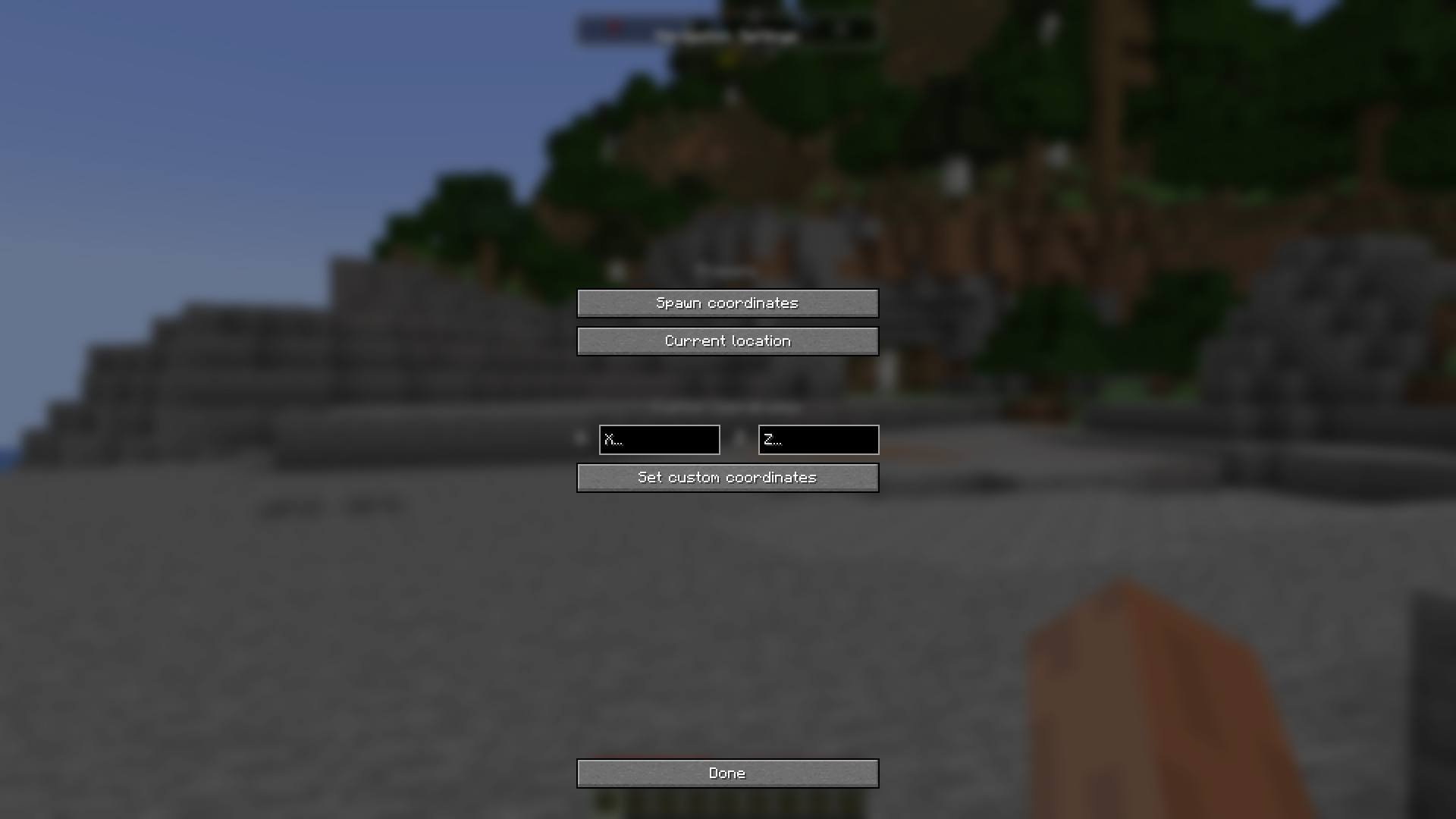 Navigation Ui Press "J" To Toggle navigation bar
 -
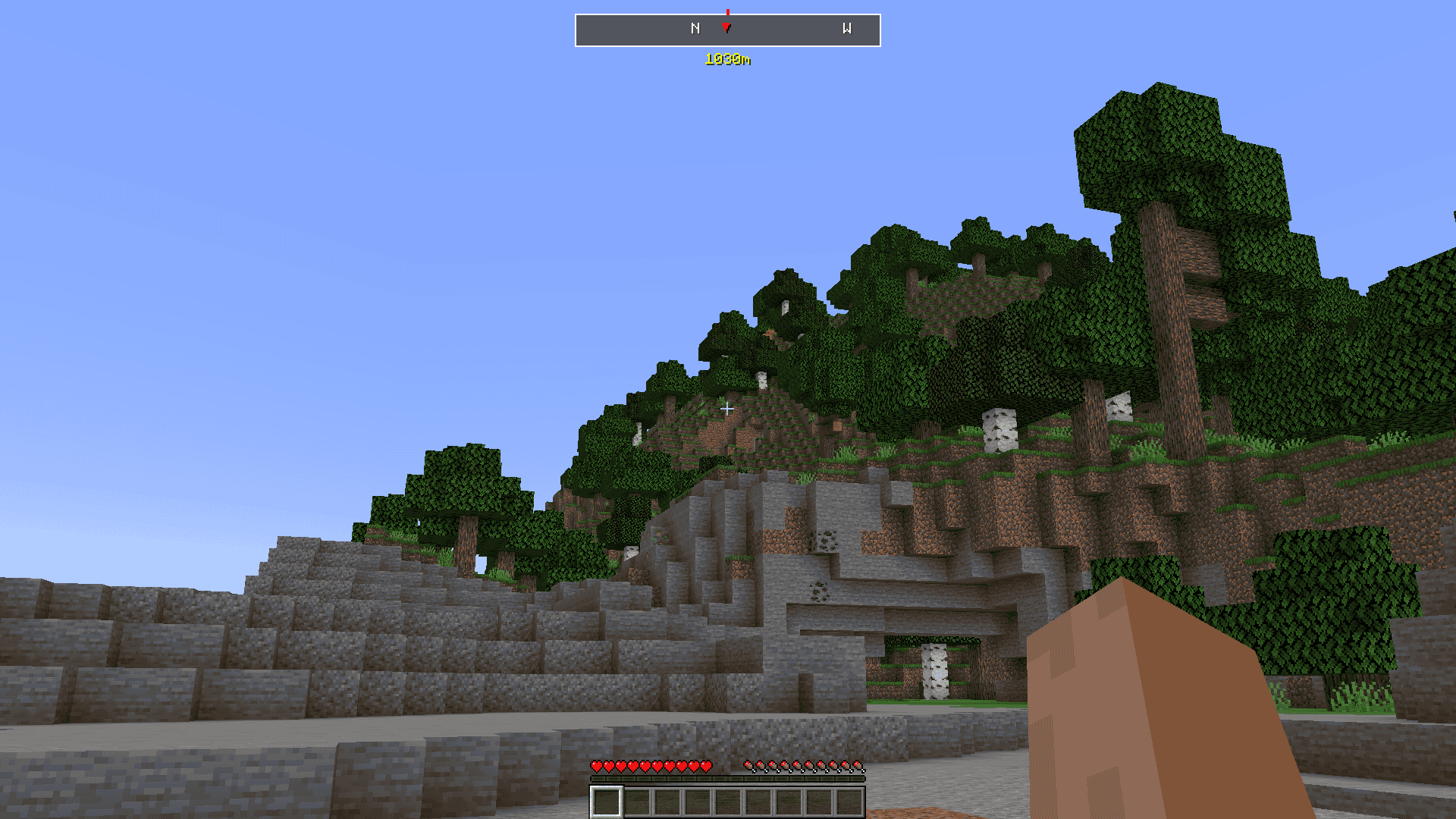 Navigation Bar Press "K" To enable navigation
-
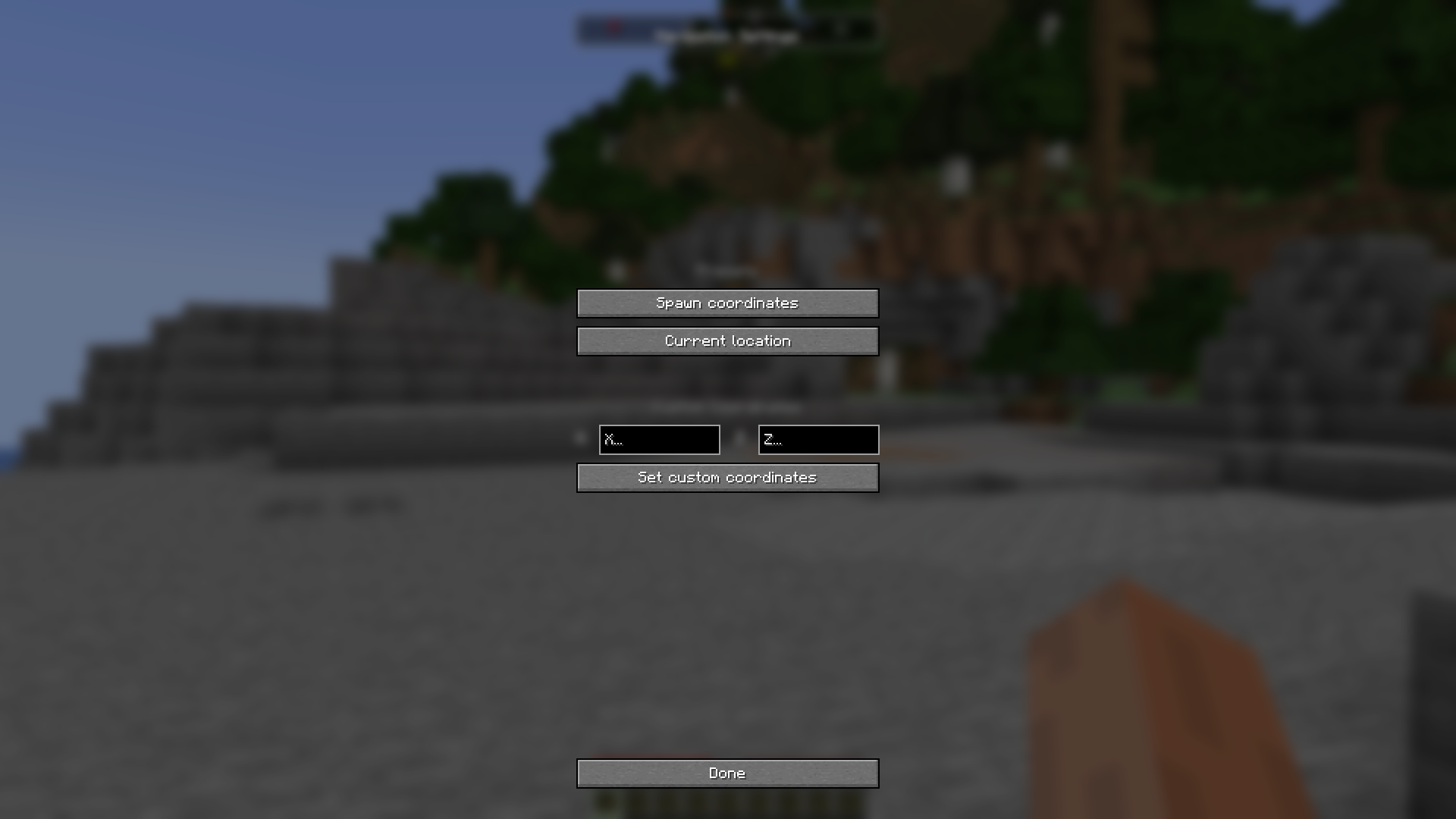 Navigation GUI Press "J" To activate navigation Gui
 -
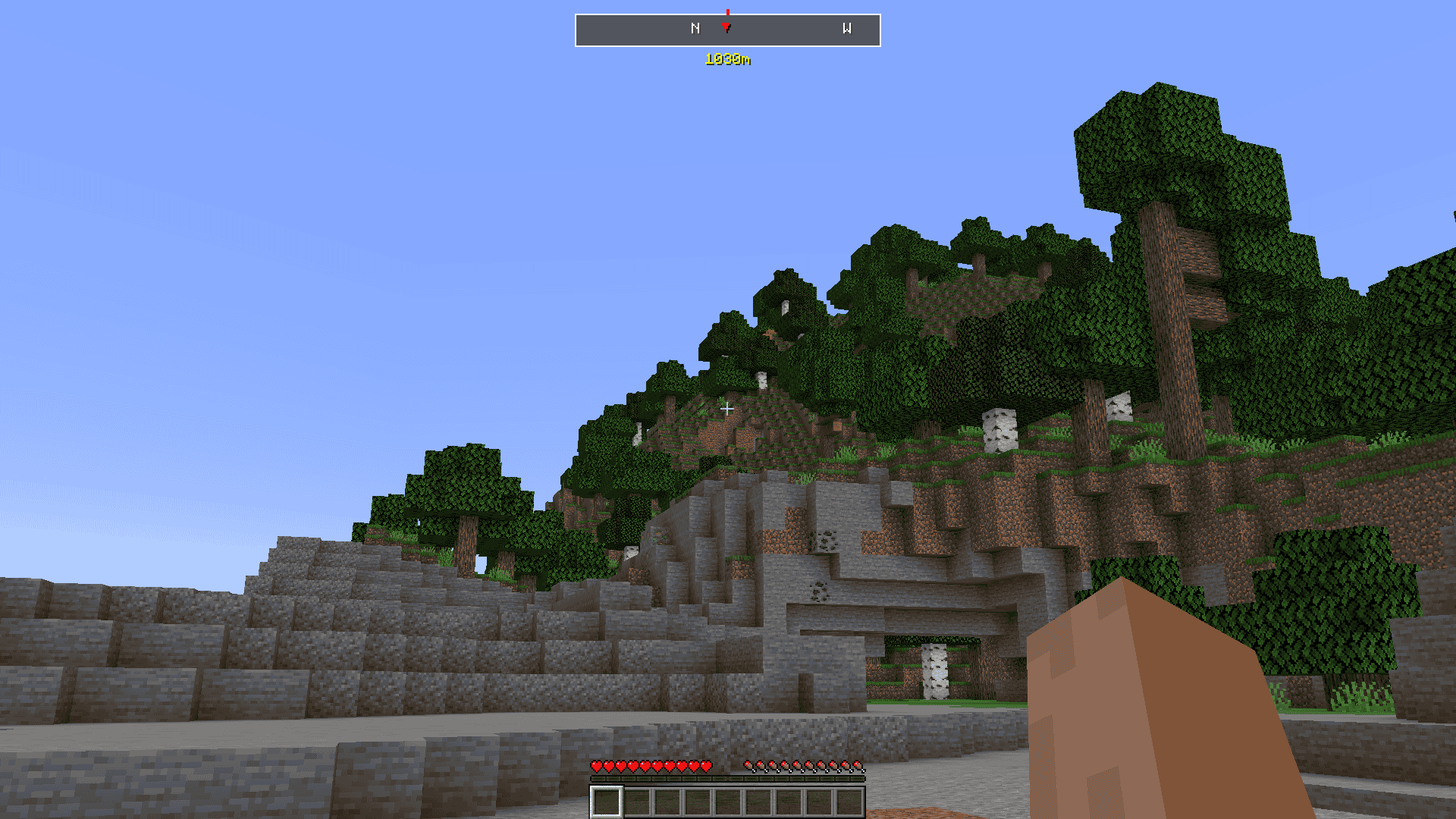 Navigation Bar Press "K" to activate navigation bar
Versions
Files
Relations
Project Relations
More like this
Similar Mods
Suggestions use data such as tags, dependencies, dependents, descriptions, titles, and more to rank how much they overlap with this mod.
On ModDex
Community snapshot
By the numbers
Statistics

Get it on
Available Platforms
On ModDex
Community snapshot
By the numbers
Statistics
Resources