Community listing page, reviews here may not be monitored by the author.

Community voices
Reviews
No reviews yet. Be the first to review this project!
Get it on
Available Platforms
About
Project Details
For authors
Embed Badge
If you're the author of this project, you can embed a live badge anywhere that supports HTML or Markdown. It updates automatically whenever ratings change.
Use HTML for any page that supports it, or Markdown for README files and Markdown-based descriptions.
Identifiers
Platform IDs
About
Description
Neo Ores II
This mod adds some unique magics. For example, damaging mobs or digging ores. And they can be constructed by you freely.
Also, this mod adds 4 dimensions. This mod id is neo_ores.
This mod is compatible with jei recipe system.
You should install Alfheim Lighting Engine to play this mod comfortably.
Feel free to use this mod in any modpacks.
This mod is currently in development.
Q&A
Q. How to get mana?
A. You can come to use mana by right-clicking with any kind of Essence (For example, Earth Essence).
Q. How to get to start magic?
A. Explained it below. (Before ver1.3.19)
What to prepare :
1. Spell Recipe Creation Table x1
2. Mana Wrench x1
3. Mage Knowledge Table x1
4. Recipe Sheet x1
5. Air Essence Block x1
6. Earth Essence Block x1
7. Fire Essence Block x1
8. Water Essence Block x1
9. Quartz Stairs x16
10. Pillar Quartz Block x44
11. Chiseled Quartz Block x24
12. Quartz Slab x24
13. Enhanced Pedestal (Any types are ok.) x1
14. Pedestal x1
15. Blocks have maximum light level (like Glowstone) x5
16. Spell Sheet x1
<First Step -Make Recipe->
You use a Mage Knowledge Table (right-click to open gui). Then you scroll with DRAGGING RIGHT CLICK and left-click on qualified Spell Items to get them.
Next, you open gui of a Spell Recipe Creation Table with right-click. Then you place a Recipe Sheet in the lower right slot and select the appropriate Spell Item to create the recipe from the left flame. At this time, you can click "Delete All" button to delete all of selected Spell Items. If you finish selecting them, you click "Write" button to write the recipe to the Recipe Sheet. The Recipe Sheet which was written recipe seems to be enchanted. Recipe Sheets can be overwritten.
<Second Step -Make Multiblock->
You use items from No.5 to No.15 of the item list above to make multiblock. And you make in order from the bottom of multiblock as shown below. The center of each is the Block of Emerald, and the UPWARD is the SOUTH. Blocks of Emerald, Diamond and Gold are all just landmarks. Glowstones in pictures are examples of blocks have maximum light level.
[1st rack] The center block is Enhanced Pedestal.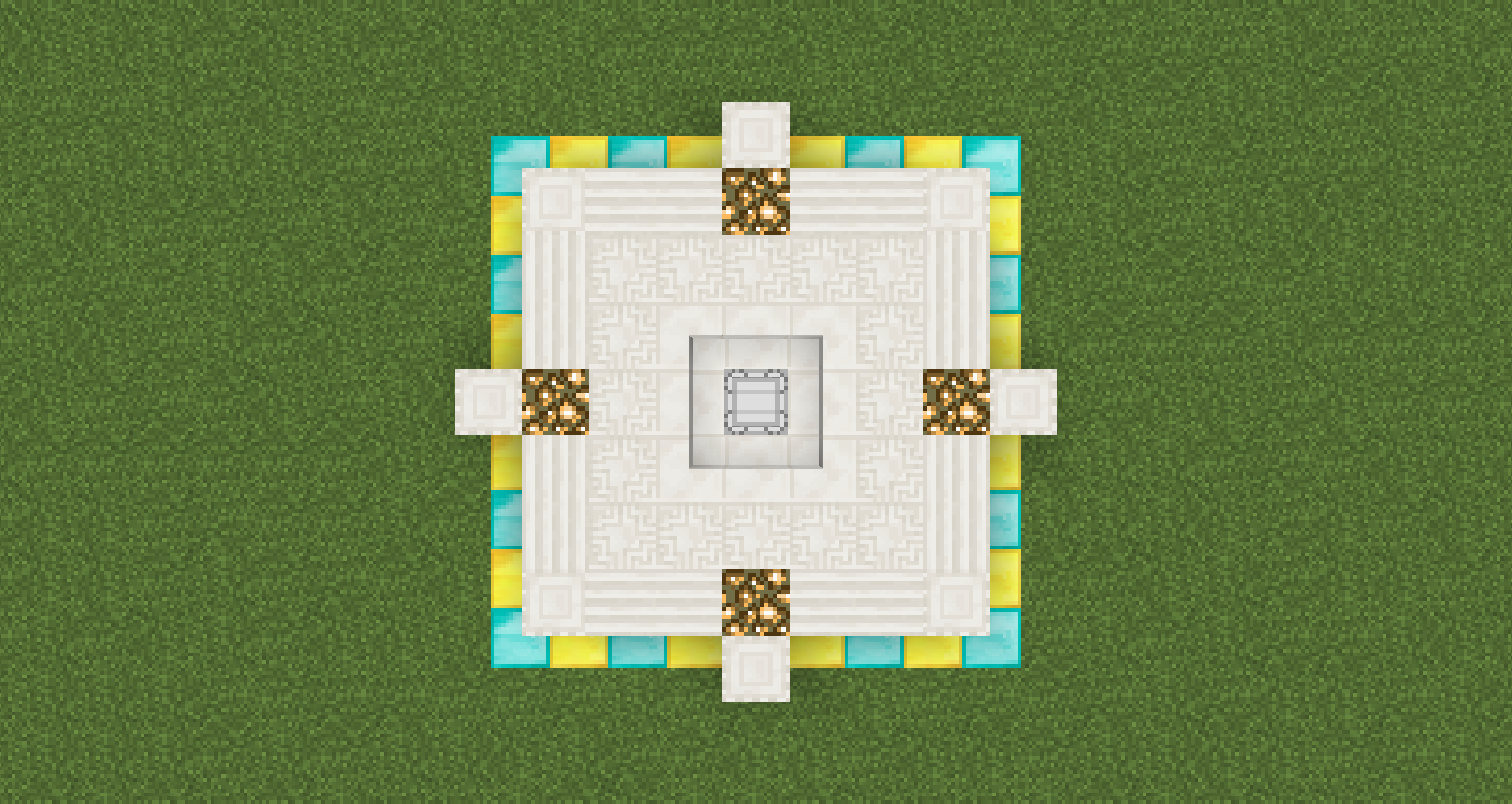
[2nd and 3rd rack]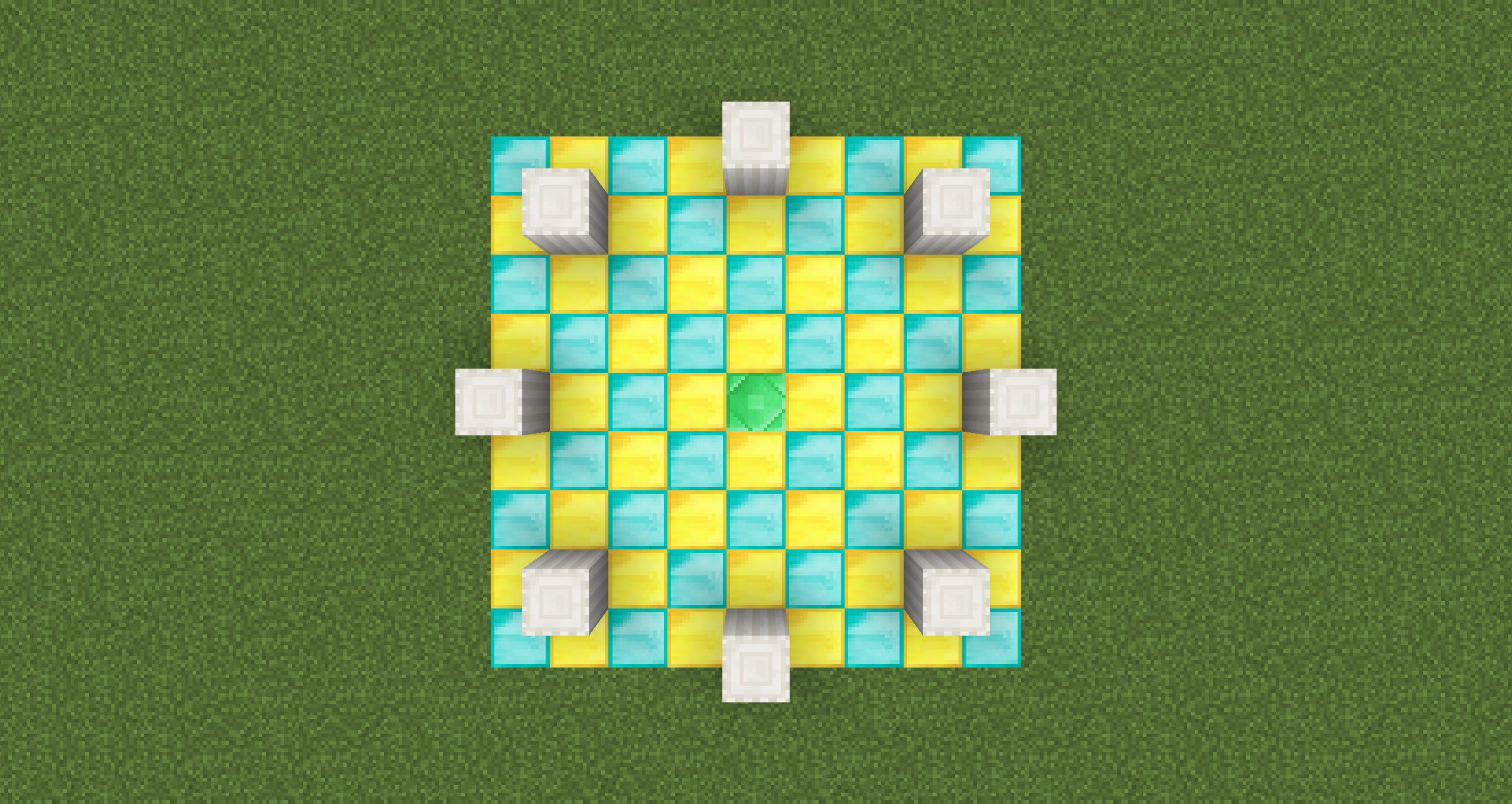
[4th rack]
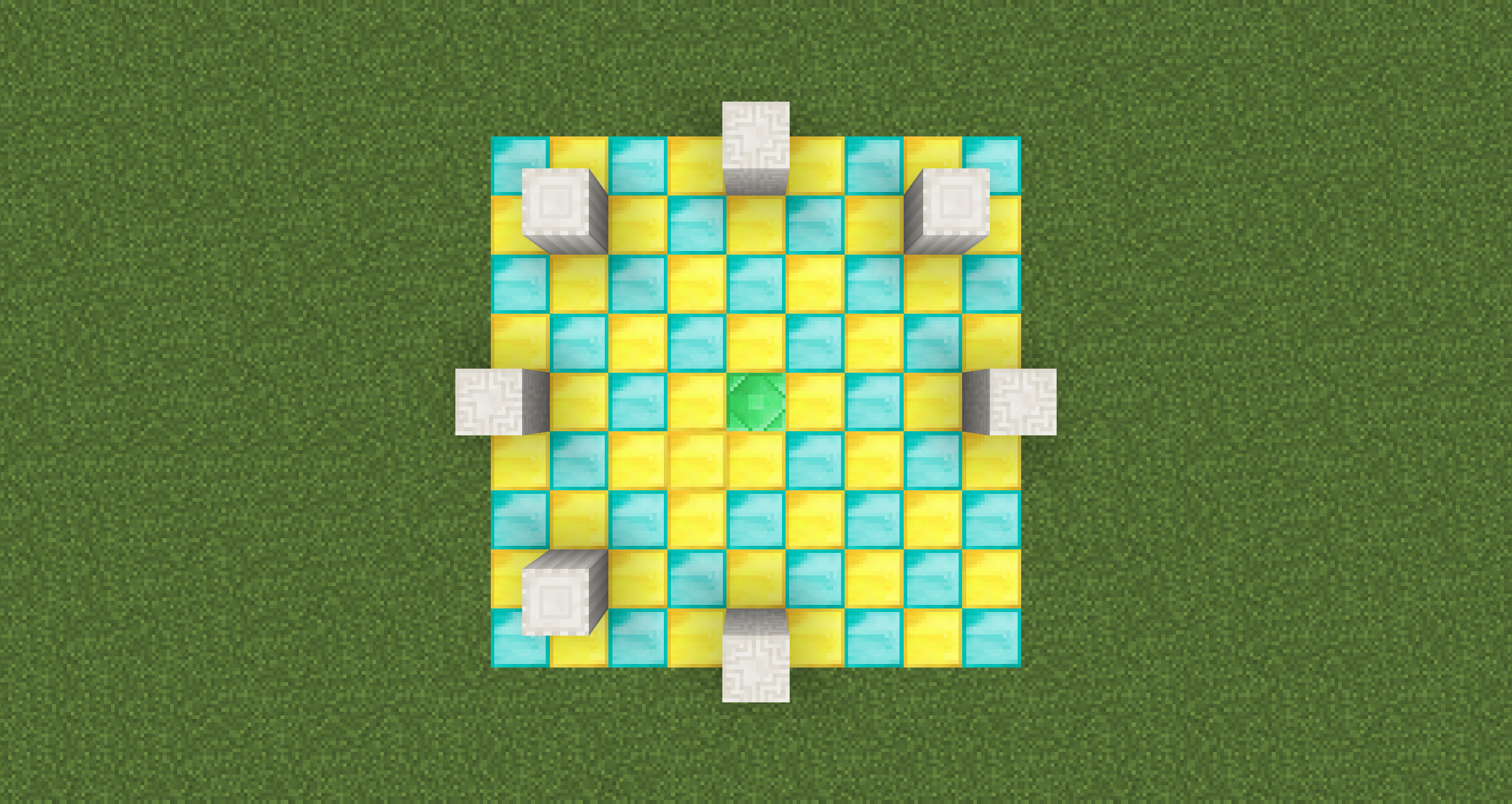
[5th rack]
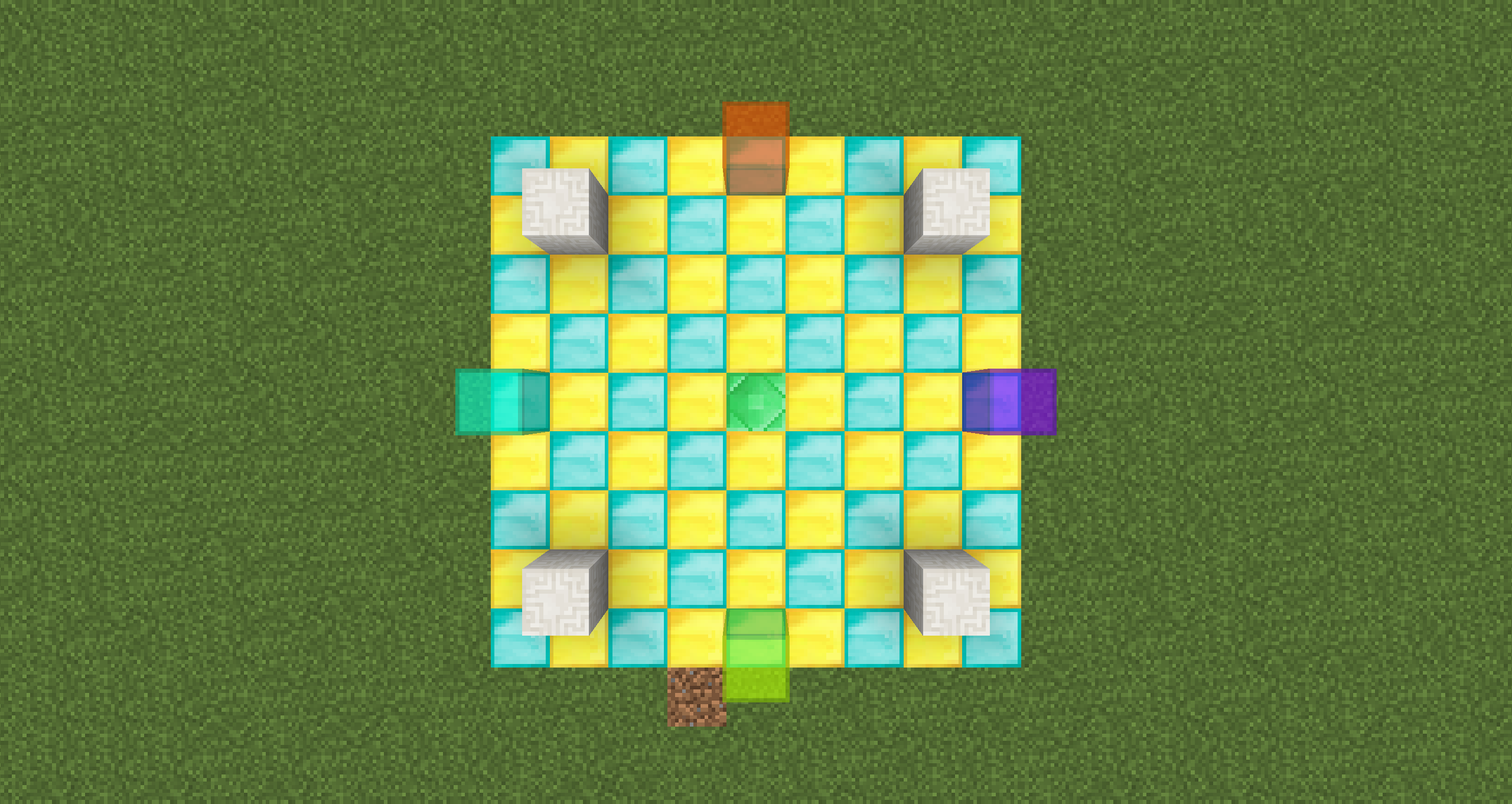
[6th rack] The center block is a DOWNWARD Pedestal.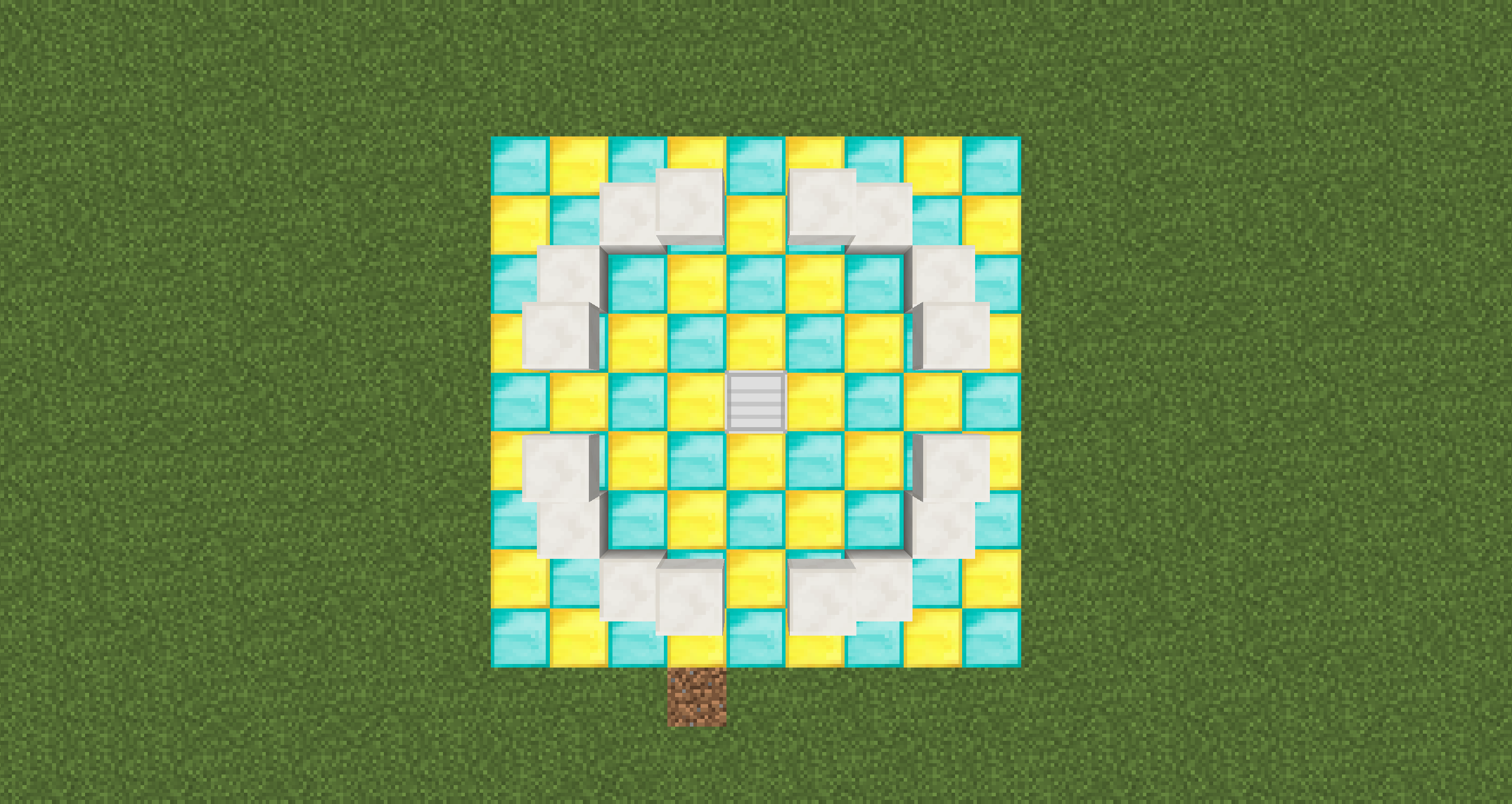
[7th rack]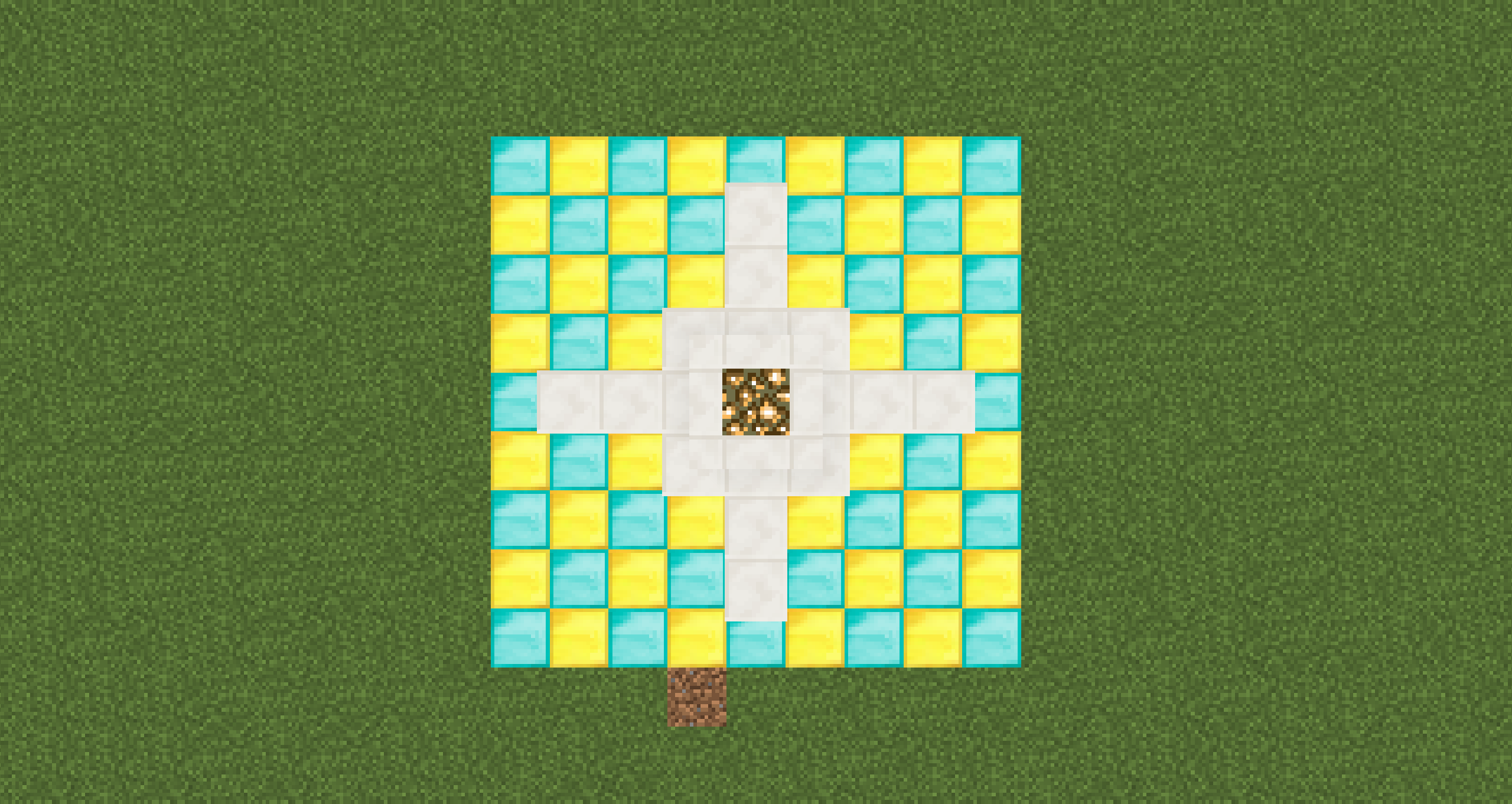
[Overall picture of the multiblock]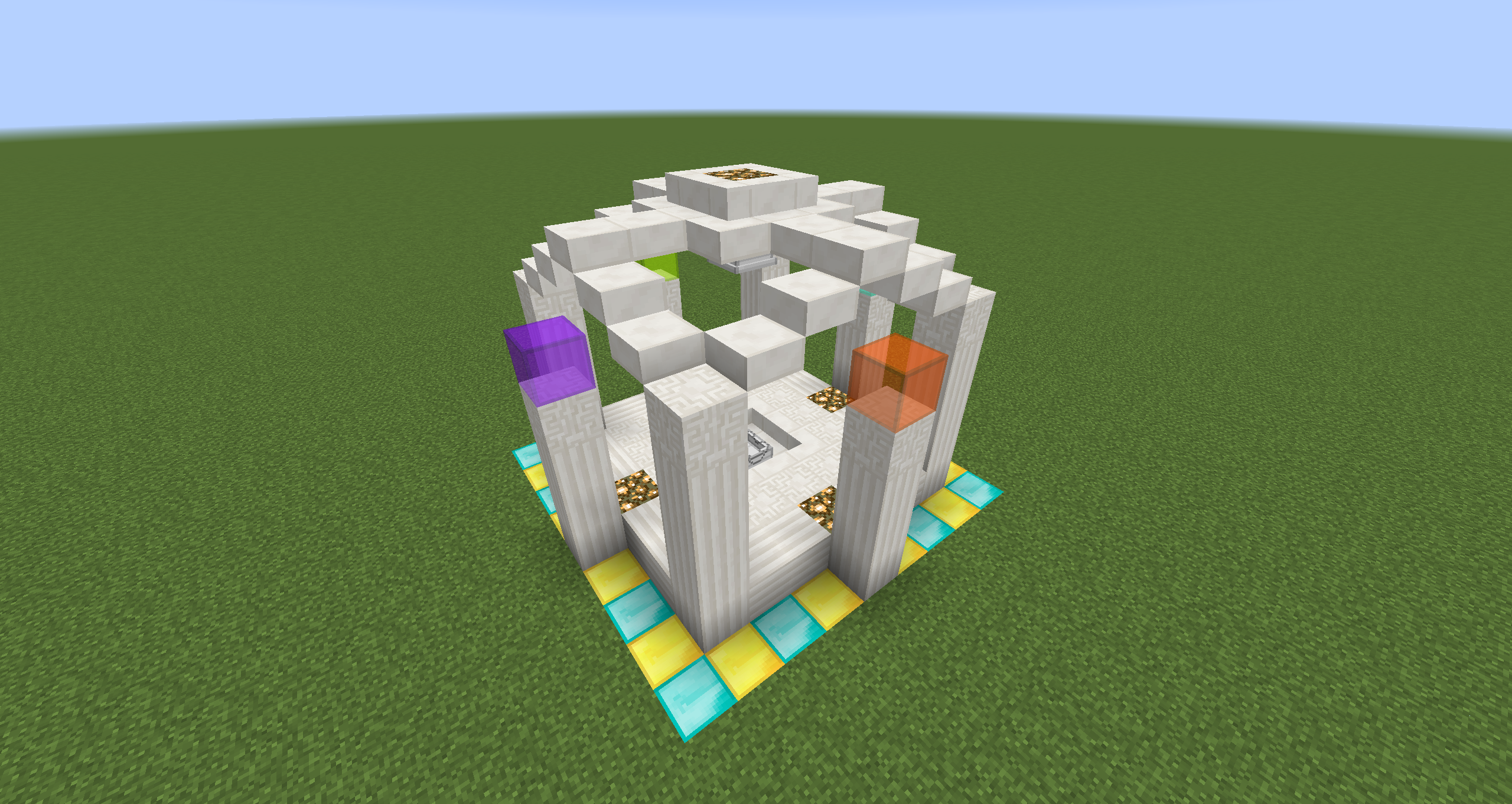
<Third Step -Make Spell with the recipe->
If you hold the Recipe Sheet written in your hand and right click, you can see what are required to the recipe.
They are ok, if you think so, you put the Recipe Sheet in the Pedestal (NOT Enhanced Pedestal) and right click the Pedestal with Mana Wrench. Then you put item which the Enhanced Pedestal shows with enchantment table effects in the enhanced pedestal. Finally, you put Spell Sheet in the Enhanced Pedestal and a completed Spell fall from above.
You can right-click the Spell you made to use it.
Q. How to enter in dimensions?
A. You put the portal on ground and ride on it and sneak.
Q. How to use Enhanced Pedestals or Pedestal?
A. At the Pedestal case, you right click with items to put in it and you left click to take out. At the Enhanced Pedestal case, basically the same as the Pedestal case, but you can switch the selected slot of the pedestal by using a Mana Wrench to the pedestal with right or left click.
Screenshots
Gallery
-
First rack First rack of the multiblock
-
Second and Third rack Second and Third rack of the multiblock
-
Fourth rack Fourth rack of the multiblock
-
Fifth rack Fifth rack of the multiblock
-
Sixth rack Sixth rack of the multiblock
-
Seventh rack Seventh rack of the multiblock
-
Overall picture Overall picture of the multiblock
-
logo.png logo.png
-
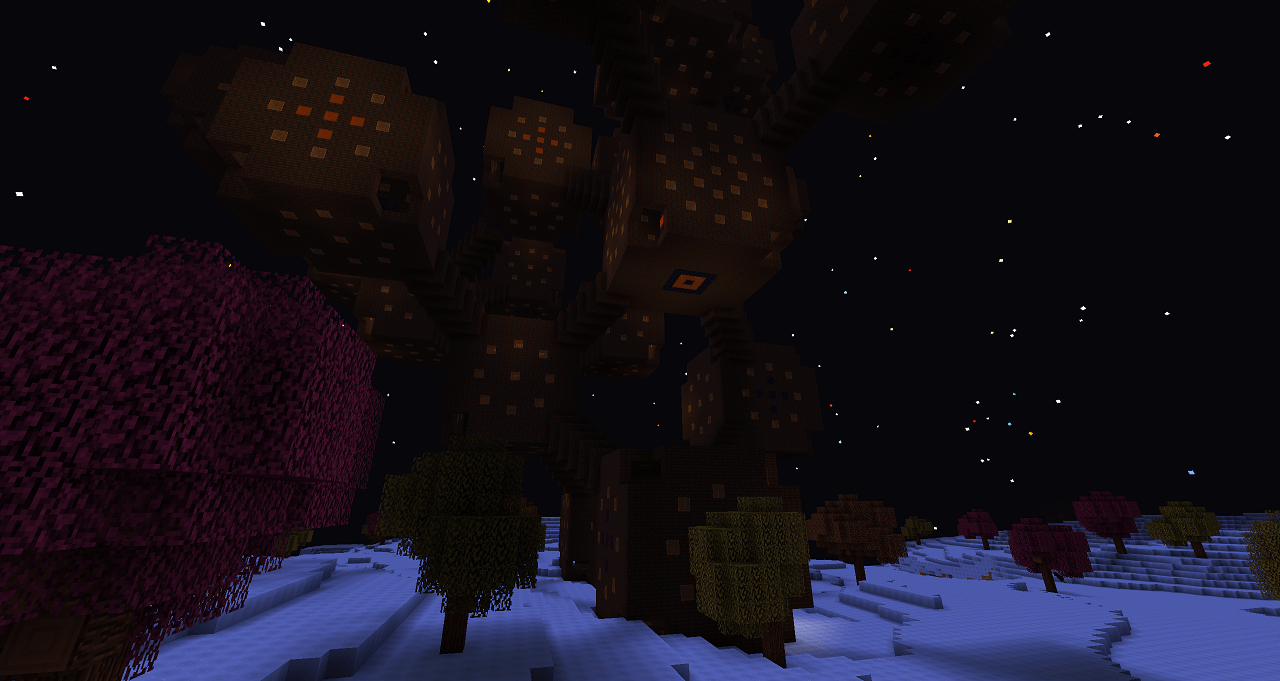 fire_dimension.png The Fire (Dimension)
 -
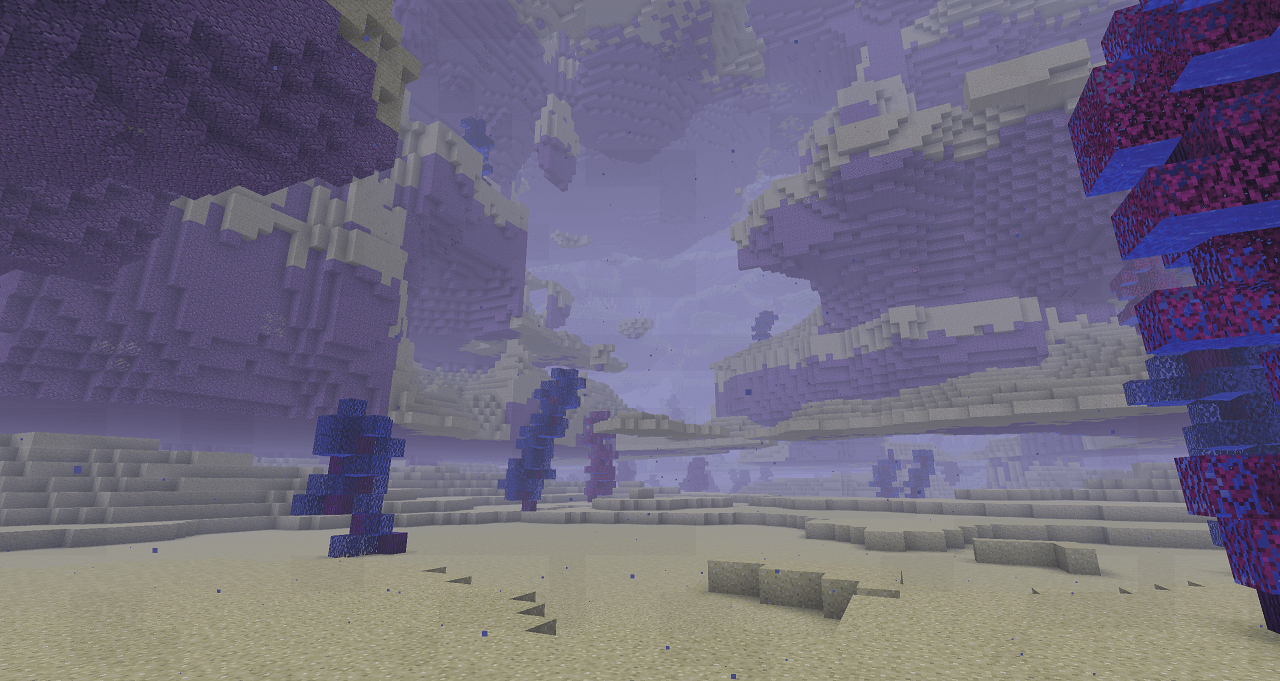 water_dimension.png The Water (Dimension)
 -
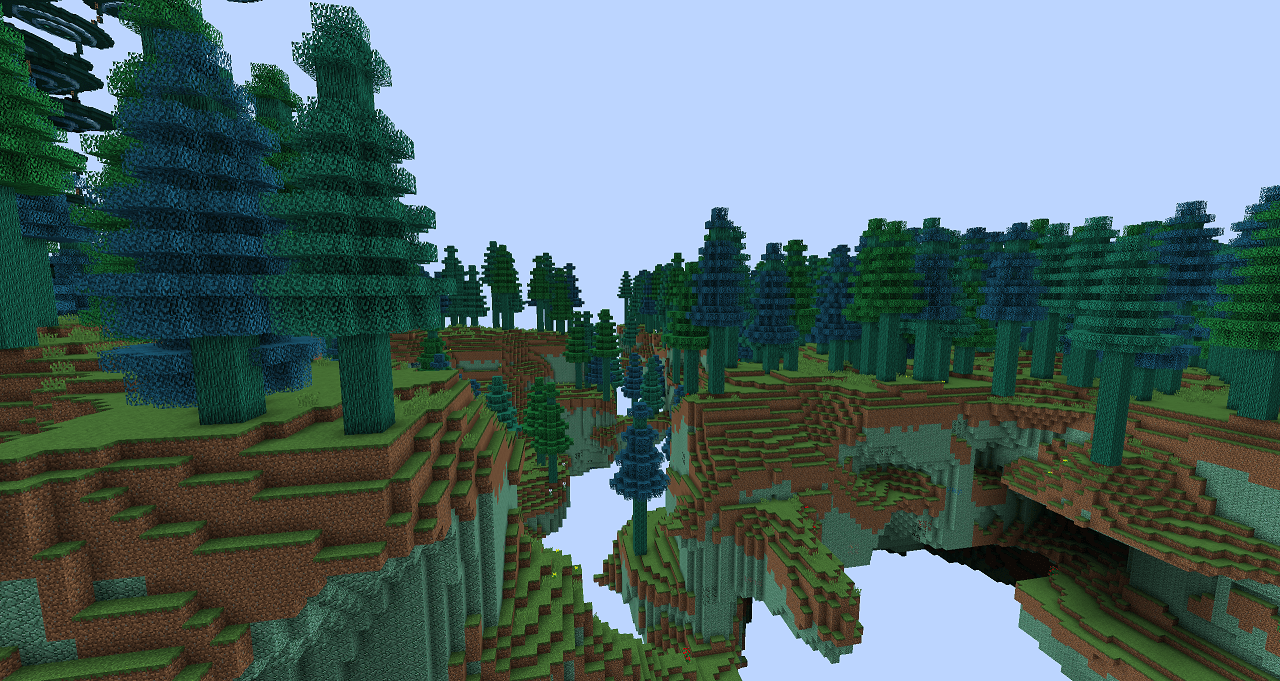 air_dimension.png The Air (Dimension)
 -
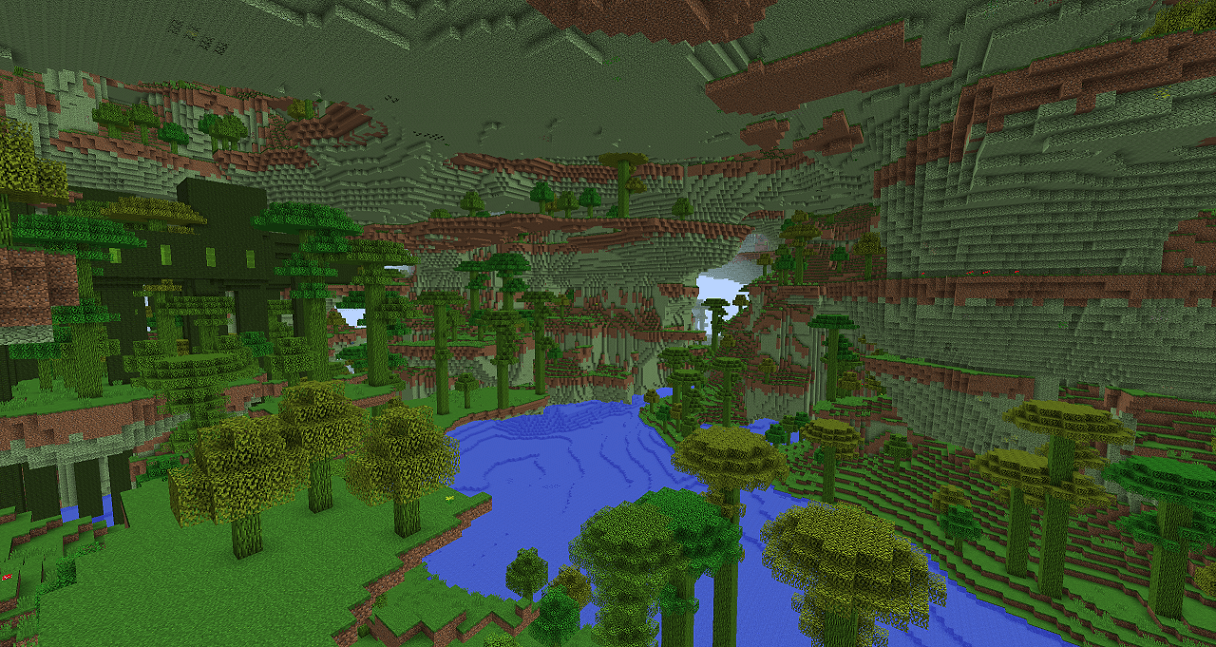 earth_dimension.png The Earth (Dimension)
Versions
Files
Relations
Project Relations
More like this
Similar Mods
Suggestions use data such as tags, dependencies, dependents, descriptions, titles, and more to rank how much they overlap with this mod.
- Mo' Ores 'n Tools [(Neo)Forge]
- The Geraz Pack Neo Forge
- Neo Bee Fix
- Neo-Blåhaj
- Attract to Sound ([NEO]Forge/Fabric): Realistic mob hearing & stealth AI.
- Neo The Titans
- Neo Language Reload
- Neo Otherworld Compatibility Fix
- (Neo)Forge Early Loading Screen for Fabric
- Neo Titans Variant
- Neo ECO AE Extension
- Neo: Avaritia
On ModDex
Community snapshot
By the numbers
Statistics
Want to reach Minecraft players?
We're looking for a server hosting partner to feature here and other parts of the site. Interested? Send us a message!
Get in touchGet it on
Available Platforms
On ModDex
Community snapshot
By the numbers