Community listing page, reviews here may not be monitored by the author.
Nesquik Crosshair

No reviews yet
A client-side crosshair customization mod featuring 9 default shapes, a pixel editor for custom crosshairs, image/GIF support, entity highlight colors, and a fully in-game configuration menu.
Community voices
Reviews
No reviews yet. Be the first to review this project!
Get it on
Available Platforms
About
Project Details
For authors
Embed Badge
If you're the author of this project, you can embed a live badge anywhere that supports HTML or Markdown. It updates automatically whenever ratings change.
Use HTML for any page that supports it, or Markdown for README files and Markdown-based descriptions.
Identifiers
Platform IDs
Resources
External Links
About
Description
Nesquik Crosshair
Fully customize your Minecraft crosshair with an intuitive in-game menu.
Features
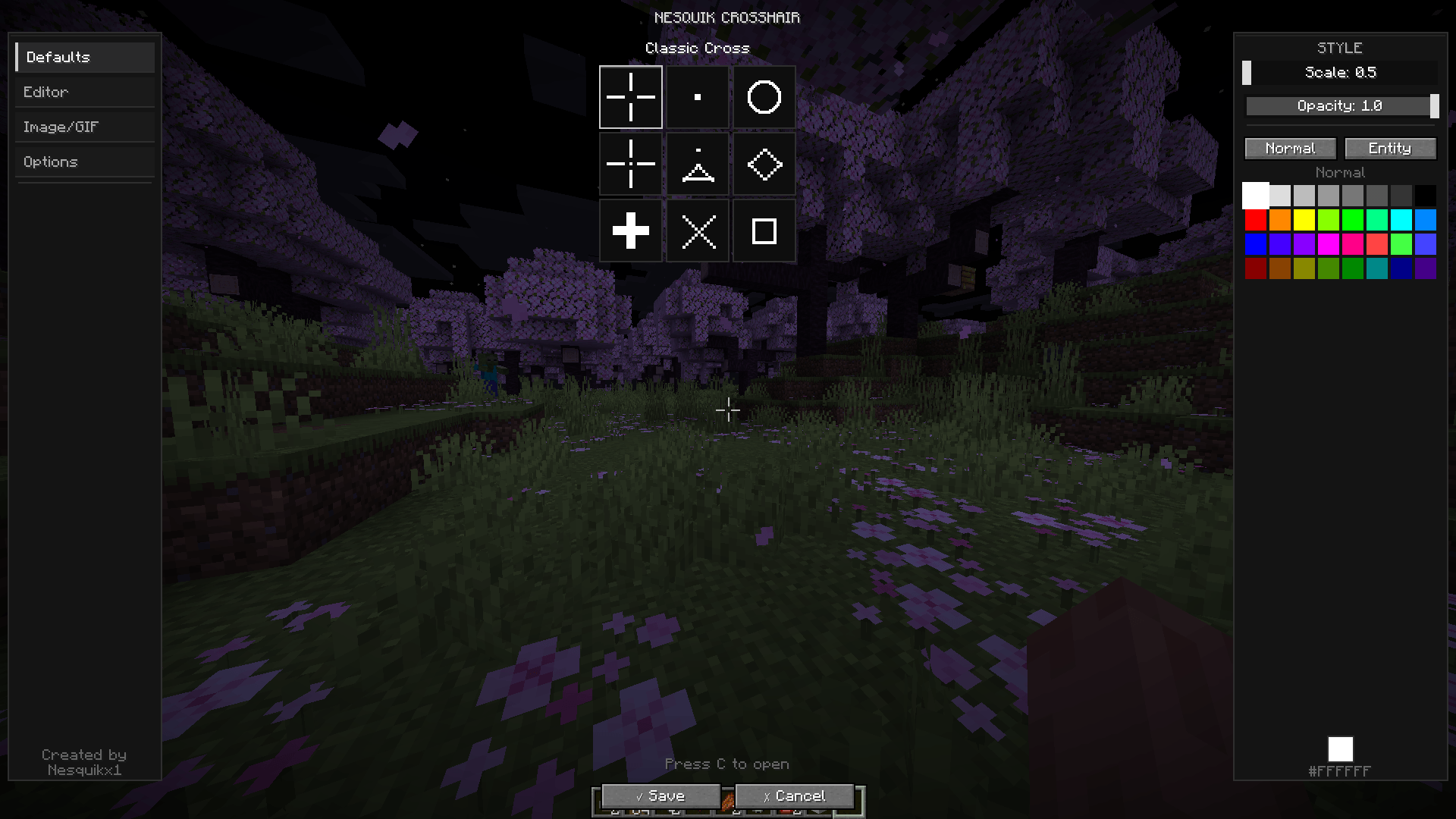
🎯 9 Default Crosshair Shapes
Choose from: Classic Cross, Dot, Circle, Cross with Dot, Triangle, Diamond, Thick Plus, X Shape, and Square.
✏️ Pixel Editor
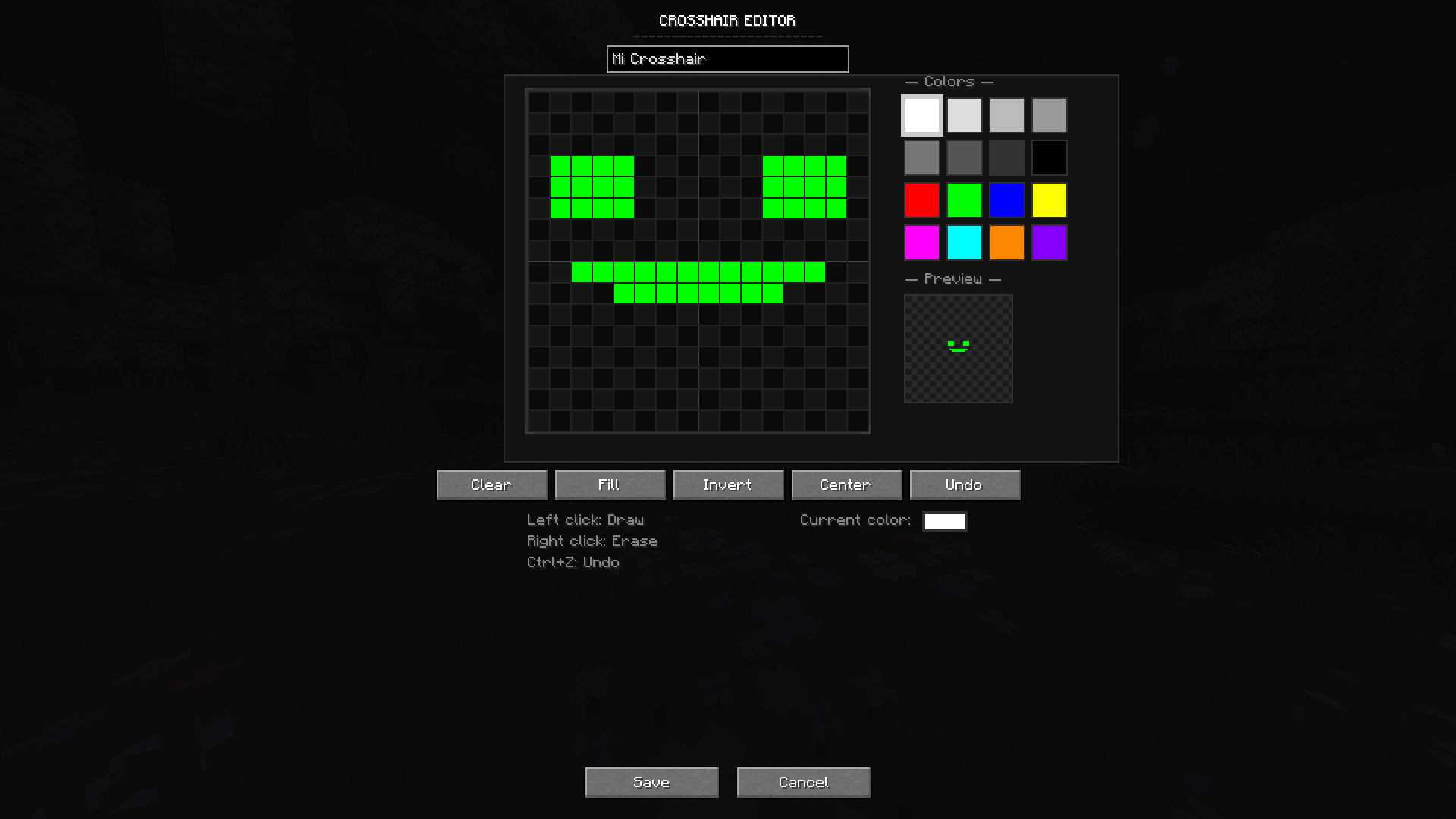
Create your own crosshair designs from scratch with a 16x16 pixel editor. Draw, erase, fill, invert, undo (Ctrl+Z), and save unlimited custom crosshairs.
🖼️ Image & GIF Support
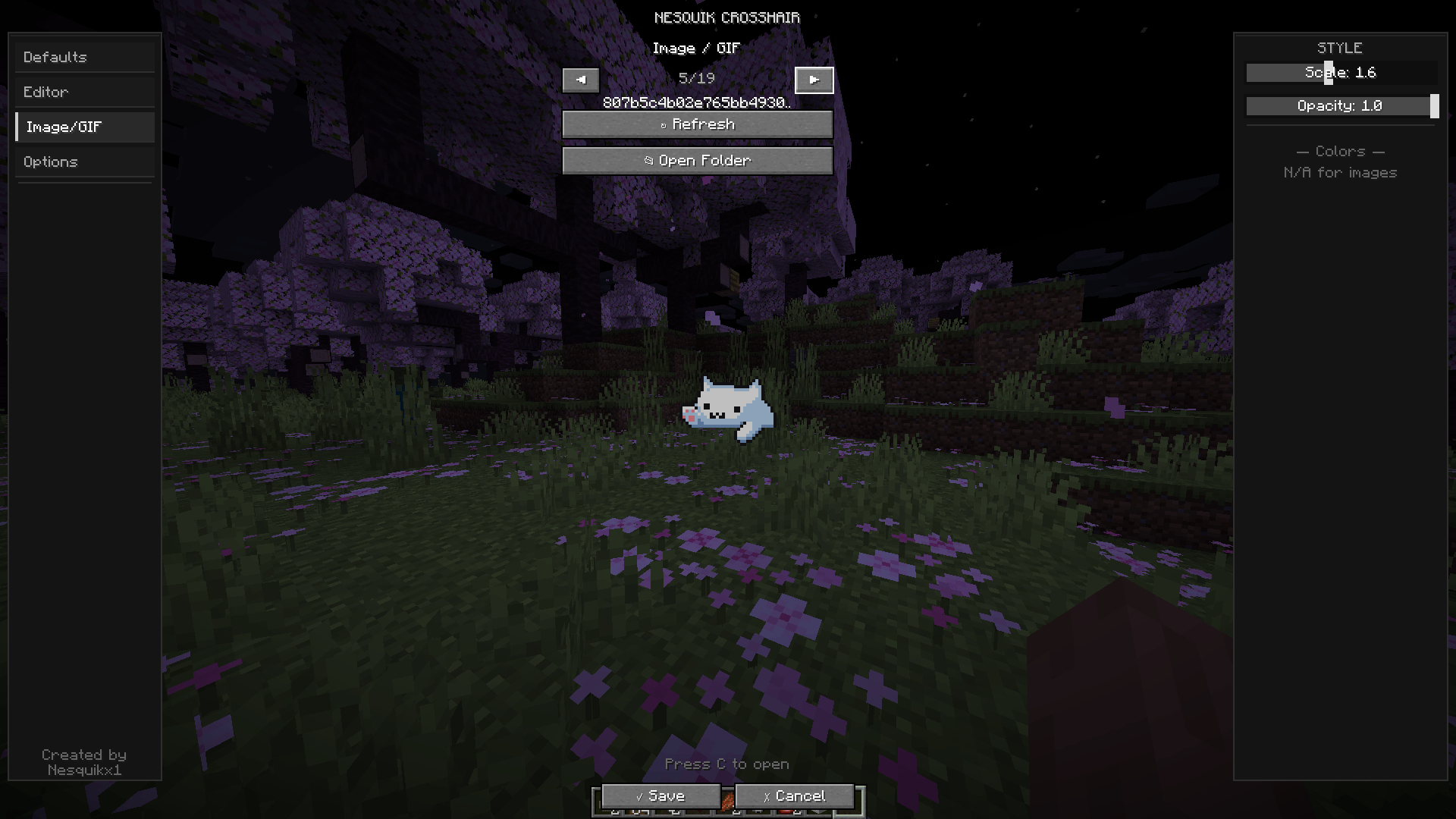
Use any PNG, JPG, BMP, or animated GIF as your crosshair. Just drop files into the config/nesquikcrosshair/images/ folder and select them in-game. An "Open Folder" button is included for quick access.
🎨 Color Palette
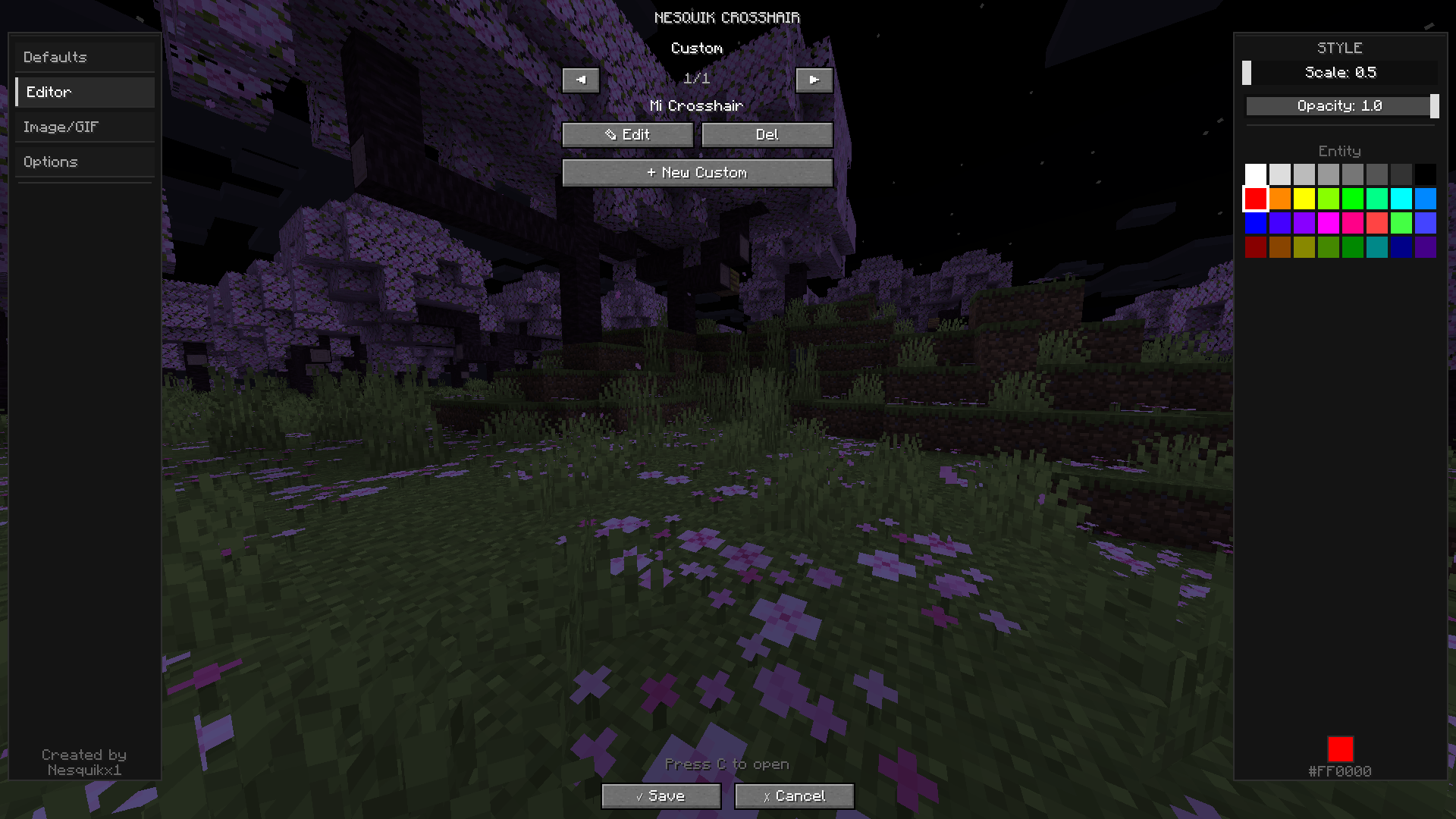
Pick from a 32-color palette to tint your crosshair. Adjust scale and opacity with sliders.
🔴 Entity Highlight Color
Set a separate color that activates when you aim at a living entity (mobs, players, animals). Works with all crosshair types.
⚡ Live Preview
All changes apply in real-time — you see exactly how your crosshair looks on the actual game screen while configuring. No need to save and close first.
🪶 Lightweight & Client-Side Only
Zero performance impact. Does not affect servers or other players. Compatible with Mod Menu.
Controls
Press C (rebindable) to open the crosshair menu
Everything is configured in-game — no config files to edit manually
Languages
English
Español (España)
Español (México)
Requirements
Minecraft 1.21.4
Fabric Loader 0.16+
Fabric API
Created by Nesquikx1 — Discord: _nesquik1
Español:
Personaliza completamente tu crosshair de Minecraft con un menú intuitivo dentro del juego. Incluye 9 figuras predeterminadas, un editor de píxeles para crear crosshairs personalizados, soporte para imágenes y GIFs animados, paleta de 32 colores, color especial al apuntar a entidades, vista previa en tiempo real, y cero impacto en el rendimiento. Presiona C (reasignable) para abrir el menú. Solo del lado del cliente — no afecta servidores.
Screenshots
Gallery
-
 4 4
4 4 -
 3 3
3 3 -
 2 2
2 2 -
 1 1
1 1
Versions
Files
Relations
Project Relations
More like this
Similar Mods
Suggestions use data such as tags, dependencies, dependents, descriptions, titles, and more to rank how much they overlap with this mod.
On ModDex
Community snapshot
By the numbers
Statistics
Want to reach Minecraft players?
We're looking for a server hosting partner to feature here and other parts of the site. Interested? Send us a message!
Get in touchGet it on
Available Platforms
On ModDex
Community snapshot
By the numbers
Statistics
Resources