Community listing page, reviews here may not be monitored by the author.
Netherite Compass


No reviews yet
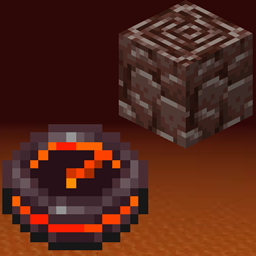
This mod adds the Netherite Compass to your game which helps you track down Ancient Debris blocks in you world.

Community voices
Reviews
No reviews yet. Be the first to review this project!
Get it on
Available Platforms
Compatibility
Supported Environments
Must be installed on both the client and the server.
About
Project Details
For authors
Embed Badge
If you're the author of this project, you can embed a live badge anywhere that supports HTML or Markdown. It updates automatically whenever ratings change.
Use HTML for any page that supports it, or Markdown for README files and Markdown-based descriptions.
Identifiers
Platform IDs
About
Description
Netherite Compass
About the mod
This mod adds the Netherite Compass to your game which helps you track down Ancient Debris blocks in you world.
Behaviour:
Tracking:
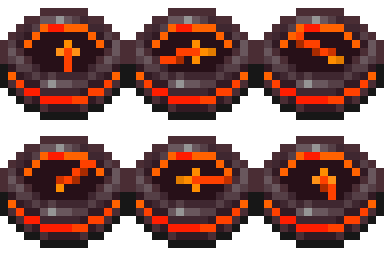
The Netherite Compass will point to the nearest Ancient Debris in you 3x3 chunk area. If it finds an Ancient Debris block it will lock onto it and will point to it (even if you move and another Ancient Debris is closer) until the block is broken.
Locating:
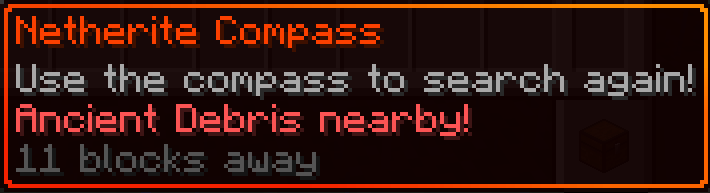
If the compass didn't managed to find Ancient Debris in your nearby are it will start spinning. This means its continuously looking for them while you have it on you.

Changing Dimensions:
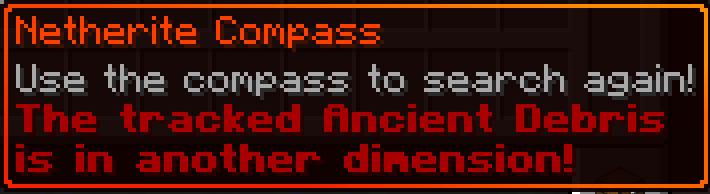
If you go to another dimension and your compass is locked onto an Ancient Debris, it will warn you in its description that the Ancient Debris is in another dimension. It will start wobbling around like the default compass when it can't find its target.
Using the compass:
When you right click the compass it will try to search for a new target if it already had one. This action will give you a five second cooldown before you can use it again (just like the ender pearl when thrown).
Droped and Item frames
The compass will not change its state if its droped or in an Item frame. For example, if its in the "Locating..." state and you put into an Item frame it will not lock onto an Ancient Debris if you place one nearby, like it would if you had in in your inventory.
Crafting
- Netherite Upgrade Smithing Template
- Recovery Compass
- Netherite Ingot
About the mod
This mod adds the Netherite Compass to your game which helps you track down Ancient Debris blocks in you world.
Behaviour:
Tracking:
The Netherite Compass will point to the nearest Ancient Debris in you 3x3 chunk area. If it finds an Ancient Debris block it will lock onto it and will point to it (even if you move and another Ancient Debris is closer) until the block is broken.
Locating:
If the compass didn't managed to find Ancient Debris in your nearby are it will start spinning. This means its continuously looking for them while you have it on you.
Changing Dimensions:
If you go to another dimension and your compass is locked onto an Ancient Debris, it will warn you in its description that the Ancient Debris is in another dimension. It will start wobbling around like the default compass when it can't find its target.
Using the compass:
When you right click the compass it will try to search for a new target if it already had one. This action will give you a five second cooldown before you can use it again (just like the ender pearl when thrown).
Droped and Item frames
The compass will not change its state if its droped or in an Item frame. For example, if its in the "Locating..." state and you put into an Item frame it will not lock onto an Ancient Debris if you place one nearby, like it would if you had it in your inventory.
Crafting
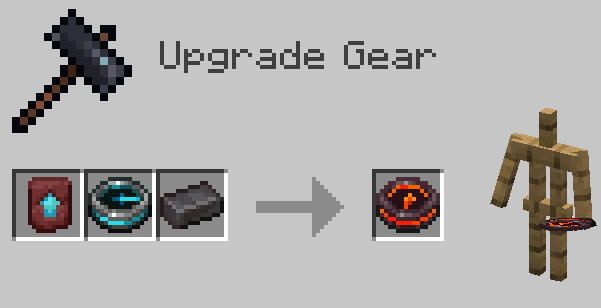
In order to obtain the Netherite Compass the player have to put three items into the Smithing Table:
- Netherite Upgrade Smithing Template
- Recovery Compass
- Netherite Ingot
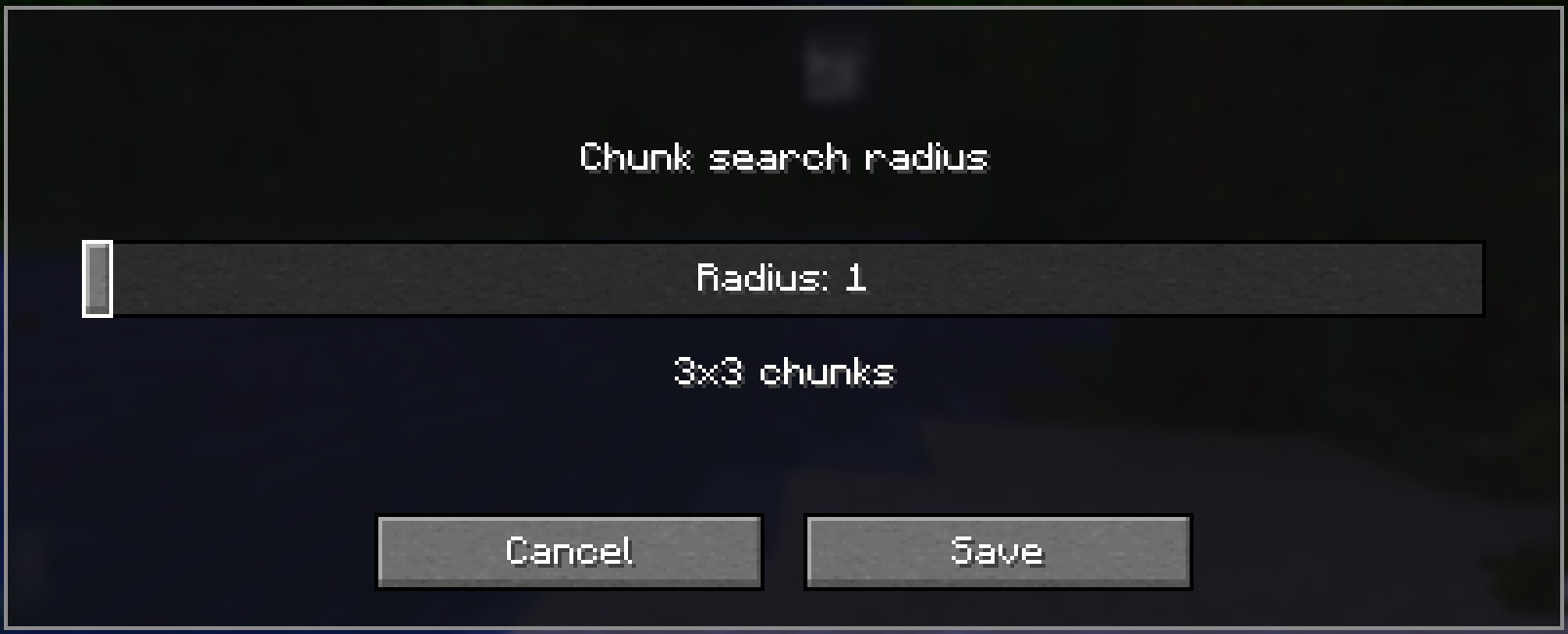
Configuring search radius with Modmenu
This mod integrates with Mod Menu to provide an in-game configuration screen. You can adjust the chunk search radius to balance between performance and search range.
Note: Larger search radii will scan more chunks, which may impact performance on slower systems. The default value of radius 1 -> 3x3 chunks should be more than enough for vanilla worlds.
Screenshots
Gallery
-
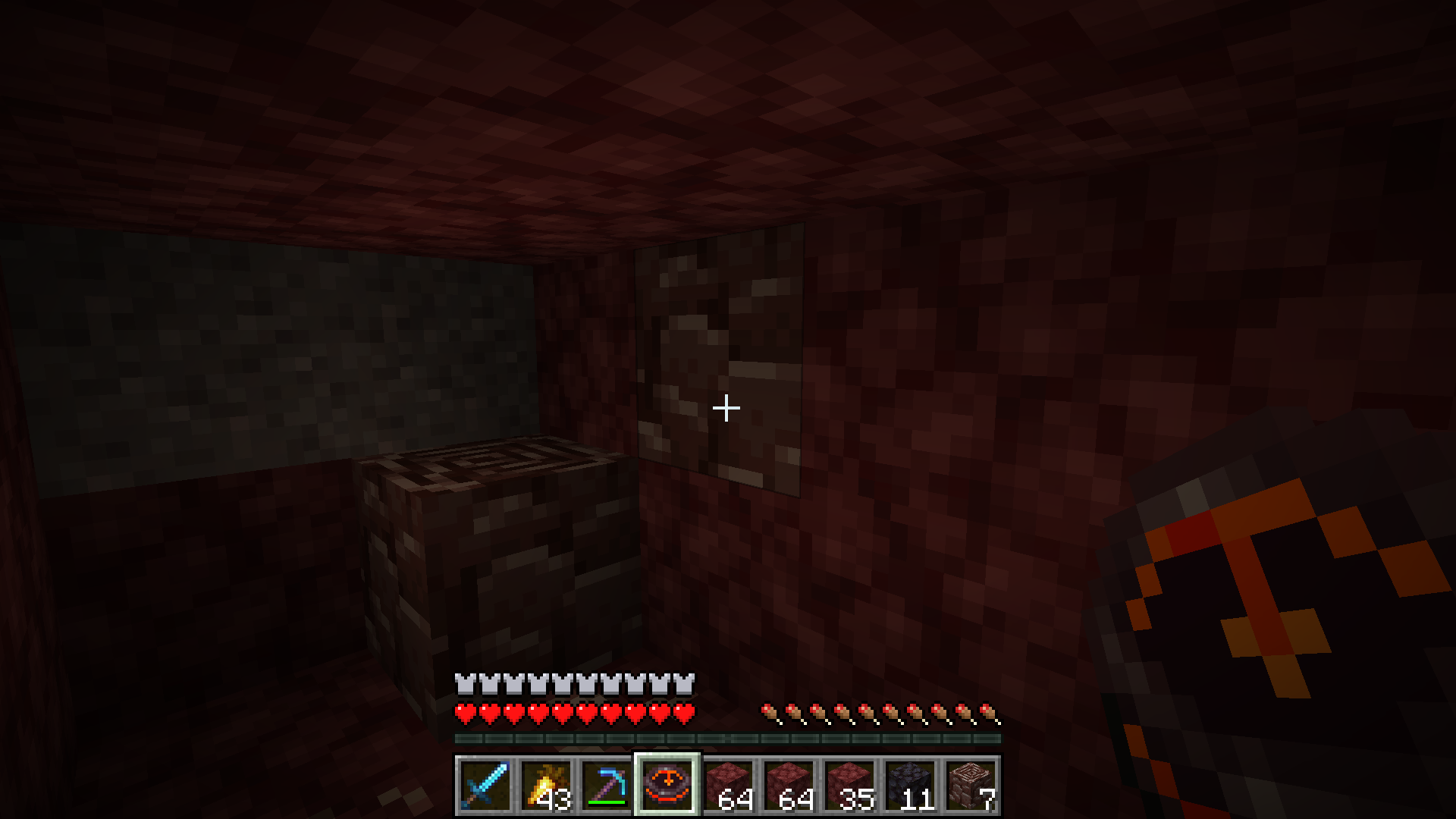 Finding Ancient Debris Using the Netherite Compass to find Ancient Debris.
Versions
Files
Relations
Project Relations
More like this
Similar Mods
Suggestions use data such as tags, dependencies, dependents, descriptions, titles, and more to rank how much they overlap with this mod.
On ModDex
Community snapshot
By the numbers
Statistics
 (opens in a new tab)
Get it on
Available Platforms
On ModDex
Community snapshot
By the numbers