
Community listing page, reviews may not be monitored by the author.
nojbput


No reviews yet
Added a button to enable/disable the function of placing blocks with the assistant

Community voices
Reviews
No reviews yet. Be the first to review this project!
Get it on
Available Platforms
Compatibility
Supported Environments
Works on the client or the server alone, but does more when on both.
About
Project Details
For authors
Embed Badge
If you're the author of this project, you can embed a live badge anywhere that supports HTML or Markdown. It updates automatically whenever ratings change.
Use HTML for any page that supports it, or Markdown for README files and Markdown-based descriptions.
Identifiers
Platform IDs
About
Description
Have you ever carried a torch in your offhand into a mine, wanted it for dynamic lighting, and ended up planting it in the floor over and over? This mod fixes exactly that. It intercepts offhand block placement and offhand item usage, so the offhand stays a utility slot instead of a second hotbar.
Two rules, three switches
- Offhand placement — stop blocks held in the offhand from being placed.
- Offhand usage — stop items held in the offhand from being used (torches, food, potions, firework rockets, ...).
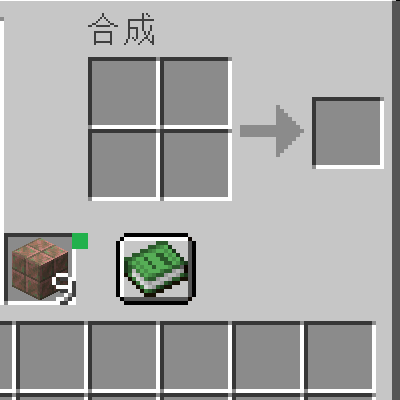
- Master switch — turn everything off at once without touching any other setting. Four-state toggle The button in your inventory cycles through four states, shown by colour:
- 🟩 green — allow everything
- 🟦 blue — block placement only
- 🟨 yellow — block usage only
- 🟥 red — block both Controls
- A button right next to the offhand slot in your inventory.
- A keybind (right Alt by default) so you can switch without opening the inventory.
Have you ever carried a torch in your offhand into a mine, wanted it for dynamic lighting, and ended up planting it in the floor over and over? This mod fixes exactly that. It intercepts offhand block placement and offhand item usage, so the offhand stays a utility slot instead of a second hotbar.
Two rules, three switches
- Offhand placement — stop blocks held in the offhand from being placed.
- Offhand usage — stop items held in the offhand from being used (torches, food, potions, firework rockets, ...).
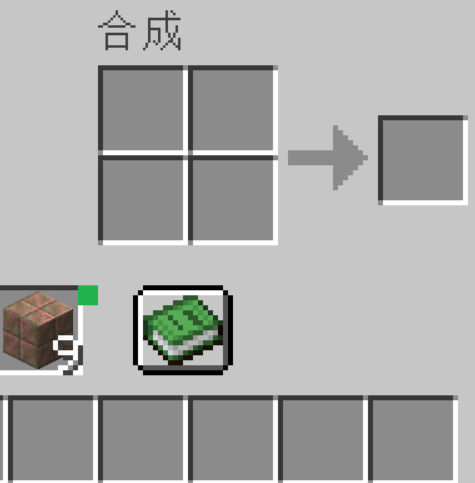
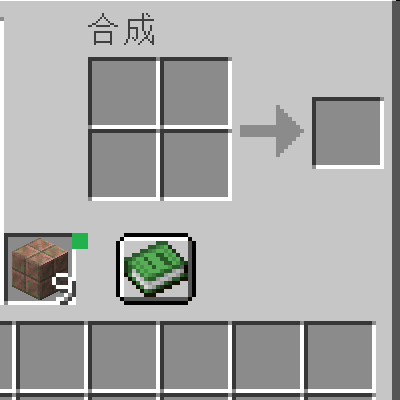
- Master switch — turn everything off at once without touching any other setting. Four-state toggle The button in your inventory cycles through four states, shown by colour:
- 🟩 green — allow everything
- 🟦 blue — block placement only
- 🟨 yellow — block usage only
- 🟥 red — block both Controls
- A button right next to the offhand slot in your inventory.
- A keybind (right Alt by default) so you can switch without opening the inventory.
Screenshots
Gallery
Versions
Files
Relations
Project Relations
More like this
Similar Mods
Suggestions use data such as tags, dependencies, dependents, descriptions, titles, and more to rank how much they overlap with this mod.
On ModDex
Community snapshot
By the numbers
Statistics

Get it on
Available Platforms
On ModDex
Community snapshot
By the numbers