
Community listing page, reviews here may not be monitored by the author.
Not Enough Management


No reviews yet
Extends and enhances Minecraft's built-in Server Management Protocol (JSON-RPC over WebSocket).
Community voices
Reviews
No reviews yet. Be the first to review this project!
Get it on
Available Platforms
Compatibility
Supported Environments
Runs on a dedicated server only; does not work in singleplayer.
About
Project Details
For authors
Embed Badge
If you're the author of this project, you can embed a live badge anywhere that supports HTML or Markdown. It updates automatically whenever ratings change.
Use HTML for any page that supports it, or Markdown for README files and Markdown-based descriptions.
Identifiers
Platform IDs
About
Description
A server-side Fabric Mod for Minecraft 25w35a / 1.21.9+ that adds more features to the Minecraft Server Management Protocol (MSMP). The MSMP provides an API over websocket that allows you to get live updates, change values, and request information from/to a Minecraft server without much hassle. Communication is done both-ways with JSON objects.

🧩 Features
The vanilla Server Management Protocol features can be found on the wiki.
Notifications
| Path | Description | Parameters | Example Response |
|---|---|---|---|
/chat_message |
Player's Chat Message | message: Chat Message | {"jsonrpc":"2.0","method":"notification:chat_message","params":[{"id":"e68e2363-f1bb-446c-aeef-cccd23aeafb7","name":"DanMizu","message":"Hello World!"}]} |
Schema
Chat Message
- 🆔
id: string - 👤
name: string - 💬
message: string
⬇️ Installation
1- Enable the Server Management Protocol/Management Server in your server.properties file.
management-server-enabled- default
false - set to
true
- default
management-server-host- default
localhost - keep set to
localhost
⚠️ Warning Ideally you keep this set to
localhostand only run services that need to access the server on the same machine. If you trust everyone that's connected to your local network (you shouldn't!), then set to0.0.0.0to allow other machines on the same network to access the server.- default
management-server-port- default
25585 - set to an unused port if the default port is taken by another service on your machine
🚫 Caution DO NOT FORWARD THIS PORT (Port-forwarding). There is no authentication built into the management server and anyone that can connect essentially has full control over your server. You're recommended to run services that use it on the same machine and keep
management-server-hostset tolocalhost.- default
2- Download this mod, making sure to match it to the minecraft version of your fabric server.
3- Add the downloaded .jar file of this mod into your mods folder in your server, and start/restart.
▶️ Usage
You can use this with anything that can connect over websockets. This example uses Node.js, specifically the wscat package. If you want to follow along, make sure to first install Node.js and NPM (NPM should be automatically installed alongside Node.js).
- Install properly onto your Fabric Minecraft server as detailed in Installation and run the server.
- Open a terminal application.
- Install wscat globally using NPM if you haven't already:
npm install -g wscat. - Run the command
wscat -c ws://<management-server-host>:<management-server-port> - Log into your Fabric Minecraft server with your Microsoft account.
- Send a chat message in-game, and you should see a notification pop up in the terminal application with relevant information.
A server-side Fabric Mod for Minecraft 25w35a / 1.21.9+ that adds more features to the Minecraft Server Management Protocol (MSMP). The MSMP provides an API over websocket that allows you to get live updates, change values, and request information from/to a Minecraft server without much hassle. Communication is done both-ways with JSON objects.
🧩 Features
The vanilla Server Management Protocol features can be found on the wiki.
Notifications
| Path | Description | Parameters | Example Response |
|---|---|---|---|
/chat_message |
Player's Chat Message | message: Chat Message | {"jsonrpc":"2.0","method":"notification:chat_message","params":[{"id":"e68e2363-f1bb-446c-aeef-cccd23aeafb7","name":"DanMizu","message":"Hello World!"}]} |
Schema
Chat Message
- 🆔
id: string - 👤
name: string - 💬
message: string
⬇️ Installation
1- Enable the Server Management Protocol/Management Server in your server.properties file.
-
management-server-enabled- default
false - set to
true
-
management-server-host- default
localhost - keep set to
localhost
⚠️ Warning Ideally you keep this set to
localhostand only run services that need to access the server on the same machine. If you trust everyone that's connected to your local network (you shouldn't!), then set to0.0.0.0to allow other machines on the same network to access the server. - default
-
management-server-port- default
25585 - set to an unused port if the default port is taken by another service on your machine
🚫 Caution DO NOT FORWARD THIS PORT (Port-forwarding). There is no authentication built into the management server and anyone that can connect essentially has full control over your server. You're recommended to run services that use it on the same machine and keep
management-server-hostset tolocalhost. - default
- default
2- Download this mod, making sure to match it to the minecraft version of your fabric server.
3- Add the downloaded .jar file of this mod into your mods folder in your server, and start/restart.
▶️ Usage
You can use this with anything that can connect over websockets. This example uses Node.js, specifically the wscat package. If you want to follow along, make sure to first install Node.js and NPM (NPM should be automatically installed alongside Node.js).
- Install properly onto your Fabric Minecraft server as detailed in Installation and run the server.
- Open a terminal application.
- Install wscat globally using NPM if you haven't already:
npm install -g wscat. - Run the command
wscat -c ws://<management-server-host>:<management-server-port> - Log into your Fabric Minecraft server with your Microsoft account.
- Send a chat message in-game, and you should see a notification pop up in the terminal application with relevant information.
Screenshots
Gallery
-
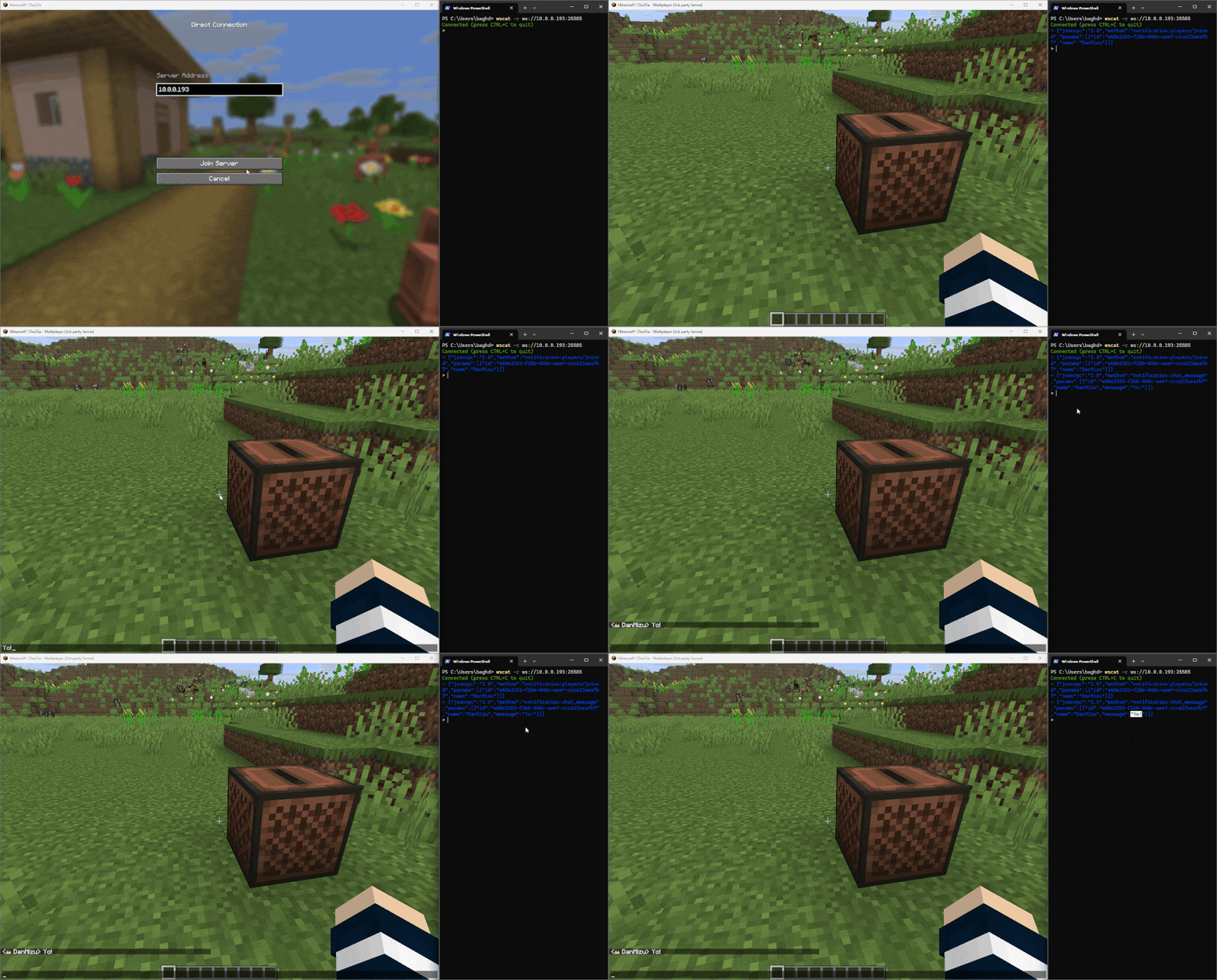 chat_message_notification.gif chat_message_notification.gif
-
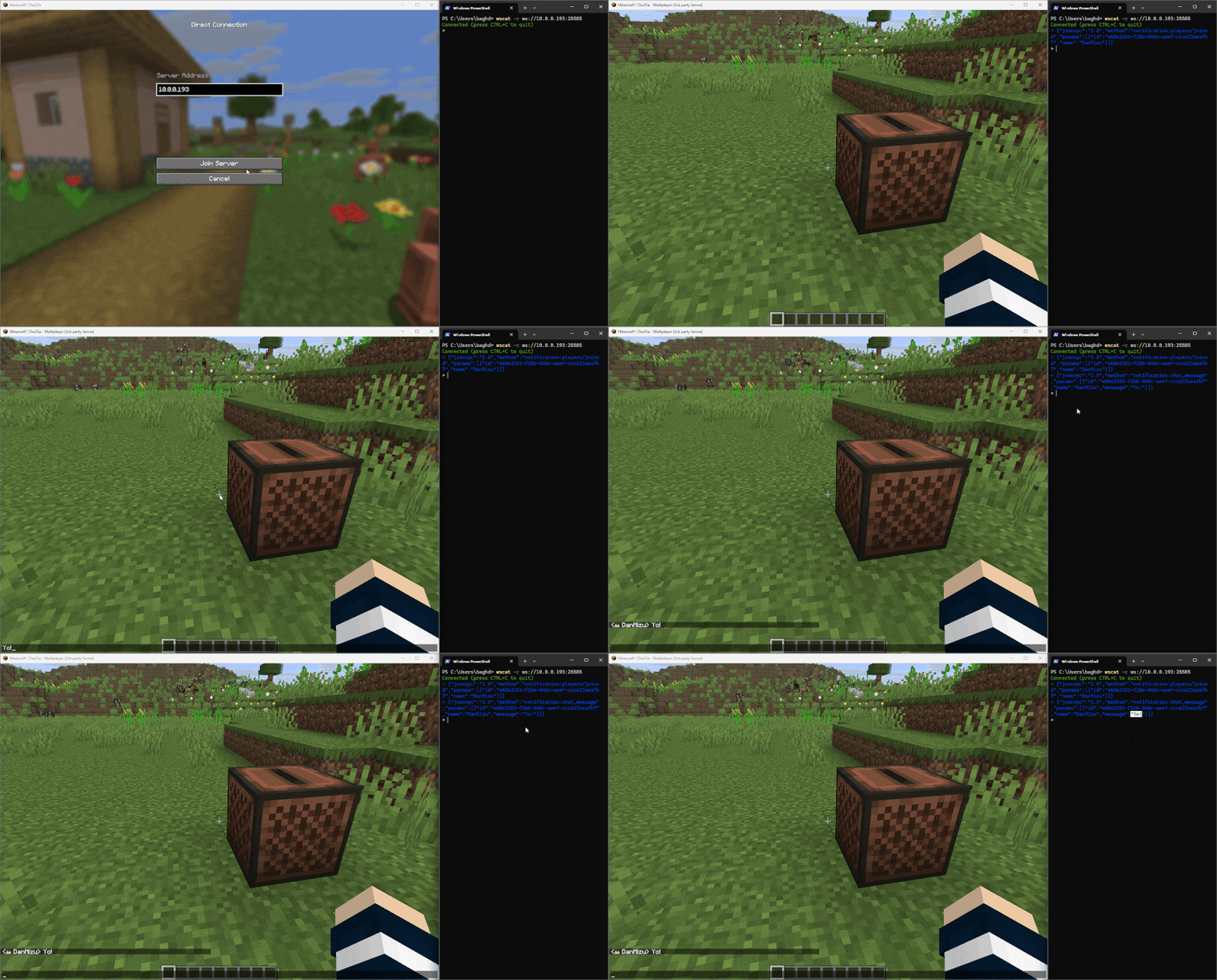 GIF showing chat message notifications in a terminal using this mod.
Versions
Files
Relations
Project Relations
More like this
Similar Mods
Suggestions use data such as tags, dependencies, dependents, descriptions, titles, and more to rank how much they overlap with this mod.
On ModDex
Community snapshot
By the numbers
Statistics
Want to reach Minecraft players?
We're looking for a server hosting partner to feature here and other parts of the site. Interested? Send us a message!
Get in touchGet it on
Available Platforms
On ModDex
Community snapshot
By the numbers