
Community listing page, reviews here may not be monitored by the author.
NSEW Compass HUD


No reviews yet
NSEW (North, South, East, West) Compass HUD adds a customizable QoL compass overlay that shows the direction of nearby players, passive mobs, and hostile mobs. It includes profile-style icons, per-mob filters, separate distance controls, and an in-game
Community voices
Reviews
No reviews yet. Be the first to review this project!
Get it on
Available Platforms
Compatibility
Supported Environments
Runs entirely on the client. Works on vanilla servers.
About
Project Details
For authors
Embed Badge
If you're the author of this project, you can embed a live badge anywhere that supports HTML or Markdown. It updates automatically whenever ratings change.
Use HTML for any page that supports it, or Markdown for README files and Markdown-based descriptions.
Identifiers
Platform IDs
About
Description
**NSEW** (North, South, East, West) Compass HUD adds a customizable QoL compass overlay that shows the direction of nearby players, passive mobs, and hostile mobs. It includes profile-style icons, per-mob filters, separate distance controls, and an in-game settings menu!
To get to settings, click Esc, Options, and lastly **NSEW**!
Settings:
HUD Enabled = Turns the compass HUD on or off.
Players = Shows nearby players on the compass.
Player Faces = Replaces the normal player marker with that player’s face icon.
Passive Mobs = Shows passive mobs on the compass.
Hostile Mobs = Shows hostile mobs on the compass.
Show Distances = Shows the number of blocks away under each marker.
Fade Far Targets = Makes markers fade more as they get closer to the edge of your tracking distance.
Edge Clamping = Keeps markers pinned inside the compass instead of letting them disappear off the sides.
Player Distance = Sets how far away players can be and still show on the compass.
Passive Distance = Sets how far away passive mobs can be and still show on the compass.
Hostile Distance = Sets how far away hostile mobs can be and still show on the compass.
Update Speed = Controls how often the mod refreshes nearby entities.
1 = updates very often
25 = recommended
200 = updates less often, but uses fewer refresh checks
Mob Filters = Opens the mob list where you can choose exactly which mobs are allowed to appear on the compass.
Search Mobs = Lets you search the mob filter list by mob name or ID.
[x] / [ ] in Mob Filters = Enables or disables that specific mob from showing on the compass.
Green Mob Names = Passive mob entries.
Red Mob Names = Hostile mob entries.
Done = Saves settings and closes the menu.
Problems?? Post it on the official NSEW discord
Fabric Api is required!
NSEW (North, South, East, West) Compass HUD adds a customizable QoL compass overlay that shows the direction of nearby players, passive mobs, and hostile mobs. It includes profile-style icons, per-mob filters, separate distance controls, and an in-game settings menu!
To get to settings, click Esc, Options, and lastly NSEW!
Settings:
HUD Enabled = Turns the compass HUD on or off.
Players = Shows nearby players on the compass.
Player Faces = Replaces the normal player marker with that player’s face icon.
Passive Mobs = Shows passive mobs on the compass.
Hostile Mobs = Shows hostile mobs on the compass.
Show Distances = Shows the number of blocks away under each marker.
Fade Far Targets = Makes markers fade more as they get closer to the edge of your tracking distance.
Edge Clamping = Keeps markers pinned inside the compass instead of letting them disappear off the sides.
Player Distance = Sets how far away players can be and still show on the compass.
Passive Distance = Sets how far away passive mobs can be and still show on the compass.
Hostile Distance = Sets how far away hostile mobs can be and still show on the compass.
Update Speed = Controls how often the mod refreshes nearby entities. 1 = updates very often 25 = recommended 200 = updates less often, but uses fewer refresh checks
Mob Filters = Opens the mob list where you can choose exactly which mobs are allowed to appear on the compass.
Search Mobs = Lets you search the mob filter list by mob name or ID.
[x] / [ ] in Mob Filters = Enables or disables that specific mob from showing on the compass.
Green Mob Names = Passive mob entries.
Red Mob Names = Hostile mob entries.
Done = Saves settings and closes the menu. Problems?? Post it on the official NSEW discord
Fabric Api is required!
Screenshots
Gallery
-
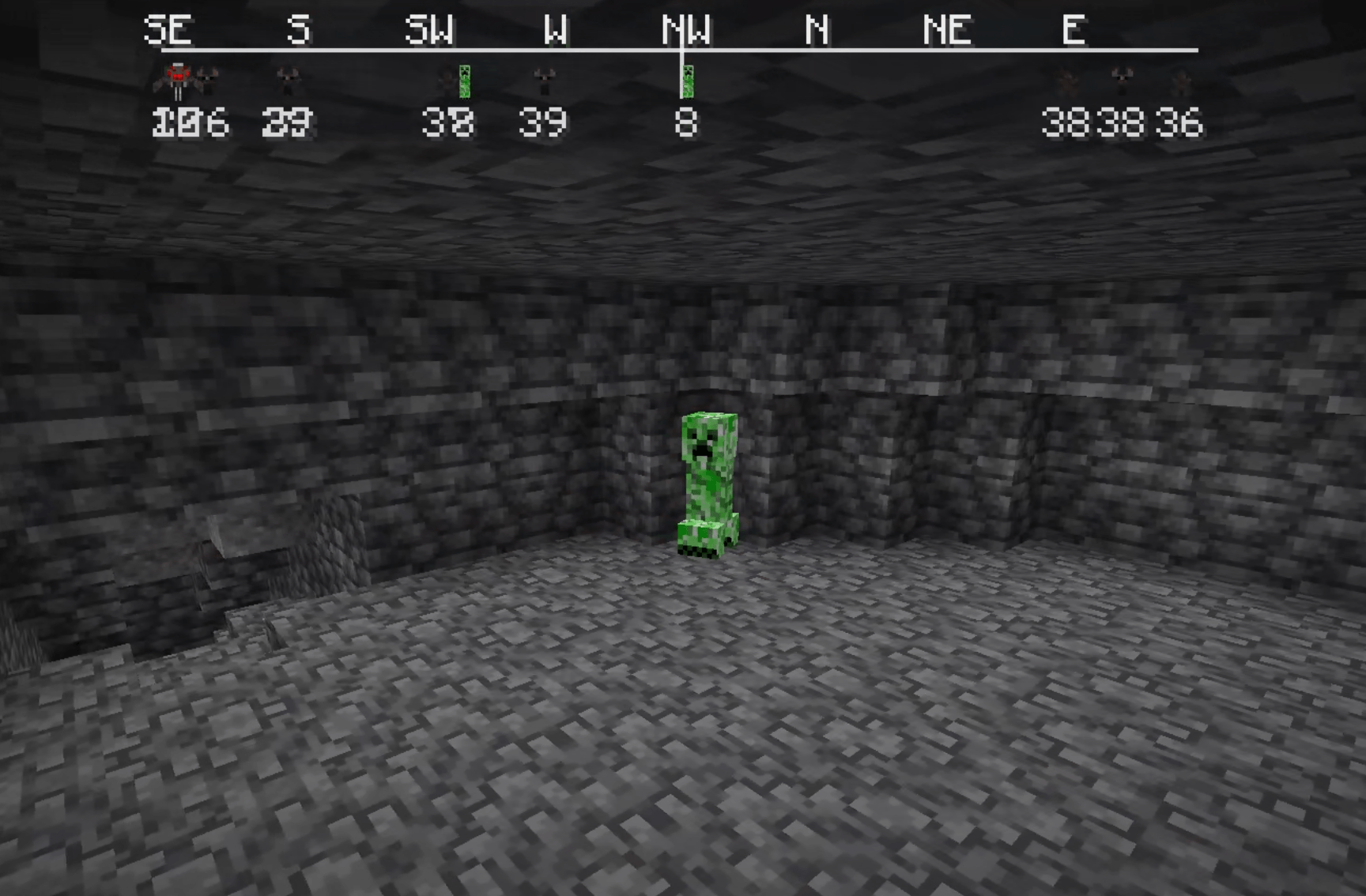 creeper creeper
 -
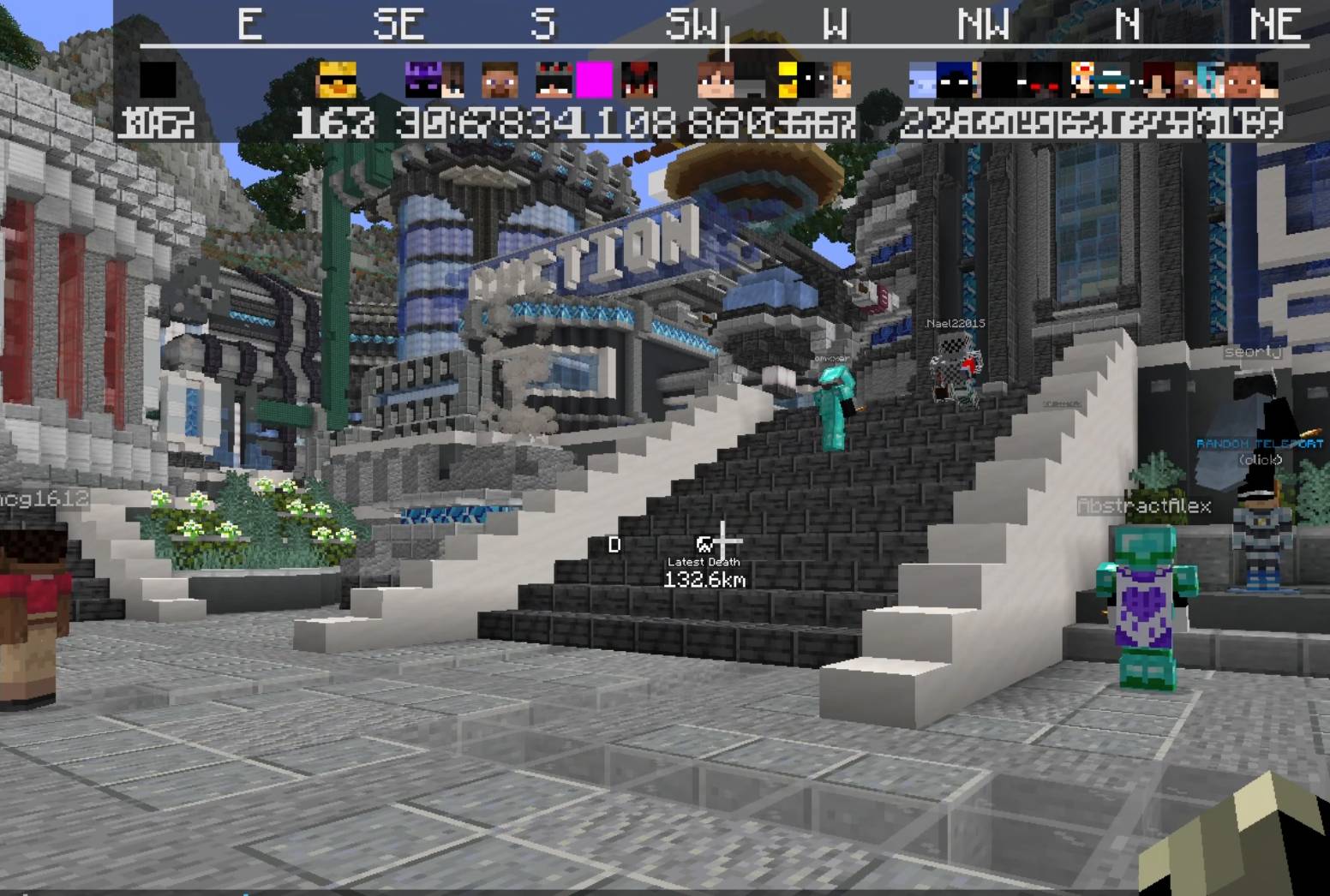 Player lobby RIP old donut smp
 -
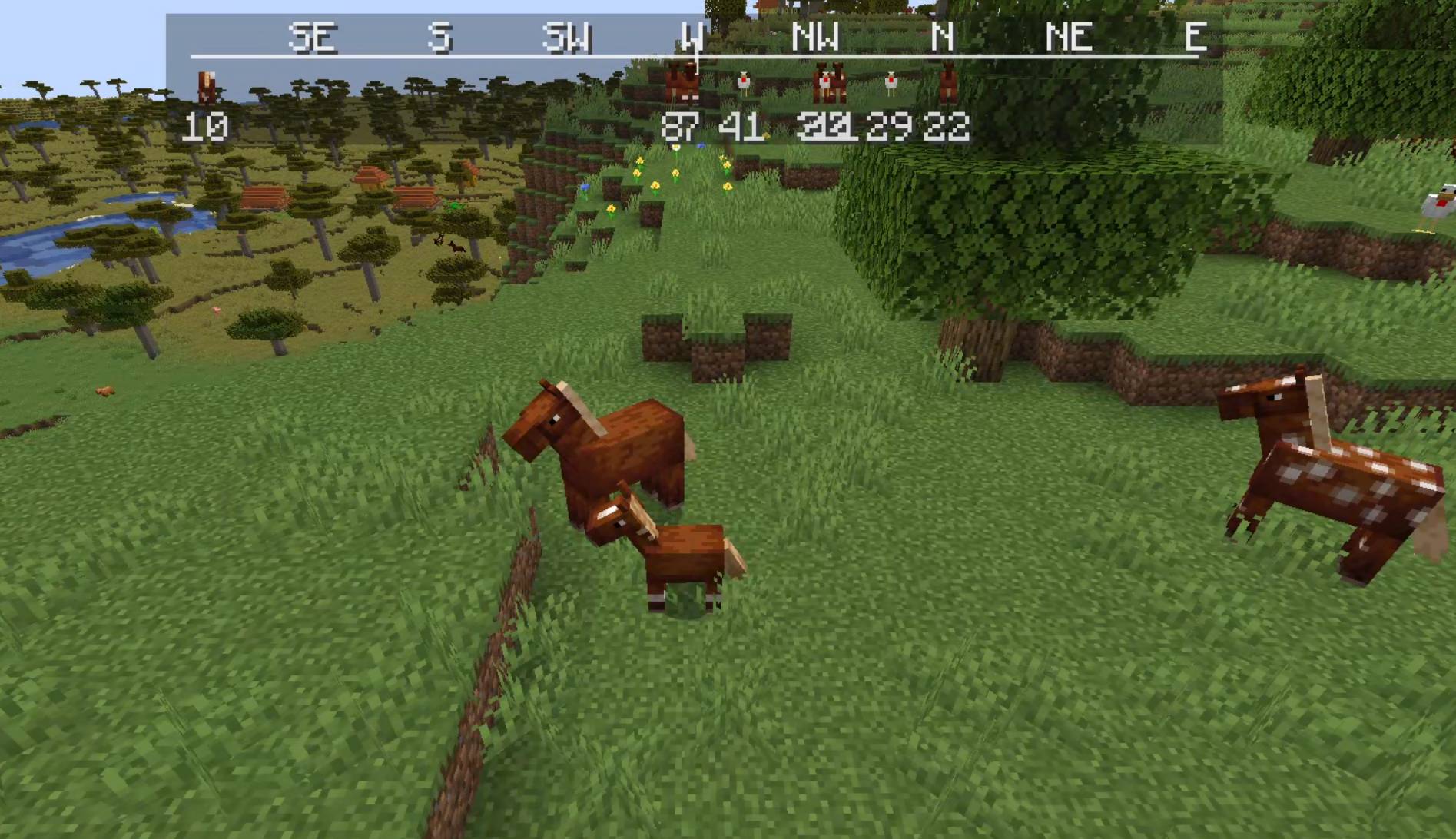 HORSIES!!! HORSIES!!!
 -
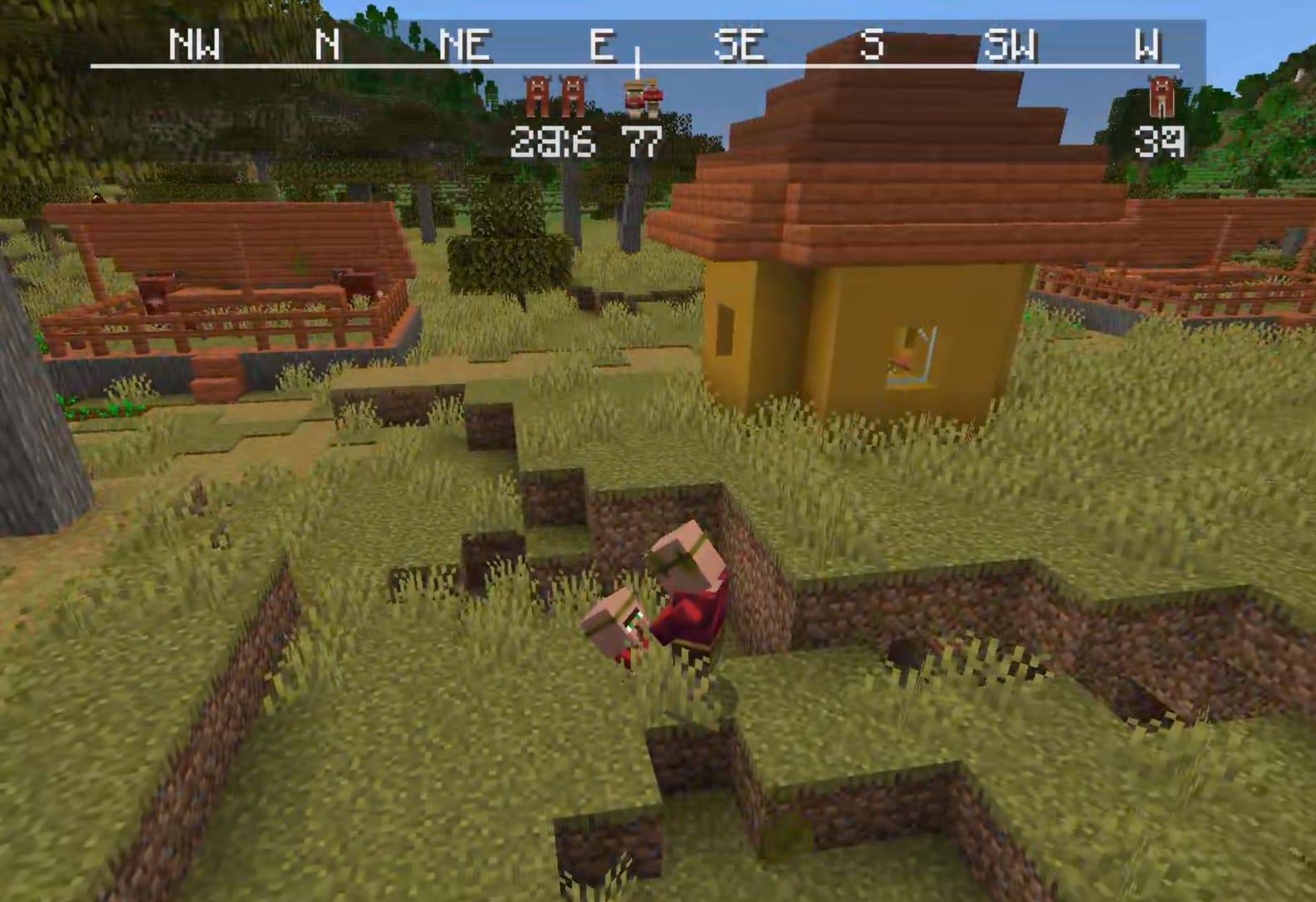 Just a villager and its child having a staring contest Just a villager and its child having a staring contest
 -
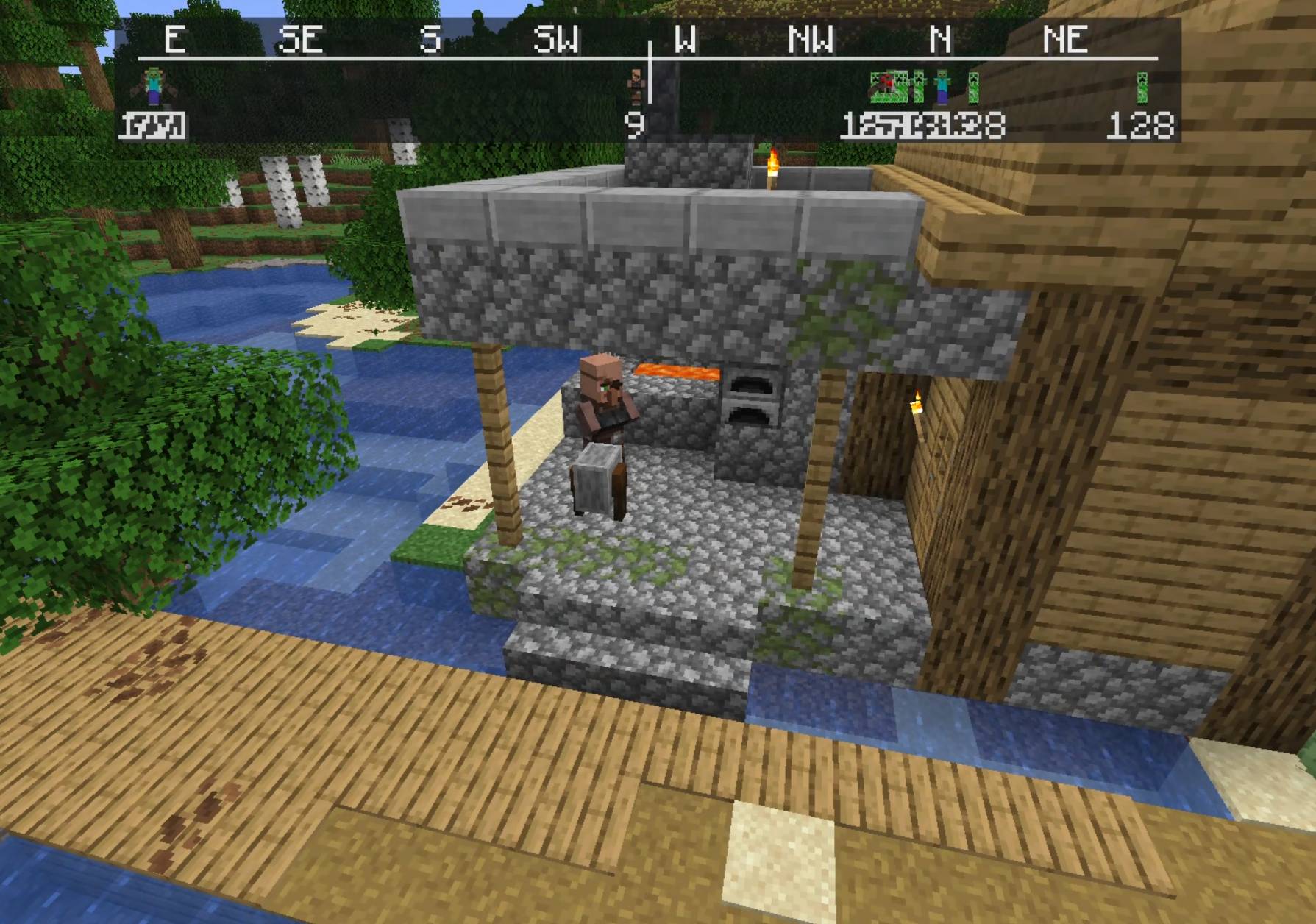 Just a villager Just a villager
 -
 nsew logo nsew logo
-
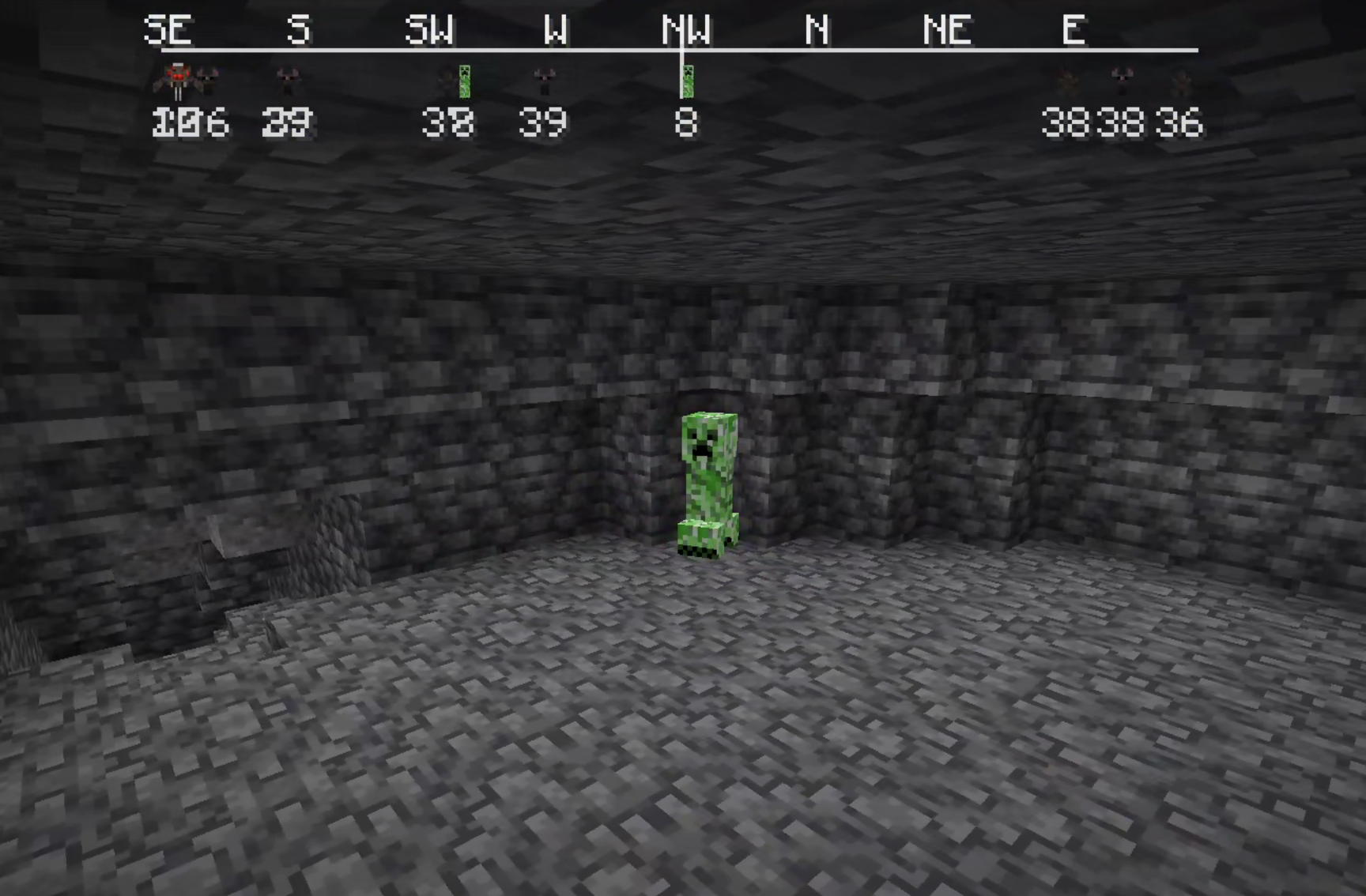 Alpha: creeper
 -
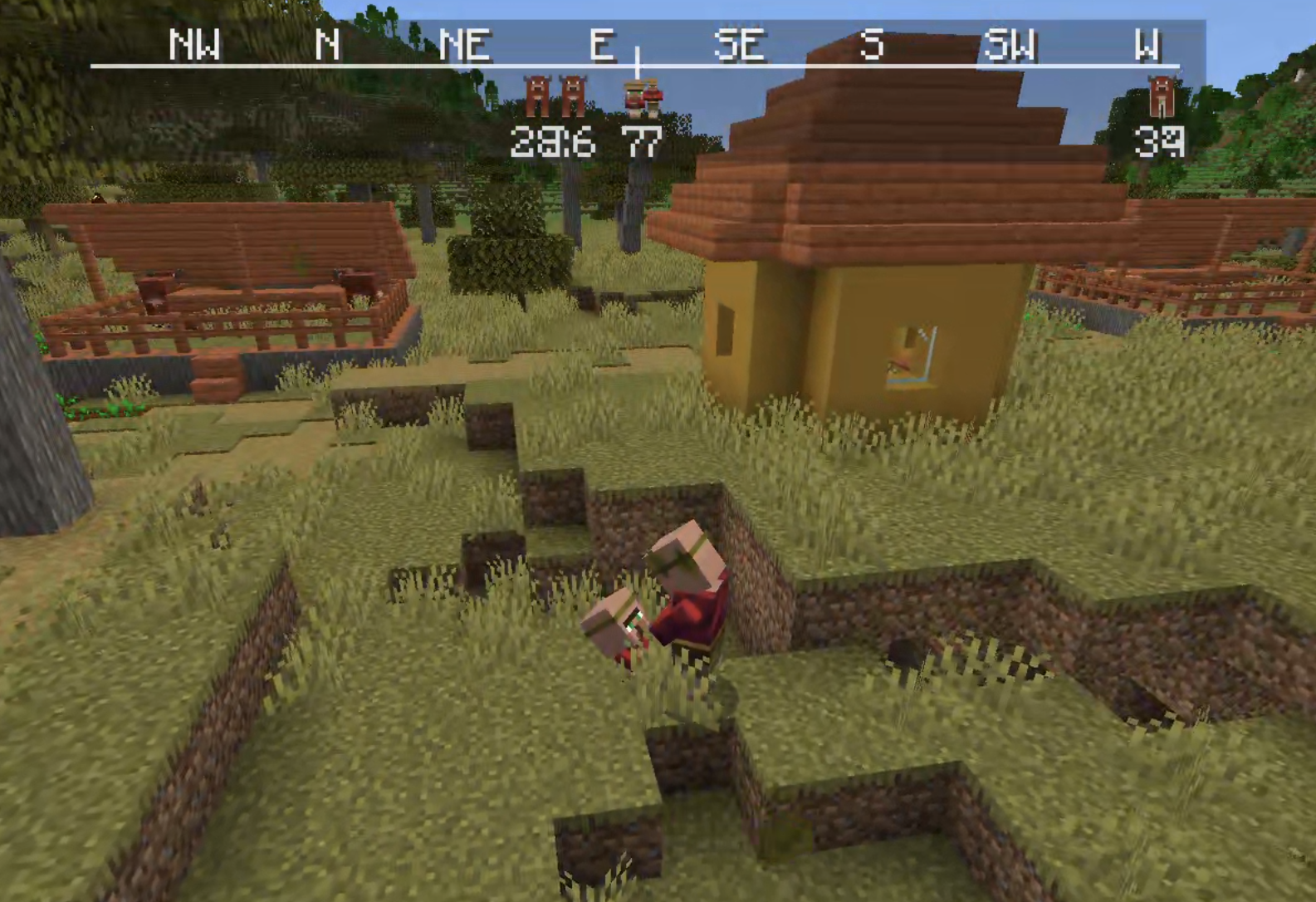 Alpha: villagers
 -
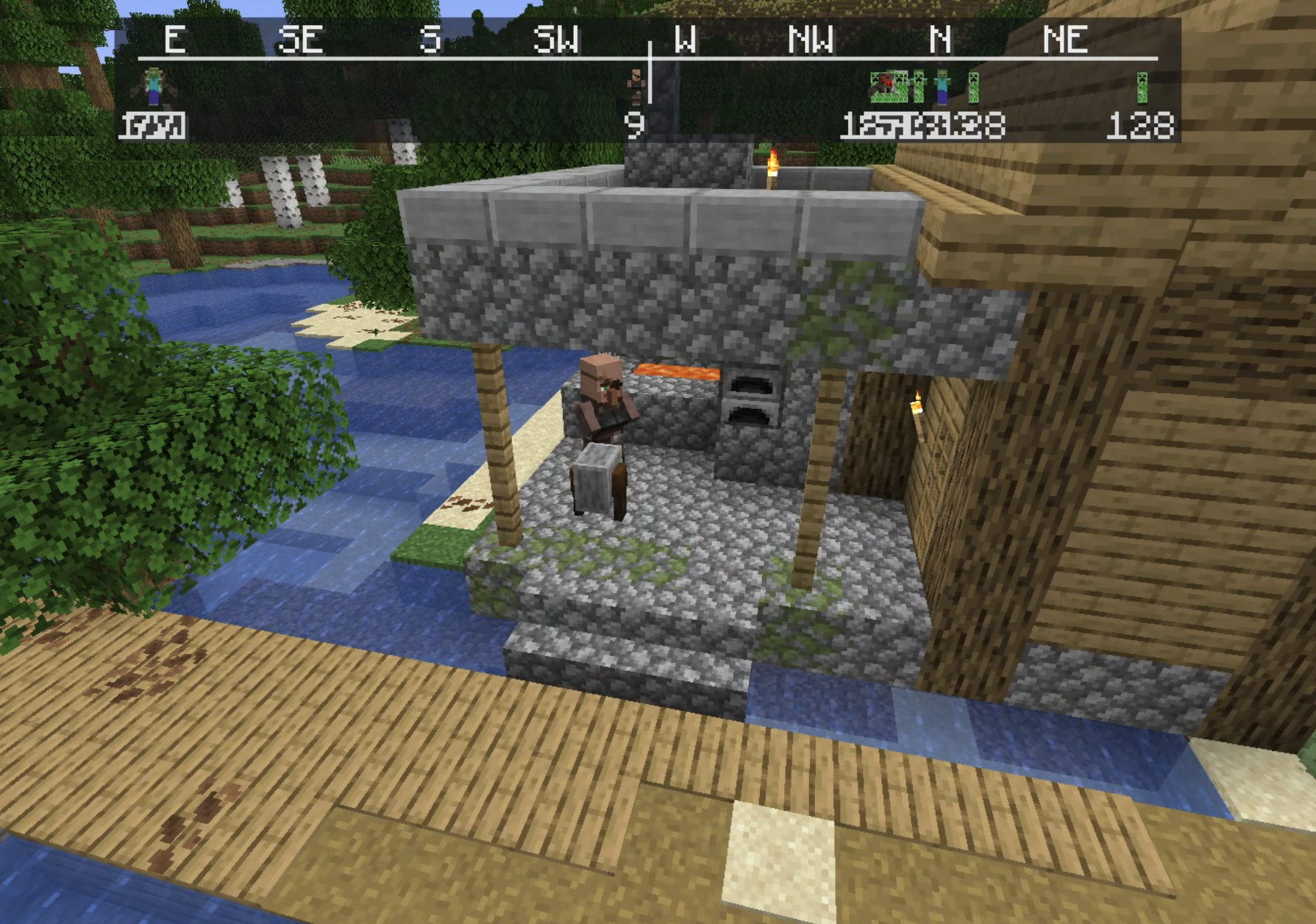 Alpha: NEW WAY TO SHOW MOBS
 -
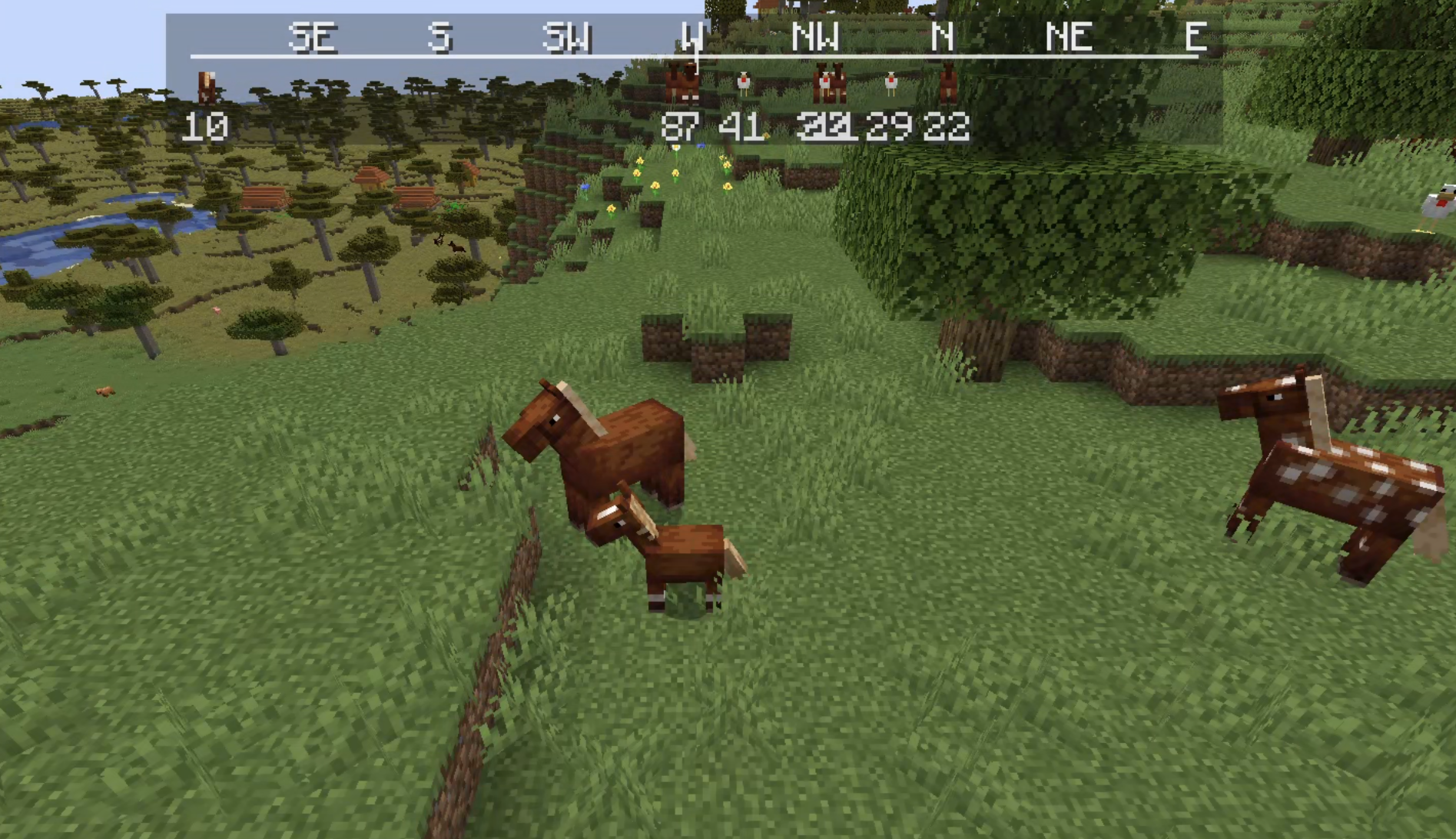 Alpha: HORSEYS!!!
 -
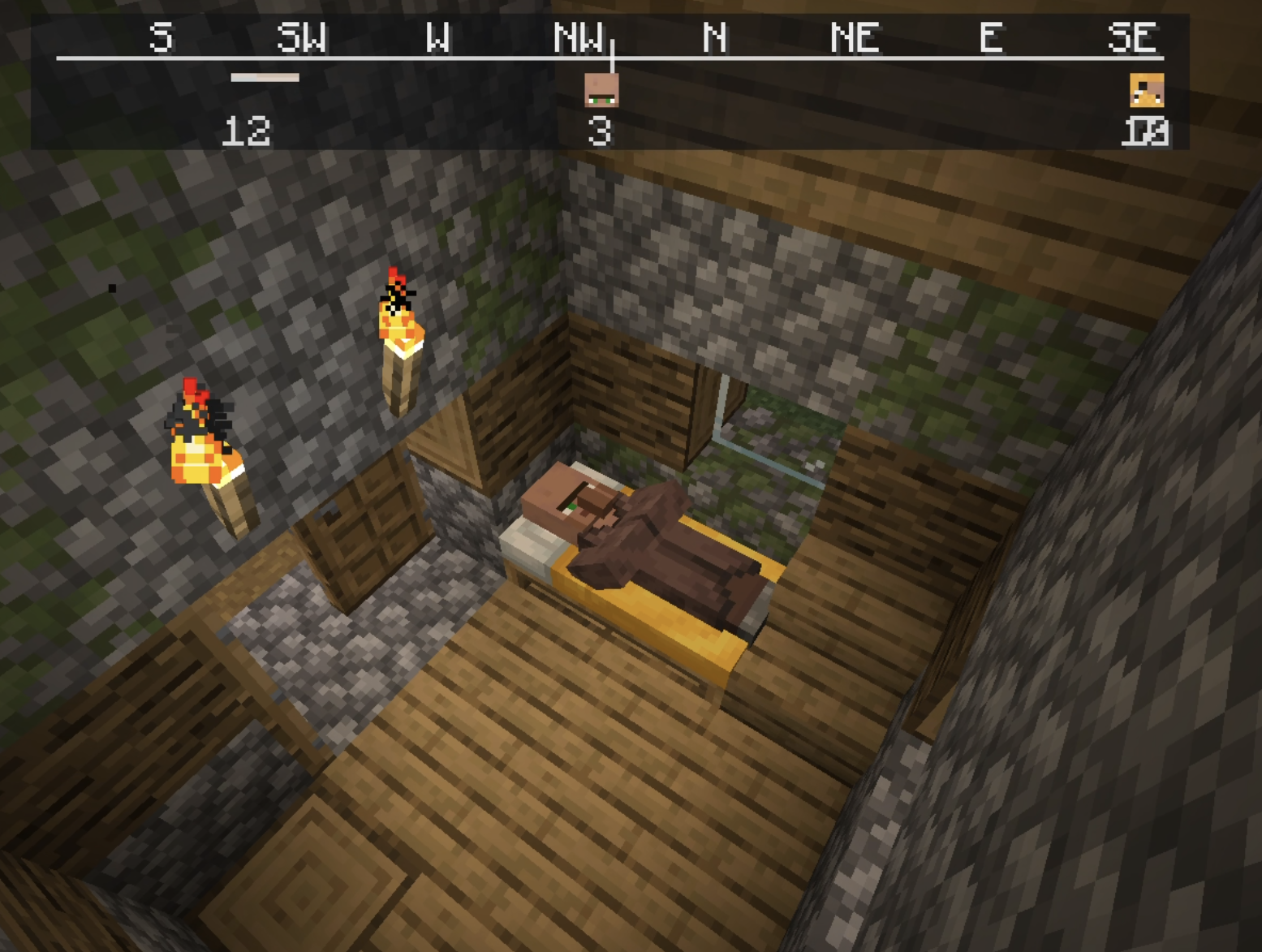 beta: just a villager
 -
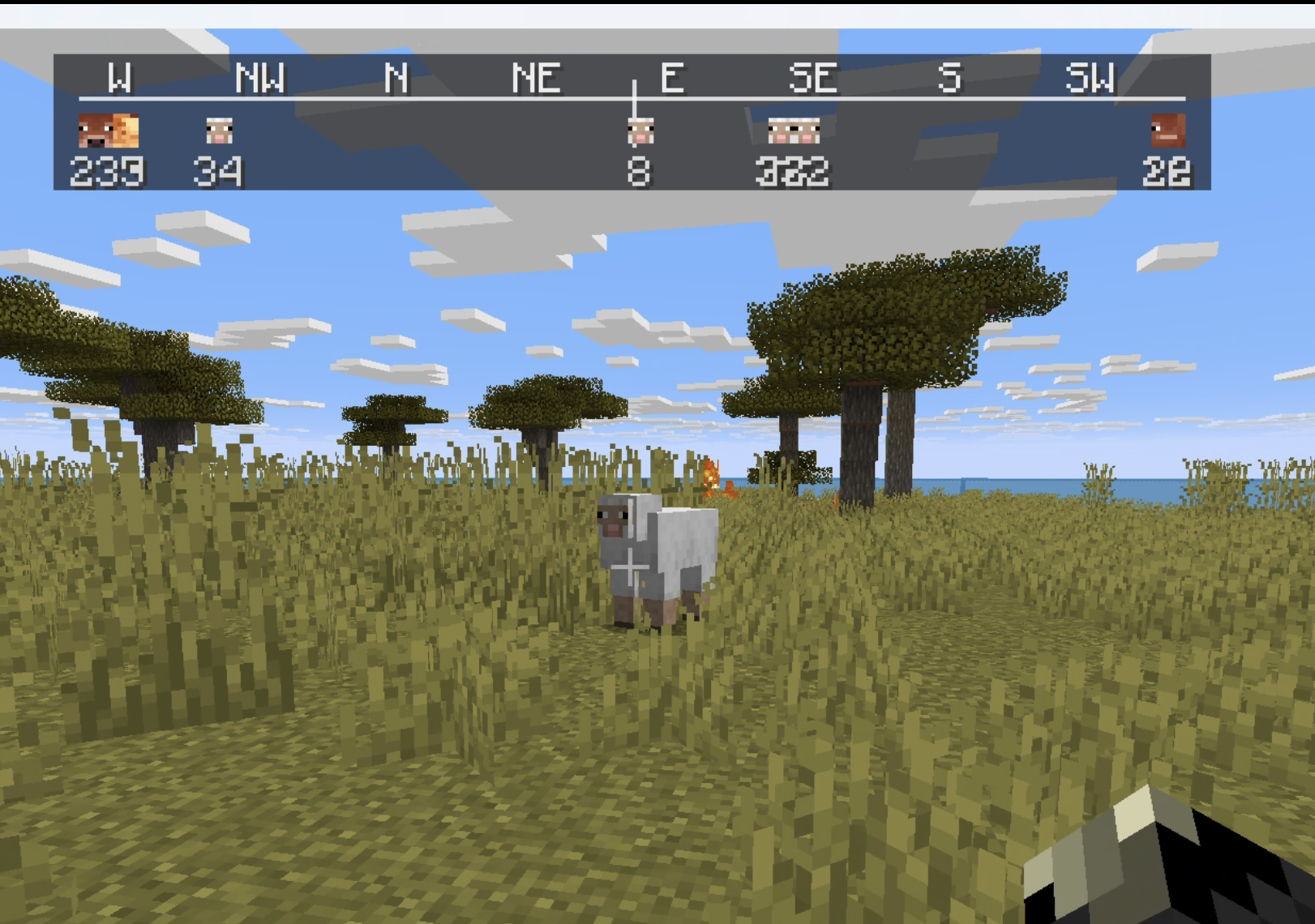 beta: passive mobs
 -
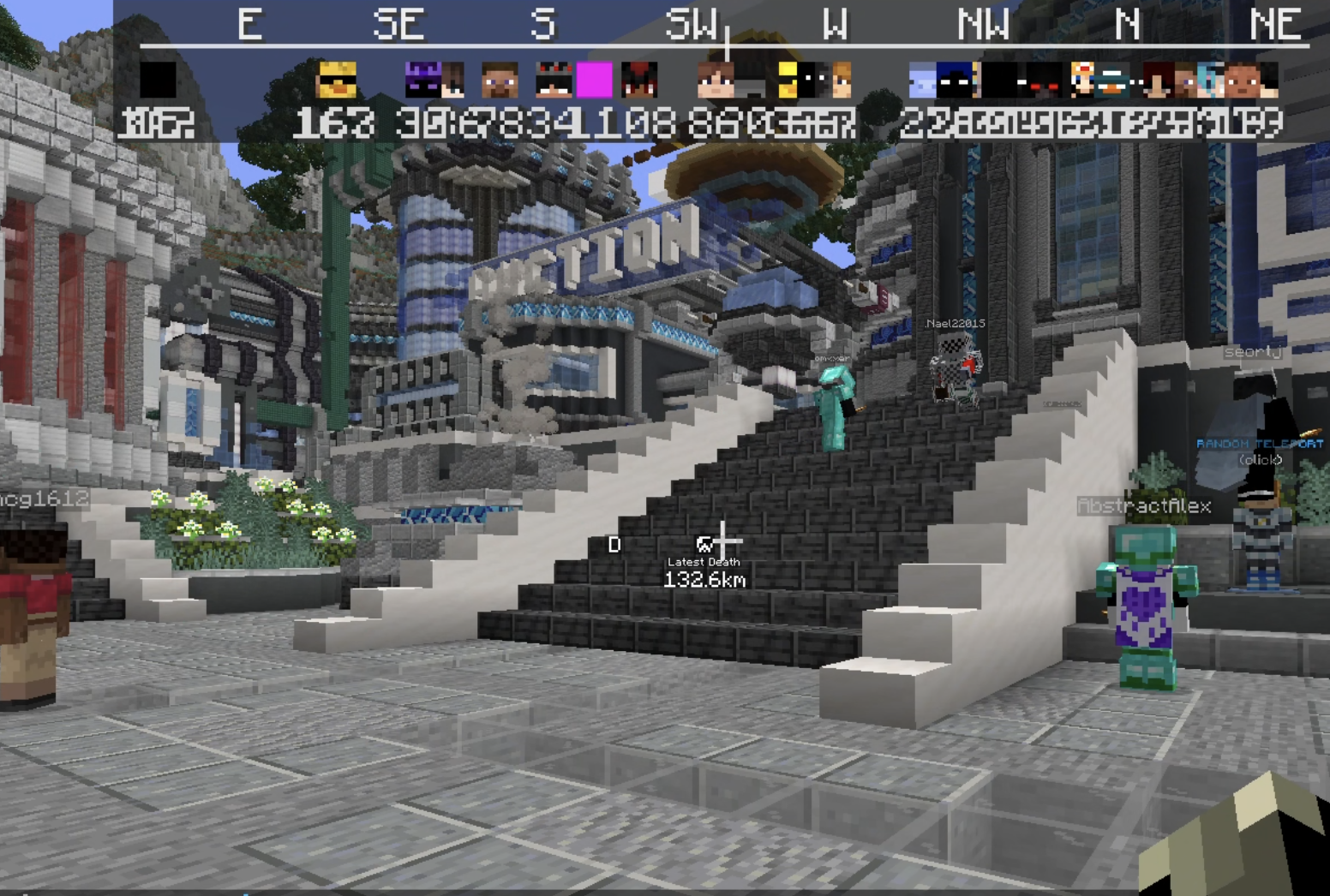 beta: Players
 -
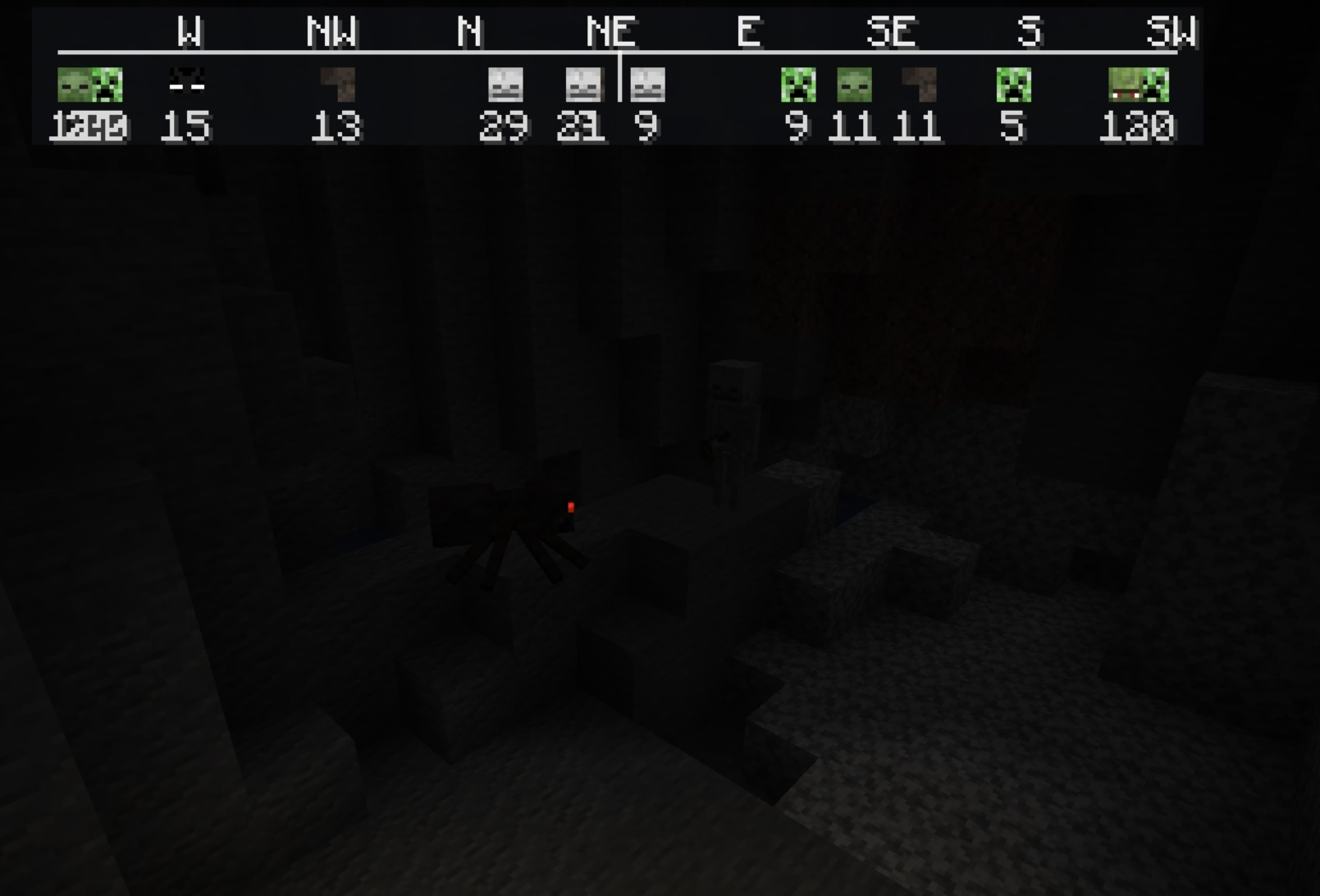 beta: hostile mobs
 -
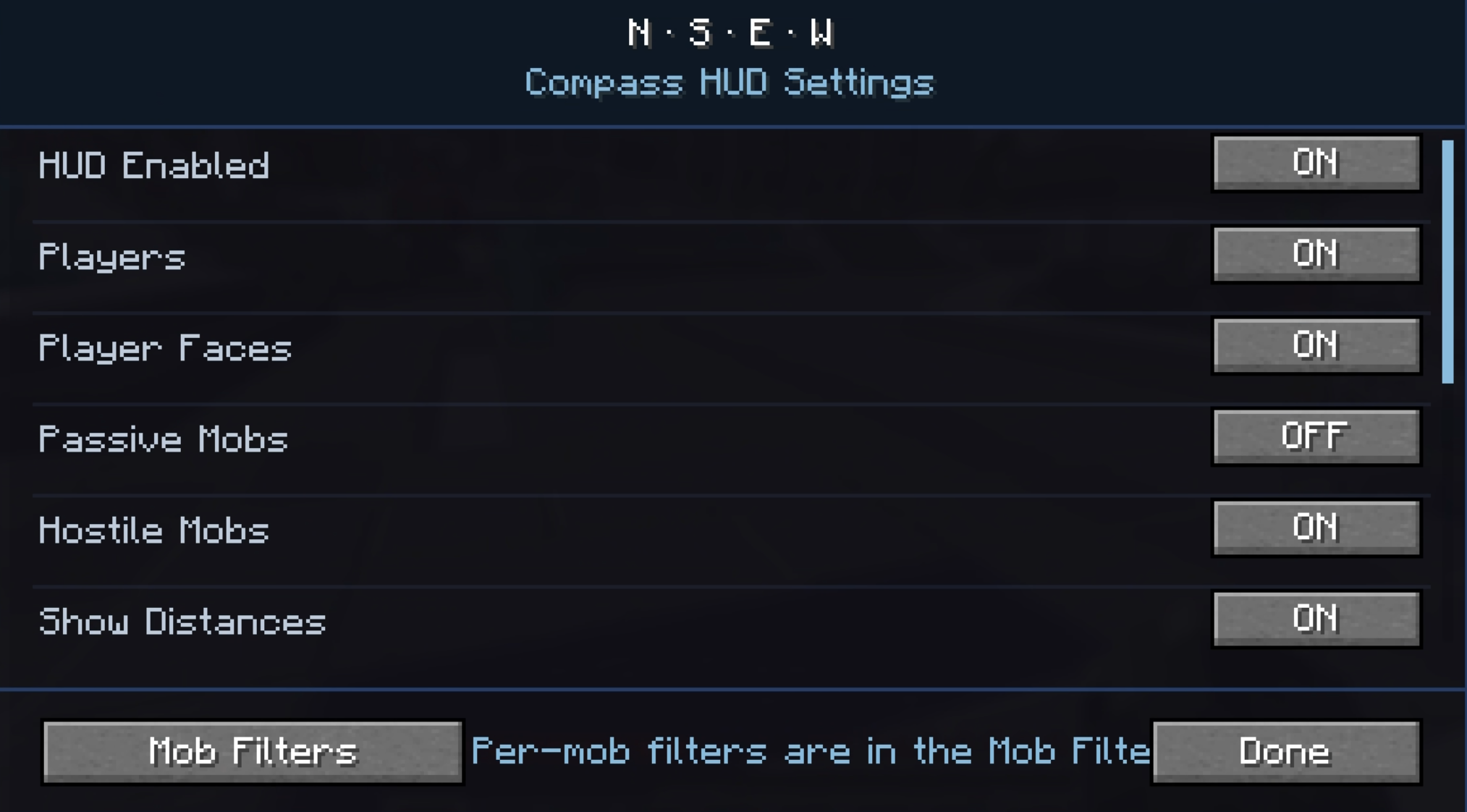 beta: settings1
 -
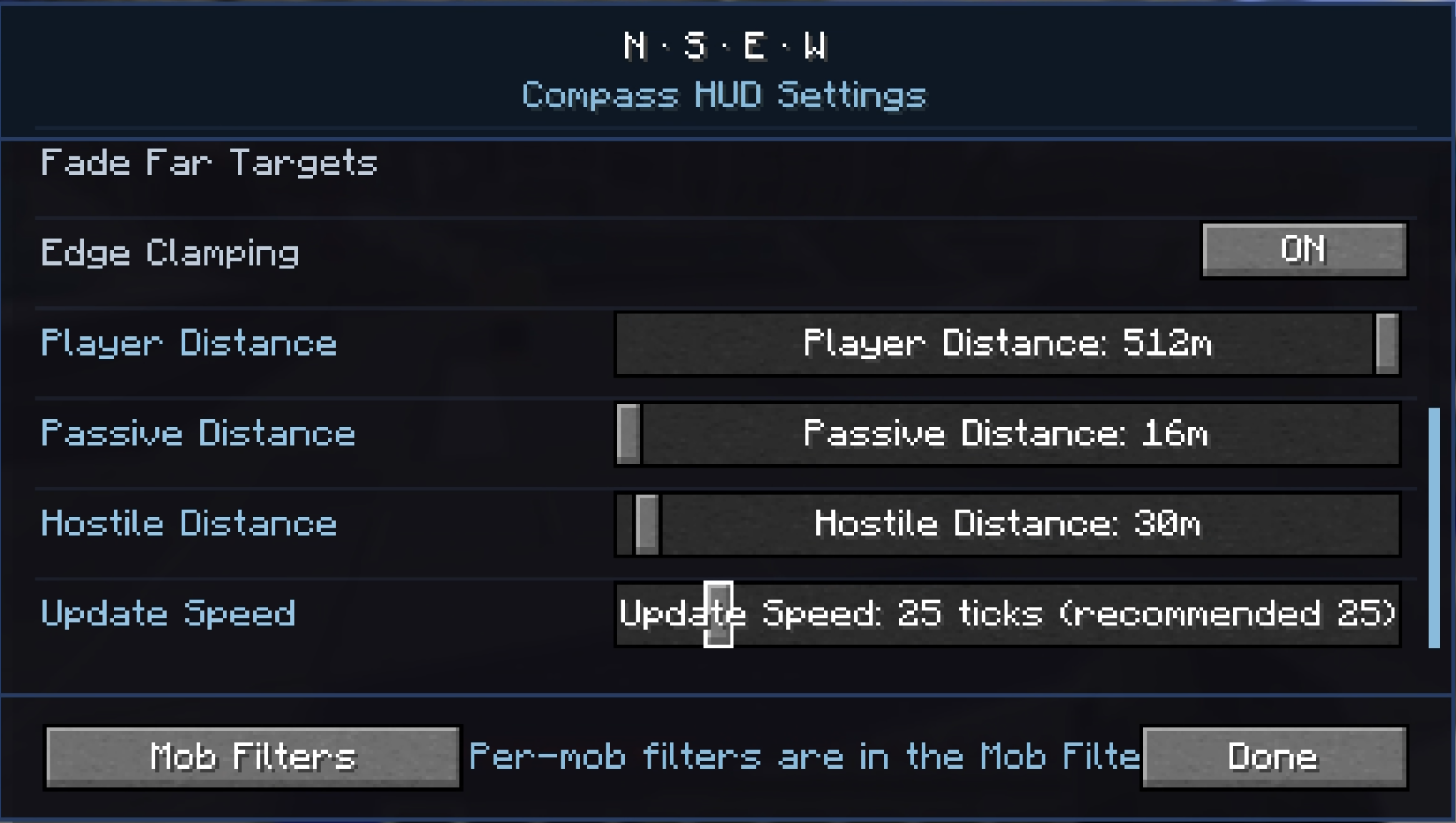 beta: settings2
Versions
Files
Relations
Project Relations
More like this
Similar Mods
Suggestions use data such as tags, dependencies, dependents, descriptions, titles, and more to rank how much they overlap with this mod.
On ModDex
Community snapshot
By the numbers
Statistics
Want to reach Minecraft players?
We're looking for a server hosting partner to feature here and other parts of the site. Interested? Send us a message!
Get in touchGet it on
Available Platforms
On ModDex
Community snapshot
By the numbers