
Community listing page, reviews here may not be monitored by the author.
NsTut Economy

No reviews yet
A stock-exchange style market mod for Minecraft with physical Vault storage, live order books, and instant player trading.
Community voices
Reviews
No reviews yet. Be the first to review this project!
Get it on
Available Platforms
About
Project Details
For authors
Embed Badge
If you're the author of this project, you can embed a live badge anywhere that supports HTML or Markdown. It updates automatically whenever ratings change.
Use HTML for any page that supports it, or Markdown for README files and Markdown-based descriptions.
Identifiers
Platform IDs
Resources
External Links
About
Description
NsTut Economy
NsTut Economy adds a complete player economy and trading market to Minecraft across the supported Fabric, Forge, and NeoForge targets.
Current source targets include Minecraft 1.20.1 (Fabric/Forge), 1.21.1 (Fabric/NeoForge), and 26.1.2 (NeoForge). Install the Economy file that matches your exact Minecraft version and loader.
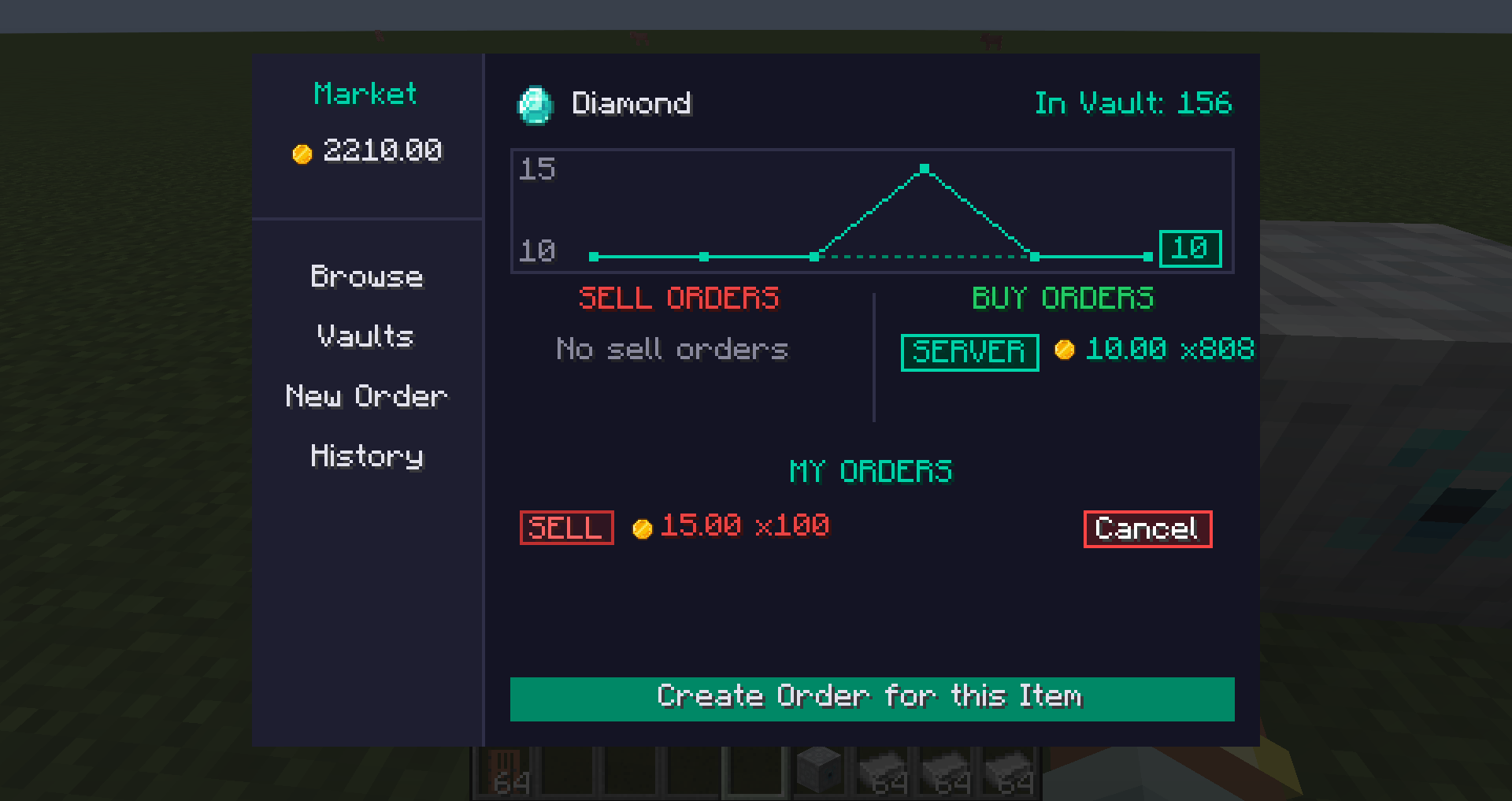
Buy and sell items or fluids through an in-game Market Terminal, build storage that connects directly to the market, follow changing prices, manage your orders, track your wealth, and send coins to other players.
Required dependency
Economy requires OpenUI MC on the client. Install the matching OpenUI MC file/version required by the Economy file you are using. CurseForge marks it as a required dependency where supported so compatible installations can resolve it automatically.
Market Terminal
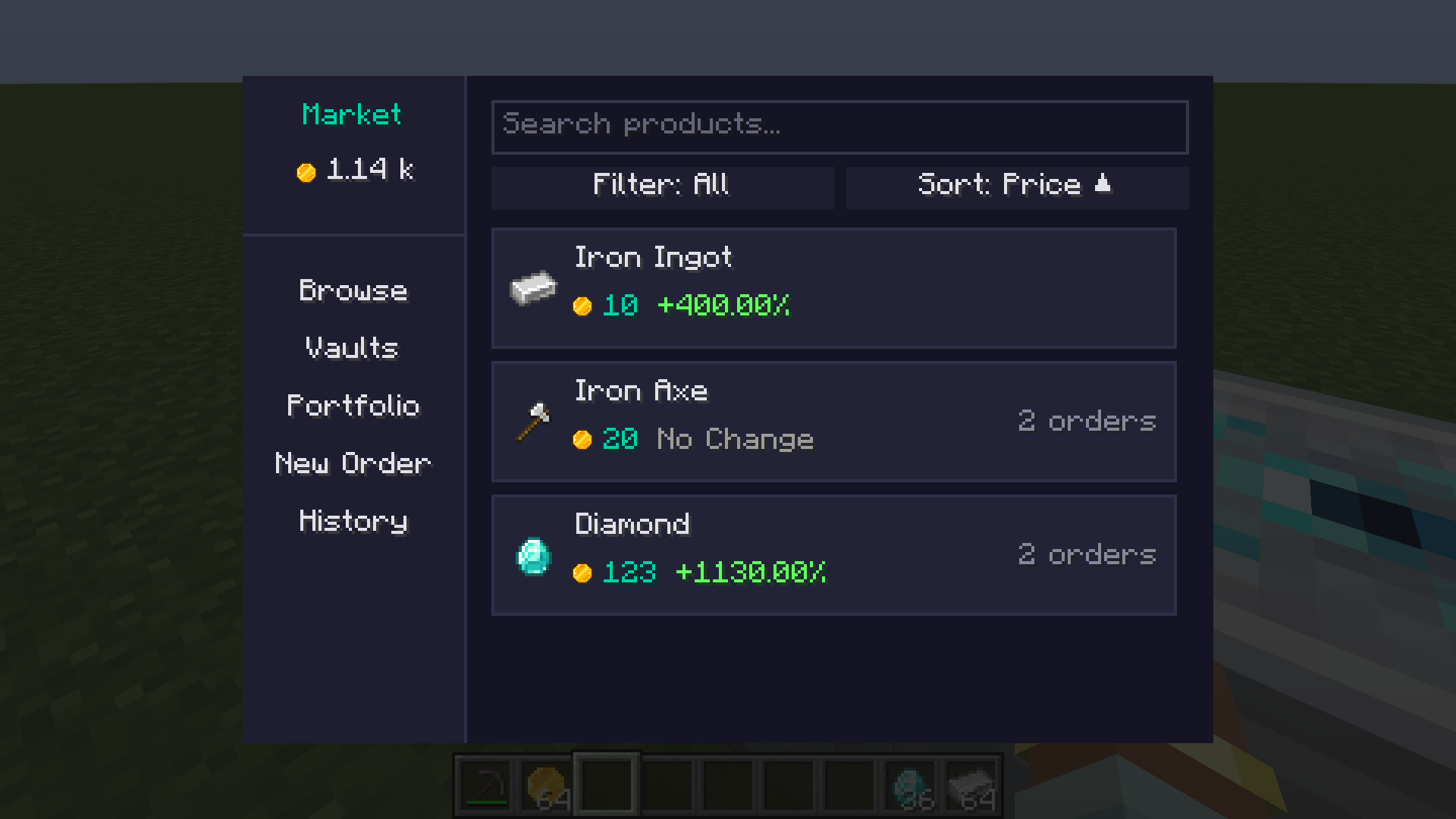
The Market Terminal brings the economy together in one screen:
- Browse products and current prices.
- Trade both items and fluids.
- Create Buy and Sell Orders.
- View available Buy and Sell offers.
- Edit or cancel your active orders.
- Review your trade history.
- Follow price changes and trading activity.
- Track your balance, stored assets, and total portfolio value.
- Filter products and orders by items or fluids.
- Switch between compact Grid and Row layouts.
- Use responsive, clipped controls with semantic status badges and readable dark/light-theme contrast.
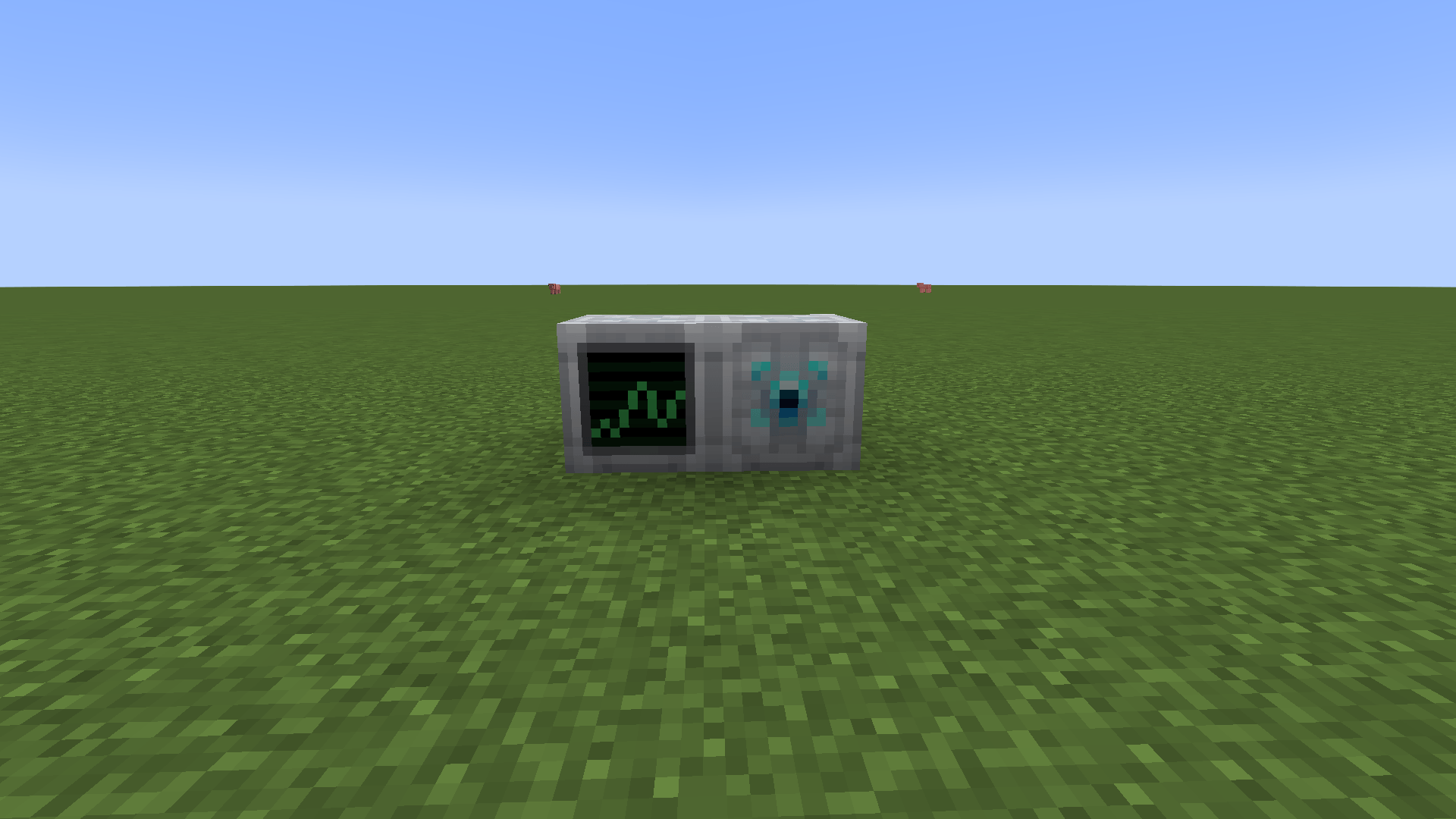
Open the Market Terminal by using a Market block or running /economy balance.
Player-Driven Trading
Players choose what to trade, how much to offer, and their price per unit.
The market automatically matches compatible Buy and Sell Orders. Sell Orders use goods from your connected storage, while purchases are delivered back into storage with available space.
Market activity determines the prices shown throughout the terminal, including product cards, order books, charts, and portfolios.
Server administrators can also create server-managed Buy and Sell Orders to provide reliable market demand or supply.
Vault Item Storage
Vaults connect your stored items to the market.
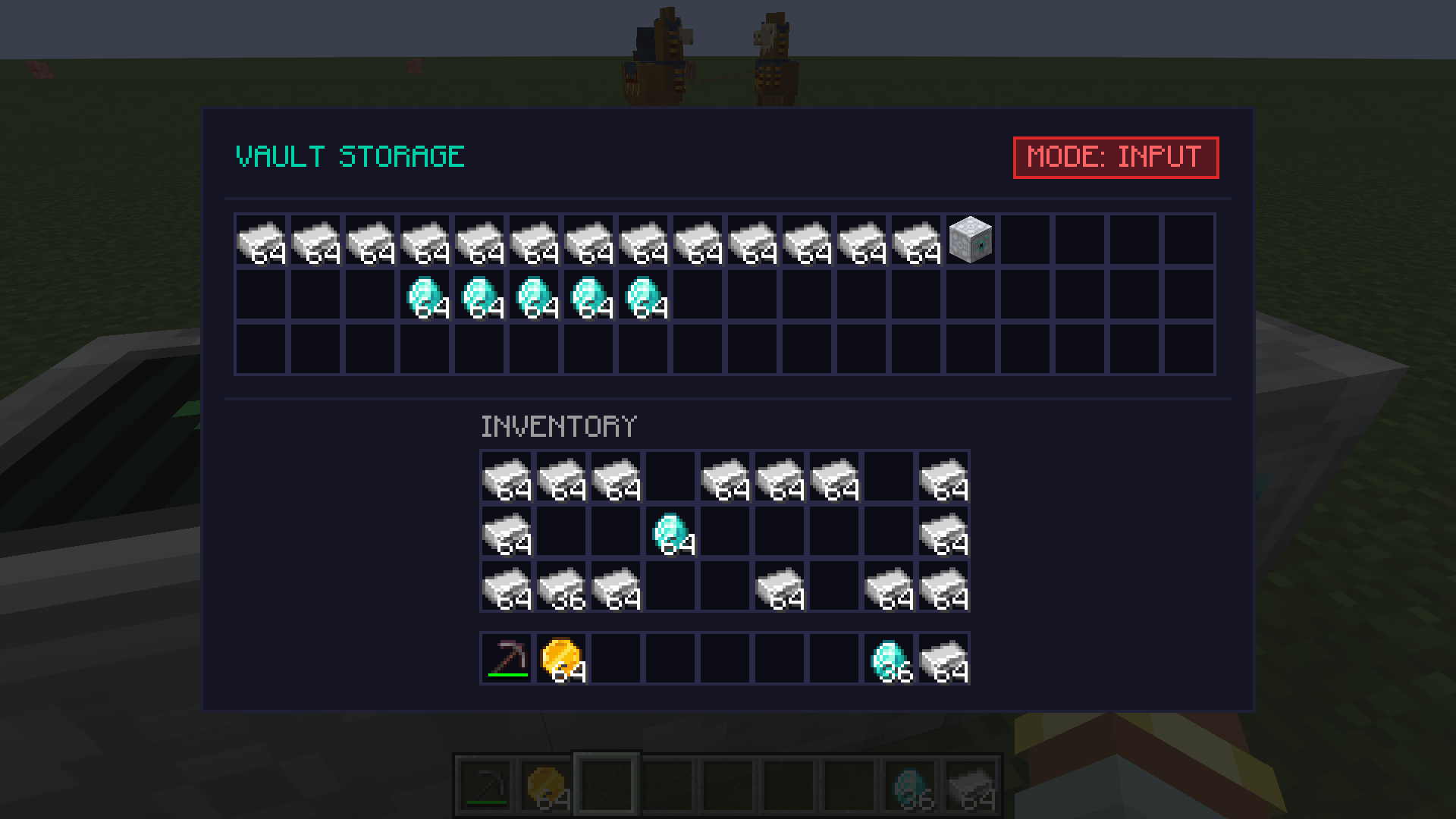
- Each Vault stores up to 54 stacks.
- Sell Orders can draw items from connected Vaults.
- Bought items can be delivered directly into Vaults.
- The custom Vault screen uses a compact 18×3 layout.
- Inventory labels and decoration stay clear of native Minecraft slots.
- Multiple Vaults can work together as one storage network.
Fluid Tank Storage
Fluid Tanks provide market-connected storage for fluids.
- Each Tank stores up to
128,000 mB. - A Tank holds one compatible fluid at a time.
- Use buckets, cells, and other compatible fluid containers in the Tank slot.
- Connect compatible loader-supported pipes and automation through the Tank's standard fluid API/capability.
- Transfer guidance is anchored to the processing slot so it remains aligned with the actual interaction area.
- Fluid Sell Orders draw from connected Tanks.
- Bought fluids are delivered into Tanks with compatible free space.
- The stored fluid is visible in both the Tank screen and on the front of the block.
Fluid quantities are always shown in millibuckets (mB), with compact values such as 1k mB and 128k mB.
Storage Modes
Every Vault and Fluid Tank can be assigned a market mode:
BOTH— supplies your Sell Orders and receives your purchases.INPUT ONLY— supplies Sell Orders but does not receive purchases.OUTPUT ONLY— receives purchases but does not supply Sell Orders.
Use these modes to control exactly how each storage block participates in your market network.
Storage modes govern market supply and delivery. Compatible direct inventory and fluid automation remains available regardless of market mode.
Containers Overview
The Containers tab shows all of your registered Vaults and Fluid Tanks in one place.
View each container’s:
- Type and location
- Current market mode
- Used and maximum capacity
- Stored item or fluid totals
- Current Tank contents
Portfolio and Price History
The market tracks more than your coin balance:
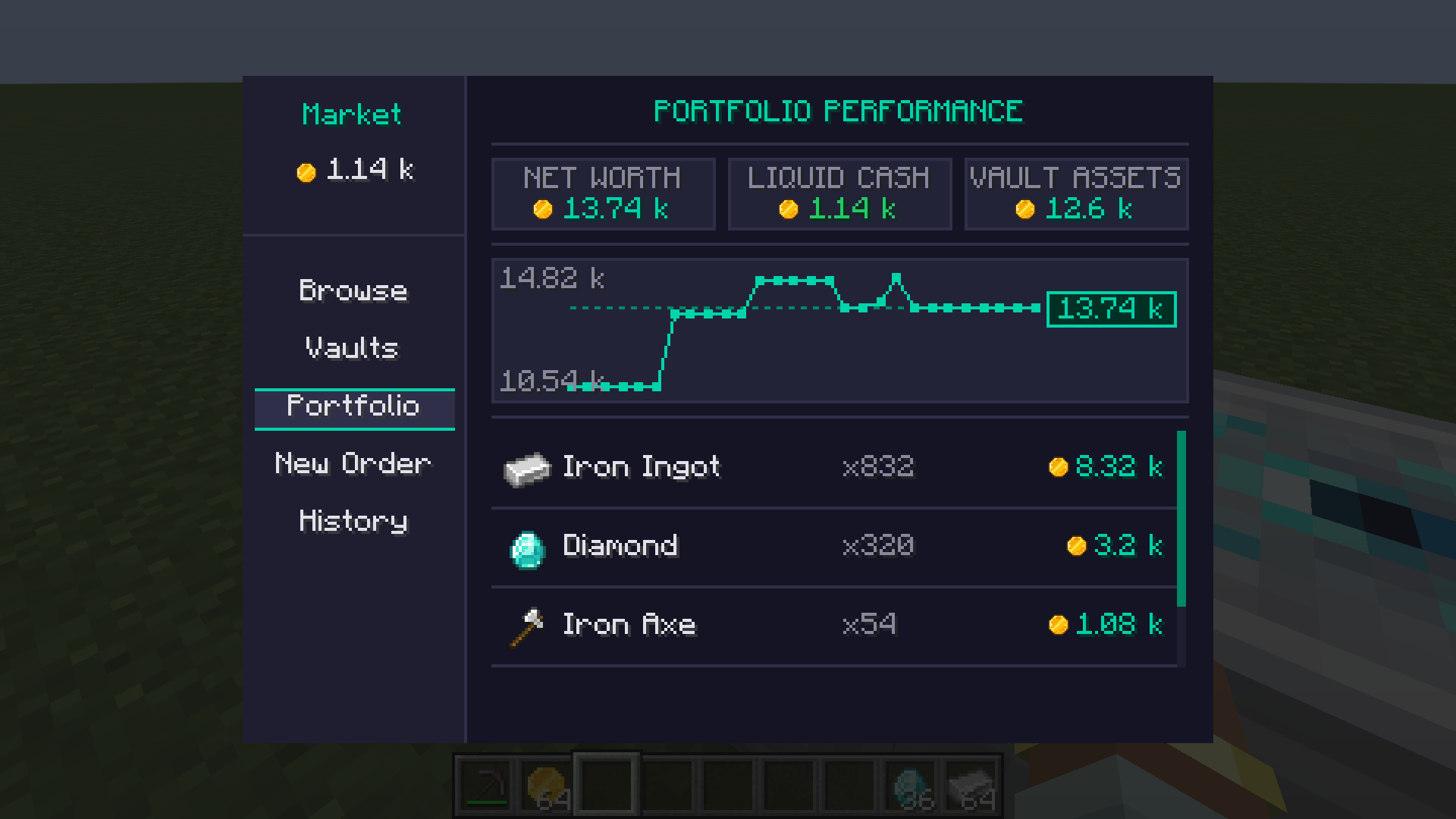
- View your current cash, stored assets, and total net worth.
- See items and fluids held in your Vaults and Tanks.
- Follow historical price and portfolio charts.
- Scroll through older chart data or return directly to the latest value.
- Review completed purchases and sales in Trade History.
Coins and Player Payments
- Send coins directly to another player.
- Receive clear chat notifications for payments and completed trades.
- Economy messages use the mod’s Coin icon.
- Payments play a custom “Ka-Ching” sound for both players.
- Large values use compact formatting such as
1k,2.5m,1b, and1t.
Commands
/economy balance— View your balance and open the Market Terminal./economy pay <player> <amount>— Send coins to another player./economy serverorder buy <commodity> <qty> <price>— Create a server Buy Order for an item or fluid./economy serverorder sell <commodity> <qty> <price>— Create a server Sell Order for an item or fluid./economy serverorder list— List active server orders and their IDs./economy serverorder remove <order-id>— Remove a mistaken server order by ID; active IDs are tab-completed./economy give <player> <amount>— Give coins to a player./economy take <player> <amount>— Take coins from a player./economy set <player> <amount>— Set a player’s balance.
Balance and payment commands are available to players. Server-order and balance-management commands require operator permission. Newly created server orders print their order ID; for an older or forgotten order, run /economy serverorder list and then /economy serverorder remove <order-id>.
For fluid server orders, quantity is entered in millibuckets. For example, 16000 represents 16k mB.
Addon developers
Economy exposes a supported addon API for accounts, atomic transfers, orders, market analytics, events, custom commodity codecs, and pluggable storage providers. The compatibility boundary is the top-level com.nstut.economy.api package; com.nstut.economy.api.internal and other implementation packages are not supported addon dependencies. Developer documentation is maintained in the GitHub repository under docs/GETTING_STARTED.md, docs/EXTENDING_ECONOMY.md, and docs/API_REFERENCE.md.
Screenshots
Gallery
-
 2026-07-25_19.45.24.png 2026-07-25_19.45.24.png
 -
 2026-07-26_03.23.51.png 2026-07-26_03.23.51.png
 -
 2026-07-26_03.24.02.png 2026-07-26_03.24.02.png
 -
 2026-07-26_03.23.40.png 2026-07-26_03.23.40.png
 -
 2026-07-25_20.18.50.png 2026-07-25_20.18.50.png
Versions
Files
Relations
Project Relations
More like this
Similar Mods
Suggestions use data such as tags, dependencies, dependents, descriptions, titles, and more to rank how much they overlap with this mod.
On ModDex
Community snapshot
By the numbers
Statistics
Want to reach Minecraft players?
We're looking for a server hosting partner to feature here and other parts of the site. Interested? Send us a message!
Get in touchGet it on
Available Platforms
On ModDex
Community snapshot
By the numbers
Statistics
Resources