![[全周天驾驶舱]Omni Display](https://media.forgecdn.net/avatars/thumbnails/2081/435/256/256/639263664524432502.png)
Community listing page, reviews may not be monitored by the author.
[全周天驾驶舱]Omni Display

No reviews yet
Build panoramic cockpits for Create and Sable vehicles with wraparound screens, surface-mounted panels, and a customizable spherical HUD.

Community voices
Reviews
No reviews yet. Be the first to review this project!
Get it on
Available Platforms
About
Project Details
For authors
Embed Badge
If you're the author of this project, you can embed a live badge anywhere that supports HTML or Markdown. It updates automatically whenever ratings change.
Use HTML for any page that supports it, or Markdown for README files and Markdown-based descriptions.
Identifiers
Platform IDs
Resources
External Links
About
Description
全周天驾驶舱 · Omni Display
坐进自己的载具,让周围的屏幕成为你的视野。
问题反馈请进Q群:1128350976
Omni Display 为载具带来全周天驾驶舱体验。 开机后,座舱显示面会呈现外部环境,让你透过厚重的机身观察四周。无论是飞机、战车,还是巨型机甲,都可以拥有属于自己的沉浸式驾驶空间。
按自己的想法搭建座舱
使用完整的全周天显示器搭建舱壁,或把贴片屏幕附着在现有方块表面,保留载具原本的外观和方块功能。轻薄显示器则适合空间紧凑的设计。按K调整hud方向。
你也不必把自己完全包在一个方盒子里:贴片屏幕支持开放式座舱,可以围成一圈、半圈,或组成更自由的布局。座舱选择工具还能把分开的屏幕组合起来,同步开关机。
优化提升,兼容性强
封闭式座舱且关门情况下帧数影响极低;前置模组只需要机械动力与航空学,兼容voxy等大多数模组与lris下大多数光影。
屏幕与门洞,呈现不同的视野
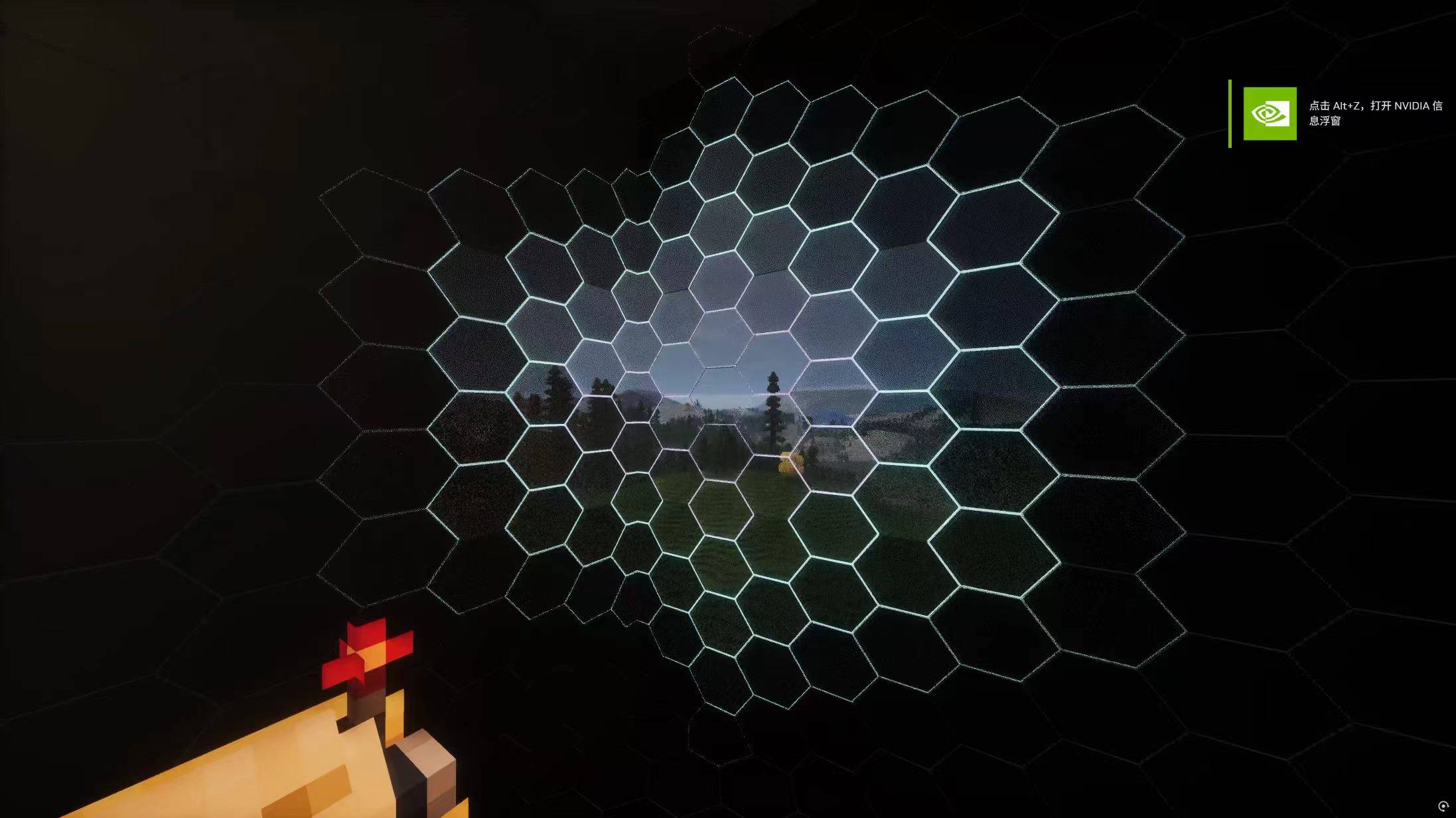
透过显示器观察外界,同时保留门洞和未覆盖区域的正常画面,让座舱更像真正的显示系统。
模组提供推拉座舱门和上下开合的座舱门。关门时,门板可以成为显示面;开门时,门洞露出真实的外部环境。开关机的过渡效果和开合门提示,为每次进入驾驶舱增添一点仪式感。
不只是透明的舱壁
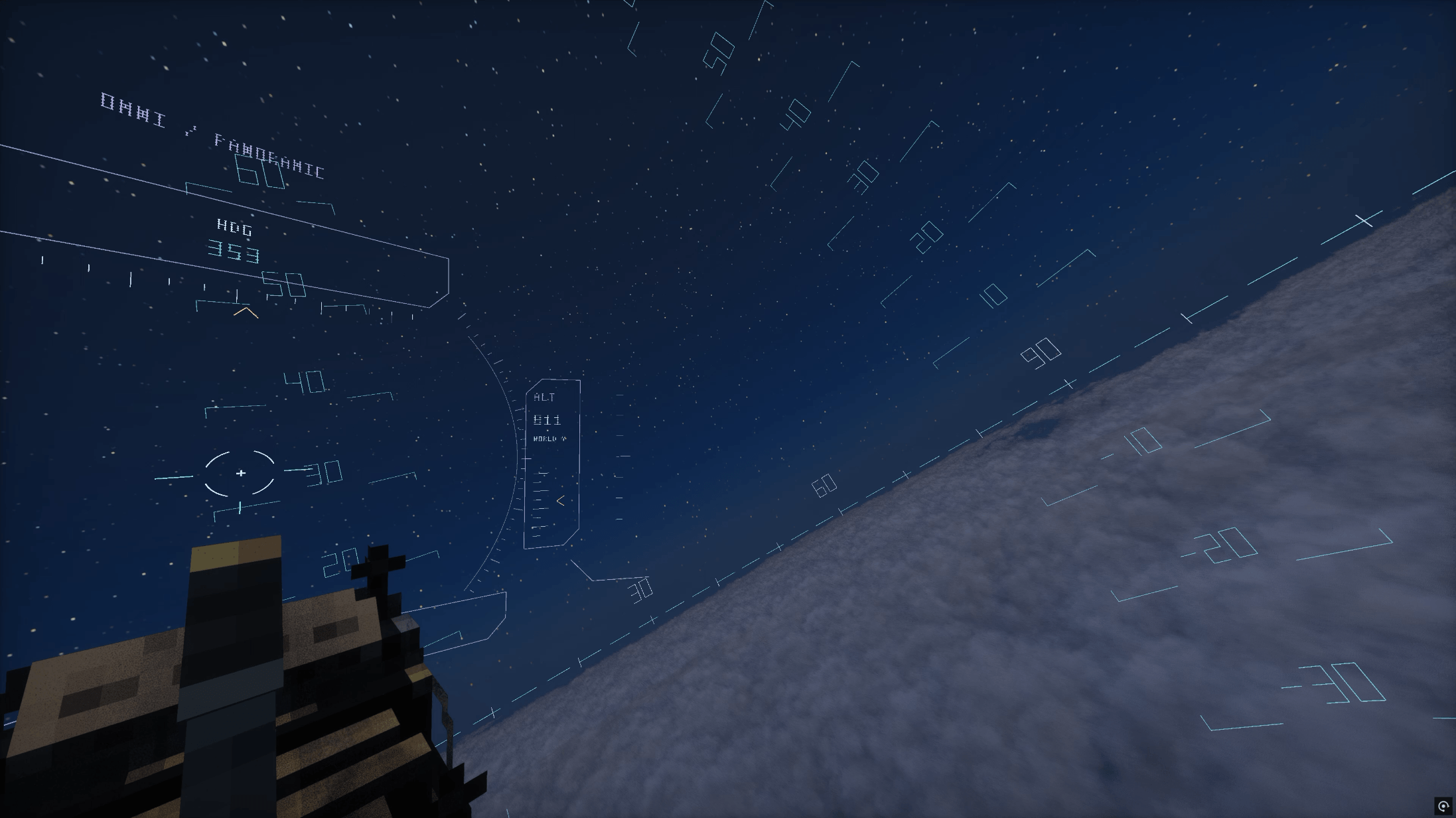
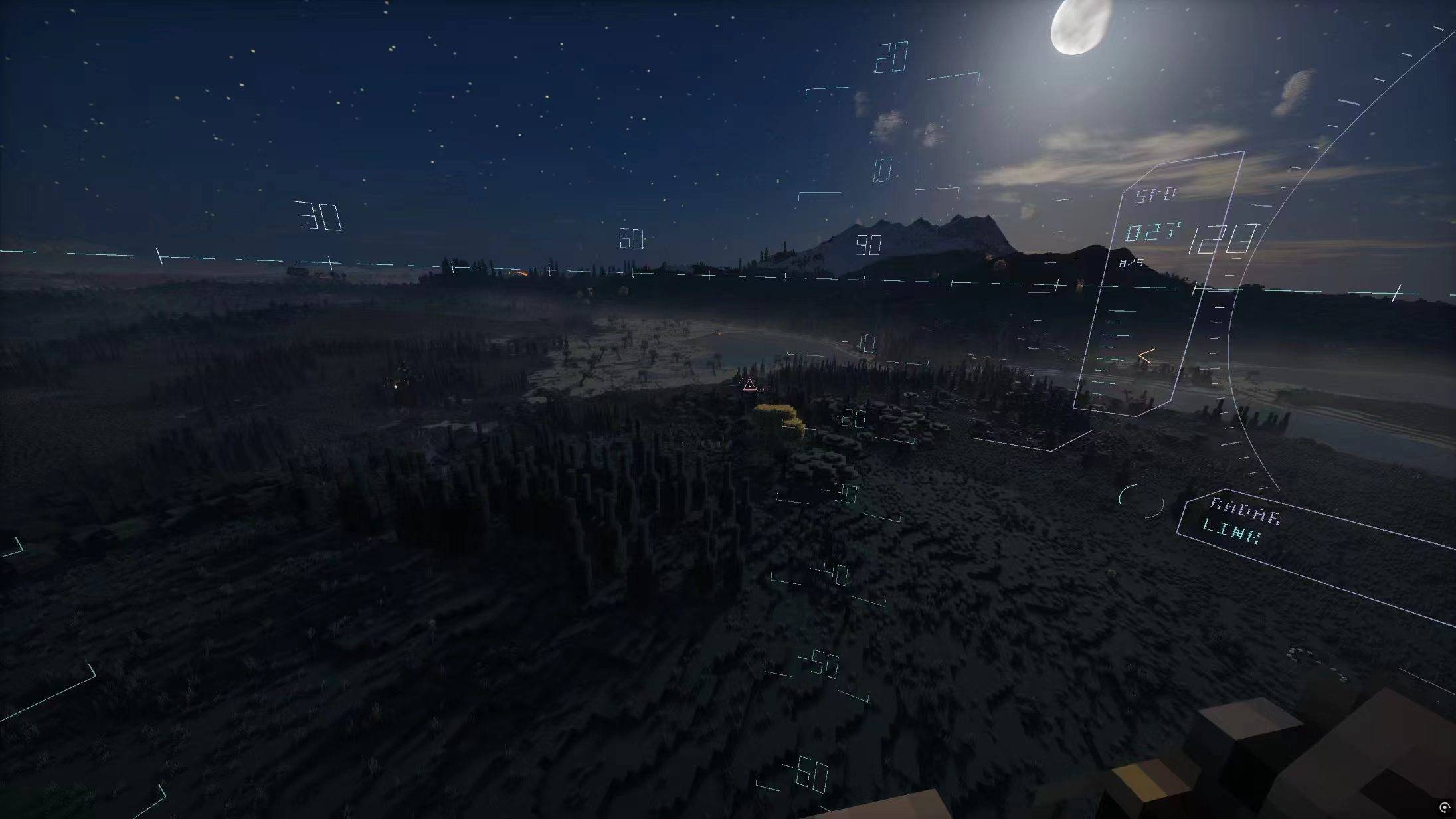
球形 HUD 将仪表铺展在座舱周围,让驾驶信息融入你的视野。模组内置三种可切换的 HUD:
-
柯西-XI:几何带、分段环与动态流光,营造全周天驾驶舱的科幻氛围。
-
梅萨-Messer:以橙色仪表为特色的另一种视觉风格。
-
旧版:简洁的经典线条设计。
HUD 的大小、不透明度、饱和度等都可以调整,也支持自动亮度变化。按 K 校准 HUD 朝向,让仪表对准你希望的驾驶方向。
想进一步定制?HUD 外观包支持手动修改,为自己的载具搭配独特的仪表。
打造你喜欢的屏幕质感
按 F8 打开屏幕效果滤镜设置,分别调整各种效果的强度。从清晰自然的外界视野,到更有屏幕感的显示效果,都由你选择。所有屏幕滤镜默认关闭。
模组支持搭配光影使用,并提供低性能模式,方便你根据电脑性能和实际体验选择。
让驾驶舱融入整台载具
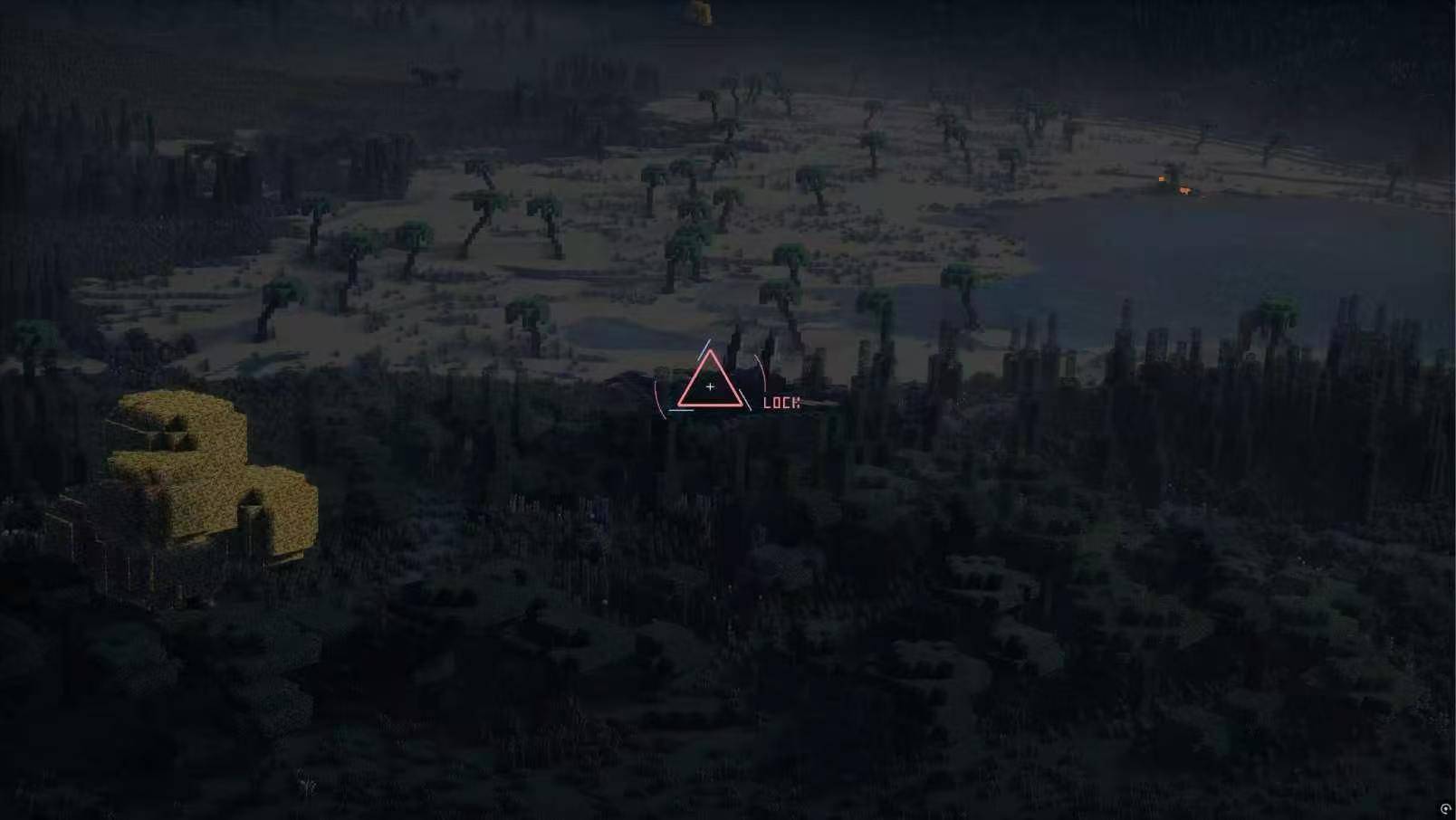
高光工具可以保留你希望在显示视野中看到的载具部件,例如炮塔、机械结构或其他重要装置。安装 Create Radar 后,还可以获得雷达目标标记。
从一块屏幕开始,把你造出的载具变成真正想坐进去驾驶的机器。
运行需要 NeoForge、Create、Flywheel 和 Sable。Create Radar 为可选扩展。当前以 Minecraft 1.21.1 为主要开发与测试环境;其他版本组合的兼容性可能有所不同。
Omni Display
Step into your vehicle and let the surrounding screens become your view.
Omni Display brings panoramic cockpits to your vehicles. Once powered on, cockpit displays reveal the world outside, allowing you to look through the surrounding hull. Build an immersive driving space for your aircraft, armored vehicle, or giant mech.
Build Your Cockpit Your Way
Use full display blocks as cockpit walls, or attach screen panels to existing blocks while preserving their original appearance and functionality. Thin displays offer another option for compact interiors.Press K to adjust the HUD orientation.
Your cockpit does not have to be a fully enclosed box. Adhesive screen panels support open layouts, including rings, half-rings, and more creative arrangements. The cockpit selection tool lets you link separate screens so they switch on and off together.
Optimization improvements and strong compatibility
With an enclosed cockpit and the doors closed, the impact on FPS is extremely low; the only prerequisite mods required are Create and Aeronautics, and it is compatible with most mods such as Voxy, as well as most shader packs under Iris.
Screens and Doorways Offer Different Views
See the outside world through display surfaces while doorways and uncovered areas retain their normal view, giving your cockpit the feel of a real display system.
Choose between sliding cockpit doors and vertically opening split doors. Closed doors can act as displays; open doors reveal the actual surroundings. Power transitions and split-door indicators add atmosphere whenever you enter your cockpit.
More Than Transparent Walls
A spherical HUD places instruments around the cockpit, bringing them into your field of view. Three switchable HUD styles are included:
-
柯西-XI — Xi Gundam: geometric bands, segmented rings, and animated light trails for a futuristic panoramic cockpit.
-
梅萨-Messer — Messer: an alternative design featuring orange instruments.
-
旧版 — Classic: the original, simpler line-based design.
Adjust HUD size, opacity, saturation, and more, with optional automatic brightness adjustment. Press K to align the HUD with your preferred driving direction.
HUD appearance packs also support manual customization, letting you create a look that suits your vehicle.
Choose Your Screen Style
Press F8 to open the screen effects settings and adjust each effect individually. Keep the view clear and natural, or give your displays a more pronounced screen appearance. All screen effects are disabled by default.
Shader support and a low-performance mode let you choose the experience that works best for your setup.
Make the Cockpit Part of Your Vehicle
Use the highlight tool to keep selected vehicle components visible through your displays, such as turrets, mechanical assemblies, and other important structures. Install Create Radar for optional radar target markers.
Start with a screen, and turn your vehicle into a machine you want to climb into and pilot.
Requires NeoForge, Create, Flywheel, and Sable. Create Radar is optional. Minecraft 1.21.1 is the primary development and testing environment; compatibility with other version combinations may vary.
Screenshots
Gallery
-
 å±å¹æªå¾ 2026-09-30 200822.png å±å¹æªå¾ 2026-09-30 200822.png
 -
 微信å¾ç_20260930201246_227_35.jpg 微信å¾ç_20260930201246_227_35.jpg
 -
 微信å¾ç_20260930201245_226_35.jpg 微信å¾ç_20260930201245_226_35.jpg
 -
 微信å¾ç_20260930201244_225_35.jpg 微信å¾ç_20260930201244_225_35.jpg
 -
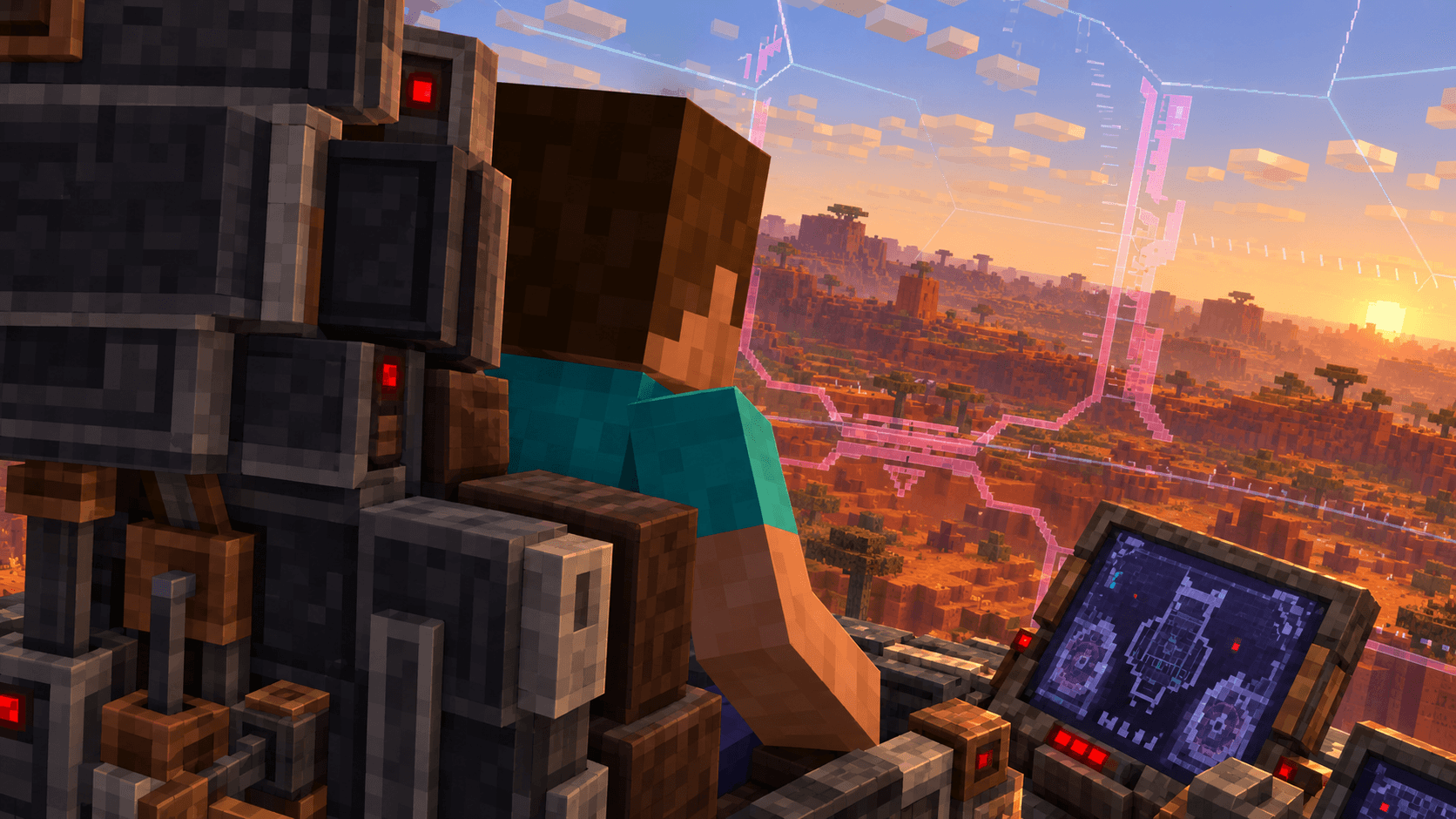 image-attachment_3b3a9dc5-9d98-4210-82e2-f895480e227a.png
Versions
Files
Relations
Project Relations
More like this
Similar Mods
Suggestions use data such as tags, dependencies, dependents, descriptions, titles, and more to rank how much they overlap with this mod.
On ModDex
Community snapshot
By the numbers
Statistics

Get it on
Available Platforms
On ModDex
Community snapshot
By the numbers
Statistics
Resources