
Community listing page, reviews may not be monitored by the author.
Omnisearch


No reviews yet
Instantly search the mcmod (the largest Chinese Minecraft wiki) from in-game, say goodbye to alt-tabbing.

Community voices
Reviews
No reviews yet. Be the first to review this project!
Get it on
Available Platforms
Compatibility
Supported Environments
The author has not specified where this runs.
About
Project Details
For authors
Embed Badge
If you're the author of this project, you can embed a live badge anywhere that supports HTML or Markdown. It updates automatically whenever ratings change.
Use HTML for any page that supports it, or Markdown for README files and Markdown-based descriptions.
Identifiers
Platform IDs
About
Description
What is Omnisearch?
Playing a large modpack often means keeping a browser window open next to your game. Checking a recipe, understanding a new machine, or identifying a creature constantly breaks your immersion by alt-tabbing to an external wiki.
Omnisearch is a lightweight, client-side mod that integrates the knowledge base of MC百科 (mcmod.cn) directly into the Minecraft client. Search and read richly formatted wiki articles without ever leaving the game window.
How to Use
- Hover & Long-Press: Hover over an item and long-press TAB to instantly search for it.
- Press the Hotkey: Press TAB (configurable in controls) at any time to open the search screen and type what you're looking for.
- Browse & Read: A list of results appears; click any entry to view its detailed wiki page with images, icons, and clickable links. Use Back to navigate.
Core Features
- Directly In-Game: Everything happens inside Minecraft — no more alt-tabbing.
- Rich Content: A custom-built renderer shows wiki pages with full formatting, including tables, colors, and Minecraft-native icons.
- Smart & Simple: Supports history, multiple results, and source-mod filtering. Results are cached locally for fast revisits.
- Multi-version: Builds from the same source for Minecraft 1.21.1-1.21.5 (NeoForge) and 1.20.1 (Forge).
Requirements
| Minecraft | 1.21.1-1.21.5 (NeoForge) or 1.20.1 (Forge) |
| Loader | NeoForge 21.0.167+ (1.21.1) / 21.3.97+ (1.21.3-1.21.5) / Forge 47.4.23+ (1.20.1) |
| Java | 21 (NeoForge) / 17 (Forge) |
Permissions
You are free to include Omnisearch in any modpack. No need to ask. Please link back to this official page for downloads.
Found an issue? Report it on the GitHub Issues page.
Omnisearch —— 在游戏内搜索 MC百科
Minecraft 的世界里有太多内容需要了解:一份合成的配方、一个方块的用途、一件物品的效果、一个模组的机制。玩家往往要反复切换到浏览器,才能在 MC百科 上找到答案。Omnisearch 要解决的,就是让这些信息在游戏内随手可得。
这款客户端模组把 MC百科的搜索与条目内容直接集成到 Minecraft 客户端中,让玩家在不打断游戏的前提下查阅资料。
功能特点
游戏内搜索:按 TAB 打开搜索窗口,输入关键词检索 MC百科,点击结果进入对应资料页。
资料页渲染:资料页以原生排版呈现,包括图片与注释、多级标题、富文本样式、合并单元格表格;物品图标使用 Minecraft 原生图标显示。
悬停查询:在任意界面悬停物品并长按 TAB,游戏会打开该物品的百科资料页。来自模组的物品会自动匹配来源模组,同名物品也能定位到正确条目。
模组筛选与缓存:搜索结果可按来源模组筛选;资料页与搜索结果在本地缓存,重复浏览可快速加载。
使用方法
游戏中按 TAB 打开搜索窗口输入关键词;查询物品时悬停物品长按 TAB。键位可在游戏设置中修改。
| 操作 | 按键 |
|---|---|
| 打开搜索窗口 | TAB |
| 悬停查询(长按约 1 秒) | TAB |
| 关闭窗口 | ESC |
| 清空缓存并刷新 | F6 |
适用版本
支持 Minecraft 1.12.2 – 1.21.11,共 26 个版本,全部由同一份源码构建,功能一致。
| Minecraft | 加载器 | Java |
|---|---|---|
| 1.21.1 – 1.21.11 | NeoForge | 21 |
| 1.18 – 1.20.1 | Forge | 17 |
| 1.17.1 | Forge | 16 |
| 1.12.2 – 1.16.5 | Forge | 8 |
反馈
问题反馈请前往 GitHub Issues。可加入任意整合包。
Screenshots
Gallery
-
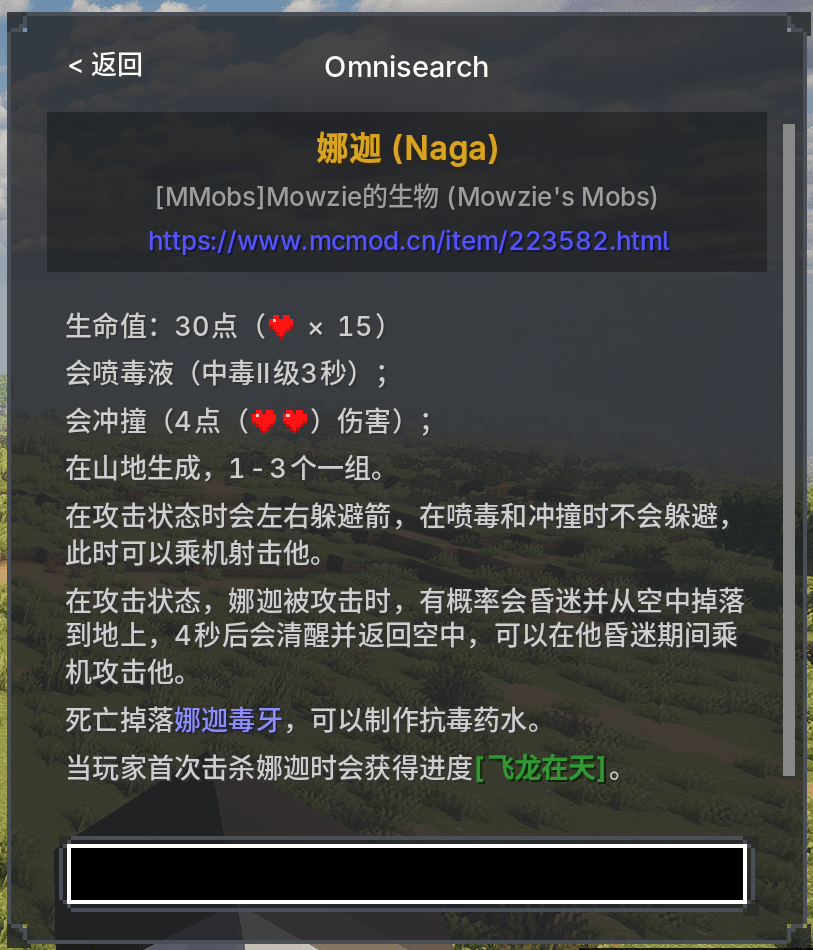 Page A glimpse of the richly formatted content page, complete with title, source mod, and clickable URL.
 -
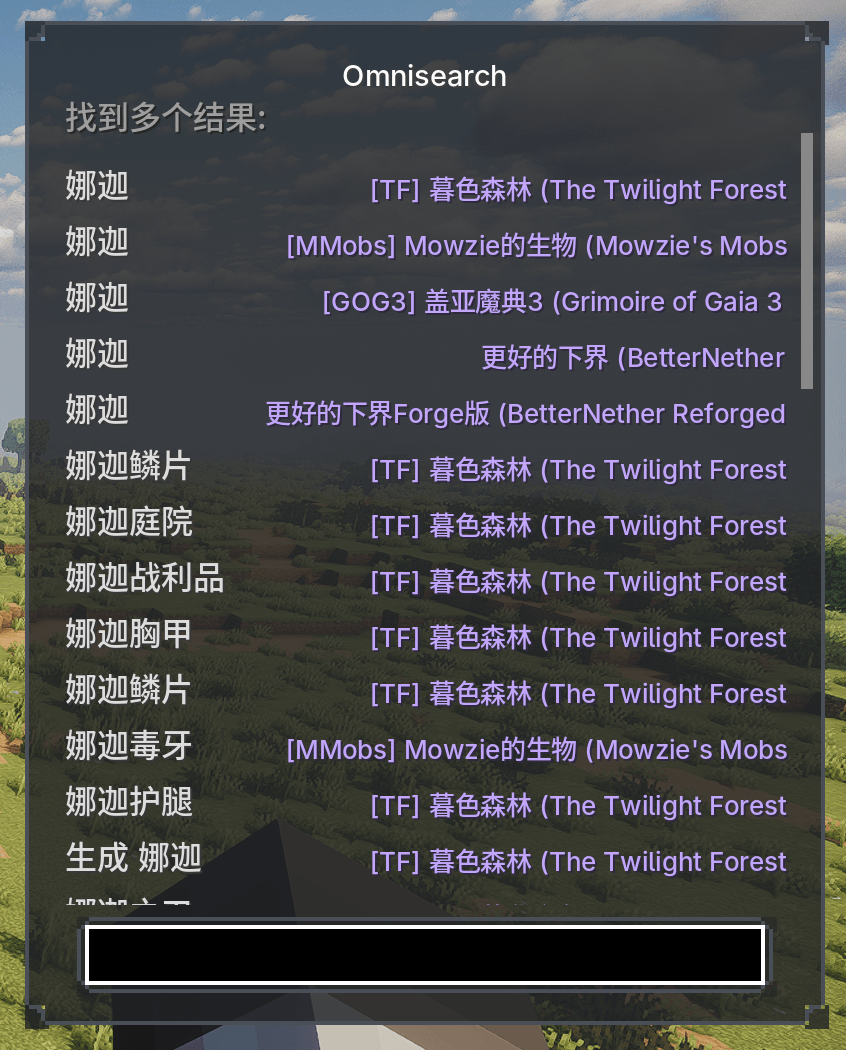 The search result screen Highly recommend using ModernUI for the best font rendering experience.
Versions
Files
Relations
Project Relations
More like this
Similar Mods
Suggestions use data such as tags, dependencies, dependents, descriptions, titles, and more to rank how much they overlap with this mod.
On ModDex
Community snapshot
By the numbers
Statistics

Get it on
Available Platforms
On ModDex
Community snapshot
By the numbers