
Community listing page, reviews here may not be monitored by the author.
Only Vanilla Advancements


No reviews yet
Removes all non-vanilla advancements added by mods and datapacks. Easily configurable.

Community voices
Reviews
No reviews yet. Be the first to review this project!
Get it on
Available Platforms
Compatibility
Supported Environments
Runs entirely on the server. Also works in singleplayer.
About
Project Details
For authors
Embed Badge
If you're the author of this project, you can embed a live badge anywhere that supports HTML or Markdown. It updates automatically whenever ratings change.
Use HTML for any page that supports it, or Markdown for README files and Markdown-based descriptions.
Identifiers
Platform IDs
About
Description
Only Vanilla Advancements (Fabric)
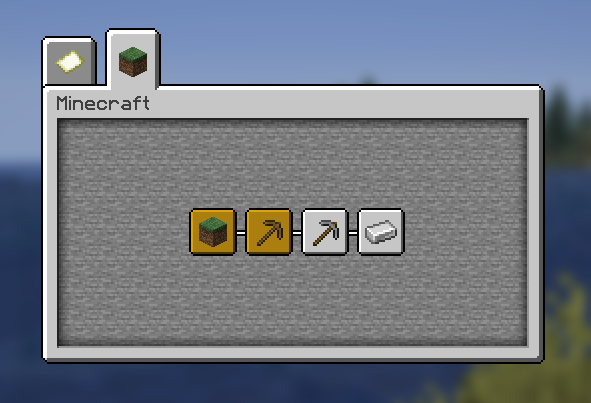
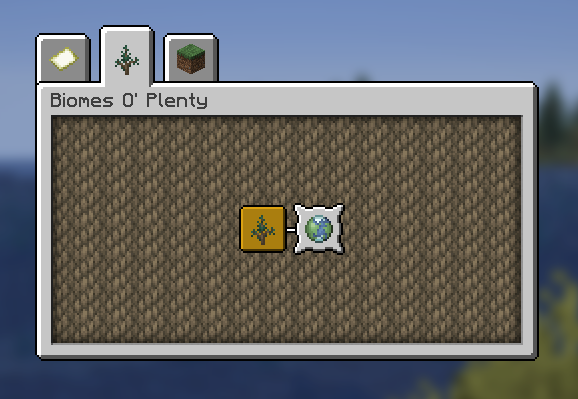
Keeps the advancements screen strictly vanilla by removing every non‑Minecraft advancement (mods and datapacks) unless you explicitly keep them. Preserves the vanilla tab layout and avoids orphaned/stacked entries.
Without the mod
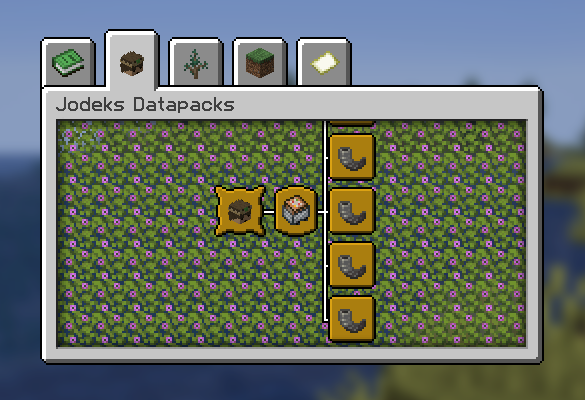
With the mod
With the mod + 'biomesoplenty' kept using the config
What it does
- Filters out all non‑
minecraft:*advancements on server start and after successful data pack reload. - Optionally keeps specific mods or specific advancement IDs via a simple TOML config.
- Optionally keeps parent advancements for any kept entries so the UI remains intact.
- Zero tick cost; runs only at load/reload.
Install
- Requires Fabric and Fabric API.
- Drop the mod jar into
mods/and launch.
Configure
- File:
config/only_vanilla_advancements.toml(created on first run). - Keys:
kept_mods,kept_advancements,removed_mods,removed_advancements,keep_parent_advancements. - Optional UI: If you also install Mod Menu and Cloth Config, you get an in‑game config screen.
Compatibility
- Server‑side logic; works in singleplayer (integrated server) and dedicated servers.
- Compatible with Mod Menu and Cloth Config if present; not required.
Build
- Java 21, Gradle + Fabric Loom.
- See
gradle.propertiesfor versions. Run./gradlew build.
License
- CC0‑1.0. Use it freely.
Only Vanilla Advancements (Fabric)
Keeps the advancements screen strictly vanilla by removing every non‑Minecraft advancement (mods and datapacks) unless you explicitly keep them. Preserves the vanilla tab layout and avoids orphaned/stacked entries.
Without the mod
With the mod
With the mod + 'biomesoplenty' kept using the config
What it does
- Filters out all non‑
minecraft:*advancements on server start and after successful data pack reload. - Optionally keeps specific mods or specific advancement IDs via a simple TOML config.
- Optionally keeps parent advancements for any kept entries so the UI remains intact.
- Zero tick cost; runs only at load/reload.
Install
- Requires Fabric and Fabric API.
- Drop the mod jar into
mods/and launch.
Configure
- File:
config/only_vanilla_advancements.toml(created on first run). - Keys:
kept_mods,kept_advancements,removed_mods,removed_advancements,keep_parent_advancements. - Optional UI: If you also install Mod Menu and Cloth Config, you get an in‑game config screen.
Compatibility
- Server‑side logic; works in singleplayer (integrated server) and dedicated servers.
- Compatible with Mod Menu and Cloth Config if present; not required.
Build
- Java 21, Gradle + Fabric Loom.
- See
gradle.propertiesfor versions. Run./gradlew build.
License
- CC0‑1.0. Use it freely.
Screenshots
Gallery
-
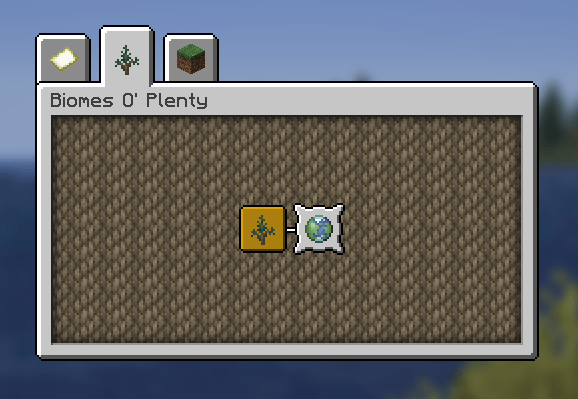 With the mod + 'biomesoplenty' kept using the config
 -
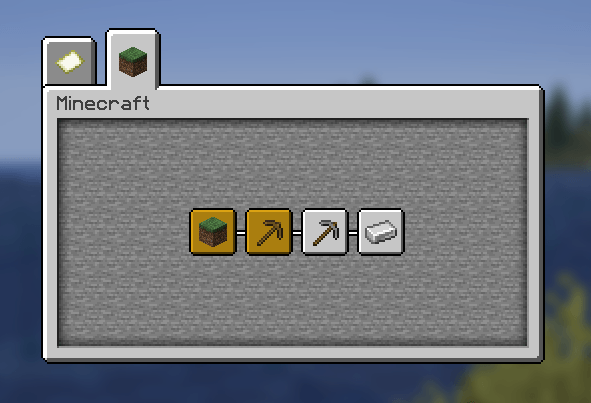 With the mod
 -
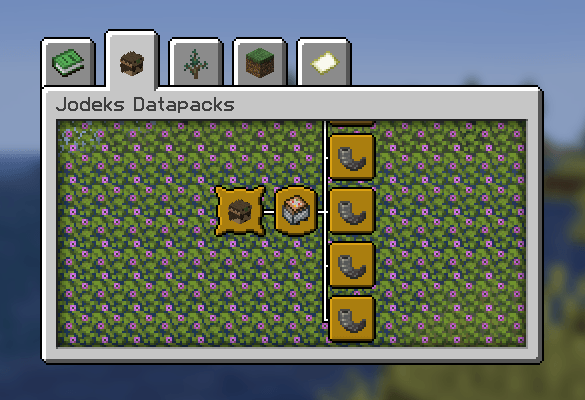 Without the mod
-
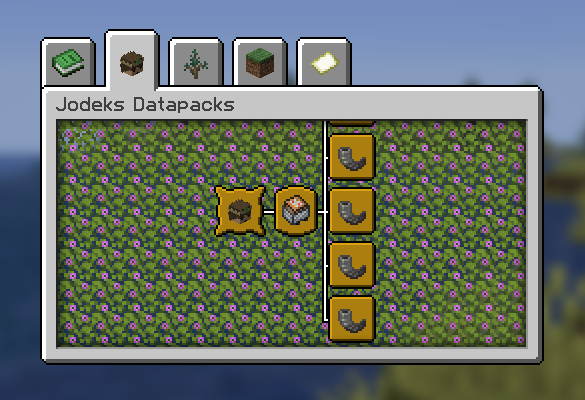 Without the mod
 -
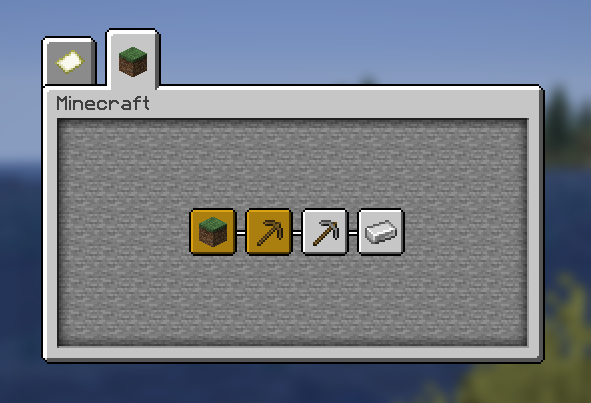 With the mod
 -
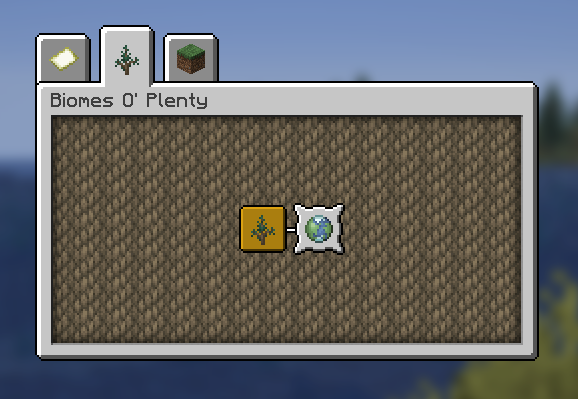 With the mod + 'biomesoplenty' kept using the config
Versions
Files
Relations
Project Relations
More like this
Similar Mods
Suggestions use data such as tags, dependencies, dependents, descriptions, titles, and more to rank how much they overlap with this mod.
On ModDex
Community snapshot
By the numbers
Statistics
 (opens in a new tab)
Get it on
Available Platforms
On ModDex
Community snapshot
By the numbers