Community listing page, reviews may not be monitored by the author.
Open Modular Lighting

No reviews yet
Adds modular lights to Minecraft. Floodlights, industrial lights and more!

Community voices
Reviews
No reviews yet. Be the first to review this project!
Get it on
Available Platforms
About
Project Details
For authors
Embed Badge
If you're the author of this project, you can embed a live badge anywhere that supports HTML or Markdown. It updates automatically whenever ratings change.
Use HTML for any page that supports it, or Markdown for README files and Markdown-based descriptions.
Identifiers
Platform IDs
Resources
External Links
About
Description
Open Modular Lighting
Floodlights for Fabric (Minecraft 1.20.1 and 1.21.1) and NeoForge (Minecraft 1.21.1). Open Modular Lighting is a port of the Forge 1.7.10 mod FloodLights by Keridos. It lights up large areas with invisible light blocks placed along a beam, so you can light a cave, a farm or a base without placing torches everywhere.
Status: beta. Expect bugs, and back up your worlds.
Features
Lights
| Block | What it does | Power |
|---|---|---|
| Electric Floodlight | Casts a beam of light in the direction it faces. Three modes: straight (64 blocks), narrow cone (32 blocks) and wide cone (8 blocks). | Energy: 10 E/t straight, 20 E/t in the cone modes |
| Non-electric Floodlight | Like the electric floodlight, but burns furnace fuel instead. One coal lasts 300 s in straight mode and half as long in the cone modes. | Any furnace fuel (vanilla or modded) |
| UV Floodlight | Casts a short beam (8 blocks) of dim UV light that hurts living things standing in it, 4 damage per second. | Energy: 60 E/t |
| Grow Light | Lights the block below it and makes the crop two blocks below grow faster (about one growth step every 20 s). A black-light mode gives the growth without the light. | Energy: 25 E/t |
| Small / Square Fluorescent Light | Cheap little panels that light up the 5 blocks next to them. The small one can be turned by 90°, and a shapeless recipe converts between the two. | Energy: 1 E/t |
| Cube Light | A full block that lights all 6 blocks around it. | Energy: 2 E/t, accepted from every side |
All lights turn on with a redstone signal. The signal can be inverted, so that a light is on without redstone and turns off when powered. After a light turns off, it waits 2 seconds before it can turn on again, to prevent flickering.
Using the lights
| Action | Effect |
|---|---|
| Right-click | Opens the GUI: energy and a battery slot, or the fuel slot and remaining burn time |
| Right-click with a stick or wrench | Cycles the mode (floodlights, grow light) or turns the small fluorescent light |
| Sneak + right-click with an empty hand | Inverts the redstone signal |
| Sneak + right-click with a wrench | Picks the light up |
| Right-click with dye | Tints the light in that colour; wool removes the tint |
The electric, carbon and UV floodlights can be disguised: click the disguise slot in their GUI with a full, opaque block (stone, planks, bricks…) and the light looks like that block, with only its lamp showing on the front. Click the slot with an empty hand to remove the disguise.
A light you break keeps its settings (mode, invert, colour, disguise, stored energy or burn time) on the item, and the tooltip shows "Configured". The beam follows changes in the world. It stops at solid blocks and shines through glass and plants. When you build into a beam or remove a block from it, the beam adjusts.
Power
- Electric lights take energy from cables and generators of other tech mods: on Fabric through Team Reborn Energy (included in the mod, e.g. Tech Reborn), on NeoForge as Forge Energy (FE, 1 FE = 1 E). Each light stores 50 000 E. Fluorescent and grow lights only accept energy from the back, cube lights from every side.
- Fluorescent and grow lights that touch and face the same way share their energy, and so do touching cube lights.
- Batteries in the battery slot charge the light.
- Hoppers and pipes can insert fuel and batteries, but can't take anything out.
Crafting
Smelt Raw Filament (glowstone, redstone, gold) into Glowing Filament. Craft it into an Electric Incandescent Light Bulb, the part needed for every electric light. The non-electric floodlight needs a Non-electric Lantern, made from a Mantle, a Fuel Dissolver and flint and steel. The Cube Light is made from glass, a light bulb and iron. All recipes are shown in the recipe book or in a recipe viewer.
The Lightblock Debug Tool shows the invisible light blocks while you hold it: yellow for normal light, magenta for UV light.
Config
The settings are in config/openmodularlighting.json, with a comment above each one. Ranges, energy use, burn time,
grow chance, UV damage and the timeout can be changed, and each light can be disabled (its recipe is not loaded). On a
server, the server's settings are sent to the players.
Optional: Jade
With Jade installed, looking at a light shows its mode and whether it is inverted. Jade is not required.
Requirements
- Fabric: Minecraft 1.20.1 (Java 17) or 1.21.1 (Java 21), with Fabric Loader and Fabric API
- NeoForge: Minecraft 1.21.1 (Java 21), with NeoForge 21.1
Building from source
Gradle has to run on Java 25 or newer. The Java 17 and 21 toolchains for compiling are downloaded automatically if they are missing.
./gradlew chiseledBuild              # build all versions and loaders (with unit tests and GameTests)
./gradlew :1.21.1-fabric:runClient   # start a Fabric test client
./gradlew :1.21.1-neoforge:runClient # start a NeoForge test client
The jars end up in versions/<minecraft version>-<loader>/build/libs/. See CHANGELOG.md for the changes.
License
The following is the content of LICENSE-DUAL:
The source code of this project is licensed under the MIT license [1].
The projects art is licenced under the CC-BY-NC-SA 4.0 license [2].

[1]https://mit-license.org/
[2]https://creativecommons.org/licenses/by-nc-sa/4.0/legalcode.txt
The full license texts are in LICENSE (MIT, source code) and LICENSE-ART
(CC BY-NC-SA 4.0, textures, models and other art).
Screenshots
Gallery
-
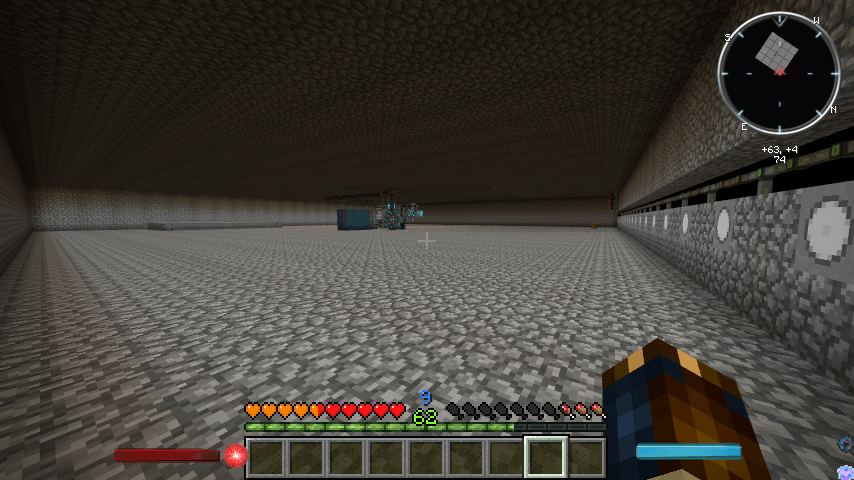 A big room lit with floodlights.
 -
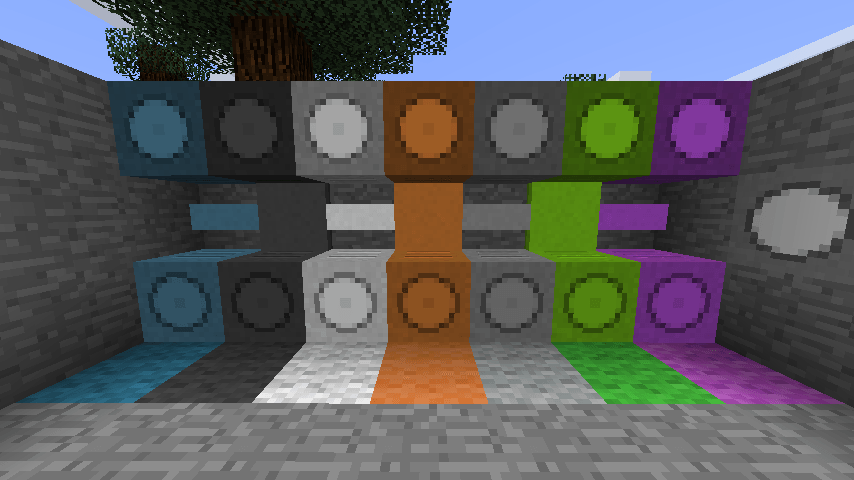 Differently dyed Floodlights and Flourescent lights.
 -
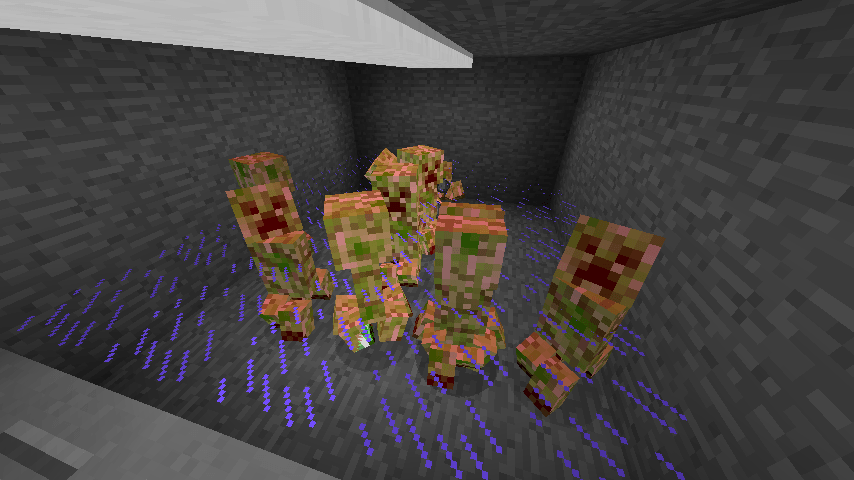 UV Floodlight damaging creepers.
Versions
Files
Relations
Project Relations
More like this
Similar Mods
Suggestions use data such as tags, dependencies, dependents, descriptions, titles, and more to rank how much they overlap with this mod.
On ModDex
Community snapshot
By the numbers
Statistics

Get it on
Available Platforms
On ModDex
Community snapshot
By the numbers
Statistics
Resources