
Community listing page, reviews here may not be monitored by the author.
OpenFlares - Flare Guns!


No reviews yet
Flare guns! Survival and multiplayer friendly. Now with an innovative LOD-based renderer for seeing flare smoke from even beyond the vanilla chunk render distance :D
Community voices
Reviews
No reviews yet. Be the first to review this project!
Get it on
Available Platforms
Compatibility
Supported Environments
Must be installed on both the client and the server.
About
Project Details
For authors
Embed Badge
If you're the author of this project, you can embed a live badge anywhere that supports HTML or Markdown. It updates automatically whenever ratings change.
Use HTML for any page that supports it, or Markdown for README files and Markdown-based descriptions.
Identifiers
Platform IDs
About
Description
OpenFlares adds a configurable, multiplayer-ready flare gun system to Minecraft. Load colored cartridges, fire server-authoritative flare projectiles, and leave dense smoke trails that can remain visible far beyond vanilla chunk render distance when the server allows it.
Fire a flare gun loaded with yellow, green, red, black, purple, or blue cartridges. The server simulates the flare projectile, publishes smoke clouds to clients, and controls the gameplay-facing limits. Clients render the smoke with configurable visual styles, optional long-distance smoke, and accessibility settings for players who need clearer color identification.
Feature Highlights
- Flare gun item with empty and colored flare cartridges.
- Yellow, green, red, black, purple, and blue flare colors.
- Loading, unloading, firing, and reload-preference controls.
- Crafting recipes for the flare gun, empty cartridges, and colored cartridges.
- Server-authoritative flare projectile travel, limits, collision behavior, and smoke publication.
- Configurable projectile speed, gravity, drag, maximum distance, flight timeout, hit damage, smoke lifetime, smoke opacity, and smoke size.
- Long-distance 3D flare smoke that can render beyond vanilla chunk render distance when enabled by the client and allowed by the server.
- Server-side far-smoke line-of-sight occlusion, so distant smoke can be hidden by opaque terrain even if the obstruction is outside the player's chunk render distance all the while transparent blocks such as glass remain see-through.
- Adaptive far-smoke occlusion budgets for ray checks and optional missing-chunk loading.
- Client-side stable smoke colors, enabled by default, to reduce lighting, view-angle, and background color shifts.
- Optional color-blind accessibility label that names the flare smoke color the player is looking at.
- Optional background behind accessibility labels for extra readability.
- Fabric Mod Menu and NeoForge mod-list config screens.
- Separate client-side and server-side config screens.
/openflares reload servercommand for op-level config reloads.
Smoke Renderer Options
The server selects the smoke renderer and syncs that choice to clients.
| Renderer | Description |
|---|---|
| Friday's Vanilla+ Textures | Default renderer. Uses FridayNextWeek's color-specific texture sets, with a dedicated look for each flare color. |
| Friday's Vanilla+ Textures #2 | Uses FridayNextWeek's generic Vanilla+ smoke frames for a softer vanilla-style sequence. |
| Minecraft Smoke Textures | Uses vanilla Minecraft smoke particle frames while keeping OpenFlares distance, occlusion, and far-rendering behavior. |
| OpenFlares Particles (Spherical) | Dense, clean OpenFlares spherical particle smoke. |
| OpenFlares Particles (Spherical-Bumpy) | Rougher spherical OpenFlares smoke using Arrowstorm_1000's CC-BY-SA-4.0 bumpy smoke texture. |
| OpenFlares Billboards | Stylized layered billboard smoke with a broad silhouette. |
Accessibility
OpenFlares includes smoke readability options intended to help players identify flare colors in difficult lighting or when color perception varies between players.
- Stable smoke colors are enabled by default.
- Black flare smoke is rendered as pure black.
- The optional smoke color label can be off, a pop-up label, or a persistent label.
- When multiple flare colors are under the crosshair, the label can show the closest color or list all visible colors from closest to farthest.
- The label position and text scale are configurable independently from the flare gun reload-preference overlay.
Configuration
OpenFlares writes two TOML config files:
| File | Side | Purpose |
|---|---|---|
open_flares-client.toml |
Client | Local smoke rendering, overlays, and accessibility settings. |
open_flares-server.toml |
Server | Flare gun behavior, projectile simulation, smoke behavior, network limits, and far-smoke occlusion. |
In single player and locally hosted worlds, the server-side config screen edits the server settings for worlds hosted from that Minecraft install. On dedicated servers, edit open_flares-server.toml on the server host, then run /openflares reload server as an operator to reload and sync the settings.
Supported Targets
| Minecraft | Fabric | NeoForge |
|---|---|---|
1.21.1 |
Supported | Supported |
1.21.11 |
Supported | Supported |
26.1.2 |
Supported | Supported |
26.2 |
Supported | Supported |
Runtime Dependencies
Install the OpenFlares jar that matches both your Minecraft version and your loader.
| Loader | Dependencies |
|---|---|
| Fabric | Fabric Loader, Fabric API, and Fabric Language Kotlin. |
| NeoForge | NeoForge and Kotlin for Forge. |
For multiplayer, install OpenFlares on the server and on every client that wants to use or see OpenFlares content.
License And Credits
OpenFlares code, documentation, build logic, translations, data files, and UI definitions are licensed under AGPL-3.0-or-later.
Most original OpenFlares art, audio and texture assets are licensed under CC-BY-SA-4.0 unless stated otherwise. New original OpenFlares assets use CC-BY-SA-4.0 by default unless their file-level metadata documents a different license.
Some visual and sound assets use their own licenses. See CREDITS.md, COPYRIGHT.md, and REUSE.toml in the source-code repository for the authoritative asset credits and license metadata.
Contributor submitted assets:
| Author | Asset(s) | License |
|---|---|---|
| Arrowstorm_1000 | flare_smoke_spherical_bumpy.png |
CC-BY-SA-4.0 |
External asset credits recorded in REUSE.toml:
| Author | Asset(s) | License |
|---|---|---|
| FridayNextWeek | Friday's Vanilla+ smoke texture frames in textures/particle/fridays_vanilla_plus/ |
ARR |
| SpringySpringo | flare_gun_reloading_2.ogg, source: https://opengameart.org/content/gun-reload-sounds |
CC0-1.0 |
| MidFag | flare_gun_fire.ogg, source: https://opengameart.org/content/steampiston |
CC-BY-3.0 |
OpenFlares adds a configurable, multiplayer-ready flare gun system to Minecraft. Load colored cartridges, fire server-authoritative flare projectiles, and leave dense smoke trails that can remain visible far beyond vanilla chunk render distance when the server allows it.
Fire a flare gun loaded with yellow, green, red, black, purple, or blue cartridges. The server simulates the flare projectile, publishes smoke clouds to clients, and controls the gameplay-facing limits. Clients render the smoke with configurable visual styles, optional long-distance smoke, and accessibility settings for players who need clearer color identification.
Feature Highlights
- Flare gun item with empty and colored flare cartridges.
- Yellow, green, red, black, purple, and blue flare colors.
- Loading, unloading, firing, and reload-preference controls.
- Crafting recipes for the flare gun, empty cartridges, and colored cartridges.
- Server-authoritative flare projectile travel, limits, collision behavior, and smoke publication.
- Configurable projectile speed, gravity, drag, maximum distance, flight timeout, hit damage, smoke lifetime, smoke opacity, and smoke size.
- Long-distance 3D flare smoke that can render beyond vanilla chunk render distance when enabled by the client and allowed by the server.
- Server-side far-smoke line-of-sight occlusion, so distant smoke can be hidden by opaque terrain even if the obstruction is outside the player's chunk render distance all the while transparent blocks such as glass remain see-through.
- Adaptive far-smoke occlusion budgets for ray checks and optional missing-chunk loading.
- Client-side stable smoke colors, enabled by default, to reduce lighting, view-angle, and background color shifts.
- Optional color-blind accessibility label that names the flare smoke color the player is looking at.
- Optional background behind accessibility labels for extra readability.
- Fabric Mod Menu and NeoForge mod-list config screens.
- Separate client-side and server-side config screens.
/openflares reload servercommand for op-level config reloads.
Smoke Renderer Options
The server selects the smoke renderer and syncs that choice to clients.
| Renderer | Description |
|---|---|
| Friday's Vanilla+ Textures | Default renderer. Uses FridayNextWeek's color-specific texture sets, with a dedicated look for each flare color. |
| Friday's Vanilla+ Textures #2 | Uses FridayNextWeek's generic Vanilla+ smoke frames for a softer vanilla-style sequence. |
| Minecraft Smoke Textures | Uses vanilla Minecraft smoke particle frames while keeping OpenFlares distance, occlusion, and far-rendering behavior. |
| OpenFlares Particles (Spherical) | Dense, clean OpenFlares spherical particle smoke. |
| OpenFlares Particles (Spherical-Bumpy) | Rougher spherical OpenFlares smoke using Arrowstorm_1000's CC-BY-SA-4.0 bumpy smoke texture. |
| OpenFlares Billboards | Stylized layered billboard smoke with a broad silhouette. |
Accessibility
OpenFlares includes smoke readability options intended to help players identify flare colors in difficult lighting or when color perception varies between players.
- Stable smoke colors are enabled by default.
- Black flare smoke is rendered as pure black.
- The optional smoke color label can be off, a pop-up label, or a persistent label.
- When multiple flare colors are under the crosshair, the label can show the closest color or list all visible colors from closest to farthest.
- The label position and text scale are configurable independently from the flare gun reload-preference overlay.
Configuration
OpenFlares writes two TOML config files:
| File | Side | Purpose |
|---|---|---|
open_flares-client.toml |
Client | Local smoke rendering, overlays, and accessibility settings. |
open_flares-server.toml |
Server | Flare gun behavior, projectile simulation, smoke behavior, network limits, and far-smoke occlusion. |
In single player and locally hosted worlds, the server-side config screen edits the server settings for worlds hosted from that Minecraft install. On dedicated servers, edit open_flares-server.toml on the server host, then run /openflares reload server as an operator to reload and sync the settings.
Supported Targets
| Minecraft | Fabric | NeoForge |
|---|---|---|
1.21.1 |
Supported | Supported |
1.21.11 |
Supported | Supported |
26.1.2 |
Supported | Supported |
26.2 |
Supported | Supported |
Runtime Dependencies
Install the OpenFlares jar that matches both your Minecraft version and your loader.
| Loader | Dependencies |
|---|---|
| Fabric | Fabric Loader, Fabric API, and Fabric Language Kotlin. |
| NeoForge | NeoForge and Kotlin for Forge. |
For multiplayer, install OpenFlares on the server and on every client that wants to use or see OpenFlares content.
License And Credits
OpenFlares code, documentation, build logic, translations, data files, and UI definitions are licensed under AGPL-3.0-or-later.
Most original OpenFlares art, audio and texture assets are licensed under CC-BY-SA-4.0 unless stated otherwise. New original OpenFlares assets use CC-BY-SA-4.0 by default unless their file-level metadata documents a different license.
Some visual and sound assets use their own licenses. See CREDITS.md, COPYRIGHT.md, and REUSE.toml in the source-code repository for the authoritative asset credits and license metadata.
Contributor submitted assets:
| Author | Asset(s) | License |
|---|---|---|
| Arrowstorm_1000 | flare_smoke_spherical_bumpy.png |
CC-BY-SA-4.0 |
External asset credits recorded in REUSE.toml:
| Author | Asset(s) | License |
|---|---|---|
| FridayNextWeek | Friday's Vanilla+ smoke texture frames in textures/particle/fridays_vanilla_plus/ |
ARR |
| SpringySpringo | flare_gun_reloading_2.ogg, source: https://opengameart.org/content/gun-reload-sounds |
CC0-1.0 |
| MidFag | flare_gun_fire.ogg, source: https://opengameart.org/content/steampiston |
CC-BY-3.0 |
Screenshots
Gallery
-
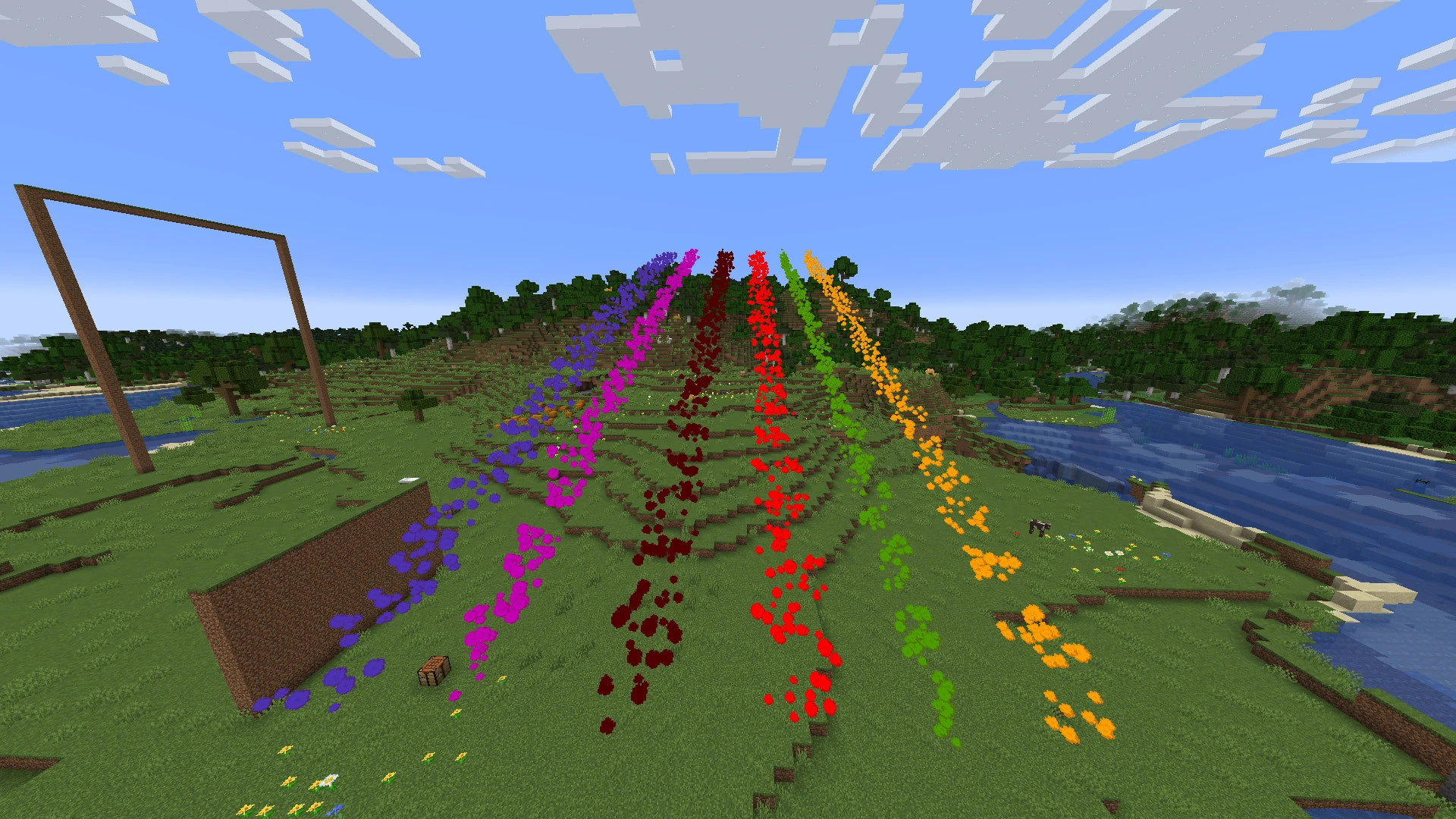 Friday's Vanilla+ Textures Renderer #2.webp Friday's Vanilla+ Textures Renderer #2.webp
 -
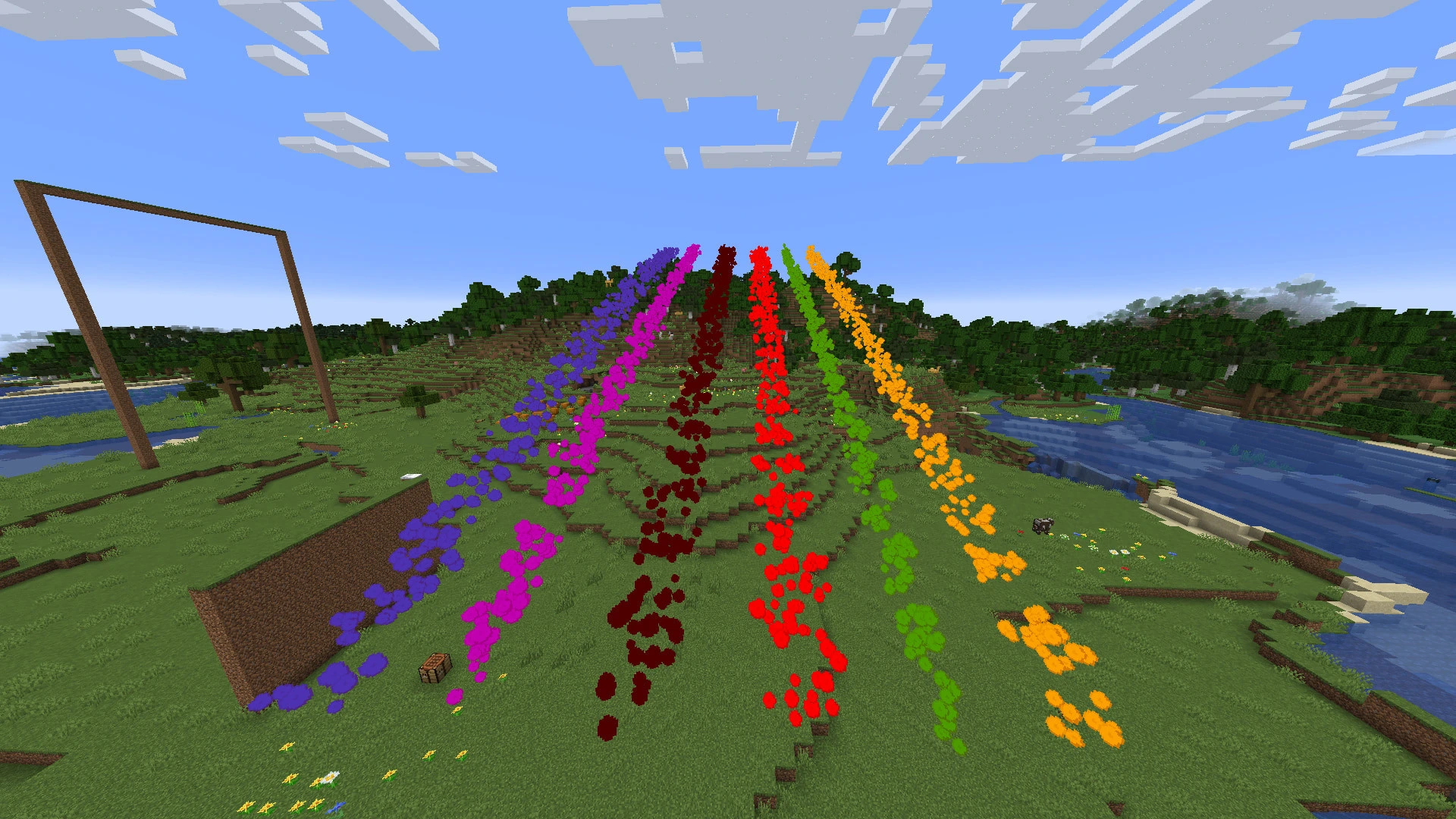 Friday's Vanilla+ Textures Renderer.webp Friday's Vanilla+ Textures Renderer.webp
 -
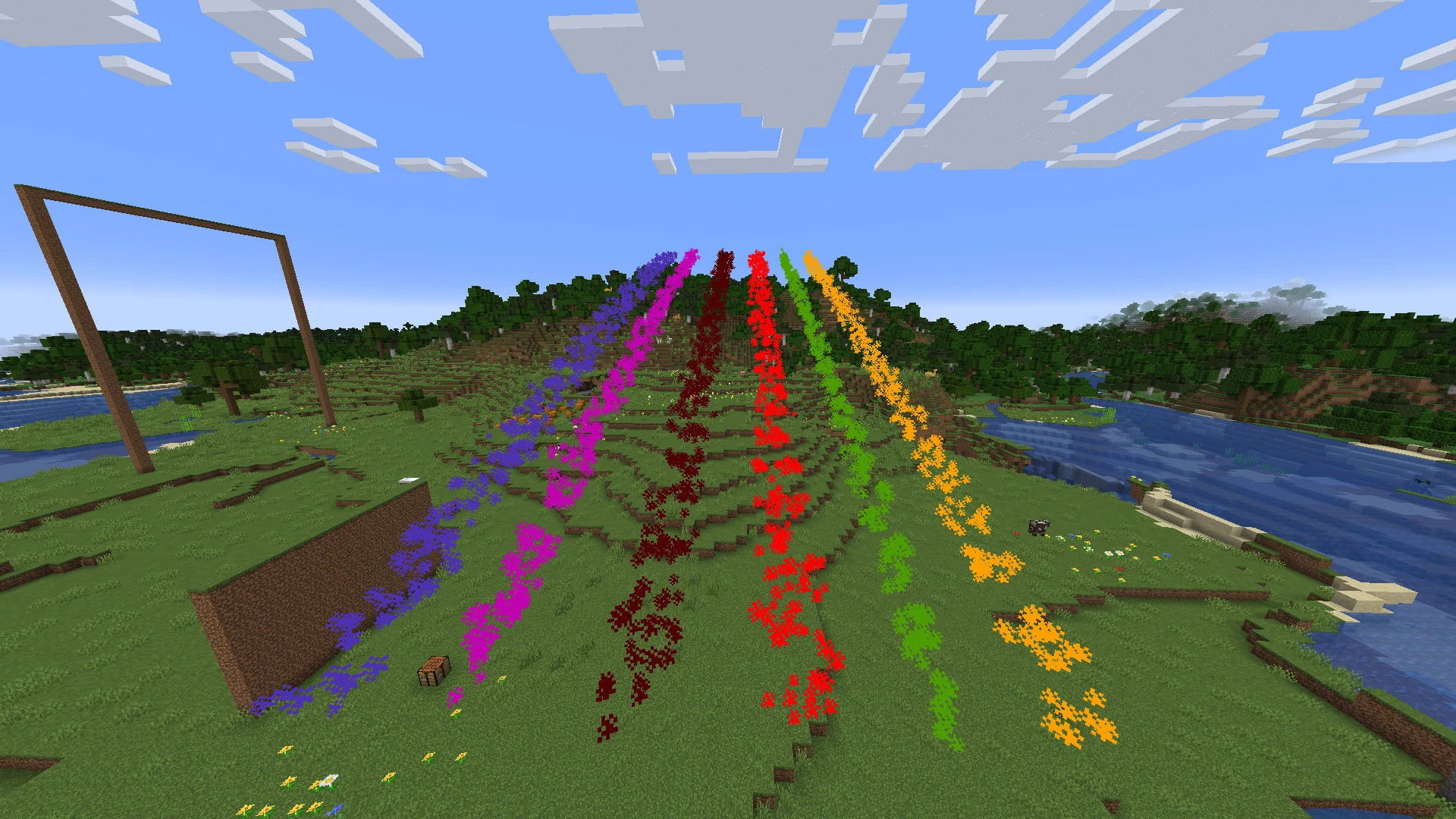 Minecraft Smoke Textures Renderer.webp Minecraft Smoke Textures Renderer.webp
 -
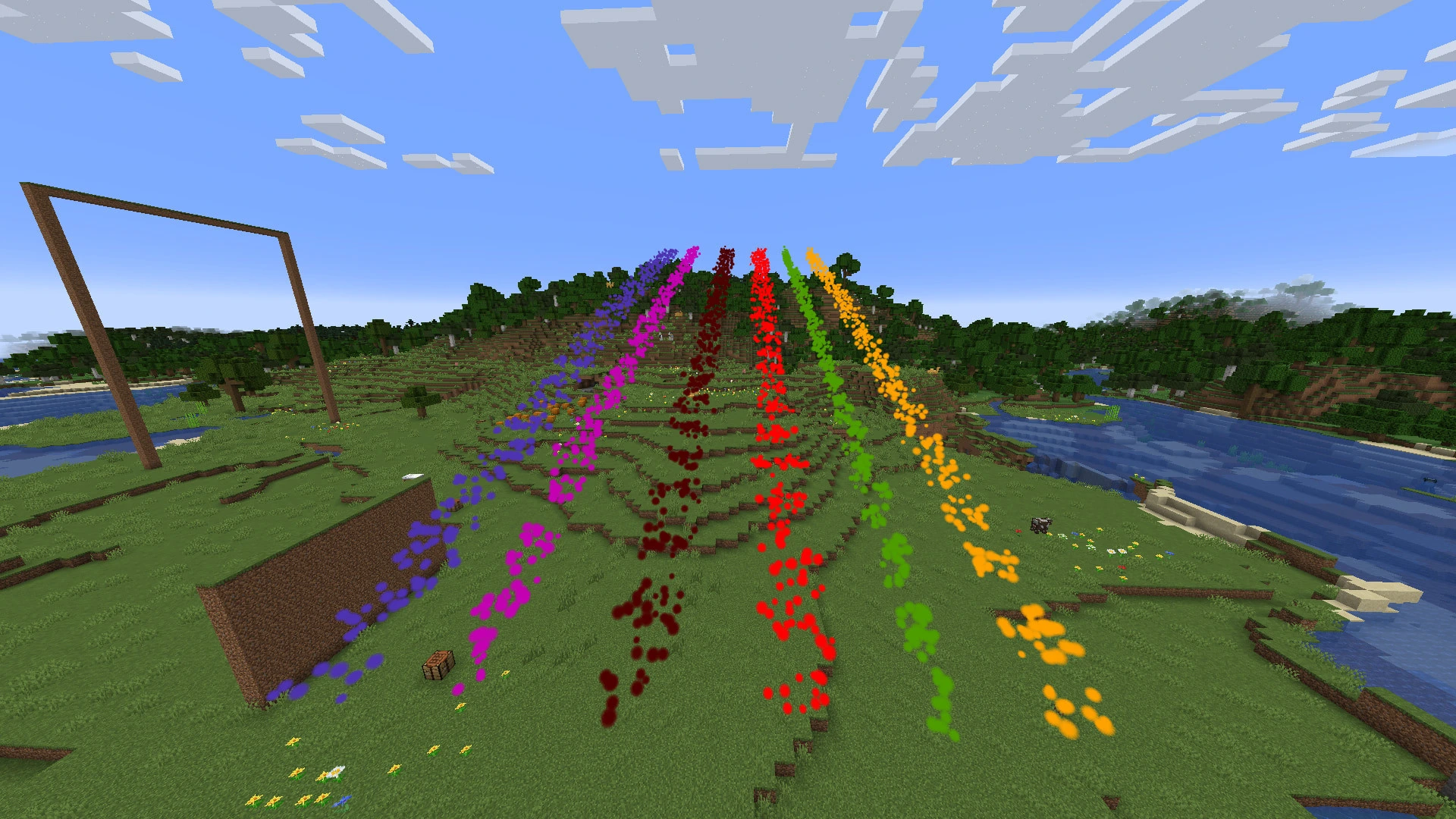 Particles (Spherical) Renderer.webp Particles (Spherical) Renderer.webp
 -
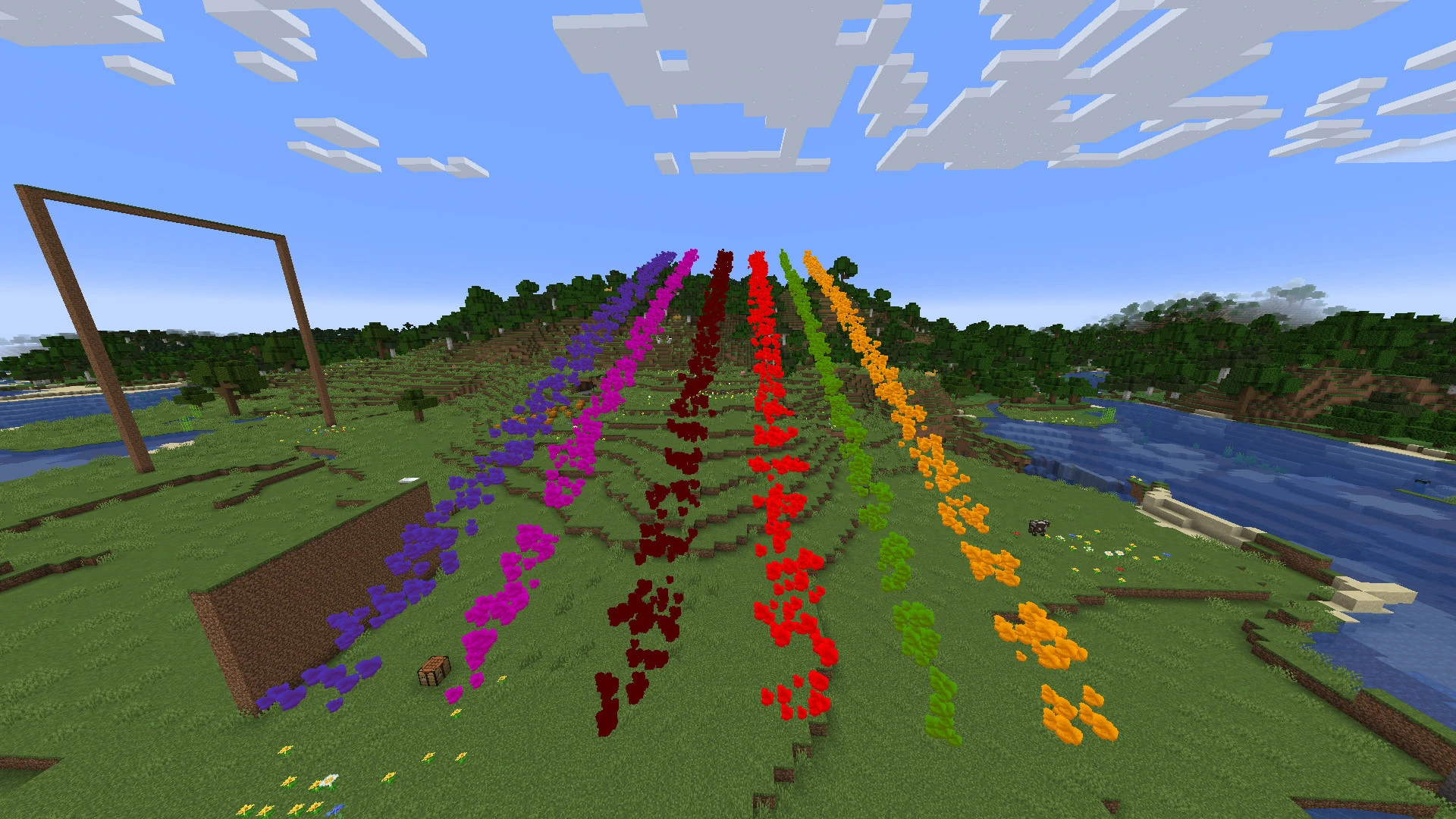 Particles (Spherical-Bumpy) Renderer.webp Particles (Spherical-Bumpy) Renderer.webp
 -
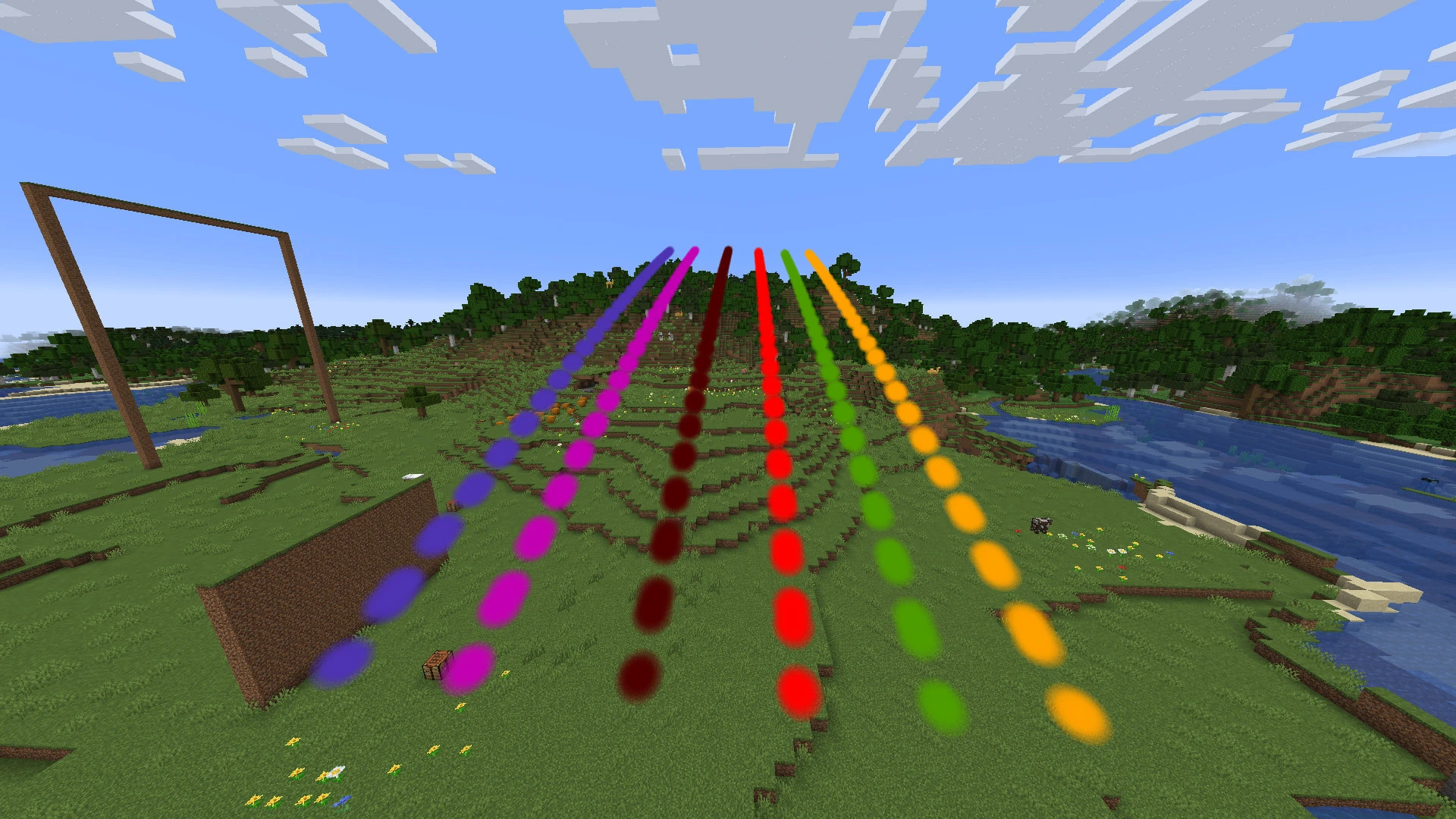 Billboard Renderer.webp Billboard Renderer.webp
 -
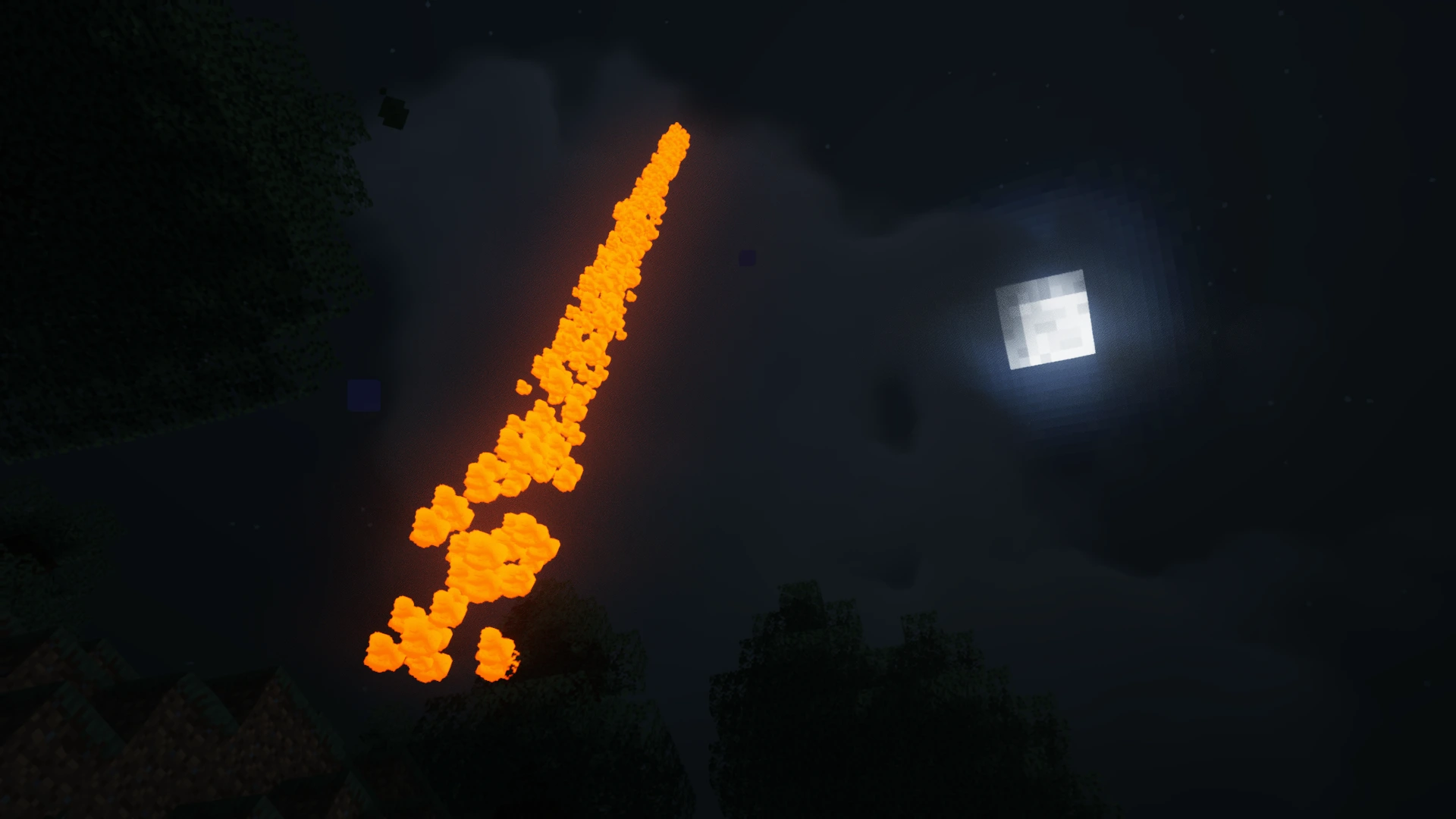
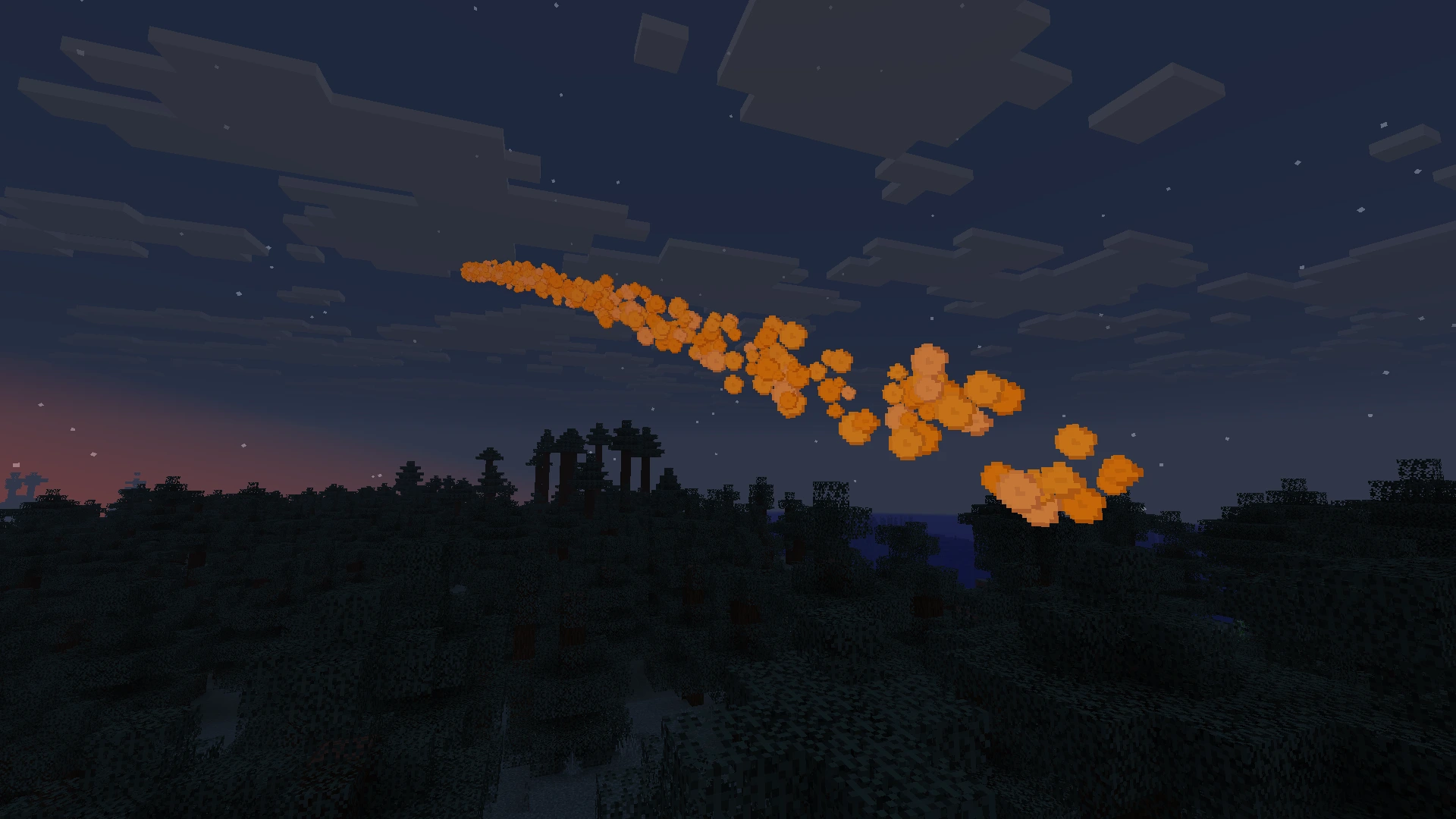 Yellow Smoke at Night.webp Yellow Smoke at Night.webp
 -
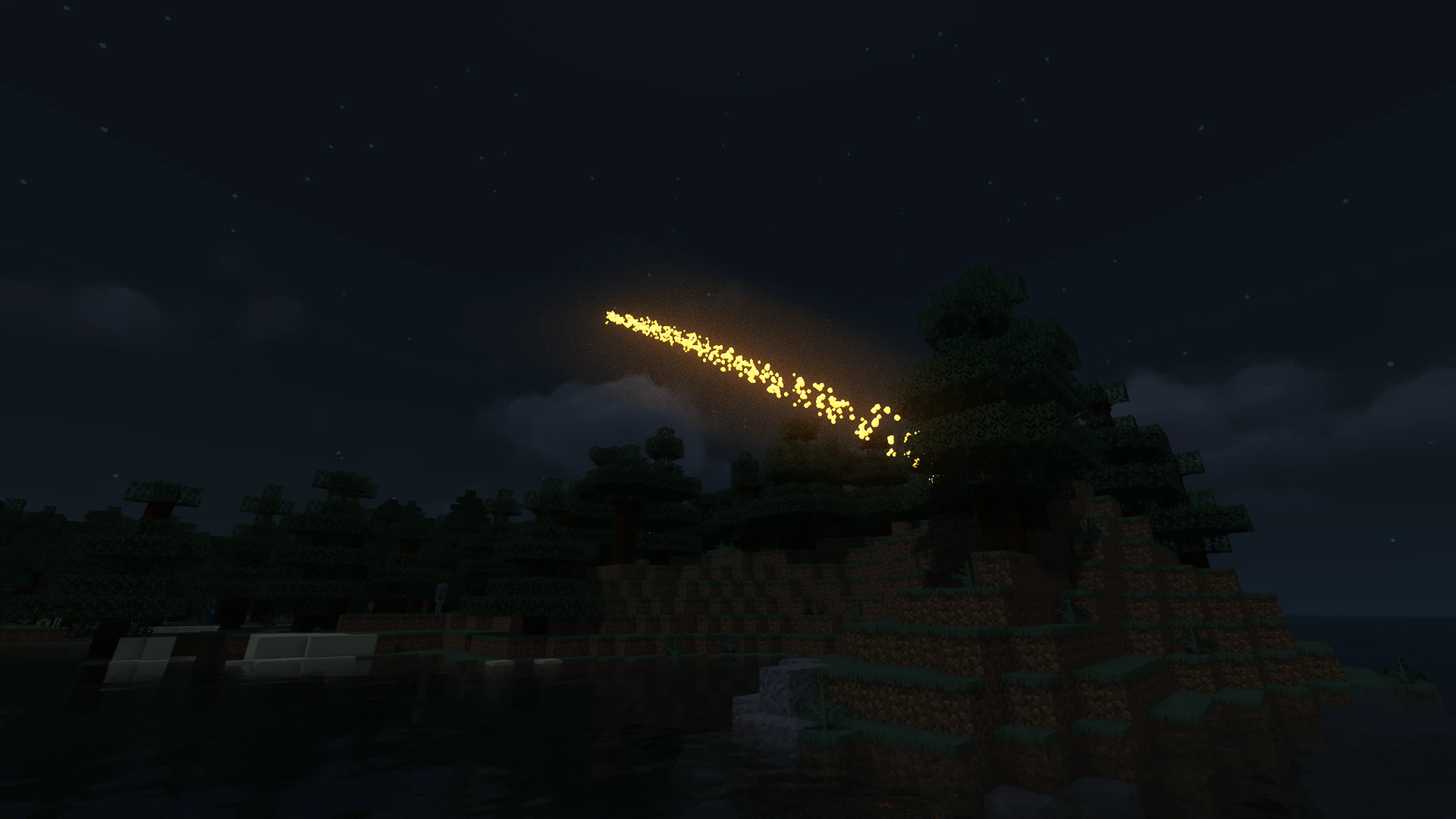 Friday's Vanilla+ Renderer with MakeUp Ultra Fast Shader.webp Friday's Vanilla+ Renderer with MakeUp Ultra Fast Shader.webp
 -
 with MakeUp Ultra Fast Shader seen from underwater.webp with MakeUp Ultra Fast Shader seen from underwater.webp
 -
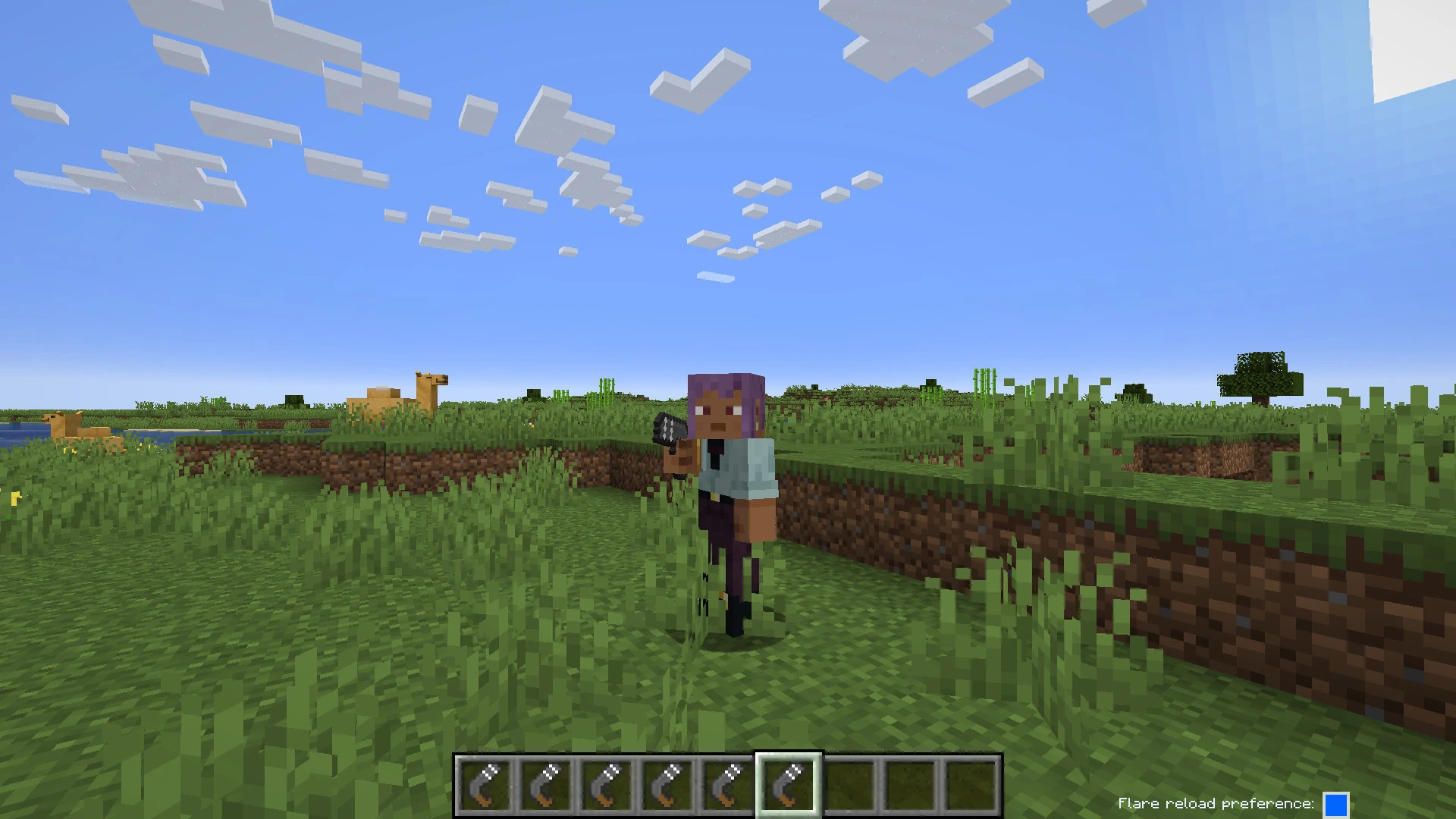 Flare Gun Pose.webp Flare Gun Pose.webp
 -
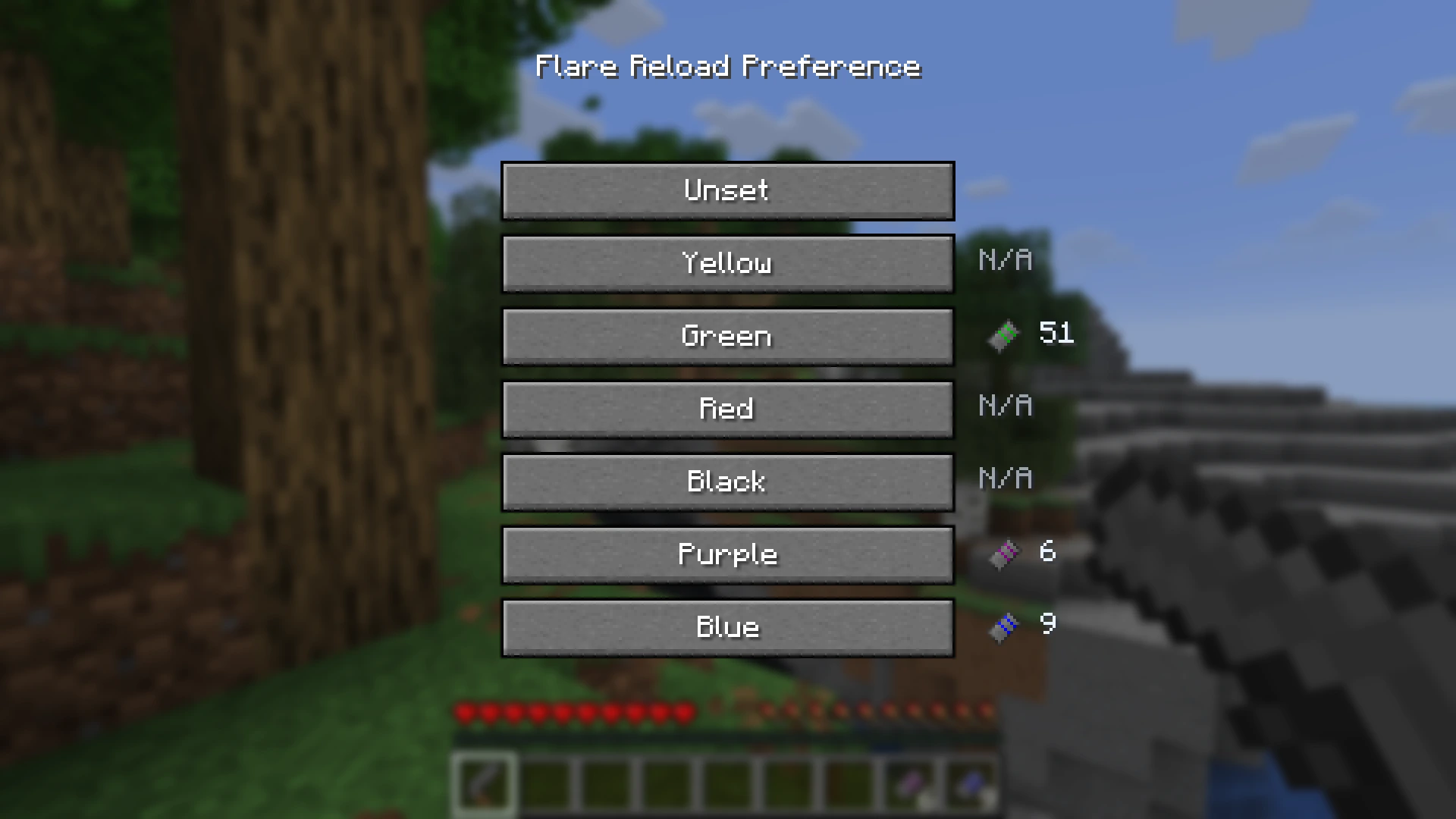 Reload Preference Selection Menu.webp Reload Preference Selection Menu.webp
 -
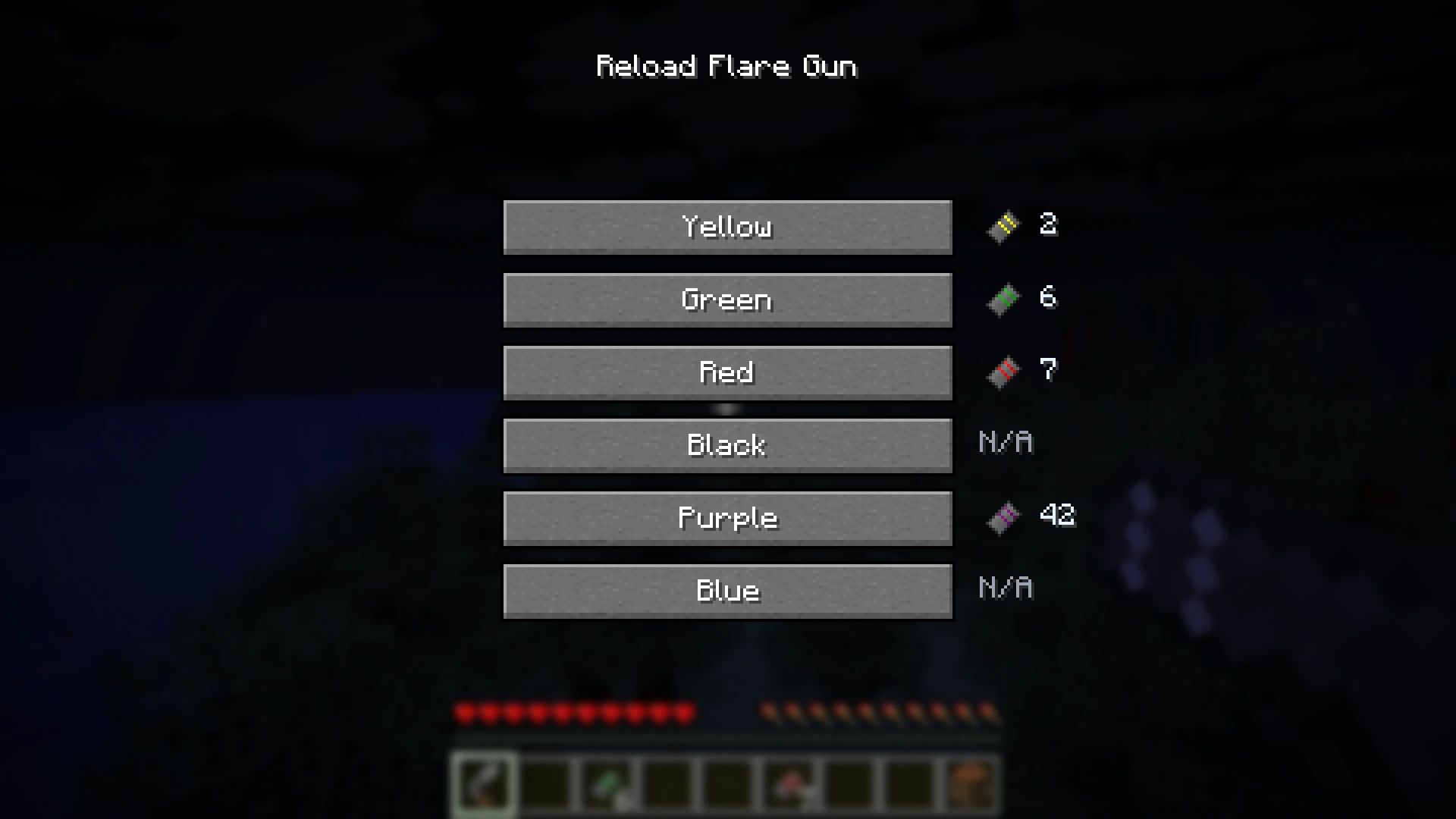 Reload Color Selection Screen.webp Reload Color Selection Screen.webp
 -
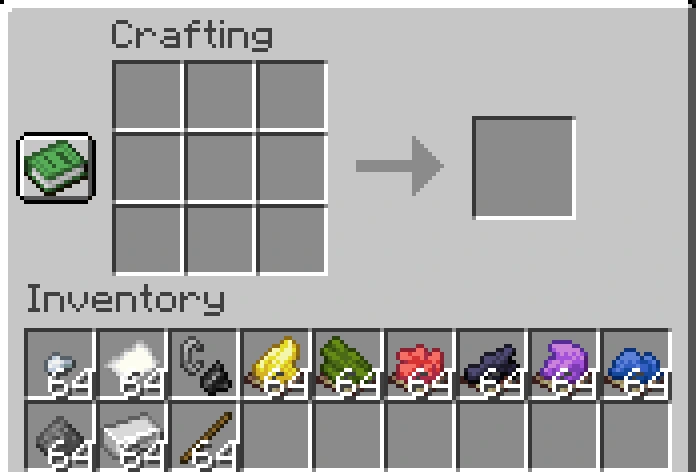 Crafting Ingredients.webp Crafting Ingredients.webp
 -
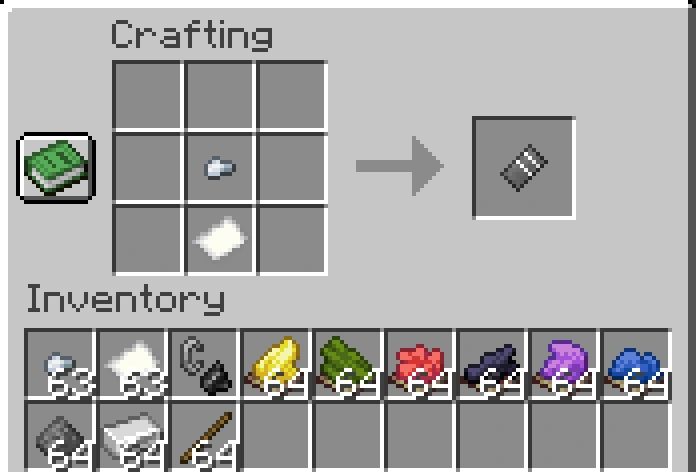 Empty Flare Cartridge.webp Empty Flare Cartridge.webp
 -
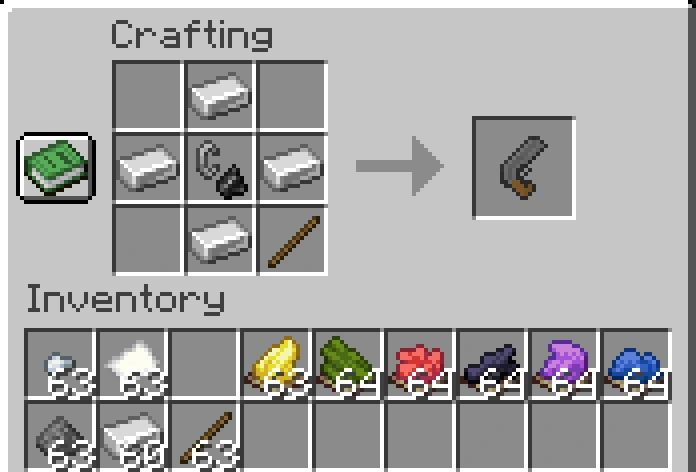 Flare Gun.webp Flare Gun.webp
 -
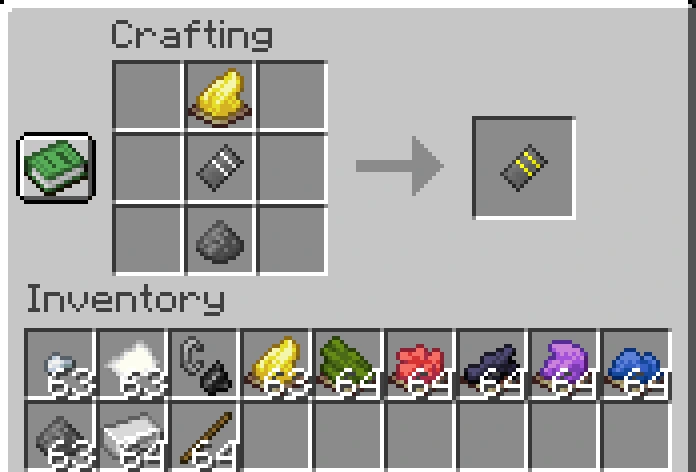 Yellow Flare Cartridge.webp Yellow Flare Cartridge.webp
 -
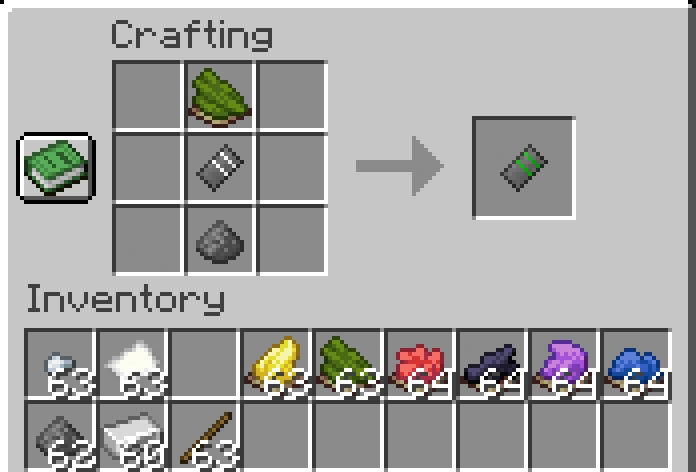 Green Flare Cartridge.webp Green Flare Cartridge.webp
 -
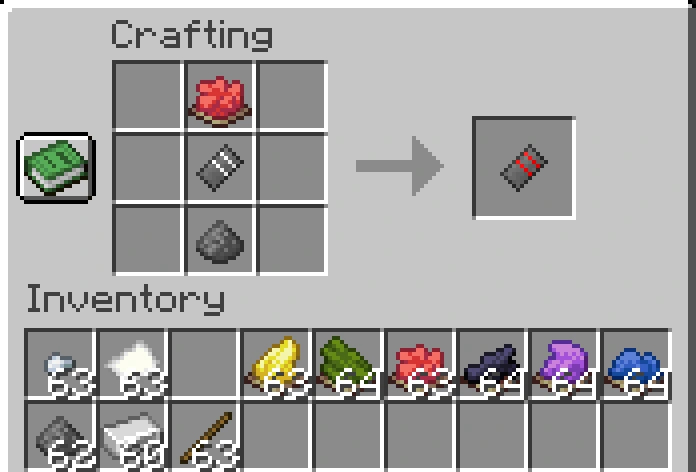 Red Flare Cartridge.webp Red Flare Cartridge.webp
 -
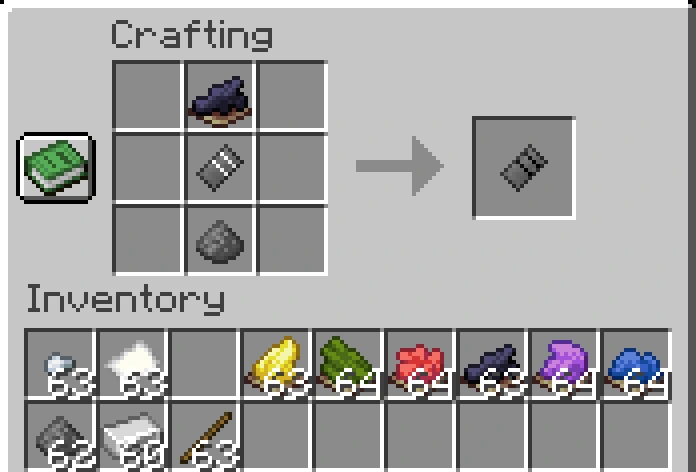 Black Flare Cartridge.webp Black Flare Cartridge.webp
 -
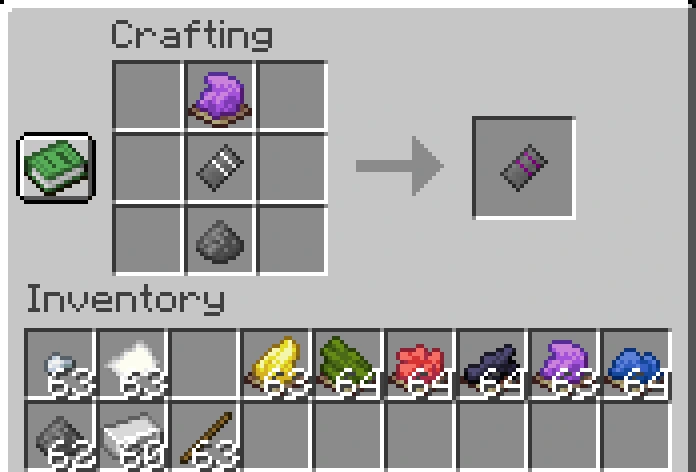 Purple Flare Cartridge.webp Purple Flare Cartridge.webp
-
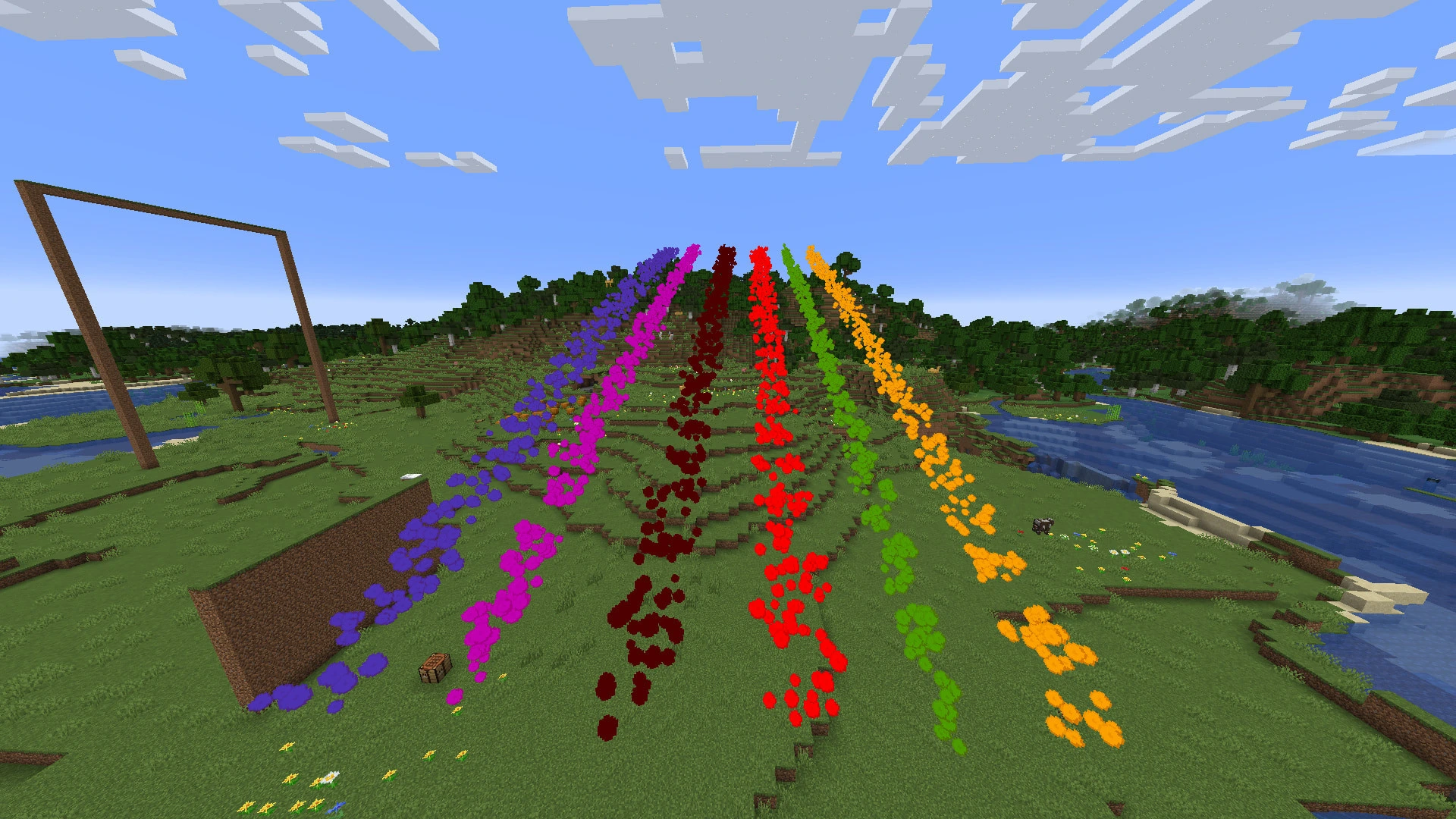 Renderer: Friday's Vanilla+ Textures
 -
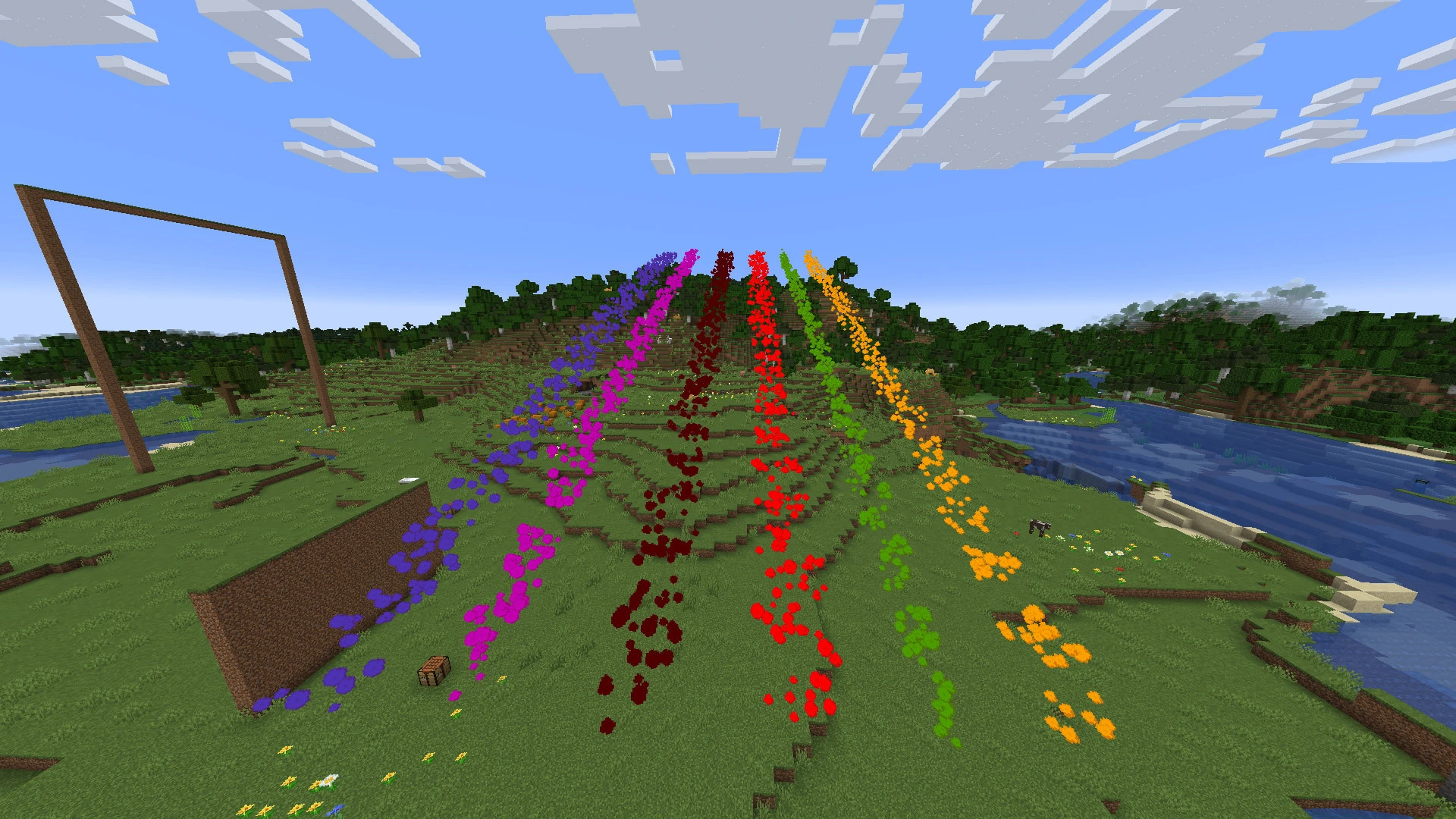 Renderer: Friday's Vanilla+ Textures #2
 -
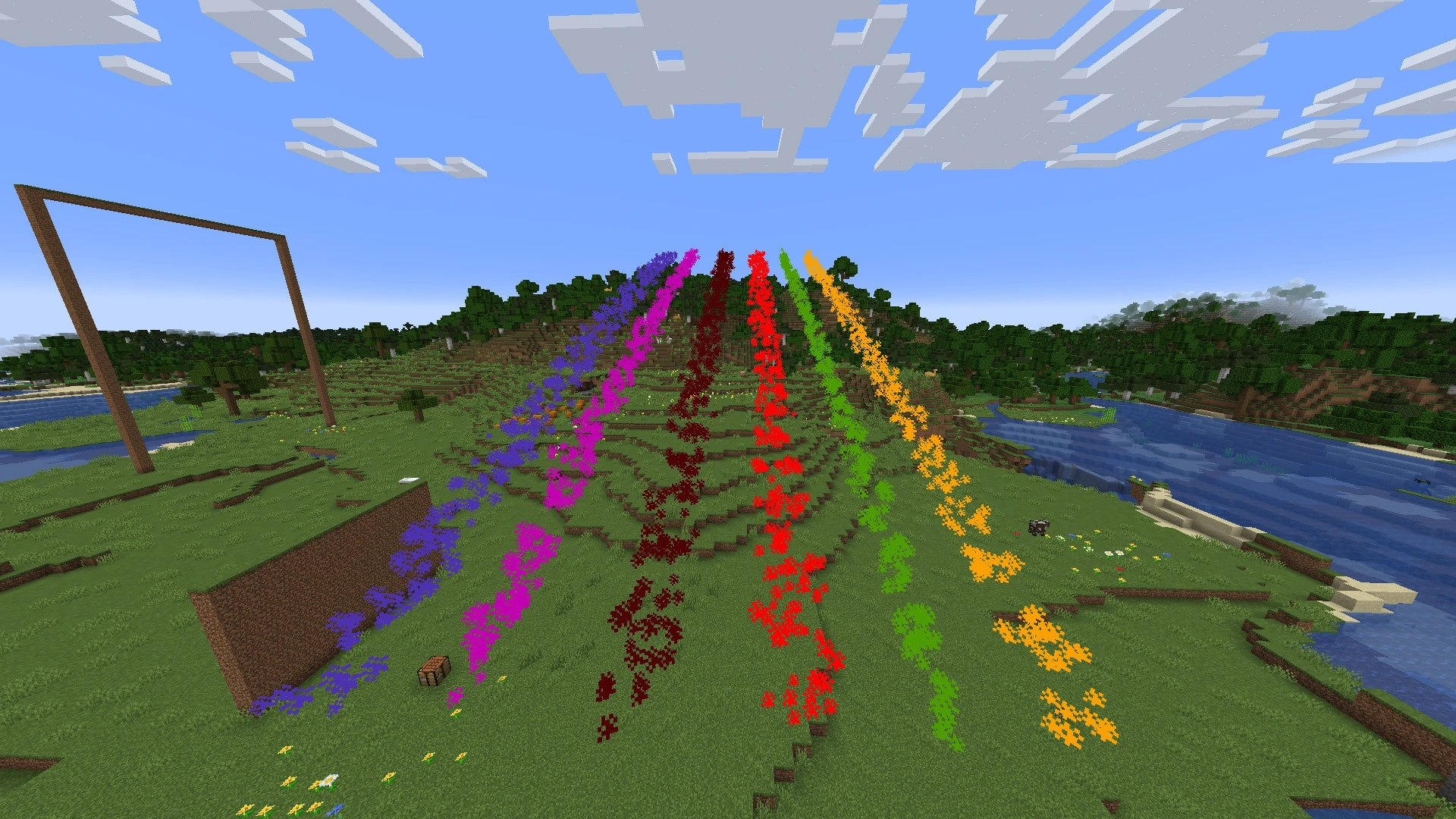 Renderer: Minecraft Smoke Textures
 -
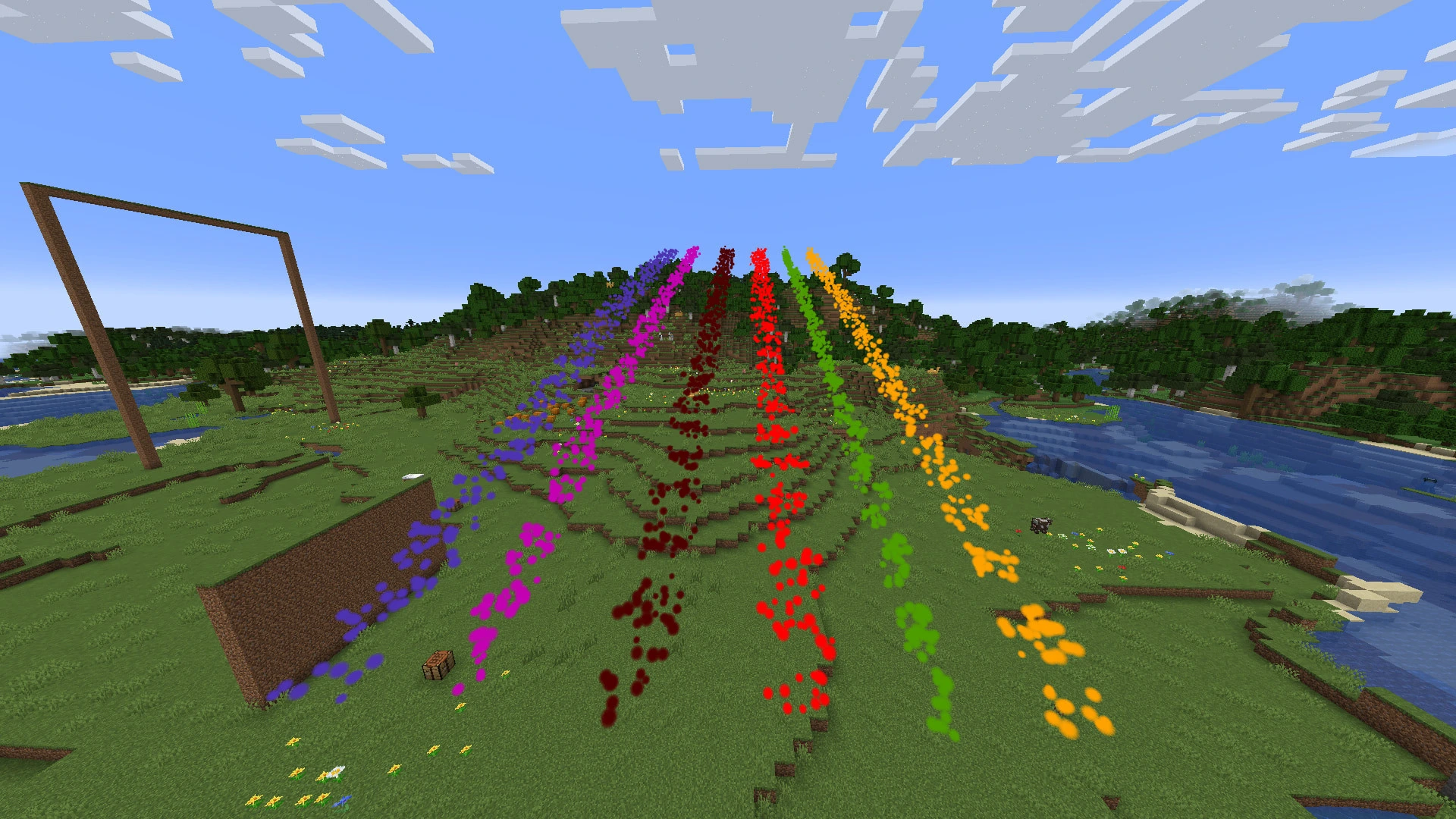 Renderer: Particles (Spherical)
 -
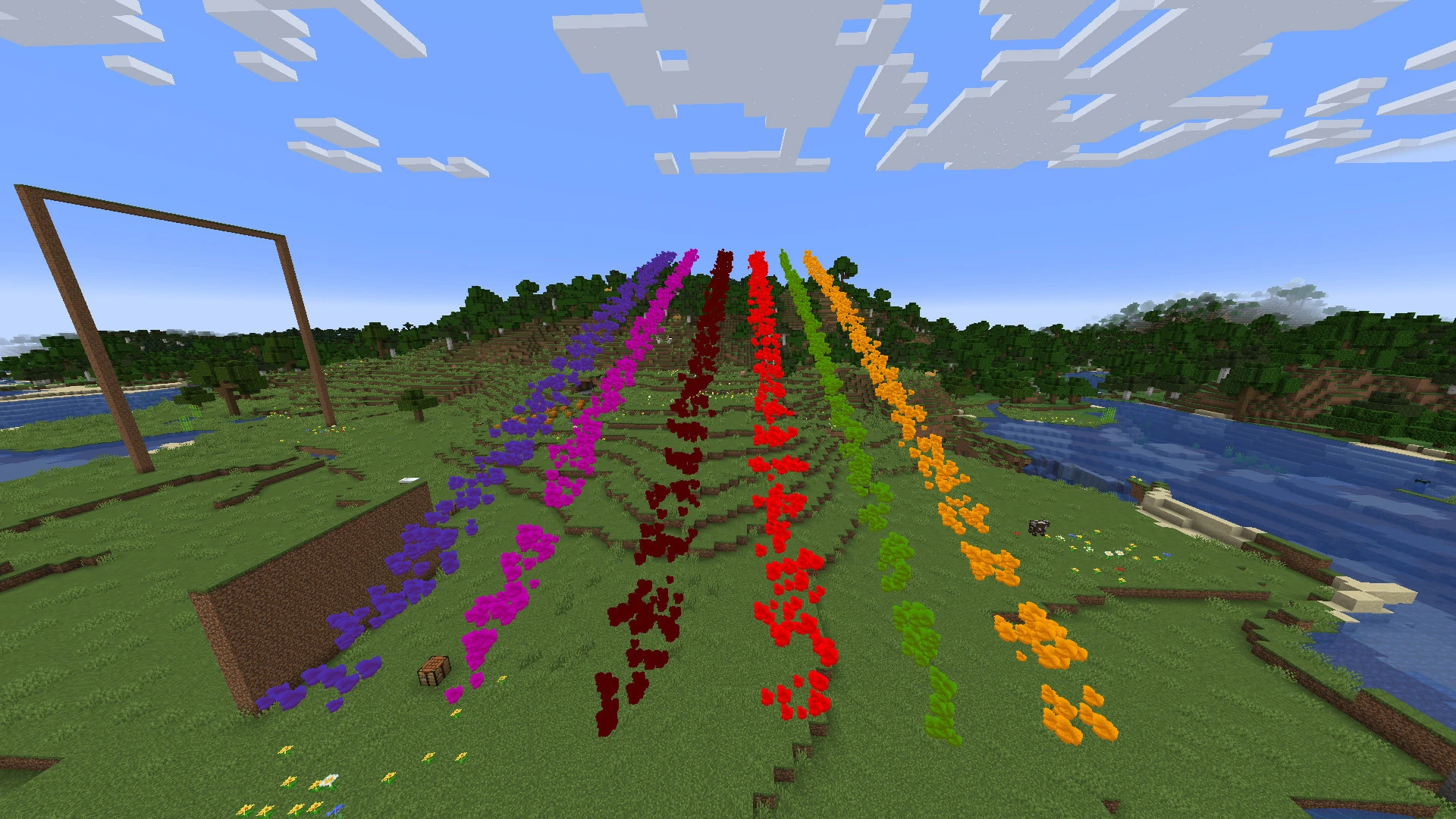 Renderer: Particles (Spherical-Bumpy)
 -
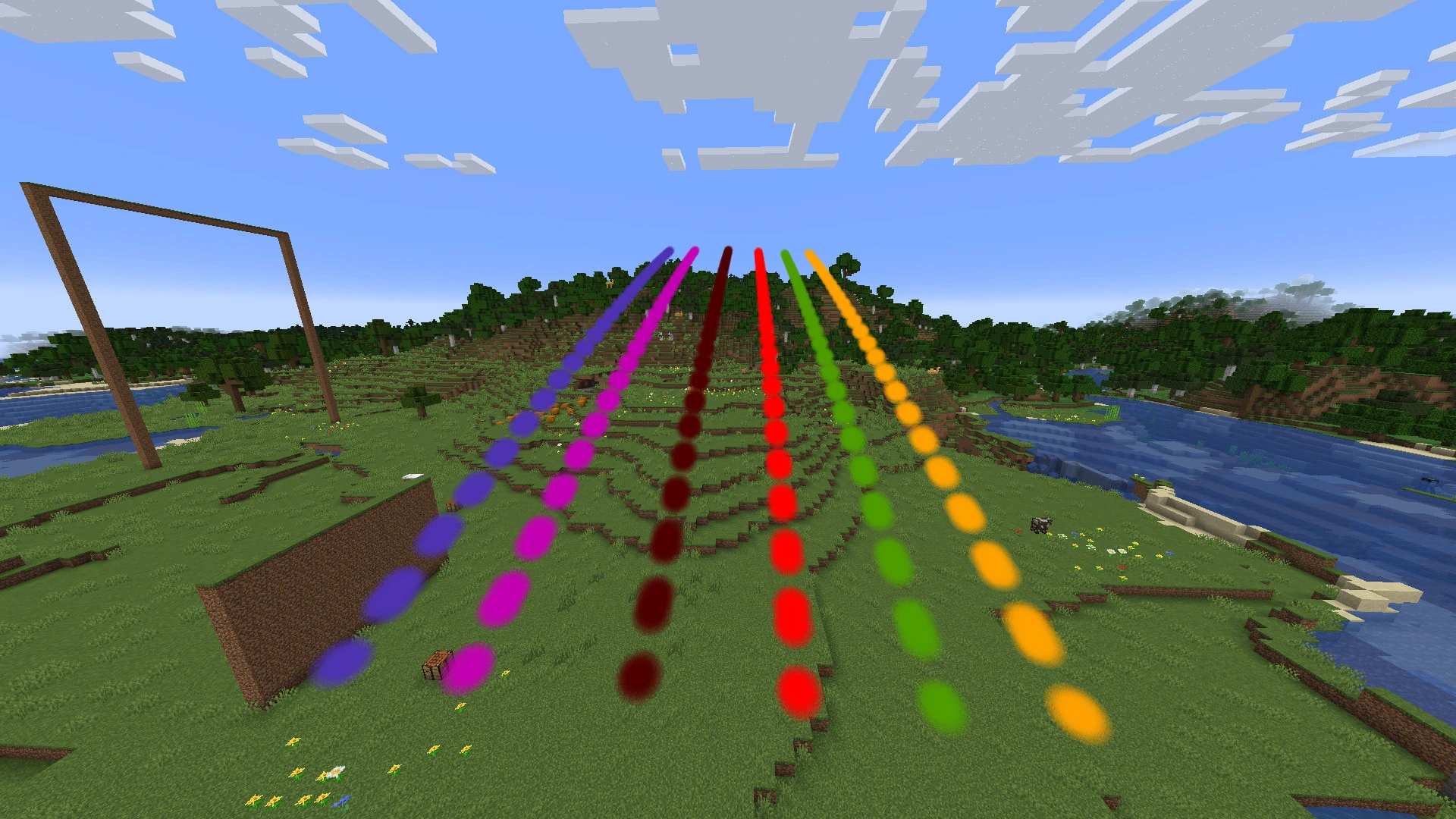 Renderer: Billboards
 -
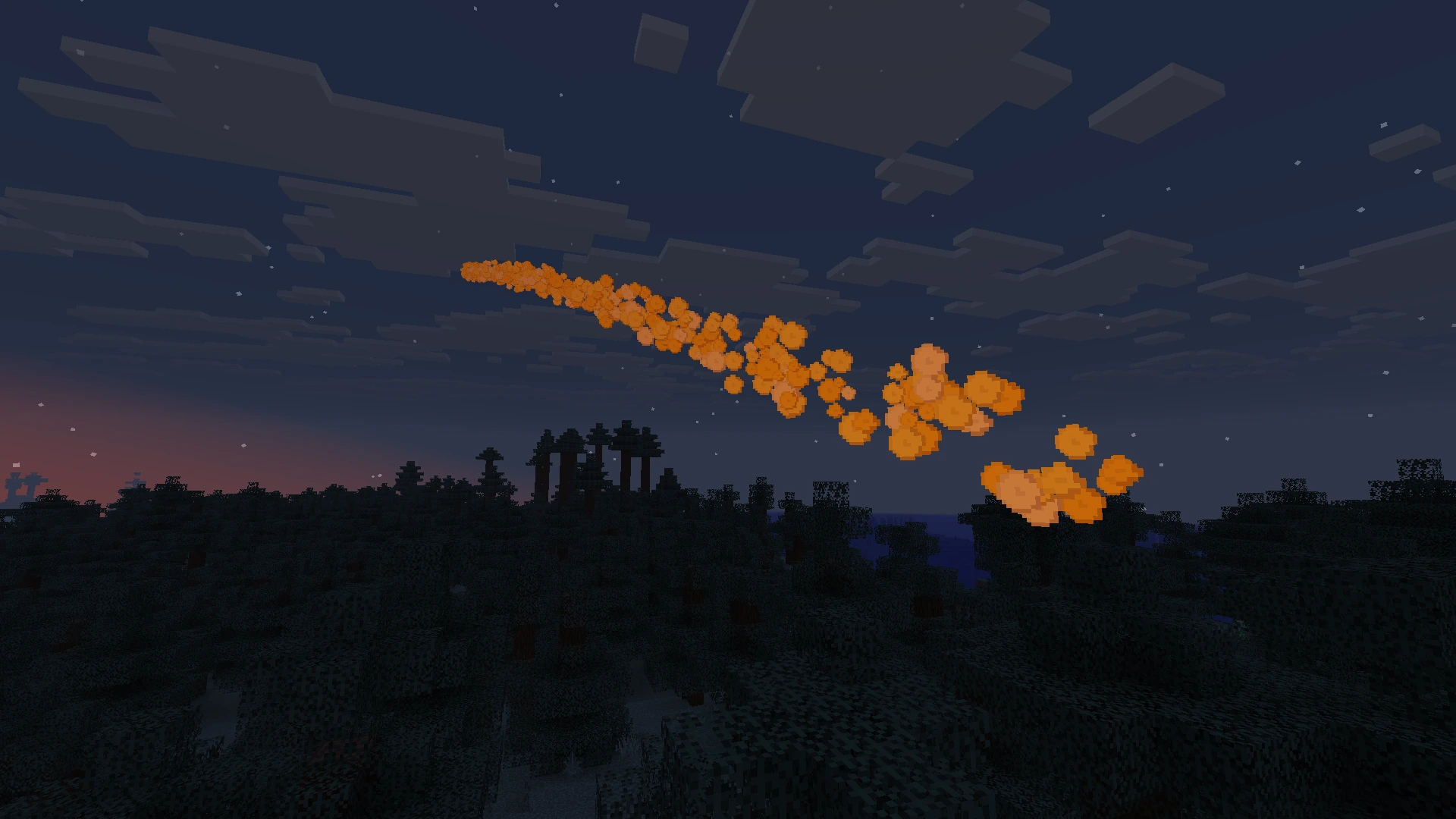 Yellow Smoke at Night
 -
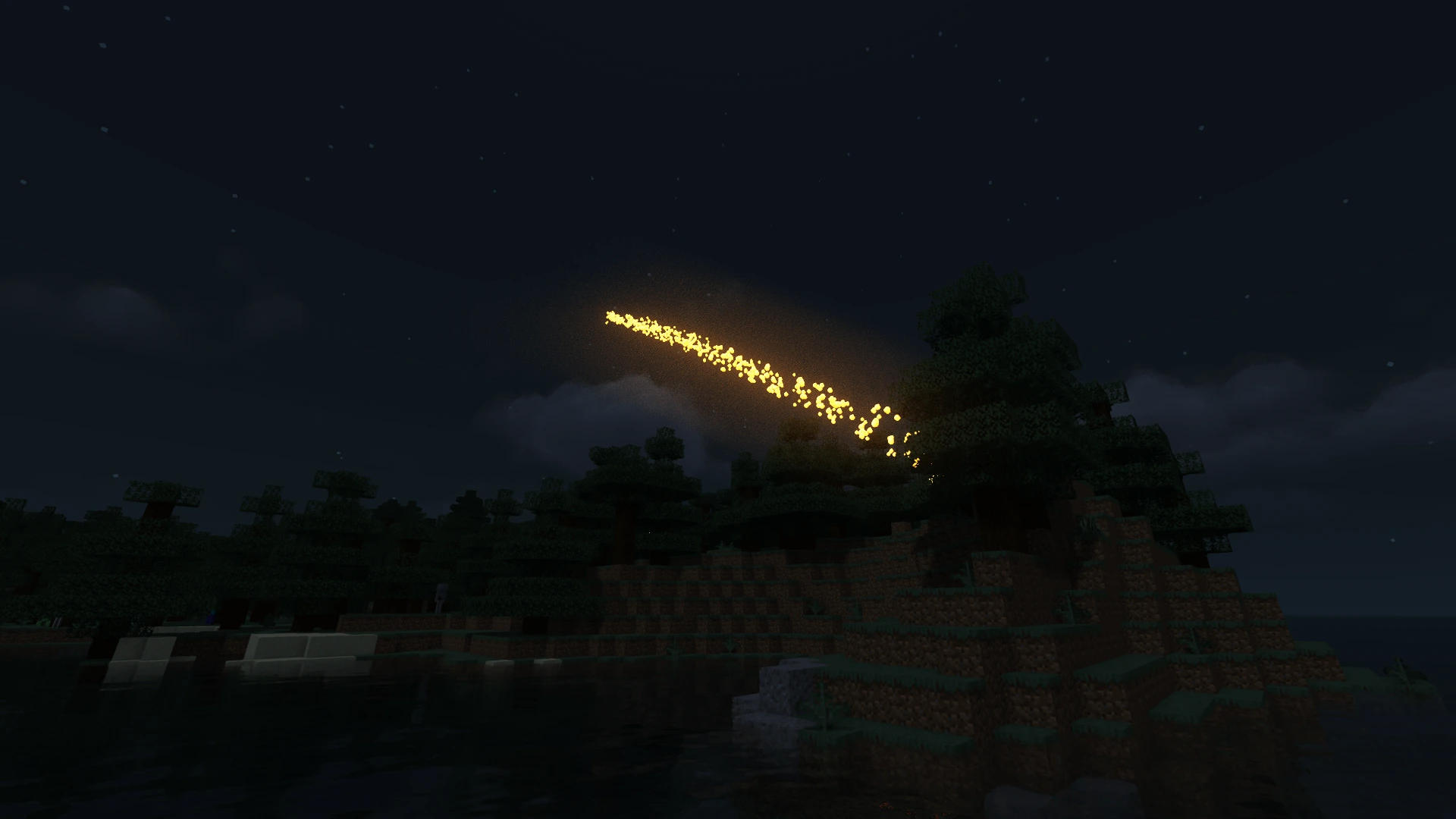 Friday's Vanilla+ Renderer with MakeUp Ultra Fast Shader
 -
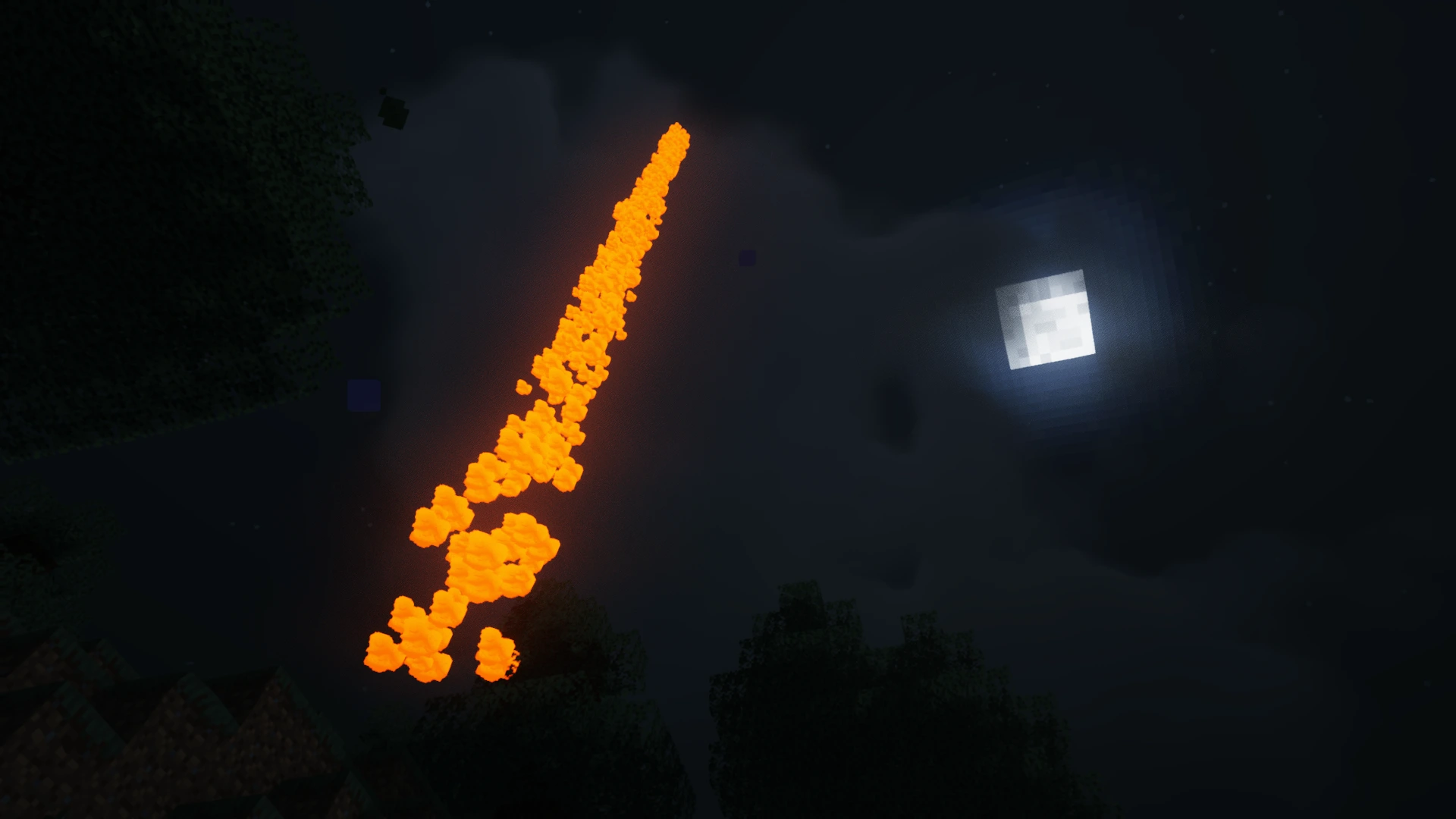 Flare with MakeUp Ultra Fast Shader on seen from underwater
 -
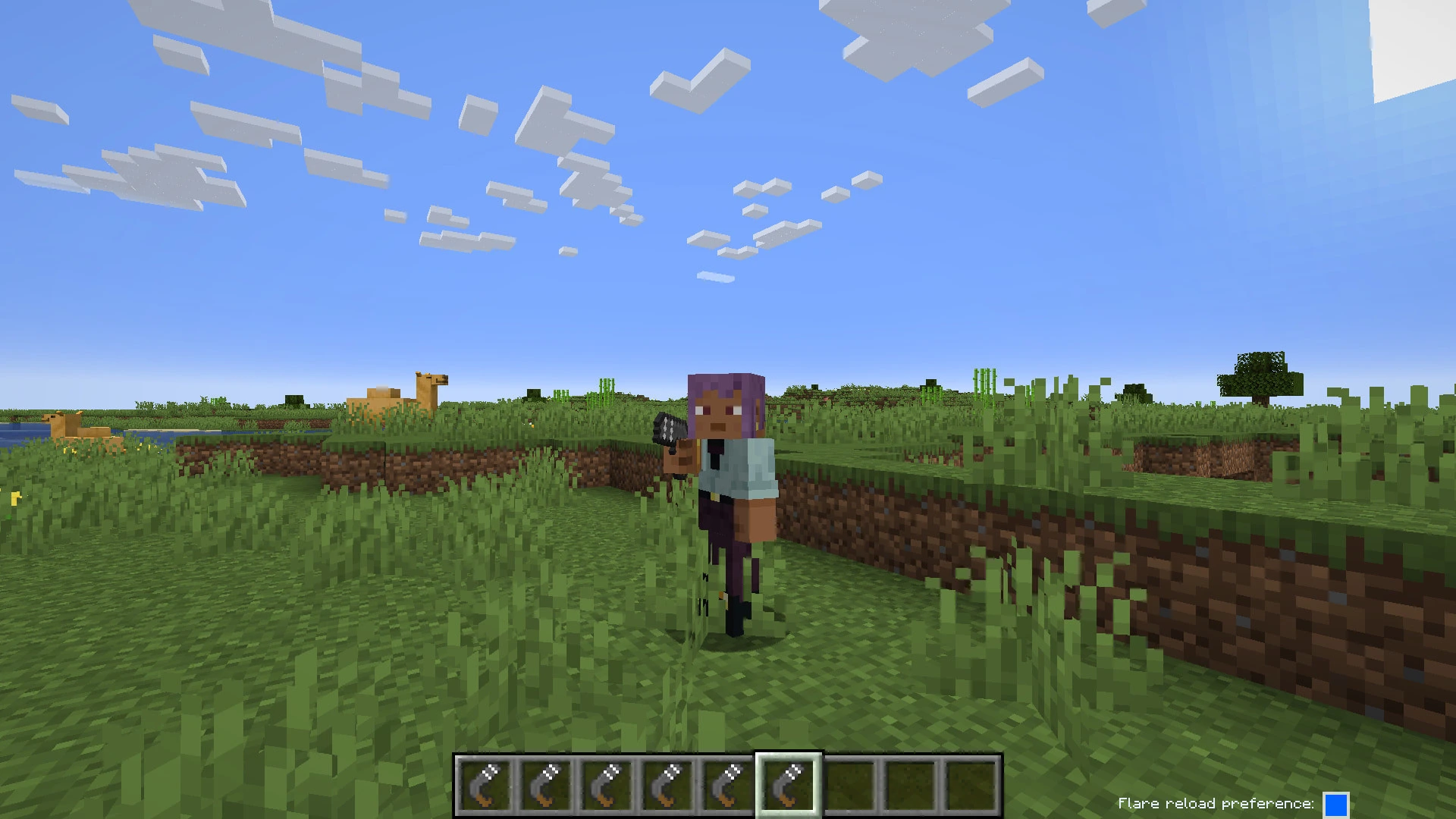 Flare Gun Third-Person Pose
 -
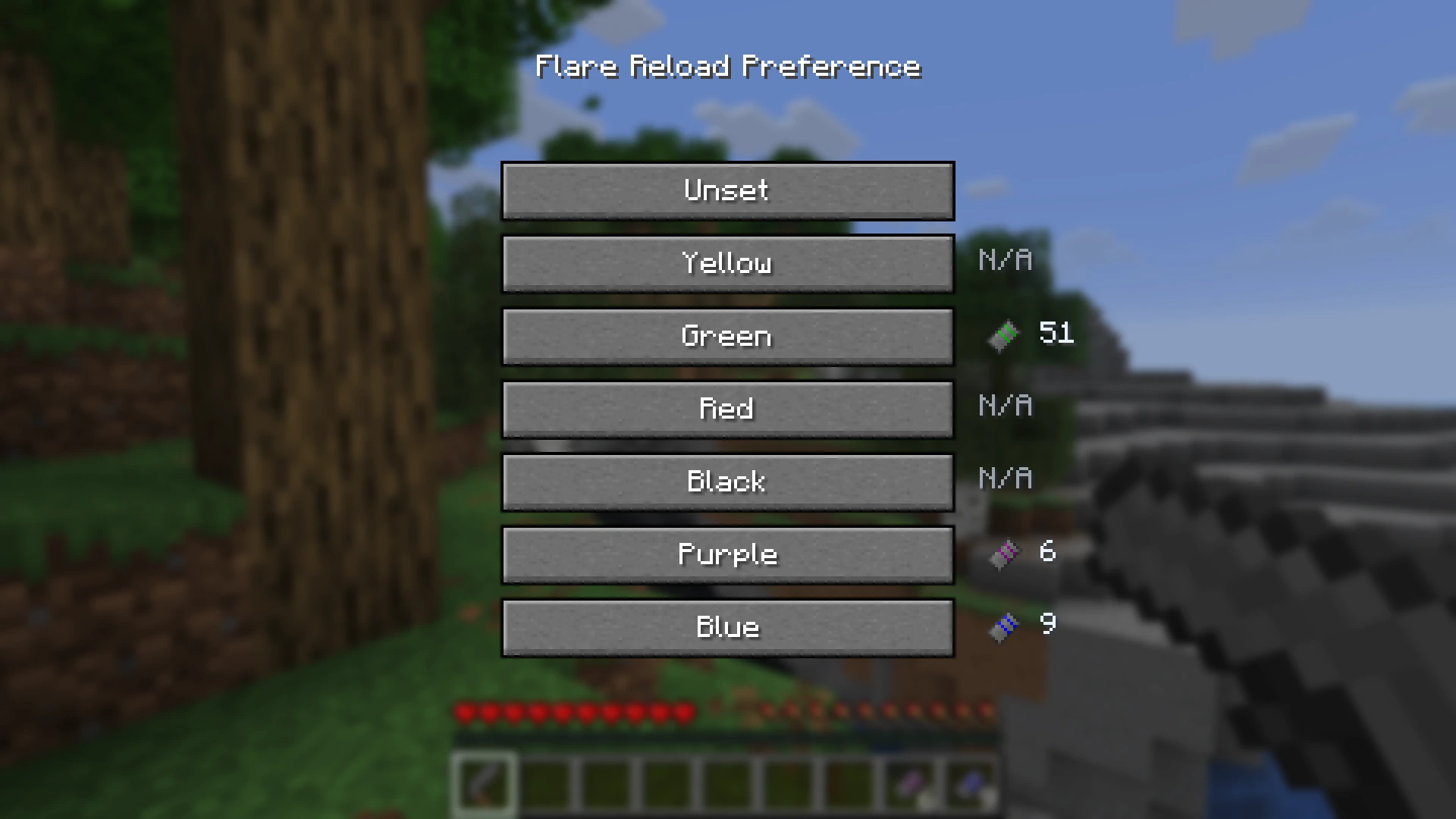 Reload Preference Selection Menu
 -
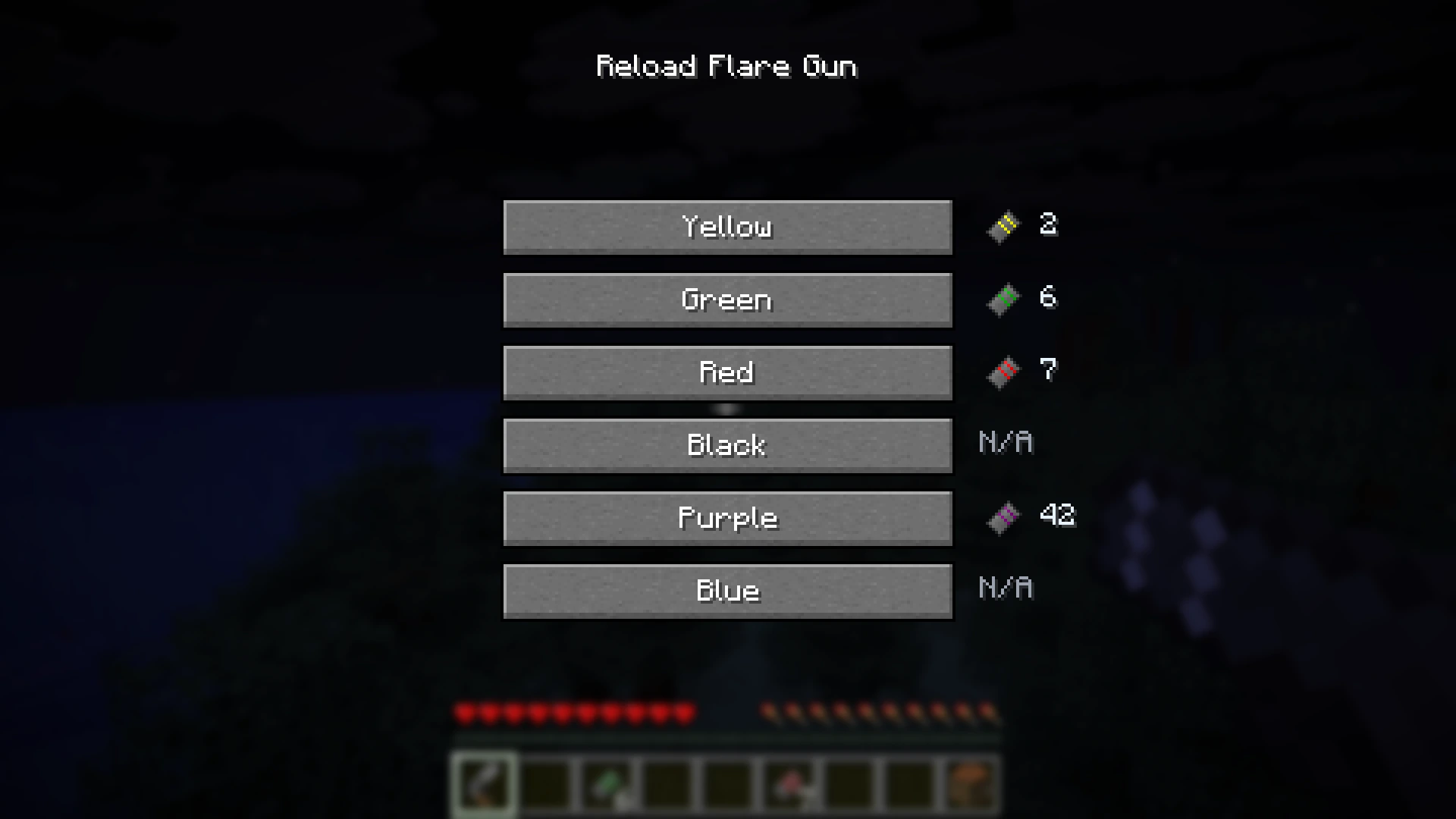 Manual Selection of Reload Color Screen
 -
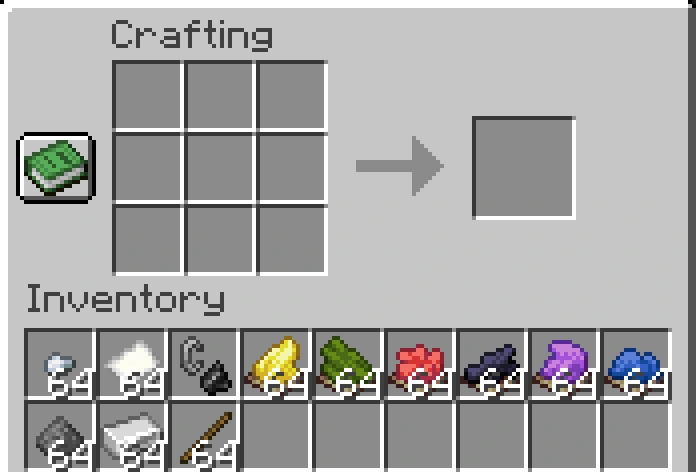 Crafting Ingredients These vanilla items are the basic ingredients used to craft everything in the mod
 -
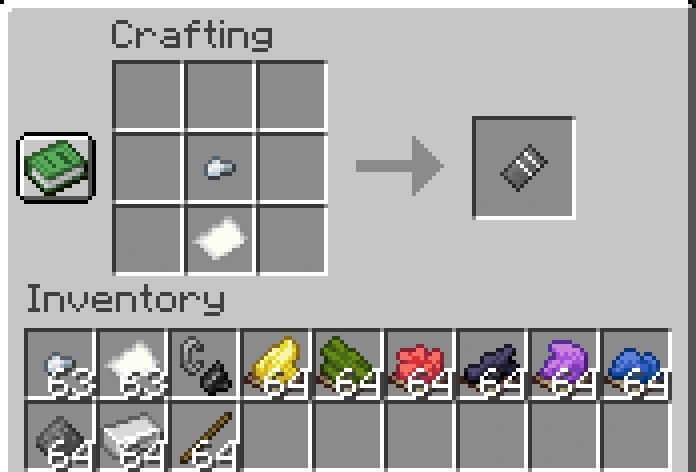 Empty Flare Cartridge
 -
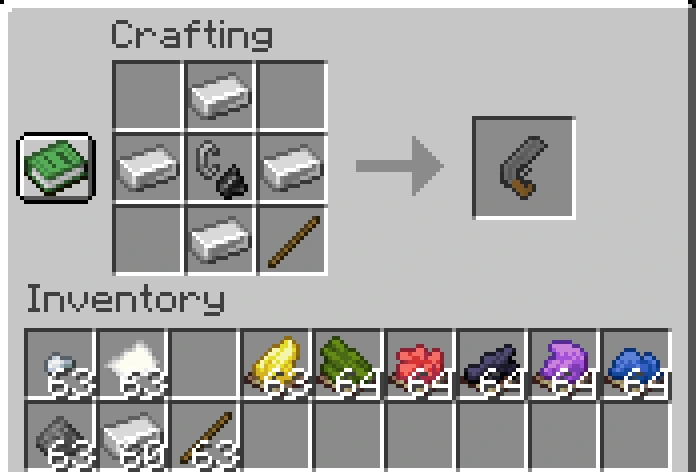 Flare Gun Crafting Recipie
 -
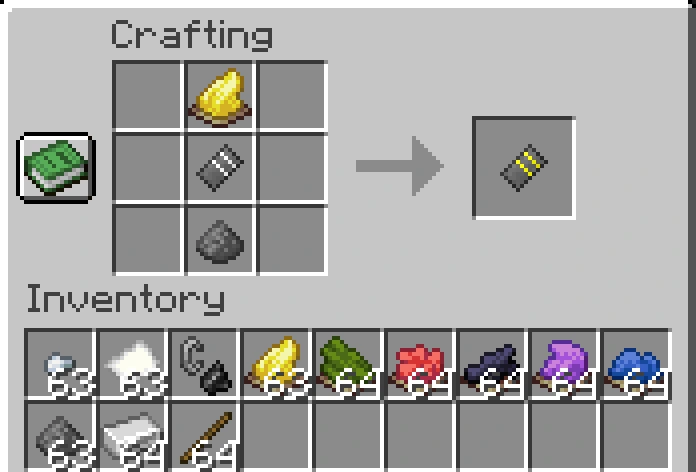 Yellow Flare Cartridge Crafting Recipie
 -
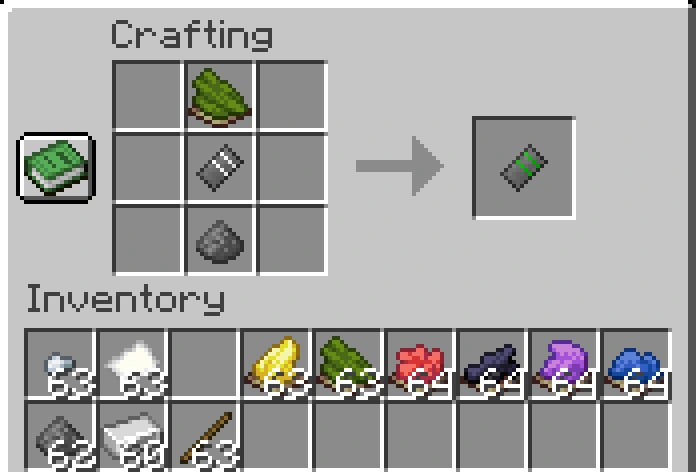 Green Flare Cartridge Crafting Recipie
 -
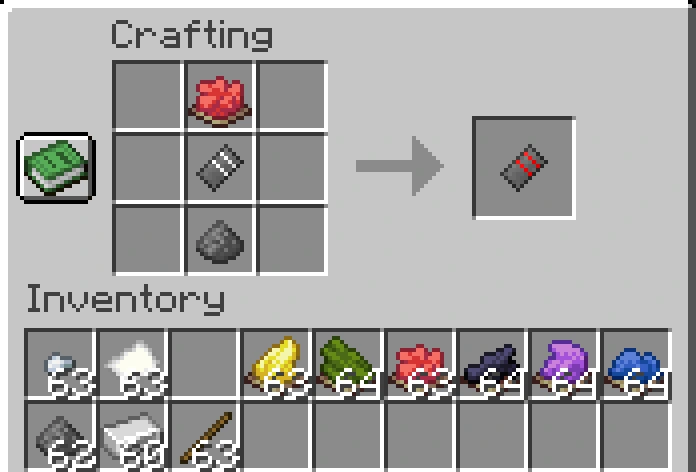 Red Flare Cartridge Crafting Recipie
 -
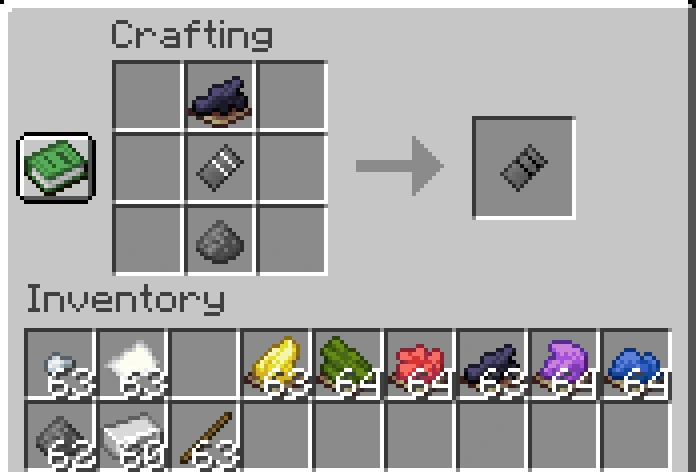 Black Flare Cartridge
 -
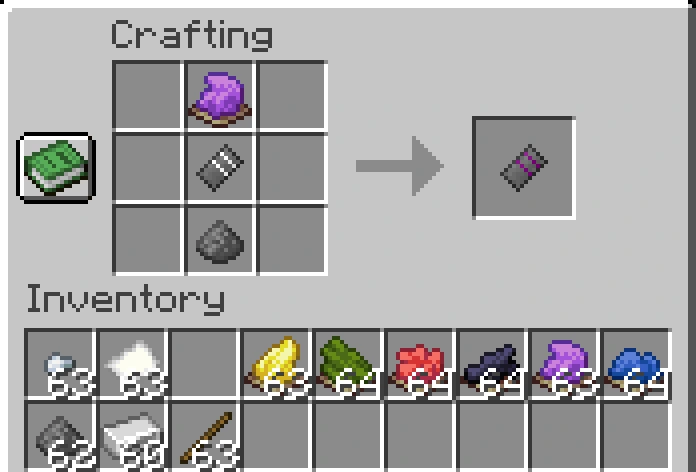 Purple Flare Cartridge Crafting Recipie
 -
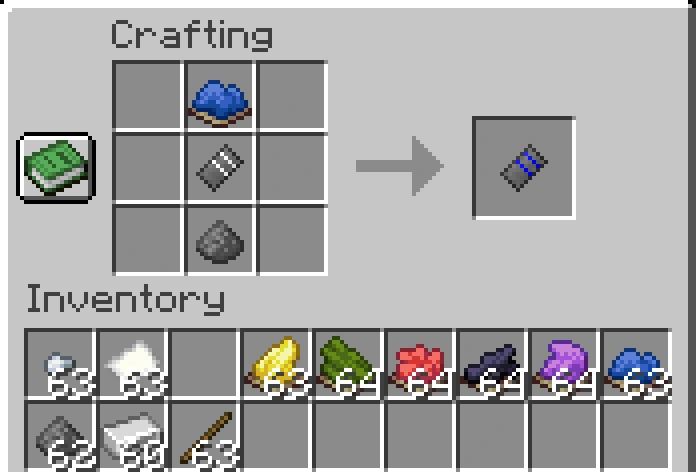 Blue Flare Cartridge
 -
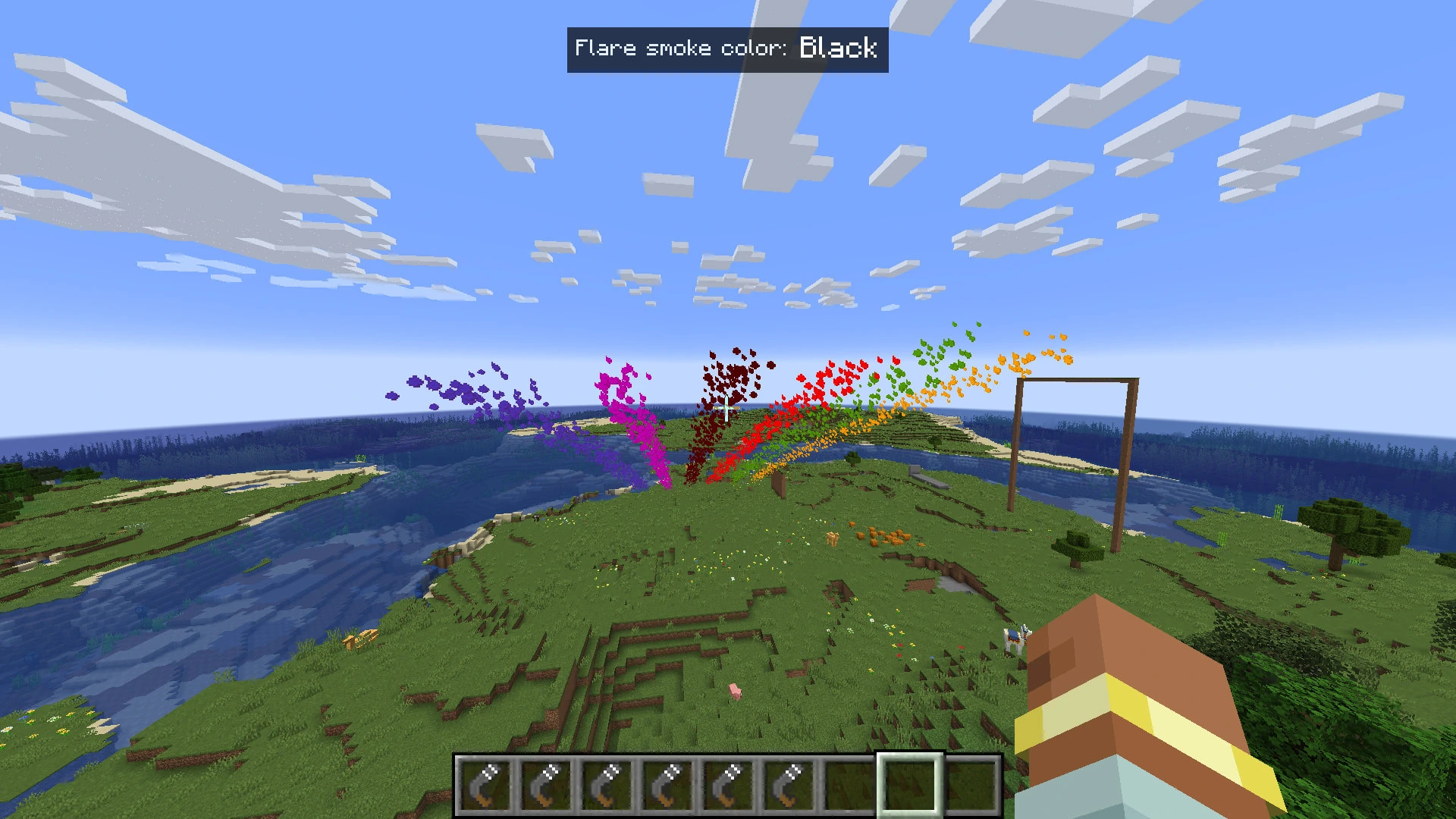 Color-blind Accessibility Overlay Similar idea to the color-blind accessibility feature in Among Us :D
 -
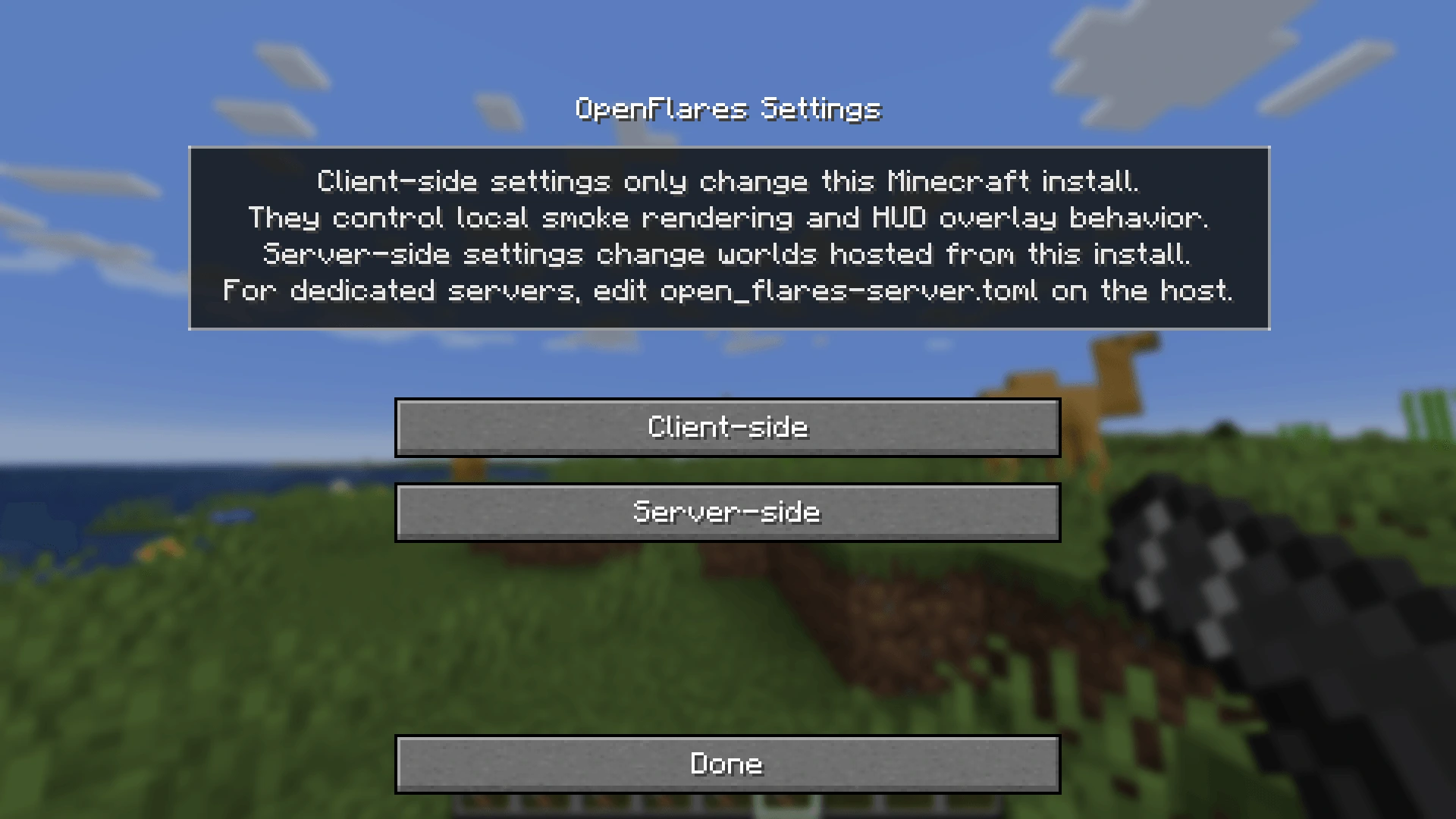 Config Menu
 -
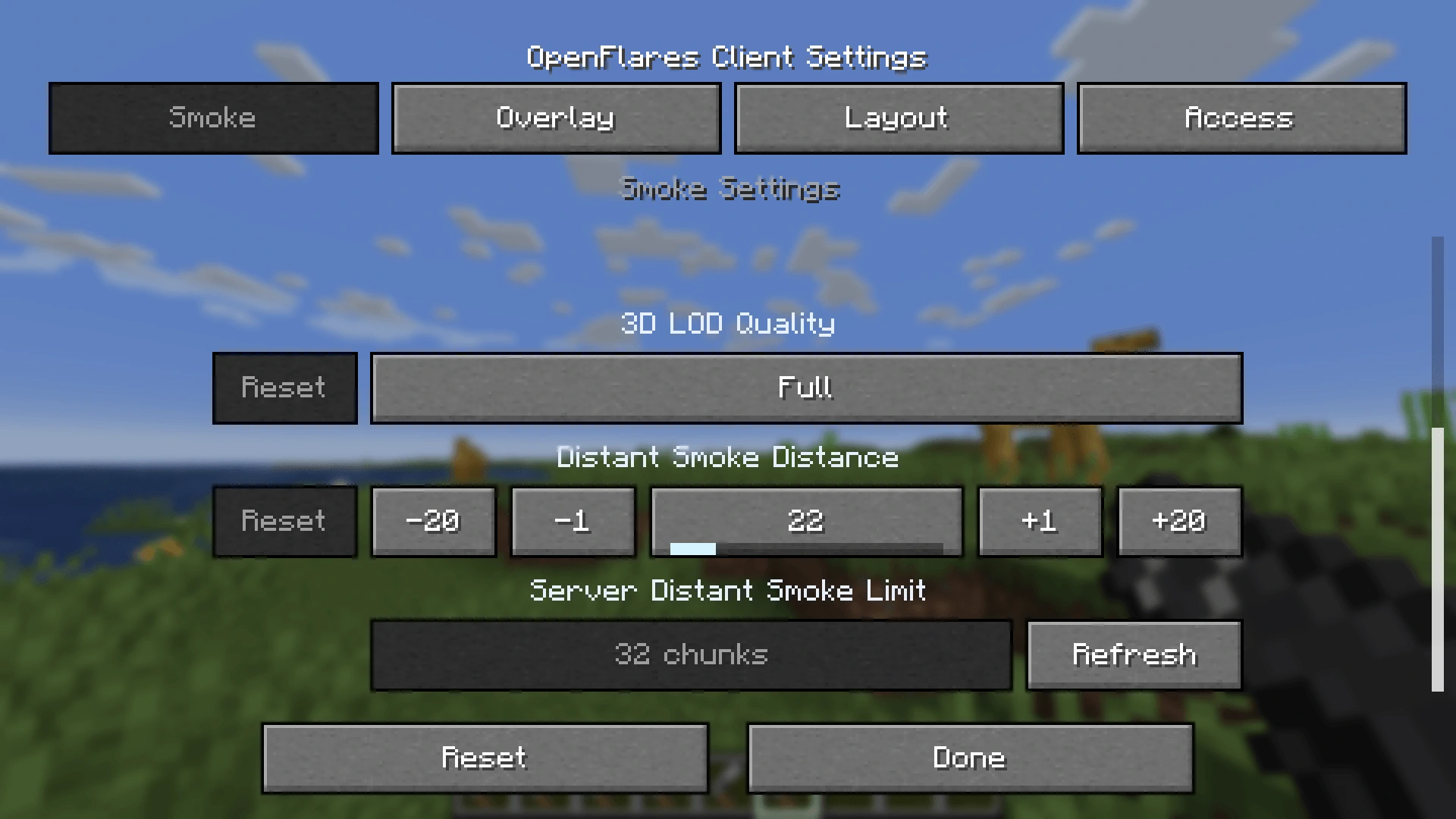 Client-Side Settings Menu
 -
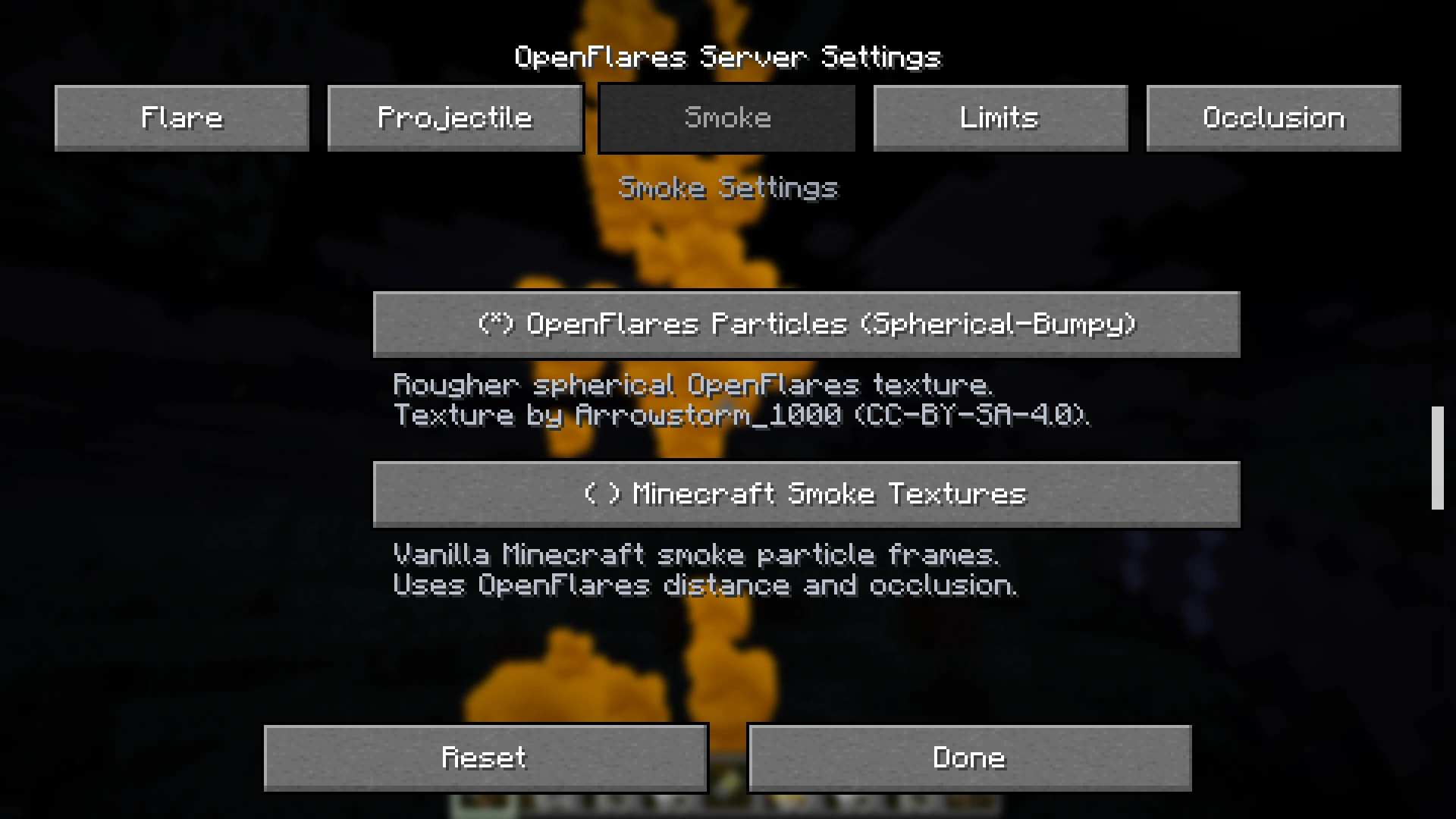 Server-Side Settings Menu
Versions
Files
Relations
Project Relations
More like this
Similar Mods
Suggestions use data such as tags, dependencies, dependents, descriptions, titles, and more to rank how much they overlap with this mod.
On ModDex
Community snapshot
By the numbers
Statistics
Want to reach Minecraft players?
We're looking for a server hosting partner to feature here and other parts of the site. Interested? Send us a message!
Get in touchGet it on
Available Platforms
On ModDex
Community snapshot
By the numbers