Community listing page, reviews here may not be monitored by the author.
Order to cook


No reviews yet
This mod offers a complete restaurant management experience: order taking, cooking, packaging, delivery, and a rich economy system.
Community voices
Reviews
No reviews yet. Be the first to review this project!
Get it on
Available Platforms
Compatibility
Supported Environments
Must be installed on both the client and the server.
About
Project Details
For authors
Embed Badge
If you're the author of this project, you can embed a live badge anywhere that supports HTML or Markdown. It updates automatically whenever ratings change.
Use HTML for any page that supports it, or Markdown for README files and Markdown-based descriptions.
Identifiers
Platform IDs
Resources
External Links
About
Description
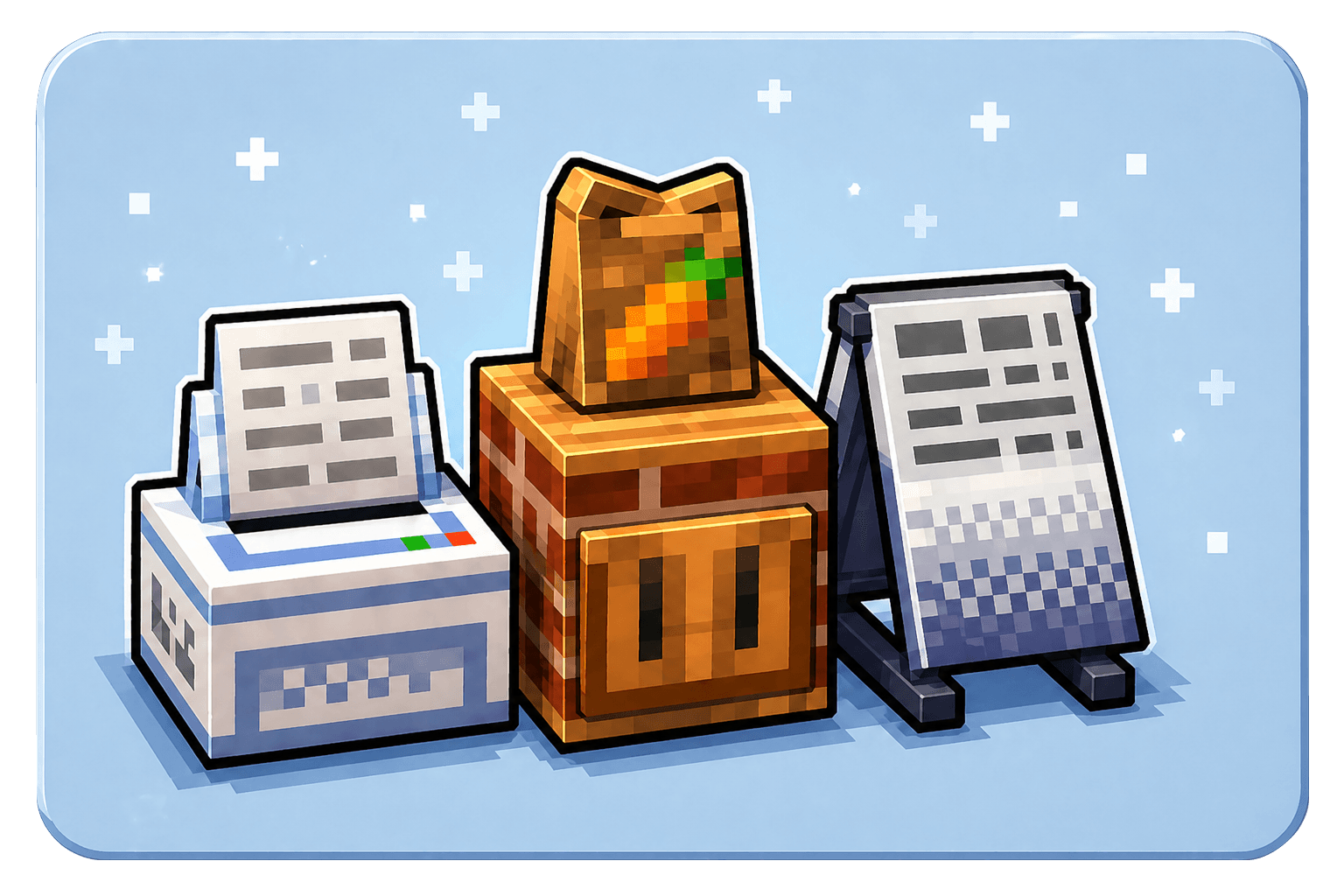
🍳 Order To Cook
Want to run your own restaurant in Minecraft?
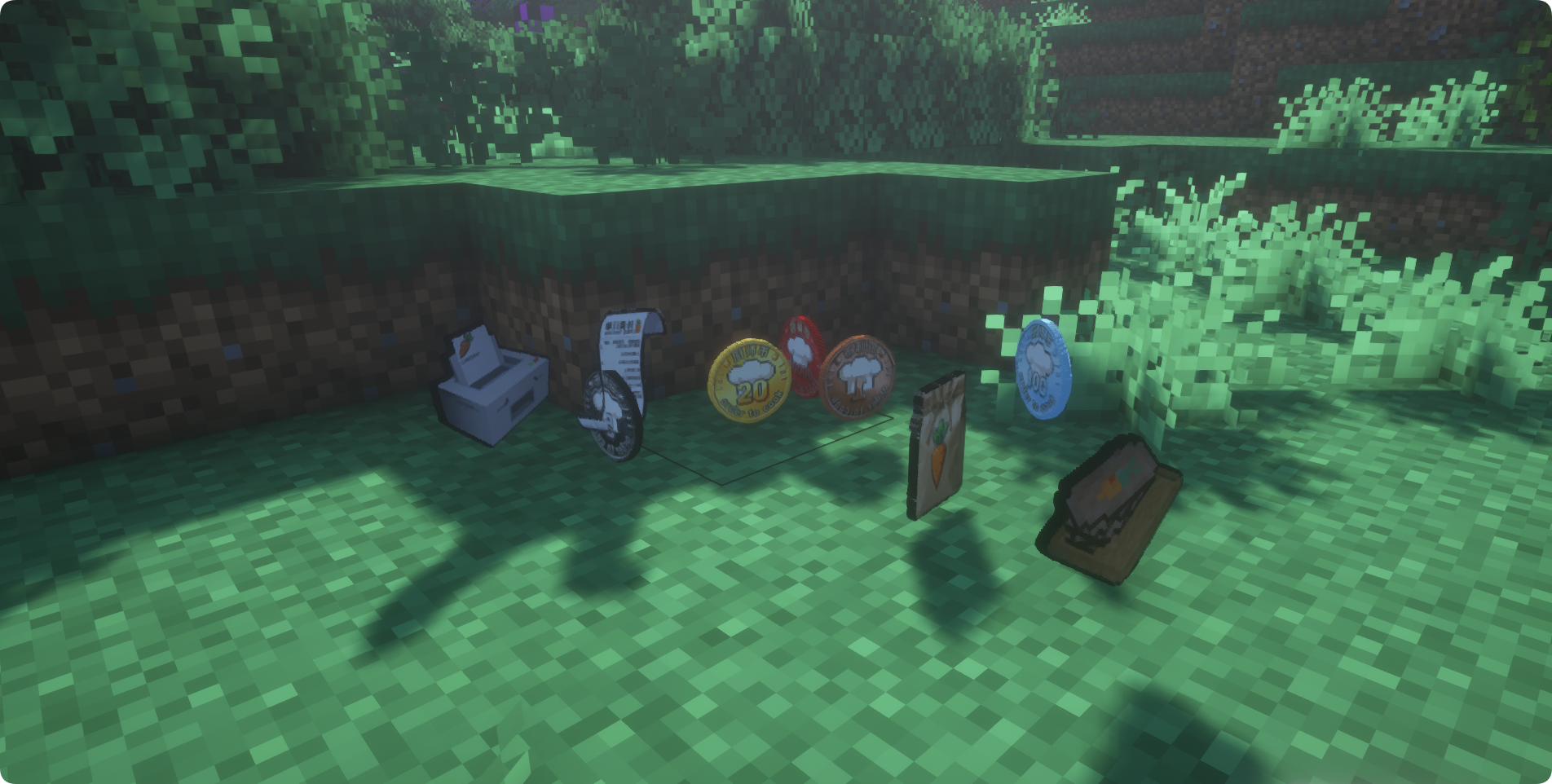
Order To Cook turns food from Minecraft and other cooking mods into a complete restaurant management experience.
Create your menu, accept orders, prepare meals, serve dine-in customers, deliver takeout packages, earn rewards, upgrade your kitchen, and grow your restaurant.
📋 Overview
Core Gameplay:
Set your menu → Accept orders → Prepare the requested food → Plate or package it → Serve the customer → Earn rewards
Main Features:
- Dine-in and delivery orders
- Rush and long-distance orders
- Walk-in customers
- Restaurant levels and reward bonuses
- Custom restaurant menus
- Reusable plates and dishwashing
- Advanced kitchen appliances
- Delivery scooter
- Restaurant leaderboard
- Customer and block animations
- Custom currencies
- Optional cross-mod integrations
🎮 Getting Started
A basic restaurant requires:
- Order Machine
- Sign Board
- Countertop
- Packaging Shelf
- Chairs
For dine-in service, you will also need:
- Plate Shelf
- Sink or Dishwasher
First, place food on the Sign Board to create your restaurant menu. The Order Machine will then generate orders based on the dishes you offer.
Accept an order, prepare the requested food, and use the Countertop to package it for delivery or place it on a plate for dine-in service.
🧾 Order Machine
The Order Machine is the center of your restaurant.
It generates several kinds of orders:
- Regular orders
- Dine-in orders
- Delivery orders
- Rush orders
- Long-distance delivery orders
- Walk-in customer orders
- Special and easter egg customer orders
You may choose which orders to accept.
Completing orders provides currency and contributes to your restaurant’s progression.
🪧 Sign Board and Menu
The Sign Board determines which dishes your restaurant can sell.
Place eligible food items on the Sign Board, and orders will be generated from the dishes currently listed on your menu.
A larger and more valuable menu helps support restaurant progression and better rewards.
Special or modded items that do not have normal food properties can also be added through the custom virtual nutrition configuration.
🍱 Countertop
The Countertop is used to complete accepted orders.
It can:
- Search for nearby ingredients
- Use ingredients stored inside nearby refrigerators
- Package delivery orders
- Plate dine-in orders
- Check which ingredients are missing from the current order
Packaging requires supplies from a nearby Packaging Shelf. Plating requires clean plates from a nearby Plate Shelf.
🍽️ Dine-In and Dish System
Customers can visit your restaurant, sit on chairs, and order food.
Use the Countertop to place their meal on a plate. Plated dishes display different food models, and customers perform dining animations while eating.
After the meal, the customer leaves a dirty plate behind.
Plate Shelf
Stores clean plates for dine-in orders.
Right-click the shelf with clean plates to replenish its supply.
Sink
Stores dirty plates for manual washing.
Place dirty plates inside, then hold right-click with an empty hand to wash them.
Dishwasher
Automatically washes dirty plates and stores the resulting clean plates.
🧰 Advanced Kitchen Appliances
Use the oTc Upgrade Box to upgrade supported blocks into advanced restaurant appliances.
Refrigerator
- Double-door, two-block-tall storage
- Separate upper and lower storage areas
- Stores item stacks of up to 128
- Includes a one-click sorting function
- Supplies ingredients to nearby Countertops
Dishwasher
- Automatically washes dirty plates
- Stores clean plates after washing
- Created by upgrading a Sink
Stove
- Cooks up to three types of food at the same time
- Functions as a cooking surface for supported cooking mods
- Created by upgrading a Smoker
🛵 Delivery Scooter
Use the scooter to deliver orders to distant customers.
- Left-click to honk
- Right-click to toggle the headlight
- Dye it red, blue, yellow, or white
- Automatically equips the rider with a safety helmet
- Shift + right-click to open its insulated storage box
- Press E while riding to open the insulated storage box
- Carries multiple delivery packages
Delivery packages stored inside the scooter can display direction information in their tooltips.
⭐ Restaurant Progression
Restaurants can progress up to Level 8.
Restaurant progression is influenced by your completed orders and the dishes offered on your menu.
Higher levels provide better reward bonuses and access to more demanding restaurant orders.
🏆 Restaurant Leaderboard
The Order Machine provides access to a server-wide restaurant leaderboard.
Players can compare restaurant statistics such as:
- Completed orders
- Delivery orders
- Long-distance deliveries
- Total earnings
The leading restaurant can earn a hidden advancement.
🧩 Compatibility
Touhou Little Maid
Touhou Little Maid entities can be used as restaurant customers.
This integration is optional and can be enabled in the Order To Cook configuration.
Jade
Optional Jade support displays useful information for restaurant equipment:
- Packaging Shelf supplies
- Plate Shelf supplies
- Dirty plates stored in the Sink
- Dishwasher status
- Refrigerator storage usage
SDM Currency
The restaurant reward item can be configured to use SDM digital currency.
Aeronautics / Sable
NeoForge players using supported Aeronautics or Sable systems may need the separate compatibility addon:
Coin To Shop
Want somewhere to spend your restaurant earnings?
Coin To Shop can be used to create shops that accept your configured currency.
📖 Guides and Tutorials
Chinese Video Tutorial
A Chinese video tutorial covering the main restaurant gameplay:
【MC模组】MC种田养老党的终极答案,你的菜终于有订单要了!
This video is presented in Chinese.
Custom Virtual Nutrition
Items are normally recognized through their food properties and nutritional value.
Custom virtual nutrition allows you to:
- Change the effective value of special dishes
- Adjust the price and reward value of dishes
- Add items without normal food properties to the menu
- Support special ingredients and dishes from other mods
Tutorial:
How to customize virtual nutrition and menu items
Custom Customer Skins
You can create a resource pack to replace regular customer skins with your friends, original characters, or other custom appearances.
The resource pack can also contain multiple customer skins, allowing the game to select a random appearance for each regular customer.
Tutorial:
How to create custom and randomized customer skins
🔧 Compatibility API
Order To Cook provides compatibility interfaces for mod developers.
Other mods can integrate with:
- Menu food recognition
- Virtual nutrition
- External ingredient storage
- Packaging and plate supplies
- Countertop automation
- Order lifecycle events
📌 Requirements
Supported Versions
- Minecraft 1.20.1 — Fabric
- Minecraft 1.20.1 — Forge
- Minecraft 1.21.1 — Fabric
- Minecraft 1.21.1 — NeoForge
Required Dependency
GeckoLib is required.
Recommended versions:
- Minecraft 1.20.1: GeckoLib 4.8.3
- Minecraft 1.21.1: GeckoLib 4.8.4
Install the GeckoLib file made for the same Minecraft version and mod loader as Order To Cook.
📦 Modpack Permission
You may include Order To Cook in your own modpack without asking for permission.
Please use a standard modpack format or manifest that downloads the mod from its official project page.
Do not place the Order To Cook JAR directly inside a ZIP archive or redistribute the JAR as a separate download. This avoids direct secondary distribution and helps players receive the correct version from the official project page.
🍳 Order To Cook(下单了)
想开一家属于自己的餐厅吗? 本模组为你提供完整的餐厅经营体验——从接单、烹饪、打包到配送,配合丰富的经济系统,打造深度又有趣的游戏玩法。
📋 模组概览
- 模组名称:Order To Cook(下单了)
- 核心玩法:设定菜单 → 接取外卖/堂食订单 → 制作食物 → 打包交付 → 赚取奖励
- 特色机制:餐厅等级、加急订单、超远距离配送、小费系统、彩蛋顾客、小电驴、餐盘系统、餐厅排行、细致动画、高级厨电(新)
- 货币自定义:默认货币为 oTc币,可在配置文件中自定义奖励货币,模组兼容
🎮 基础玩法
核心设备
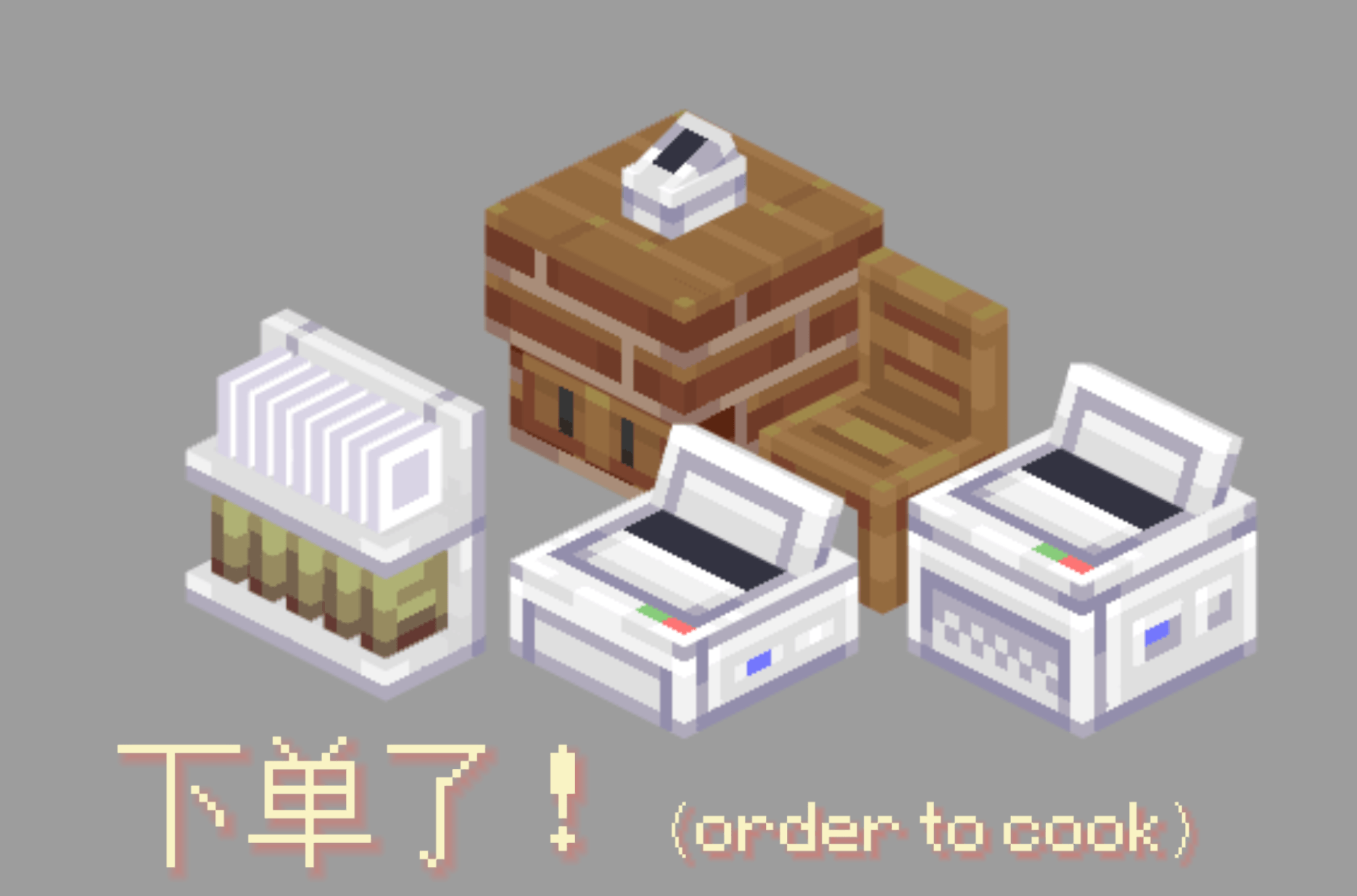
- 打单机:放置在世界中,点击打开界面等待订单刷新
- 椅子:配合堂食顾客使用
- 操作台:装盘和打包食物的核心工作区
- 立牌:用于设置店铺菜单
- 包装架:用皮革右键补充,以填充包装袋
- 餐盘架:用空餐盘右键补充,以填充餐盘
- 洗碗池:放入脏餐盘,空手长按右键刷盘子
订单系统
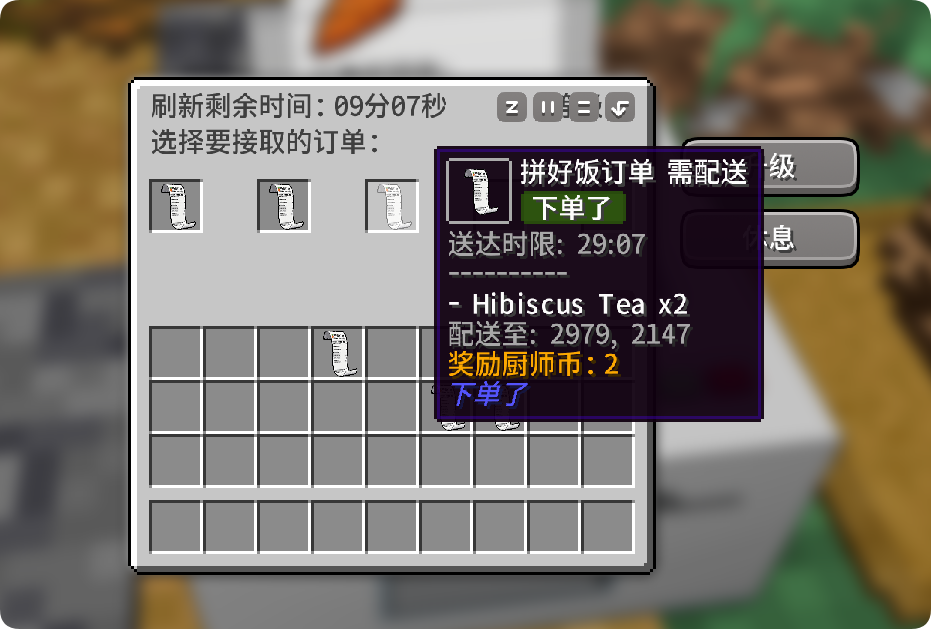
多种订单类型:不同等级订单、加急订单、超远距离配送订单、自动到店顾客(黄色边框,右键获取订单)
自由选择:按需接单,在操作台制作食物后打包/装盘交付
菜单系统(全新机制)
- ✨ 移除了原版的黑/白名单模式
- ✨ 新增「立牌」方块:放置后可在其中配置你的店铺菜单
- ✨ 智能菜单识别:订单食物只会从立牌设置的菜单中生成
- ✨ 设置高级食物:同等级下的高饱食度食物会有额外奖励
📈 等级系统重制
打单机等级
- 等级上限提升:餐厅等级从原来的等级扩展至 8级!
- 更多增益:每升一级都能获得更丰厚的奖励加成
- 饱食度影响:打单机升级现在会受到立牌设置的菜单总饱食度影响——鼓励你提供更丰富、更高级的菜品!
🎉 1.3版本更新,新增更多玩法
细致动画
1.3版本开始持续更新制作了玩家、顾客以及方块等动画,包括:
- 玩家坐在椅子上的待机动画
- 椅子上按鼠标左键的喝彩动画
- 洗碗动画
- 电瓶车骑行动画
- 方块动画,包括打单机新订单、冰箱、洗碗机、炉灶等
- 顾客的4种待机动画,出现和消失动画等
小电驴
新增载具「小电驴」,送外卖怎么能缺少它!
- 左键按喇叭、右键开车灯
- 用红色、蓝色、黄色、白色染料可以为小电驴染色
- 上车会自动为玩家戴上安全帽(安全第一)
- Shift+右键或在骑行时按E键可以打开保温箱,存入保温箱的包裹会在提示栏中带有箭头指示,支持多个外卖包裹
餐厅排行
- 你可以在打单机中进入排行榜,其中有服务器各个餐厅的经营情况
- 金牌餐厅(默认为按总收益排序)获得隐藏成就,暂无其他增益
餐盘系统
新增方块:
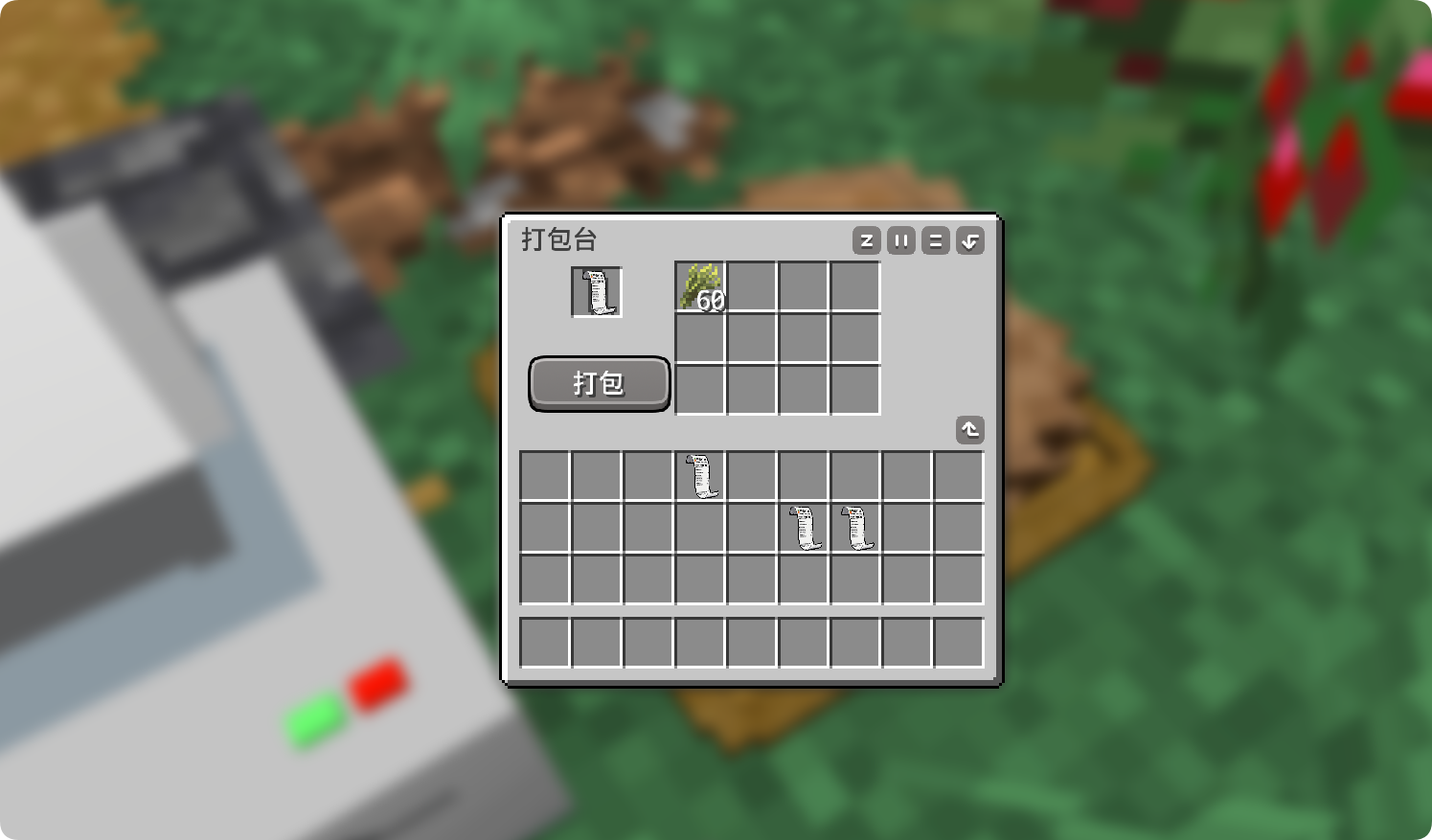
- 餐盘货架:你可以在操作台中使用"装盘"功能,为堂食顾客提供可重复利用的餐盘盛放食物,而不再消耗皮革打包。装盘会提供多种随机食物模型,以增加趣味性。
- 洗碗池:食物被顾客食用后会在桌上留下"脏盘",放入洗碗池中空手右键开始刷盘子吧!
使用餐盘效果:
- 使用餐盘顾客会有进食动画,同时有概率触发"好吃到爆炸"效果
- 未来将有助于提升你的餐厅评价和收益!
高级家电(1.3.5 新增)
使用 oTc 工具箱 升级高级家电方块:
- 冰箱 — 双开门2格高,食材堆叠上限128,允许使用打包台时消耗冰箱食材,升级自两格高木桶
- 洗碗机 — 全自动洗碗,升级自洗碗池
- 炉灶 — 一次烧制3种食物,允许作为 农夫乐事 /Let's do / 森罗厨房的炉灶,升级自烟熏炉
🔧 模组适配与前置
- 前置模组:Geckolib
- 兼容性:Forge 1.20.1、Fabric 1.20.1、Fabric 1.21.1、NeoForge 1.21.1
- 联动说明:
- 联动车万女仆模组可见顾客更换为女仆,需在配置文件中开启
- 支持将货币设置为SDM数字货币,需在配置文件中开启
- NeoForge适配航空学模组,需额外安装我的另一个模组 下单了:兼容
- 推荐安装:安装我的另一个模组 消费了 用于设置商店,消耗你赚取的oTc币!
🌐 English Version
🍳 Order To Cook
Want to run your own restaurant? This mod offers a complete restaurant management experience — from taking orders and cooking to packaging and delivery, all backed by a rich economy system for deep and engaging gameplay.
📋 Mod Overview
- Mod Name: Order To Cook
- Core Gameplay: Set your menu → Accept takeout/dine-in orders → Cook the food → Package and serve → Earn rewards
- Key Features: Restaurant leveling, rush orders, long-distance deliveries, tipping, easter egg customers, scooter, dish system, restaurant leaderboard, detailed animations, and advanced kitchen appliances (new!)
- Customizable Currency: Default currency is oTc Coin. You can change the reward currency in the config file — the mod is compatible with other currency systems.
🎮 Basic Gameplay
Core Equipment
- Order Machine: Place it in the world, right-click to open the interface and wait for orders to appear.
- Chairs: Used by dine-in customers.
- Countertop: The main workstation for plating and packaging food.
- Sign Board: Used to set your restaurant's menu.
- Package Shelf: Right-click with leather to restock packaging bags.
- Plate Shelf (new): Right-click with empty plates to restock plates.
- Sink (new): Place dirty plates inside, then hold right-click with an empty hand to wash them.
Order System
Multiple order types are available:
- Orders of different levels
- Rush orders
- Long-distance delivery orders
- Walk-in customers (yellow border, right-click to take their order)
Pick and choose which orders to accept. Prepare the food at the Countertop, then either package it for delivery or plate it for dine-in service.
Menu System (Brand New!)
- ✨ Removed the old blacklist/whitelist system
- ✨ New "Sign Board" block: Place it and configure your restaurant's menu inside.
- ✨ Smart menu recognition: Orders will only generate items that are on your Sign Board menu.
- ✨ Premium food bonuses: Higher-satiety foods within the same level provide extra rewards.
📈 Level System Rework
Order Machine Levels
- Increased level cap: Your restaurant can now reach up to Level 8!
- More perks: Each level grants better reward bonuses.
- Satiety influence: Upgrading the Order Machine now takes into account the total satiety of all items on your Sign Board menu — encouraging you to offer a richer, higher-quality selection of dishes!
🎉 What's New in Version 1.3
Detailed Animations
Starting with version 1.3, we've been adding smooth animations for players, customers, and blocks, including:
- Player idle animation when sitting on a chair
- Cheer animation (left-click while seated)
- Dishwashing animation
- Scooter riding animation
- Block animations for the Order Machine (new order alert), Refrigerator, Dishwasher, Stove, and more
- 4 idle animations for customers, plus entrance and exit animations
Scooter
A new vehicle — the scooter! How could you deliver food without one?
- Left-click to honk, right-click to toggle headlights
- Dye it with red, blue, yellow, or white dye
- Automatically equips a helmet when you mount up (safety first!)
- Shift+right-click, or press E while riding, to open the insulated storage box. Packages stored inside will show an arrow indicator in the tooltip. Supports multiple delivery packages at once.
Restaurant Leaderboard
- Access the leaderboard from the Order Machine to see how all restaurants on the server are performing.
- The top restaurant (sorted by total earnings by default) earns a hidden achievement. No other bonuses for now.
Dish System
New Blocks:
- Plate Shelf: Use the "Plate" function at the Countertop to serve dine-in customers on reusable plates instead of consuming leather for packaging. Plating also displays a variety of random food models for extra visual flair.
- Sink: After customers finish eating, they leave a "dirty plate" on the table. Place it in the Sink, then right-click with an empty hand to start scrubbing!
Effects of Using Plates:
- Customers will play eating animations when served with plates, with a chance to trigger a "so tasty it explodes" effect.
- In future updates, this will also help boost your restaurant's rating and earnings!
Advanced Kitchen Appliances (New in 1.3.5)
Upgrade your kitchen with the OtC Upgrade Box:
- Refrigerator — Double-door, 2-block tall. Food stack limit increased to 128. Allows the Countertop to pull ingredients directly from the fridge. Upgrades from a 2-block tall barrel.
- Dishwasher — Fully automatic dishwashing. Upgrades from the Sink.
- Stove — Cooks up to 3 types of food at once. Also functions as a stove for Farmers' Delight, Farm & Charm, and Forest Kitchen. Upgrades from the Smoker.
🔧 Compatibility & Dependencies
- Required Dependency: Geckolib
- Supported Platforms: Forge 1.20.1, Fabric 1.20.1, Fabric 1.21.1, NeoForge 1.21.1
- Cross-mod Integration:
- Compatible with Touhou Little Maid — enable in config to replace customers with maids.
- Can use SDM digital currency as the reward currency — enable in config.
- For NeoForge + Aeronautics mod, you'll need to install my other mod: OrderToCookCompat.
- Recommended Addition: Install my other mod Coin To Shop to set up shops and spend your hard-earned oTc Coins!
Screenshots
Gallery
-
 ScreenShot_ãããã-ãã-ãã_ãããããã_ããã.png ScreenShot_ãããã-ãã-ãã_ãããããã_ããã.png
 -
ä¸åäº32k.png ä¸åäº32k.png
Versions
Files
Relations
Project Relations
More like this
Similar Mods
Suggestions use data such as tags, dependencies, dependents, descriptions, titles, and more to rank how much they overlap with this mod.
On ModDex
Community snapshot
By the numbers
Statistics
Want to reach Minecraft players?
We're looking for a server hosting partner to feature here and other parts of the site. Interested? Send us a message!
Get in touchGet it on
Available Platforms
On ModDex
Community snapshot
By the numbers
Statistics
Resources