Community listing page, reviews may not be monitored by the author.
OreFinder+

No reviews yet
A client-side Minecraft Forge ore scanner with progressive scanning, customizable 3D markers, HUD, 2D radar, an improved map, 12 interface languages, and a local history of detected ores.

Community voices
Reviews
No reviews yet. Be the first to review this project!
Get it on
Available Platforms
About
Project Details
For authors
Embed Badge
If you're the author of this project, you can embed a live badge anywhere that supports HTML or Markdown. It updates automatically whenever ratings change.
Use HTML for any page that supports it, or Markdown for README files and Markdown-based descriptions.
Identifiers
Platform IDs
Resources
External Links
About
Description
OreFinder+ 1.1.0 - Advanced Ore Scanner
Find ores. Mine smarter.
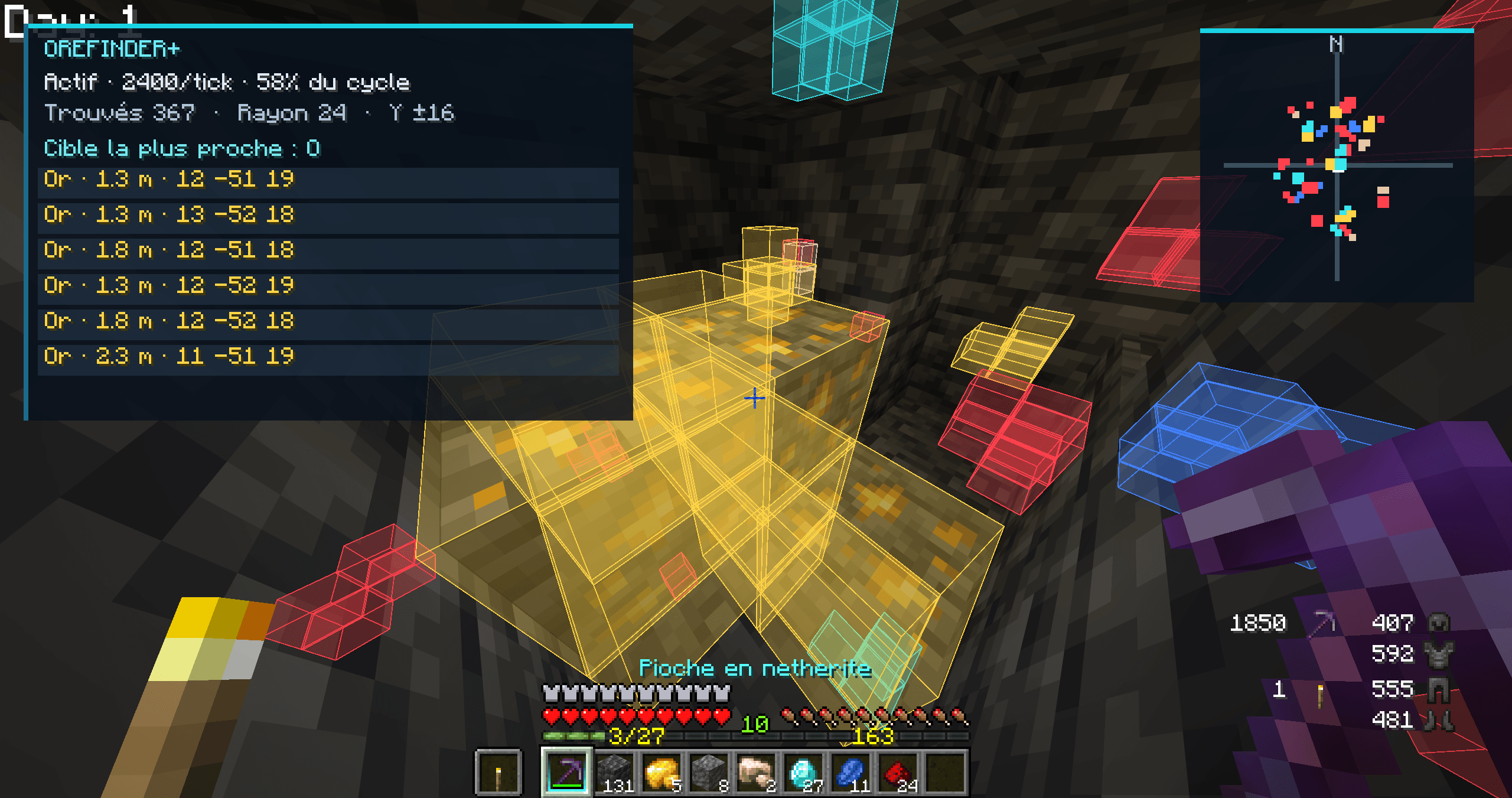
OreFinder+ is a client-side Minecraft Forge mod designed to make mining and exploration easier. It combines a progressive ore scanner, customizable 3D markers, an on-screen HUD, a 2D radar, and an improved local map.
Version 1.1.0 introduces a smaller default interface, a redesigned top-down map, a language selector with 12 languages, and a Seed Lab that saves a local history of ores detected by the scanner.
Progressive Ore Scanner
OreFinder+ progressively scans blocks around the player, prioritizing nearby areas while limiting the amount of work performed per tick.
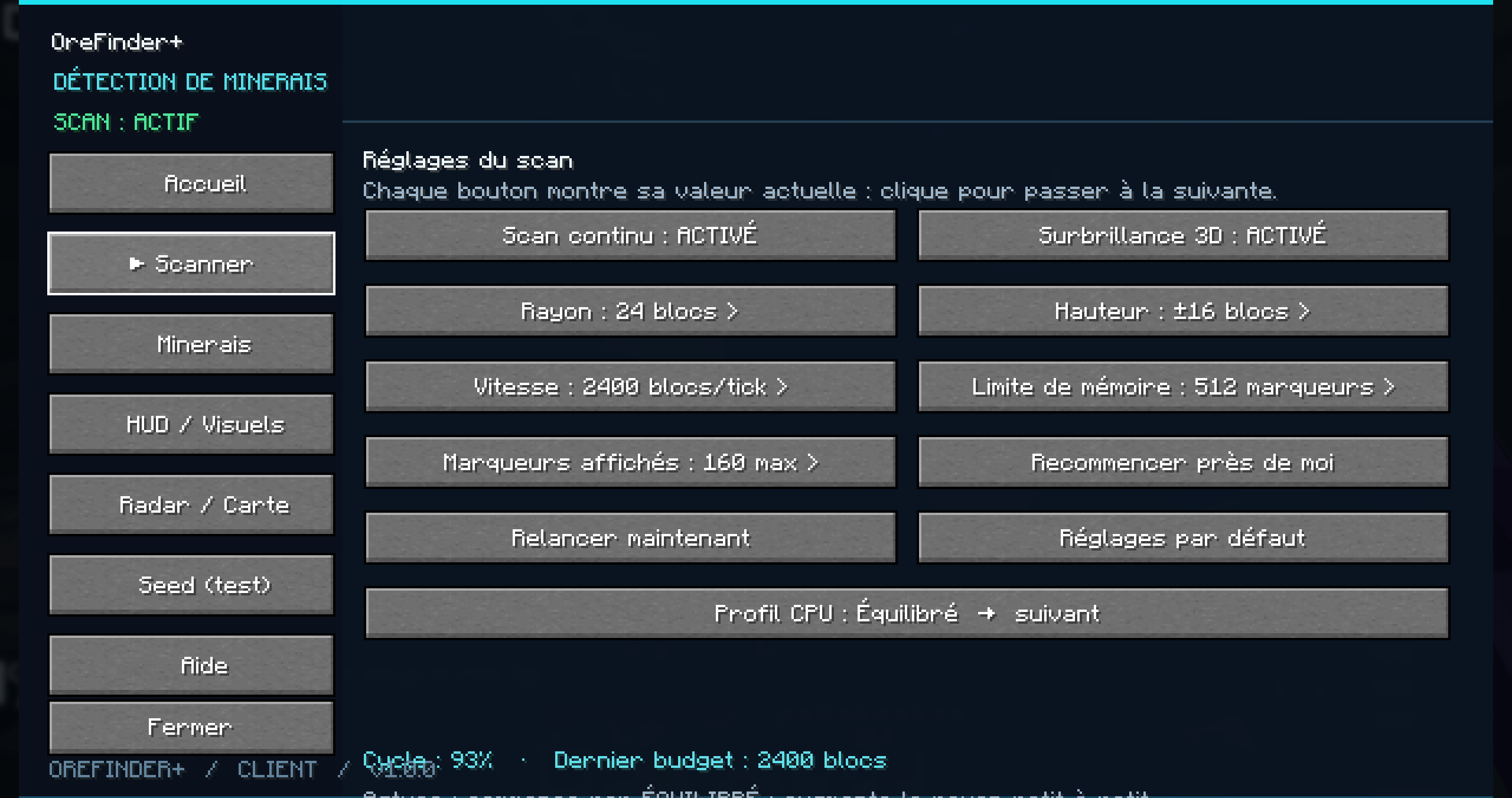
Horizontal scan radius: configurable from 8 to 96 blocks.
Vertical scan range: configurable from ±4 to ±48 blocks.
Configurable scan budget and marker limits.
Manual scan restart and scan pause controls.
Performance-focused caching and time limits designed to reduce unnecessary work.
Supported Ore Types
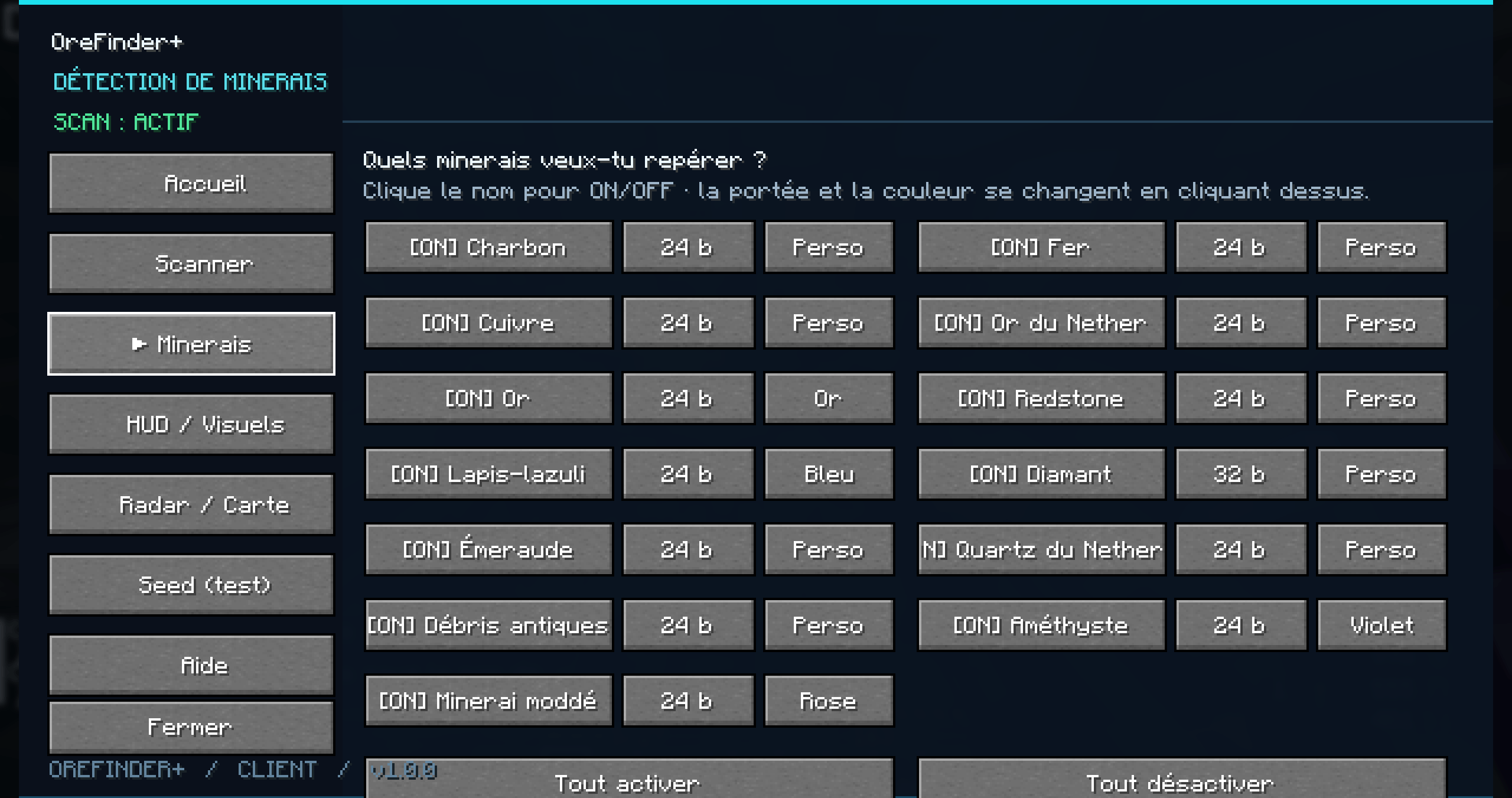
Coal, iron, copper, gold, Nether gold, redstone, lapis lazuli, diamond, emerald, Nether quartz, ancient debris, and budding amethyst.
Some modded ores may also be recognized when their registered block names follow supported naming patterns.
Each ore category can be enabled or disabled independently, with configurable detection distance and marker color.
Customizable 3D Markers
Detected ores can be highlighted directly in the Minecraft world.
Colored block outlines and translucent fills.
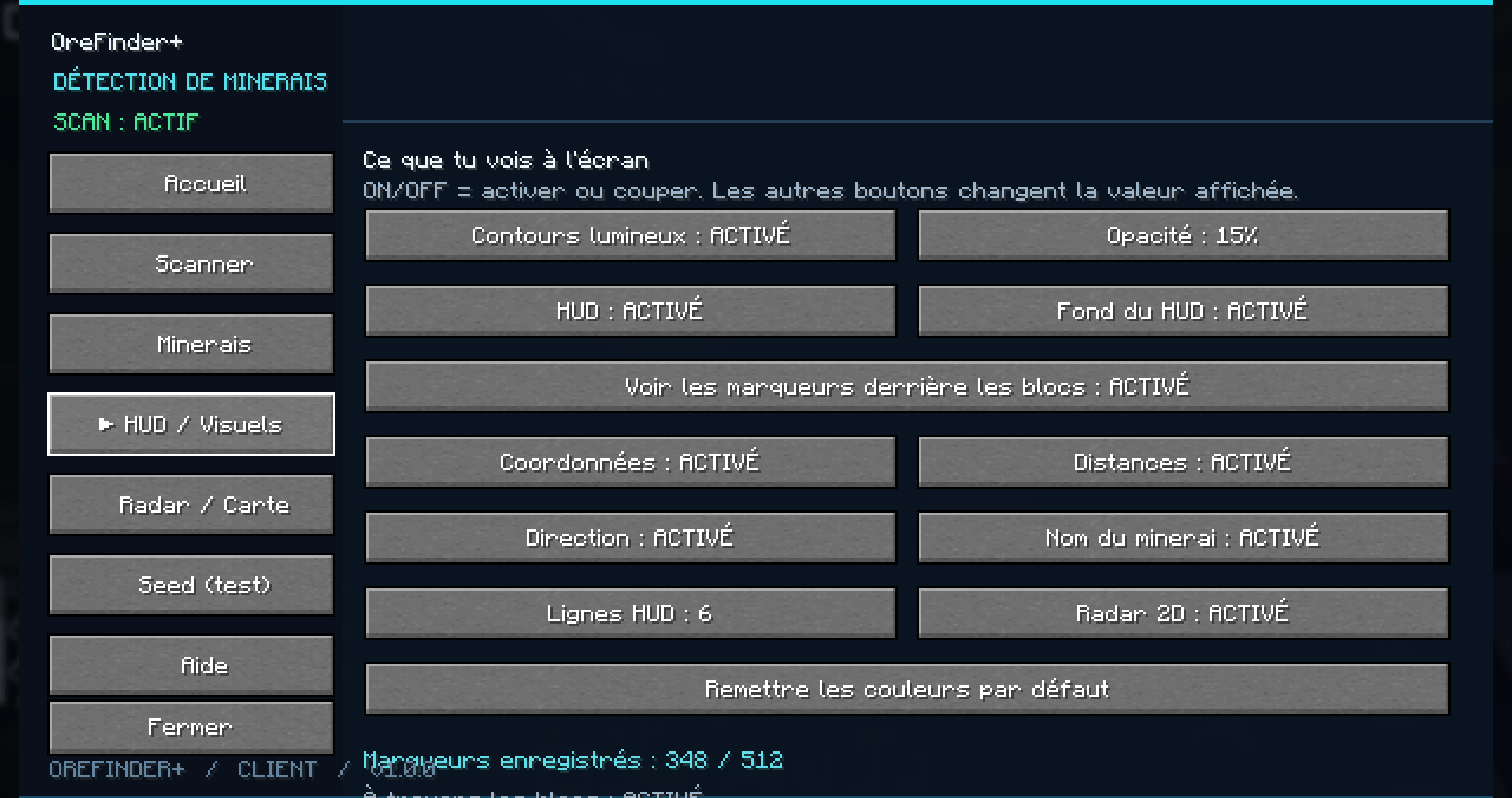
Adjustable fill opacity.
Optional visibility through blocks.
Configurable marker limits to control visual clutter and rendering workload.
A customizable color palette for ore categories.
HUD and 2D Radar
The HUD displays useful mining information, including scanner status, detected ore counts, ore names, distances, coordinates, and directions.
The compact 2D radar displays detected ores as colored markers around the player's position.
HUD and radar visibility can be configured independently.
Redesigned Local Map
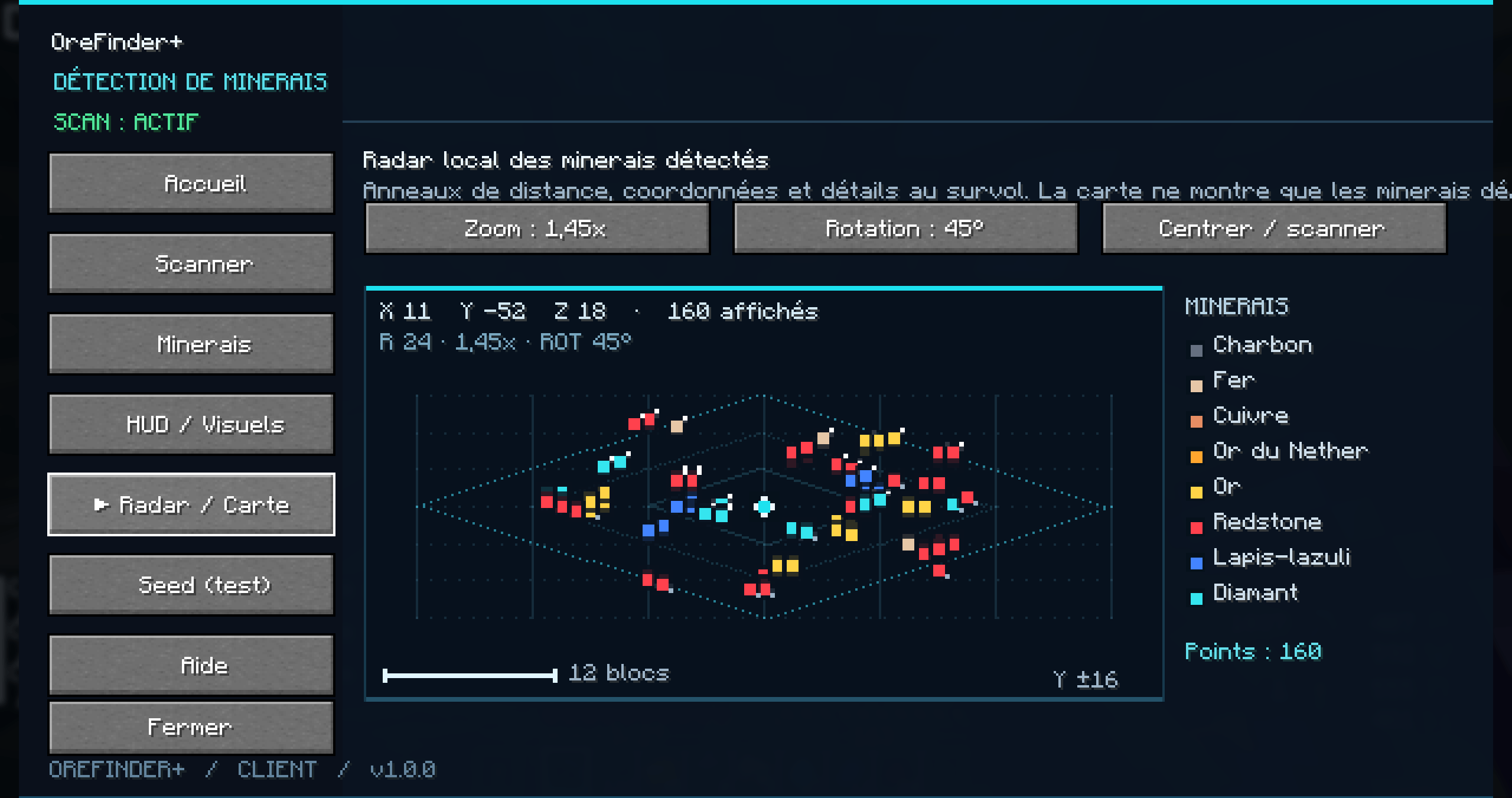
Version 1.1.0 brings a clearer top-down map based on horizontal X/Z coordinates.
A grid, range rings, player marker, and north indicator help you understand your position.
Ore markers follow the colors selected in the ore settings.
A legend counts visible markers by ore category.
Hover over a marker to inspect its ore type, horizontal distance, X/Y/Z coordinates, and height difference.
Three zoom levels and map rotation are available.
The map displays ores actually detected by the scanner. It does not invent coordinates for ores that have not been found.
12 Interface Languages
Choose your preferred language directly from the OreFinder+ menu.
Available languages: French, English, Spanish, German, Italian, Portuguese, Russian, Simplified Chinese, Japanese, Polish, Dutch, and Turkish.
The language selection is saved between sessions. The main interface labels, buttons, settings, HUD, map texts, and color names use the shared translation system.
Customizable Interface Size
The interface now starts in Compact mode to take up less screen space.
Choose Compact, Normal, or Large from HUD / Visuals.
Your choice is saved in the client configuration and is independent of Minecraft's general GUI scale.
Seed Lab - Local Ore History
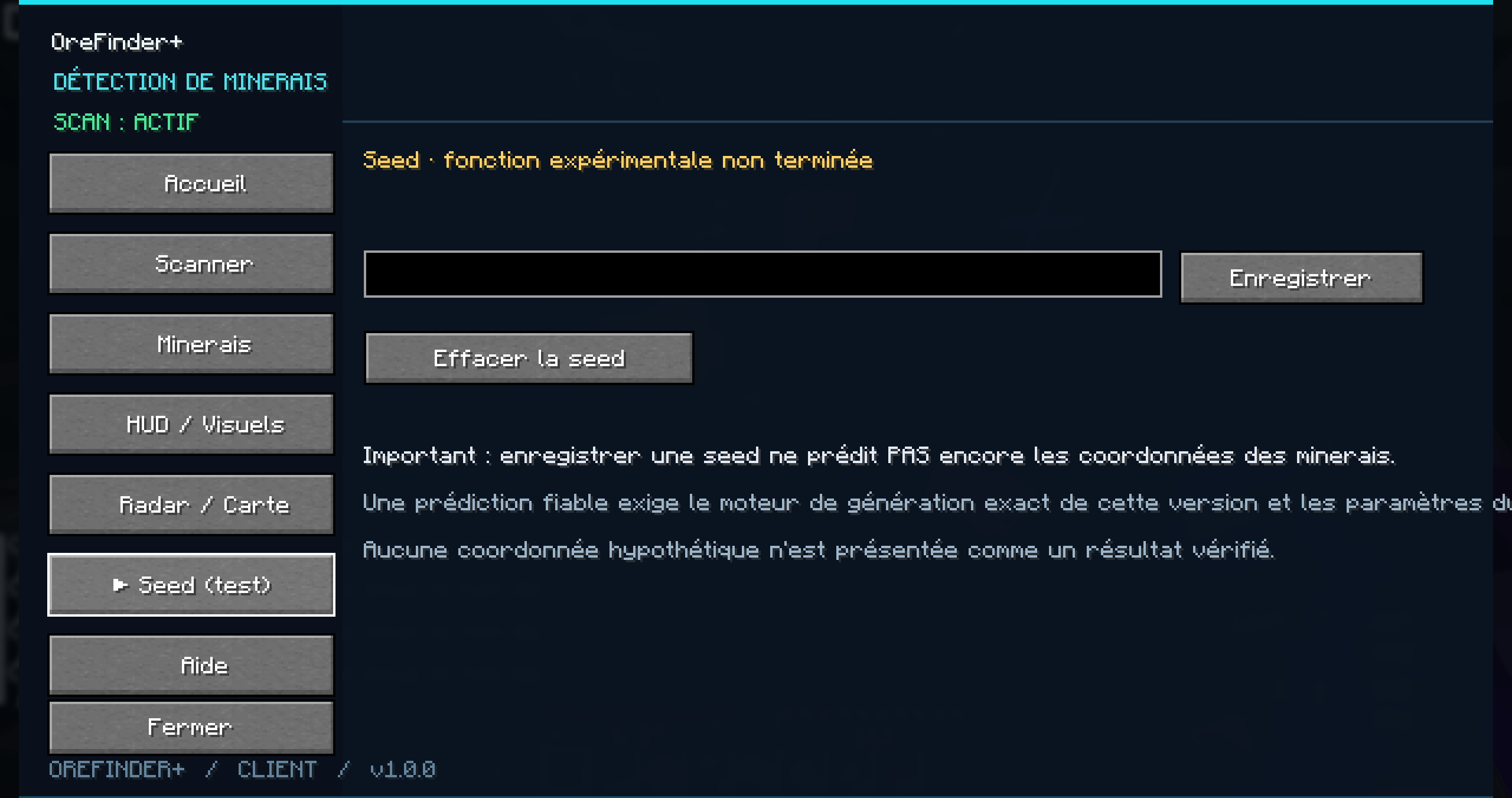
The Seed Lab stores a local history of coordinates actually discovered by the scanner.
In singleplayer, the mod can retrieve the current world's seed.
In multiplayer, you can enter a seed manually if you know it.
Detected ore positions are saved in CSV archives separated by seed and dimension, keeping the Overworld and Nether records apart.
The archive supports up to 10,000 stored positions and uses safer file-writing procedures to reduce the risk of corrupted saves.
Recent coordinates can be viewed without repeatedly processing the entire archive.
Important: Seed Lab is a history of detected ores, not a predictive ore-finding engine. It does not calculate the positions of undiscovered ores from a world seed.
Performance and Settings
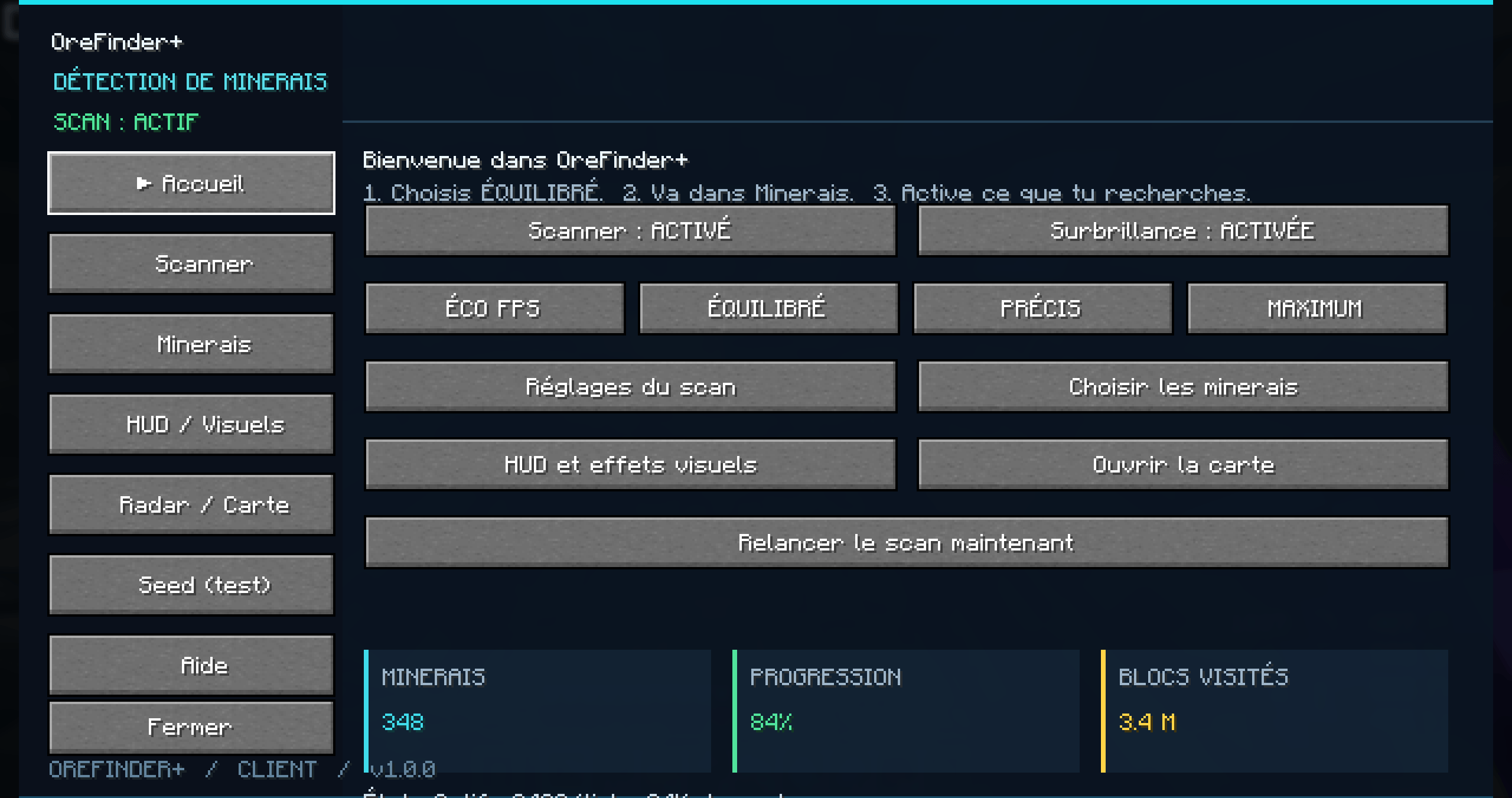
Choose a performance preset: Eco FPS, Balanced, Precise, or Maximum.
Adjust scanner radius, vertical range, scan budget, ore filters, detection distances, colors, opacity, and marker limits.
Settings are stored locally in:
config/orefinderplus.properties
Seed history is stored under:
config/orefinderplus/
Controls
Default key: O - Open OreFinder+ menu
To change the key, open Options → Controls → Key Binds and search for Open OreFinder+ menu.
Use the in-game menu and mouse to configure the scanner, ore filters, HUD, radar, map, language, and Seed Lab.
Important Limitations
OreFinder+ scans block data already accessible to the client. It does not force unloaded chunks to load or generate.
Detection depends on the block information received by the client. Server-side anti-Xray systems can hide blocks and prevent accurate detection.
The mod is not guaranteed to be undetectable by server anti-cheat systems. Always follow the rules of the server you play on.
Install the build matching your exact Minecraft and Forge versions. Compatibility must be confirmed for the individual release.
OreFinder+ 1.1.0 - Find ores. Mine smarter.
Screenshots
Gallery
-
 Screenshot 1
 -
 Screenshot 2
 -
 Screenshot 3
 -
 Screenshot 4
 -
 Screenshot 5
 -
 Screenshot 6
 -
 Screenshot 7
 -
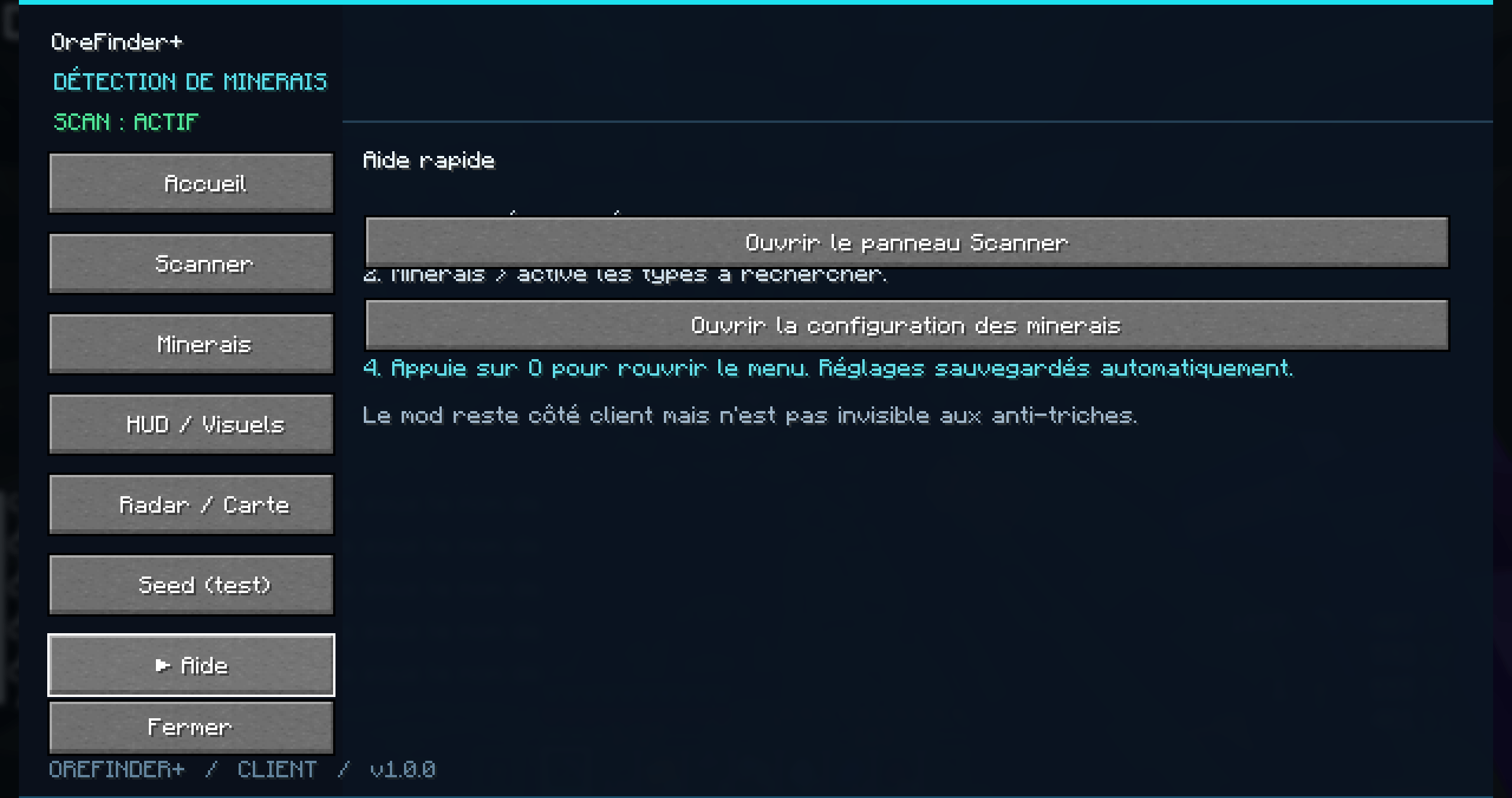 Screenshot 8
Versions
Files
Relations
Project Relations
More like this
Similar Mods
Suggestions use data such as tags, dependencies, dependents, descriptions, titles, and more to rank how much they overlap with this mod.
On ModDex
Community snapshot
By the numbers
Statistics

Get it on
Available Platforms
On ModDex
Community snapshot
By the numbers
Statistics
Resources