
Community listing page, reviews here may not be monitored by the author.
OreVision | X-Ray

No reviews yet
OreVision is a client-side Fabric mod that helps you locate Minecraft ores
Community voices
Reviews
No reviews yet. Be the first to review this project!
Get it on
Available Platforms
About
Project Details
For authors
Embed Badge
If you're the author of this project, you can embed a live badge anywhere that supports HTML or Markdown. It updates automatically whenever ratings change.
Use HTML for any page that supports it, or Markdown for README files and Markdown-based descriptions.
Identifiers
Platform IDs
Resources
External Links
About
Description
⛏️ OreVision | X-Ray
OreVision is a client-side Fabric mod that helps you locate Minecraft ores with customizable colored outlines. Easily switch between Visible and Invisible X-Ray modes, customize water and lava rendering, adjust the scan radius, and personalize your keybinds for the best mining experience.
✨ Features
- 🔍 Highlights ores with customizable colored outlines.
- 👁️ Two X-Ray modes:
- Visible Mode – Keep normal blocks visible while displaying ore outlines.
- Invisible Mode – Hide most blocks to easily locate ores.
- 🌊 Toggle Water rendering on or off.
- 🌋 Toggle Lava rendering on or off.
- 📏 Adjustable ore scan distance.
- ⌨️ Fully customizable keybinds.
- 💾 All settings are automatically saved and restored after restarting Minecraft.
- 🌎 It works on servers!
🎨 Ore Colors
🟢 Emerald
🔵 Diamond
🔴 Redstone
🟡 Gold
🟠 Copper
⚪ Quartz
🟤 Ancient Debris
⚫ Coal
⌨️ Default Keybinds
O → Open the OreVision configuration menu.
0 (Zero) → Toggle OreVision ON/OFF.
All keybinds can be changed anytime in Esc → Options → Controls → Key Binds.
📦 Dependency
⚠️ Important Notes
- ❌ Shaders are not supported.
If OreVision does not work while shaders are enabled, disable your shaders and try again. - ⏳ When enabling OreVision, it may take a few seconds for ore outlines to appear. This is completely normal while nearby chunks are being scanned.
- 💻 For the best performance, it is recommended to keep the default scan distance. Increasing the scan radius may reduce FPS depending on your computer's hardware.
- 💾 Your settings are automatically saved. Even if you close Minecraft, your configuration will remain exactly as you left it until you change it again.
💬 Feedback
Found a bug? Have a suggestion? Need help?
Feel free to leave a comment. I'll do my best to respond and resolve any issues as quickly as possible.
Screenshots
Gallery
-
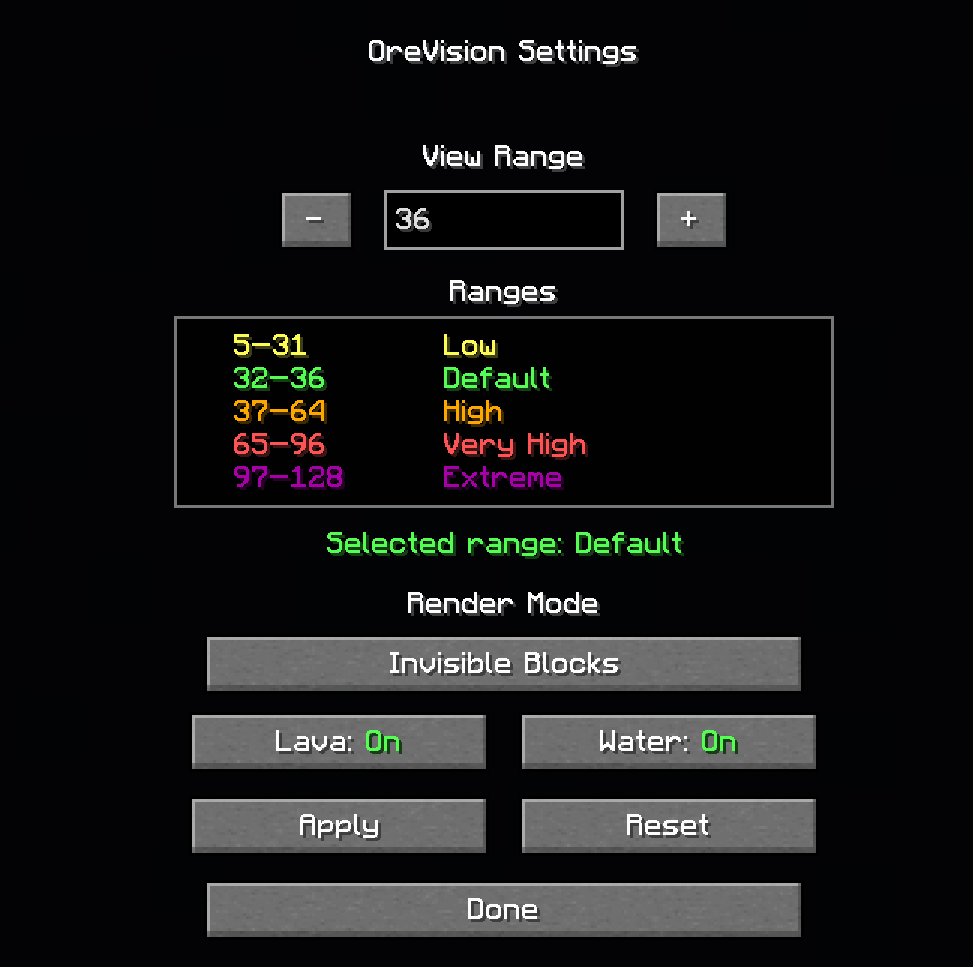 menu.png menu.png
 -
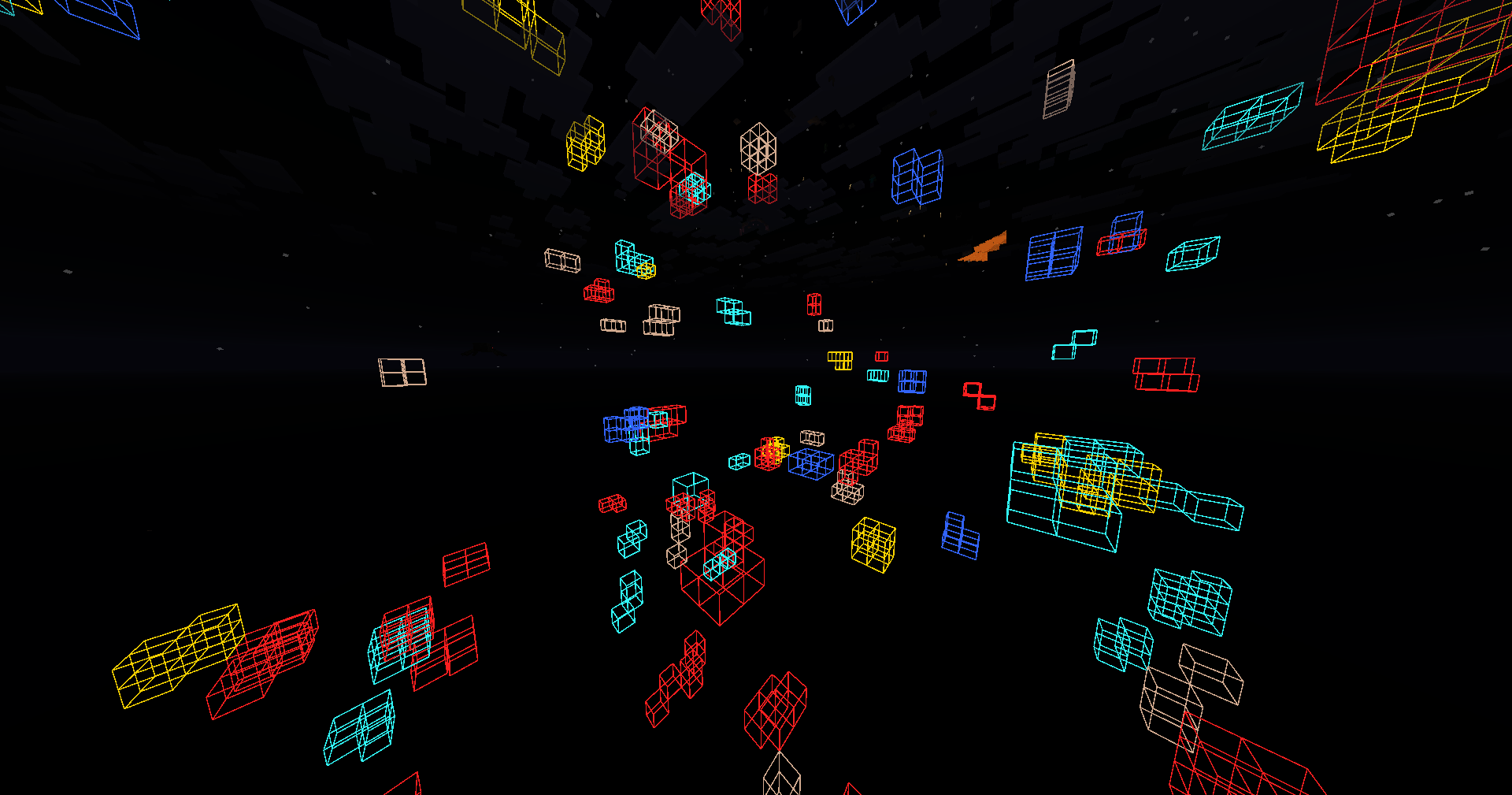 invisible blocks.png invisible blocks.png
 -
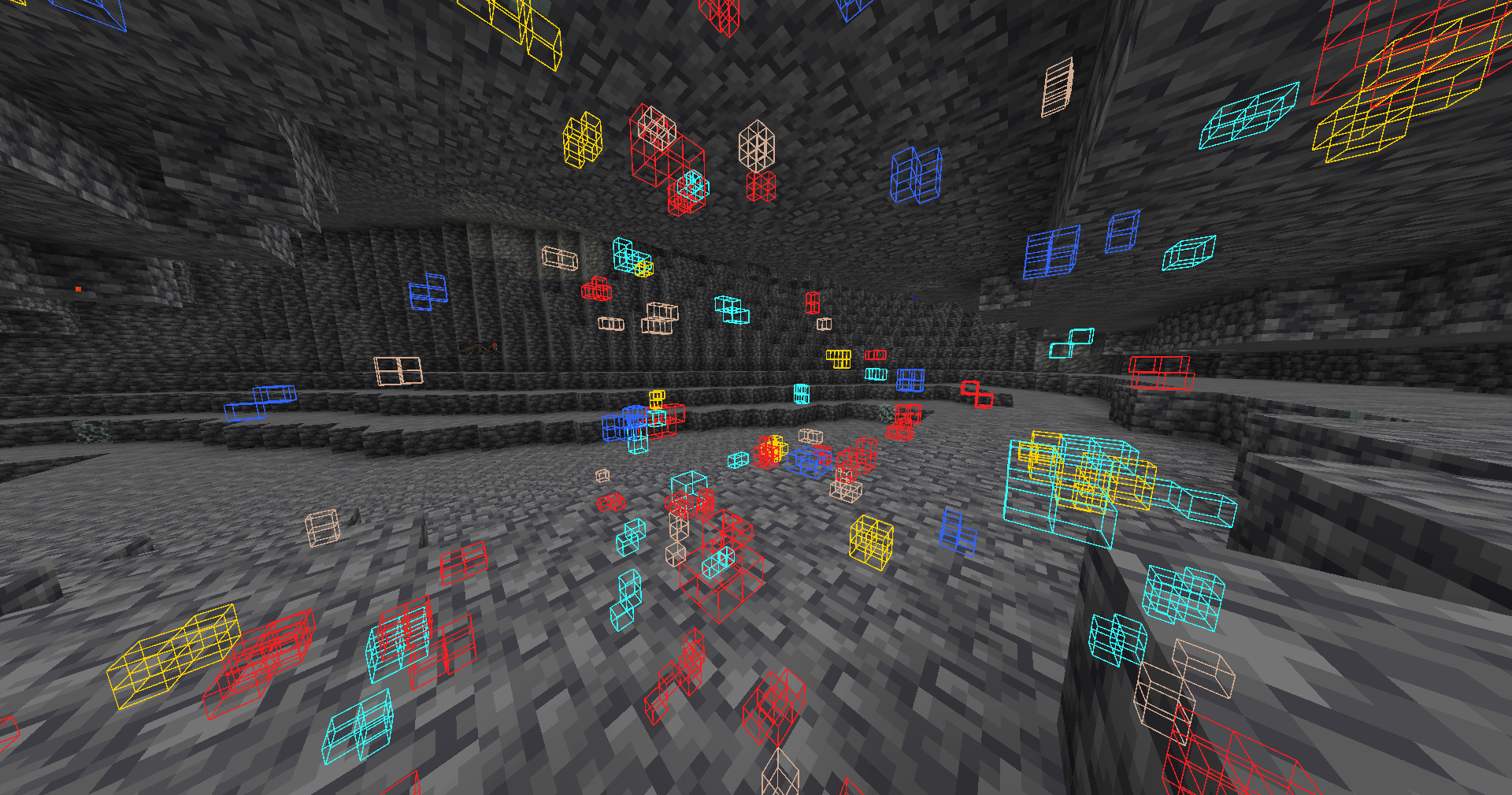 visible blocks.png visible blocks.png
Versions
Files
Relations
Project Relations
More like this
Similar Mods
Suggestions use data such as tags, dependencies, dependents, descriptions, titles, and more to rank how much they overlap with this mod.
On ModDex
Community snapshot
By the numbers
Statistics
Want to reach Minecraft players?
We're looking for a server hosting partner to feature here and other parts of the site. Interested? Send us a message!
Get in touchGet it on
Available Platforms
On ModDex
Community snapshot
By the numbers
Statistics
Resources