
Community listing page, reviews may not be monitored by the author.
Oritech Addons One

No reviews yet
An Oritech addon that provides some useful addons and functions.

Community voices
Reviews
No reviews yet. Be the first to review this project!
Get it on
Available Platforms
About
Project Details
For authors
Embed Badge
If you're the author of this project, you can embed a live badge anywhere that supports HTML or Markdown. It updates automatically whenever ratings change.
Use HTML for any page that supports it, or Markdown for README files and Markdown-based descriptions.
Identifiers
Platform IDs
Resources
External Links
About
Description
Oritech Addons One
An Oritech addon that adds useful machine addons, wireless extension addons and transfer tools.




📖 About
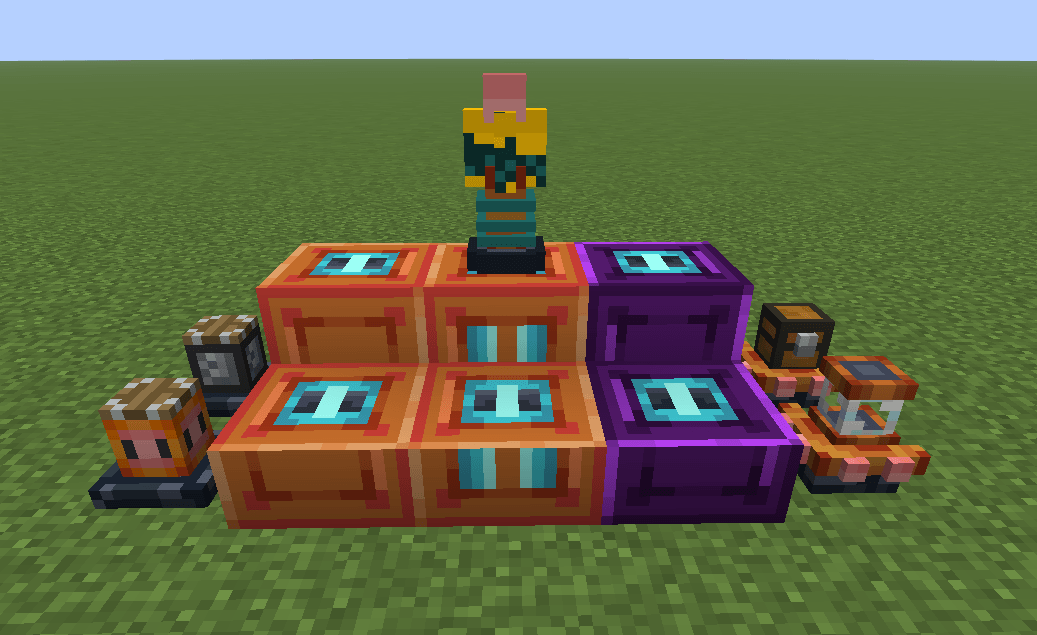
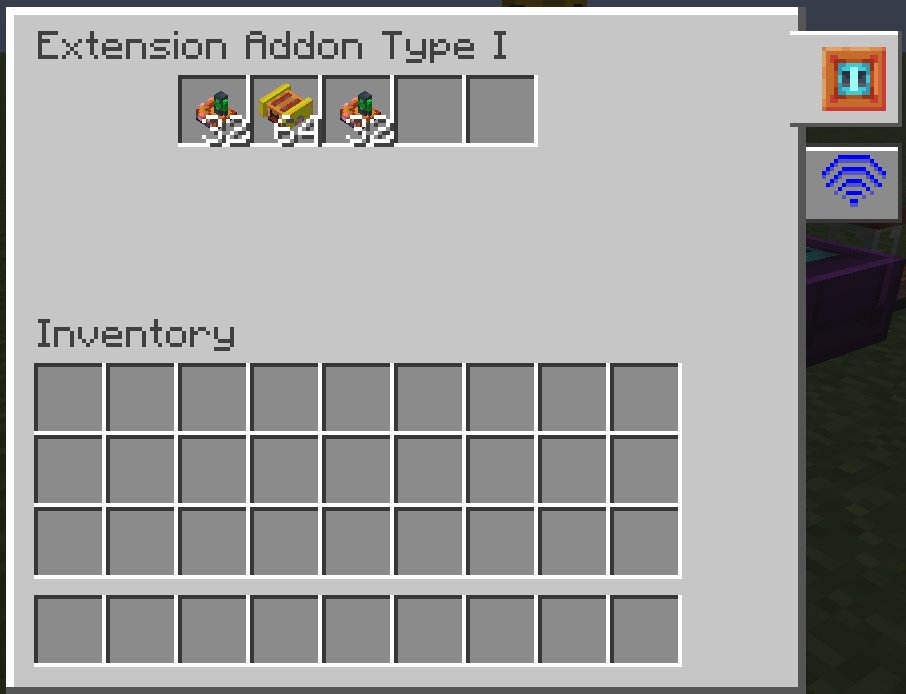
Oritech Addons One is an addon for Oritech. It adds three tiers of extension addons, wireless versions of all three tiers, and five additional addons for storage, chunk loading and transfer.
Version 1.2.2 also adds a Redstone Control page for Extension Addon II, fluid transfer, per-block extension transfer settings and full in-game configuration.
📦 What it adds
| Block | What it does |
|---|---|
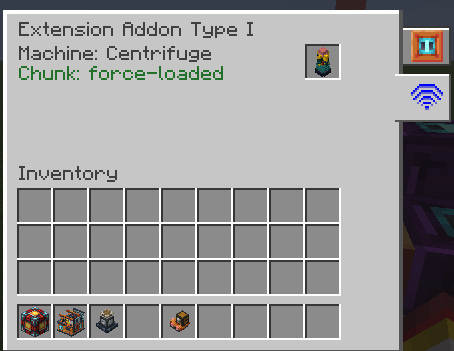
| Extension Addon I / II / III | Hold Oritech's addons and forward their effects to the connected machine |
| Wireless Extension Addon I / II / III | The same three tiers, linked to a machine with the Target Designator instead of being attached to it |
| Warehouse Addon | Adds configurable item slot capacity to every machine slot (default +16, range 1–64) |
| Tank Addon | Adds configurable fluid capacity to every machine tank (default +8000 mB, range 1000–32000 mB) |
| Chunk Anchor Addon | Force-loads the chunk it stands in, or the chunk of the addon or dock holding it |
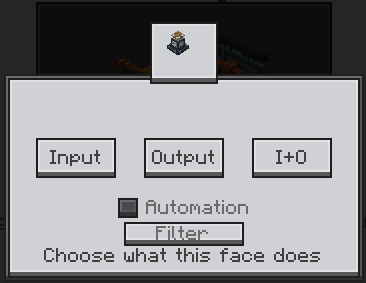
| Transfer Extension Addon | Makes the six faces of its host block feed and empty the machine; each block keeps its own face settings, and the faces handle both items and fluids |
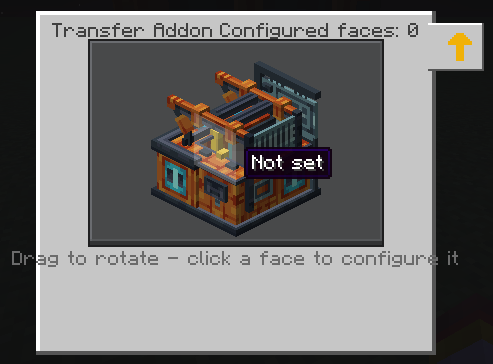
| Transfer Addon | Configures feed/empty faces on a 3D model of the machine; handles items and fluids and works on energy-storage extenders |
Additional features:
- Redstone Control page for Extension Addon II: five redstone modes, a monitored slot and comparator output;
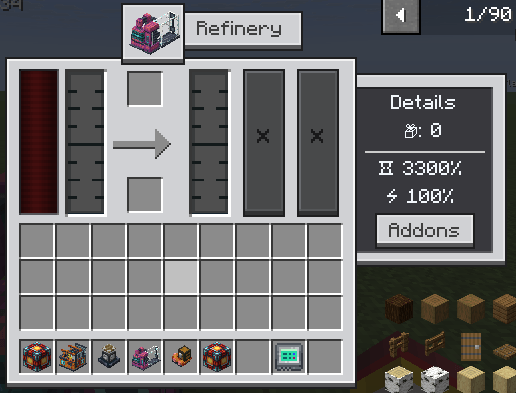
- install addons on your Refinery through a wireless extension addon;
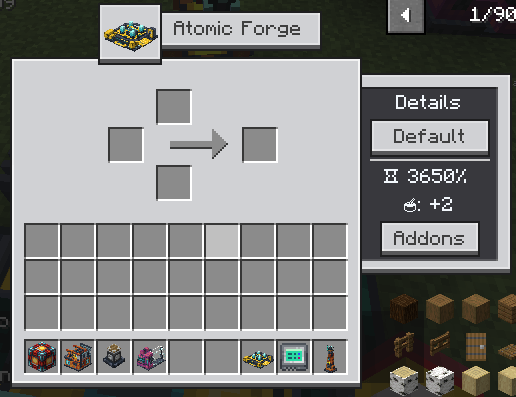
- show the processing speed of the Atomic Forge;
- let the Atomic Forge process in parallel by installing an Auxiliary Processing Chamber Addon on the Enderic Lasers that charge it;
- right-clicking air with the Target Designator clears the stored coordinates;
- edit the common config in game through the NeoForge config screen, or through Mod Menu on Fabric.
⚙️ Configuration
The common config is config/oritechaddonsone-common.toml.
| Option | Default | Range | Meaning |
|---|---|---|---|
type1Slots |
5 | 1 – 72 | Usable addon slots of Extension Addon I |
type2Slots |
5 | 1 – 72 | Usable addon slots of Extension Addon II |
type3SlotCapacity |
1024 | ≥ 1 | How many addons one slot of Extension Addon III holds |
warehouseAddonSlots |
16 | 1 – 64 | Item slots one warehouse addon adds to every machine slot |
tankAddonCapacity |
8000 | 1000 – 32000 | mB one tank addon adds to every machine tank |
transferItemsPerTick |
64 | 1 – 6400 | Items one configured face moves per tick |
transferFluidPerTick |
1000 | 1 – 1000000 | mB of fluid one configured face moves per tick |
showWirelessDocksInAddonPage |
true | – | List the machine's wireless addons in Oritech's own addon page |
🎮 Game versions & dependencies
| Distribution | Minecraft | Loader | Oritech | JDK |
|---|---|---|---|---|
| 26.1.2 (default) | 26.1.2 | NeoForge 26.1.2.109+ | 2.0.0-exp11+ | 25 |
| 1.21.1 NeoForge | 1.21.1 | NeoForge 21.1.200+ | 1.2.12+ | 21 |
| 1.21.1 Fabric | 1.21.1 | Fabric Loader 0.15.11+ | 1.2.12+ | 21 |
Required
- Oritech and the loader for your distribution.
- 26.1.2: Athena on the client (required by Oritech).
- 1.21.1 (NeoForge and Fabric): Architectury API 13.0.2+, Athena 4.x on the client and GeckoLib 4.x.
- 1.21.1 Fabric: Fabric API and Forge Config API Port 21.1.x.
Oritech's Fabric build bundles Team Reborn Energy, so it does not need to be installed separately.
Optional / Integrations
- Oritech Things — its tiered addons fit into Extension Addon I and III.
- Mod Menu on Fabric — adds the in-game configuration screen.
🚀 Installation
- Install NeoForge or Fabric for your Minecraft version.
- Download the jar that matches your distribution:
oritechaddonsone-1.2.2+mc26.1.2.jar— Minecraft 26.1.2 / NeoForge;oritechaddonsone-neoforge-1.2.2+mc1.21.1.jar— Minecraft 1.21.1 / NeoForge;oritechaddonsone-fabric-1.2.2+mc1.21.1.jar— Minecraft 1.21.1 / Fabric.
- Install Oritech and the required dependencies listed above.
- Place the downloaded jars in your
modsfolder and launch the game. - On Fabric, install Mod Menu if you want to edit the config in game.
🤝 Contributing
Contributions of all kinds are welcome!
- Submit an Issue to report bugs or suggest features.
- Open a Pull Request to contribute code or improvements.
Please make sure your changes are well-tested before submitting.
📄 License
This project is licensed under the MIT License — see the LICENSE file for details.
🙏 Credits
- Rearth — for creating the excellent Oritech mod.
- DeepSeek-V41-Flash — for providing code assistance during development.
Made with ❤️ for the Oritech community.
Screenshots
Gallery
-
 å±å¹æªå¾ 2026-10-04 190011.png å±å¹æªå¾ 2026-10-04 190011.png
-
 å±å¹æªå¾ 2026-10-04 190106.png å±å¹æªå¾ 2026-10-04 190106.png
-
 å±å¹æªå¾ 2026-10-04 191844.png å±å¹æªå¾ 2026-10-04 191844.png
-
 å±å¹æªå¾ 2026-10-04 191737.png å±å¹æªå¾ 2026-10-04 191737.png
-
 å±å¹æªå¾ 2026-10-04 191649.png å±å¹æªå¾ 2026-10-04 191649.png
-
 å±å¹æªå¾ 2026-10-04 191618.png å±å¹æªå¾ 2026-10-04 191618.png
-
 å±å¹æªå¾ 2026-10-04 191609.png å±å¹æªå¾ 2026-10-04 191609.png
Versions
Files
Relations
Project Relations
More like this
Similar Mods
Suggestions use data such as tags, dependencies, dependents, descriptions, titles, and more to rank how much they overlap with this mod.
On ModDex
Community snapshot
By the numbers
Statistics

Get it on
Available Platforms
On ModDex
Community snapshot
By the numbers
Statistics
Resources