
Community listing page, reviews here may not be monitored by the author.
Datapack/Gamerule Menus

No reviews yet
Makes the Datapack and Gamerule menus accessible from existing singleplayer worlds. Allows toggling experimental features.
Community voices
Reviews
No reviews yet. Be the first to review this project!
Get it on
Available Platforms
Compatibility
Supported Environments
Works in singleplayer only; does not function in multiplayer.
About
Project Details
For authors
Embed Badge
If you're the author of this project, you can embed a live badge anywhere that supports HTML or Markdown. It updates automatically whenever ratings change.
Use HTML for any page that supports it, or Markdown for README files and Markdown-based descriptions.
Identifiers
Platform IDs
About
Description
Starting MC 26.1, this mod no longer provides a gamerules menu, in favor of vanilla's implementation.
It still provides a datapack menu.
Data-Pack / Game-Rule Menus
Takes the titular menus from the World-Creation menu, and makes them available from already created singleplayer worlds.
This provides a more user-friendly alternative to the vanilla /gamerule and /datapack commands.
Like those commands, the menus will only be accessible in worlds with cheats/commands enabled.
Unlike the vanilla /datapack command, the Datapack menu from this mod also can be used to toggle experimental features !
Word of caution: Datapacks
Some types of datapacks require a world restart to fully take effect. Whenever possible, the mod will show a warning after toggling one of them, and offer you the option to either back-out, or exit the world gracefully. However, some type of packs cannot be detected, and no warning will be displayed for those.
Registry Packs
The new type of packs introduced in MC 1.21, those packs which add data to registries (painting variants, etc), are not detected by the mod, but still require a world restart to fully take effects.
Toggling these packs without a restart may cause some errors in the log, but those are benign so long as you restart the world immediately afterward. This behaviour is no different from using the /datapack command.
Experimental Features
Packs that dpend on experimental features are properly detected by the mod. Toggling them will also toggle the corresponding feature-flag on the world, and exit the world gracefully.
Vanilla Datapack
The Vanilla datapack can technically be disabled, but you probably don't want to do it. Doing so will break worlds unless you know exactly what you are doing. An additional warning screen will appear when trying to disable this pack.
If you can't load a world after having disabled the Vanilla datapack, loading it in Safe Mode should be able to restore it.
Related Mods
 Preferred Gamerules
Lets you choose the default values of gamerules
 Cloth Gamerules
Cloth-Config replacement for the gamerules screen.
Screenshots
Gallery
-
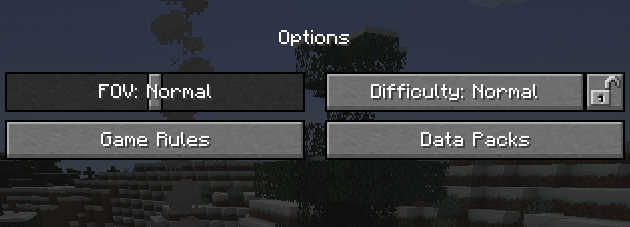 Buttons location: Options Header This is for MC 1.21.11 and prior. MC 26.1 use the same location as the vanilla gamerules button.
 -
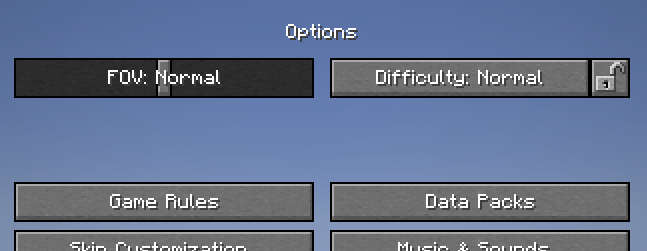 Buttons location: Options Body This is for MC 1.21.11 and prior. MC 26.1 use the same location as the vanilla gamerules button.
 -
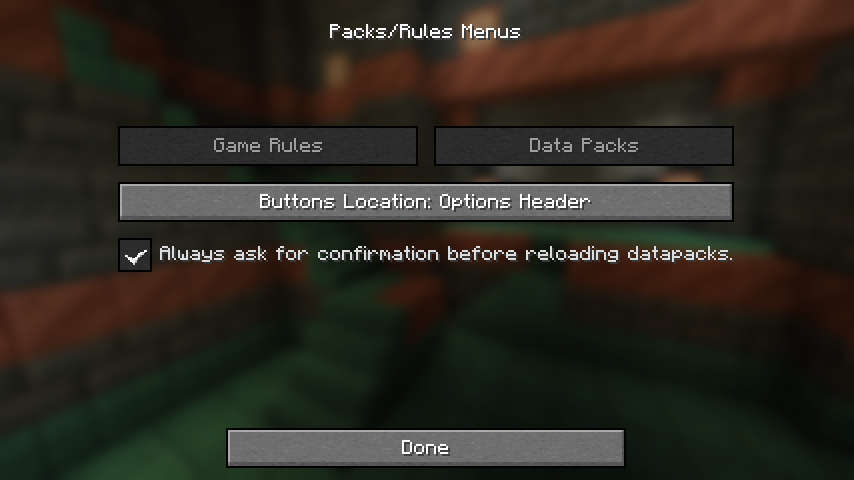 Mod Menu
 -
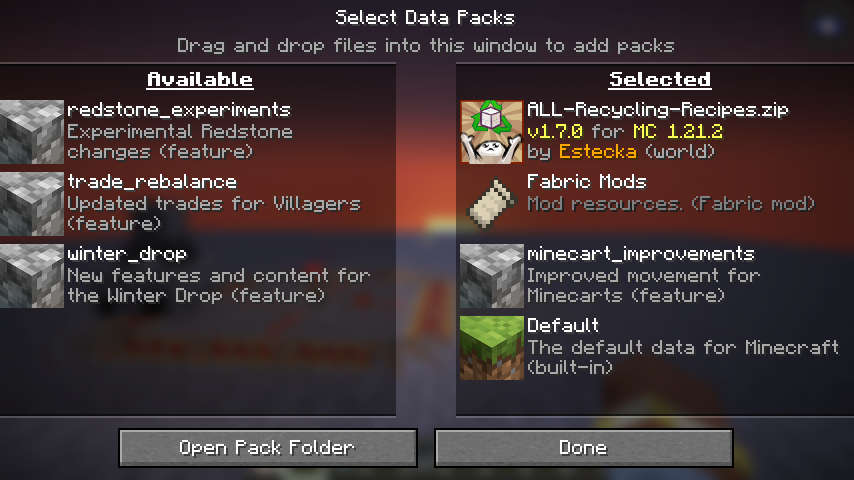 Editing datapacks from inside a world
 -
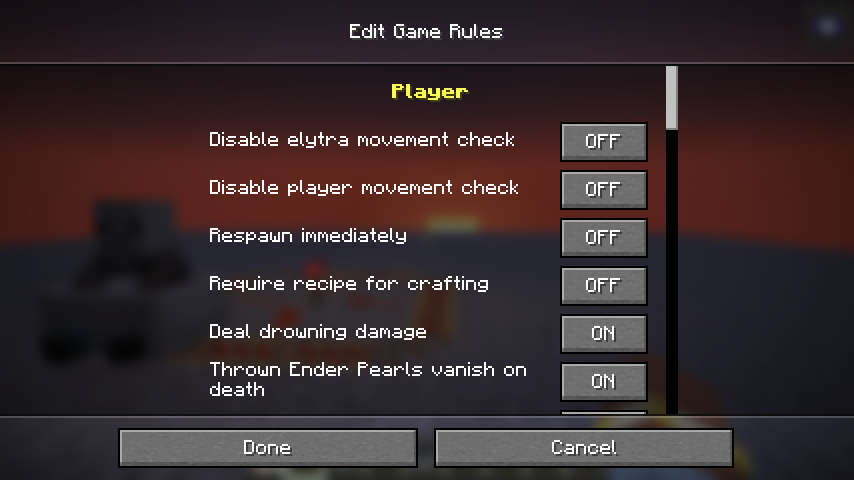 Editing gamerules from inside a world
 -
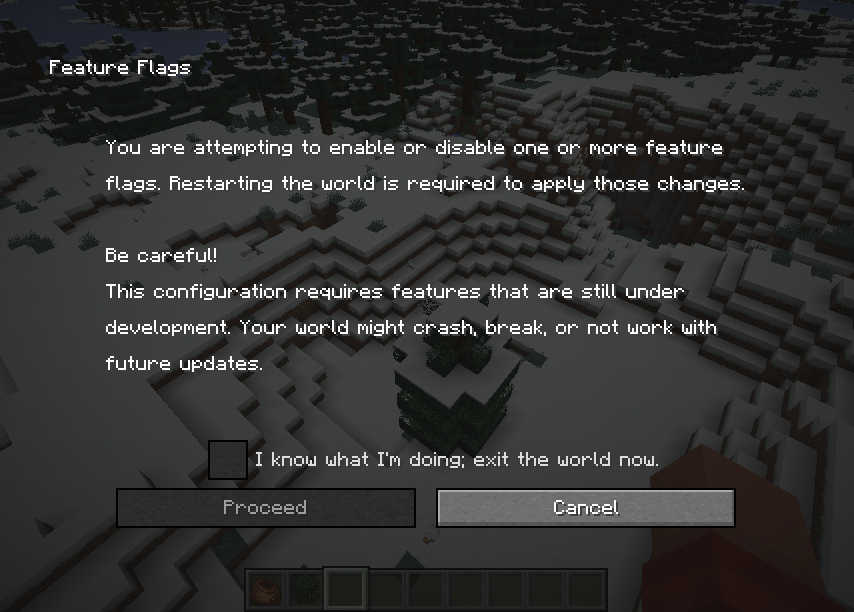 Feature Flag warning (1.20 style) Also includes the vanilla warning about experimental features.
 -
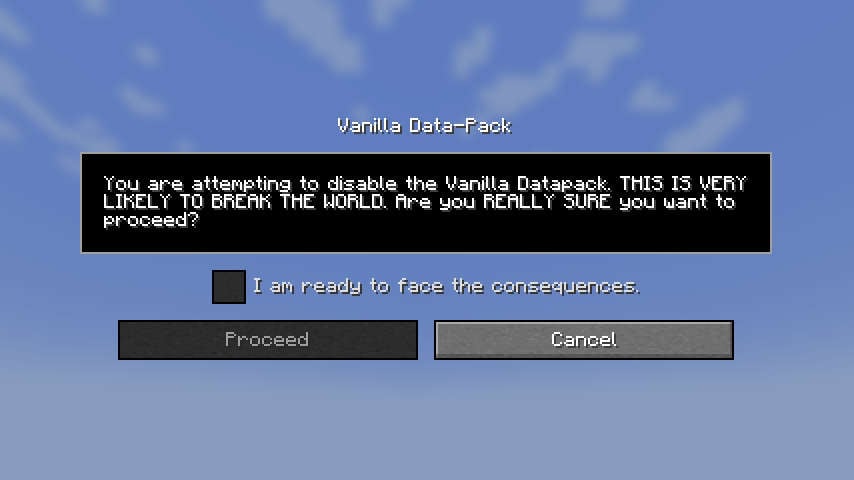 Vanilla Data warning (1.21 style)
 -
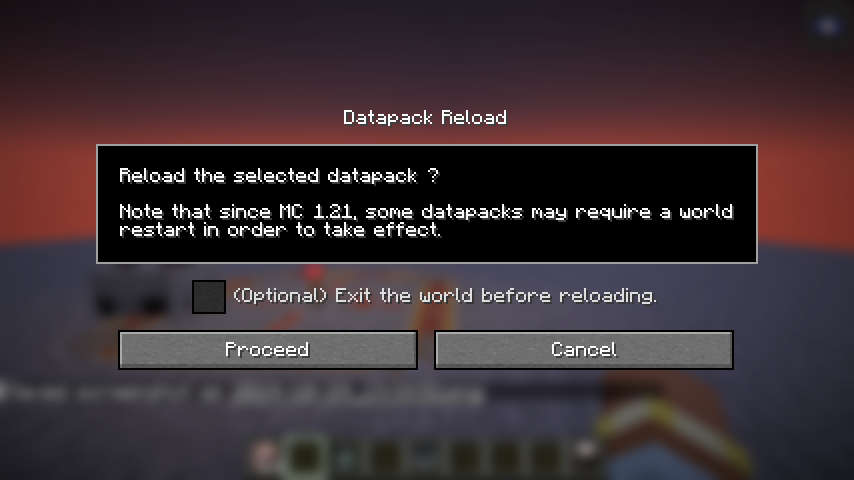 General confirmation screen
Versions
Files
Relations
Project Relations
More like this
Similar Mods
Suggestions use data such as tags, dependencies, dependents, descriptions, titles, and more to rank how much they overlap with this mod.
On ModDex
Community snapshot
By the numbers
Statistics

Want to reach Minecraft players?
We're looking for a server hosting partner to feature here and other parts of the site. Interested? Send us a message!
Get in touchGet it on
Available Platforms
On ModDex
Community snapshot
By the numbers