
Community listing page, reviews here may not be monitored by the author.
Palette Swap for MineColonies

No reviews yet
A MineColonies & Structurize addon for swapping build materials. Re-palette any blueprint per block with an in-game picker (build wand & Build Options) or datapack rules - non-destructive and applied at placement.
Community voices
Reviews
No reviews yet. Be the first to review this project!
Get it on
Available Platforms
About
Project Details
For authors
Embed Badge
If you're the author of this project, you can embed a live badge anywhere that supports HTML or Markdown. It updates automatically whenever ratings change.
Use HTML for any page that supports it, or Markdown for README files and Markdown-based descriptions.
Identifiers
Platform IDs
About
Description
Palette Swap for MineColonies
Tired of every MineColonies village being built from the same vanilla blocks? Palette Swap lets you re-skin the block palette of any MineColonies, SlimColonies or Structurize blueprint — change materials block-by-block with an in-game picker, or define automatic rules in a datapack. It's non-destructive and applied at placement, so your original schematics and packs are never modified.
Disclosure of AI generated content
This mod contains code written with AI assistance. No other assets were and will never be generated using AI.
Features
- 🎨 In-game palette editor. A Replace button on the Structurize build wand and on MineColonies' Build Options window opens the Edit Block Palette picker — one row per material in the build. Pick a replacement from a candidate pool and the holographic preview updates instantly. A Reset button puts everything back to default.
- 🏘️ Per-building palettes (MineColonies & SlimColonies). Set a building's palette once: your picks are saved to the colony, synced to everyone, and re-applied every time the builder builds or upgrades it. A Current / Upgrade toggle lets you edit the tier you already have or the tier you're about to build.
- 📜 Datapack rules. Define automatic substitutions in JSON — fixed swaps or interactive "pick from a pool" rules, matched by block or block tag, with blockstate property carry-over and priorities. Perfect for modpacks that want builds to use their own materials.
- 👷 Full builder support. The colony's builder, miner and quarrier all place through Structurize, so substitutions apply to everything they build — material requests, placement, and build-progress tracking all stay in sync.
- 🧱 Domum Ornamentum aware. DO "materialized" blocks (panels, bricks, framed blocks, …) have their stored materials swapped too, not just plain blocks.
- 🔄 Non-destructive. Blueprints are never altered on disk; substitution happens only as blocks are placed.
Optional: ready-made palettes
The mod ships an opt-in default datapack — off by default (enable it from the world's Data Packs screen, or use /datapack enable structurizereplacements_defaults command to enable while already in world) — that adds interactive pick pools for common vanilla families:
wood (planks, logs, stairs, slabs, fences, gates, doors, trapdoors, buttons, plates, signs) · wool · terracotta · glazed terracotta · stained glass · concrete & concrete powder · beds · flowers (small & tall) · leaves · saplings · mushrooms · potted plants · sand & sandstone
Turn it on for an instant working picker, or leave it off and ship your own rules.
For modpack & datapack authors
Drop rules in data/<namespace>/block_substitutions/<name>.json:
{
  "replacements": [
    { "from": "minecraft:cobblestone", "to": "minecraft:mossy_cobblestone" },
    { "from_tag": "minecraft:planks", "to_tag": "minecraft:planks" }
  ]
}
"to" is an automatic swap; "to_tag" is an interactive pool the player chooses from in the Replace GUI. Optional apply_properties / copy_properties carry blockstate values across, and priority lets one pack override another. Everything is /reload-able.
Compatibility
- Minecraft 1.20.1 · Forge | NeoForge 1.21.1
- Requires: Structurize (plus BlockUI and Domum Ornamentum — Structurize's own dependencies)
- Optional: MineColonies or SlimColonies (1.20.1-17.4+) — when either is present, the per-building Build Options editor and the builder integration activate. Without a colony mod, you still get the full Structurize build-wand experience.
Links
- 📦 MineColonies
- 🏙️ SlimColonies
- 🏗️ Structurize
Palette Swap for MineColonies is an independent addon and is not affiliated with the MineColonies or SlimColonies teams.
Screenshots
Gallery
-
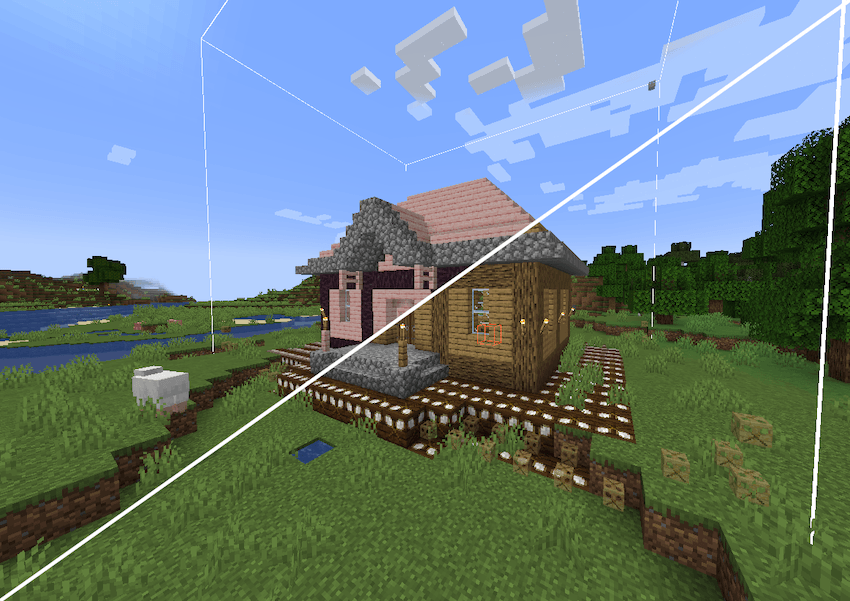 Oak to Cherry Replacing all Oak with Cherry
 -
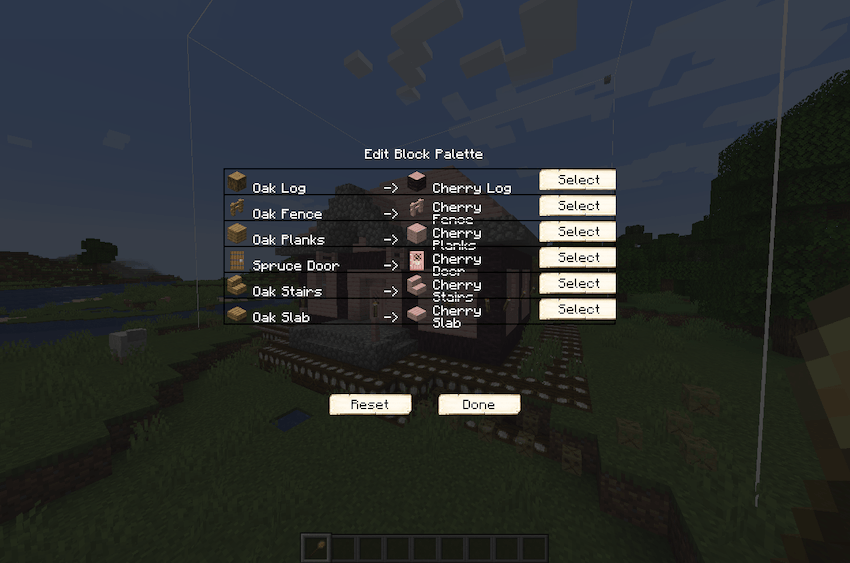 Edit Block Palette GUI Edit Block Palette GUI with all Oak wood being replaced by Cherry
 -
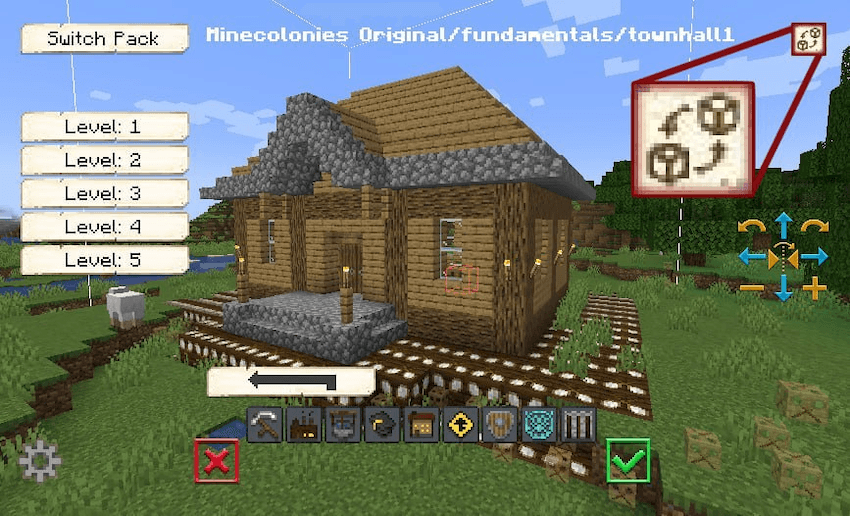 Replacement menu button Replacement menu button in build wand GUI
 -
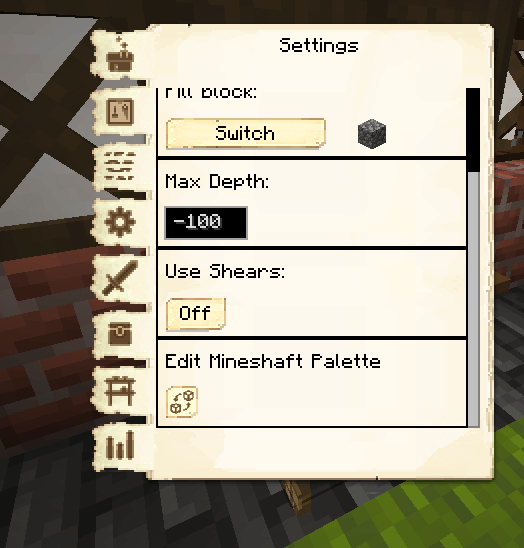 Mineshaft Palette Settings Button to edit mineshaft palette in mineshaft settings
 -
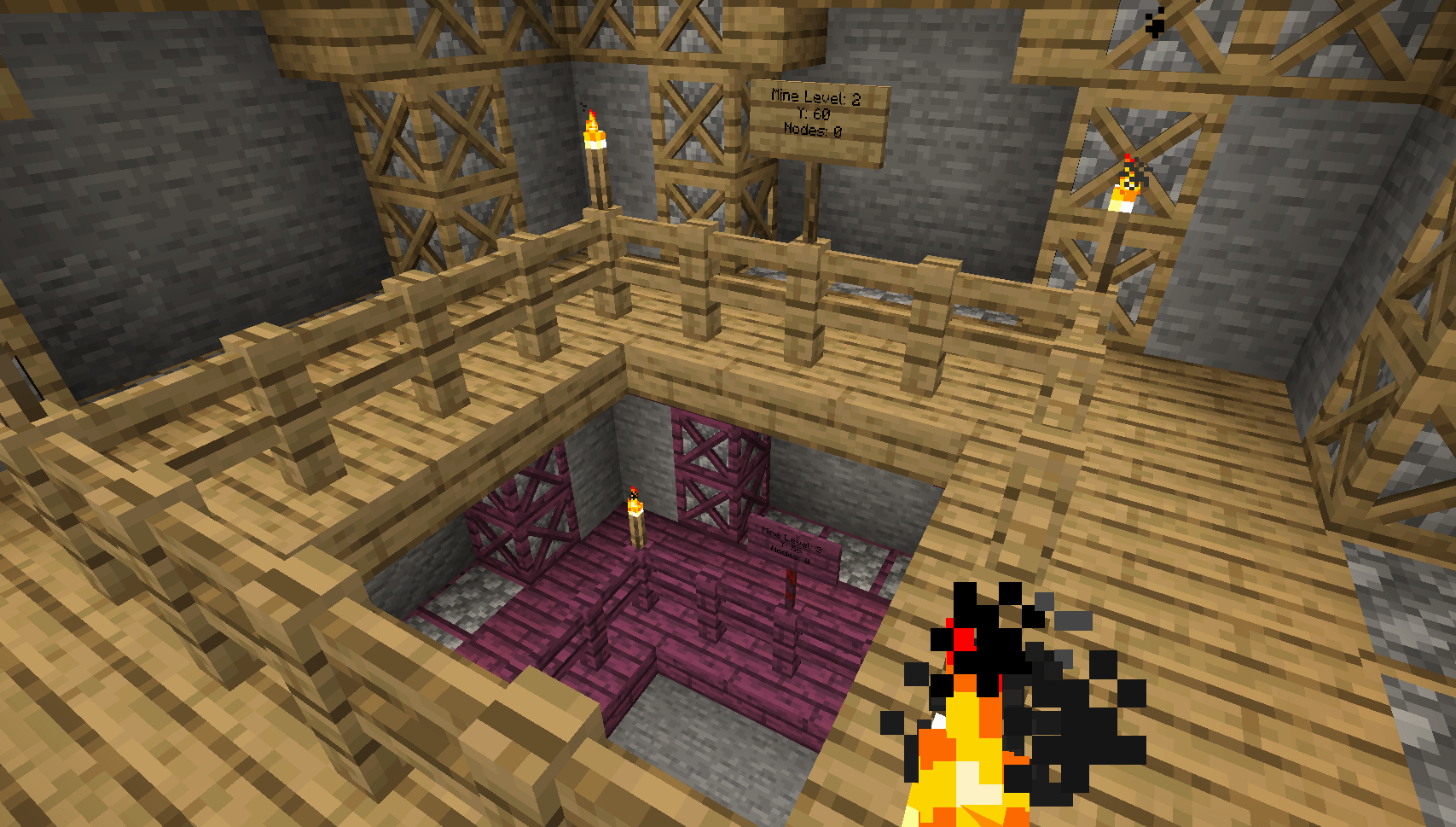 Mineshaft levels Two mineshaft levels made of different wood types. Made by substituting wood between levels. Also visible are the DO aware substitutions.
Versions
Files
Relations
Project Relations
More like this
Similar Mods
Suggestions use data such as tags, dependencies, dependents, descriptions, titles, and more to rank how much they overlap with this mod.
On ModDex
Community snapshot
By the numbers
Statistics
Want to reach Minecraft players?
We're looking for a server hosting partner to feature here and other parts of the site. Interested? Send us a message!
Get in touchGet it on
Available Platforms
On ModDex
Community snapshot
By the numbers