
Community listing page, reviews may not be monitored by the author.
Pandorical lib

No reviews yet
Client-side enablement bridge for server-driven UI, content, and rendering on Fabric.

Community voices
Reviews
No reviews yet. Be the first to review this project!
Get it on
Available Platforms
About
Project Details
For authors
Embed Badge
If you're the author of this project, you can embed a live badge anywhere that supports HTML or Markdown. It updates automatically whenever ratings change.
Use HTML for any page that supports it, or Markdown for README files and Markdown-based descriptions.
Identifiers
Platform IDs
Resources
External Links
About
Description
Install this if a server asked you to. It lets that server draw screens, overlays and blocks vanilla Minecraft has no way to show you.
Normally a modded server means every player installs every mod, matched version for version. Pandorical replaces that with one install. The server keeps its mods, you keep Pandorical. Its mods send the screens, overlays, blocks and keys; your client draws them. Add a mod to the server and you see it next time you log in, with nothing to download.
What a server can show you
- Real interfaces, instead of everything pretending to be a chest. Quest dialogue, a mailbox, a trade window, a crafting station with its own layout.
- HUD overlays that sit alongside your hotbar or replace a vanilla bar outright, and update live.
- Custom blocks and items that arrive when you join, with no resource pack to install and no download prompt.
- Rebindable keys the server defines. They appear in your normal controls screen under "Pandorical", and rebind like any other key.
- Moving structures, like a ship built out of blocks that sails as one piece.
- Camera control, when a server wants to pull the view back.
- Cosmetic overlays on particular mobs or chests, so you can tell one from another.
- One block at one place a different colour, so two of the same block in two places can be told apart on sight.
- Extra squares and buttons on your own inventory screen: a slot that only takes a map, a compass slot beside it, a button that tidies your pack. They sit in the vanilla panel and behave like the rest of it.
None of this is Pandorical's own content: no items, no blocks, no recipes, nothing added to a world. Everything you see through it comes from a mod on the server.
Do I need it?
- Playing on a server that uses it: yes, and you will usually be told. Without it, a mod built on Pandorical either degrades quietly (an item shows a raw name instead of a proper one) or refuses outright, telling you in chat that Pandorical is required.
- Playing on a vanilla or unrelated server: it does nothing. The handshake never happens and nothing draws. The one trace it leaves is eight rebindable "Pandorical Action" rows in your controls screen, which sit there unused until a server names them.
- Running a server: install it on the server too, alongside whichever mods depend on it. It is the one mod in this suite that belongs on both sides.
The Mod Menu
Every mod on the server, in-game. A Mods button on the pause menu and the options menu opens
it on a Pandorical client: the mods down the left, and the chosen one on the right with its
description, its settings if it has any, and its readme, read straight out of its jar - every mod
in this suite ships its README beside its licence. /pandorical mods opens the same screen, or
lists the mods as text on a vanilla client. The screen is built to the size of the window it
will show in, so a readme gets the room the window has. The readme is rendered by block: titles
with a rule beneath, list items hanging off their markers, code in an inset with its spacing
kept, quotes with a bar down their side, tables as a list of their rows.
A mod's settings sit in sections by whose they are: Your settings, kept on this server for
the player alone; Your client's settings, kept by the player's own game wherever they play;
and Server settings, one value for everyone, which only an op is shown. /pandorical
settings opens the menu on a mod with settings, or lists them as text on a vanilla client,
where /pandorical settings <mod> <key> <value> changes them.
Screenshots
Gallery
-
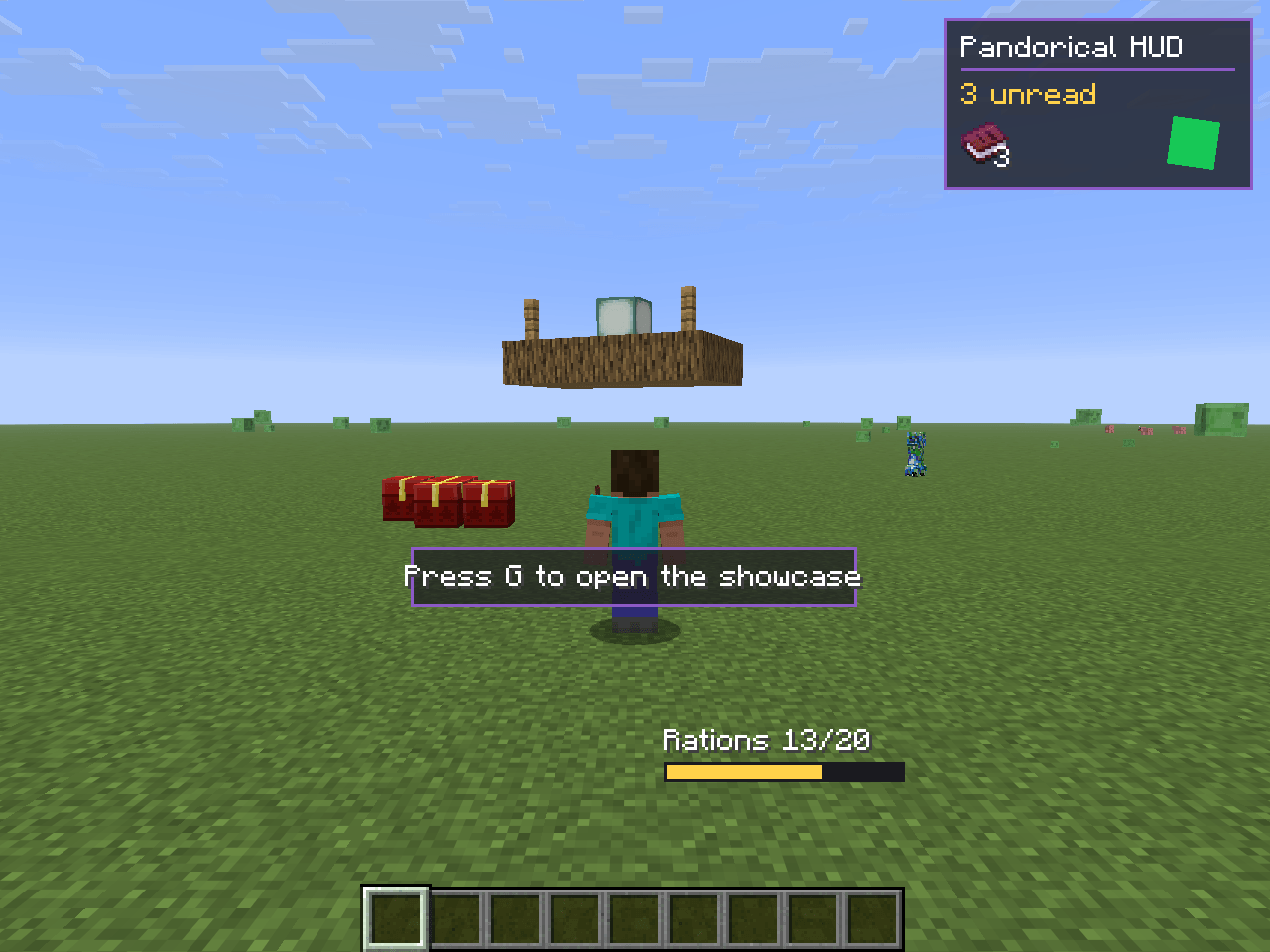 screenshot.png screenshot.png
Versions
Files
Relations
Project Relations
More like this
Similar Mods
Suggestions use data such as tags, dependencies, dependents, descriptions, titles, and more to rank how much they overlap with this mod.
On ModDex
Community snapshot
By the numbers
Statistics

Get it on
Available Platforms
On ModDex
Community snapshot
By the numbers
Statistics
Resources