
Community listing page, reviews here may not be monitored by the author.


Community voices
Reviews
No reviews yet. Be the first to review this project!
Get it on
Available Platforms
Compatibility
Supported Environments
Runs entirely on the client. Works on vanilla servers.
About
Project Details
For authors
Embed Badge
If you're the author of this project, you can embed a live badge anywhere that supports HTML or Markdown. It updates automatically whenever ratings change.
Use HTML for any page that supports it, or Markdown for README files and Markdown-based descriptions.
Identifiers
Platform IDs
About
Description






Information
EN: A client-side utility mod designed for modpack creators, server administrators, modders, datapackers, and players. It provides comprehensive analytical tools, interactive inspectors, and real-time data tracking to help inspect, debug, and understand everything within a Minecraft instance.
RU: Клиентский утилитарный мод, созданный для разработчиков сборок, администраторов серверов, мододелов, датапакеров и игроков. Он предоставляет глубокие инструменты аналитики, интерактивные инспекторы и отслеживание данных в реальном времени, помогая изучить и отладить всё содержимое сборки Minecraft.
Video Overview / Видеообзор
EN: A full walkthrough of every interface and inspector.
RU: Полный обзор всех интерфейсов и инспекторов мода.
General Information Interface / Интерфейс общей информации
EN: View general instance specs, performance metrics, and a real-time latest.log viewer with selectable text copying. Access the core Inspectors via the main interface buttons (and in the main menu) or by holding the default radial menu key (~).
RU: Просмотр общих характеристик сборки, показателей производительности и лога latest.log в реальном времени с возможностью выделения и копирования текста. Доступ к основным Инспекторам осуществляется через кнопки интерфейса (и в главном меню) или зажатие клавиши радиального меню (~).

Settings & Controls / Настройки и управление
EN: All keybinds and parameters are configured strictly within the mod's internal menu (they are not present in standard Controls). At the bottom of the interface, you can adjust the scale for the Seed Inspector, remove the latest.log line limit, change the UI theme (including the main menu button style), or reset all settings to defaults. All configuration files, cache, and Inspector history are saved in the panoptic folder within your instance directory for easy sharing.
RU: Назначение клавиш и параметры мода настраиваются исключительно во внутреннем меню (их нет в стандартном Управлении). В нижней части меню можно настроить масштаб для Сид-Инспектора, убрать ограничение на количество строк окна latest.log, поменять тему интерфейсов (включая кнопку в главном меню) или сбросить настройки до исходных. Все настройки, кэш и история сохраняются в папку panoptic в корне вашей сборки.

Object Inspector / Инспектор объектов
EN: Browse, search, and export detailed data for all blocks, items, entities, block states, NBT data, and localization strings. The built-in File Manager allows previewing config files, JSON structures, audio assets, and structure models directly in-game.
RU: Просмотр, поиск и экспорт полных данных по блокам, предметам, сущностям, NBT-тегам, свойствам блоков и языковым локализациям. Встроенный файловый менеджер позволяет просматривать файлы конфигураций, JSON-структуры, прослушивать звуки и изучать 3D-модели структур прямо в игре.

Seed Inspector / Сид-Инспектор
EN: Generate world maps for any seed, locate structures and biomes across all dimensions, and teleport to coordinates with a single click. Copy structure NBT data, and filter both structures and biomes by specific mods. You can also save seeds to your history and favorites for quick access, as well as preview maps of other seeds using the top search bar.
RU: Генерация карт мира для любого сида, поиск структур и биомов во всех измерениях, а также телепортация по координатам в один клик. Есть возможность скопировать NBT-данные структуры, отсортировать их и биомы по модам. Также можно сохранять сиды в историю и избранное для быстрого доступа. Есть возможность смотреть карты других сидов, через поиск сверху.

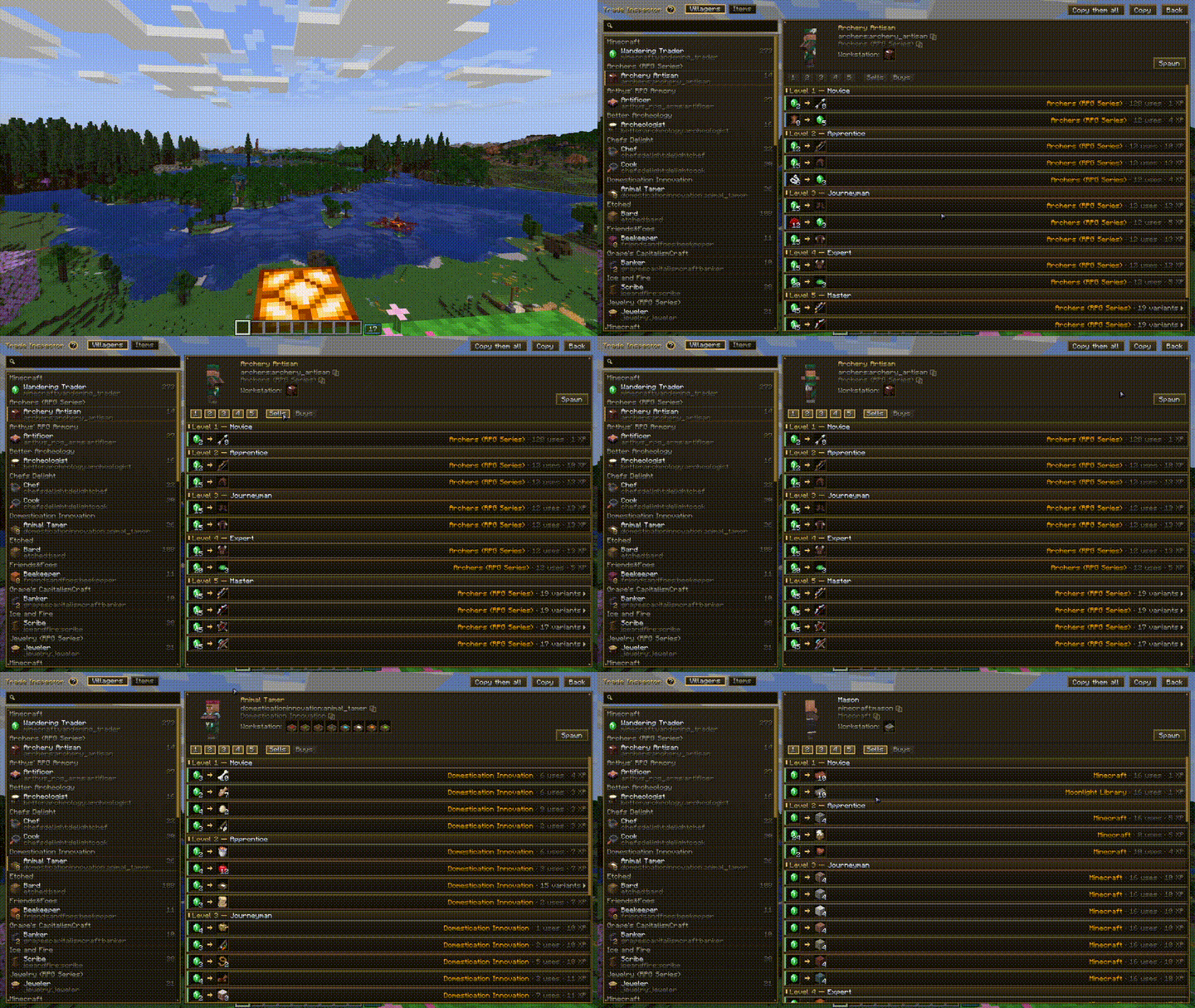
Trade Inspector / Трейд-Инспектор
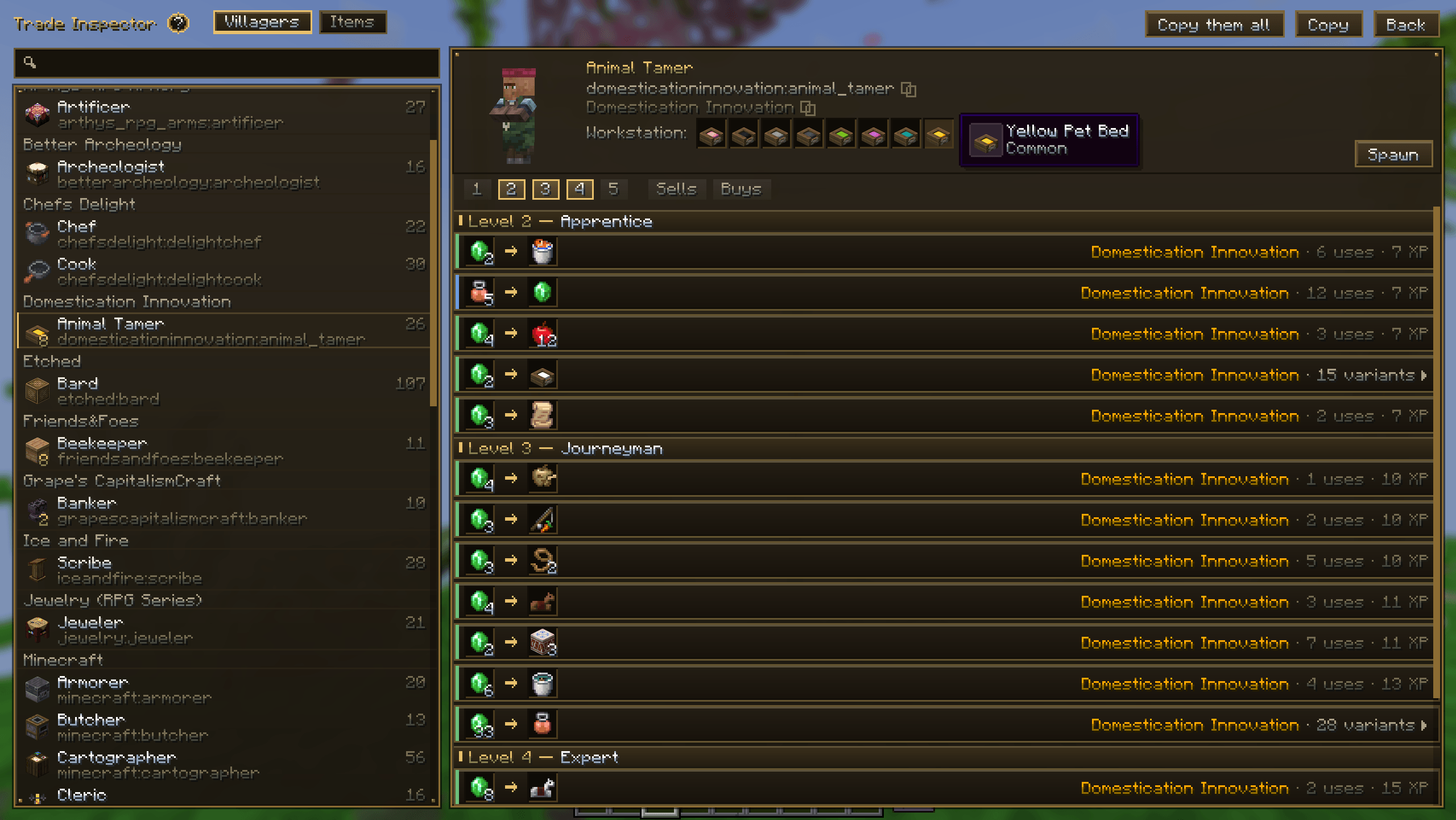
EN: View all possible villager trades, filter them by level or items, and check required profession workstations. Any information within this interface can be copied. Features the ability to spawn a custom villager with all available trades pre-unlocked.
RU: Просмотр всех возможных торгов жителей, фильтрация по уровням или предметам, а также просмотр необходимых рабочих станций для профессий. Любую информацию в данном интерфейсе можно скопировать. Доступна функция спавна кастомного жителя со всеми возможными у него торгами.
Screen Inspector / Скрин-Инспектор
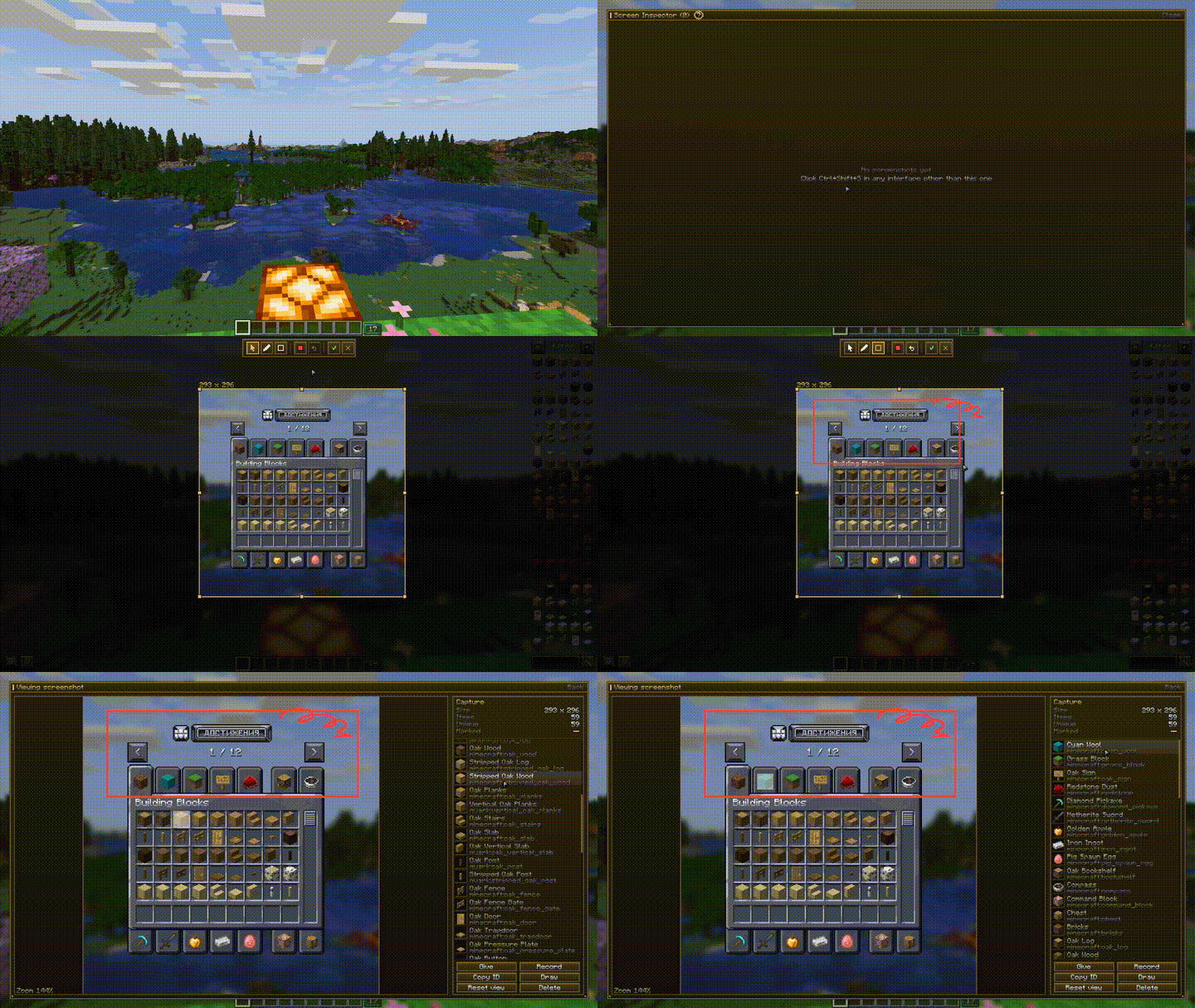
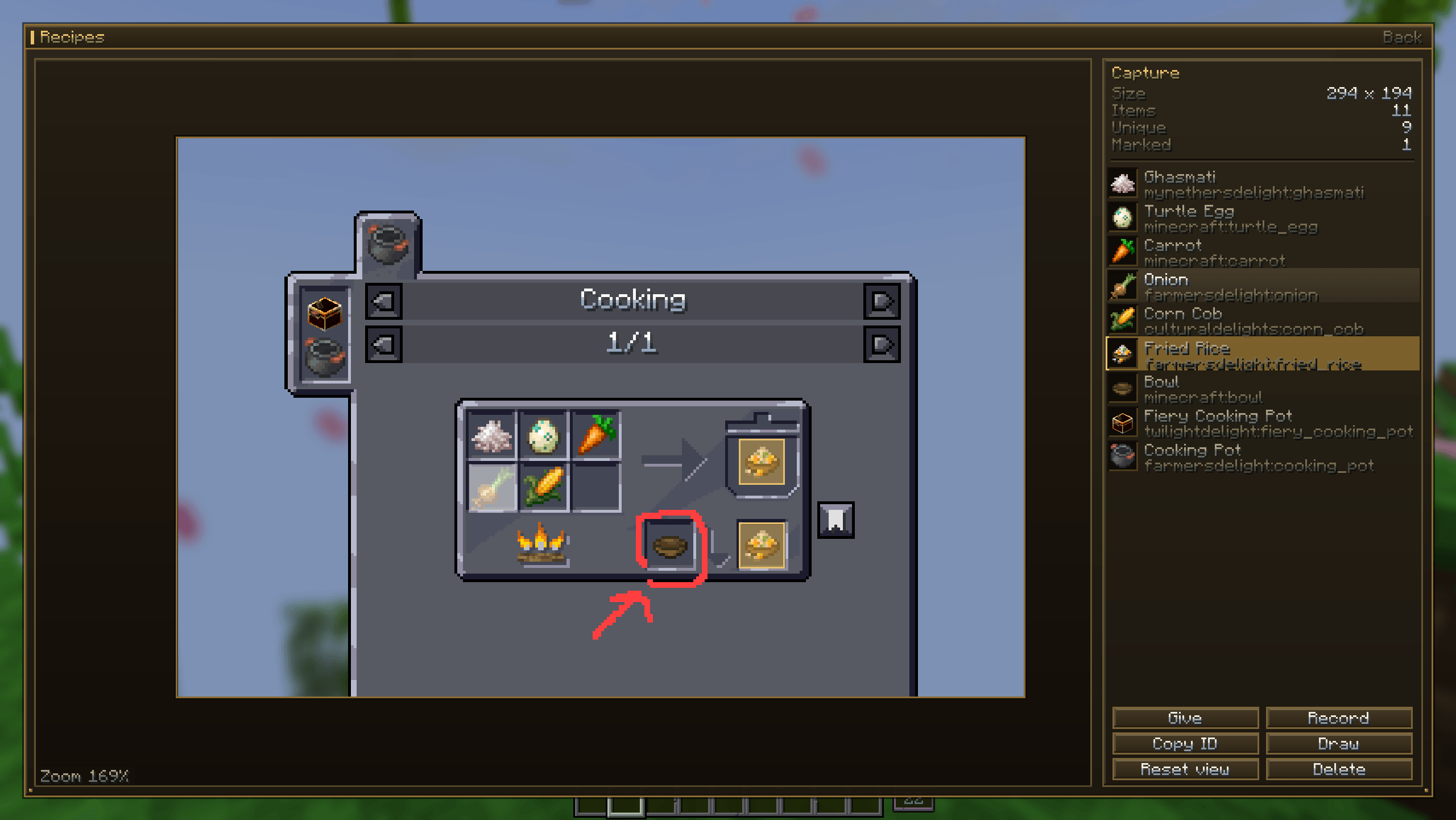
EN: An inspector for copying object data directly from any inventory interface. Allows you to draw, select areas with a bounding box, give items to your inventory, zoom in down to individual pixels, and more. Screenshots you create can be shared with friends, copied, duplicated, deleted, or added to favorites.
RU: Инспектор для копирования данных объектов прямо из любых интерфейсов инвентарей. Позволяет рисовать, выделять области прямоугольником, выдавать предметы в инвентарь, приближать изображение до пикселей и не только. Созданные вами скриншоты можно отправлять друзьям, копировать, дублировать, удалять и добавлять в избранное.
Optimization / Оптимизация
EN: This mod has ABSOLUTELY NO impact on the game’s performance! If you compare the game’s launch time, world generation time, and your FPS in-game—they’ll all be identical. A lot of work went into this.
The mod’s interfaces (when you’re in any Inspector) may take 1–3 FPS from your total frame rate while running. These numbers are so negligible that you won’t notice a difference even on low-end PCs.
Tested on the following modpacks:
- FreshCraft [Vanilla / Fantasy / Industry] ~ 300+ mods
- BetterMC ~ 350+ mods
- All The Mods [9 / 10 / 11] ~ 300–500+ mods
- DeceasedCraft ~ 300+ mods
- Valhelsia 6 ~ 300+ mods
RU: Данный мод НИКАК не влияет на производительность игры! Если вы сравните время запуска игры; время создания мира; свой FPS в мире - они будут идентичными. Над этим была проделана большая работа.
Интерфейсы мода (когда вы находитесь в каком-либо Инспекторе) могут брать 1-3 FPS от общего числа, за работу. Числа настолько мизерные, что даже на слабых ПК разницу не увидеть.
Протестировано на следующих модпаках:
- FreshCraft [Vanilla / Fantasy / Industry] ~ 300+ модов
- BetterMC ~ 350+ модов
- All The Mods [9 / 10 / 11] ~ 300-500+ модов
- DeceasedCraft ~ 300+ модов
- Valhelsia 6 ~ 300+ модов
Information
EN: A client-side utility mod designed for modpack creators, server administrators, modders, datapackers, and players. It provides comprehensive analytical tools, interactive inspectors, and real-time data tracking to help inspect, debug, and understand everything within a Minecraft instance.
RU: Клиентский утилитарный мод, созданный для разработчиков сборок, администраторов серверов, мододелов, датапакеров и игроков. Он предоставляет глубокие инструменты аналитики, интерактивные инспекторы и отслеживание данных в реальном времени, помогая изучить и отладить всё содержимое сборки Minecraft.
Video Overview / Видеообзор
EN: A full walkthrough of every interface and inspector.
RU: Полный обзор всех интерфейсов и инспекторов мода.
General Information Interface / Интерфейс общей информации
EN: View general instance specs, performance metrics, and a real-time latest.log viewer with selectable text copying. Access the core Inspectors via the main interface buttons (and in the main menu) or by holding the default radial menu key (~).
RU: Просмотр общих характеристик сборки, показателей производительности и лога latest.log в реальном времени с возможностью выделения и копирования текста. Доступ к основным Инспекторам осуществляется через кнопки интерфейса (и в главном меню) или зажатие клавиши радиального меню (~).
Settings & Controls / Настройки и управление
EN: All keybinds and parameters are configured strictly within the mod's internal menu (they are not present in standard Controls). At the bottom of the interface, you can adjust the scale for the Seed Inspector, remove the latest.log line limit, change the UI theme (including the main menu button style), or reset all settings to defaults. All configuration files, cache, and Inspector history are saved in the panoptic folder within your instance directory for easy sharing.
RU: Назначение клавиш и параметры мода настраиваются исключительно во внутреннем меню (их нет в стандартном Управлении). В нижней части меню можно настроить масштаб для Сид-Инспектора, убрать ограничение на количество строк окна latest.log, поменять тему интерфейсов (включая кнопку в главном меню) или сбросить настройки до исходных. Все настройки, кэш и история сохраняются в папку panoptic в корне вашей сборки.
Object Inspector / Инспектор объектов
EN: Browse, search, and export detailed data for all blocks, items, entities, block states, NBT data, and localization strings. The built-in File Manager allows previewing config files, JSON structures, audio assets, and structure models directly in-game.
RU: Просмотр, поиск и экспорт полных данных по блокам, предметам, сущностям, NBT-тегам, свойствам блоков и языковым локализациям. Встроенный файловый менеджер позволяет просматривать файлы конфигураций, JSON-структуры, прослушивать звуки и изучать 3D-модели структур прямо в игре.
Seed Inspector / Сид-Инспектор
EN: Generate world maps for any seed, locate structures and biomes across all dimensions, and teleport to coordinates with a single click. Copy structure NBT data, and filter both structures and biomes by specific mods. You can also save seeds to your history and favorites for quick access, as well as preview maps of other seeds using the top search bar.
RU: Генерация карт мира для любого сида, поиск структур и биомов во всех измерениях, а также телепортация по координатам в один клик. Есть возможность скопировать NBT-данные структуры, отсортировать их и биомы по модам. Также можно сохранять сиды в историю и избранное для быстрого доступа. Есть возможность смотреть карты других сидов, через поиск сверху.
Trade Inspector / Трейд-Инспектор
EN: View all possible villager trades, filter them by level or items, and check required profession workstations. Any information within this interface can be copied. Features the ability to spawn a custom villager with all available trades pre-unlocked.
RU: Просмотр всех возможных торгов жителей, фильтрация по уровням или предметам, а также просмотр необходимых рабочих станций для профессий. Любую информацию в данном интерфейсе можно скопировать. Доступна функция спавна кастомного жителя со всеми возможными у него торгами.
Screen Inspector / Скрин-Инспектор
EN: An inspector for copying object data directly from any inventory interface. Allows you to draw, select areas with a bounding box, give items to your inventory, zoom in down to individual pixels, and more. Screenshots you create can be shared with friends, copied, duplicated, deleted, or added to favorites.
RU: Инспектор для копирования данных объектов прямо из любых интерфейсов инвентарей. Позволяет рисовать, выделять области прямоугольником, выдавать предметы в инвентарь, приближать изображение до пикселей и не только. Созданные вами скриншоты можно отправлять друзьям, копировать, дублировать, удалять и добавлять в избранное.
Optimization / Оптимизация
EN: This mod has ABSOLUTELY NO impact on the game’s performance! If you compare the game’s launch time, world generation time, and your FPS in-game—they’ll all be identical. A lot of work went into this.
The mod’s interfaces (when you’re in any Inspector) may take 1–3 FPS from your total frame rate while running. These numbers are so negligible that you won’t notice a difference even on low-end PCs.
Tested on the following modpacks:
- FreshCraft [Vanilla / Fantasy / Industry] ~ 300+ mods
- BetterMC ~ 350+ mods
- All The Mods [9 / 10 / 11] ~ 300–500+ mods
- DeceasedCraft ~ 300+ mods
- Valhelsia 6 ~ 300+ mods
RU: Данный мод НИКАК не влияет на производительность игры! Если вы сравните время запуска игры; время создания мира; свой FPS в мире - они будут идентичными. Над этим была проделана большая работа.
Интерфейсы мода (когда вы находитесь в каком-либо Инспекторе) могут брать 1-3 FPS от общего числа, за работу. Числа настолько мизерные, что даже на слабых ПК разницу не увидеть.
Протестировано на следующих модпаках:
- FreshCraft [Vanilla / Fantasy / Industry] ~ 300+ модов
- BetterMC ~ 350+ модов
- All The Mods [9 / 10 / 11] ~ 300-500+ модов
- DeceasedCraft ~ 300+ модов
- Valhelsia 6 ~ 300+ модов
Screenshots
Gallery
-
 Screen Inspector
 -
 Trade Inspector
 -
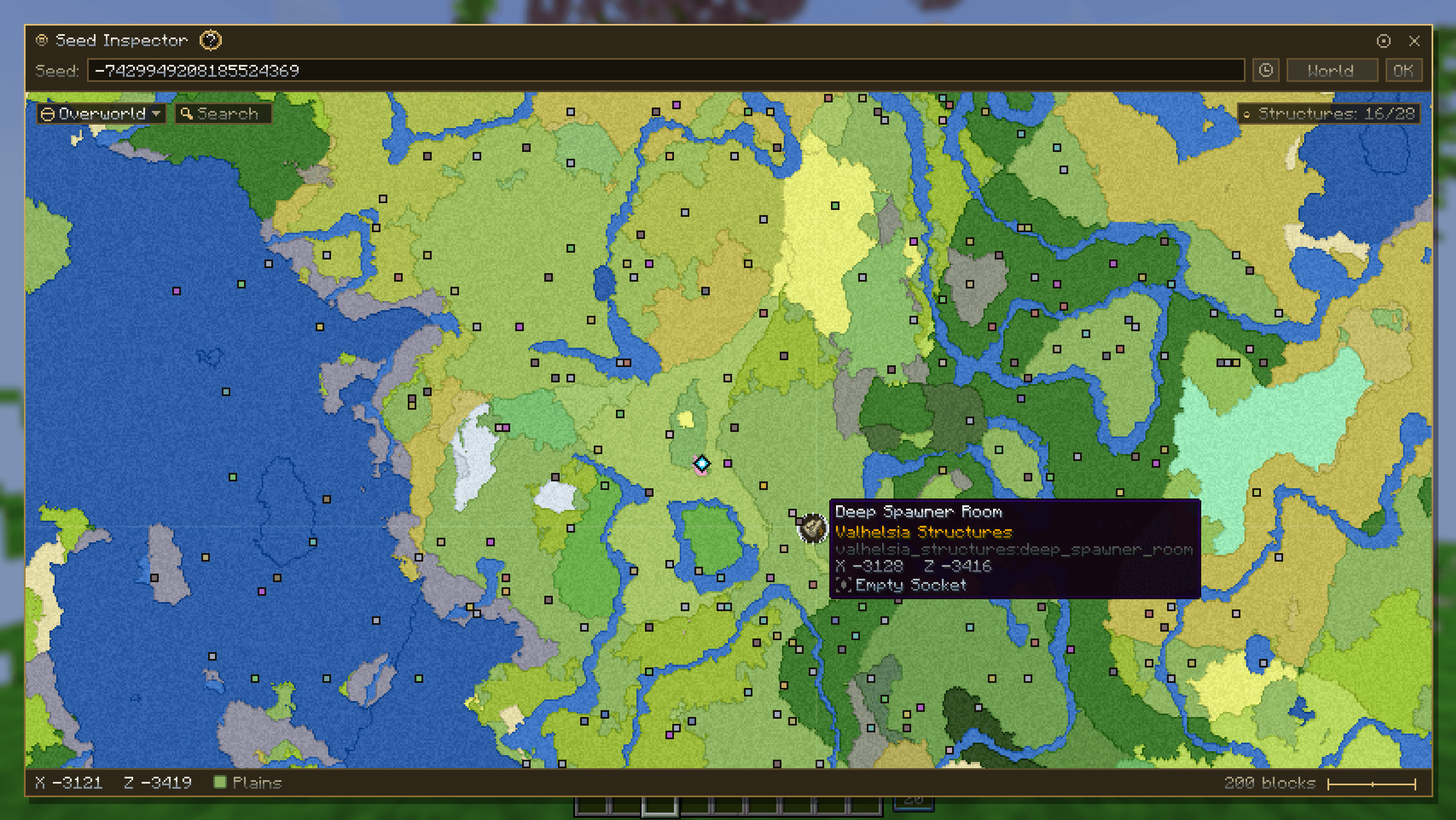 Seed Inspector
 -
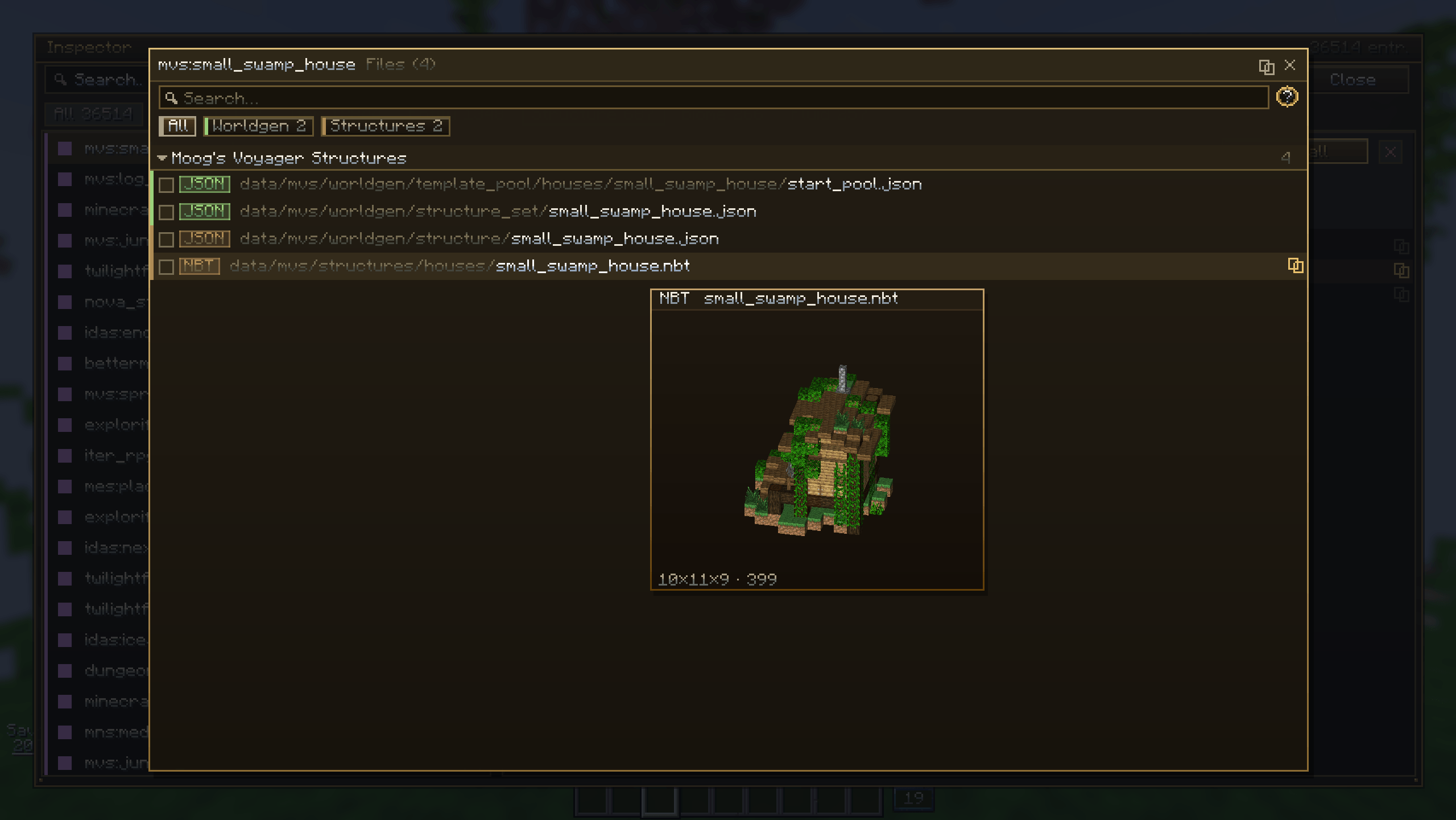 File Manager
 -
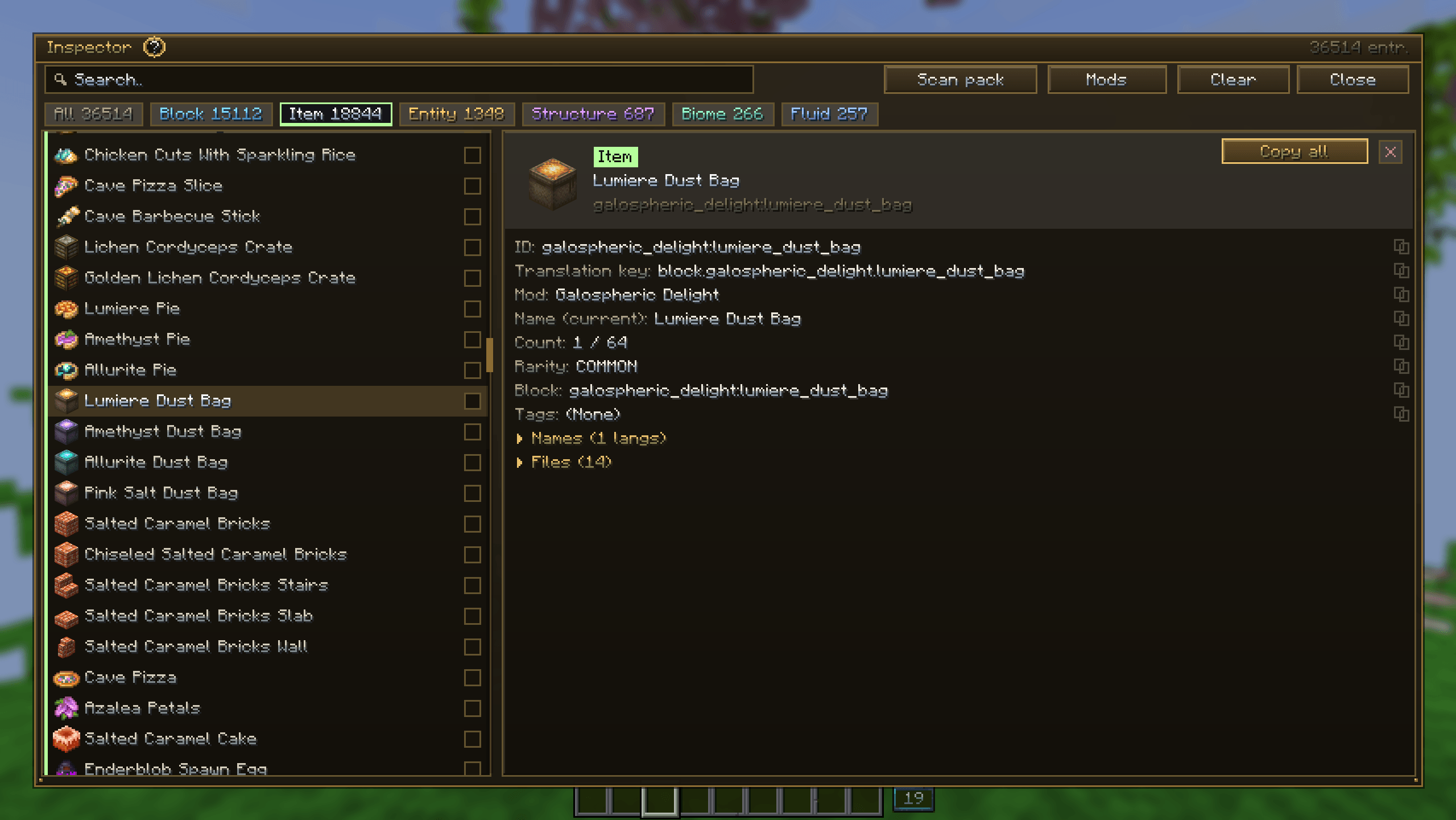 Object Inspector
 -
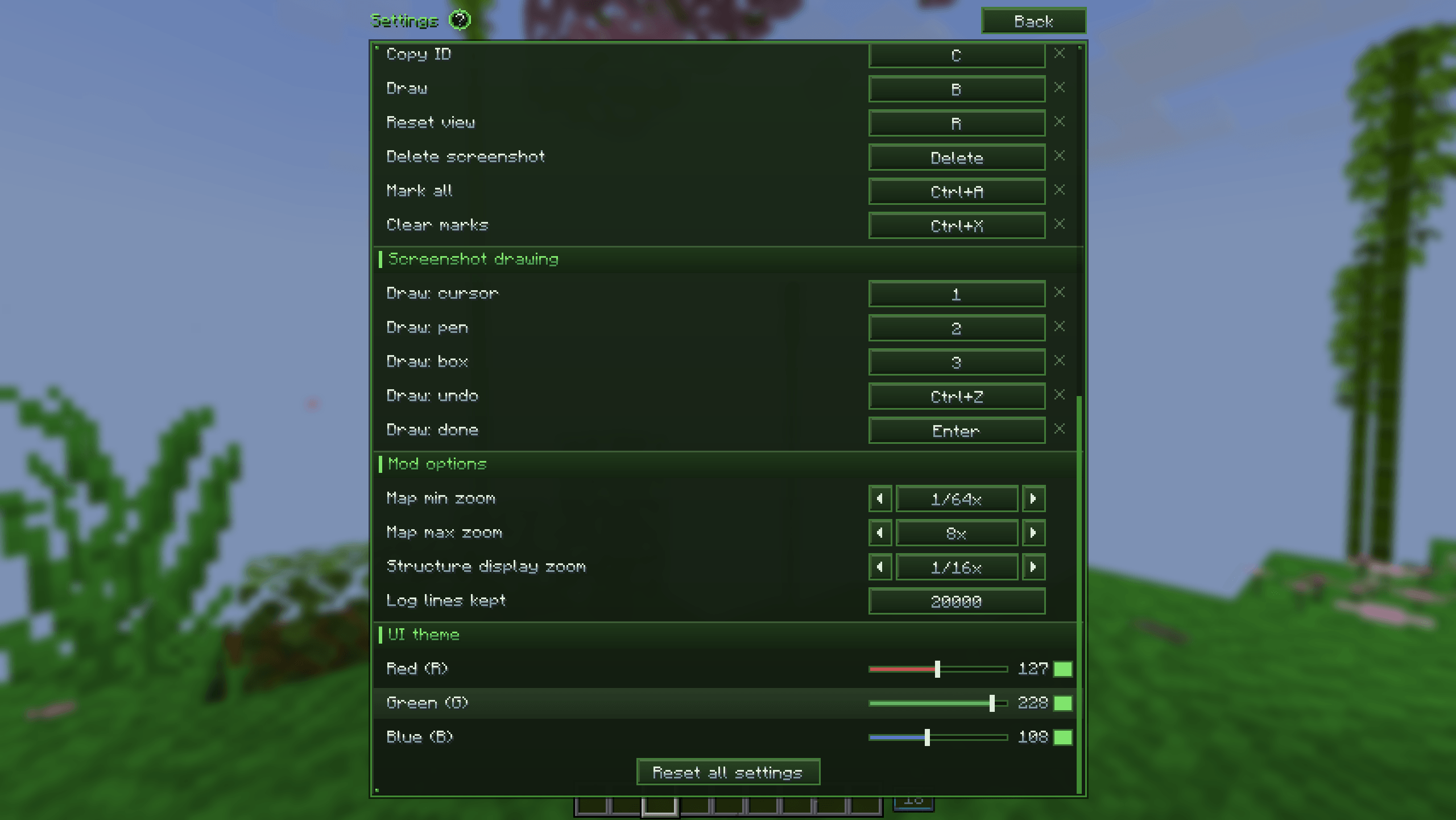 Settings & Controls
 -
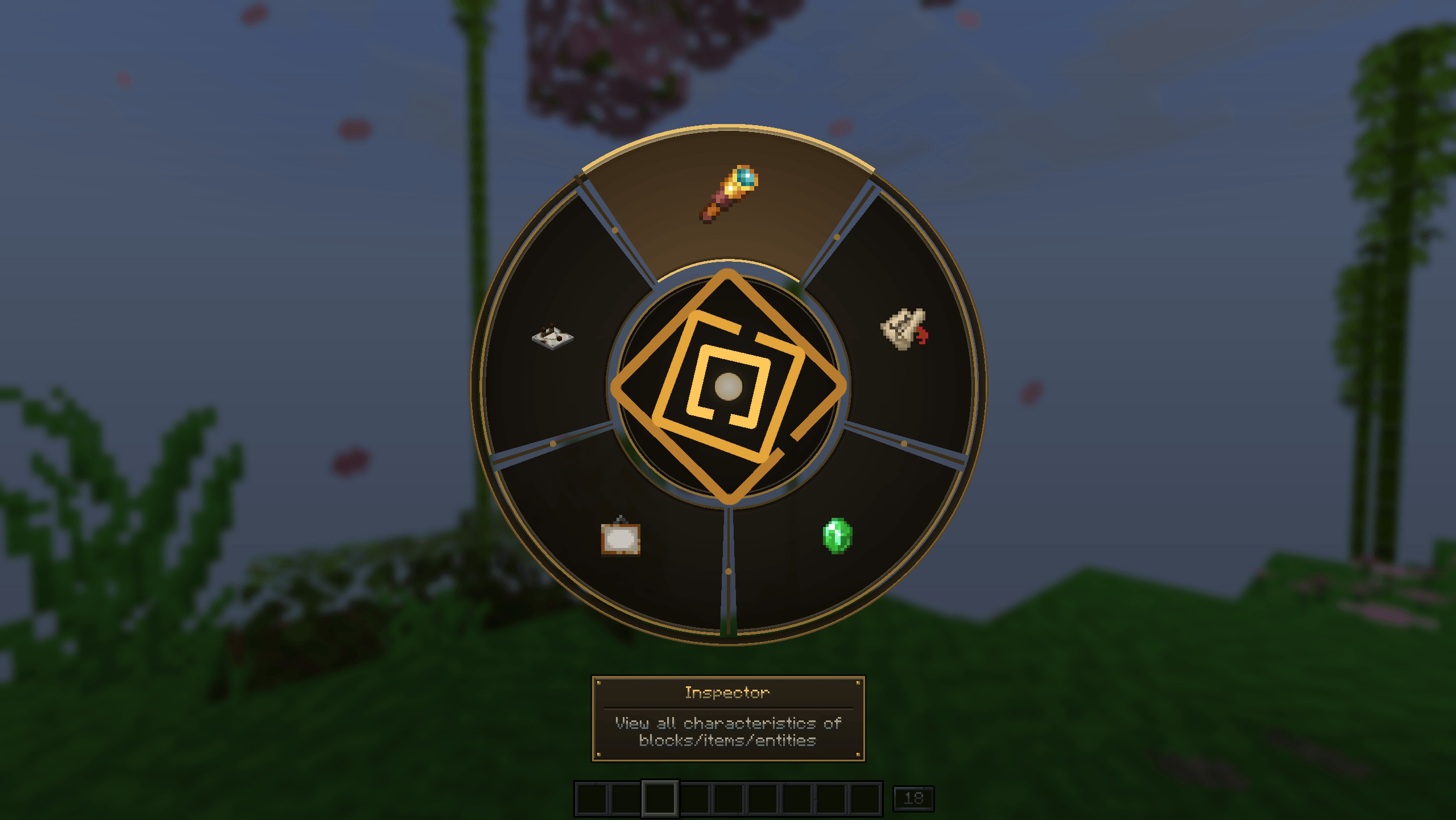 Radial Menu
 -
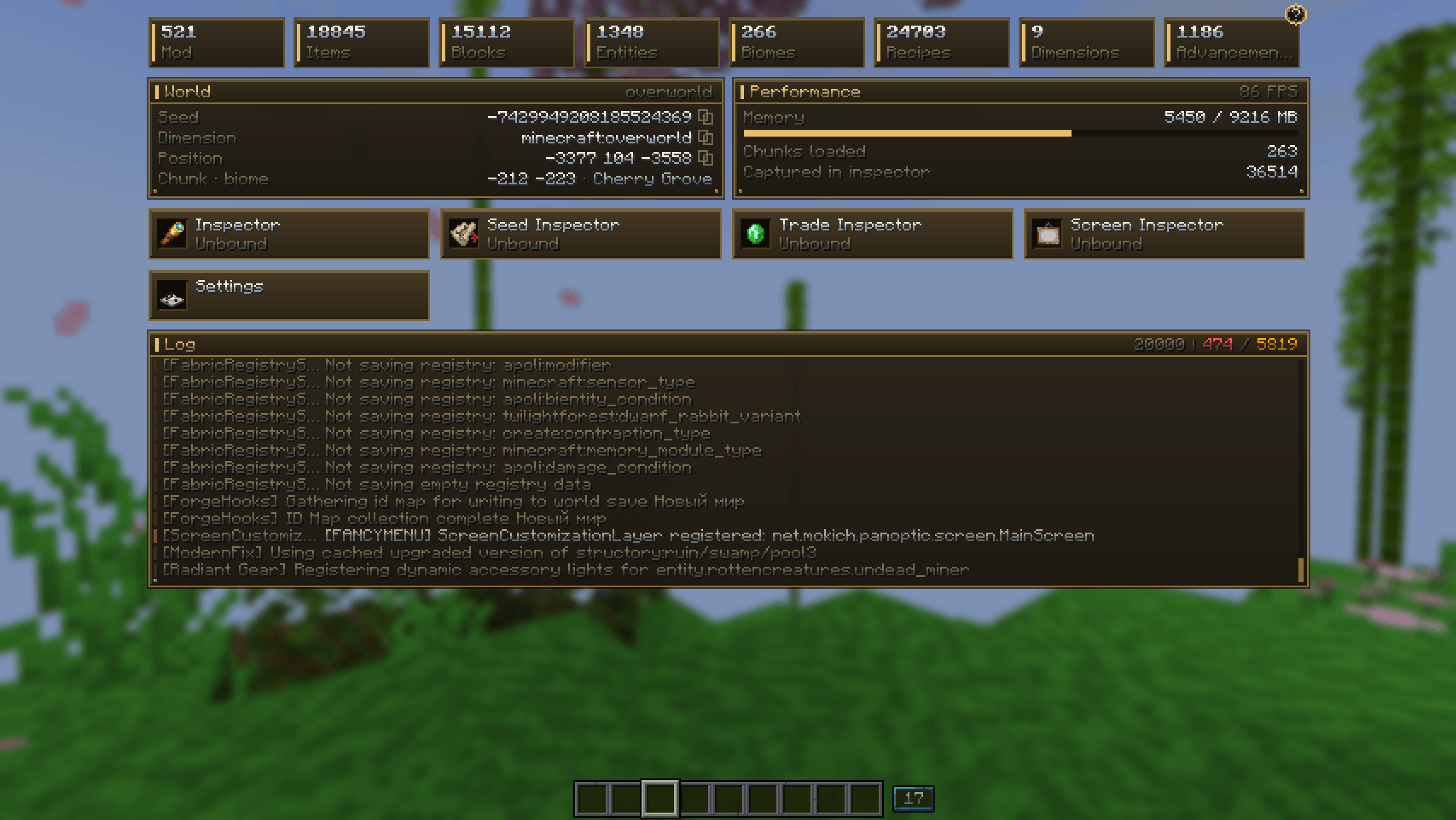 General Information Interface
-
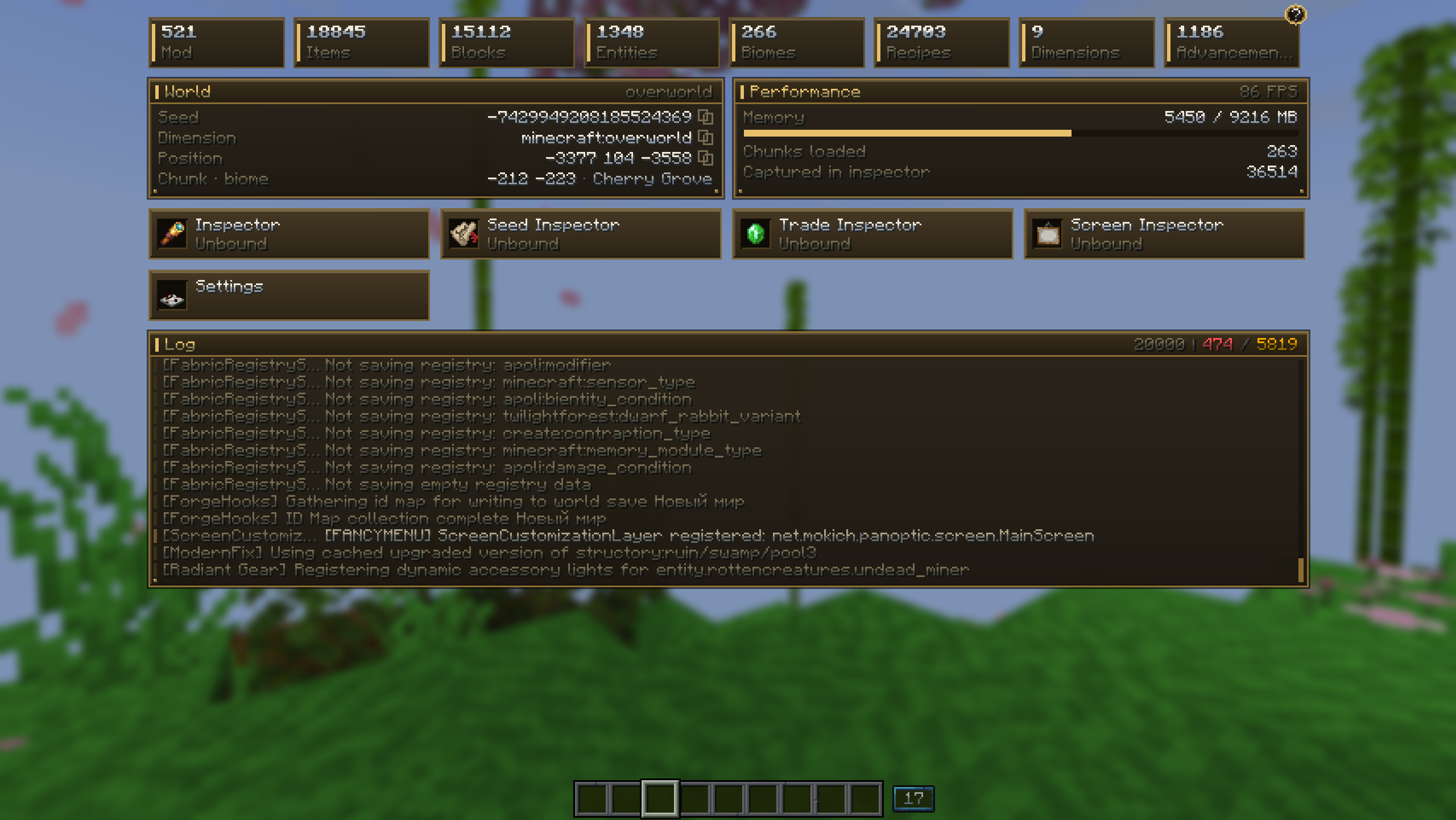 General Information Interface
 -
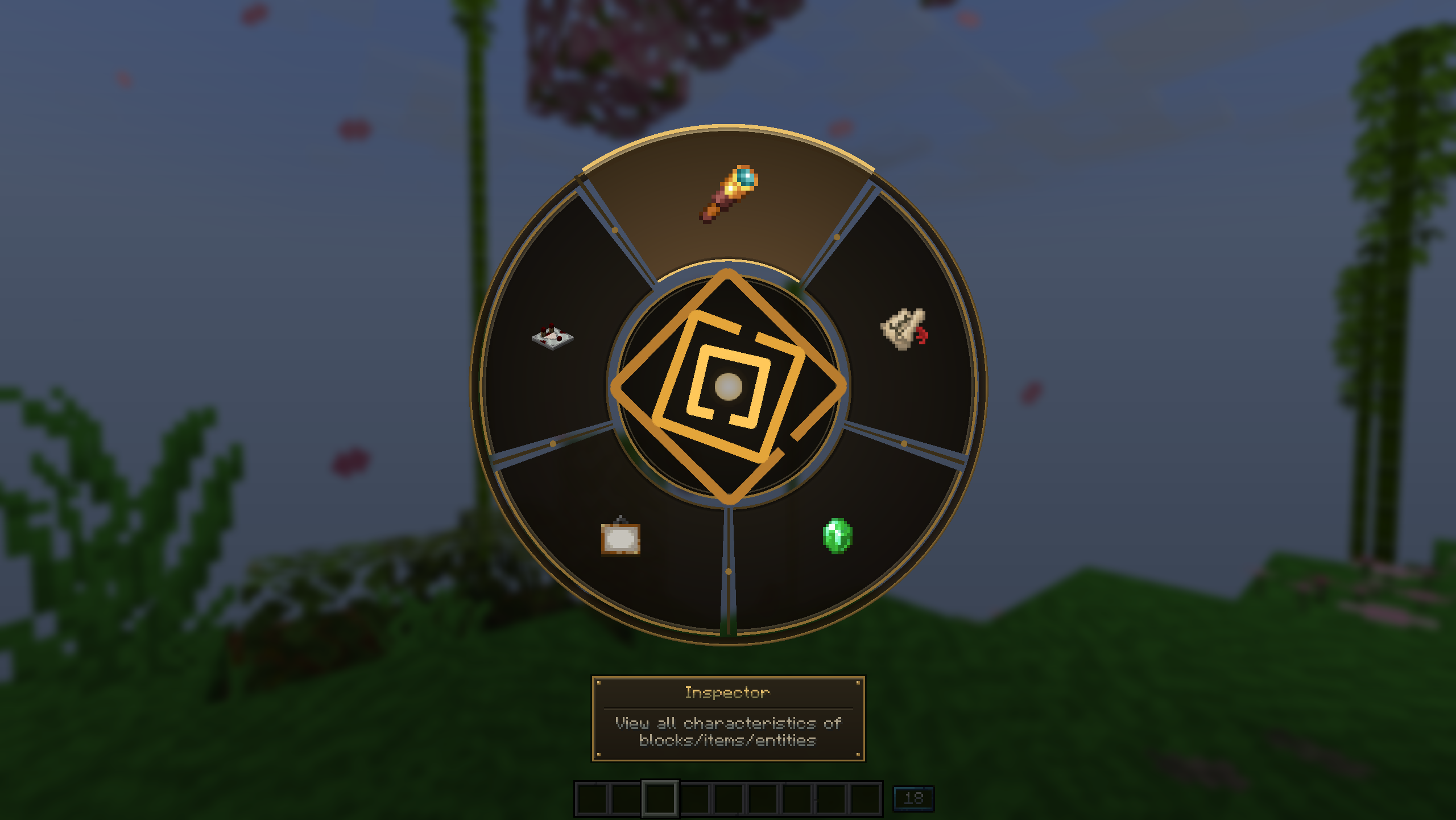 Radial Menu
 -
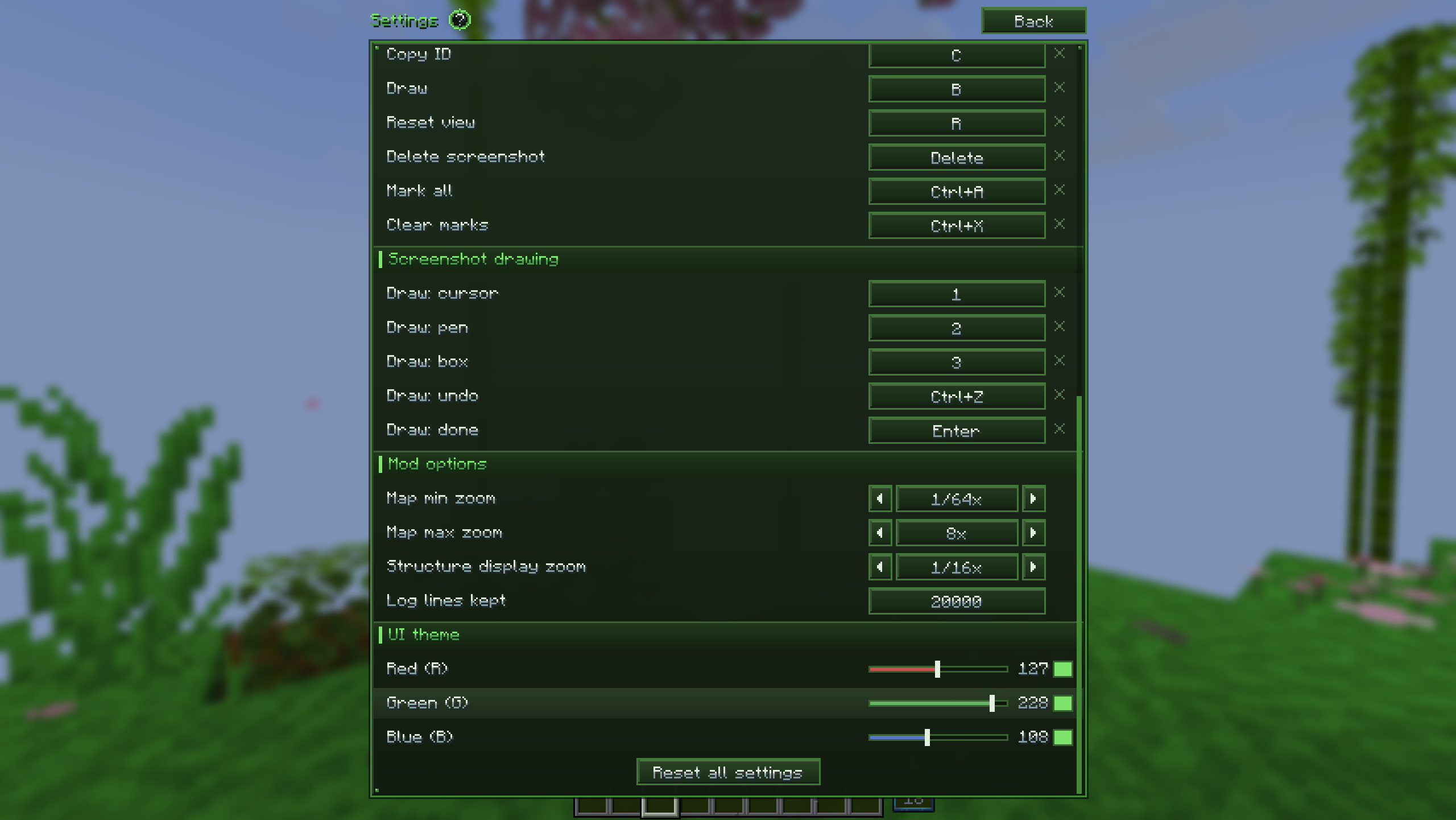 Settings & Controls
 -
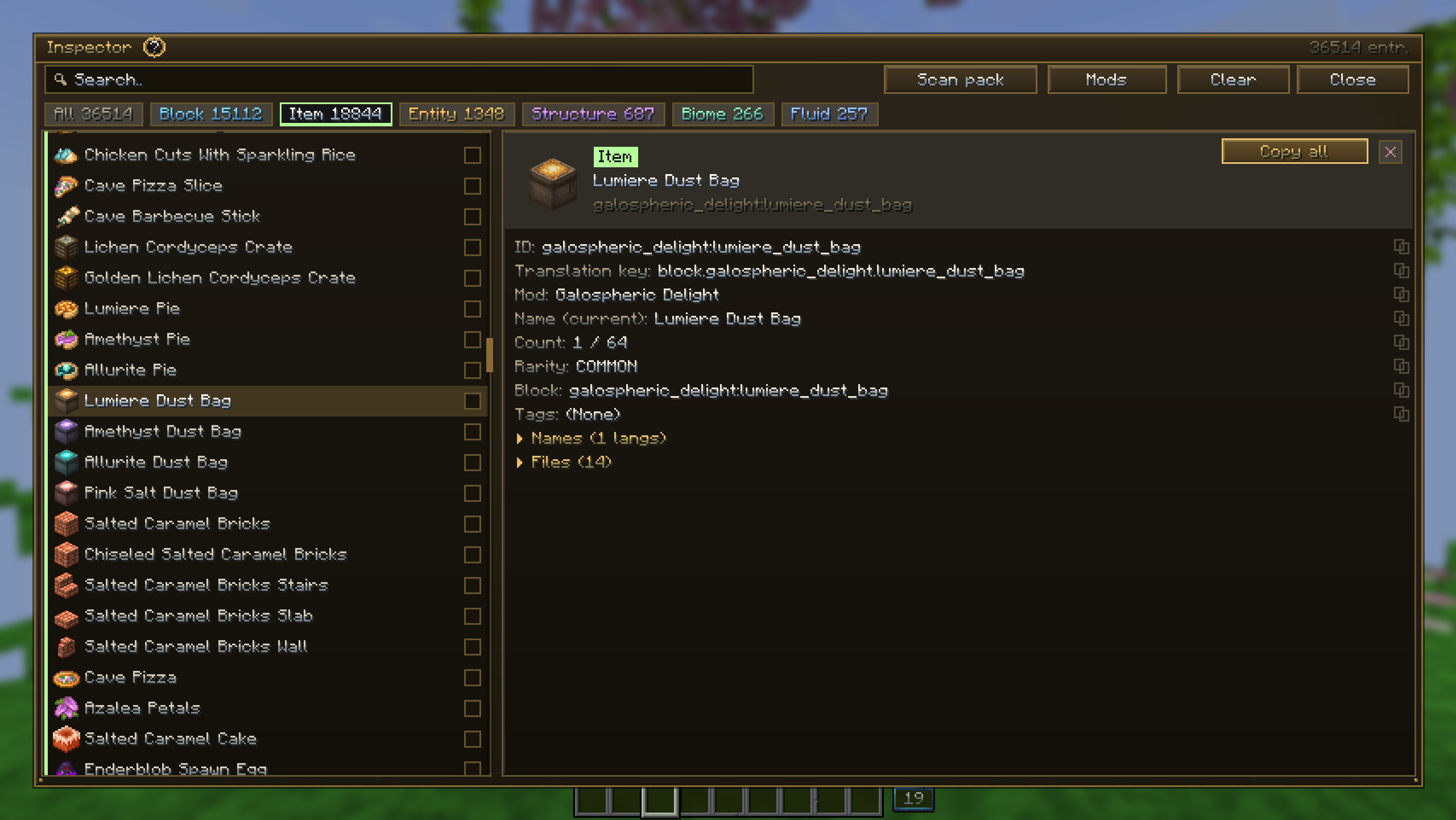 Object Inspector
 -
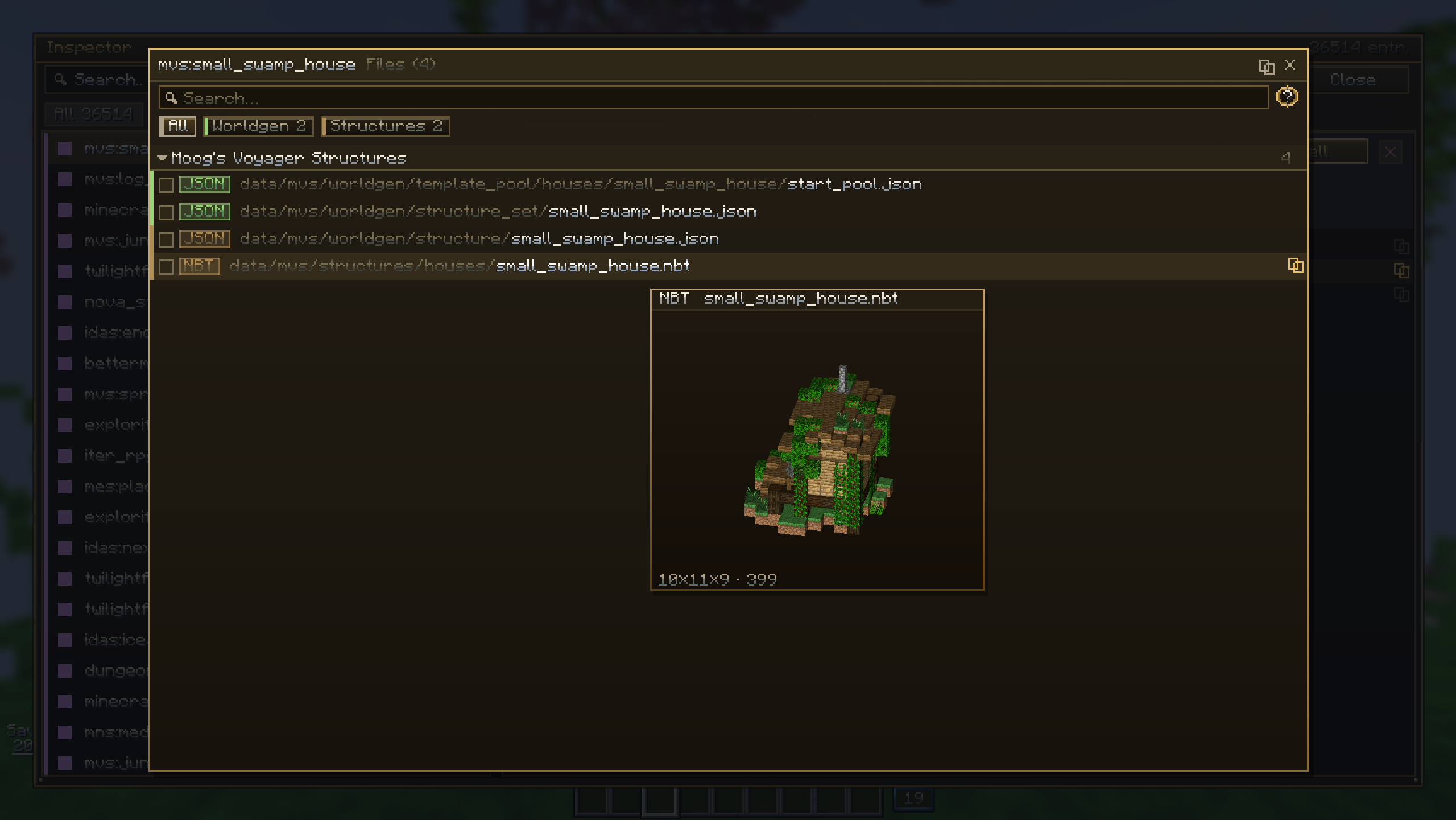 File Manager
 -
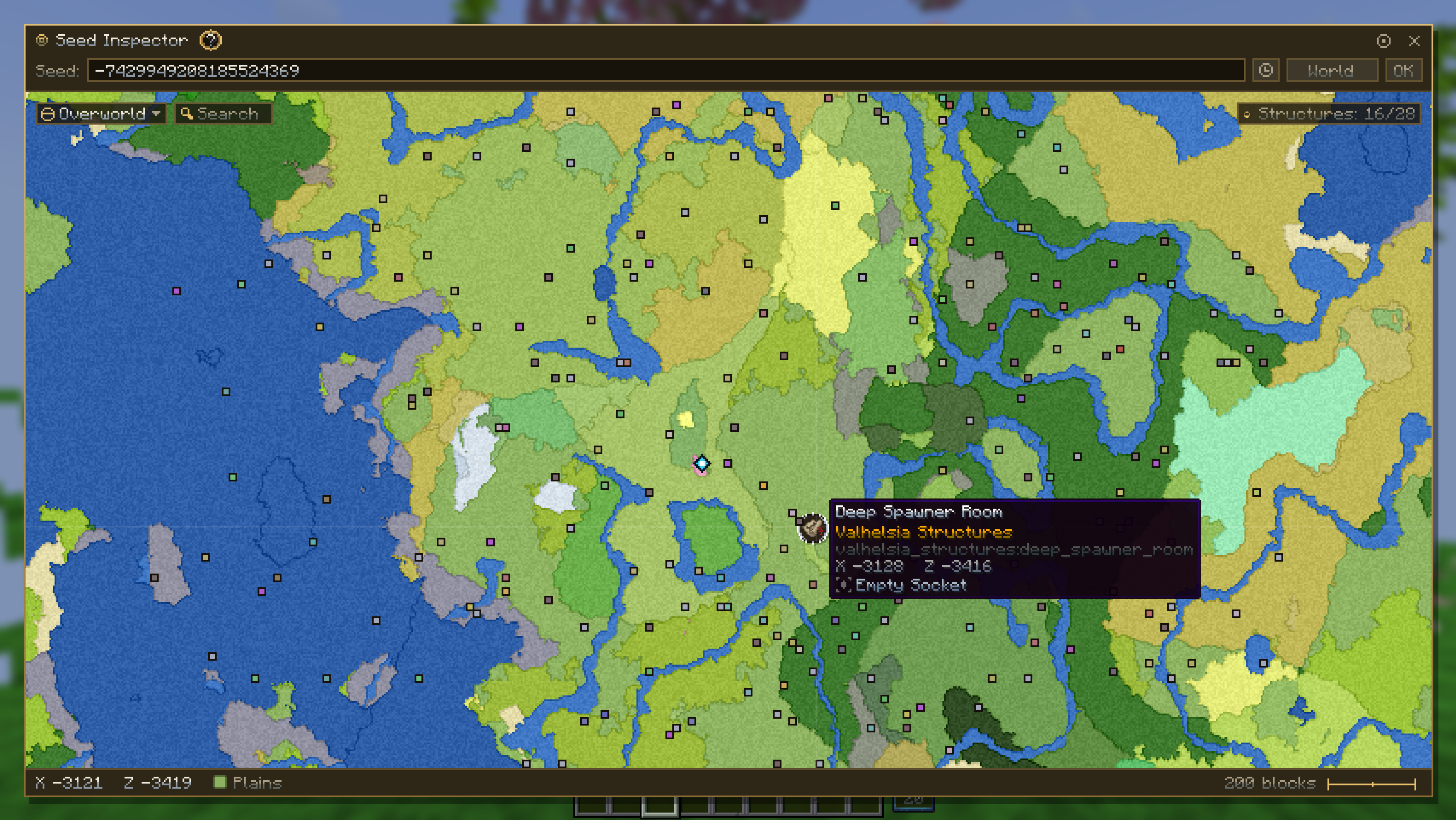 Seed Inspector
 -
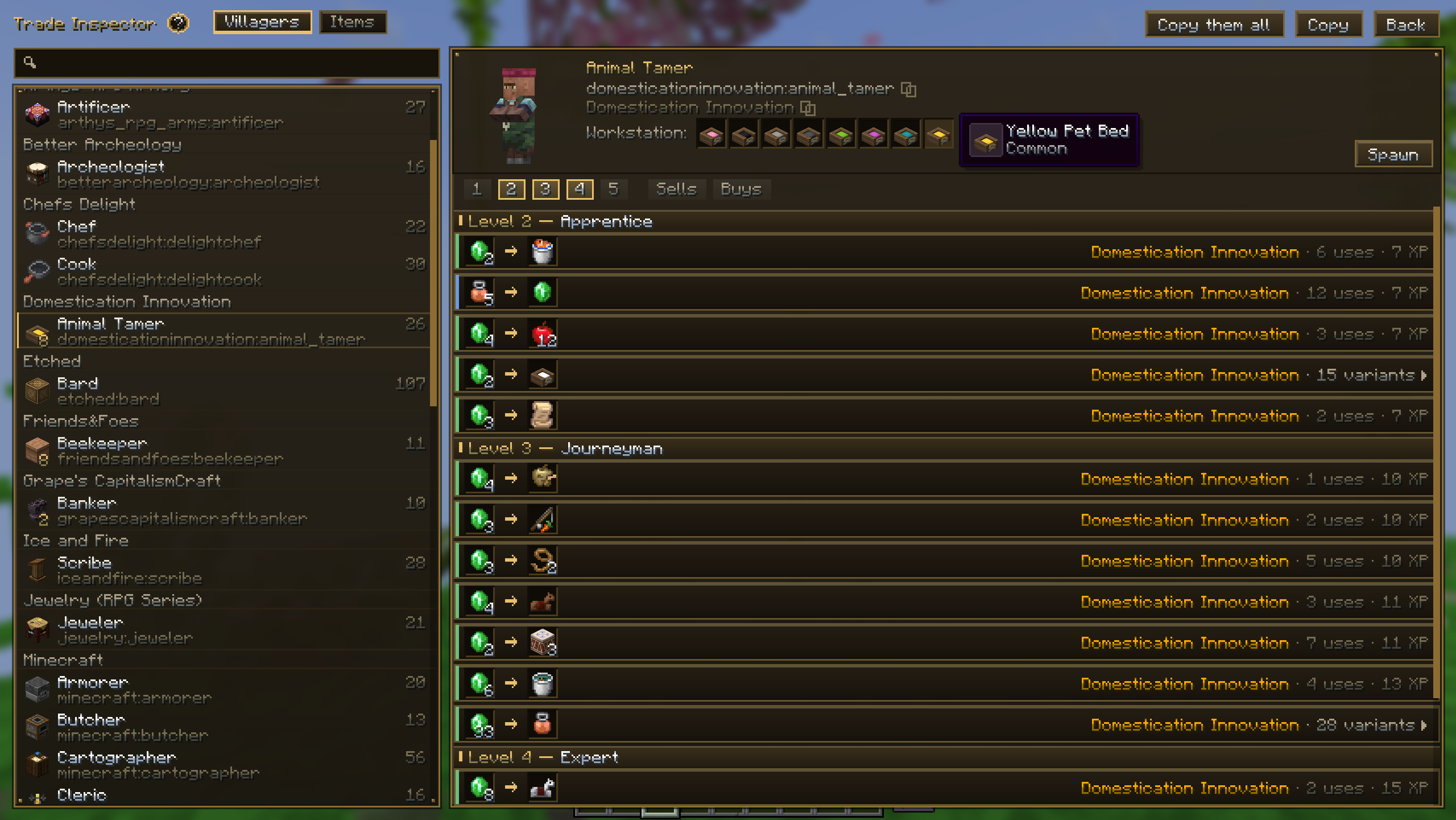 Trade Inspector
 -
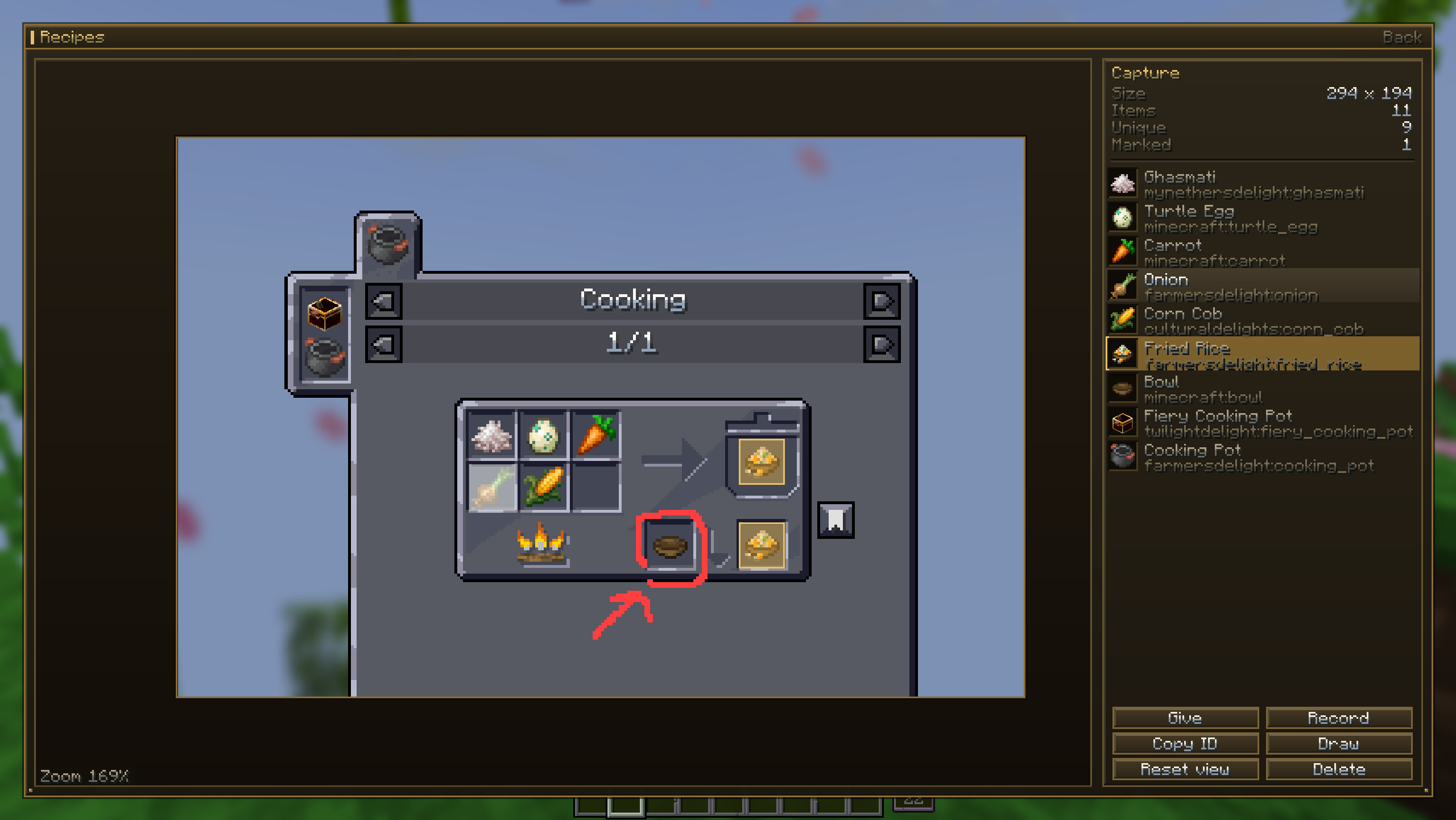 Screen Inspector
Versions
Files
Relations
Project Relations
More like this
Similar Mods
Suggestions use data such as tags, dependencies, dependents, descriptions, titles, and more to rank how much they overlap with this mod.
On ModDex
Community snapshot
By the numbers
Statistics
Want to reach Minecraft players?
We're looking for a server hosting partner to feature here and other parts of the site. Interested? Send us a message!
Get in touchGet it on
Available Platforms
On ModDex
Community snapshot
By the numbers