Community listing page, reviews here may not be monitored by the author.
ParticleGenerator


No reviews yet
Adds Particle Generator block
Community voices
Reviews
No reviews yet. Be the first to review this project!
Get it on
Available Platforms
Compatibility
Supported Environments
Must be installed on both the client and the server.
About
Project Details
For authors
Embed Badge
If you're the author of this project, you can embed a live badge anywhere that supports HTML or Markdown. It updates automatically whenever ratings change.
Use HTML for any page that supports it, or Markdown for README files and Markdown-based descriptions.
Identifiers
Platform IDs
About
Description
About
ParticleGenerator is a Minecraft mod created mainly for builders and mapmakers. It adds Particle Generator block into the game.
Particle Generator block is highly customisable and using it is much more convenient and efficient than using command blocks. It allows you to generate multiple particles from one block and set generated particles position and speed randomization.
Usage
Commands
/pgen show - Shows edges of Particle Generators
/pgen hide - Hides edges of Particle Generators
/pgen info - Displays information about mod
/pgen help - Displays the help message
Particle Generator block states
position=[center(default)/top/bottom] - determines position of particles generation
Particle Generator NBT tags
>Particles:[{...}] - list of compounds:
>>id:"" - particle id
>>Motion:[x,y,z] - particle velocities [blocks/tick] (in most cases)
>>MotionRand:[x,y,z] - randomization of "Motion" values
>>PositionOffset:[x,y,z] - offset of particle positions
>>PositionRand:[x,y,z] - randomization of particle positions
>>Interval:int - interval between particles [ticks]
>>Probability:double - probability of particle spawning
>>ParticleCount:int - number of particles when spawned
>>ParticleMaxCount:int - maximum number of particles
>>SignalMin:int - minimal redstone signal to activate particle
>>SignalMax:int - maximal redstone signal to activate particle
>>AdditionalTags:{} - additional tags (like block id)
>UseAnimateTick:bool - spawn particles on animateTick
*For position and motion, random value is in range from val-(rand/2) to val+(rand/2).
*For particle count, random value is in range from ParticleCount to ParticleMaxCount.
*By default UseAnimateTick tag is set to false. That means particles will try to spawn every tick and their spawn rate can be manipulated using Interval and Propability tags. When set to true particles will try to spawn when animateTick method is called. This will allow you to recreate particle spawn rate of for example torches and many other blocks that uses animateTick to spawn particles.
*If you want to spawn particles that require additional block or item ID (like block particle) add tag AdditionalTags:{id:"some_block_id"} .
Useful Minecraft BlockItem NBT tags (pre-1.20.5)
>BlockStateTag:{} - specifies block states
>BlockEntityTag:{} - specifies block NBT tags
Useful Minecraft BlockItem data components (1.20.5+)
>block_state:{...} - specifies block states
>block_entity_data:{id:"pgen:particle_generator",...} - specifies block NBT tags
Tips
You can find list of particles with its IDs on https://minecraft.wiki/w/Particles_(Java_Edition)
If you want to copy Particle Generator block (with NBT data) hold control key when pressing MMB.
Examples
Simple smoke Particle Generator
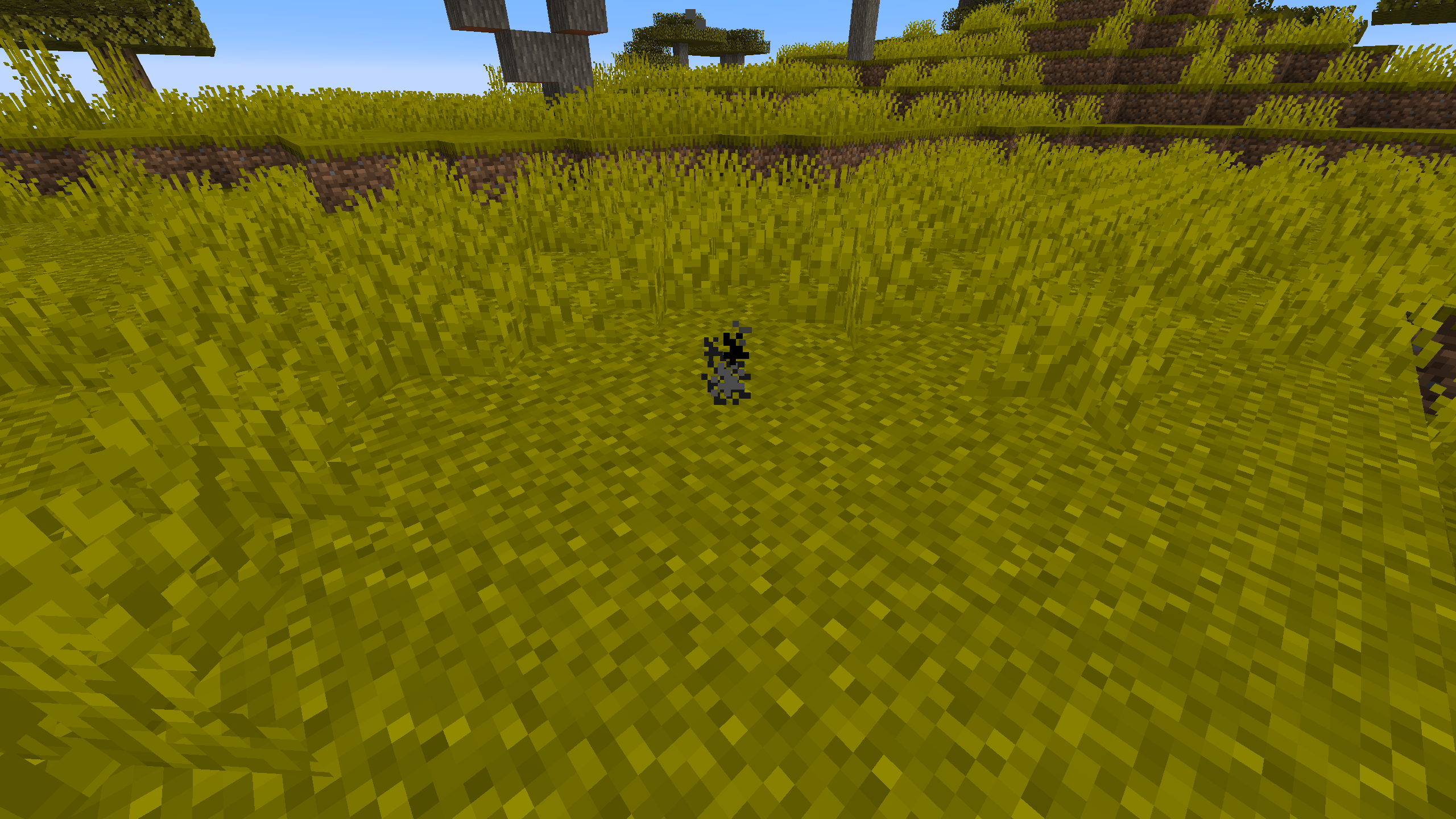
Using a /setblock: /setblock ~ ~ ~ pgen:particle_generator{Particles:[{id:"smoke"}],UseAnimateTick:true}
Using a /give: /give @p pgen:particle_generator{BlockEntityTag:{Particles:[{id:"smoke"}],UseAnimateTick:true}}
Particle Generator like campfire
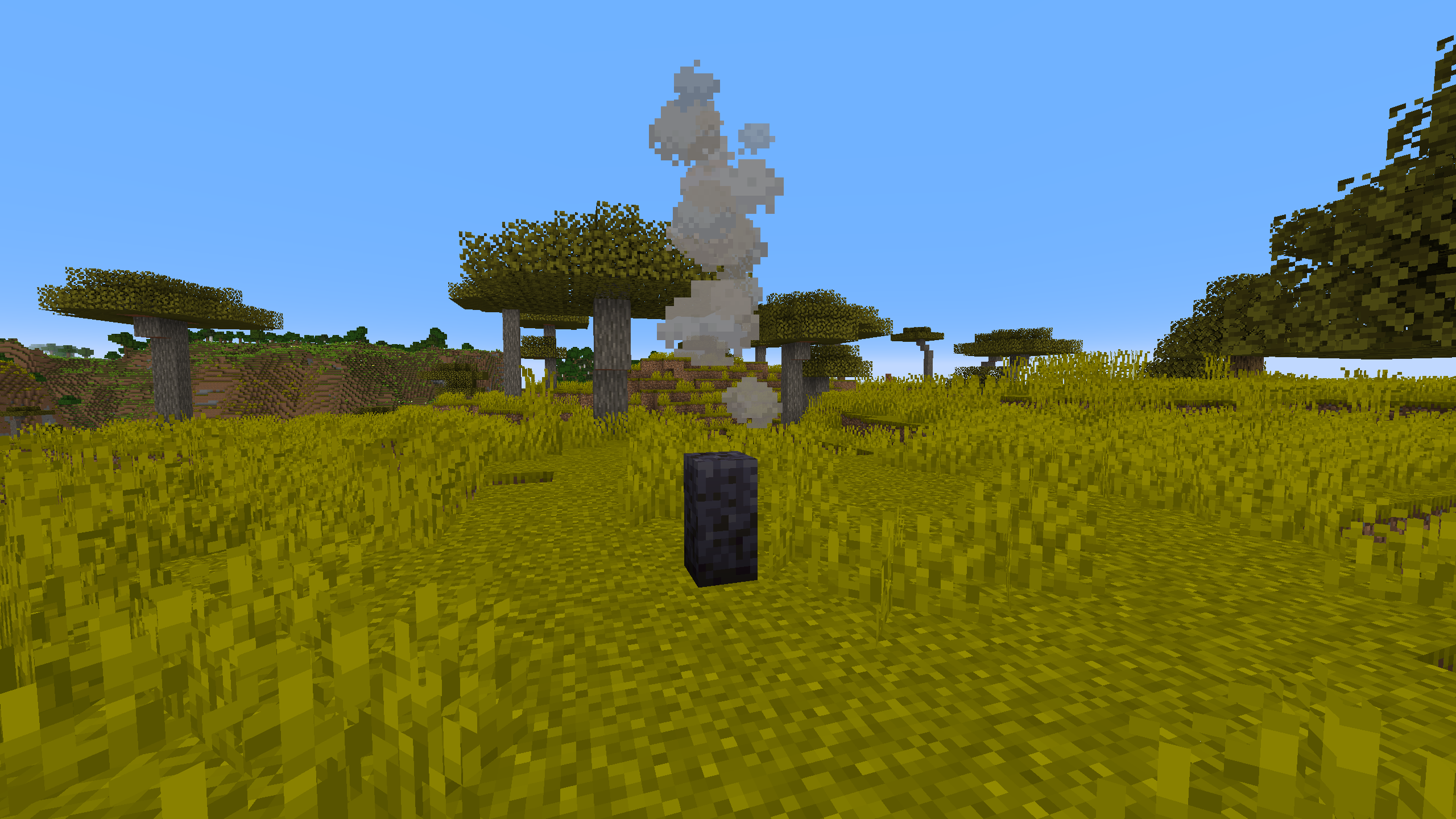
Using a /setblock: /setblock ~ ~ ~ pgen:particle_generator[position=bottom]{Particles:[{id:"campfire_cosy_smoke",Motion:[0.0,0.07,0.0],PositionRand:[0.67,0.0,0.67],ParticleCount:2,ParticleMaxCount:3,Probability:0.11}]}
Using a /give: /give @p pgen:particle_generator{BlockStateTag:{position:"bottom"},BlockEntityTag:{Particles:[{id:"campfire_cosy_smoke",Motion:[0.0,0.07,0.0],PositionRand:[0.67,0.0,0.67],ParticleCount:2,ParticleMaxCount:3,Probability:0.11}]}}
You can easily get these commands by using /pgen help and use them as a template.
About
ParticleGenerator is a Minecraft mod created mainly for builders and mapmakers. It adds Particle Generator block into the game.
Particle Generator block is highly customisable and using it is much more convenient and efficient than using command blocks. It allows you to generate multiple particles from one block or set generated particles position and speed randomization.
Usage
Commands
/pgen show - Shows edges of Particle Generators
/pgen hide - Hides edges of Particle Generators
/pgen info - Displays information about mod
/pgen help - Displays the help message with
Particle Generator block states
position=[center(default)/top/bottom] - determines position of particles generation
Particle Generator NBT tags
Particles:[{...}] - list of compounds:
  id:"" - particle id
  Motion:[x,y,z] - particle velocities [blocks/tick] (in most cases)
  MotionRand:[x,y,z] - randomization of "Motion" values
  PositionOffset:[x,y,z] - offset of particle positions
  PositionRand:[x,y,z] - randomization of particle positions
  Interval:int - interval between particles [ticks]
  Probability:double - probability of particle spawning
  ParticleCount:int - number of particles when spawned
  ParticleMaxCount:int - maximum number of particles
  SignalMin:int - minimal redstone signal to activate particle
  SignalMax:int - maximal redstone signal to activate particle
  AdditionalTags:{} - additional tags (like block id)
UseAnimateTick:bool - spawn particles on animateTick
*For position and motion, random value is in range from val-(rand/2) to val+(rand/2).
*For particle count, random value is in range from ParticleCount to ParticleMaxCount.
*By default UseAnimateTick tag is set to false. That means particles will try to spawn every tick and their spawn rate can be manipulated using Interval and Propability tags. When set to true particles will try to spawn when animateTick method is called. This will allow you to recreate particle spawn rate of for example torches and many other blocks that uses animateTick to spawn particles.
*If you want to spawn particles that require additional block or item ID (like block particle) add tag AdditionalTags:{id:"some_block_id"}.
Useful Minecraft BlockItem NBT tags (pre-1.20.5)
BlockStateTag:{...} - specifies block states
BlockEntityTag:{...} - specifies block NBT tags
Useful Minecraft BlockItem data components (1.20.5+)
block_state:{...} - specifies block states
block_entity_data:{id:"pgen:particle_generator",...} - specifies block NBT tags
Tips
You can find list of particles with its IDs on https://minecraft.wiki/w/Particles_(Java_Edition)
If you want to copy Particle Generator block (with NBT data) hold control key when pressing MMB.
Examples
Simple smoke Particle Generator

Using /setblock: /setblock ~ ~ ~ pgen:particle_generator{Particles:[{id:"smoke"}],UseAnimateTick:true}
Using /give (pre-1.20.5): /give @p pgen:particle_generator{BlockEntityTag:{Particles:[{id:"smoke"}],UseAnimateTick:true}}
Using /give (1.20.5+): /give @p pgen:particle_generator[block_entity_data={id:"pgen:particle_generator",Particles:[{id:"smoke"}],UseAnimateTick:true}]
Particle Generator like campfire
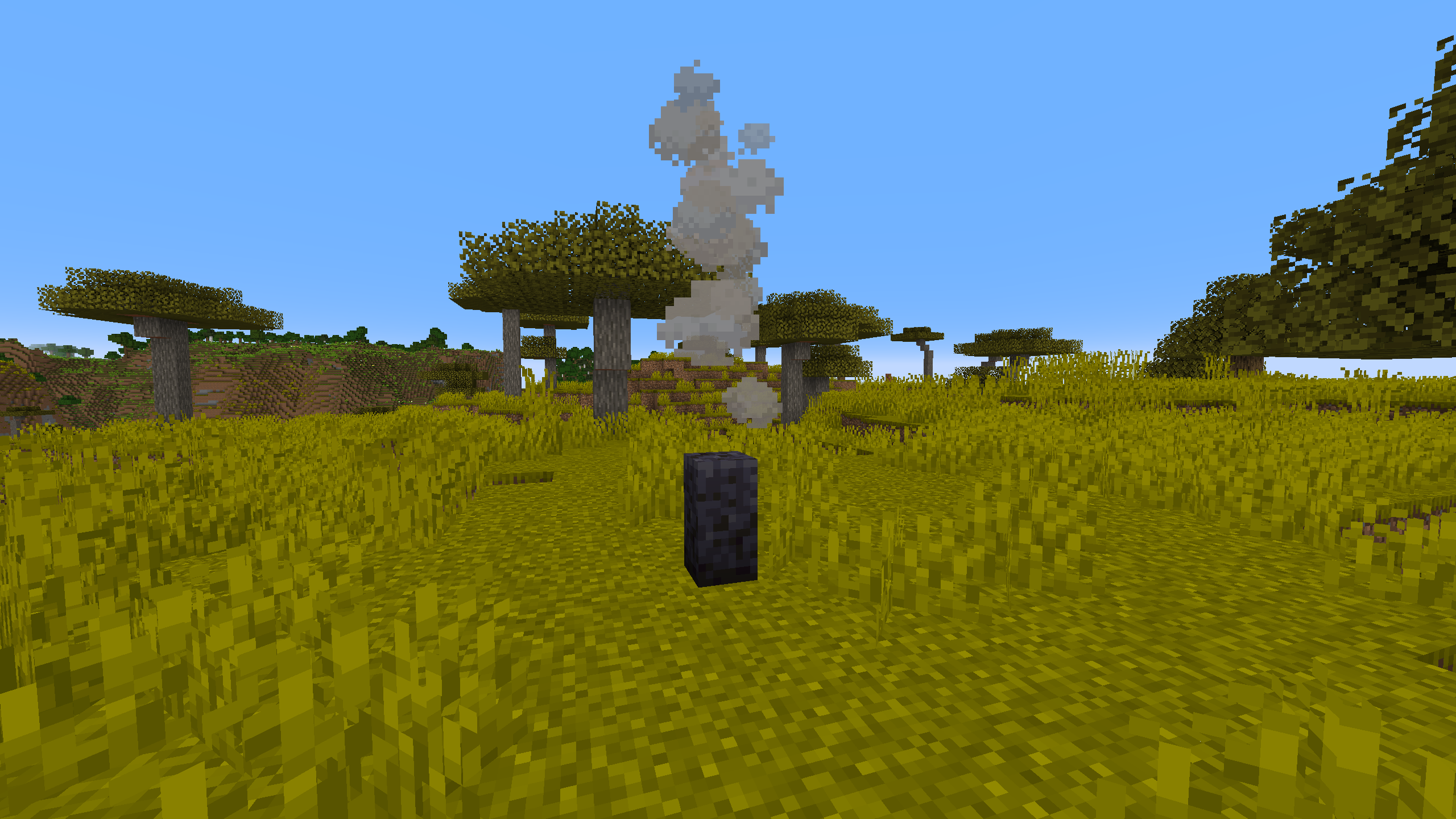
Using /setblock: /setblock ~ ~ ~ pgen:particle_generator[position=bottom]{Particles:[{id:"campfire_cosy_smoke",Motion:[0.0,0.07,0.0],PositionRand:[0.67,0.0,0.67],ParticleCount:2,ParticleMaxCount:3,Probability:0.11}]}
Using /give (pre-1.20.5): /give @p pgen:particle_generator{BlockStateTag:{position:"bottom"},BlockEntityTag:{Particles:[{id:"campfire_cosy_smoke",Motion:[0.0,0.07,0.0],PositionRand:[0.67,0.0,0.67],ParticleCount:2,ParticleMaxCount:3,Probability:0.11}]}}
Using /give (1.20.5+): /give @p pgen:particle_generator[block_state={position:bottom},block_entity_data={id:"pgen:particle_generator",Particles:[{id:"campfire_cosy_smoke",Motion:[0.0,0.07,0.0],PositionRand:[0.67,0.0,0.67],ParticleCount:2,ParticleMaxCount:3,Probability:0.11}]}]
You can easily get these commands by using /pgen help and use them as a template.
Screenshots
Gallery
-
Example 2
-
Example 1
-
Simple smoke Particle Generator
-
Campfire-like Particle Generator
Versions
Files
Relations
Project Relations
More like this
Similar Mods
Suggestions use data such as tags, dependencies, dependents, descriptions, titles, and more to rank how much they overlap with this mod.
On ModDex
Community snapshot
By the numbers
Statistics
Want to reach Minecraft players?
We're looking for a server hosting partner to feature here and other parts of the site. Interested? Send us a message!
Get in touchGet it on
Available Platforms
On ModDex
Community snapshot
By the numbers