
Community listing page, reviews may not be monitored by the author.
PawnCraft

No reviews yet
Write, compile, and run PAWN programs inside CC:Tweaked to control redstone, turtles, and peripherals.

Community voices
Reviews
No reviews yet. Be the first to review this project!
Get it on
Available Platforms
About
Project Details
For authors
Embed Badge
If you're the author of this project, you can embed a live badge anywhere that supports HTML or Markdown. It updates automatically whenever ratings change.
Use HTML for any page that supports it, or Markdown for README files and Markdown-based descriptions.
Identifiers
Platform IDs
Resources
External Links
About
Description
PAWN meets ComputerCraft
Write a program. Compile it in-game. Make something move.
PawnCraft adds the PAWN scripting language to CC:Tweaked computers and turtles. Control your farm, build a redstone controller, or put together a monitor dashboard using a compact, C-like language. Your normal CraftOS terminal and existing Lua programs stay available.
Meet the Annihilator
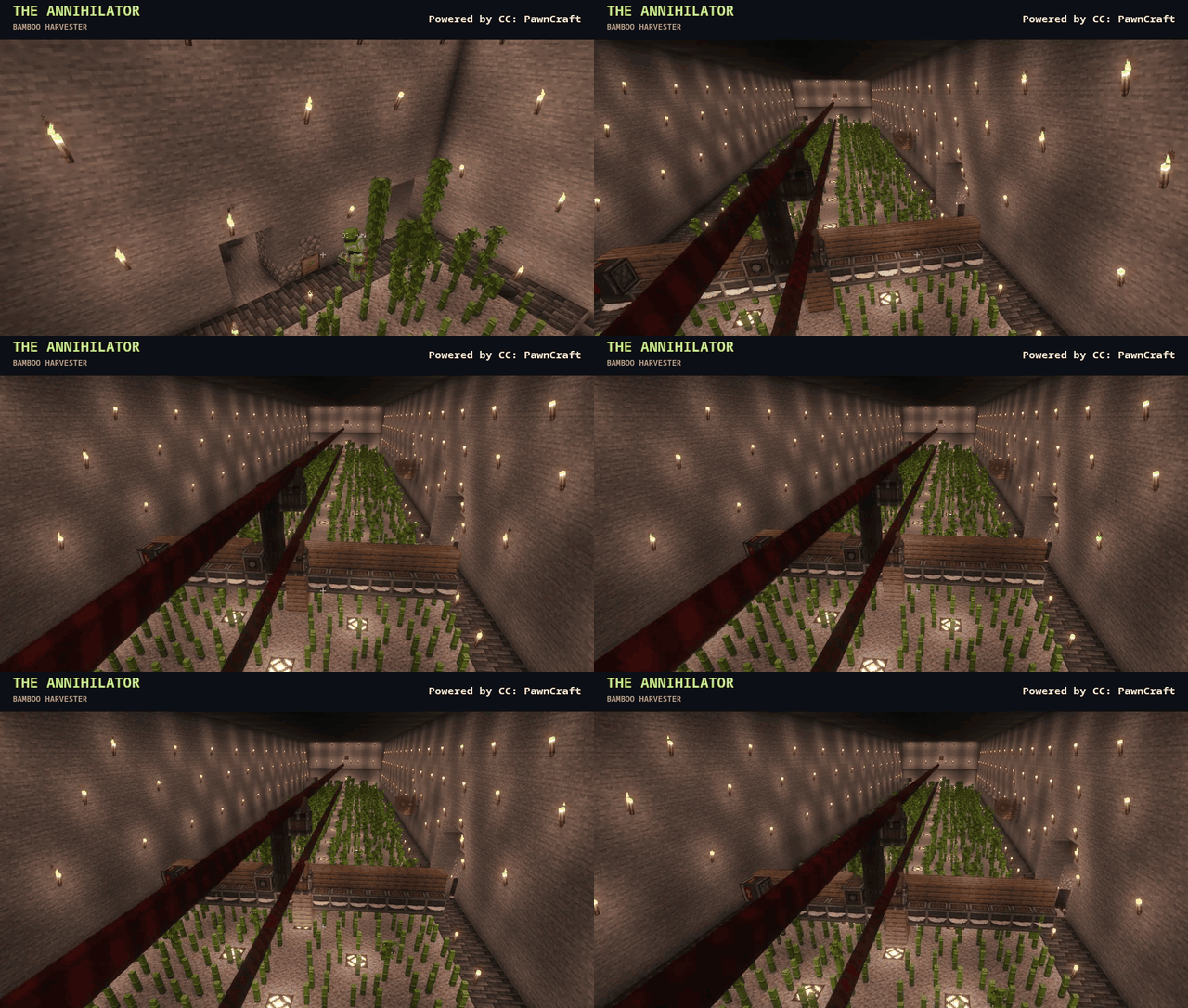
A bamboo harvester controlled by a PAWN redstone state machine. Probably more dramatic than a bamboo farm needs to be.
See how it works and read the script. The machine shown uses other mods; PawnCraft supplies its programmable controller.
What you can do
- Read redstone inputs and control digital, analog, and bundled outputs.
- Program turtles and call methods on connected peripherals.
- Write to monitors, work with files and JSON, and exchange modem messages.
- React to events and timers, with string helpers, formatted output, and float math.
The PAWN compiler and AMX runtime are bundled. No separate PAWN installation or building from source is needed to use the published JAR.
Before you install
The machine running the world must use Linux x86_64 with glibc 2.38 or newer. Windows, macOS, and ARM native binaries are not currently included.
- Minecraft 1.21.1 with NeoForge and Java 21.
- CC:Tweaked 1.120.2 or newer. Tested with 1.120.2 and NeoForge 21.1.248.
- On a dedicated server, install PawnCraft on the server. Connecting players do not need the PawnCraft JAR, and their computers do not need to run Linux.
- For singleplayer, these host requirements apply to your own computer.
Dependency note: CC:Tweaked no longer publishes new versions on CurseForge. Its older CurseForge files do not satisfy PawnCraft's minimum version. See the CC:Tweaked project notice and install a compatible NeoForge build separately.
Stop and back up your instance, then place the PawnCraft JAR from this project's
Files tab in mods/ alongside the compatible CC:Tweaked JAR. Start the instance
and run help pawn in a ComputerCraft terminal.
Your first program
In the computer's terminal, run:
edit hello.pwn
Enter this program:
#include <computercraft>

main()
{
    if (printf("Hello from PawnCraft!\n") < 0)
        return 1;
    return 0;
}
Press Ctrl, choose Save, then Exit. Compile and run:
pawncc hello.pwn -o hello.amx
pawn hello.amx
Recompile after editing. Hold Ctrl+T to stop a running program. Try the example programs when you're ready for redstone, countdowns, and event loops.
A few things to know
- PawnCraft uses the native CompuPhase PAWN compiler and AMX VM, connected to CC through a Lua bridge. It is not a PAWN-to-Lua transpiler.
- This is PAWN 4.1, not the SA-MP/open.mp API.
- Native execution is not an operating-system sandbox. Enable in-game compilation only for players you trust.
- PawnCraft does not keep chunks loaded. Computer shutdown or chunk unloading stops its programs.
Documentation and support
User guide and API reference | Source code | Report a bug
For bug reports, include your mod versions, host OS, relevant logs, and a small program that reproduces the problem.
PawnCraft's original code is MIT licensed. Bundled third-party components retain their respective licenses and notices.
Screenshots
Gallery
Versions
Files
Relations
Project Relations
More like this
Similar Mods
Suggestions use data such as tags, dependencies, dependents, descriptions, titles, and more to rank how much they overlap with this mod.
On ModDex
Community snapshot
By the numbers
Statistics

Get it on
Available Platforms
On ModDex
Community snapshot
By the numbers
Statistics
Resources