
Community listing page, reviews here may not be monitored by the author.
PeerCraft

No reviews yet
Play Minecraft with friends over the internet straight from "Open to LAN" — no dedicated server, no port forwarding. P2P hole punching, a built-in friends list, a public game browser, and automatic mod-pack sync. Fabric, NeoForge & Forge.
Community voices
Reviews
No reviews yet. Be the first to review this project!
Get it on
Available Platforms
About
Project Details
For authors
Embed Badge
If you're the author of this project, you can embed a live badge anywhere that supports HTML or Markdown. It updates automatically whenever ratings change.
Use HTML for any page that supports it, or Markdown for README files and Markdown-based descriptions.
Identifiers
Platform IDs
Resources
External Links
About
Description
PeerCraft
Play Minecraft with your friends over the real internet — no dedicated server, no port forwarding, no hassle.
PeerCraft is a client mod — Fabric, NeoForge, or Forge — that turns a normal singleplayer world into a multiplayer session your friends can join directly, peer-to-peer. Click "Open to LAN" like you always do, tick one checkbox, and share a 6-character code — PeerCraft handles NAT traversal (UDP hole punching) behind the scenes so your friend connects straight to you, with nobody needing to forward a router port.
On top of that, PeerCraft has its own lightweight account and friends system, so once you've added a friend you don't even need to share a code again — if they're hosting, you'll see it in your friends list and can join with one click.
⚠️ Early-stage hobby project. It works and is actively used, but it's built and maintained by one person in their spare time. Expect occasional rough edges, and please report anything broken — see Feedback & support below.
Features
- Direct P2P multiplayer over the internet — a small rendezvous server helps you and your friend find each other, then UDP hole punching connects you directly. Only the rendezvous server needs a forwarded port; neither player does.
- One-click hosting — open your world to LAN as usual, tick "play over the internet", and get a room code to share.
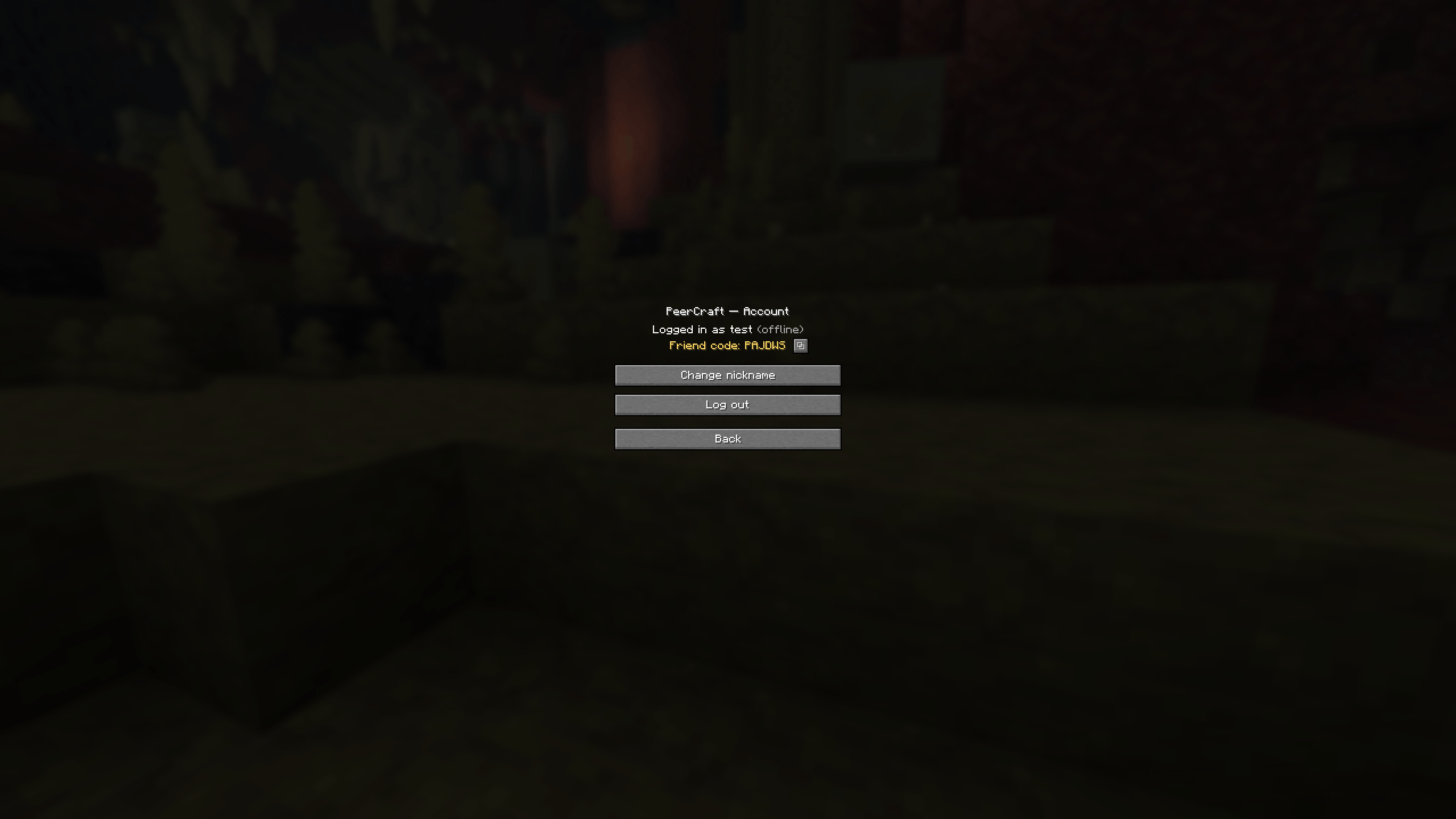
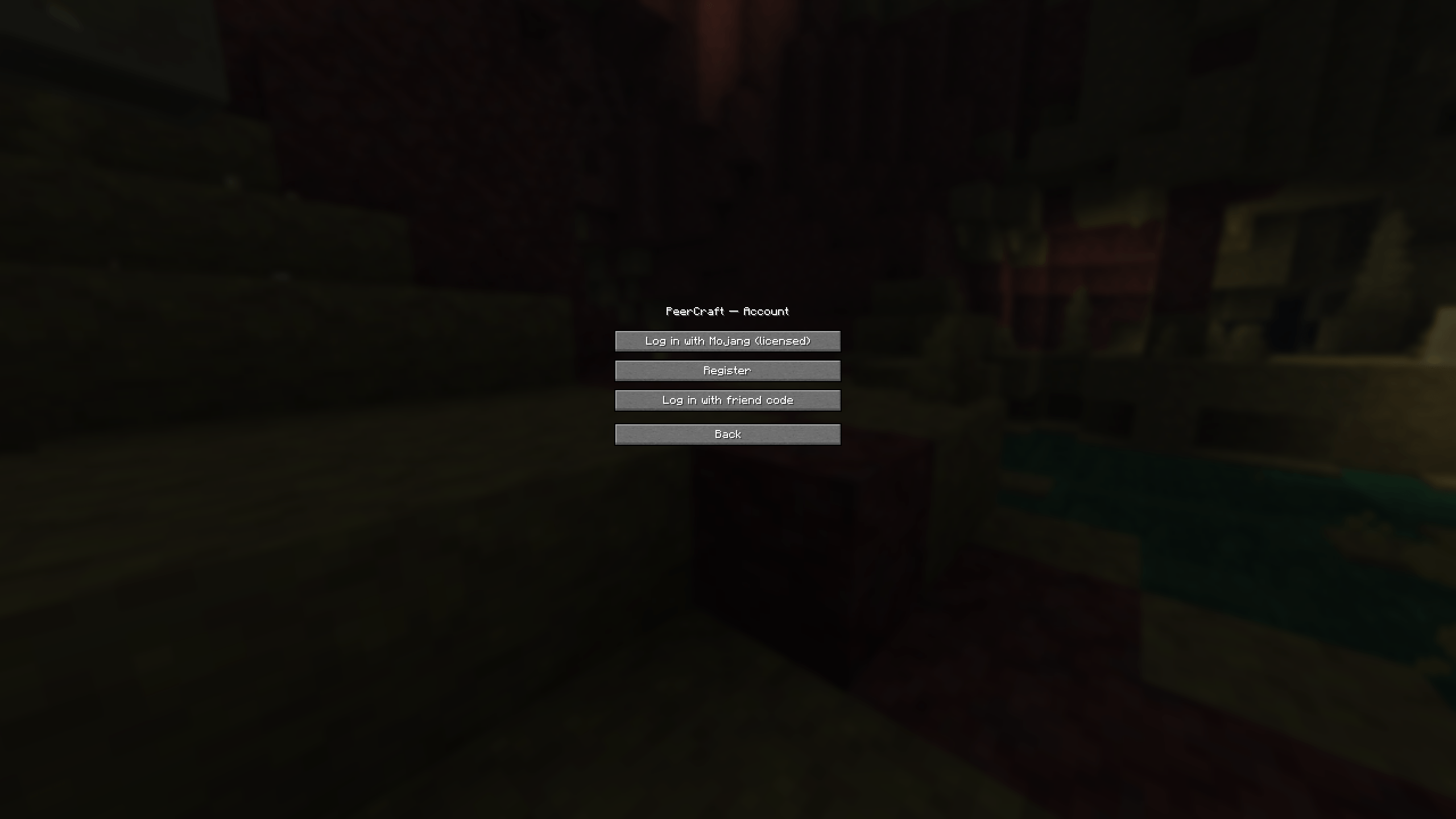
- Accounts, with or without a Mojang license — log in with your real Mojang account, or register a free nickname + password account if you don't own a copy of Minecraft (a "pirate" account). Both can play in the same world together.
- Friends list with live presence — see which friends are online or currently hosting a game, and connect to a hosting friend with a single click, no code required.
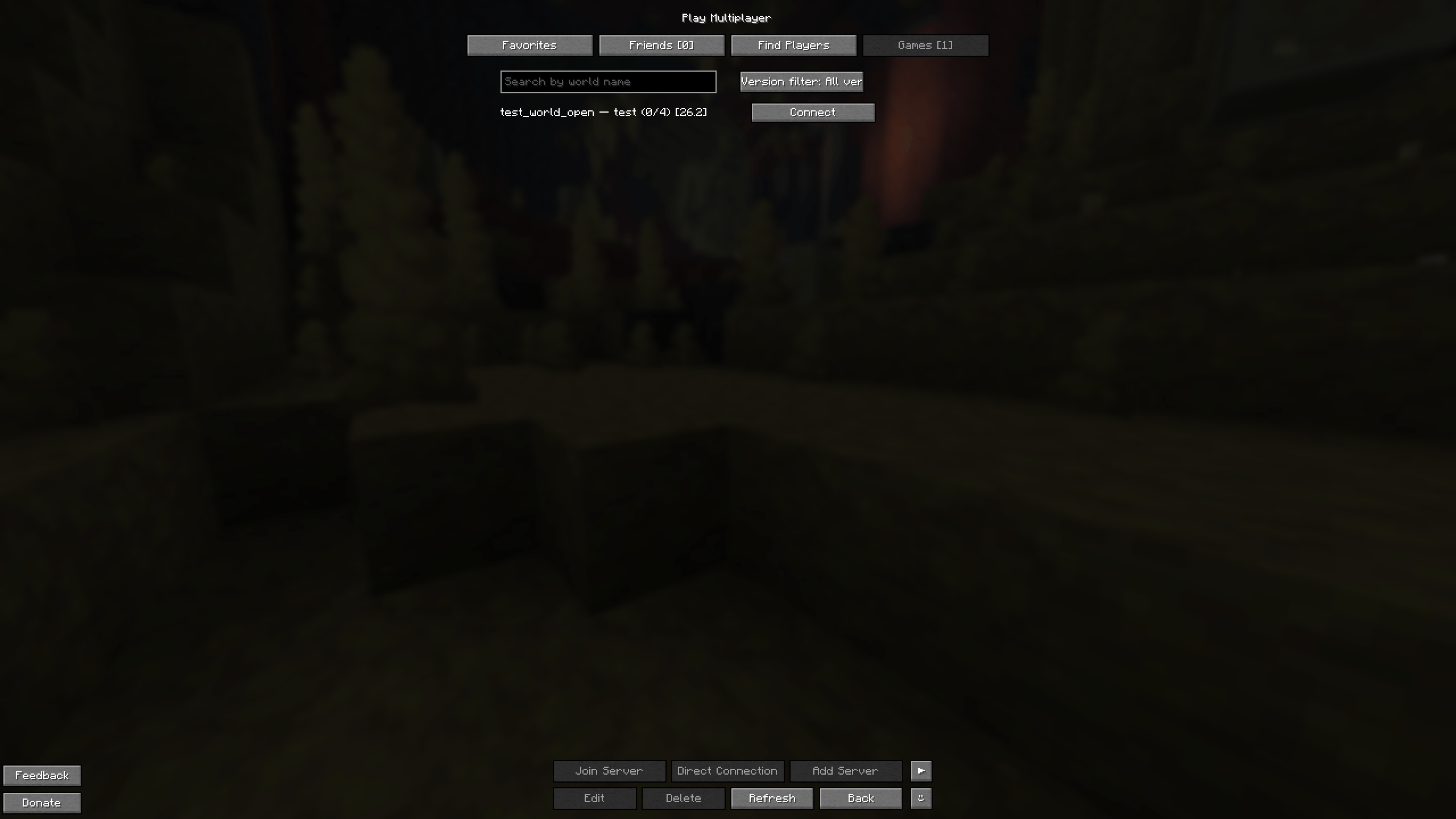
- Public game browser — tick "Open to Everyone" instead of (or besides sharing) a code, and your world shows up in the Games tab for any player with the mod, no account or friendship required, like a lobby browser. Each listing shows the host's Minecraft version (vanilla only lets same-version clients connect), and the tab has a search box (world name) and a version filter.
- Friend codes — a short 6-character code is your permanent identifier for adding friends and logging in from a new device, independent of your (non-unique) nickname.
- Mixed licensed/unlicensed hosting — a host can choose whether to allow unlicensed ("pirate") players into their world, and can cap the number of concurrent joiners.
- Localized UI — English and Russian out of the box.
How it works
- Host: load or create a singleplayer world, open the pause menu, click Open to LAN, tick PeerCraft: play over the internet, then Start LAN World. You'll get a short room code.
- Share the code with your friend however you like (chat, Discord, voice call) — or skip this step entirely once you're friends in-game, see below.
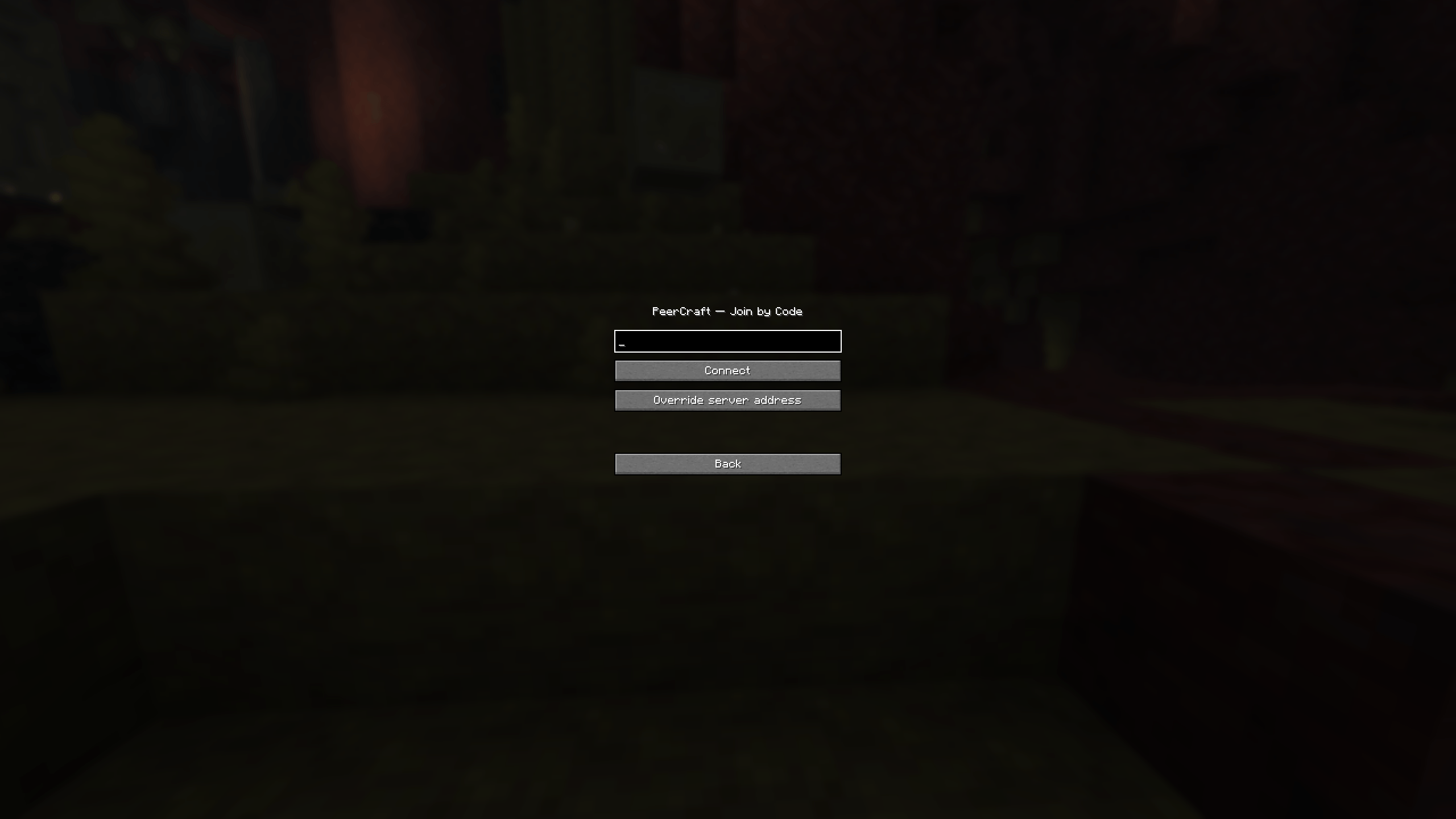
- Joiner: from the title screen, open Multiplayer, and either paste the room code under the join-by-code button, or open the Friends tab and click Connect next to a friend who's currently hosting.
- PeerCraft negotiates the connection in the background and drops you straight into your friend's world.
No dedicated server, no always-on hosting machine, no router configuration on either player's end.
Requirements
PeerCraft ships one jar per Minecraft version per loader. Download the file that matches the Minecraft version you play and the loader you run — the file name spells it out, e.g. peercraft-fabric-1.21.8-2.0.0.jar or peercraft-forge-1.12.2-2.0.0.jar.
- Minecraft — the main builds target 1.21.1 – 1.21.11 and 26.1 – 26.2. Older versions (1.12.2, 1.7.10) are covered by separate experimental backports; see the table below.
- Loader
- Fabric — Fabric Loader 0.19.3 or newer, plus Fabric API.
- NeoForge — NeoForge. No extra API mod.
- Forge (1.12.2 / 1.7.10 backports only) — plus a Mixin loader: MixinBooter on 1.12.2, UniMixins on 1.7.10.
- Java — 21 for the 1.21.x builds, 25 for the 26.x builds, 8 for the 1.12.2 / 1.7.10 backports (the same Java those game versions already need).
- Both players run the same Minecraft version. Minecraft's own protocol only connects same-version clients, so you and your friend must be on the same MC version. The loader may differ — a Fabric host and a NeoForge joiner on the same version is fine.
Version & loader support
| Minecraft | Fabric | NeoForge | Forge |
|---|---|---|---|
| 1.21.1 – 1.21.5, 1.21.8, 1.21.10, 1.21.11 | ✅ | ✅ | — |
| 1.21.6, 1.21.7, 1.21.9 | ✅ | ✅ (-beta-tagged build only — still a real, working release, just never marked stable) |
— |
| 1.21.2 | ✅ | ❌ (NeoForge never released a build for this version — it moved straight to 1.21.3, out the next day) | — |
| 26.1.2, 26.2 | ✅ | ✅ | — |
| 26.1, 26.1.1 | ✅ | ✅ (-beta-tagged build only — same as 1.21.6/1.21.7/1.21.9) |
— |
| 1.12.2 | — | — | 🧪 (needs MixinBooter) |
| 1.7.10 | — | — | 🧪 (needs UniMixins) |
✅ released · 🧪 experimental backport — it builds and loads, but it hasn't been play-tested as thoroughly as the 1.21.x / 26.x builds; expect rough edges and please report anything broken · ❌ / — that loader was never released for that Minecraft version (a limitation of the loader, not of PeerCraft)
"There's a 1.7.10 (or 1.12.2) file, but the page also says 1.21 — which is it?" Both. The main builds are for modern Minecraft (1.21.x / 26.x on Fabric and NeoForge); the 1.7.10 and 1.12.2 files are experimental Forge backports for players still on those versions. Download whichever matches your game — PeerCraft does not run on every version in between, only the ones in the table above.
A Fabric-only 1.16.5 backport is in progress but not yet released.
Minecraft 26.1 was the first release with unobfuscated code; the Fabric 26.x jars are built without mappings against Minecraft as shipped.
Installation
- Install the loader for your Minecraft version: Fabric Loader, NeoForge, or Forge (1.12.2 / 1.7.10).
- Put the mods into
.minecraft/mods:- Fabric — Fabric API + the
peercraft-fabric-<version>jar. - NeoForge — the
peercraft-neoforge-<version>jar. No separate API mod. - Forge 1.12.2 — MixinBooter + the
peercraft-forge-1.12.2-<version>jar. - Forge 1.7.10 — UniMixins + the
peercraft-forge-1.7.10-<version>jar.
- Fabric — Fabric API + the
- Launch the game using the matching profile. Your friend needs PeerCraft too, on the same Minecraft version.
FAQ
Which Minecraft versions does it actually work on? I saw a 1.7.10 file but the page mentions 1.21. Both, plus more. The main builds are for Minecraft 1.21.x and 26.x (Fabric and NeoForge). Separately, there are experimental Forge backports for 1.12.2 and 1.7.10, and a 1.16.5 Fabric backport in progress. Download the file whose name matches the version you play — it does not run on every version in between. See the support table for the exact list.
Can my friend and I be on different Minecraft versions / different loaders? Different versions, no — Minecraft's networking only connects same-version clients, so you must both be on the same Minecraft version. Different loaders, yes — a Fabric host and a NeoForge joiner on the same Minecraft version works fine.
Do I need to forward any ports? No — as a player (host or joiner) you never need to touch your router. Only the person running the shared rendezvous server needs a forwarded UDP port, and PeerCraft already points at a public one by default.
Can players without a Mojang license (non-premium) play? Yes. They register a nickname + password account in-game instead of logging in with Mojang. A host can choose whether to allow this.
Why did hole punching fail / why can't we connect? Most commonly one side is on a network type that blocks direct peer-to-peer connections (symmetric NAT, or carrier-grade NAT on mobile data). There's no relay fallback in the current version — if punching fails, try a different network (e.g. switch off mobile data / try a different Wi-Fi).
Is this safe to use with a real Mojang account? PeerCraft never asks for or stores your Mojang password — licensed login uses the same session-verification method Mojang's own multiplayer uses. That said, this is a hobby project without a security audit, so avoid reusing sensitive passwords for a pirate account, and treat it as you would any small independent mod.
Known limitations
- No relay/TURN fallback when direct hole punching fails.
- Only one host per session (a star topology, not a full mesh) — everyone connects through the host.
- No moderation or ban system yet.
- No account recovery if you lose your friend code.
Feedback & support
Found a bug, or have an idea? Use the Feedback button on the title screen (opens an email to [email protected]), or open an issue on GitHub.
If you'd like to support development, there's a Donate button on the title screen too.
License
Released under CC BY-NC 4.0 — free to use, modify, and share with attribution, for non-commercial purposes only. You may not sell PeerCraft, or any modpack/derivative that includes it, without the author's permission.
Development
The rest of this document is for people building or contributing to PeerCraft, not for players.
Repository layout
Several independent Gradle projects in one repo:
peercraft/— the mod itself (Fabric + NeoForge, Minecraft 1.21.1–1.21.11 and 26.1–26.2, Java 21/25, a Stonecutter multi-version build), plus an in-progress Fabric-only 1.16.5 backport target (Java 8, its ownbuild.fabric-1165.gradle.kts). Build one target withcd peercraft && ./gradlew :1.21.1-fabric:build, or the whole matrix with./gradlew buildAll.rendezvous-server/— the standalone UDP rendezvous server (no Minecraft/Loom dependency). Build withcd rendezvous-server && ./gradlew jar.peercraft-forge-1122/— a Minecraft 1.12.2 Forge backport, built on RetroFuturaGradle (Gradle 8.8, Java 8) instead of Stonecutter/Loom. It reuses the shared networking/account code straight frompeercraft/src/viasrcDir(with hand-resolved Java-8 / 1.12.2-API twins underpeercraft/src/shared-forge1122/andpeercraft/src/client-1122/). Build withcd peercraft-forge-1122 && ./gradlew build(first run is slow — it decompiles Minecraft) →build/libs/peercraft-forge-1.12.2-<version>.jar; try it with./gradlew runClient. Requires MixinBooter at runtime for the two server-side mixins (the GUI hooks are plain Forge events). The mod ships a coremod (PeerCraftCoreMod) that registers its mixin config, so it does not need to be extracted. This backport builds and loads; it's not yet as thoroughly runtime-tested as the 1.21.x / 26.x targets.peercraft-forge-1710/— a Minecraft 1.7.10 Forge backport, same toolchain as the 1.12.2 one (RetroFuturaGradle, Gradle 8.8, Java 8) and ported almost file-for-file from it — 1.7.10 and 1.12.2 share the pre-1.13 immediate-mode GUI (GuiScreen+buttonList), so most of the work was mechanical API renames (fontRendererObj, thecpw.mods.fml.*package, MCPstable_12names). It reuses the shared code frompeercraft/src/viasrcDirwith twins underpeercraft/src/shared-forge1710/andpeercraft/src/client-1710/, and the loader-agnostic mod-sync core frompeercraft/src/modsync-java8/(shared with the 1.12.2 backport). Build withcd peercraft-forge-1710 && ./gradlew build→build/libs/peercraft-forge-1.7.10-<version>.jar; try it with./gradlew runClient. Requires UniMixins at runtime for the two server-side mixins (the GUI hooks are plain Forge events). Mod sync is backported here too — P2P-only (no Modrinth/HTTP fast-path on Java 8), readingmcmod.infofor the jar list;./gradlew :peercraft-forge-1710:modsyncTestruns a Minecraft-free loopback check of the handshake + transfer. Thebuild(including the mixin refmap) is green; runtime application of the mixins is not yet verified.
Configuration
The mod reads Java system properties first and environment variables second. If a value is not set, the default is used. None of these are needed for normal play — the in-game UI (Join screen, Open to LAN checkbox) drives everything live; these are mainly useful for dev testing or an always-hosting headless machine.
| System property | Environment variable | Default | Description |
|---|---|---|---|
peercraft.mode |
PEERCRAFT_MODE |
auto |
auto (the default) dynamically becomes client or host role based on what you click in-game. client/host pin a single role; disabled turns PeerCraft off entirely. |
peercraft.proxyPort |
PEERCRAFT_PROXY_PORT |
25566 |
Local TCP port that the joining Minecraft client connects to. |
peercraft.clientUdpPort |
PEERCRAFT_CLIENT_UDP_PORT |
50002 |
UDP port listened to by the joining client side of the bridge. |
peercraft.hostUdpPort |
PEERCRAFT_HOST_UDP_PORT |
50001 |
UDP port listened to by the host side of the bridge after Open to LAN. |
peercraft.peerHost |
PEERCRAFT_PEER_HOST |
127.0.0.1 |
Remote UDP peer address for the static (non-internet) path — used for local two-client testing. |
peercraft.peerPort |
PEERCRAFT_PEER_PORT |
host: clientUdpPort, client: hostUdpPort |
Remote peer UDP port on the static path. |
peercraft.internetPlay |
PEERCRAFT_INTERNET_PLAY |
false |
Initial state of the "play over the internet" checkbox on Open to LAN. |
peercraft.rendezvousHost |
PEERCRAFT_RENDEZVOUS_HOST |
the project's public rendezvous server | Rendezvous server address, overridable in-game via "Override server address" on the Join screen. |
peercraft.rendezvousPort |
PEERCRAFT_RENDEZVOUS_PORT |
51000 |
UDP port of the rendezvous server. |
peercraft.roomCode |
PEERCRAFT_ROOM_CODE |
(empty) | Pre-fills the room-code box on the in-game Join screen. |
peercraft.reorder.maxPending |
(system property only) | 4096 |
How many out-of-order datagrams the receiver buffers behind one missing packet before it gives up and drops the session. Raise it on a very lossy or DPI-mangled link (see below); range 64–1048576. |
peercraft.reorder.gapTimeoutMillis |
(system property only) | 12000 |
How long the receiver waits for one missing packet (while re-requesting it) before dropping the session. Kept under Minecraft's own 30 s read timeout; range 1000–600000. |
peercraft.reorder.nackDebounceMillis |
(system property only) | 120 |
Minimum gap between repeat resend-requests for the same missing packet; range 10–5000. |
peercraft.send.pacingMillis |
(system property only) | 0 |
Delay inserted between the datagrams of one large payload. 0 sends them in a burst (original behavior); 1–2 spreads world-sync traffic so a congested uplink drops fewer packets, at the cost of slightly slower bulk transfer. Max 50. |
peercraft.modSync |
PEERCRAFT_MOD_SYNC |
true |
Master switch for mod sync (see below). false disables the handshake entirely — joining behaves exactly as before. |
peercraft.modSync.autoAccept |
PEERCRAFT_MOD_SYNC_AUTO_ACCEPT |
false |
Skip the "these mods will be downloaded" confirmation screen and install straight away. Opt-in — only sensible for a closed group of trusted friends on a private rendezvous server. |
peercraft.modSync.maxTotalMb |
PEERCRAFT_MOD_SYNC_MAX_TOTAL_MB |
512 |
Reject a mod-sync batch whose jars total more than this many MiB, before any download starts. |
peercraft.modSync.maxModMb |
PEERCRAFT_MOD_SYNC_MAX_MOD_MB |
256 |
Reject / abort any single jar larger than this many MiB. |
peercraft.modSync.reofferDeclined |
PEERCRAFT_MOD_SYNC_REOFFER_DECLINED |
false |
Always show the confirmation screen when anything is missing, even mods you unchecked before. The way back to a client-side mod you previously turned down (otherwise delete its line from config/peercraft/modsync-declined.json). |
Random mid-session disconnects on a lossy or DPI-mangled link
The relay runs Minecraft's TCP stream over UDP with its own resend-on-loss layer. If a datagram goes missing and can't be re-fetched fast enough, that layer deliberately drops the session (you're kicked to the title screen but can reconnect straight away). Ordinary internet loss rarely trips it, but anything that reorders, duplicates or drops UDP by design — most notably ZAPRET and similar DPI-bypass tools — makes it far more likely the longer you play, because every burst of world data is another chance to hit the limit.
First, scope the DPI-bypass tool so it does not touch PeerCraft's UDP ports (50001/50002 by default, or whatever you set) or the peer's IP — if the disconnects stop, that was the cause. If you can't, widen the recovery window: -Dpeercraft.reorder.gapTimeoutMillis=20000 -Dpeercraft.reorder.maxPending=16384, and optionally add -Dpeercraft.send.pacingMillis=1 on the sending side (the host, for the joiner's world-load; both sides is fine). These only need to change on the machine that's getting kicked, but matching them on both is harmless.
Mod sync
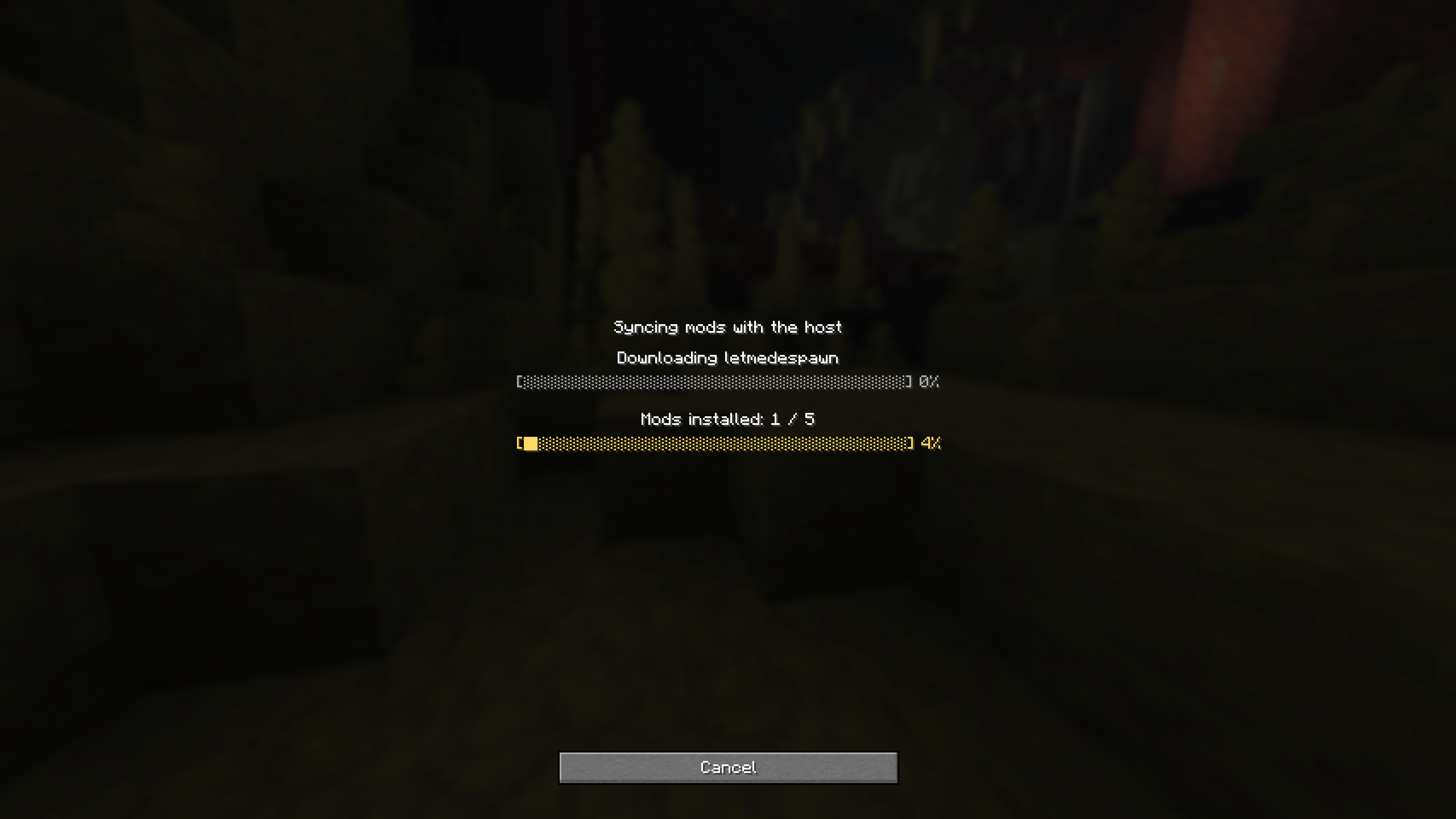
When you join a friend's world over PeerCraft and the host has mods you're missing, PeerCraft can fetch them for you. After the NAT punch succeeds (and before Minecraft actually connects), the two sides compare mod lists; if anything is missing you get a scrollable screen listing each jar — id, version, size, and whether it will come as an HTTP download (resolved from Modrinth by the jar's SHA-512) or streamed from the host over the P2P tunnel. Mods marked client-side in their fabric.mod.json carry a checkbox — untick any you don't want. Mods needed to join the host's world (client+server, and server-only) have no checkbox. A filter button cycles all / client-side / required. Nothing is written to disk until you click "Download & install." Every jar is SHA-512-verified against the host's manifest before it lands in mods/, install is purely additive (an existing jar is never moved or overwritten), and what was installed is logged to config/peercraft/modsync-installed.json.
What you untick is remembered in config/peercraft/modsync-declined.json, so the screen doesn't nag on every re-join — it only comes back when the host offers a mod that isn't on that list (or with peercraft.modSync.reofferDeclined=true). If every missing mod is one you've already ruled out, the join proceeds silently.
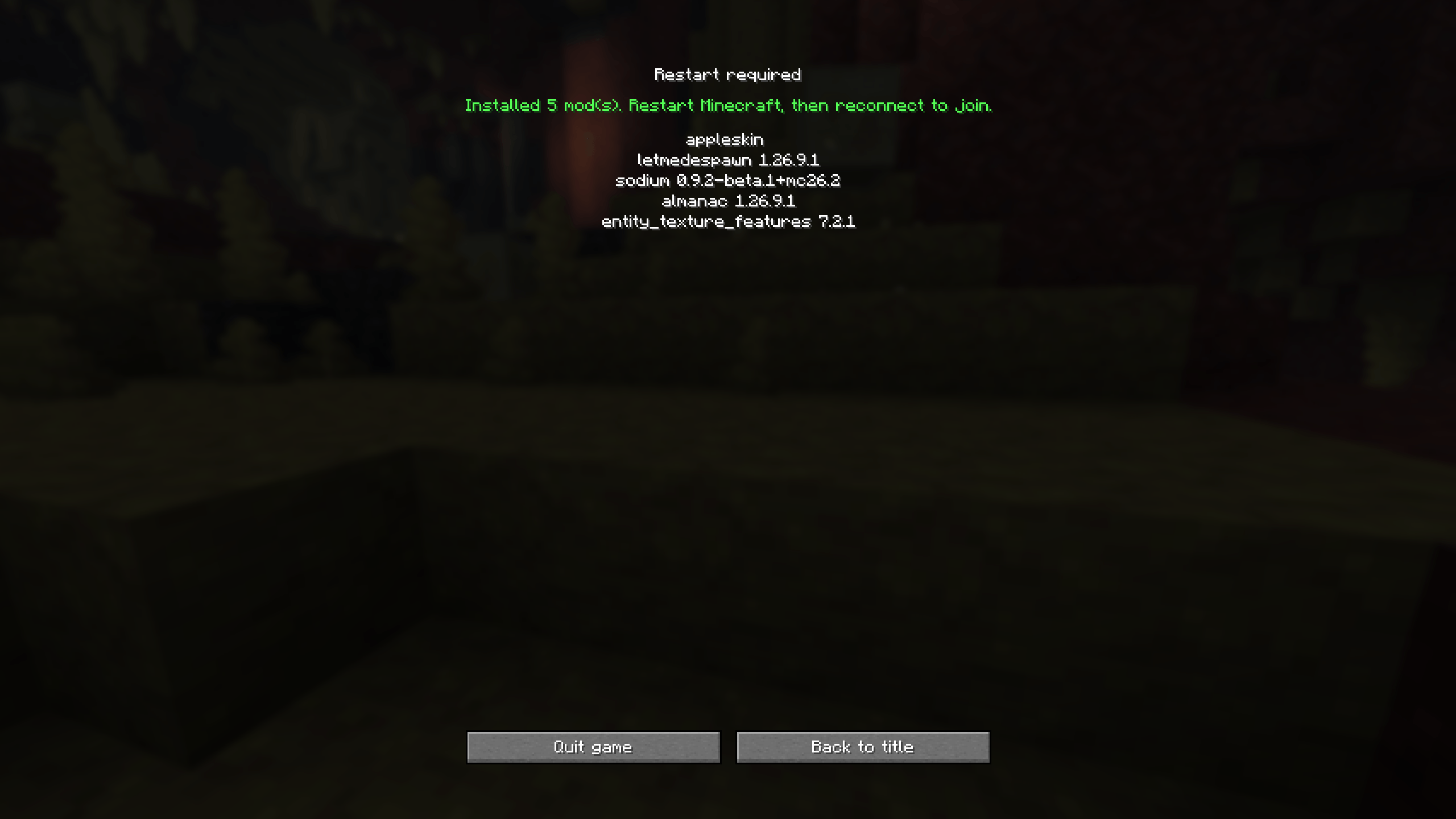
Minecraft can't load newly installed mods without a relaunch, so after a download PeerCraft does not continue the join — it shows a "restart required" screen. Quit, relaunch, and reconnect; this time the mods are present and the join goes straight through. If you untick everything and nothing is required, PeerCraft connects right away with no restart. peercraft.modSync.autoAccept=true skips the confirmation screen; peercraft.modSync=false turns the whole thing off.
Local self-connect test
Run the two Minecraft instances from separate working directories (peercraft/run-host/ and peercraft/run-client/) so their logs/latest.log files don't interleave — the IDE run configs Minecraft Client (host) and Minecraft Client (join) are already set up this way.
- Build the mod with
cd peercraft && ./gradlew build. - Start the host instance (
Minecraft Client (host), working dirrun-host/). Create or load a single-player world. - Click Open to LAN (leave "play over the internet" unticked for this local test).
run-host/logs/latest.logshould confirm the host is ready and listening on UDP50001. - Start the client instance (
Minecraft Client (join), working dirrun-client/).run-client/logs/latest.logshould confirm the client is ready, local proxy port25566, UDP listen port50002. - In the client instance, open Multiplayer and connect to
127.0.0.1:25566(the proxy port, not the LAN port Minecraft shows). - Confirm a clean login with no packet-decode errors in
run-host/logs/latest.log. - If either port is busy, change both sides consistently, e.g.
-Dpeercraft.hostUdpPort=50101 -Dpeercraft.clientUdpPort=50102on both.
Internet play (rendezvous server + hole punching)
For two players on different networks, PeerCraft uses the standalone rendezvous server (rendezvous-server/) to let host and joiner discover each other's public UDP address, then attempts direct UDP hole punching. Once punching succeeds, everything downstream is the same relay protocol validated locally above, just talking to a real remote address instead of 127.0.0.1.
v1 scope, by design: no relay/TURN fallback if hole punching fails (a home-hosted rendezvous server's uplink can't sustain relaying full game traffic for multiple pairs). Only the rendezvous server itself needs a forwarded port.
Running your own rendezvous server
cd rendezvous-server
./gradlew jar
Copy rendezvous-server/build/libs/rendezvous-server-*.jar to whatever machine will host it and run it there:
java -jar rendezvous-server-1.0.0.jar 51000Forward UDP port 51000 (or whatever you pass as the argument) on that machine's router to its LAN IP, and note its public IP or DDNS hostname. Point the mod at it with -Dpeercraft.rendezvousHost=<your-server>.
Tests
peercraft:cd peercraft && ./gradlew test— unit and integration tests for the P2P relay, rendezvous protocol, and accounts/friends stack.rendezvous-server:cd rendezvous-server && ./gradlew test— unit and integration tests for the room registry, protocol, and accounts service, exercised over raw UDP with no Minecraft dependency.- End-to-end tests that spin up a real rendezvous-server subprocess self-skip if the sibling project's jar hasn't been built yet — build it first with
cd rendezvous-server && ./gradlew jar.
Screenshots
Gallery
-
 Снимок ÑкÑана_20260821_090026.png Снимок ÑкÑана_20260821_090026.png
 -
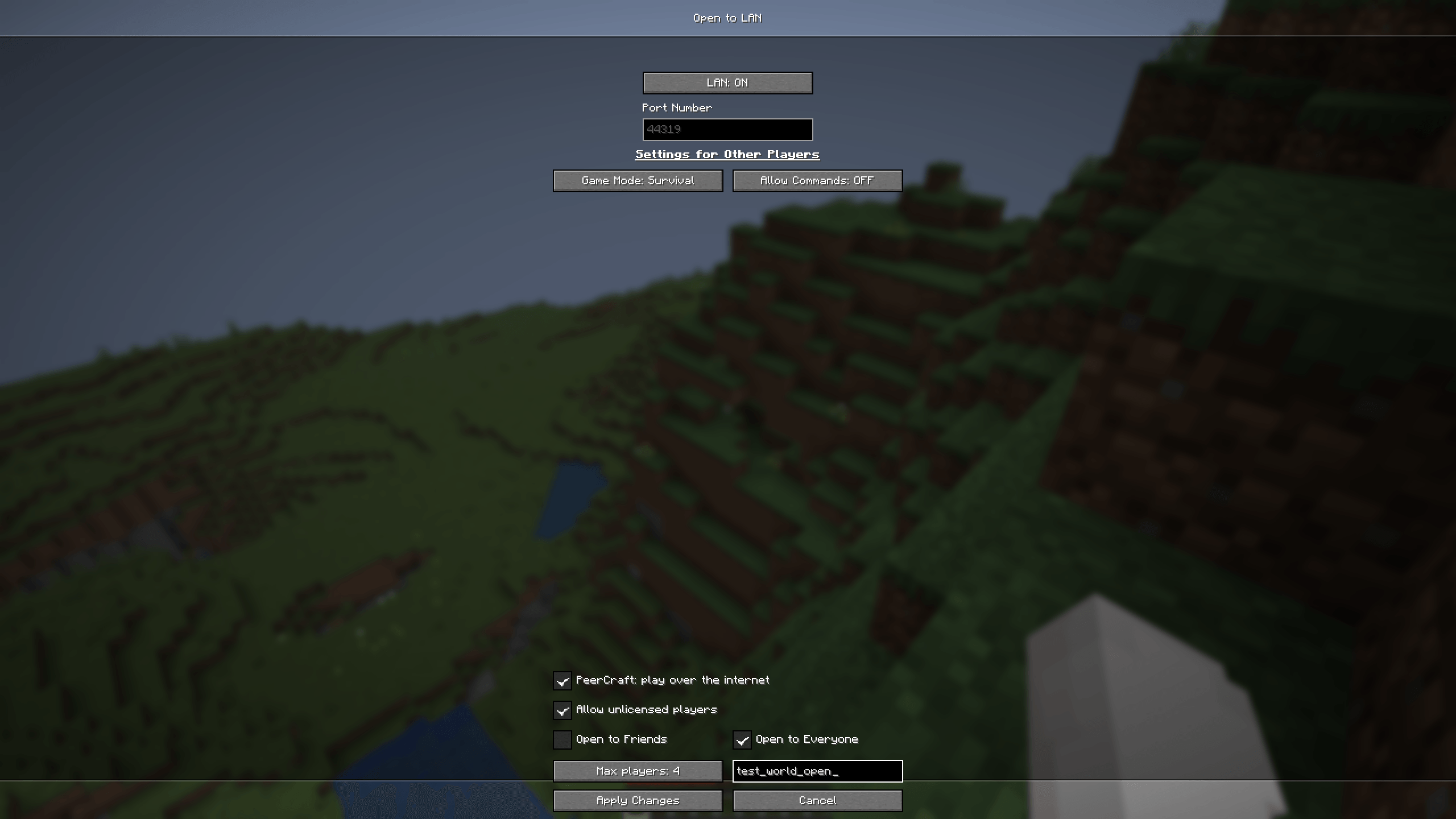 Снимок ÑкÑана_20260831_141941.png Снимок ÑкÑана_20260831_141941.png
 -
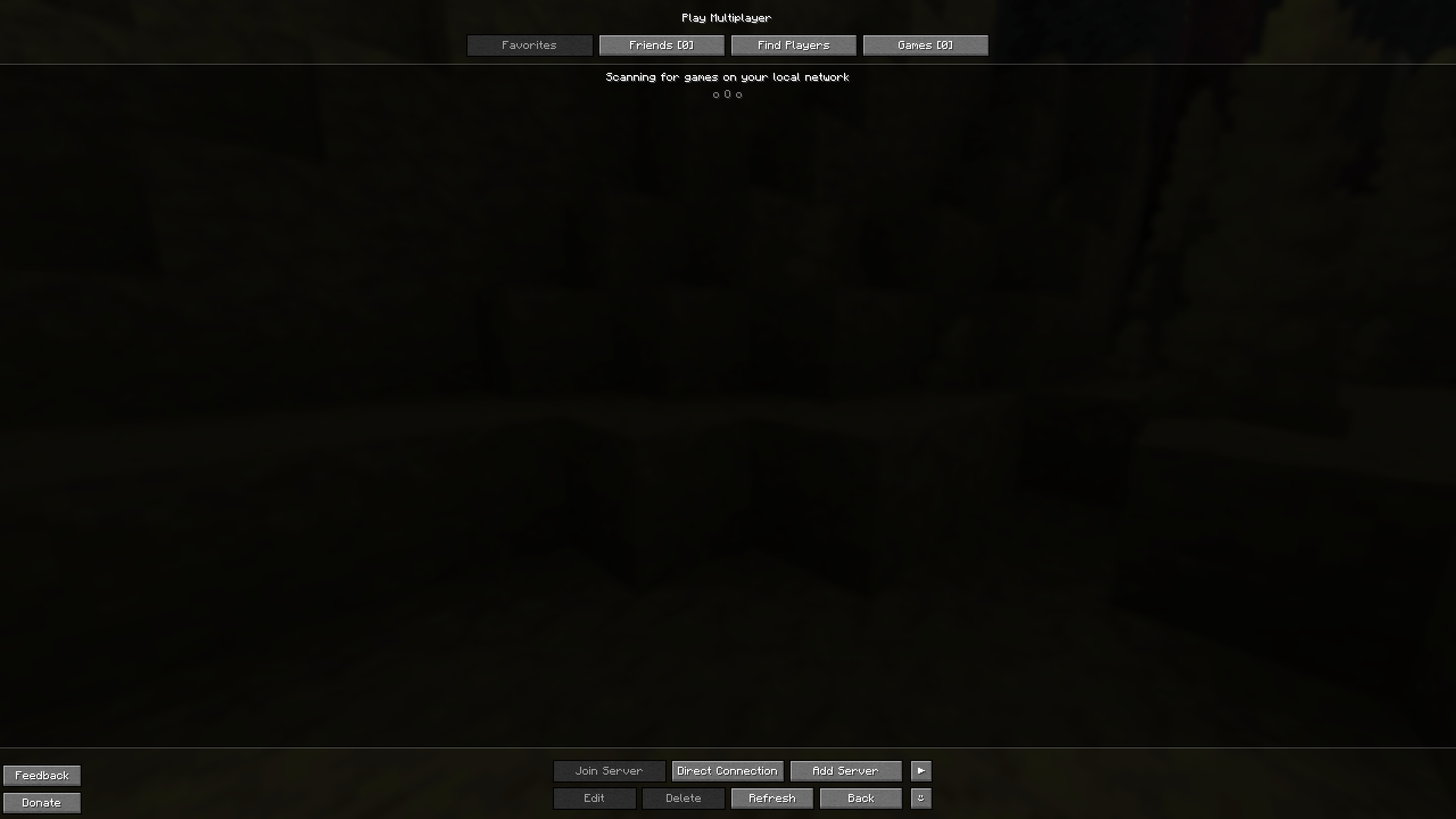 Снимок ÑкÑана_20260831_140638.png Снимок ÑкÑана_20260831_140638.png
 -
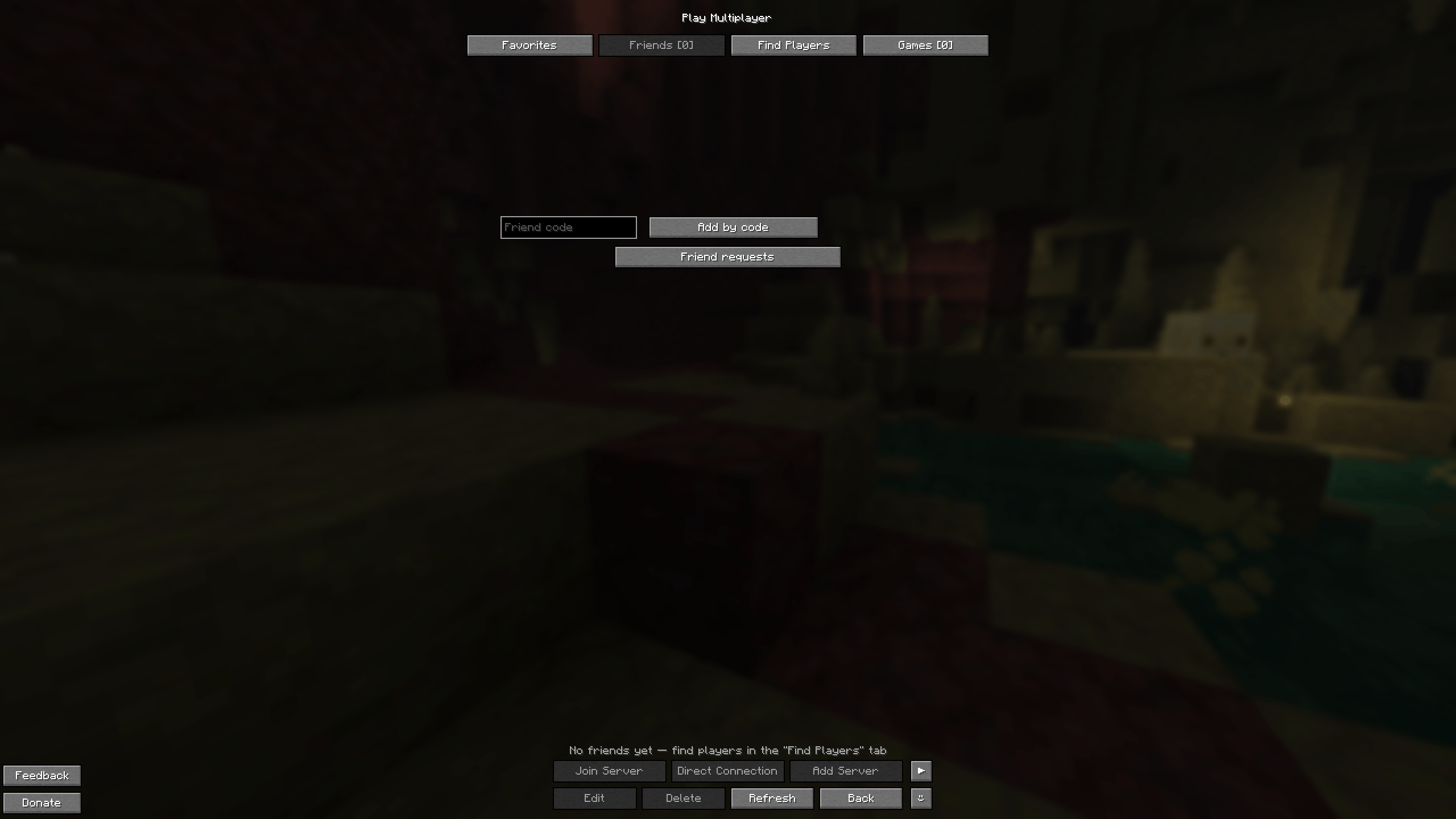 Снимок ÑкÑана_20260831_141717.png Снимок ÑкÑана_20260831_141717.png
 -
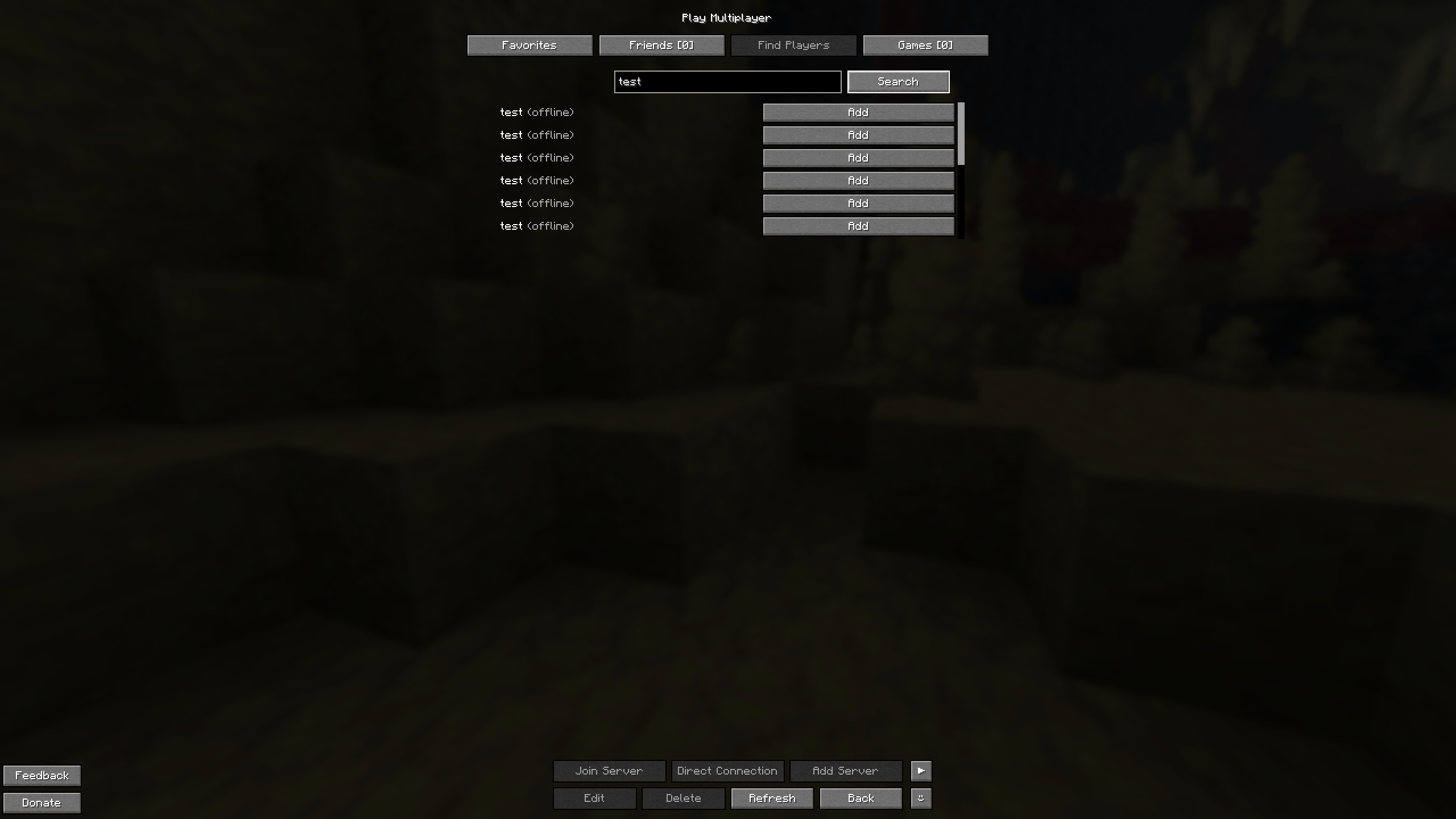 Снимок ÑкÑана_20260831_141850.png Снимок ÑкÑана_20260831_141850.png
 -
 Снимок ÑкÑана_20260831_141959.png Снимок ÑкÑана_20260831_141959.png
 -
 Снимок ÑкÑана_20260831_142015.png Снимок ÑкÑана_20260831_142015.png
 -
 Снимок ÑкÑана_20260831_142027.png Снимок ÑкÑана_20260831_142027.png
 -
 Снимок ÑкÑана_20260831_142049.png Снимок ÑкÑана_20260831_142049.png
 -
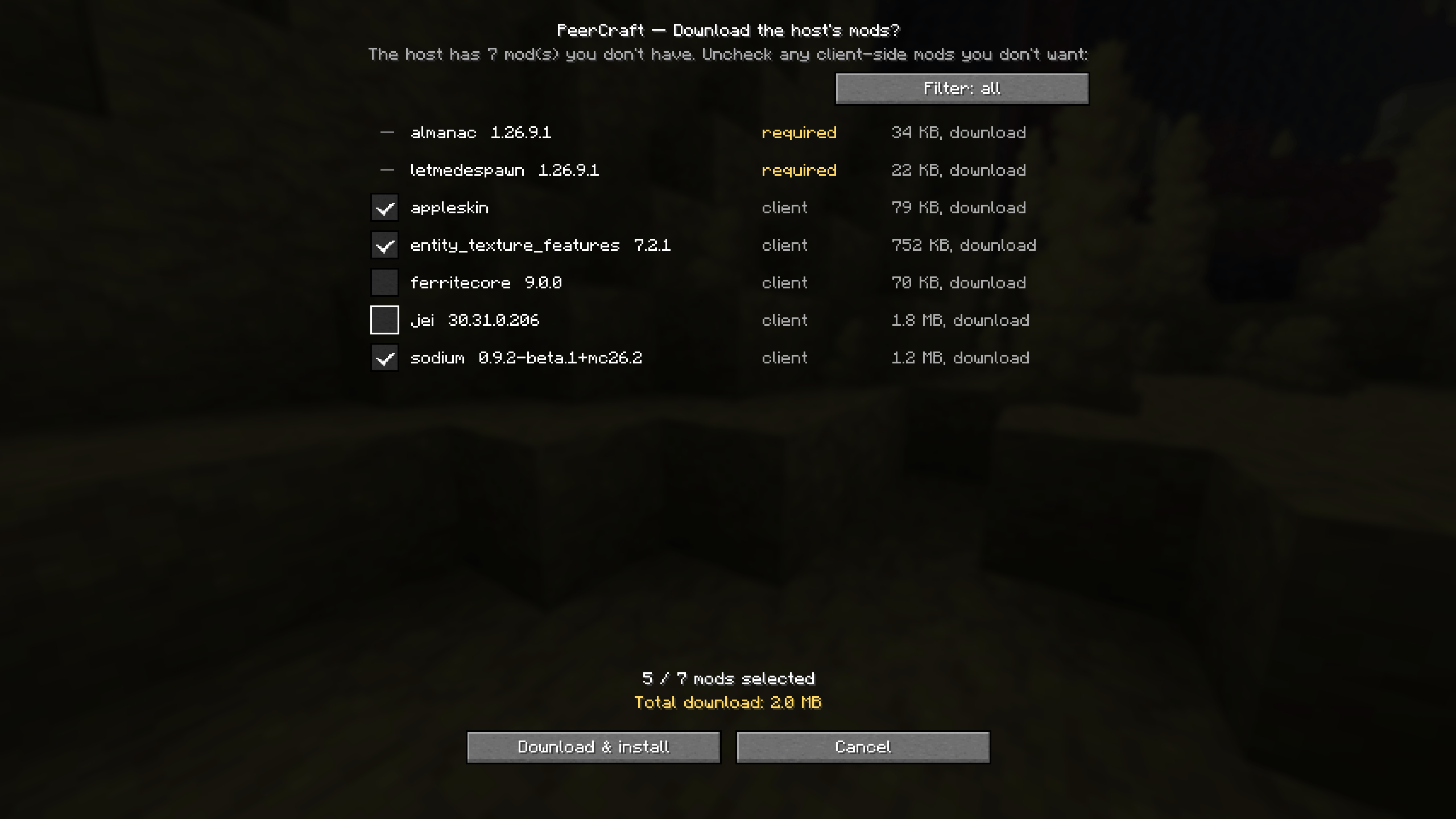 image-attachment_40807995-bdff-4e57-9fb4-a8964a87b7ca.png
 -
 Снимок ÑкÑана_20260906_002127.png Снимок ÑкÑана_20260906_002127.png
 -
 Снимок ÑкÑана_20260906_002158.png Снимок ÑкÑана_20260906_002158.png
Versions
Files
Relations
Project Relations
More like this
Similar Mods
Suggestions use data such as tags, dependencies, dependents, descriptions, titles, and more to rank how much they overlap with this mod.
On ModDex
Community snapshot
By the numbers
Statistics
Want to reach Minecraft players?
We're looking for a server hosting partner to feature here and other parts of the site. Interested? Send us a message!
Get in touchGet it on
Available Platforms
On ModDex
Community snapshot
By the numbers
Statistics
Resources