
Community listing page, reviews may not be monitored by the author.
Pengu’s Teams

No reviews yet
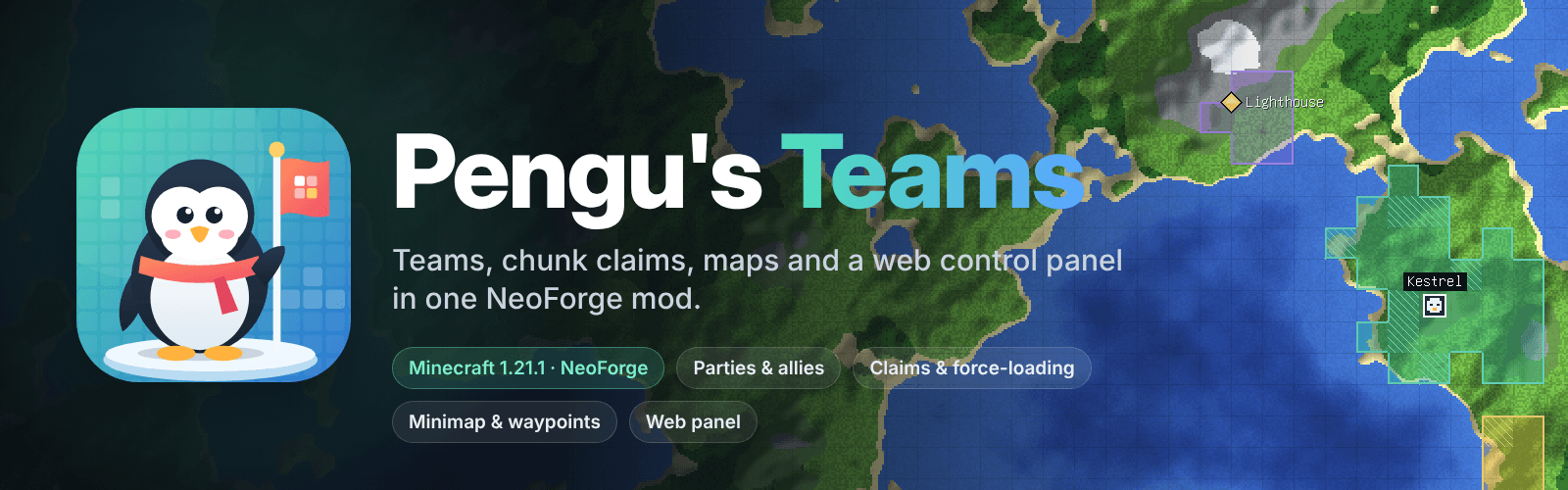
Pengu’s Teams is an all-in-one mod featuring teams, chunk claiming and protection, force-loading, world maps, minimaps, waypoints, and a browser-based control panel, with optional BlueMap, JourneyMap, and LuckPerms integrations.

Community voices
Reviews
No reviews yet. Be the first to review this project!
Get it on
Available Platforms
About
Project Details
For authors
Embed Badge
If you're the author of this project, you can embed a live badge anywhere that supports HTML or Markdown. It updates automatically whenever ratings change.
Use HTML for any page that supports it, or Markdown for README files and Markdown-based descriptions.
Identifiers
Platform IDs
Resources
External Links
About
Description
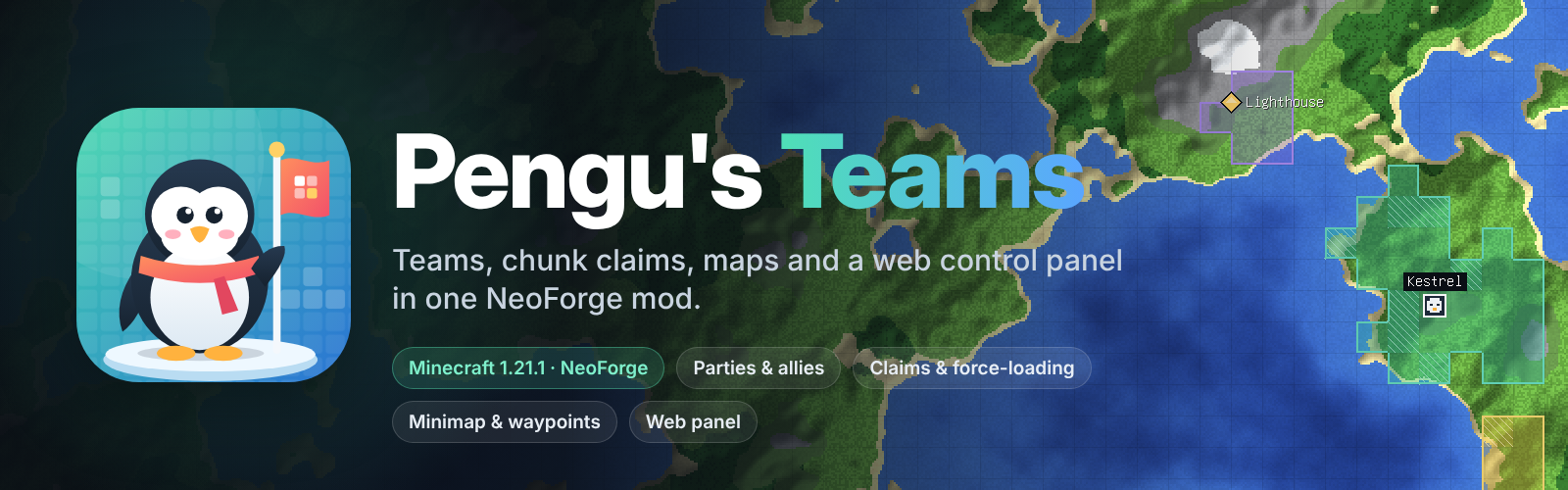
Pengu's Teams is an all-in-one NeoForge mod for multiplayer servers that covers everything a group needs to share a world: teams and parties, chunk claims with protection, per-player trust and force-loading, a world map, minimap and waypoints, and a web control panel that runs right inside your server. Claims also show up on BlueMap and JourneyMap (where you can claim straight from the map), and LuckPerms can set limits per player.
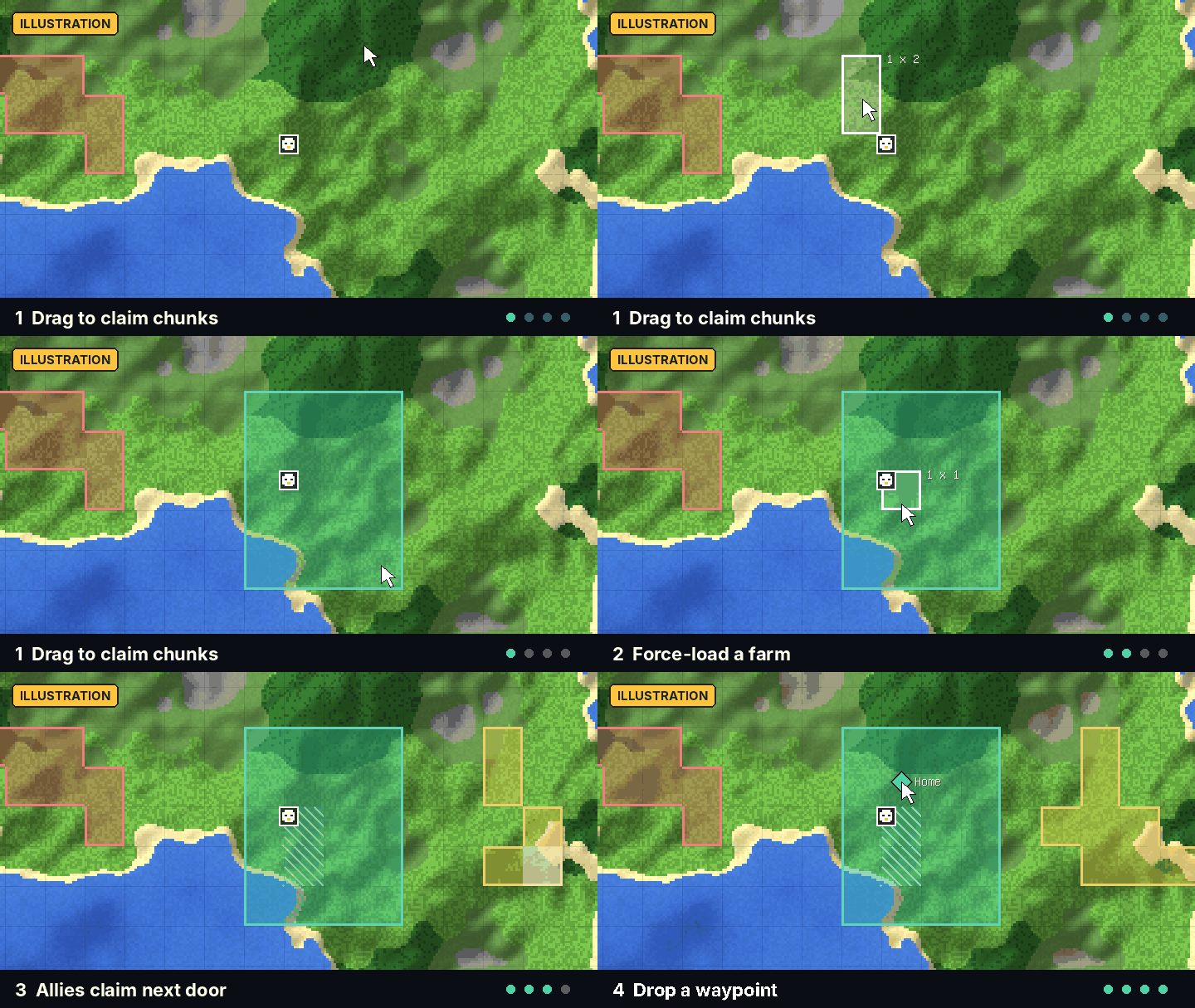
Illustration: claiming, force-loading and waypoints at a glance.
Features
Teams and parties
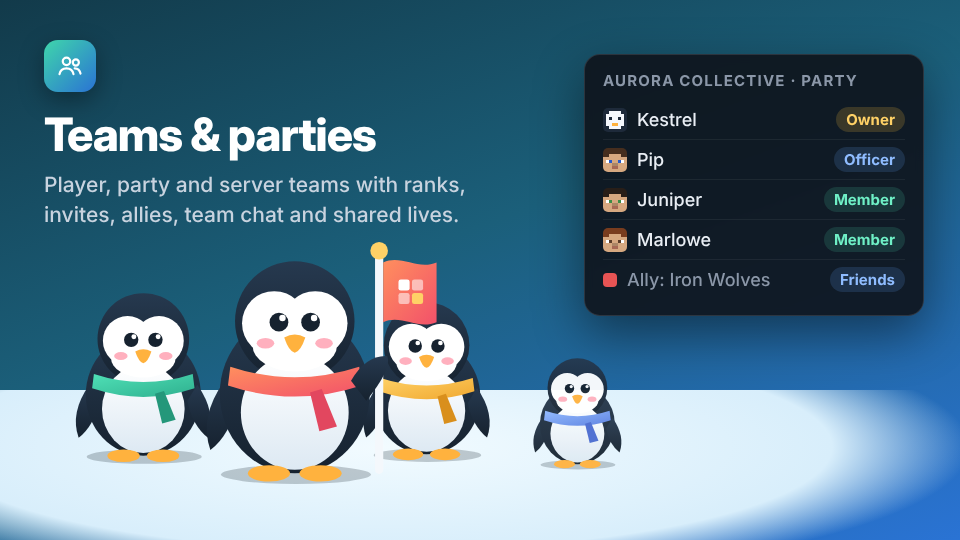
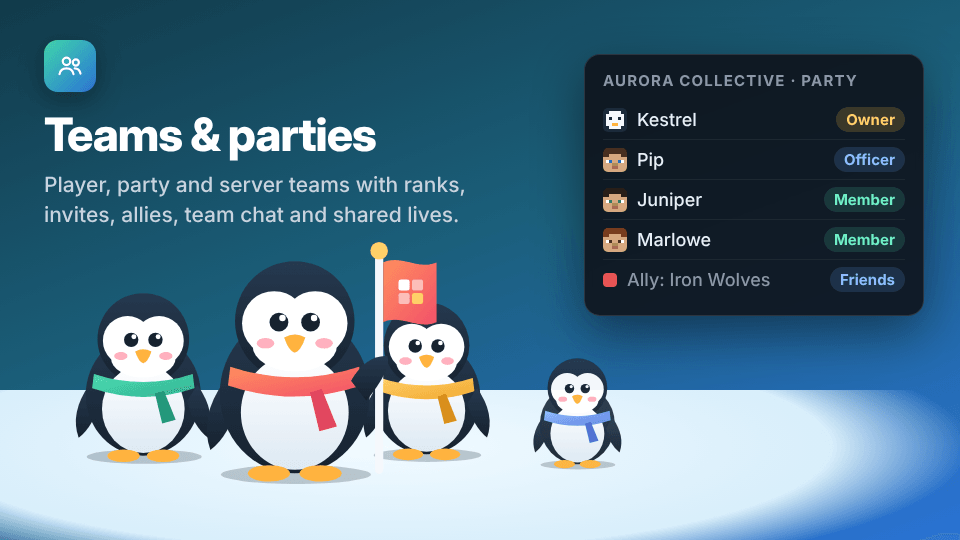
Every player has a personal team; a party shares claims, chat and allies.
- Owner, officer and member ranks, invitations and allies ("friends")
- Team chat with history
- Optional shared lives and team stages
- Server teams that operators can create for spawn, a market and more
Claims and protection
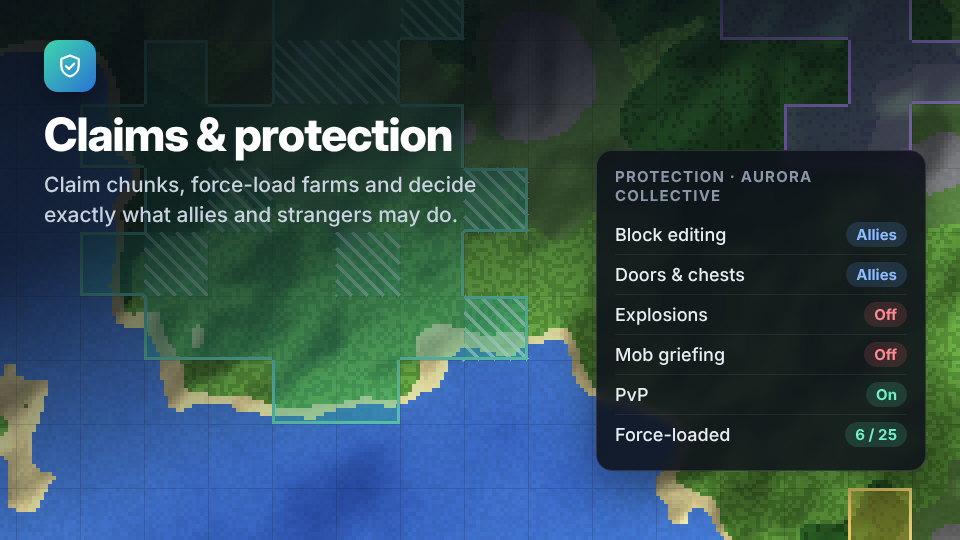
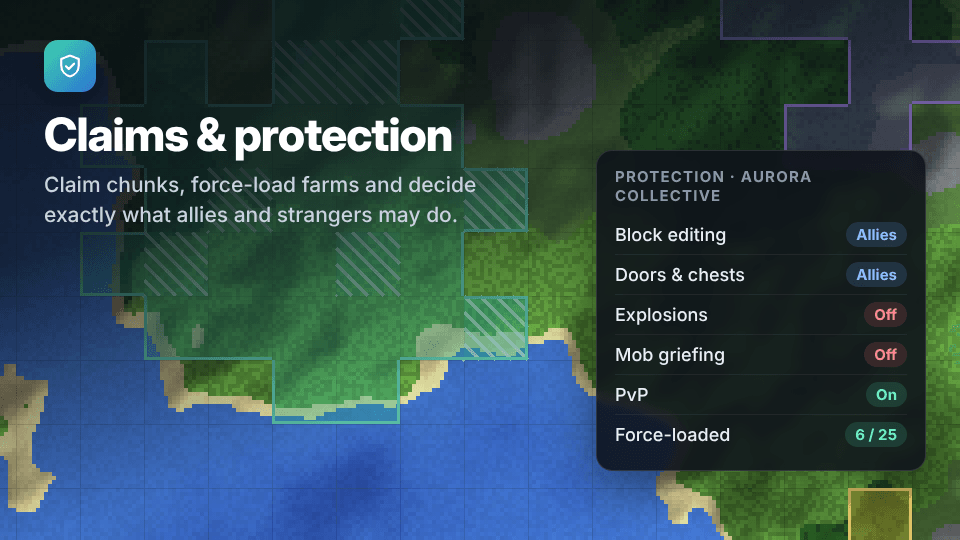
Claim chunks from the map or with commands, and force-load your farms, optionally even while everyone is offline.
- Each team decides who may edit blocks, use doors and chests, interact with entities or fight
- Explosion, mob-griefing, fire, fluid and piston protection
- Per-dimension rules and automatic expiry of abandoned claims
Trust
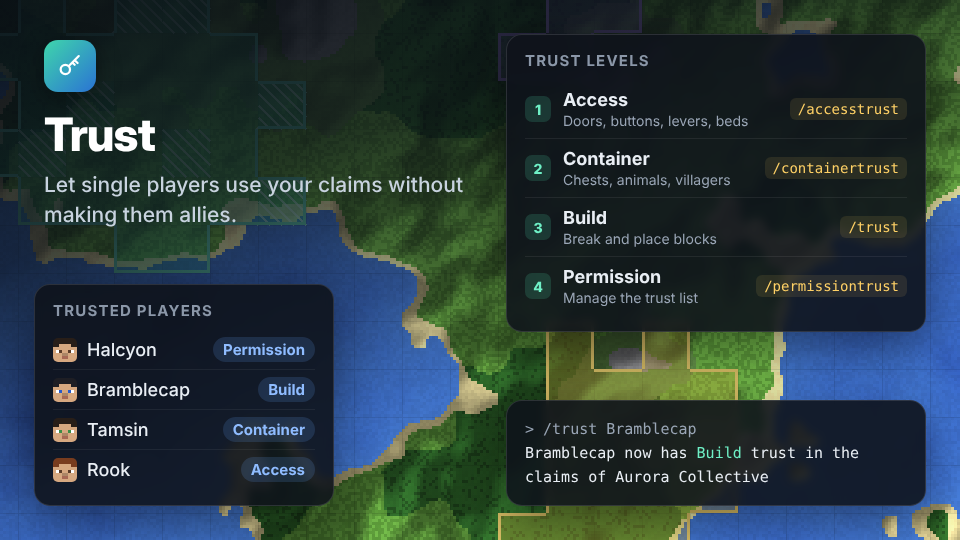
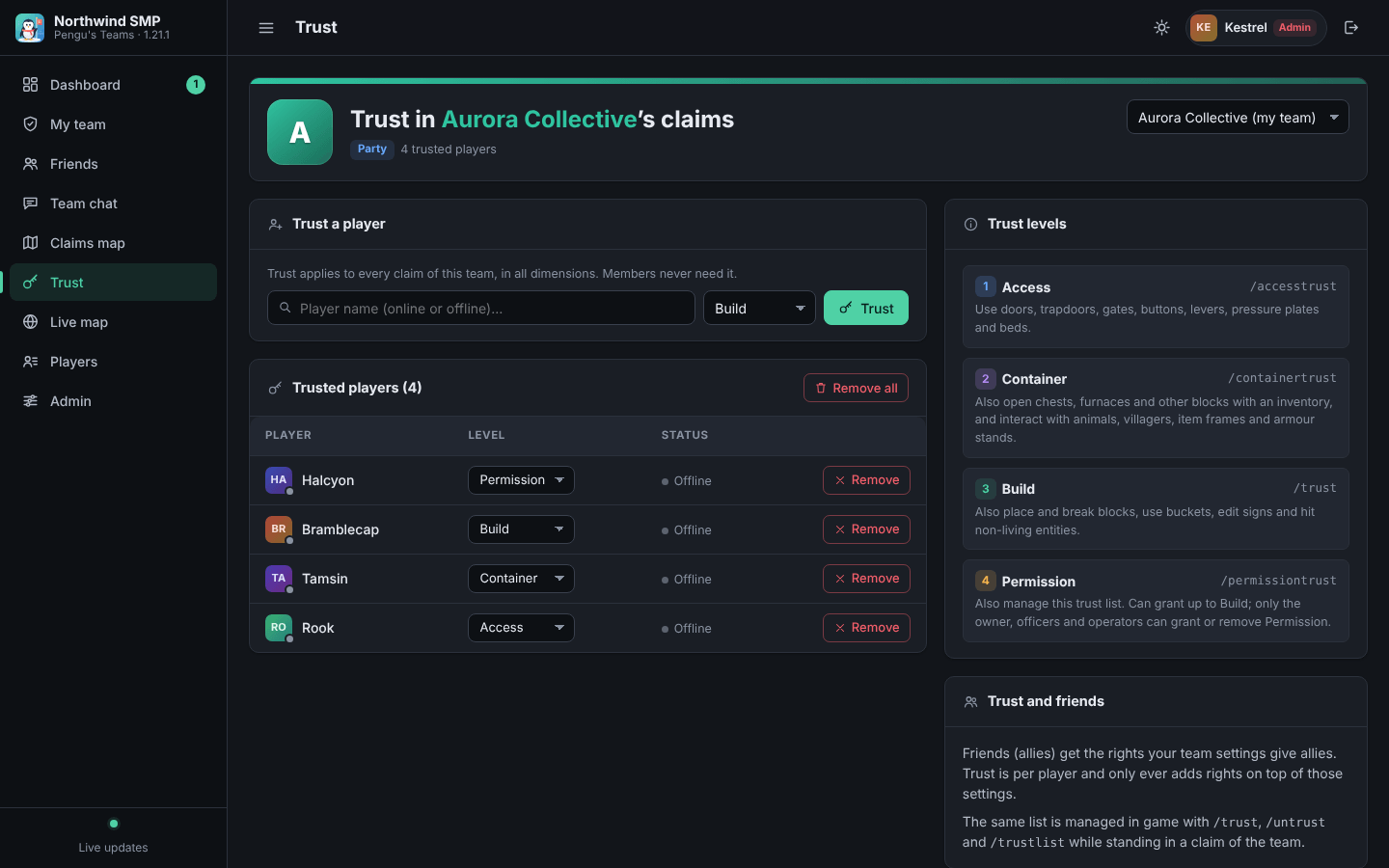
Let single players into your claims without making them allies, on four levels: Access, Container, Build and Permission. Manage it with /trust and friends, or on the web panel's Trust page.
World map and minimap
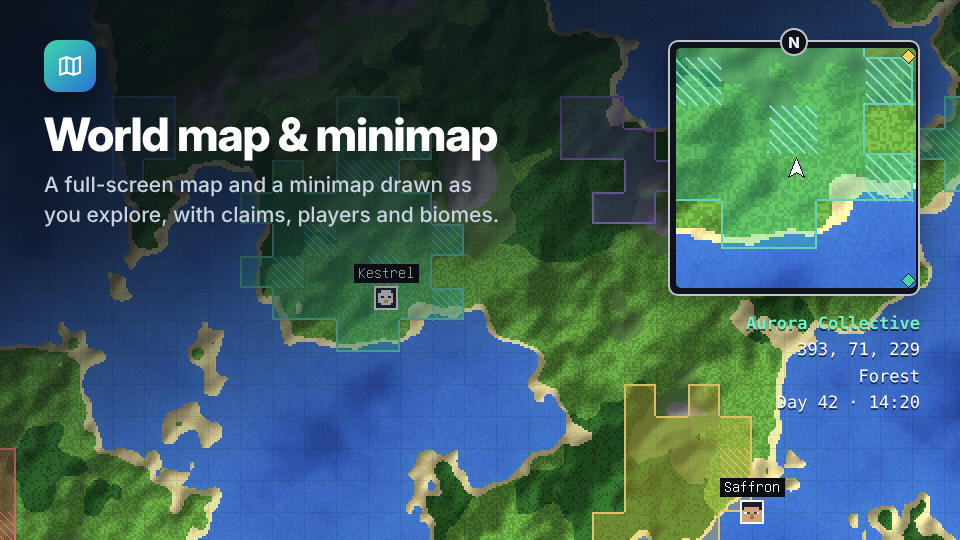
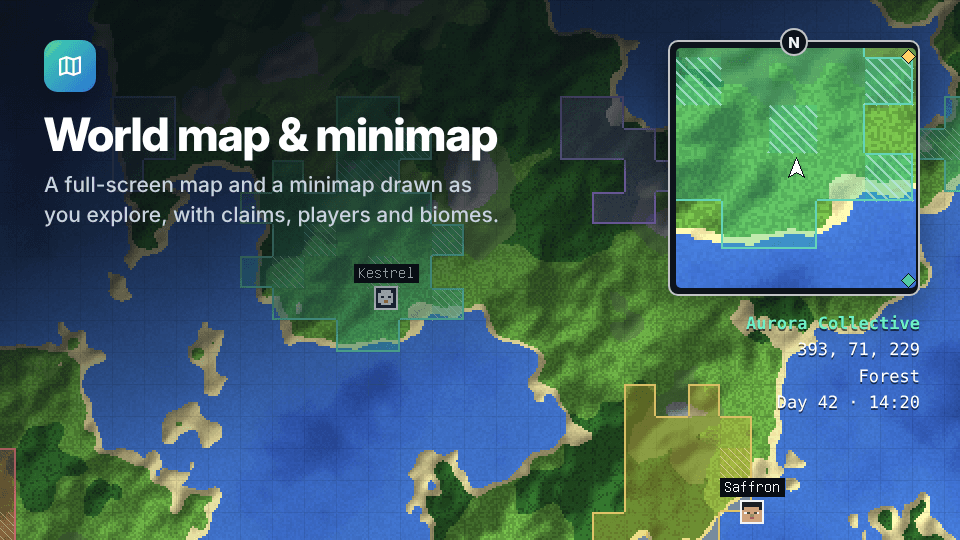
A full-screen map and a configurable minimap, drawn as you explore, showing claims, team members, other players and mobs. Allies can share explored map regions with each other.
Waypoints
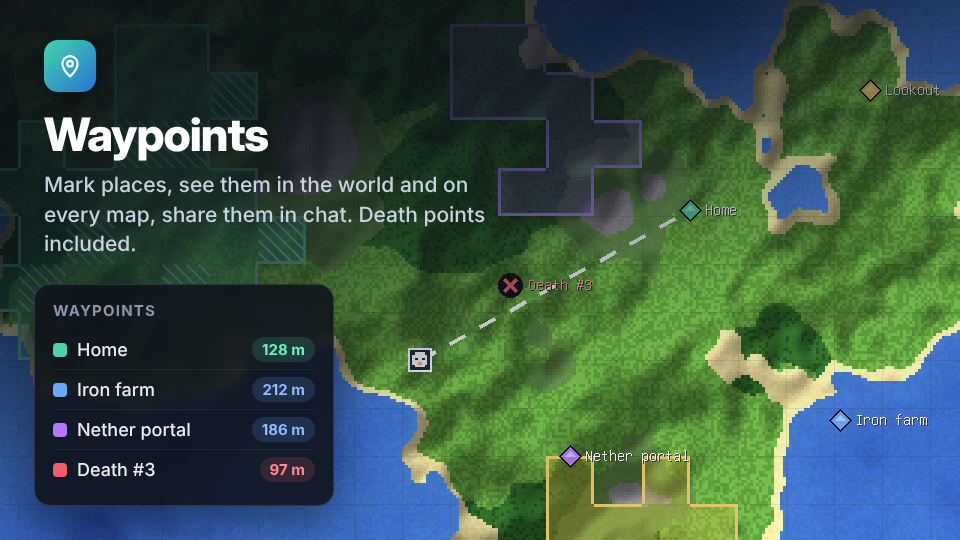
Place waypoints from the map, a keybind or a command. They show up as beacons in the world and on both maps, and you can share them with your party, chosen players or the whole server. Death points are added for you.
Web control panel
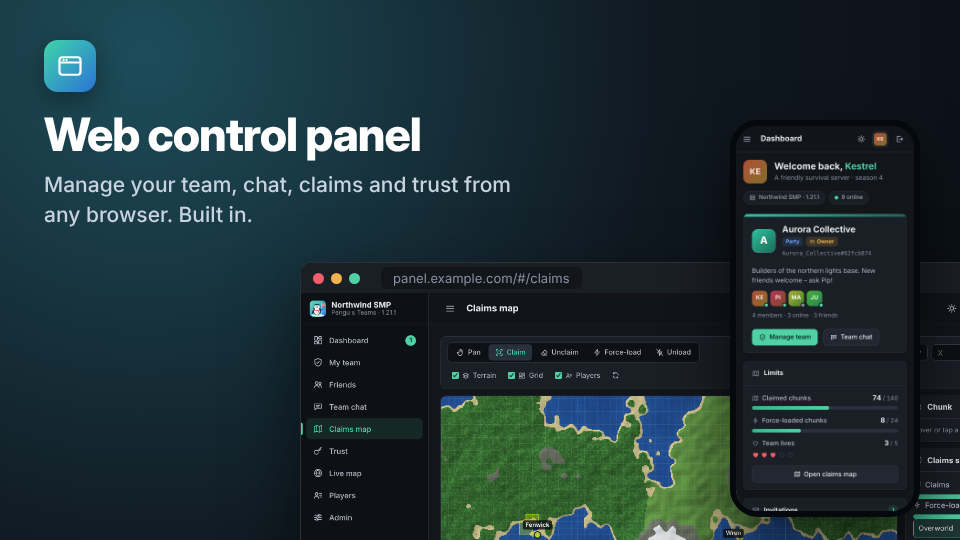
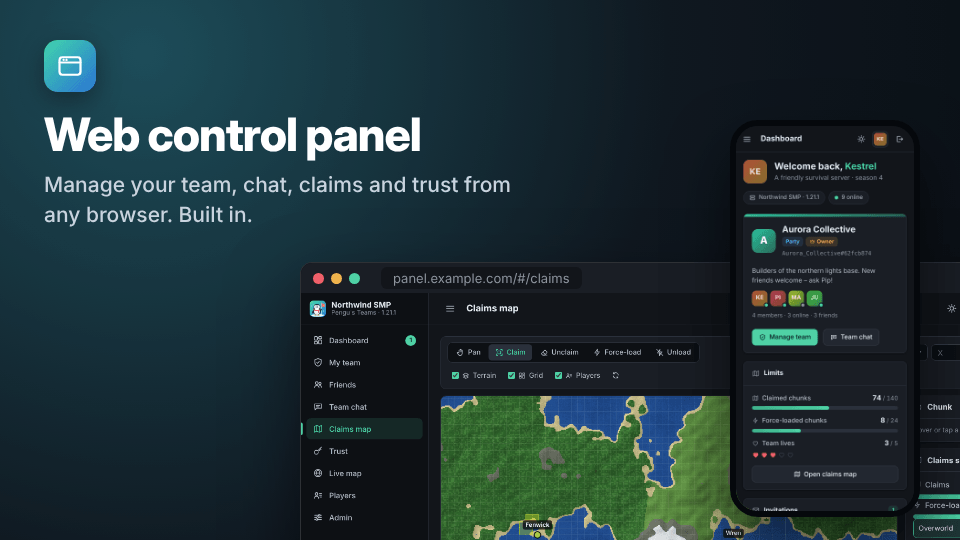
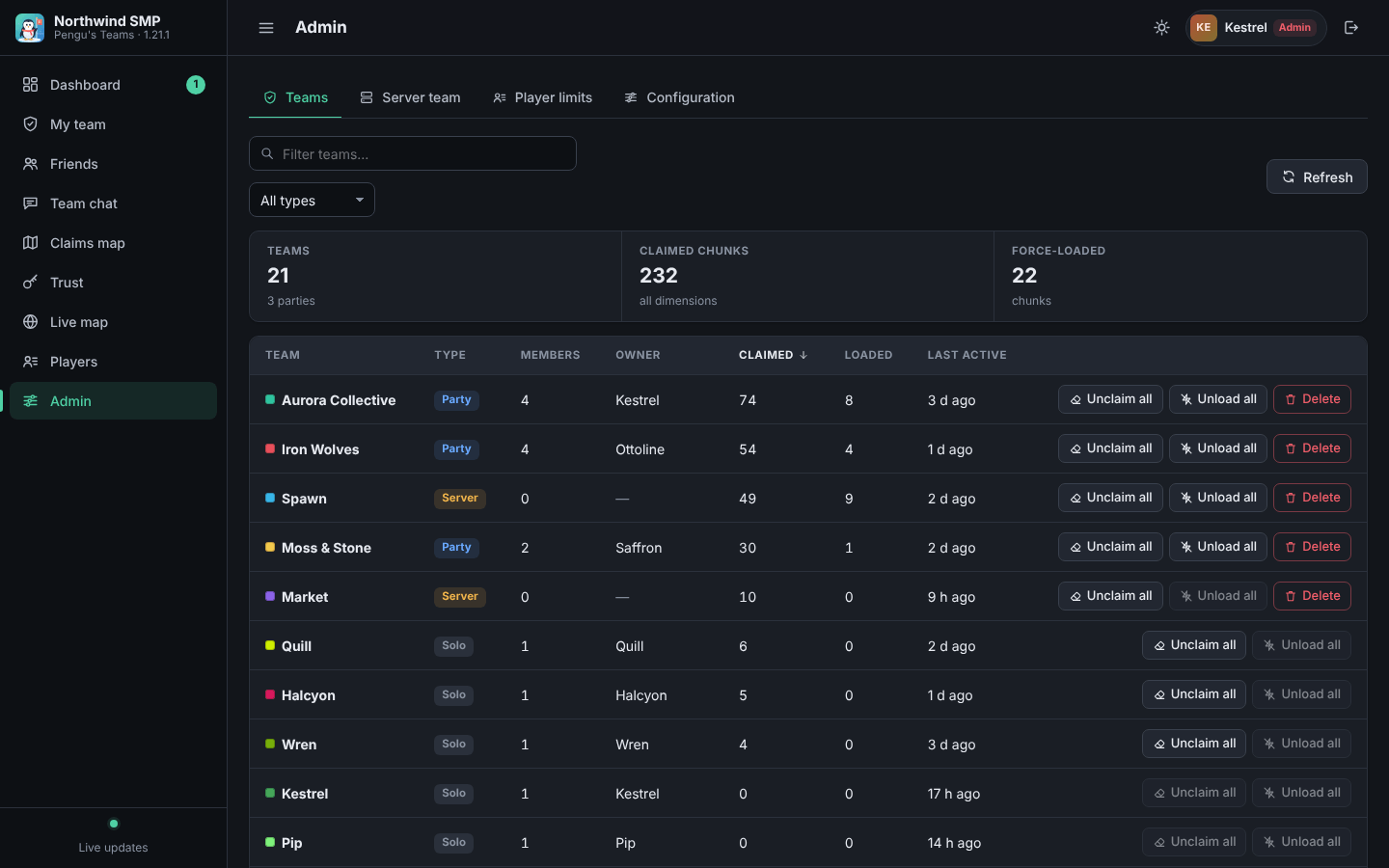
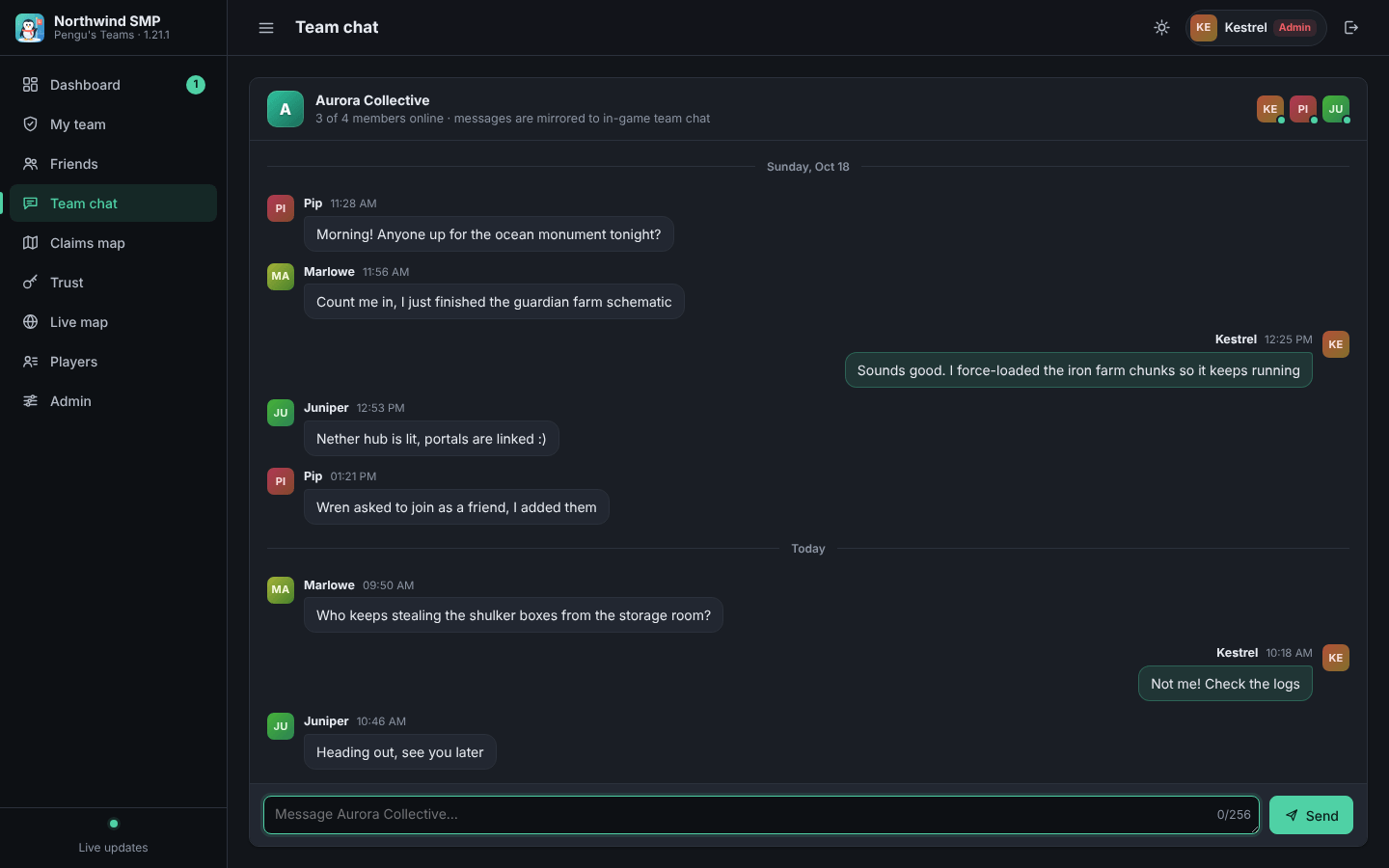
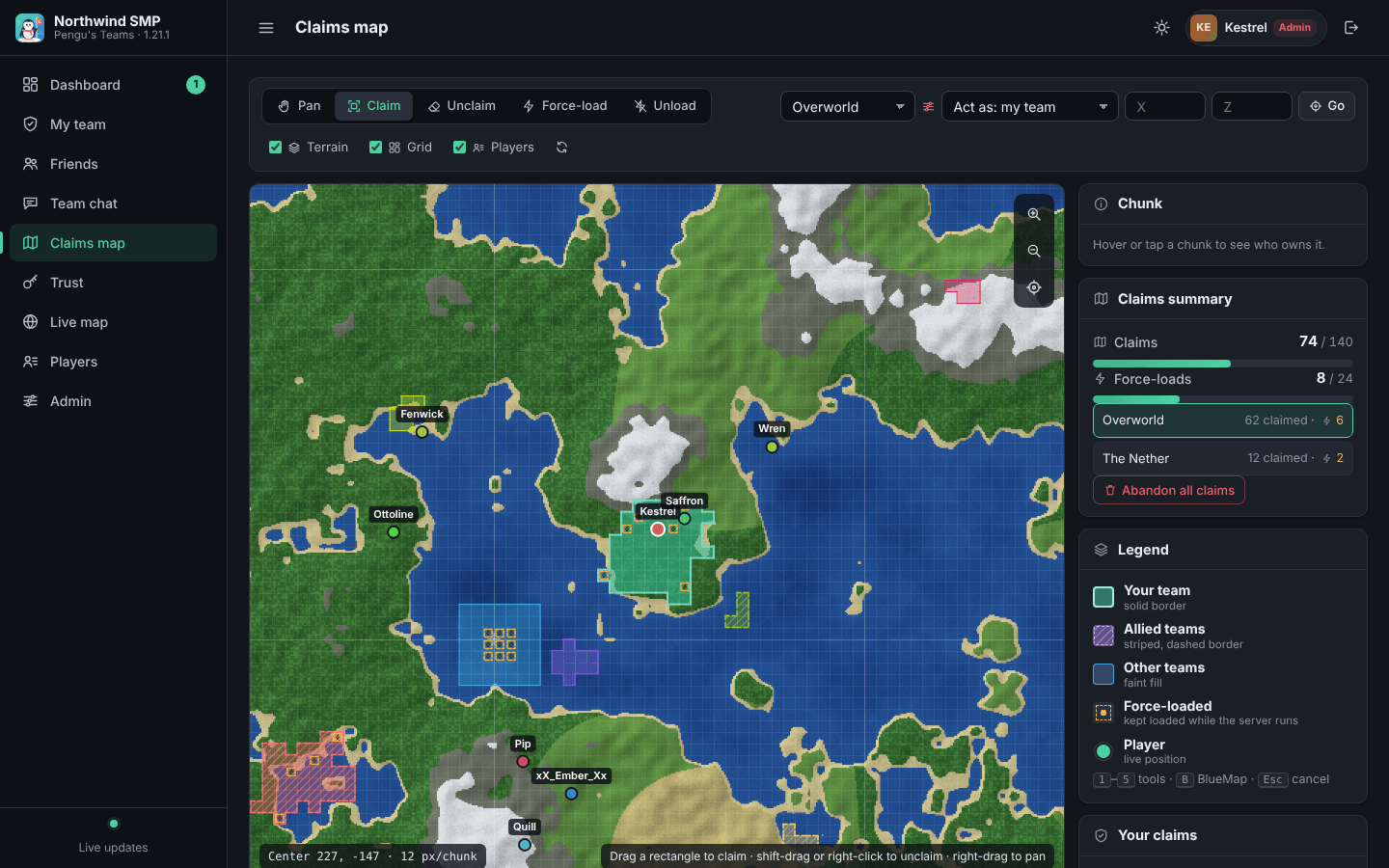
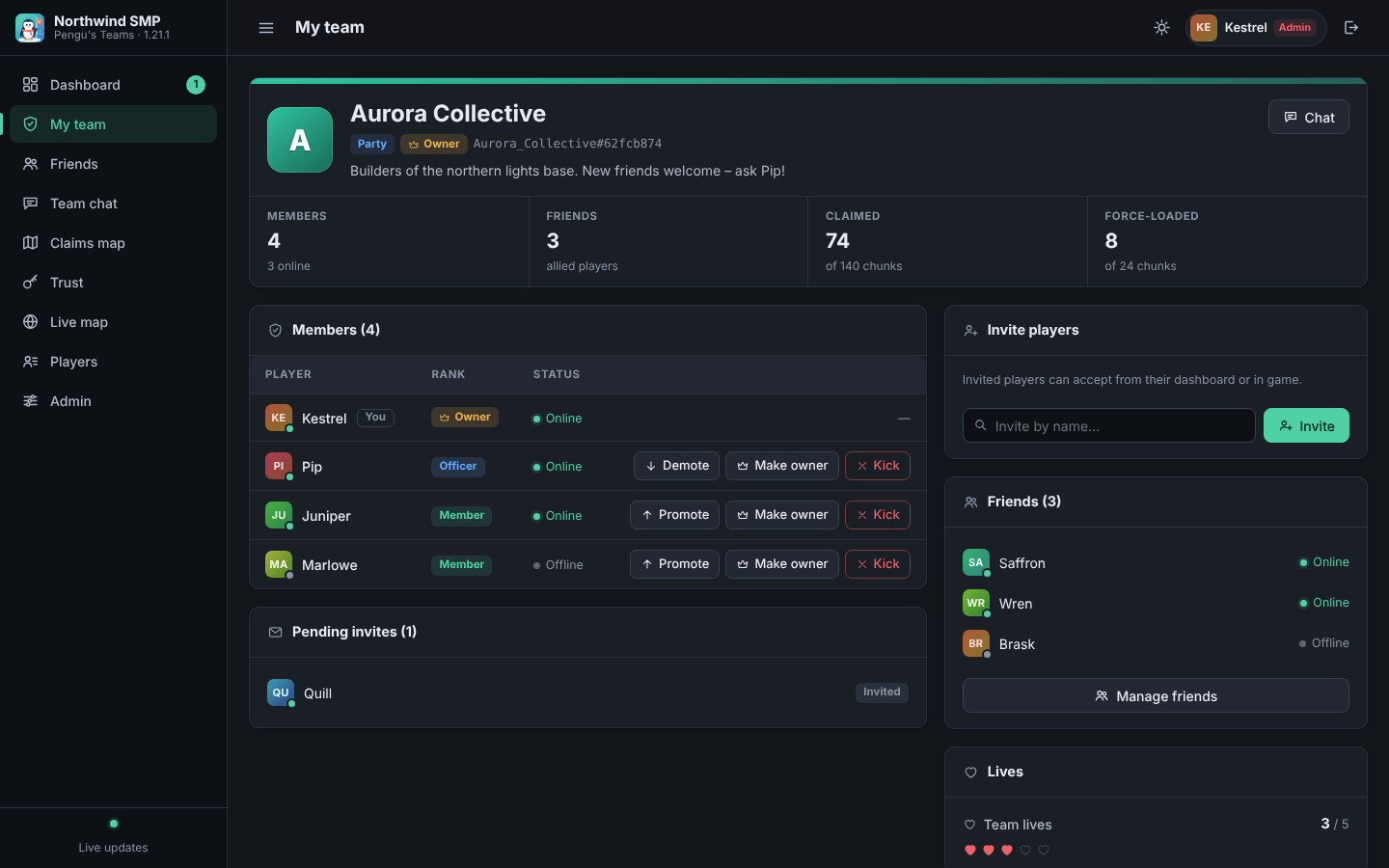
Built into the server: manage your team, allies and trust, chat with your team, and claim chunks on a terrain map from a phone or PC. Operators get an admin area.
BlueMap and JourneyMap
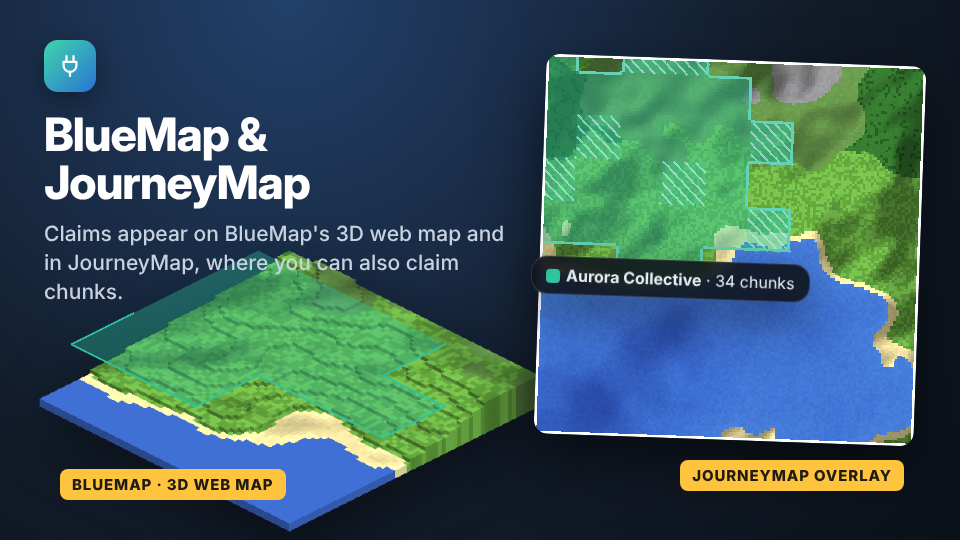
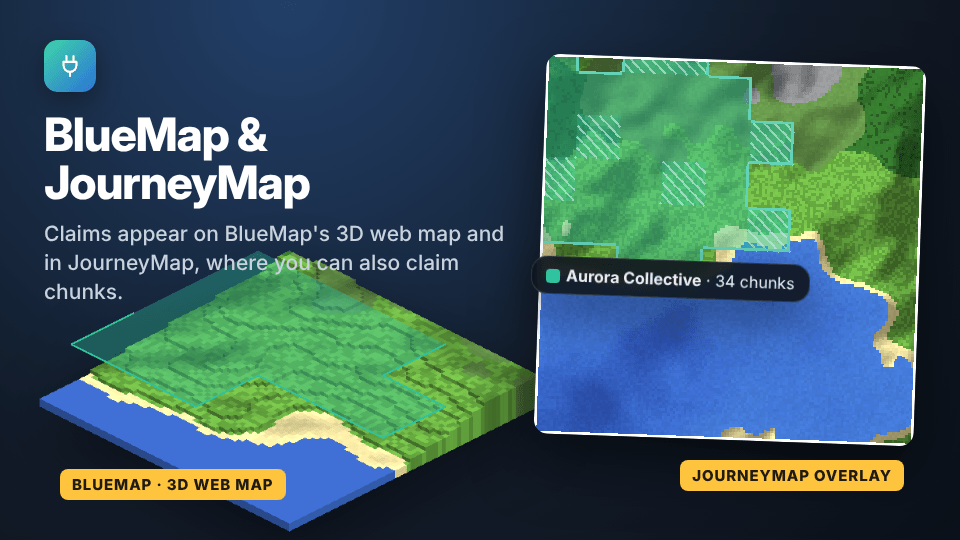
Claims appear as team-coloured areas on BlueMap's 3D web map and as team regions on JourneyMap's full-screen map and minimap. Both integrations are optional.
Claim Mode for JourneyMap
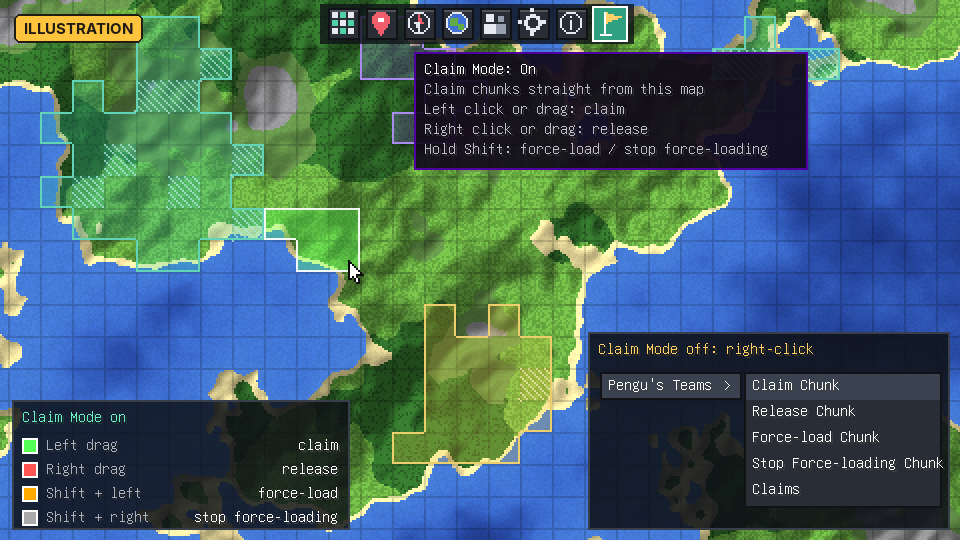
A toolbar button on JourneyMap's full-screen map: drag to claim, right-drag to release, hold Shift to force-load.
Also included: sidebar buttons in the inventory screen (My Team, Party Lives, World Map, Manage Claims, settings) that you can rearrange, an in-game editor for every config file, Game Stages support, and JEI / REI / EMI compatibility (their item lists stay clear of the sidebar).
In game
These pictures are illustrations (drawn mock-ups), not screenshots. They show the idea of each screen; the in-game look differs in detail.
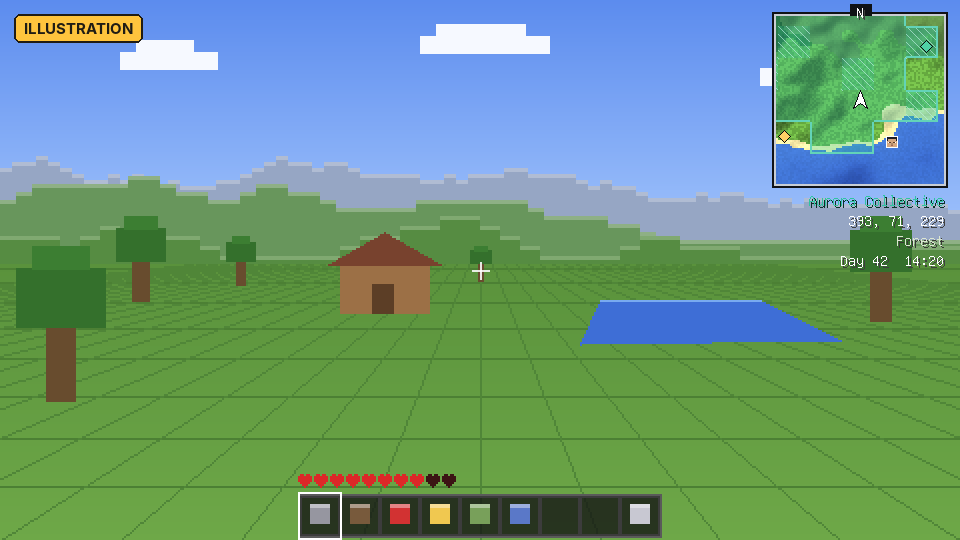
Minimap with claims, waypoints and the info lines below it.
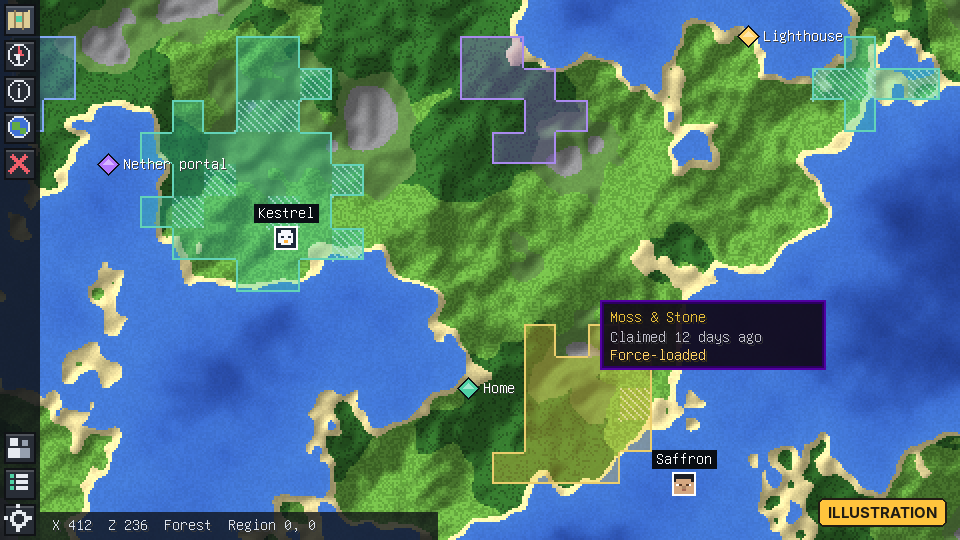
Full-screen world map with claims, players and waypoints.
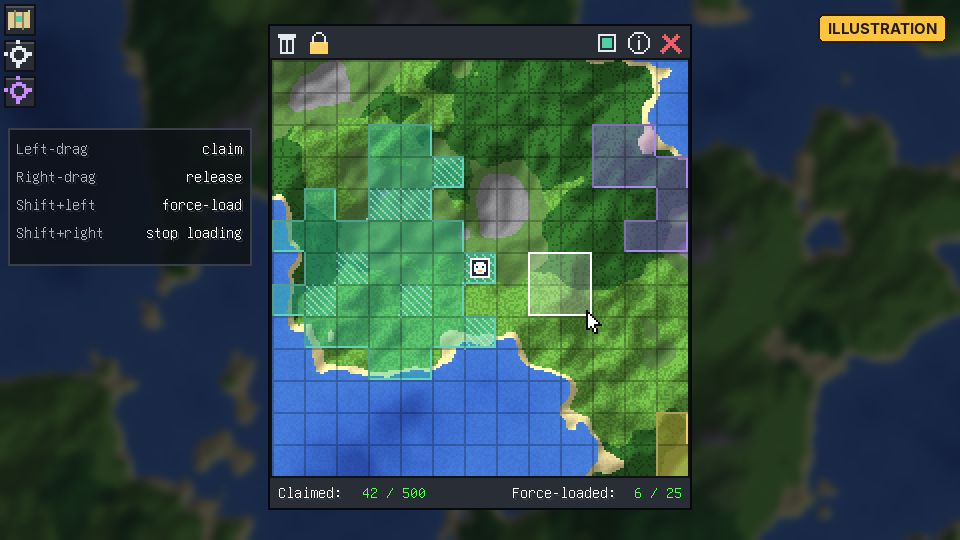
Claim manager: drag over chunks to claim them.
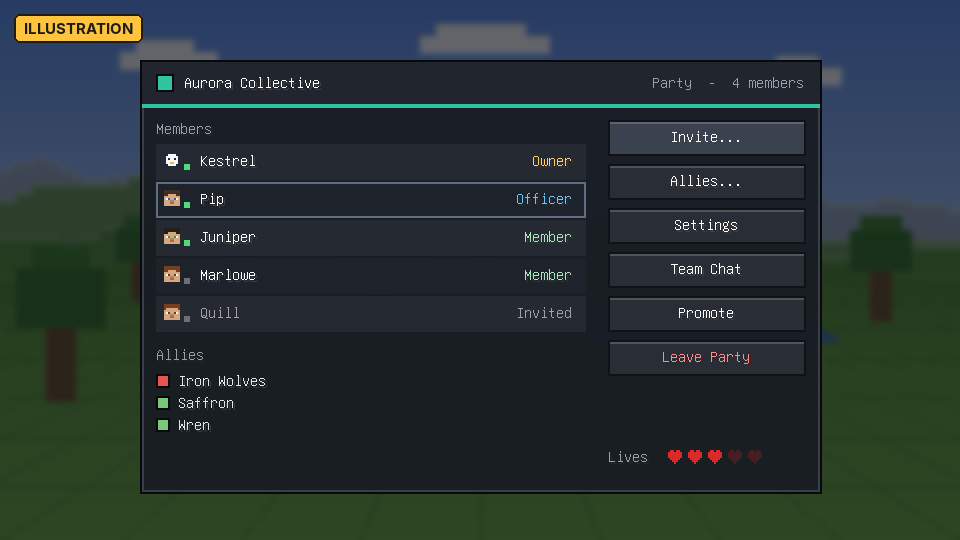
The My Team screen with members, ranks and allies.
Installation
- Install NeoForge for Minecraft 1.21.1 (21.1.90 or newer).
- Put the
penguteams-<version>.jarinto themodsfolder of the server and every client. The mod has its own network messages and screens, so both sides need it. - Optional: LuckPerms, BlueMap, JourneyMap, JEI / REI / EMI and Game Stages are picked up automatically when installed. None of them is required.
Getting started
| Action | How |
|---|---|
| Open your team screen | The Open My Team key (unbound by default) or the My Team sidebar button; /penguteams team info prints the same in chat |
| Create a party | Team screen, web panel, or /penguteams team party create <name> |
| Invite a friend | /penguteams team party invite <player>; they accept in chat, on the team screen or in the web panel |
| Open the world map | Press M |
| Claim chunks | Press C on the map to open the claim manager, then drag with the left mouse button. Right-drag releases; hold Shift to force-load |
| Claim the chunk you stand in | /claim (release it with /abandonclaim) |
| Let a friend build in your claims | /trust <player> while standing in one of your claims |
| Open the web panel | /penguteams web and click the link |
All keys are under Controls → Pengu's Teams: Map & Claims (world map, claim manager, waypoint list, place waypoint here, show/hide minimap, minimap zoom) and Pengu's Teams: Teams (Open My Team).
Commands
Everything is registered under /penguteams; the claim and trust commands also have short forms such as /trust and /claim. Op means permission level 2.
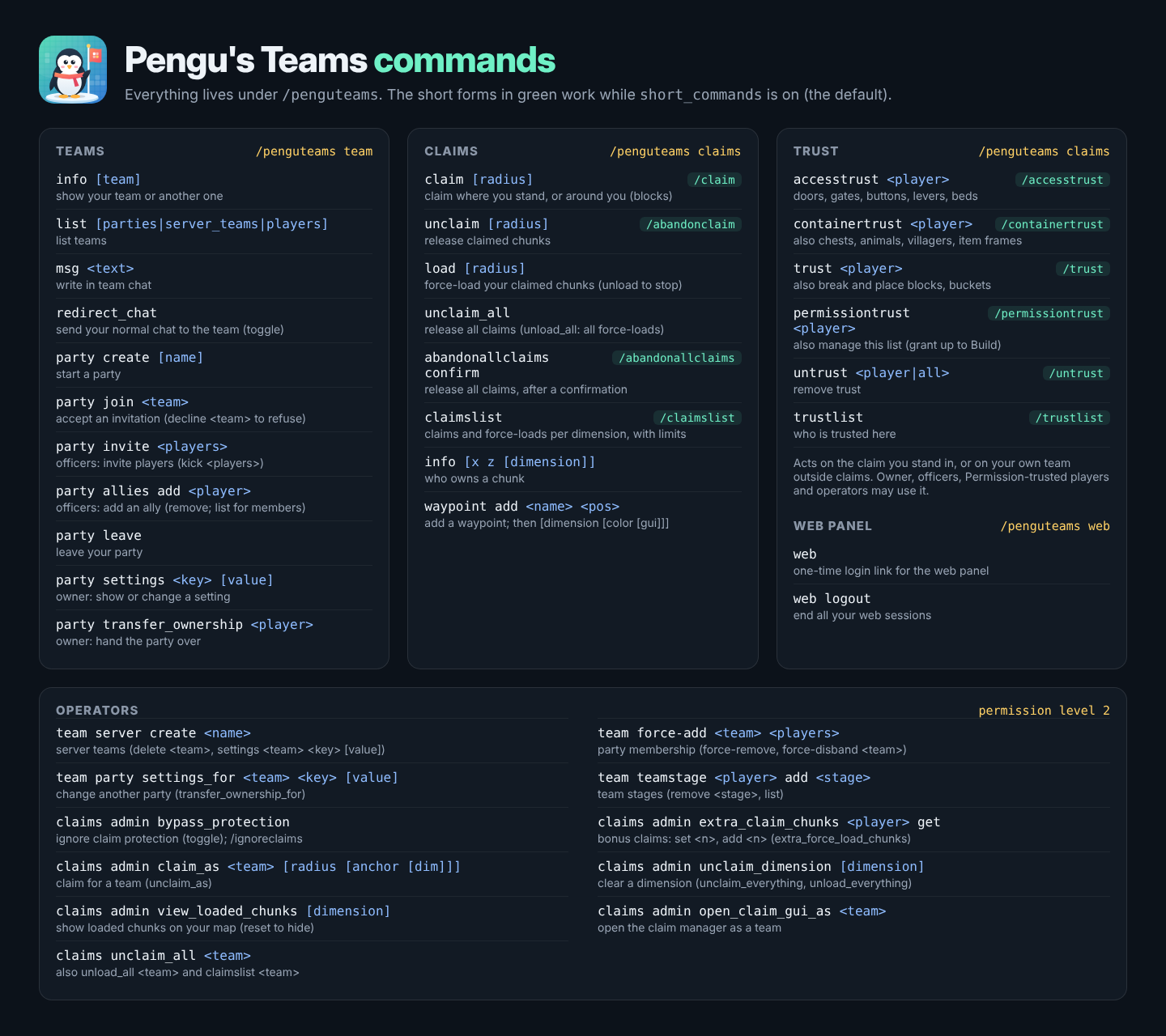
| Command | What it does |
|---|---|
/penguteams team ... | Team info and lists, team chat, create/join/leave parties, invites, kicks, allies, party settings, ownership transfer. Operators can also manage server teams, force-add/remove/disband parties and manage team stages |
/claim / /abandonclaim | Claim or release the chunk you stand in, or every chunk within a radius (0–512 blocks) |
/penguteams claims load / unload | Force-load or stop force-loading your team's claimed chunks |
/claimslist | Your claims and force-loads per dimension against your limits |
/abandonallclaims | Asks for confirmation, then releases all of your team's claims |
/trust, /containertrust, /accesstrust, /permissiontrust, /untrust, /trustlist | Manage who may use your claims |
/penguteams claims admin ... | Operator tools: bypass protection, per-player bonus claims and force-loads, claim/unclaim as another team, view loaded chunks, and server-wide cleanup |
/penguteams web / web logout | Get a one-time login link for the web panel, or end all your web sessions |
Short forms are on by default; set short_commands: false in penguteams-claims.snbt to keep only the /penguteams claims ... forms. A short form whose name another mod already registers is left to that mod.
Trust levels
Trust covers every claim of the team in every dimension and only ever adds rights on top of the team's own settings. Each level includes the ones before it.
| Level | Command | Allows |
|---|---|---|
| Access | /accesstrust <player> | Doors, trapdoors, gates, buttons, levers, pressure plates, beds and other blocks without an inventory |
| Container | /containertrust <player> | Also chests, furnaces and other blocks with an inventory or menu; right-clicking animals, villagers, item frames and armor stands |
| Build | /trust <player> | Also breaking and placing blocks, editing signs, buckets, and hitting non-living entities such as item frames, paintings, armor stands and boats |
| Permission | /permissiontrust <player> | Also managing the team's trust list, giving at most Build trust |
- The trust commands act on the team that owns the chunk you stand in, or on your own team when you stand outside claims.
- The team owner, its officers, players with Permission trust and ops may change trust. Only the owner, officers and ops can give or take away Permission trust.
- Team members never need trust. Fake players (machines) never inherit trust; they follow the team's fake-player settings.
Permissions and LuckPerms
Without a permission mod, limits come from the server config and op levels decide admin rights. With LuckPerms installed, these nodes are read per player:
| Node | Type | Meaning |
|---|---|---|
penguteams.claims.max_claimed | meta (number) | Chunks the player may claim |
penguteams.claims.max_force_loaded | meta (number) | Chunks the player may force-load |
penguteams.claims.chunk_load_offline | permission | The team's force-loads stay active while this member is offline (with force_load_mode: default) |
penguteams.claims.no_wilderness | permission | true: may only build inside claims; false: exempt from no_wilderness |
penguteams.web.admin | permission | Admin rights in the web panel |
Example:
/lp group vip meta set penguteams.claims.max_claimed 1000
/lp group vip meta set penguteams.claims.max_force_loaded 50
/lp group vip permission set penguteams.claims.chunk_load_offline true
A party combines its members' limits according to claiming.party_limit_mode (largest, sum, owner or average), capped by hard_team_claim_limit / hard_team_force_limit. Creating parties, inviting and adding allies also check the command nodes penguteams.team.party.create, penguteams.team.party.invite and penguteams.team.party.allies.add.
Configuration
Server configs live per world in <world>/serverconfig/; a copy in config/ is the default for new worlds and is what a modpack ships. Operators can edit the claims config in game (the server settings button on the map, or Ctrl + S), and every file can also be edited by hand while the server is stopped.
| File | Side | Contents |
|---|---|---|
penguteams-teams.snbt | server, per world | Party size and shared lives |
penguteams-claims.snbt | server, per world | Claim and force-load limits, protection, trust short commands, defaults for new teams |
penguteams-web.snbt | server, per world | Web panel address, sessions, permissions |
penguteams-bluemap.snbt | server, per world | BlueMap markers |
config/penguteams-client.snbt | client | Sidebar |
config/penguteams-map-client.snbt | client | Map, minimap and waypoints |
config/penguteams-migration.snbt | both | Automatic data import |
Highlights from the claims config:
pvp_mode:always,neverorper_teamally_mode: use ally lists, treat everyone as allied, or nobodyno_wilderness: blocks can only be edited or used inside claims (per-dimension option available)claiming.max_claimed_chunks(default 500) andforce_loading.max_force_loaded_chunks(default 25)force_loading.force_load_mode:never,alwaysordefaultclaiming.max_idle_days_before_unclaimandforce_loading.max_idle_days_before_unforceto clean up abandoned basesclaim_dimension_blacklist/claim_dimension_whitelist(a whole mod can be matched with"somemod:*")piston_protection,flowing_fluid_protection,fire_spread_protection,protect_unknown_explosionsforce_disable_minimapandrequire_game_stageto control the map
Copy either client file to local/ to keep personal settings across modpack updates. Each team's own settings (who may edit blocks, use blocks, interact with or hit entities, see your claims or your location; explosions; mob griefing; PvP; fake players) are changed in the team screen, on the web panel, or with /penguteams team party settings.
Web panel
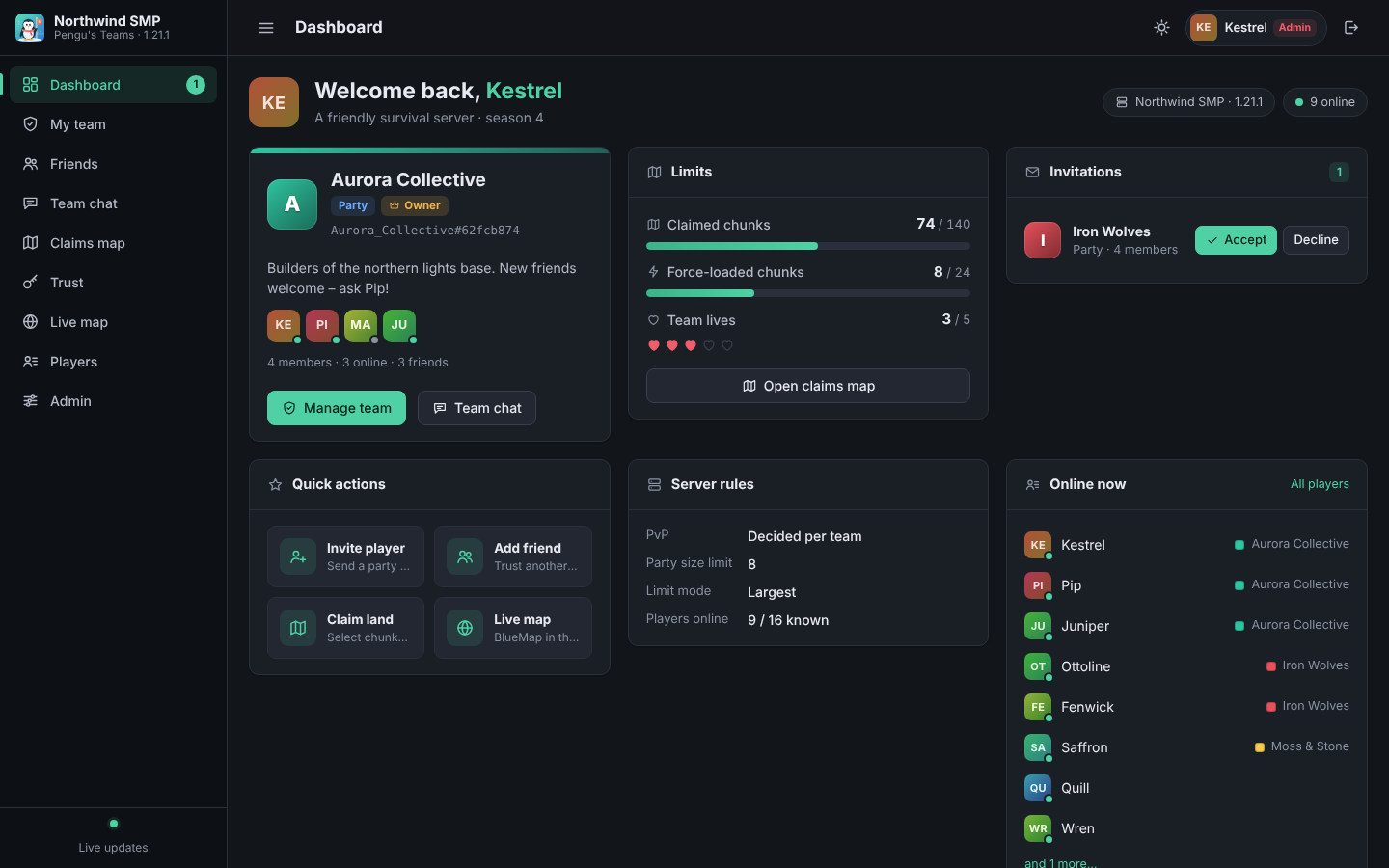
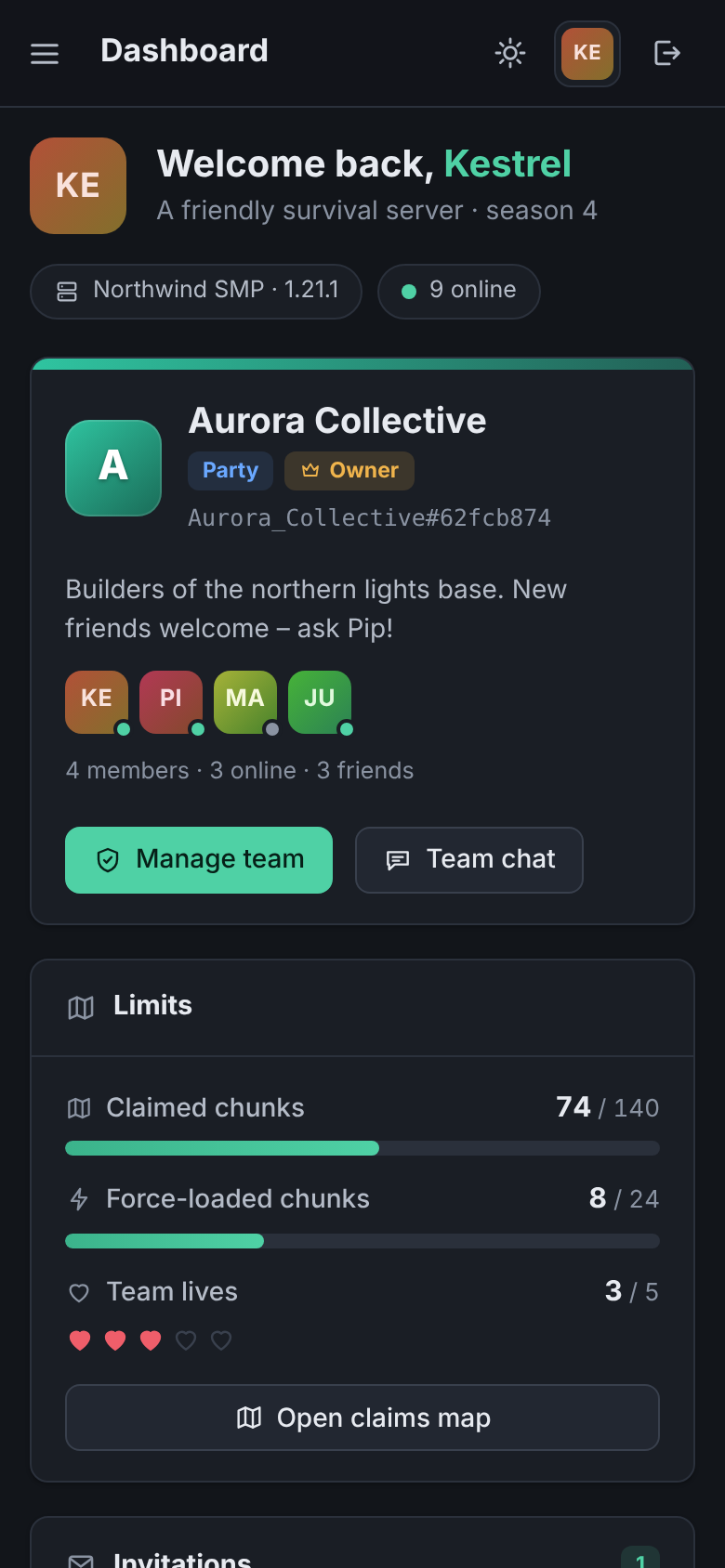
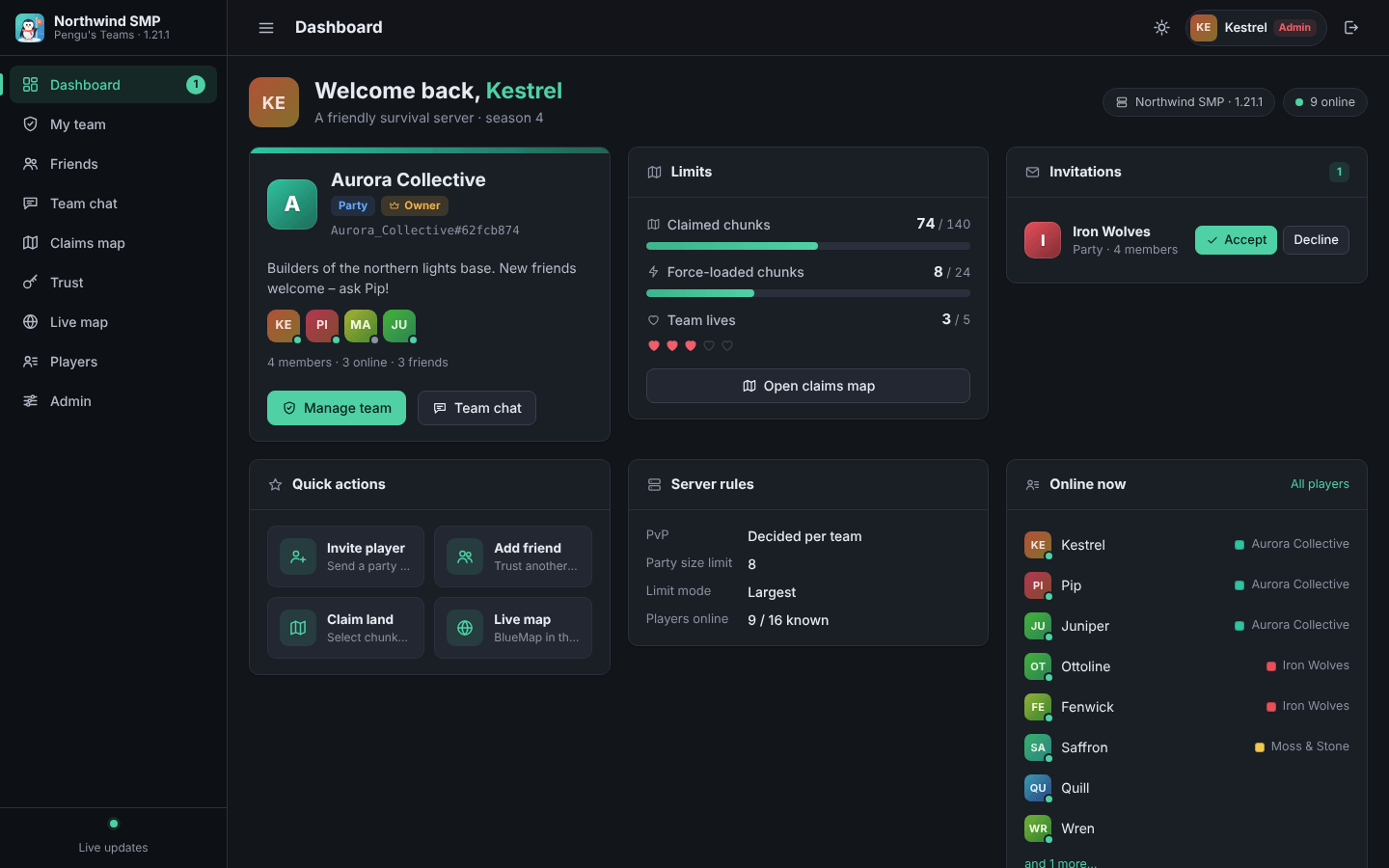
Screenshot: the dashboard.
- Start the server. The panel listens on
0.0.0.0:8095by default; setbind_address,portandpublic_urlinpenguteams-web.snbtwhen the server sits behind a proxy or a domain name. - In game, run
/penguteams weband click the link. Each link works once and expires after a few minutes; the session lasts 24 hours by default. The link is only sent to you and never logged. - Operators also see the Admin page.
| Page | What it does |
|---|---|
| Dashboard | Your team, limits, invitations, quick actions |
| My team | Members and ranks, invitations, team settings, leave or disband |
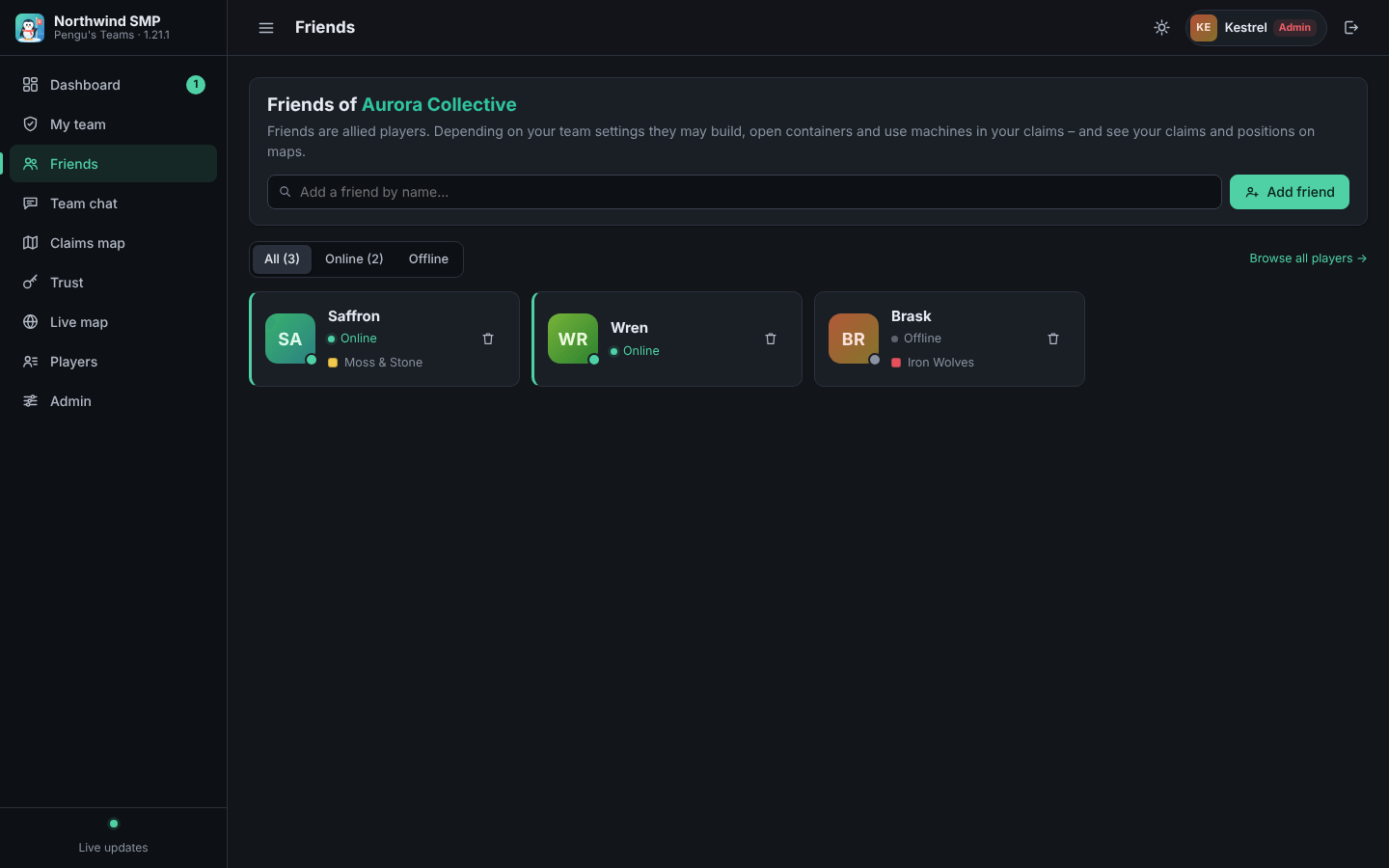
| Friends | The team's allies |
| Team chat | The same chat as in game |
| Claims map | Claim, release, force-load and unload by dragging over server-rendered terrain, plus a claims summary per dimension |
| Trust | Add players with a level, change levels, remove one or all |
| Live map | BlueMap, when it is installed |
| Players | Everyone the server knows, with team and online status |
| Admin | All teams, server teams, per-player bonus limits, read-only configs |
Changes made in game show up live. The panel has light and dark themes, works on phones and loads nothing from the internet, so it also works on LAN servers.
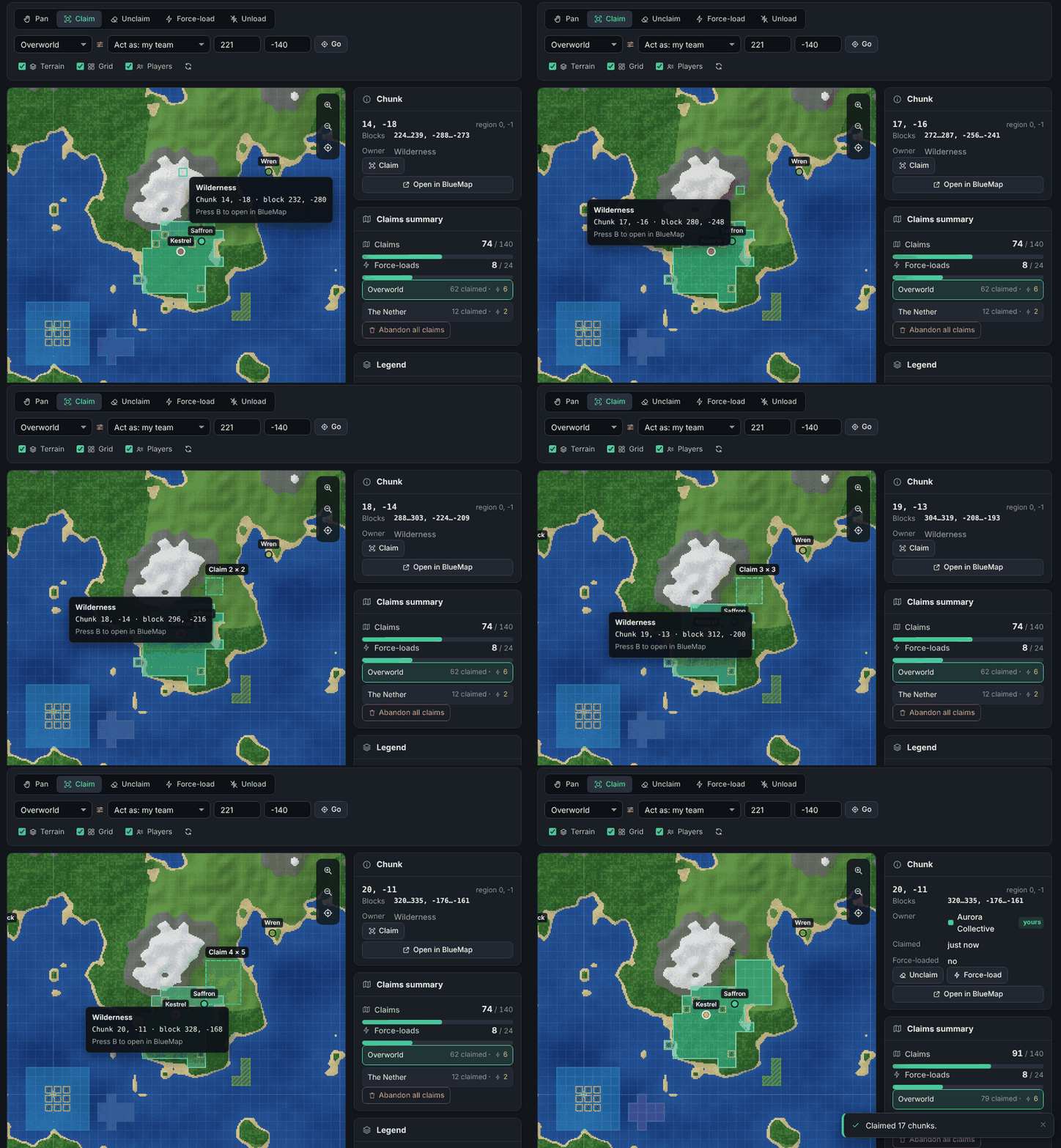
Screen recording: claiming chunks by dragging on the claims map.
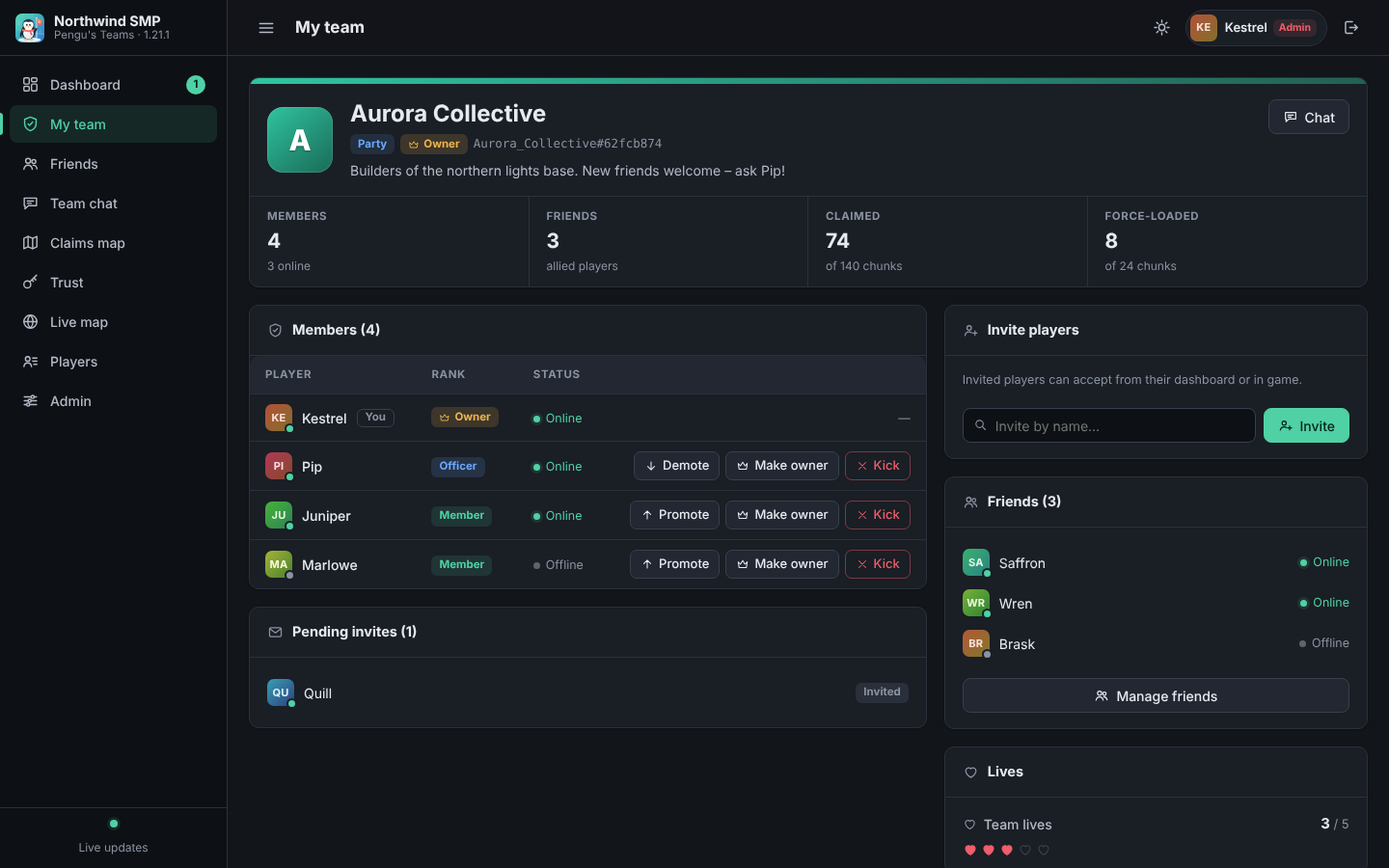
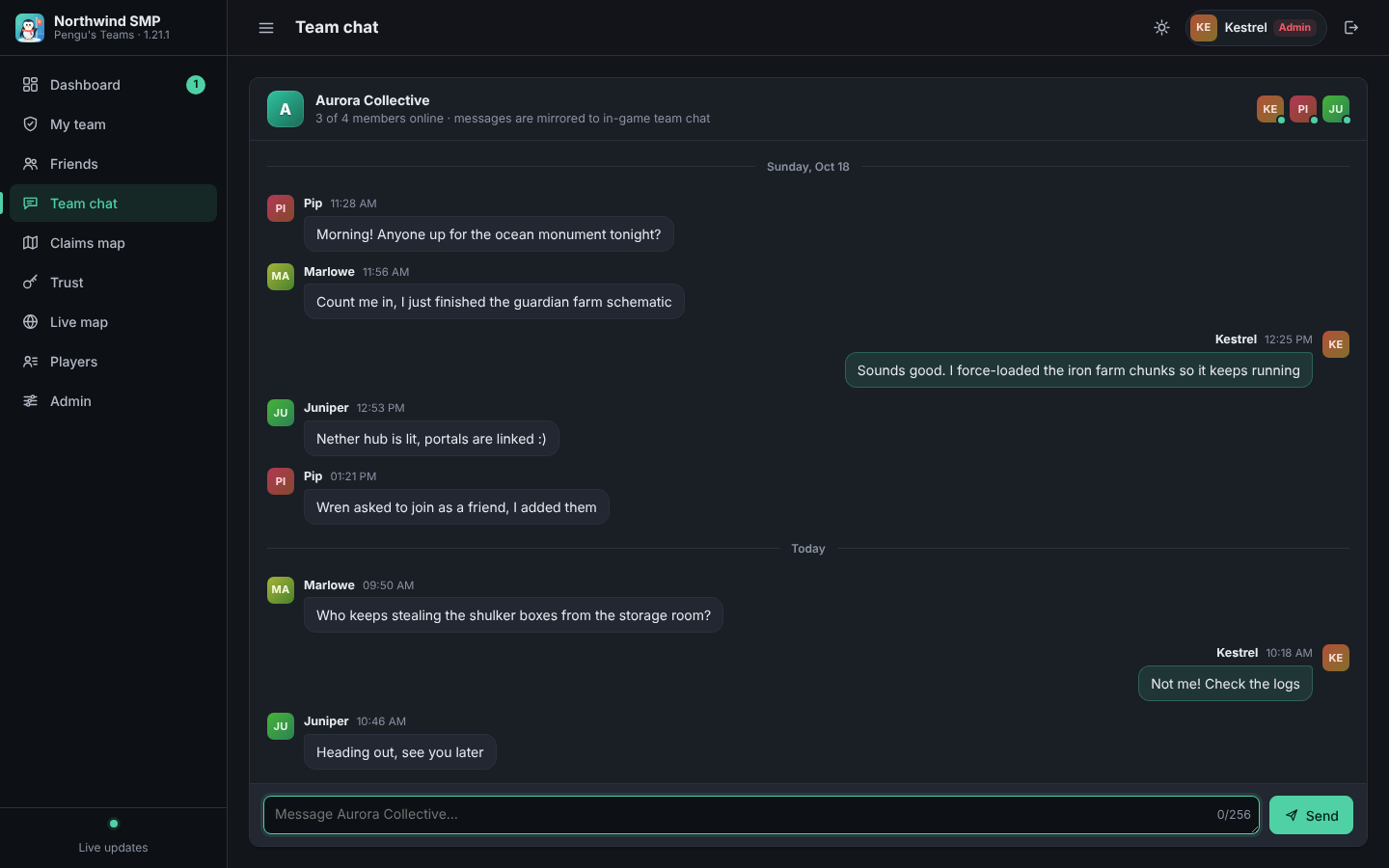
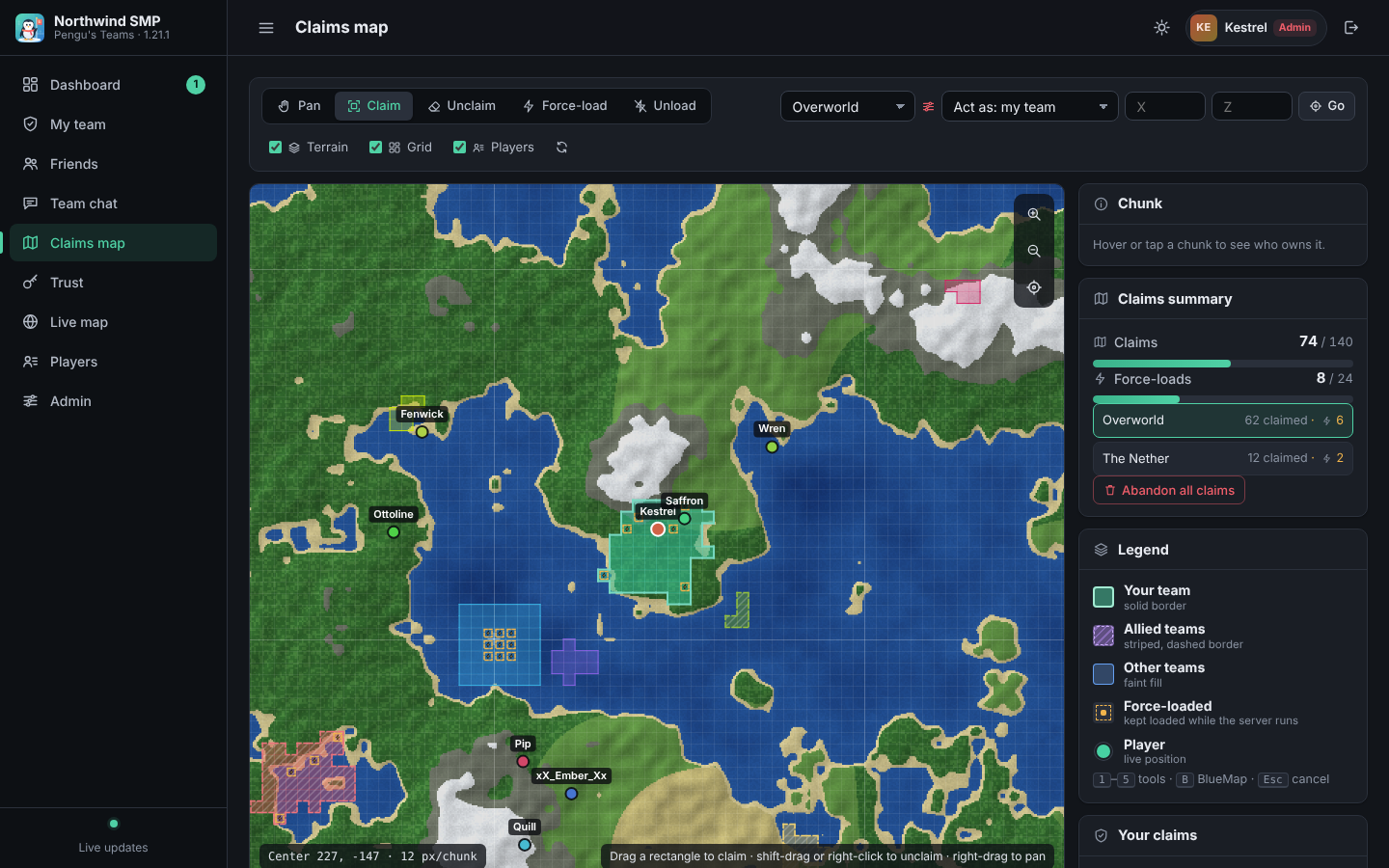
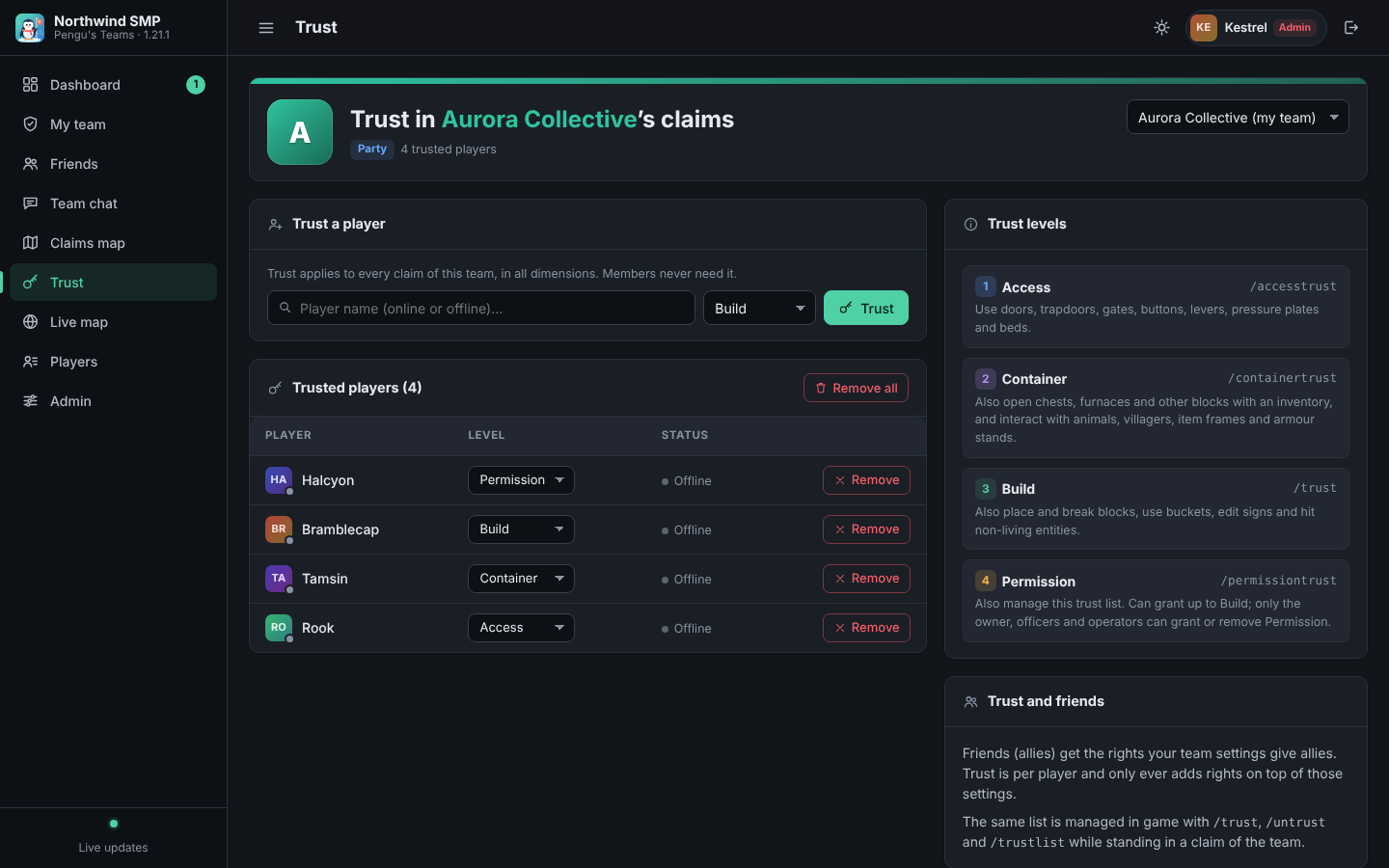
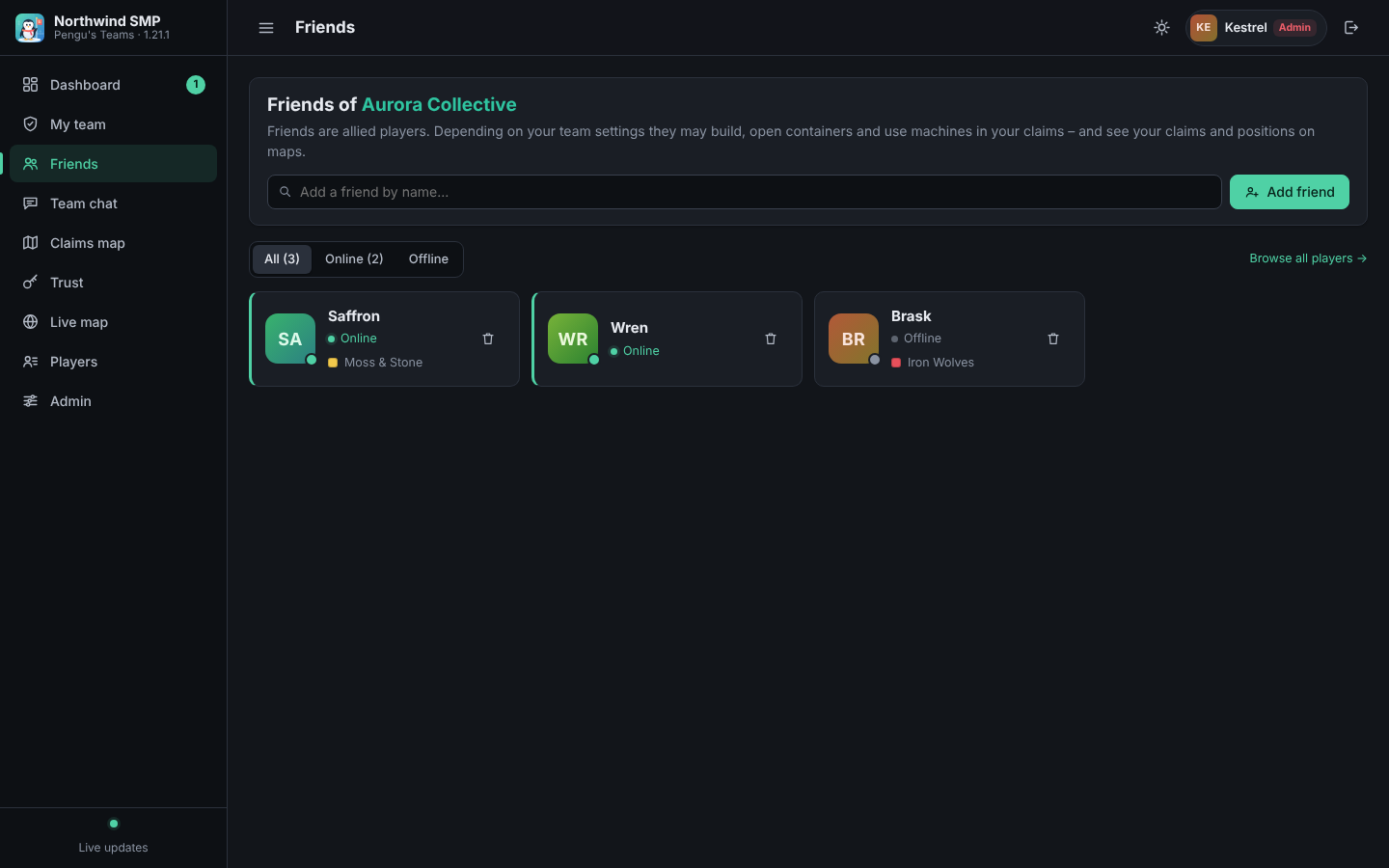
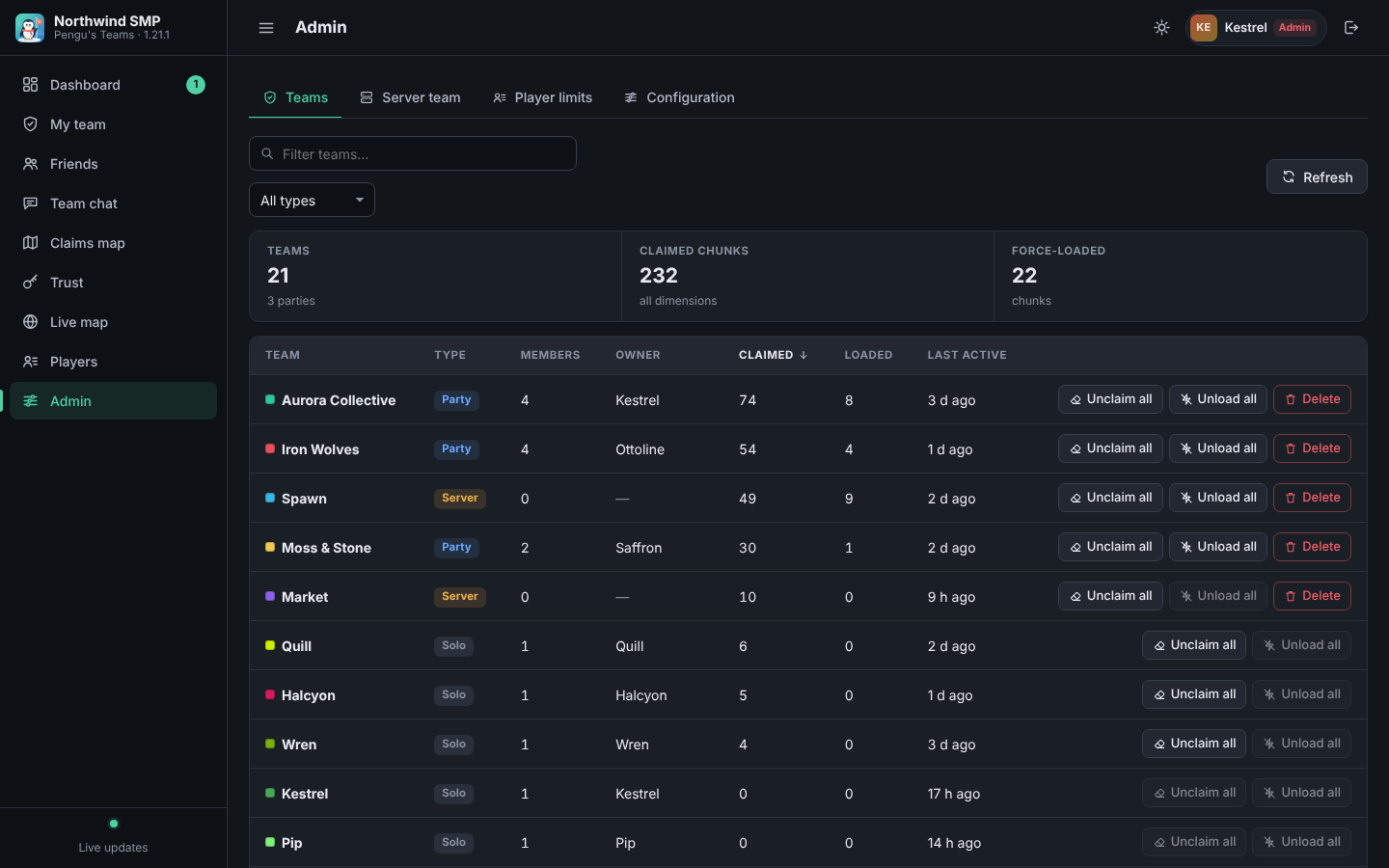
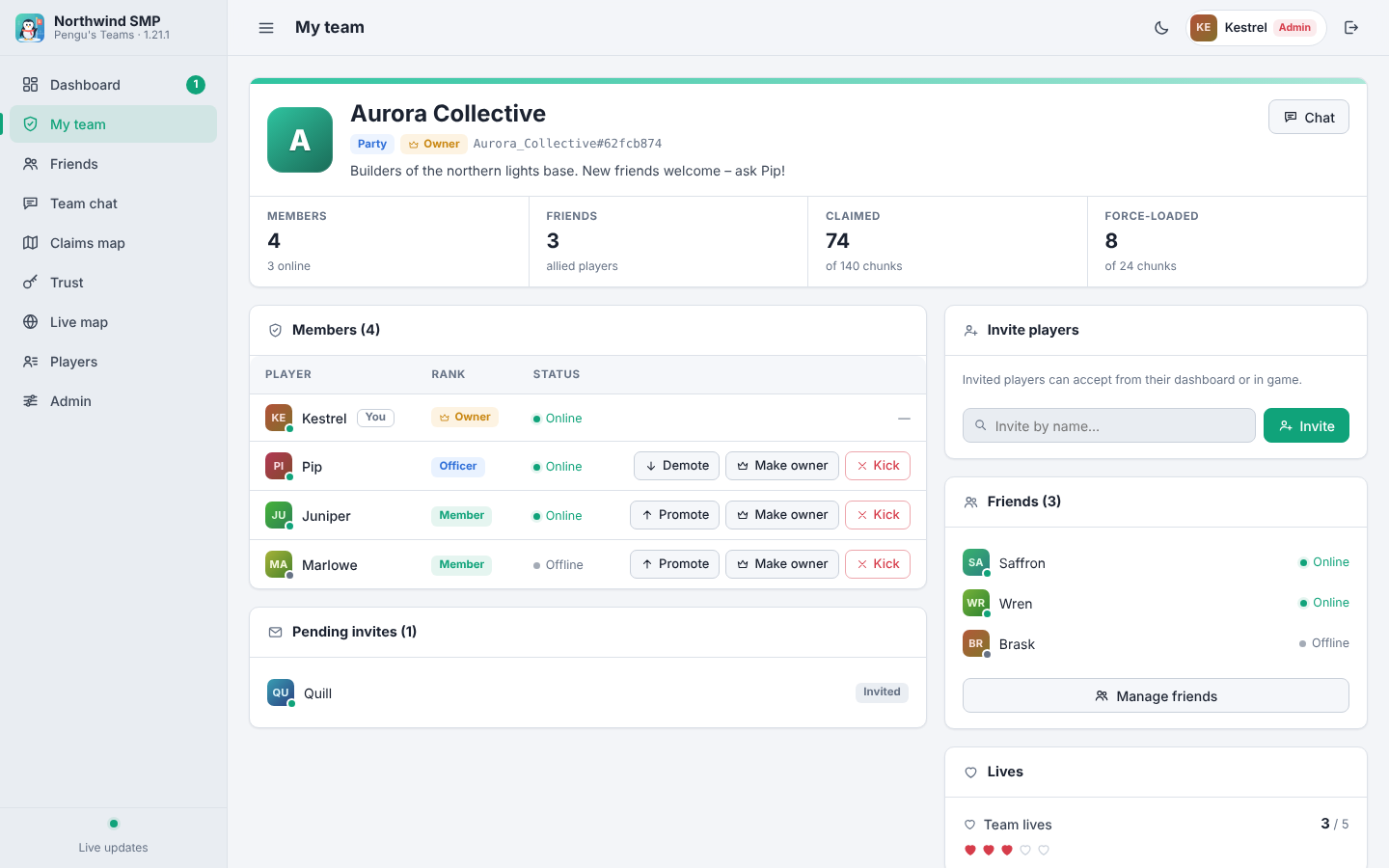
My team • Team chat • Claims map • Trust • Friends • Admin • Light theme • Phone
Security: put the panel behind HTTPS (a reverse proxy) if it is reachable from the internet, and set public_url to the HTTPS address. Every change goes through the same checks as the in-game commands. Set allow_non_op_claim_editing: false to make the claims map view-only for players.
BlueMap and JourneyMap
BlueMap (server side). Every team's claims are drawn as team-coloured areas with outlines, merged into regions and labelled with the team name, on a 3D marker set (shown) and a flat one (hidden by default). Markers follow claim changes right away. The web panel adds a Live map page and an Open in BlueMap button on the claims map.
JourneyMap (client side). Claims you are allowed to see are drawn as team-coloured regions on JourneyMap's full-screen map and minimap, with force-loaded chunks in a darker shade and the team name on hover. Pengu's Teams' own minimap starts switched off when JourneyMap is installed.
Illustration: Claim Mode on JourneyMap's full-screen map.
- Claim Mode: turn it on with the button on the full-screen toolbar. Left click or drag claims, right click or drag releases, and holding Shift when you press the button force-loads or stops force-loading instead. Your drag is previewed (green claim, red release, orange force-load, grey stop) and sent when you let go; one drag covers up to 1024 chunks.
- Right-click menu: with Claim Mode off, right-click the map and open Pengu's Teams to claim, release, force-load or stop force-loading the chunk under the cursor, or to open the claim manager.
Migrating from FTB mods
Coming from FTB Teams, FTB Chunks and FTB Library? Pengu's Teams imports teams, parties, claims, force-loads, team settings, server configs, the client map and waypoints automatically the first time a world starts with it. After a migration without errors the FTB files are packed into backup zips and removed; if anything fails, or an FTB mod is still installed, they are kept. A summary is written to <world>/penguteams/migrated_from_ftb.txt. See the migration guide for the file mapping and what you have to update yourself (permission nodes, data pack tags, commands in scripts).
For modpack makers and developers
- Modpack-friendly: ship defaults in
config/, and let players keep personal client settings inlocal/. - Addon authors: Core API, Teams API, Claims API and the Web API.
- Architecture notes and the full changelog are on GitHub.
Links
License
Pengu's Teams is licensed under Creative Commons Attribution-NonCommercial 4.0 International (CC BY-NC 4.0). You may share and adapt it, including in modpacks, with credit and not for commercial purposes. The logo, artwork and textures were made for this project and fall under the same license.
Screenshots
Gallery
-
 banner.png banner.png
 -
 feature-teams.png feature-teams.png
 -
 feature-claims.png feature-claims.png
 -
 feature-integrations.png feature-integrations.png
 -
 feature-maps.png feature-maps.png
 -
 feature-web.png feature-web.png
 -
 web-admin.png web-admin.png
 -
 web-chat.png web-chat.png
 -
 web-claims.png web-claims.png
 -
 web-dashboard.png web-dashboard.png
 -
 web-friends.png web-friends.png
 -
 web-team.png web-team.png
 -
 web-trust.png web-trust.png
Versions
Files
Relations
Project Relations
More like this
Similar Mods
Suggestions use data such as tags, dependencies, dependents, descriptions, titles, and more to rank how much they overlap with this mod.
On ModDex
Community snapshot
By the numbers
Statistics

Get it on
Available Platforms
On ModDex
Community snapshot
By the numbers
Statistics
Resources