Community listing page, reviews here may not be monitored by the author.
PeterWolf's Planes


No reviews yet
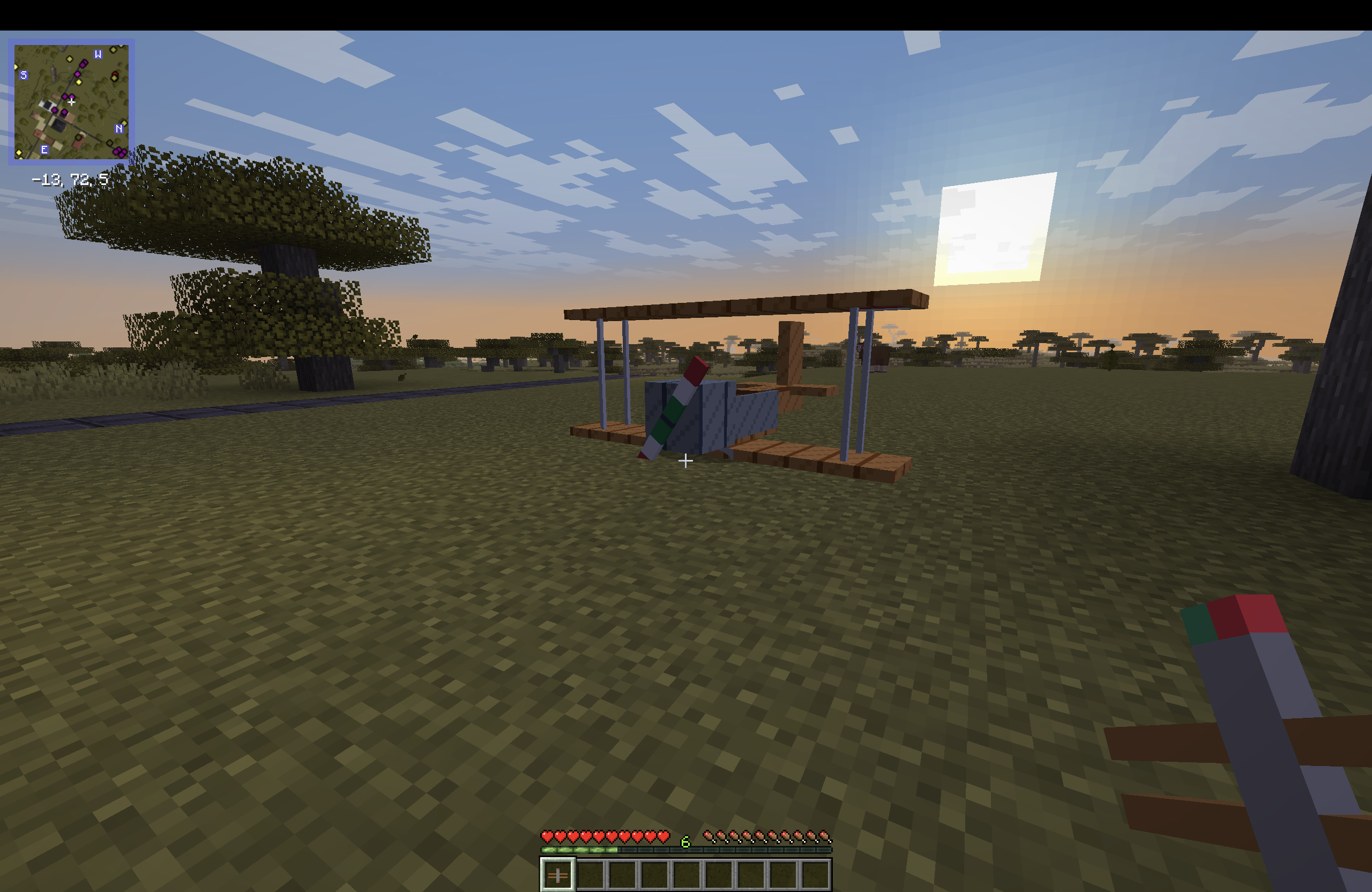
dds a fully‑steerable biplane to Minecraft, bringing a lightweight, vintage‑style aviation experience to the game.
Community voices
Reviews
No reviews yet. Be the first to review this project!
Get it on
Available Platforms
Compatibility
Supported Environments
Must be installed on both the client and the server.
About
Project Details
For authors
Embed Badge
If you're the author of this project, you can embed a live badge anywhere that supports HTML or Markdown. It updates automatically whenever ratings change.
Use HTML for any page that supports it, or Markdown for README files and Markdown-based descriptions.
Identifiers
Platform IDs
Resources
External Links
About
Description
PeterWolf’s Planes
Overview
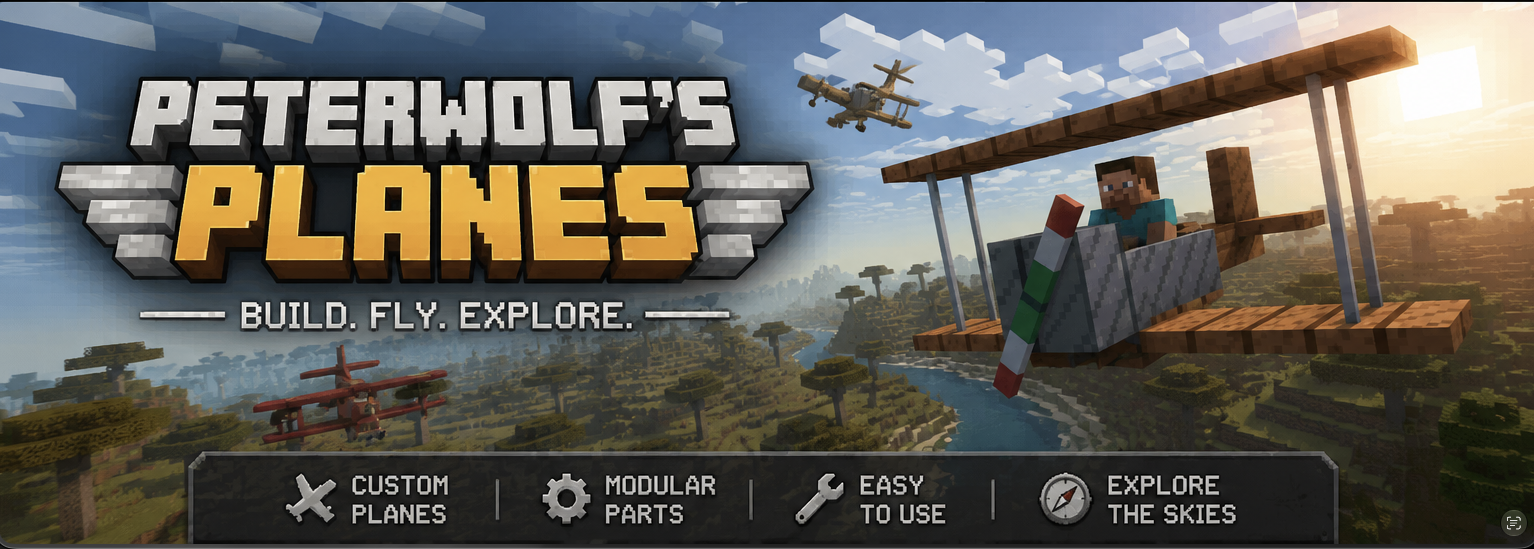
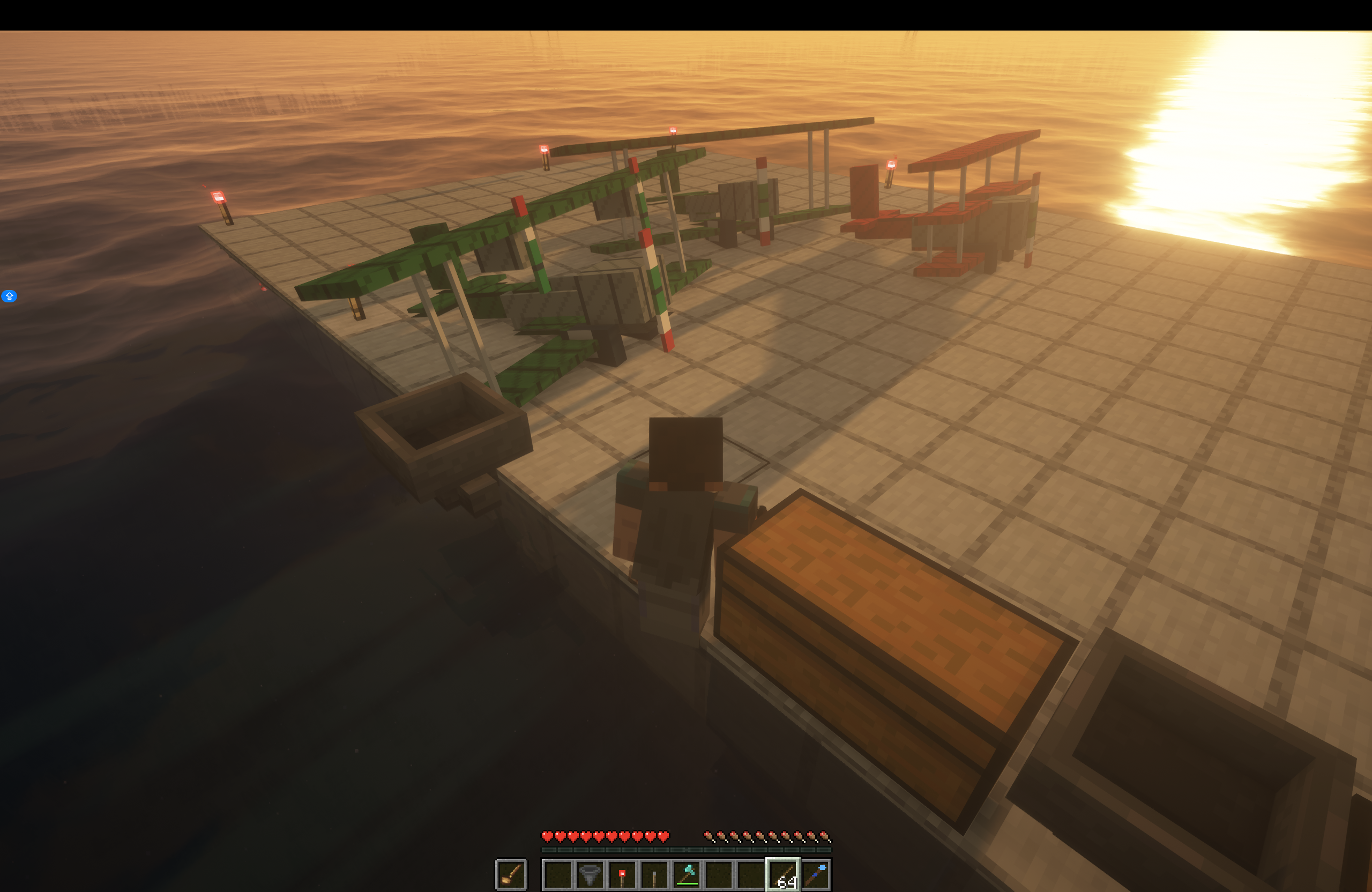
Peter Wolf’s Planes adds a fully‑steerable biplane to Minecraft, bringing a lightweight, vintage‑style aviation experience to the game. The mod introduces realistic flight physics, speed‑dependent control surfaces, a functional HUD, and a polished visual presentation (custom icon and ModMenu banner).
Features
- Steerable Biplane Entity – Fly a biplane that responds to mouse look (pitch & roll) and keyboard A/D for yaw/rudder.
- Speed‑Dependent Controls – Control surface effectiveness scales with forward speed; at a standstill the plane is unresponsive, and responsiveness ramps up linearly as you accelerate.
- Aerodynamic Lift Tuning – Lift is calibrated to overcome gravity at roughly 35 km/h (≈ 0.486 blocks/tick), providing a smooth take‑off and realistic stall behavior.
- Improved Gliding Physics – Reduced drag at low throttle and enhanced lift allow graceful glides and energy exchange (climbing slows the plane, diving speeds it up).
- Larger Landing‑Gear Wheels – Wheels are now 4 × 10 × 10 blocks, with custom textures for a sturdier ground stance and better visual appeal.
- Cockpit HUD – A glass‑morphic overlay shows current speed (m/s & km/h), altitude, vertical speed (color‑coded), and throttle/brake status.
⚔️ Dogfight Combat Mode (v1.1.0)
While piloting, press V to arm combat mode (shown on the HUD as Combat: ARMED).
| Control | Action |
|---|---|
| V | Toggle combat mode (ARMED / SAFE) |
| Left Mouse Button | Fire twin machine guns (rapid dual tracers along the nose) |
| B | Drop a lit TNT bomb (consumes 1× TNT; free in Creative) |
Combat details
- Machine guns fire dual streams from the wing roots with plane-relative muzzle velocity — no ammo required.
- Bombs inherit most of the plane's velocity, fall under gravity with a short fuse, and explode on the ground (or mid-air when the fuse runs out).
- Occupied aircraft can be damaged by projectiles and explosions. The HUD shows airframe integrity; at 0 HP the plane is destroyed and passengers are ejected.
- Your own munitions will not damage the plane you are piloting.
- Keybinds are remappable under Controls → Peter Wolf's Planes.
🪂 Paraglider & other features
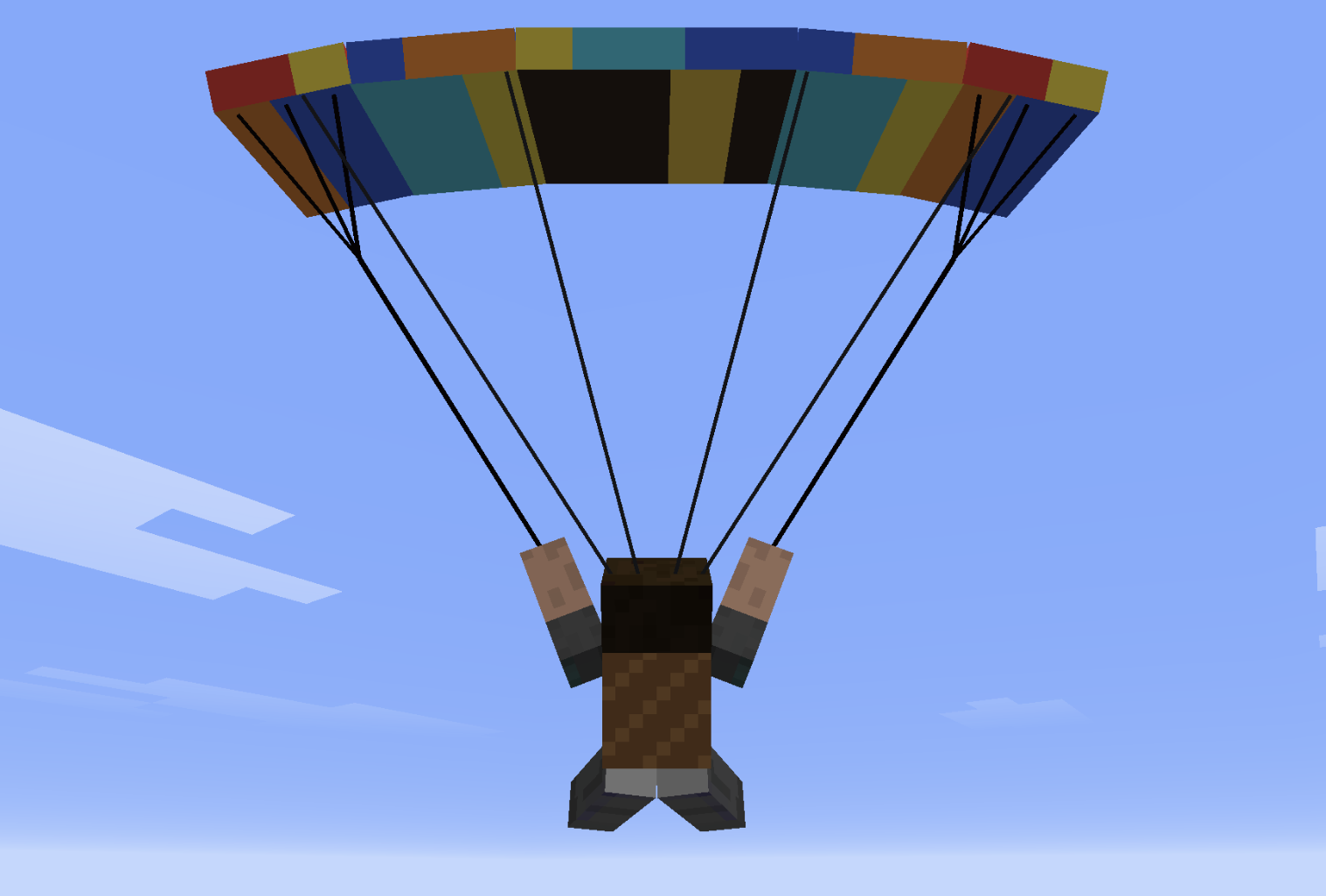
- Paraglider Backpack (chest slot): deploy in free-fall for controlled descent with bank turns, flares, double-W dive, and spiral dives.
- Squadron Horn + Villager Pilot: recruit AI wingmen into a V-formation.
- Tail push: approach the tail of an empty plane and hold Shift + Right-Click to wheelbarrow-push it on the ground.
- Worldgen runway structures with loot.
Paraglider Controls
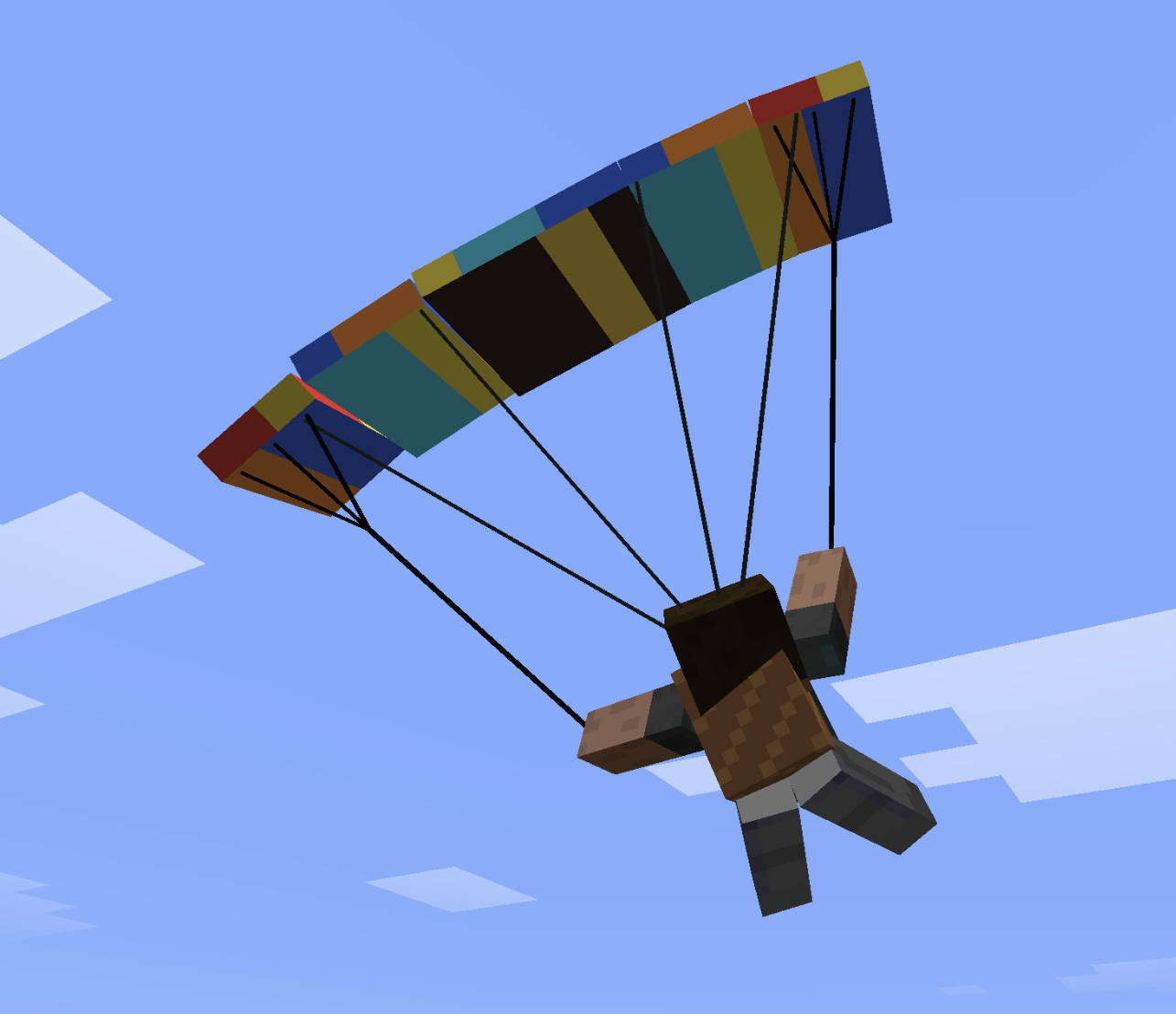
The paraglider uses simple, intuitive flight controls.
- Steer left or right to pull the corresponding brake line and turn.
- Double-tap the left or right steering key to enter a fast descending spiral.
- Double-tap S to search for rising air currents above slopes.
- Push forward to gain speed.
- Pull back to slow down and flare before landing.
🚁 Helicopter — Quick Flight Guide
🎮 Controls
- W (Hold): Lift off / Climb
- S (Hold): Descend / Land
- Release W / S: Auto-Altitude Hold (maintains exact altitude)
- Mouse Forward / Back: Pitch nose down (fly forward) / Pitch up (brake / fly back)
- Mouse Left / Right: Bank left / right (strafe sideways)
- A / D: Rotate tail / heading (yaw)
- Aim at Horizon: Auto-stabilizes into a stationary hover
🛑 Ground, Takeoff & Landing
- On the Ground:
- Controls are locked — moving the mouse won't tilt the helicopter or slide.
- A / D still rotate the helicopter on the spot to align before takeoff.
- Takeoff:
- Hold W to lift off vertically.
- The moment skids leave the ground, your cursor automatically centers to the horizon for a smooth, stable start.
- Landing:
- Hold S to descend. Upon touching the ground, the helicopter auto-levels and controls lock into parked mode.
⌨️ Commands & Crafting
- Toggle Altitude Mode:
/helialt(switches between Simple Auto-Hold and Realistic collective) - Crafting (3×3 Table):
- Top:
Iron Ingot|Iron Bars|Iron Ingot - Mid:
Iron Ingot|Minecart|Iron Ingot - Bot:
Iron Bars|Redstone|Iron Bars
- Top:
PeterWolf’s Planes
Overview
Peter Wolf’s Planes adds a fully‑steerable biplane to Minecraft, bringing a lightweight, vintage‑style aviation experience to the game. The mod introduces realistic flight physics, speed‑dependent control surfaces, a functional HUD, and a polished visual presentation (custom icon and ModMenu banner).
Features
- Steerable Biplane Entity – Fly a biplane that responds to mouse look (pitch & roll) and keyboard A/D for yaw/rudder.
- Speed‑Dependent Controls – Control surface effectiveness scales with forward speed; at a standstill the plane is unresponsive, and responsiveness ramps up linearly as you accelerate.
- Aerodynamic Lift Tuning – Lift is calibrated to overcome gravity at roughly 35 km/h (≈ 0.486 blocks/tick), providing a smooth take‑off and realistic stall behavior.
- Improved Gliding Physics – Reduced drag at low throttle and enhanced lift allow graceful glides and energy exchange (climbing slows the plane, diving speeds it up).
- Larger Landing‑Gear Wheels – Wheels are now 4 × 10 × 10 blocks, with custom textures for a sturdier ground stance and better visual appeal.
- Cockpit HUD – A glass‑morphic overlay shows current speed (m/s & km/h), altitude, vertical speed (color‑coded), and throttle/brake status.
⚔️ Dogfight Combat Mode (v1.1.0)
While piloting, press V to arm combat mode (shown on the HUD as Combat: ARMED).
| Control | Action |
|---|---|
| V | Toggle combat mode (ARMED / SAFE) |
| Left Mouse Button | Fire twin machine guns (rapid dual tracers along the nose) |
| B | Drop a lit TNT bomb (consumes 1× TNT; free in Creative) |
Combat details
- Machine guns fire dual streams from the wing roots with plane-relative muzzle velocity — no ammo required.
- Bombs inherit most of the plane's velocity, fall under gravity with a short fuse, and explode on the ground (or mid-air when the fuse runs out).
- Occupied aircraft can be damaged by projectiles and explosions. The HUD shows airframe integrity; at 0 HP the plane is destroyed and passengers are ejected.
- Your own munitions will not damage the plane you are piloting.
- Keybinds are remappable under Controls → Peter Wolf's Planes.
🪂 Paraglider & other features
- Paraglider Backpack (chest slot): deploy in free-fall for controlled descent with bank turns, flares, double-W dive, and spiral dives.
- Squadron Horn + Villager Pilot: recruit AI wingmen into a V-formation.
- Tail push: approach the tail of an empty plane and hold Shift + Right-Click to wheelbarrow-push it on the ground.
- Worldgen runway structures with loot.
Paraglider Controls
The paraglider uses simple, intuitive flight controls.
- Steer left or right to pull the corresponding brake line and turn.
- Double-tap the left or right steering key to enter a fast descending spiral.
- Double-tap S to search for rising air currents above slopes.
- Push forward to gain speed.
- Pull back to slow down and flare before landing.
The canopy banks naturally, while the inner wingtip bends slightly during tighter turns.
🛠️ Crafting recipes (survival)
Craft in a Crafting Table. Shapes are 3×3.
Biplane (plane)
W P W
I I I
  S
- W white wool · P oak planks · I iron ingot · S stick
Large Biplane
W P W
I I I
P S P
- W white wool · P oak planks · I iron ingot · S stick
Large Twin-Engine Biplane
I F I
W P W
I S I
- I iron ingot · F furnace · W white wool · P oak planks · S stick
Red Baron's Triplane
R G R
I I I
  S
- R red wool · G gold ingot · I iron ingot · S stick
Water Plane
  B
W P W
I I I
- B oak boat · W white wool · P oak planks · I iron ingot
Monoplane (fast fighter)
I D I
W P W
  S
- I iron ingot · D diamond · W white wool · P oak planks · S stick
Paraglider Backpack (chest armor)
L P L
S W S
L   L
- L leather · P phantom membrane · S string · W white wool
Installation
- Install Fabric Loader for Minecraft 26.2 (or newer) and the Fabric API.
- Download the latest peterwolfs_planes-*.jar from Modrinth.
- Place the JAR file into your mods/ folder.
- Launch Minecraft – the biplane item appears in the Creative tab under Peter Wolf’s Planes and can be crafted or given via commands.
Usage
- Equip the Plane item and right‑click to mount.
- Throttle: Use the assigned key (default W/S). Negative throttle triggers wheel brakes on the ground.
- Steering: Move the mouse to control pitch (up/down) and roll (left/right). Yaw is assisted by a small rudder mix.
- HUD: Automatically appears while riding; press H to toggle.
🚁 Helicopter — Quick Flight Guide
🎮 Controls
- W (Hold): Lift off / Climb
- S (Hold): Descend / Land
- Release W / S: Auto-Altitude Hold (maintains exact altitude)
- Mouse Forward / Back: Pitch nose down (fly forward) / Pitch up (brake / fly back)
- Mouse Left / Right: Bank left / right (strafe sideways)
- A / D: Rotate tail / heading (yaw)
- Aim at Horizon: Auto-stabilizes into a stationary hover
🛑 Ground, Takeoff & Landing
- On the Ground:
- Controls are locked — moving the mouse won't tilt the helicopter or slide.
- A / D still rotate the helicopter on the spot to align before takeoff.
- Takeoff:
- Hold W to lift off vertically.
- The moment skids leave the ground, your cursor automatically centers to the horizon for a smooth, stable start.
- Landing:
- Hold S to descend. Upon touching the ground, the helicopter auto-levels and controls lock into parked mode.
⌨️ Commands & Crafting
- Toggle Altitude Mode:
/helialt(switches between Simple Auto-Hold and Realistic collective) - Crafting (3×3 Table):
- Top:
Iron Ingot|Iron Bars|Iron Ingot - Mid:
Iron Ingot|Minecart|Iron Ingot - Bot:
Iron Bars|Redstone|Iron Bars
- Top:
Screenshots
Gallery
-
 peterwolf's planes peterwolf's planes one
 -
 minecraft planes minecraft planes all 3 basic planes
 -
planes mod peterwolf's planes mod banner
-
Paraglider Peterwolfs Planes - Paraglider
-
Paraglider turn Paraglider turn
Versions
Files
Relations
Project Relations
More like this
Similar Mods
Suggestions use data such as tags, dependencies, dependents, descriptions, titles, and more to rank how much they overlap with this mod.
On ModDex
Community snapshot
By the numbers
Statistics
Want to reach Minecraft players?
We're looking for a server hosting partner to feature here and other parts of the site. Interested? Send us a message!
Get in touchGet it on
Available Platforms
On ModDex
Community snapshot
By the numbers
Statistics
Resources