
Community listing page, reviews here may not be monitored by the author.
Phantom Equipment

No reviews yet
Equip extra armor, swords, and bows in phantom slots and unleash their power alongside your normal gear.
Community voices
Reviews
No reviews yet. Be the first to review this project!
Get it on
Available Platforms
About
Project Details
For authors
Embed Badge
If you're the author of this project, you can embed a live badge anywhere that supports HTML or Markdown. It updates automatically whenever ratings change.
Use HTML for any page that supports it, or Markdown for README files and Markdown-based descriptions.
Identifiers
Platform IDs
Resources
External Links
About
Description
Phantom Equipment
Have you ever collected a powerful set of armor or an interesting weapon, only to leave it inside a chest because you could equip only one at a time?
Phantom Equipment lets your extra armor, swords, and bows join the fight as spectral equipment. Keep using your normal gear while your stored equipment provides additional protection, attacks, and projectiles.
How to Play
- Craft a Phantom Armor, Phantom Sword, or Phantom Bow.
- Equip it in a Phantom Equipment slot provided by Curios.
- Open your inventory and click the Phantom Equipment button.
- Place armor, swords, or bows into their matching phantom slots.
- Return to the world and use your normal equipment as usual. Your phantom equipment will fight alongside it.
You can also assign the Open Phantom Equipment key in Minecraft's Controls menu for faster access.
Choose Your Phantom Equipment
Phantom Armor
Store additional armor sets without removing the armor you are already wearing.
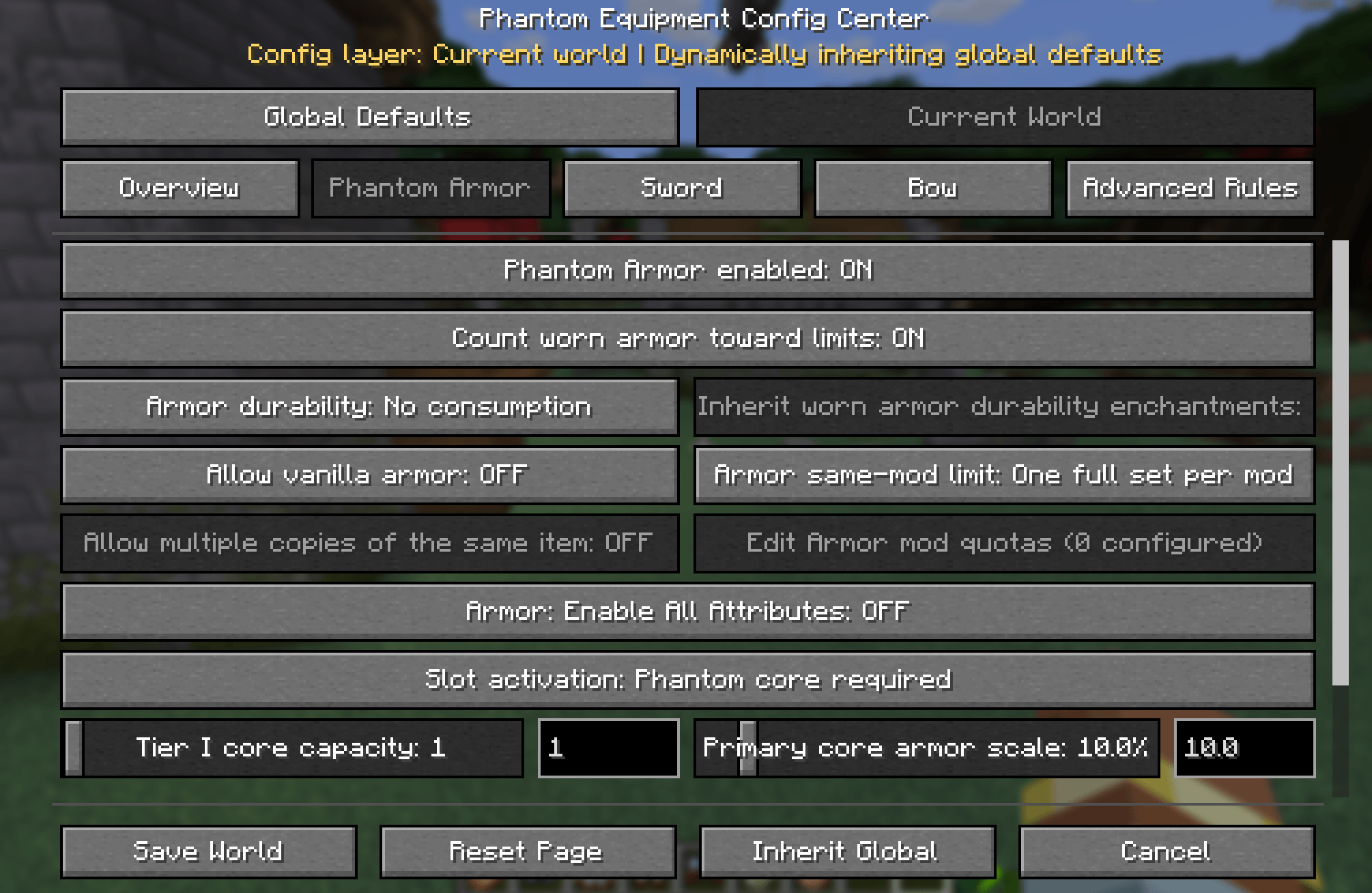
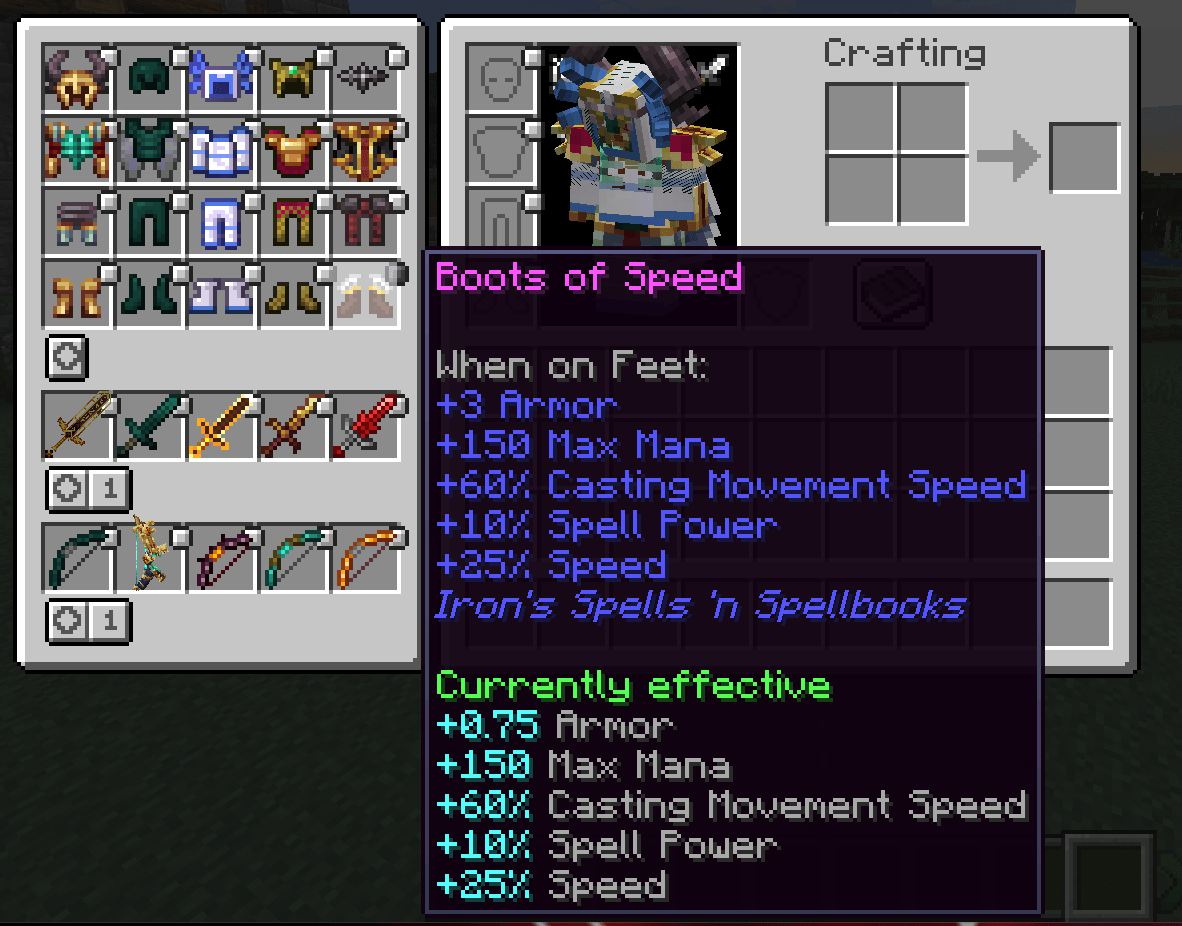
Phantom Armor contributes part of the stored armor's protection and toughness. Compatible armor effects can also work from the phantom slots, allowing you to combine equipment into a more powerful loadout.
Phantom Sword
Place extra swords into Phantom Sword slots, then attack with your normal weapon.
Spectral swords appear and strike alongside your melee attacks, letting the weapons you have collected become part of the same battle instead of remaining unused in storage.
Phantom Bow
Place bows into Phantom Bow slots and fire your normal bow.
Your stored bows join the shot as a phantom volley, launching additional projectiles alongside you. Different bows can create exciting ranged combinations.
Upgrade Your Cores
Each equipment family has three tiers:
- Tier I: 1 armor set or weapon slot
- Tier II: 3 armor sets or weapon slots
- Tier III: 5 armor sets or weapon slots
Higher tiers provide more space and allow each stored item to contribute more of its power. Armor, sword, and bow cores are upgraded separately, so you can develop the playstyle you enjoy most.
Only one core from each family can be equipped at a time.
Build Your Own Loadout
Mix ordinary Minecraft equipment with gear from other mods, collect weapons with different strengths, and decide which items deserve a place in your phantom arsenal.
Phantom Equipment is designed to support a wide range of modded armor and weapons. Some items with highly specialized controls or unusual mechanics may behave differently when used from a phantom slot.
Requirements
- Minecraft 1.21.1
- NeoForge 21.1.234 or newer in the NeoForge 21.1 series
- Curios API 9.5.1 or a compatible Curios 9.x version
Phantom Equipment must be installed on both the client and server.
Screenshots
Gallery
-
 1da9f8cd6dd35a387782f4082c3cd0f3.png 1da9f8cd6dd35a387782f4082c3cd0f3.png
 -
 46ed3539eafc1238e75201c20418c36a.png 46ed3539eafc1238e75201c20418c36a.png
Versions
Files
Relations
Project Relations
More like this
Similar Mods
Suggestions use data such as tags, dependencies, dependents, descriptions, titles, and more to rank how much they overlap with this mod.
On ModDex
Community snapshot
By the numbers
Statistics
Want to reach Minecraft players?
We're looking for a server hosting partner to feature here and other parts of the site. Interested? Send us a message!
Get in touchGet it on
Available Platforms
On ModDex
Community snapshot
By the numbers
Statistics
Resources