Community listing page, reviews here may not be monitored by the author.
Phonos


No reviews yet
Broadcast sound throughout your Minecraft world!
Community voices
Reviews
No reviews yet. Be the first to review this project!
Get it on
Available Platforms
Compatibility
Supported Environments
Must be installed on both the client and the server.
About
Project Details
For authors
Embed Badge
If you're the author of this project, you can embed a live badge anywhere that supports HTML or Markdown. It updates automatically whenever ratings change.
Use HTML for any page that supports it, or Markdown for README files and Markdown-based descriptions.
Identifiers
Platform IDs
About
Description
Phonos
Broadcast sound throughout your Minecraft World!

Requires Fabric API.
Optionally requires Patchouli to view the guidebook.
Getting Started
You can obtain the guidebook (only if Patchouli is installed) for the mod by trading with a technician villager (distinguished by its red-and-blue glasses and headset, job site is a Radio Jukebox), or from the creative inventory. The guidebook will explain in detail the functionality behind every feature.
To set up your first sound system:
 On the left is a Radio Jukebox. This block broadcasts music disc audio to Loudspeakers on the same channel. You can change the channel by interacting with the top of the block.
On the right are a series of Loudspeakers, all tuned to the same channel as the jukebox. They are receiving audio from the Radio Jukebox and playing it. All of the components are tuned to channel 3. There are 20 channels (0-19) to choose from, per dimension.
Some other available components are:
- Radio Note Blocks, which work like normal note blocks, but are able to send their audio to Loudspeakers.
- Channel Tuners, items that can set any radio component to a specific channel.
- Note Block Tuners, items that can copy, adjust, and set the note of any note block or Radio Note Block.
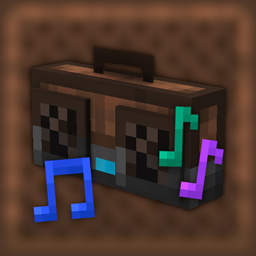
- Boomboxes, which work like Loudspeakers with the added benefit of playing audio when held.
Join the Discord Server for support and more.
Phonos
Broadcast sound throughout your Minecraft World!
Requires Fabric API.
Optionally requires Patchouli to view the guidebook.
Getting Started
You can obtain the guidebook (only if Patchouli is installed) for the mod by trading with a technician villager (distinguished by its red-and-blue glasses and headset, job site is a Radio Jukebox), or from the creative inventory. The guidebook will explain in detail the functionality behind every feature.
To set up your first sound system:
On the left is a Radio Jukebox. This block broadcasts music disc audio to Loudspeakers on the same channel. You can change the channel by interacting with the top of the block.
On the right are a series of Loudspeakers, all tuned to the same channel as the jukebox. They are receiving audio from the Radio Jukebox and playing it. All of the components are tuned to channel 3. There are 20 channels (0-19) to choose from, per dimension.
Some other available components are:
- Radio Note Blocks, which work like normal note blocks, but are able to send their audio to Loudspeakers.
- Channel Tuners, items that can set any radio component to a specific channel.
- Note Block Tuners, items that can copy, adjust, and set the note of any note block or Radio Note Block.
- Boomboxes, which work like Loudspeakers with the added benefit of playing audio when held.
Join the Discord Server for support and more.
Screenshots
Gallery
-
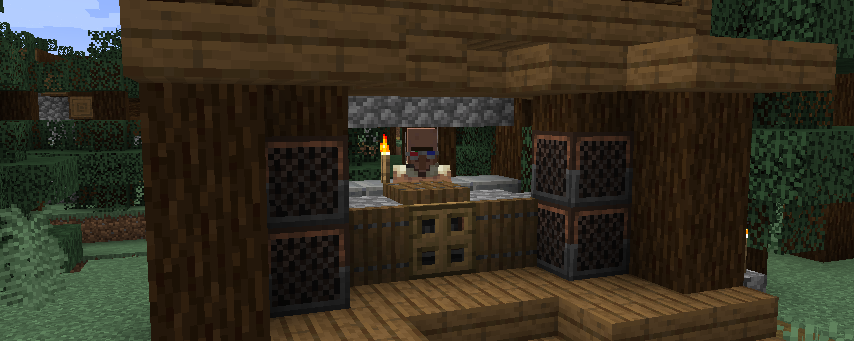 The technician villager at the music stage.
 -
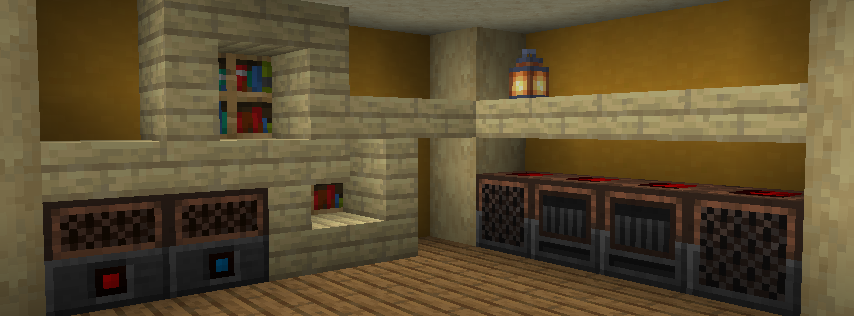 A small overview
Versions
Files
Relations
Project Relations
More like this
Similar Mods
Suggestions use data such as tags, dependencies, dependents, descriptions, titles, and more to rank how much they overlap with this mod.
On ModDex
Community snapshot
By the numbers
Statistics
Want to reach Minecraft players?
We're looking for a server hosting partner to feature here and other parts of the site. Interested? Send us a message!
Get in touchGet it on
Available Platforms
On ModDex
Community snapshot
By the numbers