
Community listing page, reviews may not be monitored by the author.
PicassoPlus

No reviews yet
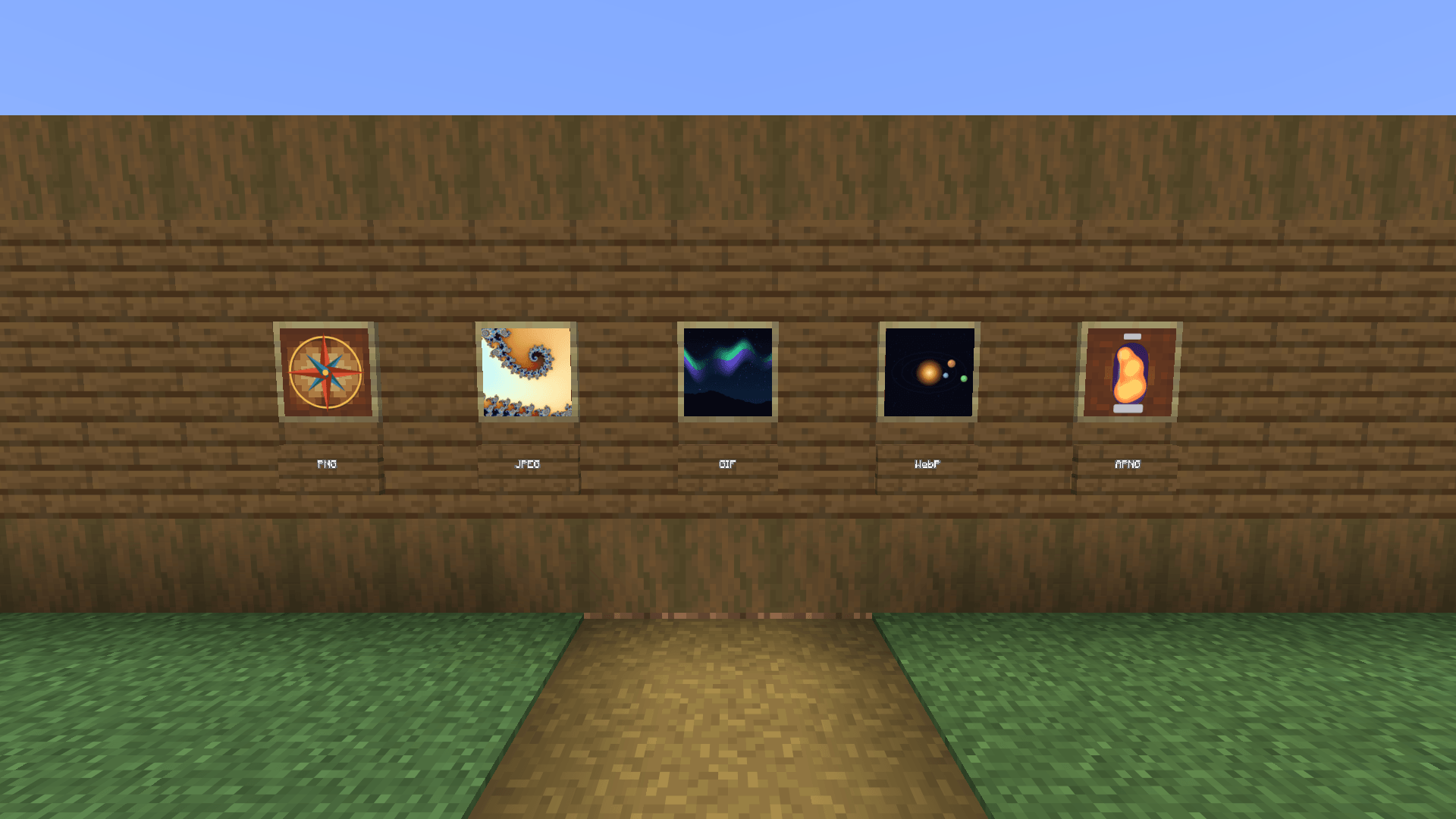
Show your own PNG, JPEG, GIF, WebP and animated PNG images in ordinary vanilla item frames and glow item frames

Community voices
Reviews
No reviews yet. Be the first to review this project!
Get it on
Available Platforms
About
Project Details
For authors
Embed Badge
If you're the author of this project, you can embed a live badge anywhere that supports HTML or Markdown. It updates automatically whenever ratings change.
Use HTML for any page that supports it, or Markdown for README files and Markdown-based descriptions.
Identifiers
Platform IDs
Resources
External Links
About
Description
Picasso+
by Jodka22
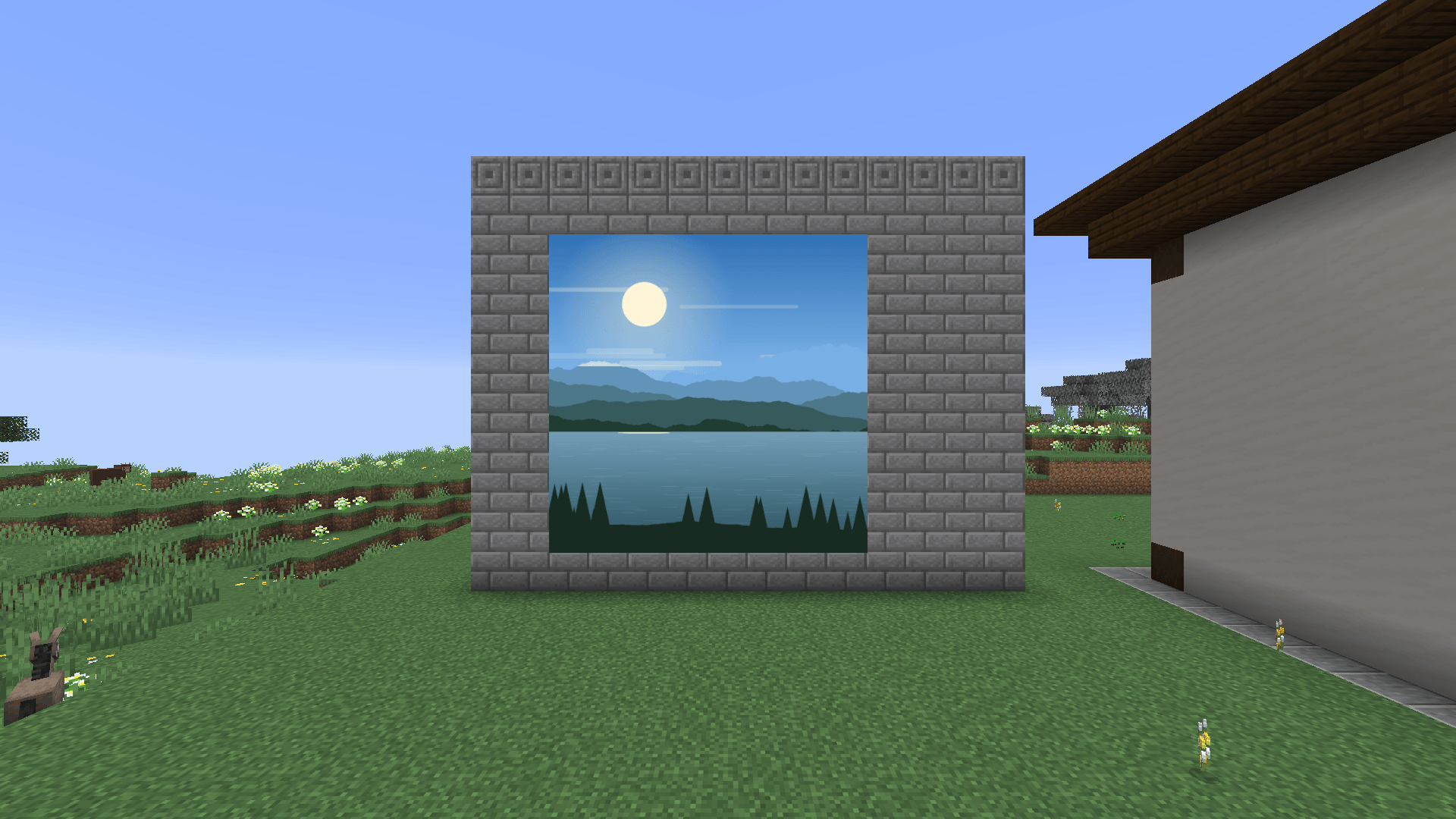
Show your own PNG, JPEG, GIF, WebP and animated PNG images in ordinary vanilla item frames and glow item frames – one picture per frame, or one picture spread over a whole picture wall of many frames.
Installation
- Install Fabric Loader for Minecraft 26.3 (for example in Prism Launcher: Edit instance > Version > Install Fabric).
- Put Fabric API for 26.3 into the instance's
modsfolder. - Put
picassoplus-26.3-1.1.0.jarinto the samemodsfolder (remove an olderpicassoplus-*.jar). - Start the game.
A picture in one frame
- Place a normal item frame or glow item frame.
- Look at the frame and press
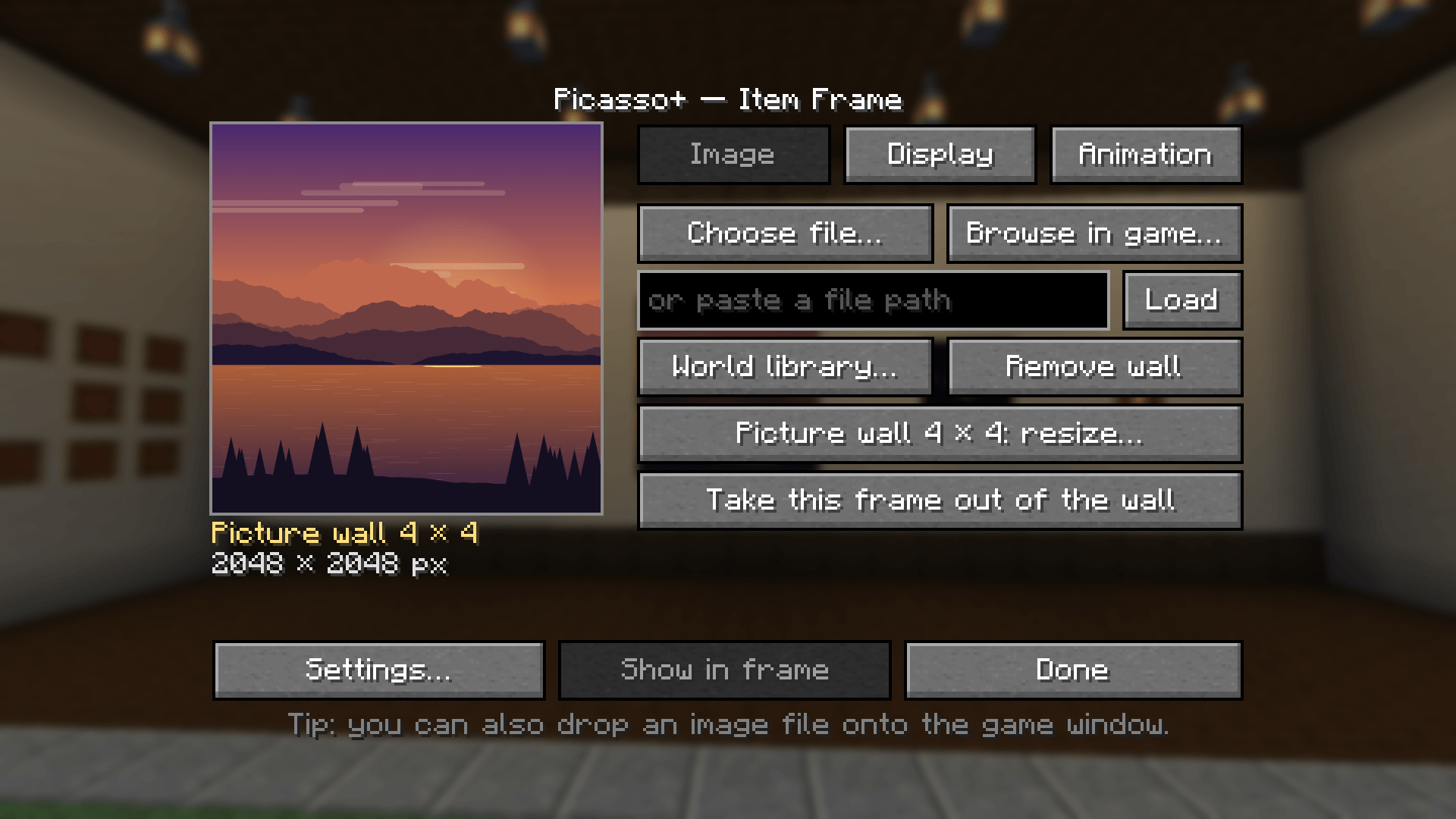
N(rebind it in Options > Controls > Key Binds > Picasso+). - On the Image tab, choose an image:
- Choose file… – the Windows "Open" dialog (in exclusive fullscreen the game switches to windowed mode while the dialog is open and back afterwards),
- Browse in game… – a built-in file browser,
- paste a path into the text field and press Enter or Load,
- drag and drop an image file onto the game window,
- World library… – an image already imported into this world.
- Check the preview (size, frames, duration) and press Show in frame.
| In the world | Effect |
|---|---|
| Right-click a picture | turns it by 90° (on a wall: the whole wall picture) |
| Hit (left-click) a picture | takes the picture out, the frame stays (on a wall: only this frame leaves the wall) |
N on the frame |
opens Picasso+ again |
Picture walls (one image across many frames)
- Hang item frames side by side on a wall, floor or ceiling (gaps are fine).
- Open Picasso+ on any of them, choose the image, then press Make picture wall….
- The wall editor shows the selection directly in the world: green = frame present, red = frame missing, yellow = the frame you opened it on. Connected frames are detected automatically.
- Adjust width/height (+/−) and move the rectangle with the arrows. With Add missing frames on, gaps are filled automatically (free in creative, taken from your inventory in survival).
- Press Create wall.
The whole wall is one logical picture: one texture, one animation clock, one set of settings. It shows a single continuous image without seams, lit evenly as one surface (no brightness steps between frames next to torches or lanterns); with Border: Frame only the outer edge gets a wooden border, with Border: None the wall is completely seamless. To resize later, open Picasso+ on any tile and press Picture wall W × H: resize… – the image stays. Remove wall turns all tiles back into plain frames.
Walls can be up to 64 blocks on a side and 1024 blocks in total (the editor offers 32 by default; change it in Settings). Larger walls automatically get higher-resolution textures, up to Wall texture (4096 px default).
Display options (Display tab, applied immediately)
| Option | Values |
|---|---|
| Scale | Fit (whole image, aspect kept), Fill (crop), Stretch |
| Filter | Auto (pixelated up to 128 px, smooth above), Smooth (linear + mipmaps), Pixelated |
| Rotation | 0°, 90°, 180°, 270° |
| Light | World or Always bright (glow frames are always bright) |
| Border | Frame (wooden border and backing) or None |
| Brightness | 10 – 100 % |
| Zoom | 100 – 400 % |
| Left/right, up/down | moves the image inside the frame or wall; Reset position centres it |
Animation tab: Play/Pause, Restart, loop (file / always / once), speed 0.25× – 4×.
Formats
| Format | Support |
|---|---|
| PNG | yes, including transparency; animated PNG (APNG) with all disposal and blend modes |
| JPEG | yes (RGB, greyscale, CMYK and YCCK – e.g. print/Photoshop exports), EXIF rotation applied |
| GIF | full compositing: transparency, local palettes, interlacing, all disposal methods, loop count |
| WebP | lossy and lossless, alpha channel, animated WebP with blending, disposal, timing and loop count |
Licenses
Picasso+ © 2026 Jodka22, MIT License.
Bundled: TwelveMonkeys ImageIO 3.15.2 © Harald Kuhr, BSD-3-Clause (https://github.com/haraldk/TwelveMonkeys)
Screenshots
Gallery
-
 04b-picture-editor-image-tab.png 04b-picture-editor-image-tab.png
 -
 03-supported-formats.png 03-supported-formats.png
 -
 02-large-picture-wall.png 02-large-picture-wall.png
Versions
Files
Relations
Project Relations
More like this
Similar Mods
Suggestions use data such as tags, dependencies, dependents, descriptions, titles, and more to rank how much they overlap with this mod.
On ModDex
Community snapshot
By the numbers
Statistics

Get it on
Available Platforms
On ModDex
Community snapshot
By the numbers
Statistics
Resources