Community listing page, reviews may not be monitored by the author.
PinChat


No reviews yet
A Minecraft Fabric mod that enhances chat functionality with message pinning and a moveable chat screen for better visibility while playing.

Community voices
Reviews
No reviews yet. Be the first to review this project!
Get it on
Available Platforms
Compatibility
Supported Environments
Runs entirely on the client. Works on vanilla servers.
About
Project Details
For authors
Embed Badge
If you're the author of this project, you can embed a live badge anywhere that supports HTML or Markdown. It updates automatically whenever ratings change.
Use HTML for any page that supports it, or Markdown for README files and Markdown-based descriptions.
Identifiers
Platform IDs
About
Description
PinChat





A Minecraft mod that enhances chat functionality with message pinning, grouping, and a moveable chat screen. Works on both Fabric and Forge mod loaders!
✨ Features
📌 Pin Chat Messages
- Right-click on any chat message to pin/unpin it
- Pinned messages are displayed persistently on your HUD
- Create multiple message groups to organize your pinned messages
- Drag and drop groups anywhere on your screen
- Configurable maximum number of pinned messages
- Adjustable text width for pinned messages
📂 Message Groups
- Organize pinned messages into separate groups
- Each group can be positioned independently on the screen
- Collapse/expand groups with a single click
- Create new groups on the fly when pinning a message
- Rename groups to keep things organized
🎮 Moveable Chat Screen
- Open a special chat mode where you can move while typing (default:
U) - Look around freely with your mouse while the chat is open
- Smooth movement transitions — no abrupt stops when opening/closing chat
- Configurable mouse sensitivity for chat mode
⚙️ Flexible Configuration
PinChat works standalone, but also integrates with popular configuration mods for enhanced settings experience:
| Mod | Integration |
|---|---|
| Cloth Config | ✅ Full GUI integration |
| YACL | ✅ Full GUI integration |
| MaLiLib | ✅ Hotkey configuration |
| ModMenu | ✅ Settings button in mod list |
All dependencies are optional! The mod works perfectly without any of them.
📦 Installation
Requirements
- Minecraft: 1.21.11
- Java: 21 or higher
- Mod Loader: Fabric or Forge (choose one)
For Fabric
- Install Fabric Loader (0.18.1+)
- Download Fabric API
- Download PinChat for Fabric from Releases
- Place all mods in your
.minecraft/modsfolder
For Forge
- Install Forge (1.21.11-61.0.2+)
- Download PinChat for Forge from Releases
- Place the mod in your
.minecraft/modsfolder
Optional Mods (Fabric only)
For enhanced configuration UI, you can optionally install:
- Cloth Config — Config GUI
- YACL — Alternative config GUI
- MaLiLib — Advanced hotkey configuration
- ModMenu — Access settings from mod list
🎮 Usage
Pinning Messages
- Open the chat (
Tor/) - Right-click on any message to open the pin menu
- Select Pin to [Group Name] or Create New Group
- Right-click on a pinned message header to unpin or manage the group
Managing Groups
- Left-click and drag the group header to move it on screen
- Click the collapse button to minimize a group
- Right-click for more options (rename, delete, etc.)
Moveable Chat
- Press
U(or your configured key) to open moveable chat - Type your message while moving and looking around
- Press
Uagain orESCto close
Configuration
Access settings through one of these methods:
- Command:
/pinchat config - ModMenu: Click the settings icon next to PinChat in the mod list
- In-game: Use the keybind if configured
Available Settings
| Setting | Description | Default |
|---|---|---|
| Max Pinned Messages | Maximum number of pinned messages per group | 5 |
| Max Line Width | Maximum width of pinned messages in pixels | 200 |
| Chat Sensitivity | Mouse sensitivity multiplier in moveable chat | 1.0 |
| Pinned Position X/Y | Default position for new groups | 10, 10 |
| Pinned Scale | Text scale for pinned messages | 1.0 |
🛠️ Building from Source
git clone https://github.com/ivanmikhaylov1/pinchat-mod.git
cd pinchat-mod

# Build both Fabric and Forge versions
./gradlew buildAll

# Build only Fabric
./gradlew :fabric:build

# Build only Forge
./gradlew :forge:build

# Run tests
./gradlew :fabric:test
Compiled JARs will be in:
- Fabric:
fabric/build/libs/ - Forge:
forge/build/libs/
📁 Project Structure
pinchat-mod/
├── common/          # Shared code (configuration, data classes)
├── fabric/          # Fabric-specific implementation
├── forge/           # Forge-specific implementation
├── gradle/          # Gradle wrapper files
└── .github/         # GitHub Actions workflows
🤝 Contributing
Contributions are welcome! Please feel free to submit a Pull Request.
- Fork the repository
- Create your feature branch (
git checkout -b feature/AmazingFeature) - Commit your changes (
git commit -m 'Add some AmazingFeature') - Push to the branch (
git push origin feature/AmazingFeature) - Open a Pull Request
📄 License
This project is licensed under the MIT License — see the LICENSE file for details.
🙏 Credits
- Built with Fabric and Forge
- Uses Architectury Loom for multi-platform builds
- Optional integration with Cloth Config, YACL, and MaLiLib
❓ Support
If you encounter any issues or have suggestions:
- Open an Issue
- Make sure to include your Minecraft version, mod loader, and any crash logs
Made with ❤️ by Sfafy
PinChat
Keep the messages that matter in view.
Coordinates to your next base. A friend's instructions. Your server's next objective. PinChat keeps useful chat messages on your HUD, so you can get back to playing without scrolling through chat.
Pin messages · Organize groups · Move and resize · Move while chatting
Download PinChat · Source code · Report a bug
Your chat, where you need it
- Keep important messages visible. Right-click a message in normal chat to pin it; right-click again to unpin.
- Make room for different tasks. Shift + right-click creates a new group. Keep coordinates, reminders, and conversations together in their own groups.
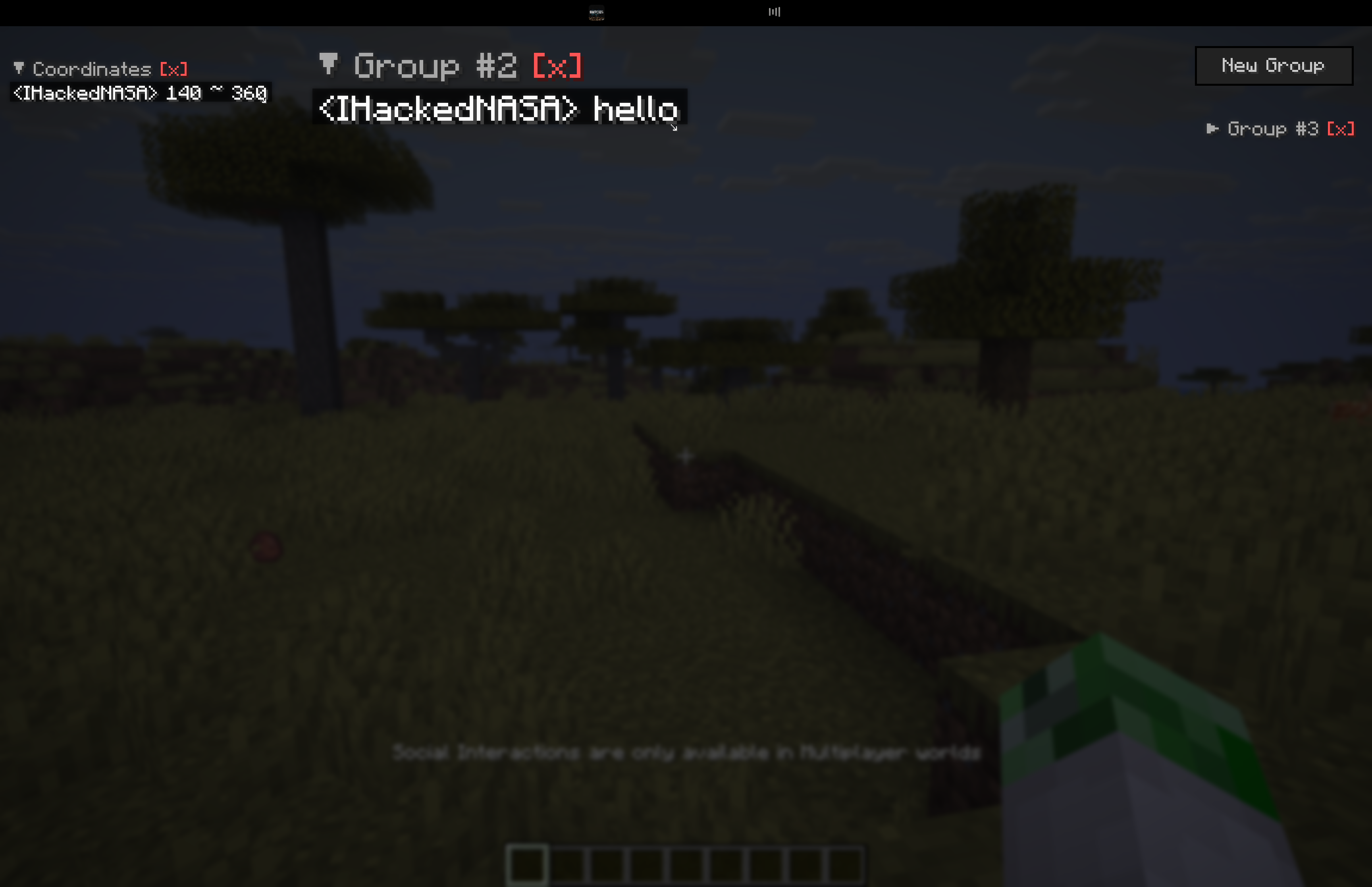
- Arrange your HUD. Drag groups into position and use the ↘ handle to resize them. Collapse a group with its header, rename it with [R], or delete it with [X].
- Keep moving with chat open. Press F9 to open the special chat mode with movement, then F9 or Esc to close it.
- Pick up where you left off. Groups and their positions are saved in
config/pinchat.json.
Choose your version
The current release is PinChat 3.2.0.
| Minecraft | Java | Available loaders |
|---|---|---|
| 1.21.11 | 21 | Fabric, Quilt, Forge, NeoForge |
| 26.1 / 26.1.1 / 26.1.2 | 25 | Fabric, Quilt, NeoForge |
| 26.2 | 25 | Fabric, Quilt, NeoForge |
| 26.3 | 25 | Fabric, Quilt, NeoForge |
Choose the Minecraft version and loader you actually use on the Versions tab. Install one matching PinChat JAR.
The 26.1, 26.1.1, and 26.1.2 downloads share the same binary for each loader. Quilt uses the Fabric-compatible binary. Forge 26.x is not supported. Minecraft 26.3 requires its dedicated JAR and Java 25; NeoForge for 26.3 is currently beta.
Get started
- Install your chosen mod loader for the matching Minecraft version.
- Download PinChat from the Versions tab and put its JAR in your game profile's
modsfolder. - Fabric and Quilt: also install Fabric API for your exact Minecraft version. Forge and NeoForge: no additional mods are needed.
- Launch Minecraft, open normal chat with T or /, and right-click a message to pin it.
Client only: install PinChat on your own game client; it does not require installation on the server.
Controls at a glance
| Action | Default control |
|---|---|
| Pin / unpin a chat message | Right-click in normal chat |
| Create a group with a message | Shift + right-click |
| Move a group | Left-click and drag |
| Resize a group | Drag the ↘ handle |
| Collapse / expand | Click the group header |
| Rename / delete a group | [R] / [X] |
| Remove a pinned line | Right-click the pinned line |
| Open chat with movement | F9 |
| Close chat with movement | F9 or Esc |
| Open PinChat settings | F8 |
Upgrading? Existing profiles retain saved key bindings. Assign F8 for settings and F9 for special chat, or reset those two actions individually in Minecraft's Controls → PinChat.
Simple settings
The built-in settings screen has a single switch for chat with movement. No configuration mod is required. ModMenu can also open this screen on Fabric.
The default limit is 5 messages per group. PinChat saves its data in config/pinchat.json. Controls and settings in older releases may differ; check the changelog for your download.
Need a hand?
Open an issue with your Minecraft version, loader, PinChat version, and any relevant logs.
Screenshots
Gallery
-
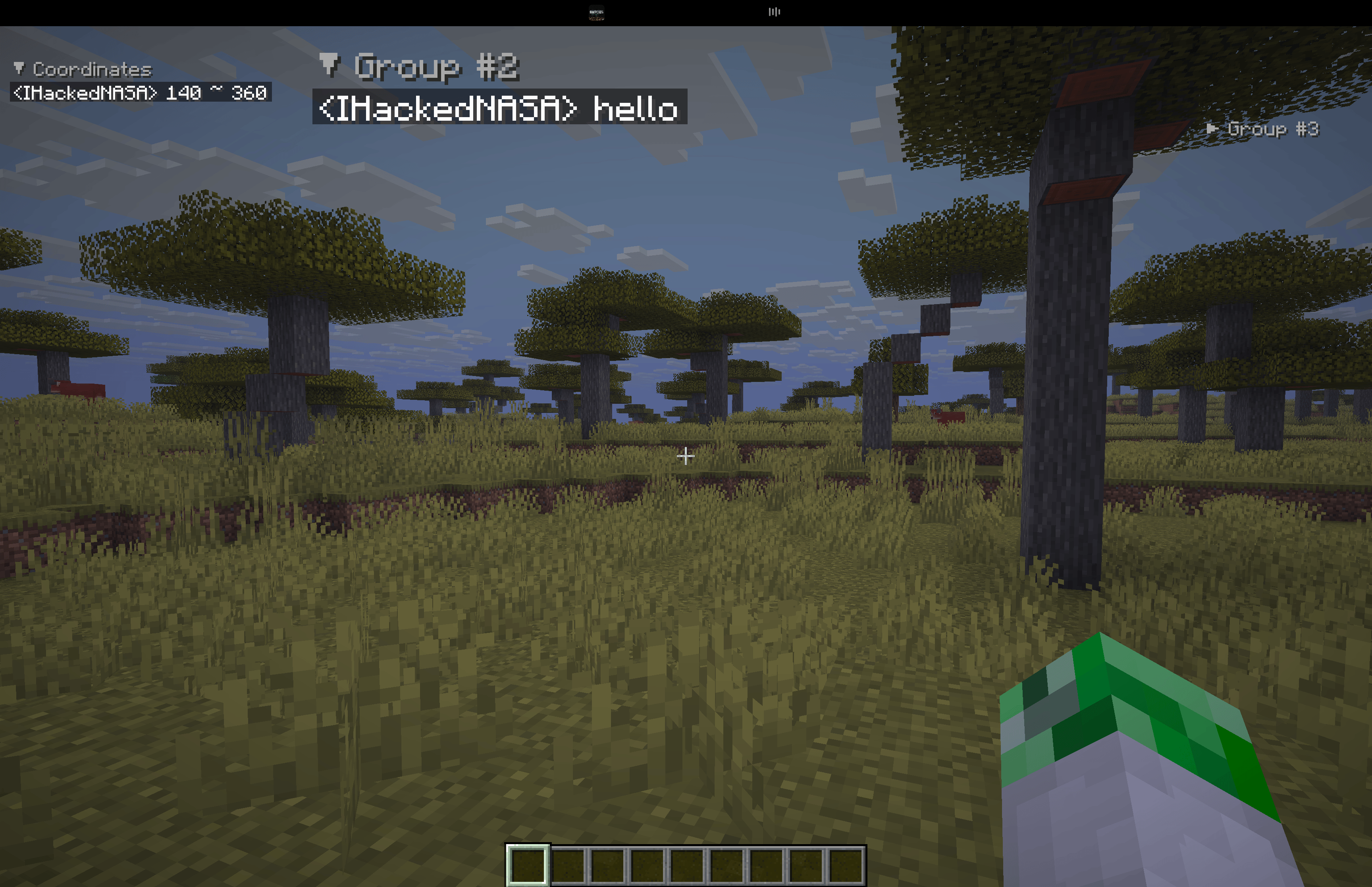 Ability to pin messages, add message groups, and change size
 -
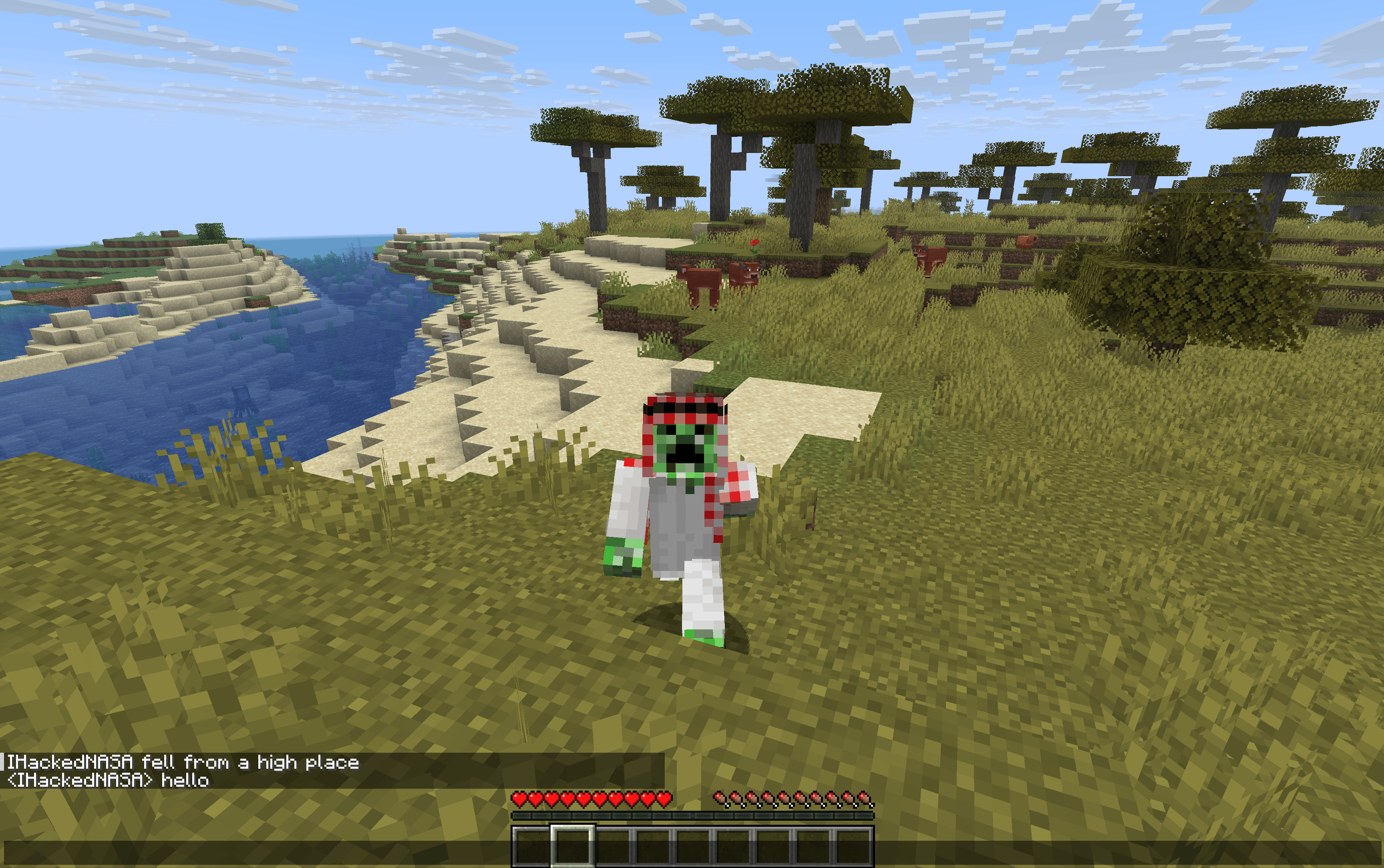 Move while chat is open You can open the chat with the U key and still be able to move
-
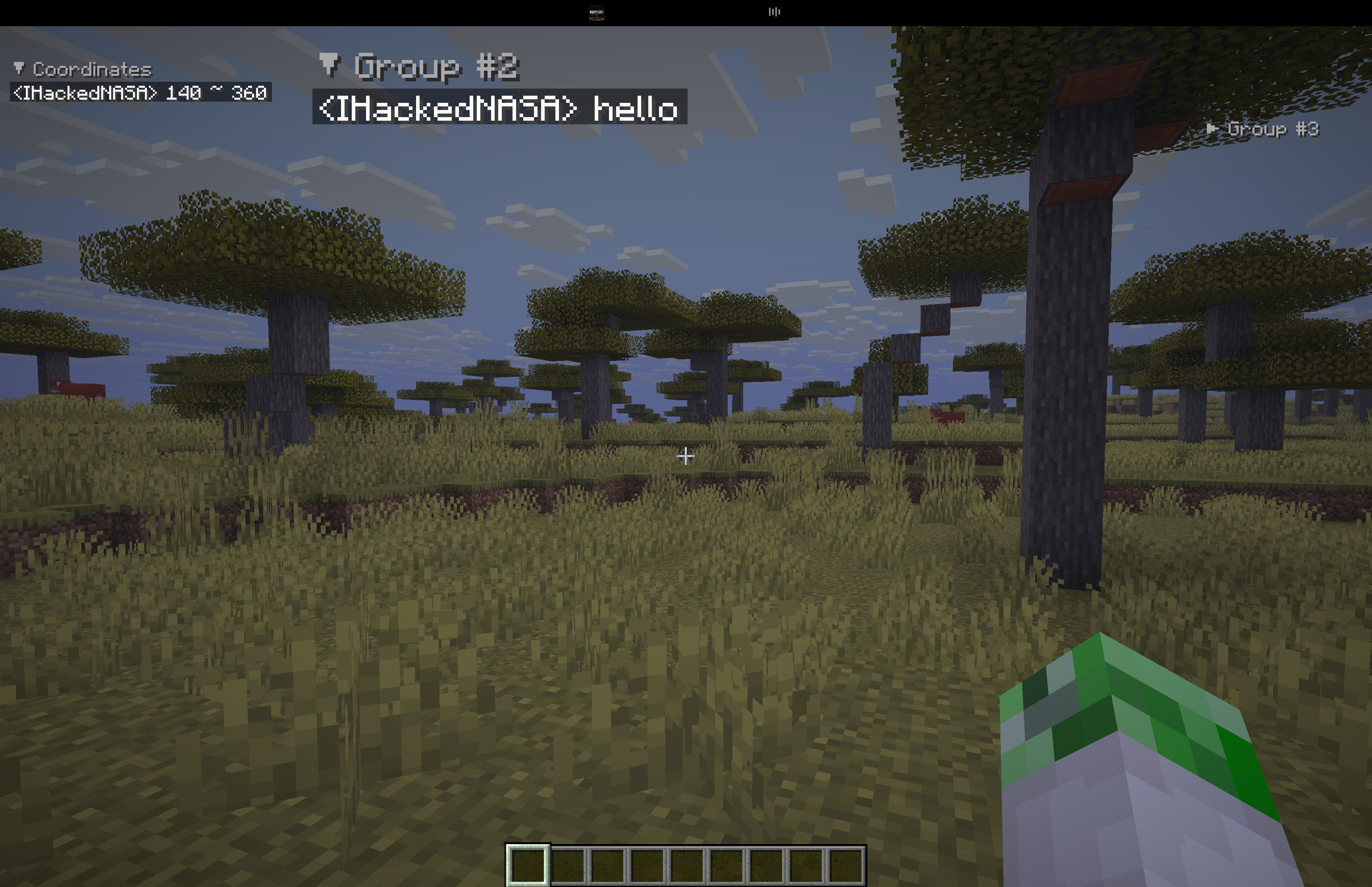 Pinned messages and independent groups Keep coordinates and useful messages visible on your HUD. This original screenshot demonstrates independent groups in an earlier PinChat version
 -
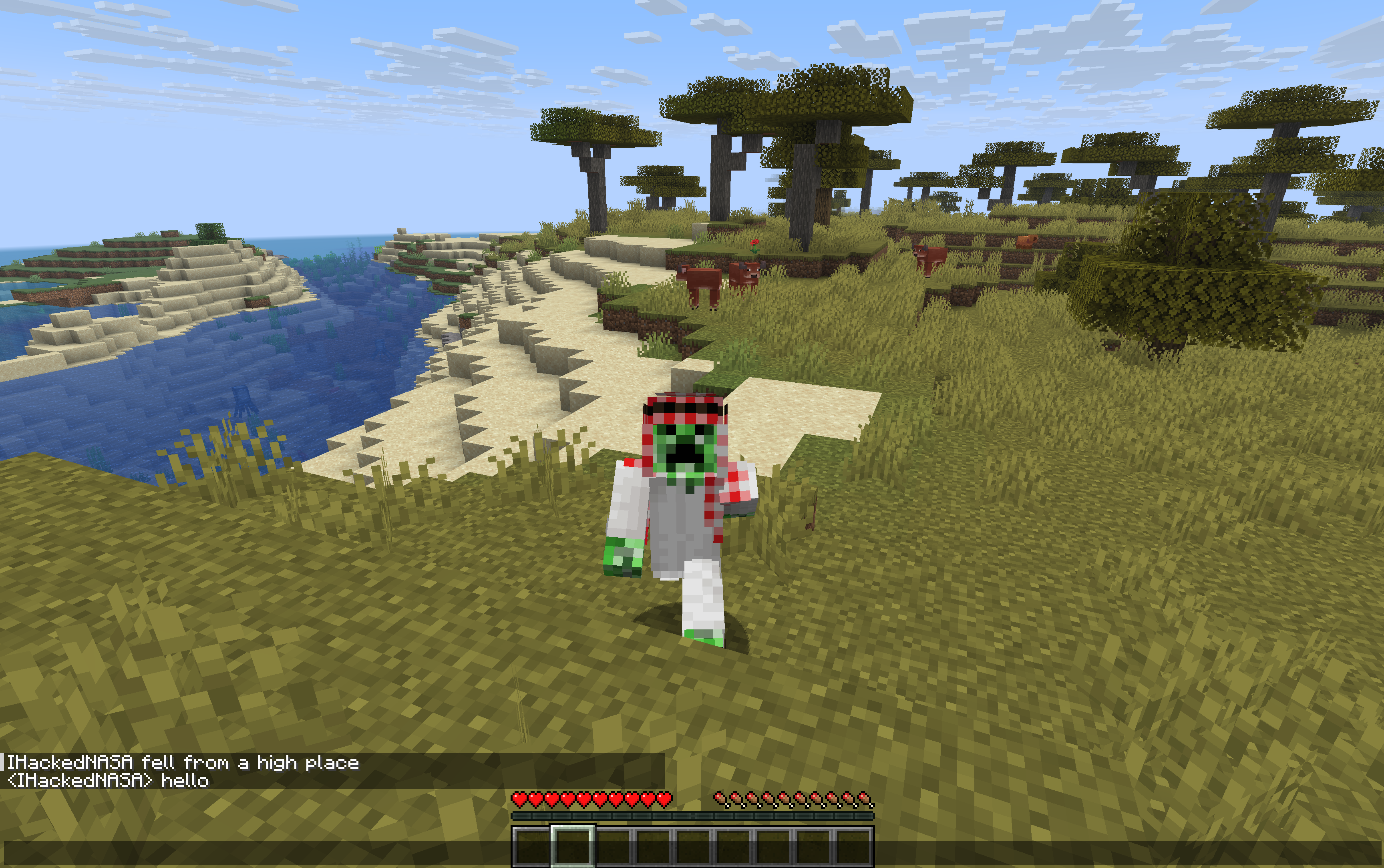 Keep moving with chat open Press U to open chat with movement, then U or Esc to close it. Original gameplay screenshot from an earlier PinChat version.
 -
 Legacy settings — earlier PinChat versions Historical settings screen. PinChat 3.1.0 uses a built-in screen with a single toggle for chat with movement. No configuration mod is required.
Versions
Files
Relations
Project Relations
More like this
Similar Mods
Suggestions use data such as tags, dependencies, dependents, descriptions, titles, and more to rank how much they overlap with this mod.
On ModDex
Community snapshot
By the numbers
Statistics
 (opens in a new tab)
Get it on
Available Platforms
On ModDex
Community snapshot
By the numbers