
Community listing page, reviews here may not be monitored by the author.
Ping It!


No reviews yet
Adds a smart ping system for easier communication. You can now point at a location, mob or item
Community voices
Reviews
No reviews yet. Be the first to review this project!
Get it on
Available Platforms
Compatibility
Supported Environments
Works on the client or the server alone, but does more when on both.
About
Project Details
For authors
Embed Badge
If you're the author of this project, you can embed a live badge anywhere that supports HTML or Markdown. It updates automatically whenever ratings change.
Use HTML for any page that supports it, or Markdown for README files and Markdown-based descriptions.
Identifiers
Platform IDs
Resources
External Links
About
Description

Ping It!
Ping It! is a fast, configurable communication tool for Minecraft. Point at a block, mob, player, or item—or open a container and ping an item in one of its slots—to share a clear marker with your team without stopping to type in chat.
Features
- Quick pings: Tap the ping key to mark what you are looking at. The mod chooses Look, Alert, or Danger automatically.
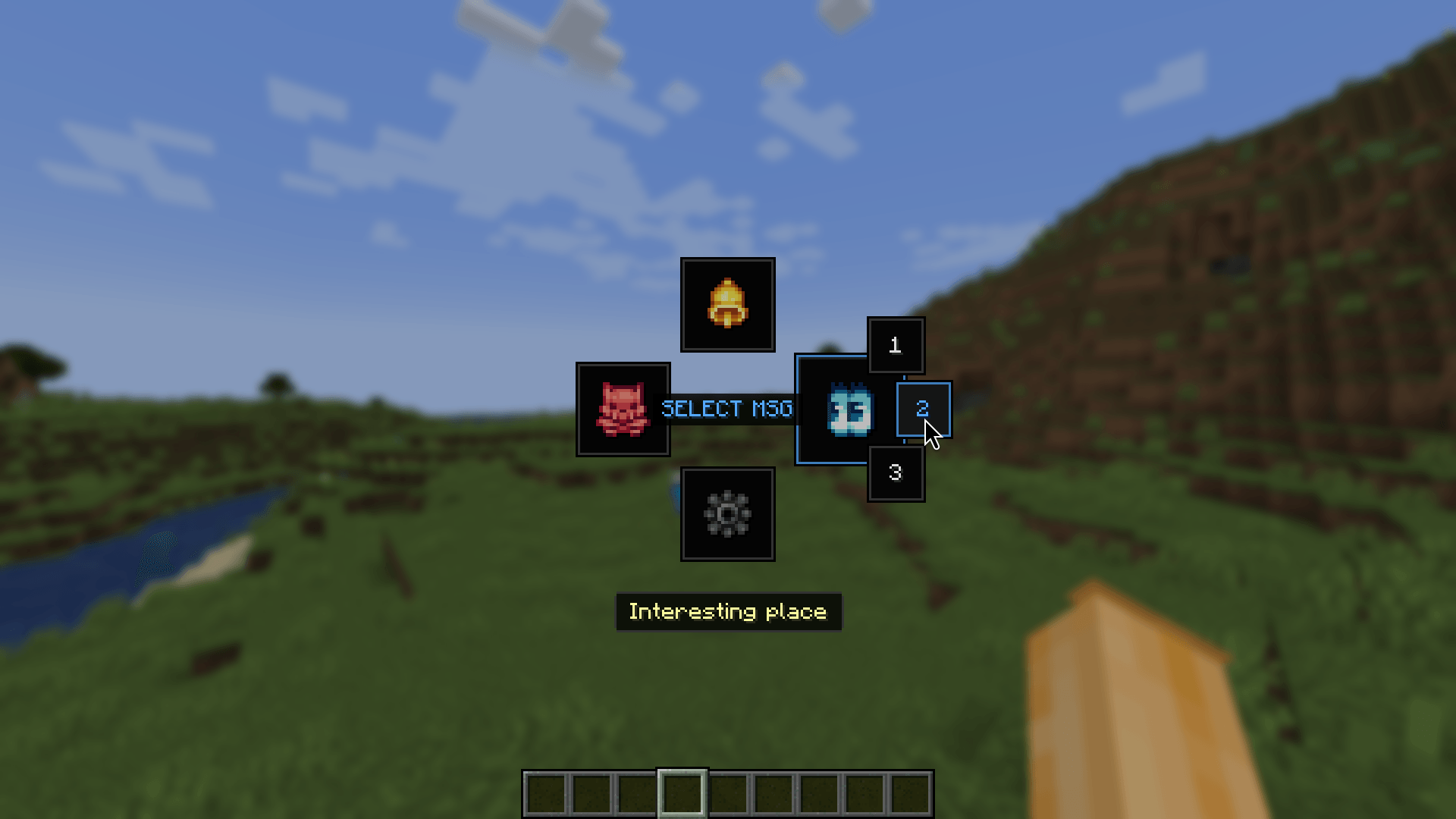
- Radial communication: Hold the ping key to open either the Classic or Wheel radial menu. Choose a ping type, attach a quick phrase to a new ping, or reply to an existing ping with one.
- Blocks, entities, and items: Mark locations, blocks, players, mobs, dropped items, and other useful world targets. Smart Raycast can ignore visual clutter such as grass, vines, torches, glass, and barriers.
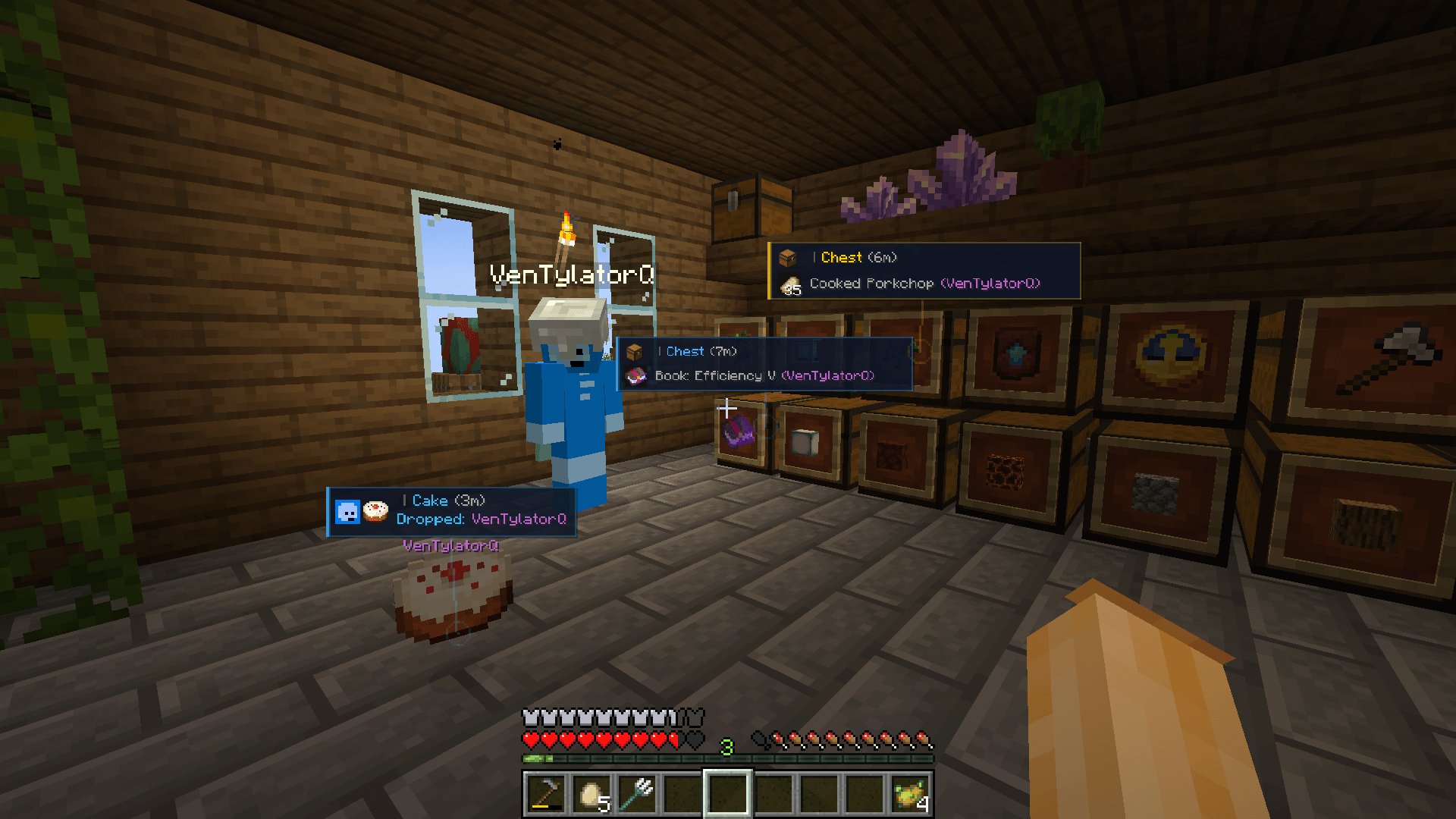
- Container and inventory pings: Open a chest, hopper, barrel, storage entity, or your own inventory. Move the cursor over a non-empty item slot and press the ping key to share that exact item with other players. Press it again to cycle the slot between Look, Alert, and Danger. Several marked slots are grouped into one readable card.
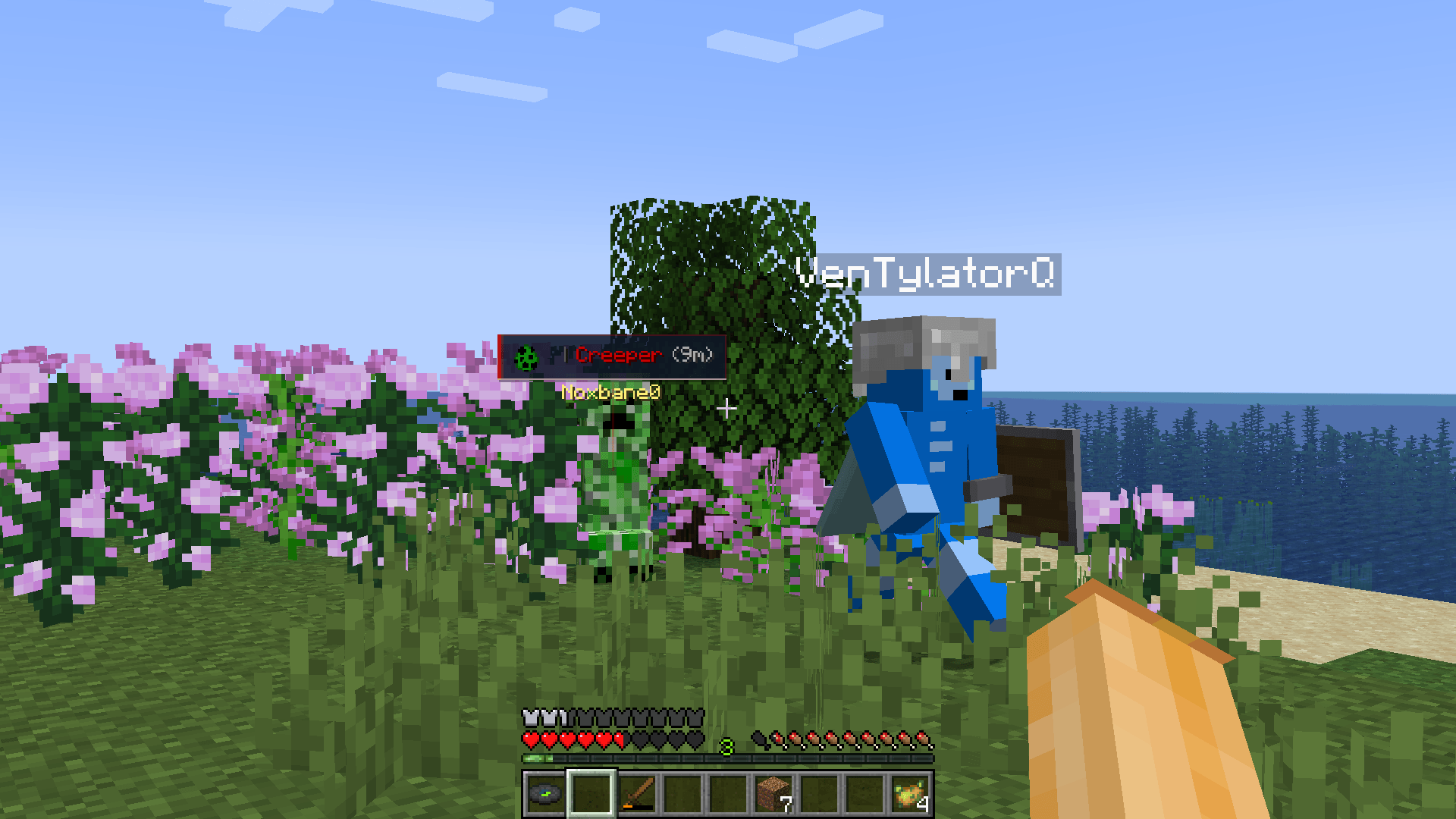
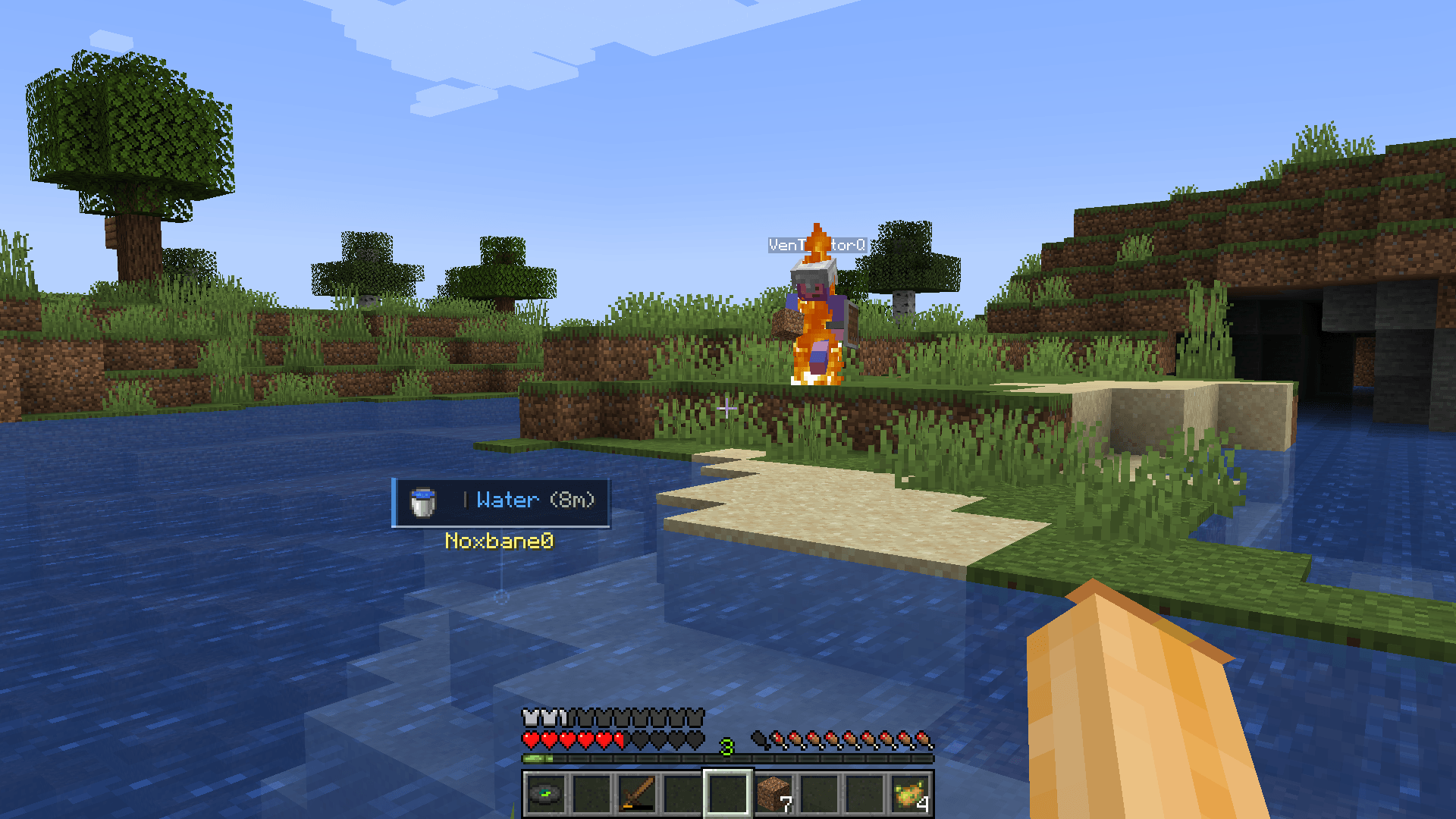
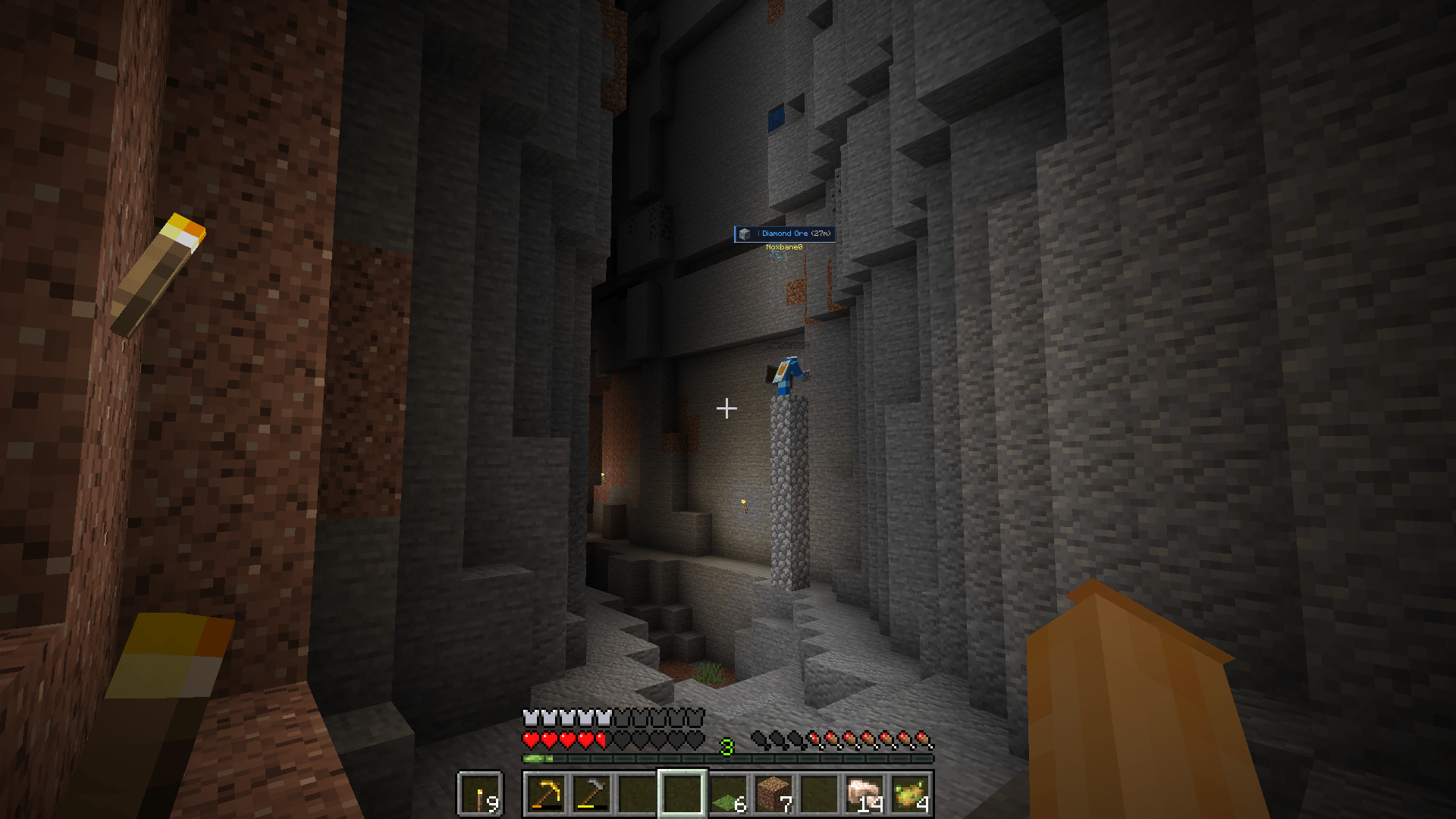
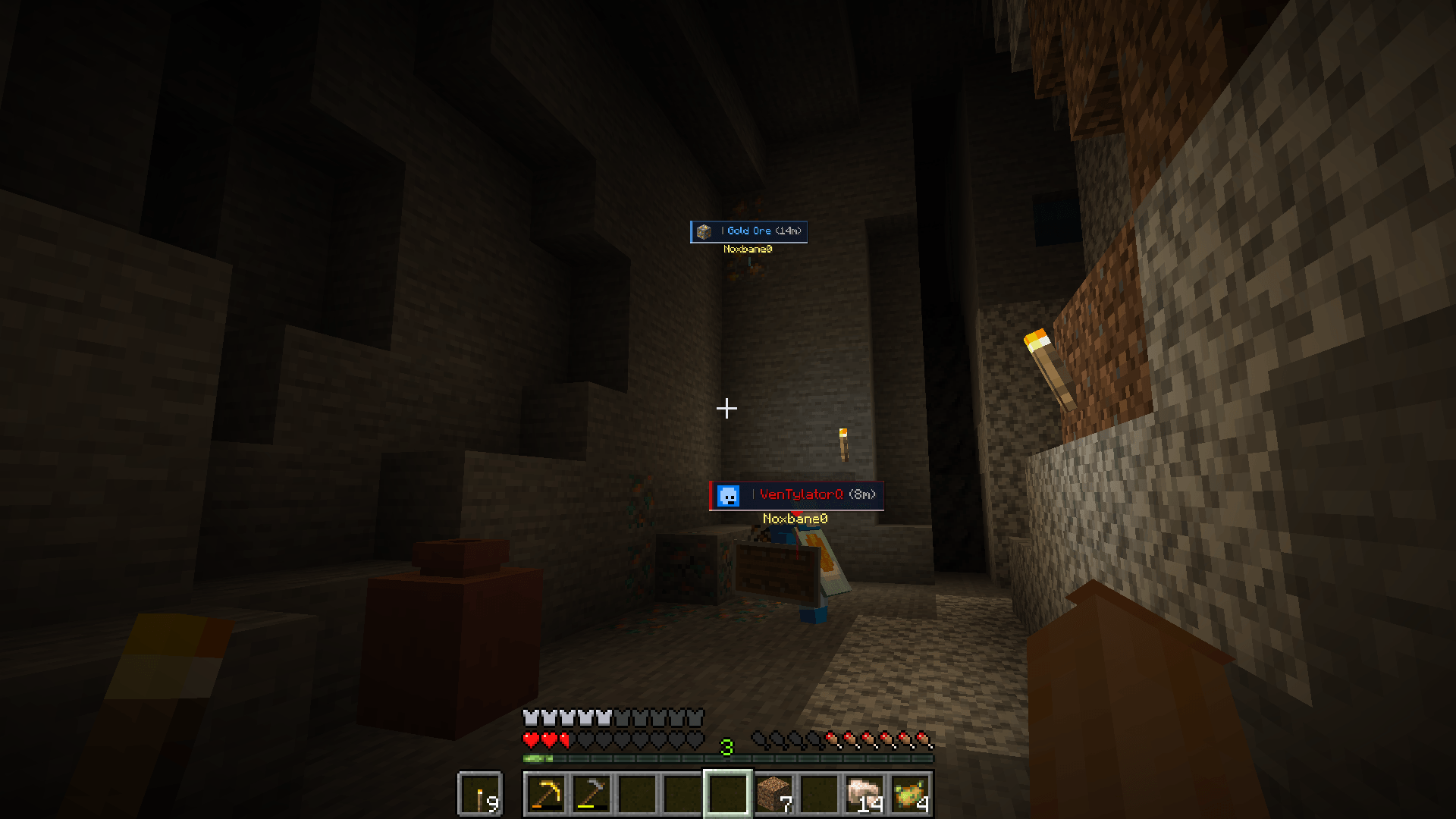
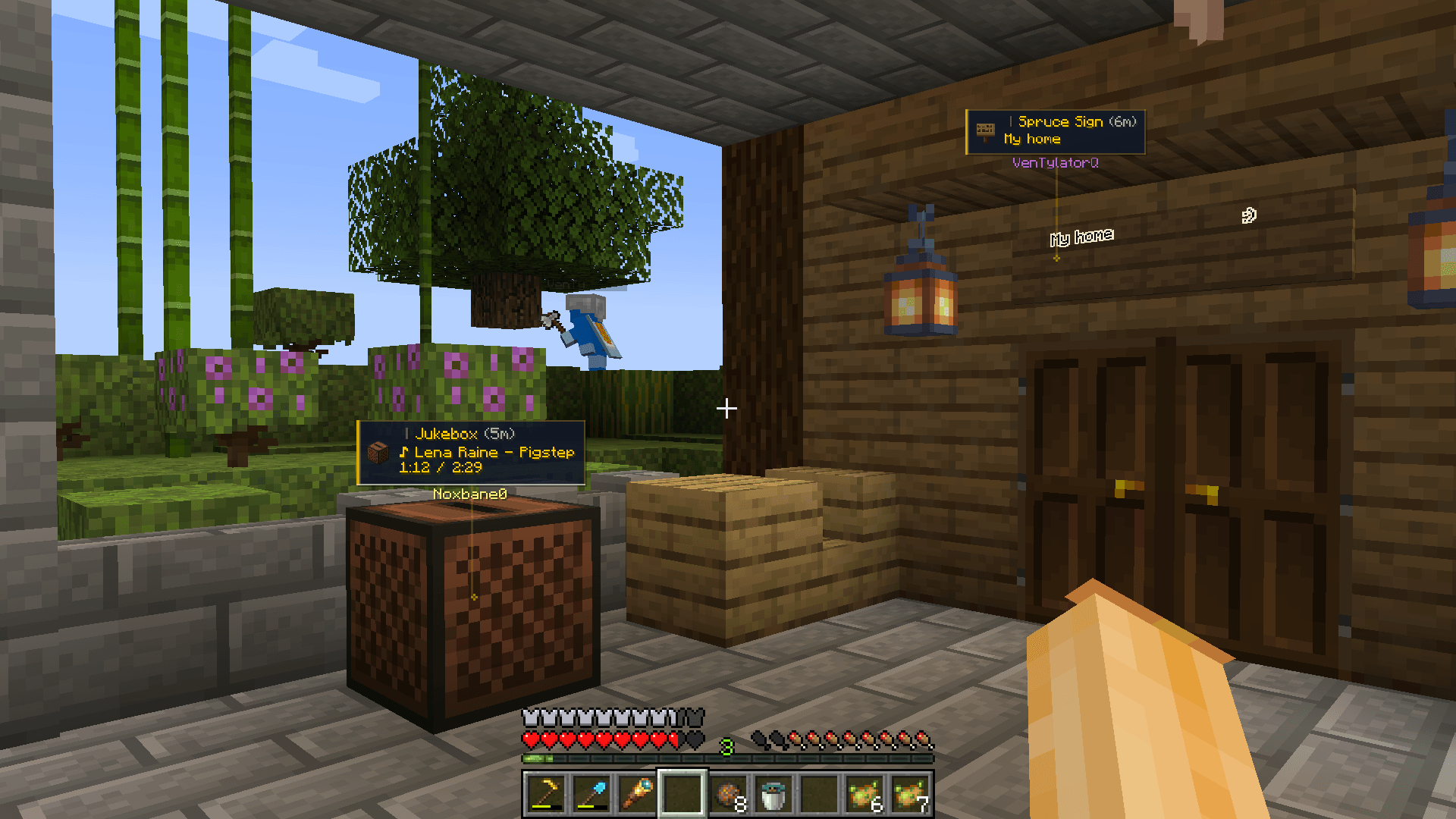
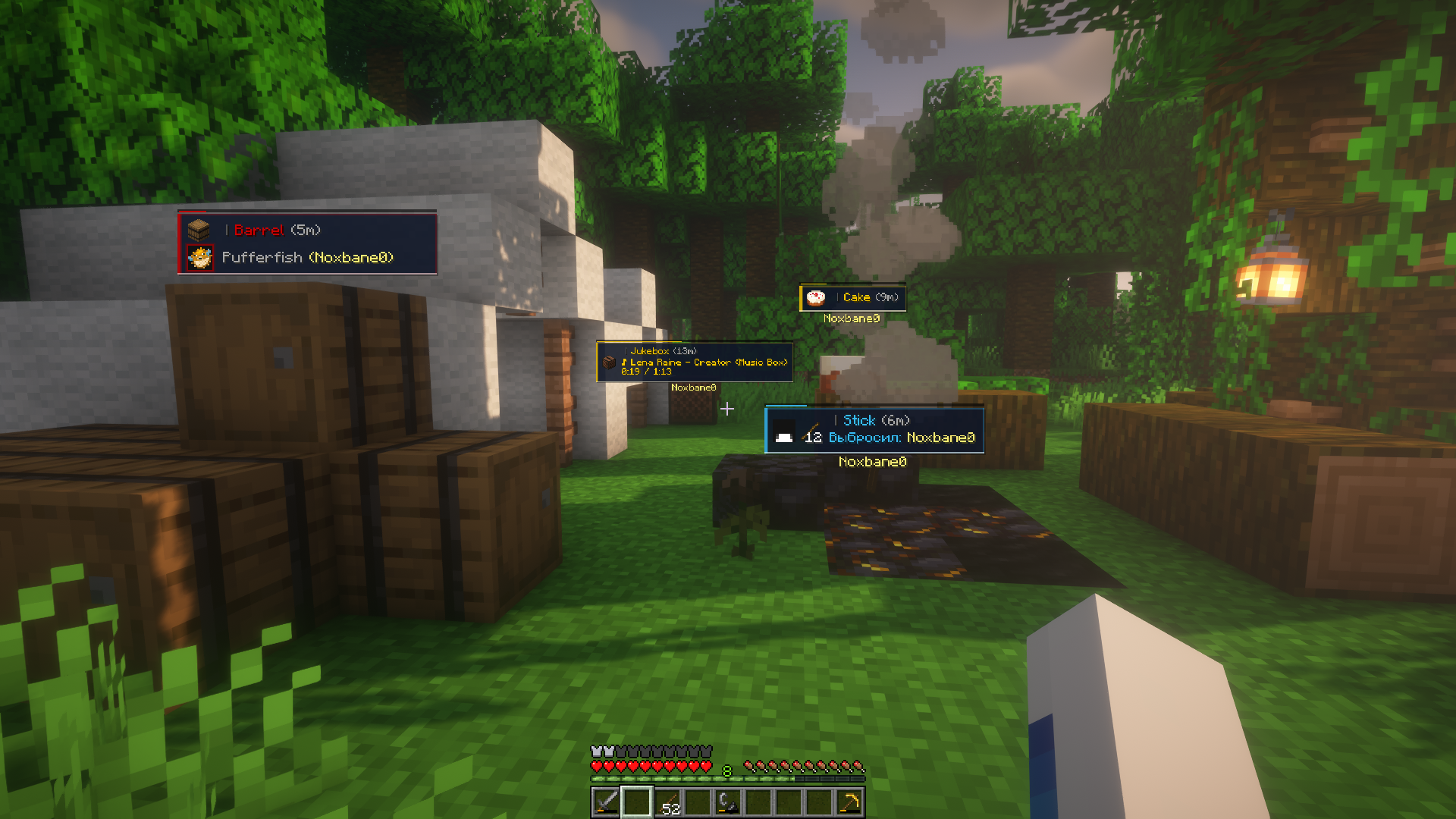
- Readable ping cards: Use detailed, compact, or adaptive cards with the target name, author, player face, distance, note, lifetime bar, and a stem to the marked location. Nearby pings can be grouped to reduce screen clutter.
- World and off-screen guidance: Optional compass, sonar waves, block outlines, edge arrows, edge sonar, behind-wall fading, and distance display help you find pings in busy scenes.
- Sounds and visual customization: Configure separate sounds and colors
for each ping type, distance-based volume, card size, display range, fading,
sonar shapes, and more. Local custom OGG sounds can be loaded from
config/ping-it/audio. - Team-friendly multiplayer: When Ping It! is installed on the server, the server validates, synchronizes, refreshes, merges, and removes shared pings. Server operators can configure limits, range, lifetime, and replies.
- Personal controls: Searchable settings, advanced options, language selection, quick-phrase editing, a local player blocklist, import/export, temporary ping hiding, and configurable keybinds are included.
How to use
- Tap the ping key (V by default) to place a quick ping.
- Hold the ping key to open the radial menu and choose a ping type or quick phrase.
- Open an inventory, hover over an item slot, and press the ping key (V by default) to mark that exact item. Empty slots and crafting/result slots are ignored.
- Hold Shift and tap the ping key while looking at your own ping to remove it.
All keybinds can be changed in Minecraft's Controls menu or in Ping It!'s settings.
Multiplayer
For shared multiplayer pings, install Ping It! on both the clients and the server. The server-side component keeps target validation, ping lifetime, duplicate merging, replies, and server limits consistent for everyone. Client preferences such as colors, language, sounds, visibility, and the blocklist remain local.
Credits
- Noxbane — Developer
- Kylon — Artist
- VenTylator — Tester
Ping It!
Ping It! is a fast, configurable communication tool for Minecraft. Point at a block, mob, player, or item—or open a container and ping an item in one of its slots—to share a clear marker with your team without stopping to type in chat.
Features
- Quick pings: Tap the ping key to mark what you are looking at. The mod chooses Look, Alert, or Danger automatically.
- Radial communication: Hold the ping key to open either the Classic or Wheel radial menu. Choose a ping type, attach a quick phrase to a new ping, or reply to an existing ping with one.
- Blocks, entities, and items: Mark locations, blocks, players, mobs, dropped items, and other useful world targets. Smart Raycast can ignore visual clutter such as grass, vines, torches, glass, and barriers.
- Container and inventory pings: Open a chest, hopper, barrel, storage entity, or your own inventory. Move the cursor over a non-empty item slot and press the ping key to share that exact item with other players. Press it again to cycle the slot between Look, Alert, and Danger. Several marked slots are grouped into one readable card.
- Readable ping cards: Use detailed, compact, or adaptive cards with the target name, author, player face, distance, note, lifetime bar, and a stem to the marked location. Nearby pings can be grouped to reduce screen clutter.
- World and off-screen guidance: Optional compass, sonar waves, block outlines, edge arrows, edge sonar, behind-wall fading, and distance display help you find pings in busy scenes.
- Sounds and visual customization: Configure separate sounds and colors
for each ping type, distance-based volume, card size, display range, fading,
sonar shapes, and more. Local custom OGG sounds can be loaded from
config/ping-it/audio. - Team-friendly multiplayer: When Ping It! is installed on the server, the server validates, synchronizes, refreshes, merges, and removes shared pings. Server operators can configure limits, range, lifetime, and replies.
- Personal controls: Searchable settings, advanced options, language selection, quick-phrase editing, a local player blocklist, import/export, temporary ping hiding, and configurable keybinds are included.
How to use
- Tap the ping key (V by default) to place a quick ping.
- Hold the ping key to open the radial menu and choose a ping type or quick phrase.
- Open an inventory, hover over an item slot, and press the ping key (V by default) to mark that exact item. Empty slots and crafting/result slots are ignored.
- Hold Shift and tap the ping key while looking at your own ping to remove it.
All keybinds can be changed in Minecraft's Controls menu or in Ping It!'s settings.
Multiplayer
For shared multiplayer pings, install Ping It! on both the clients and the server. The server-side component keeps target validation, ping lifetime, duplicate merging, replies, and server limits consistent for everyone. Client preferences such as colors, language, sounds, visibility, and the blocklist remain local.
Credits
- Noxbane — Developer
- Kylon — Artist
- VenTylator — Tester
Screenshots
Gallery
-
 f7e1384413289476e68e41fa98b496c6e3f0e64b.png f7e1384413289476e68e41fa98b496c6e3f0e64b.png
 -
 09b98021d7a030f84661e45df629659903b2bc74.png 09b98021d7a030f84661e45df629659903b2bc74.png
 -
 fd3886411add1f0d663c529ed3168ad84f47bae2.png fd3886411add1f0d663c529ed3168ad84f47bae2.png
 -
 ec68142cafb2b43ee6963ad3441aa94ebf1cd0e5.png ec68142cafb2b43ee6963ad3441aa94ebf1cd0e5.png
 -
 232a5d42995a248f0d77bde8ea0538ef3be0026f.png 232a5d42995a248f0d77bde8ea0538ef3be0026f.png
 -
 e28ec871a7c70812c4910681eb9e39c5de2fd8d8.png e28ec871a7c70812c4910681eb9e39c5de2fd8d8.png
 -
 ee152f7a6b66ebef04401e0e97e356d1168dee68.png ee152f7a6b66ebef04401e0e97e356d1168dee68.png
-
 Ping It! #1 — Types of Pings and Ping Cards
 -
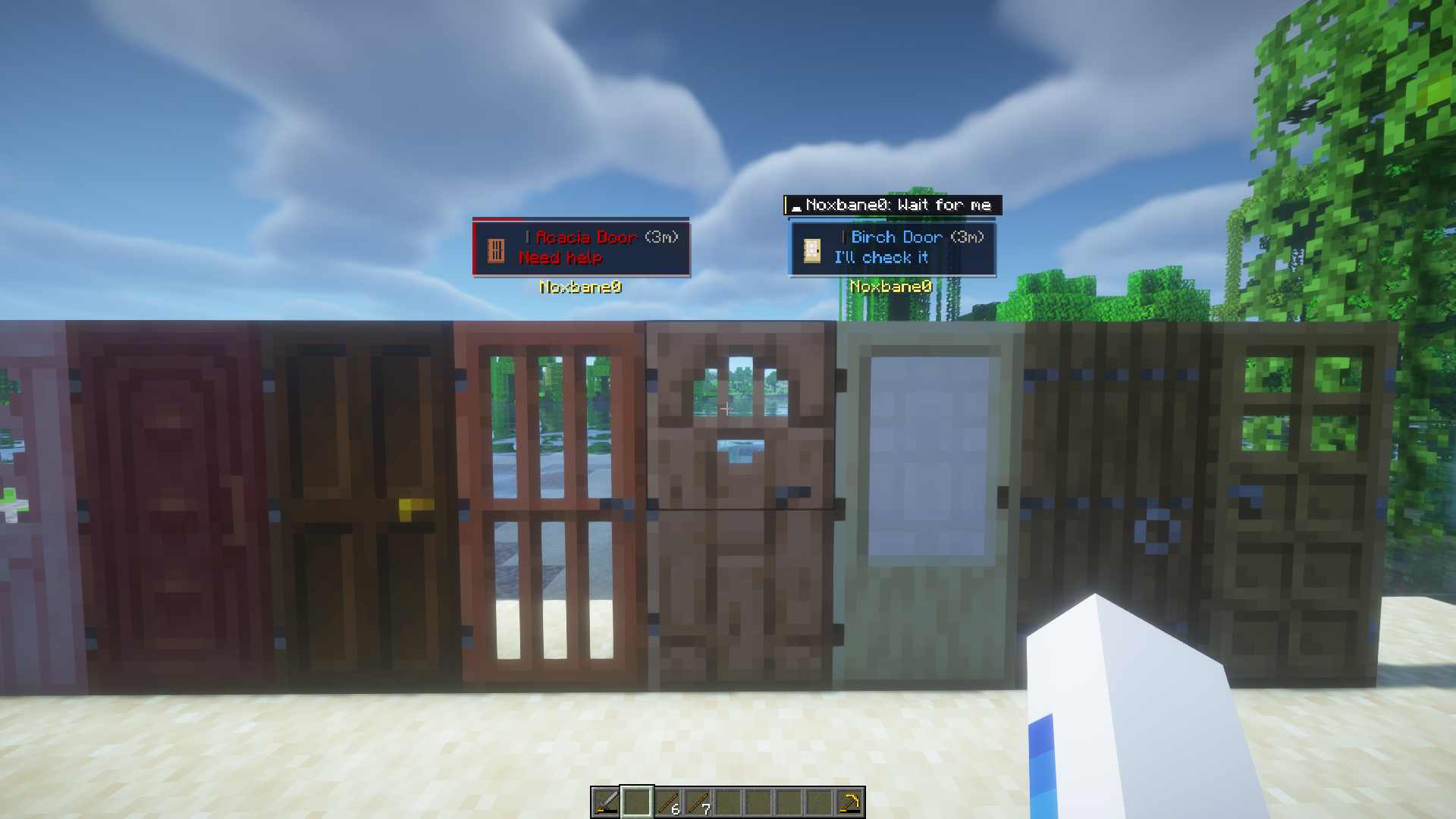 Ping It! #2 — Quick Phrases «Dude help the Acacia Door please 🙏» - © Molkwi
 -
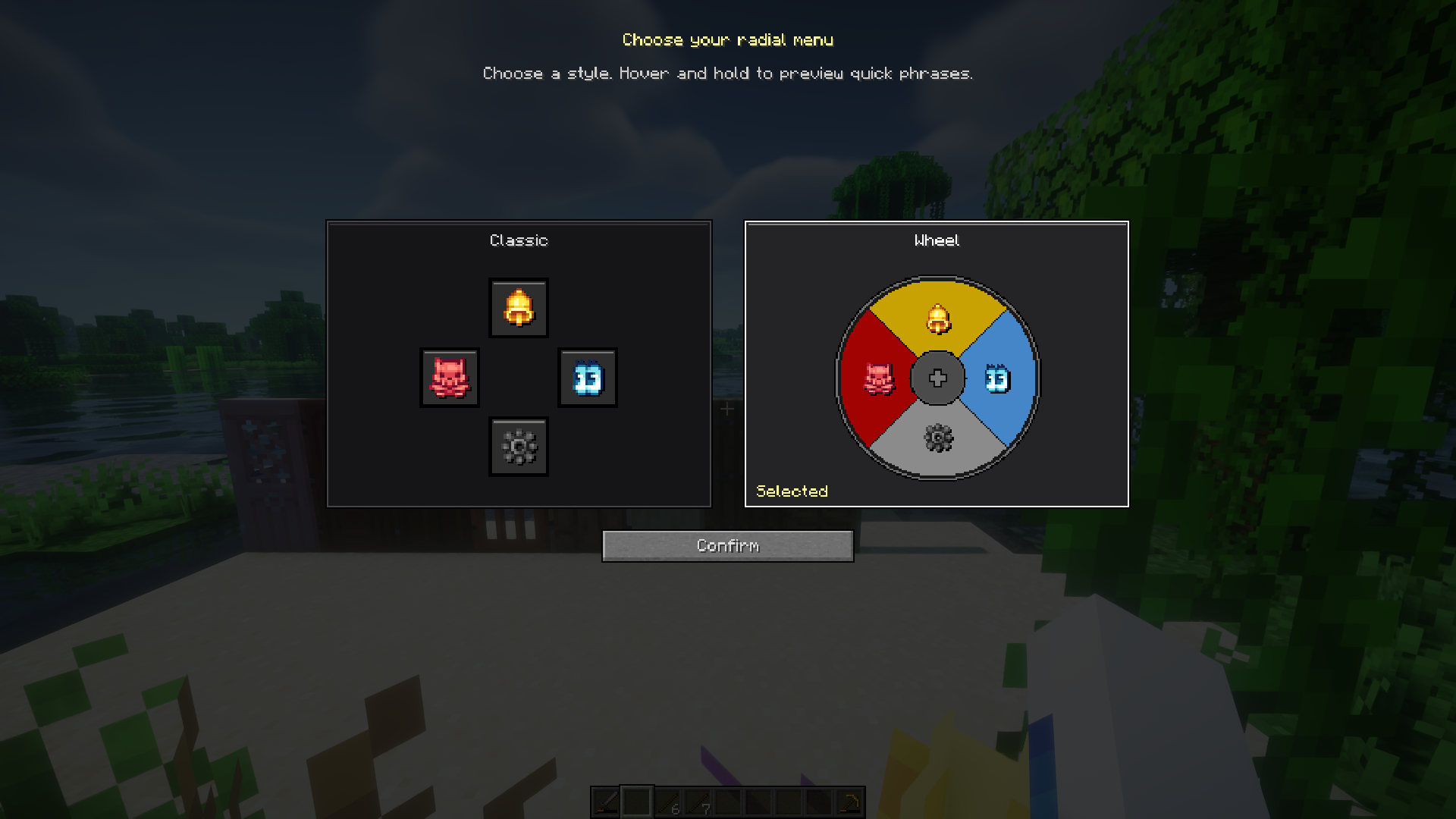 Ping It! #3 — “Classic” radial menu and Whell radial menu
 -
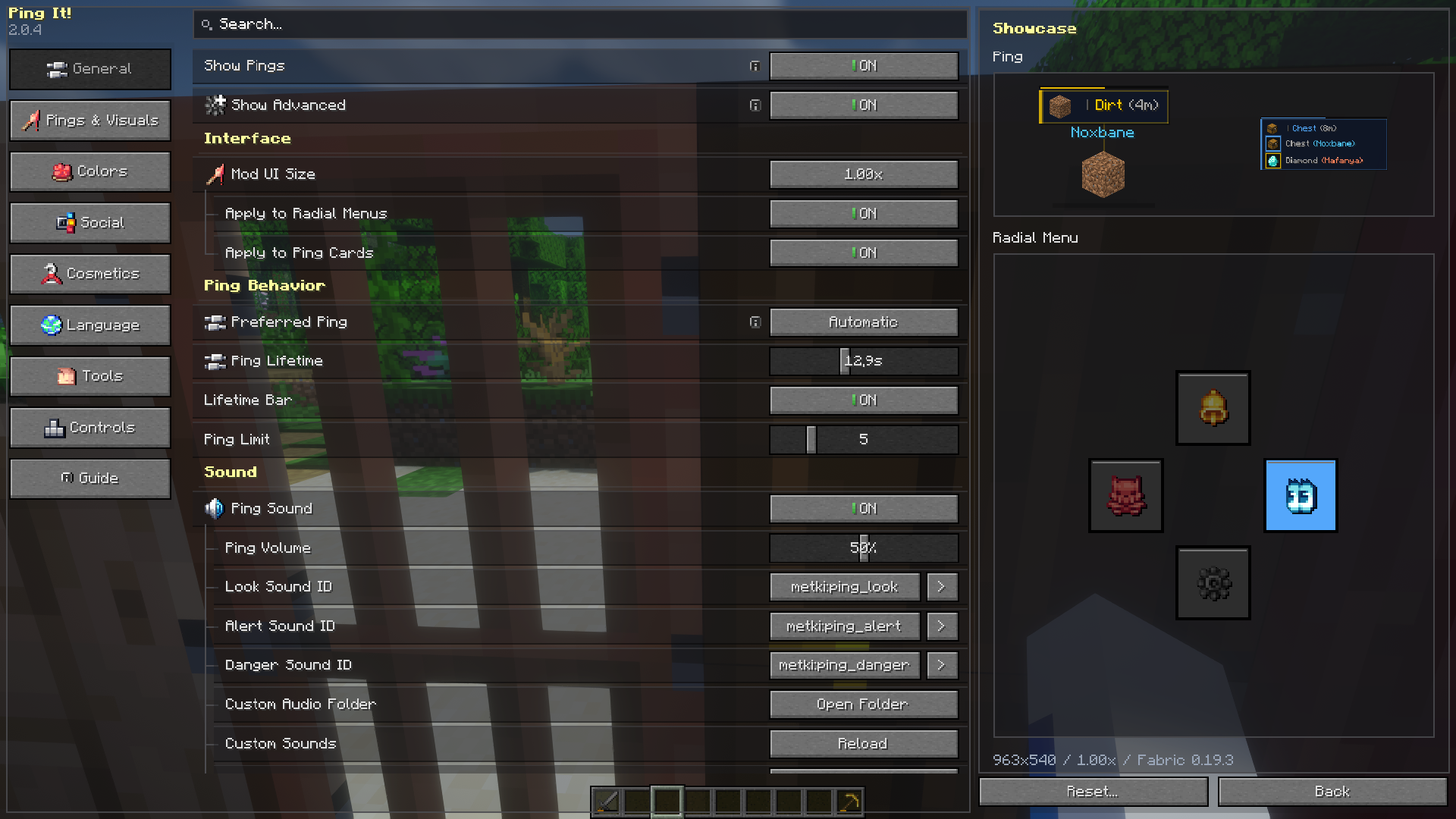 Ping It! #4 — Overview of Settings
 -
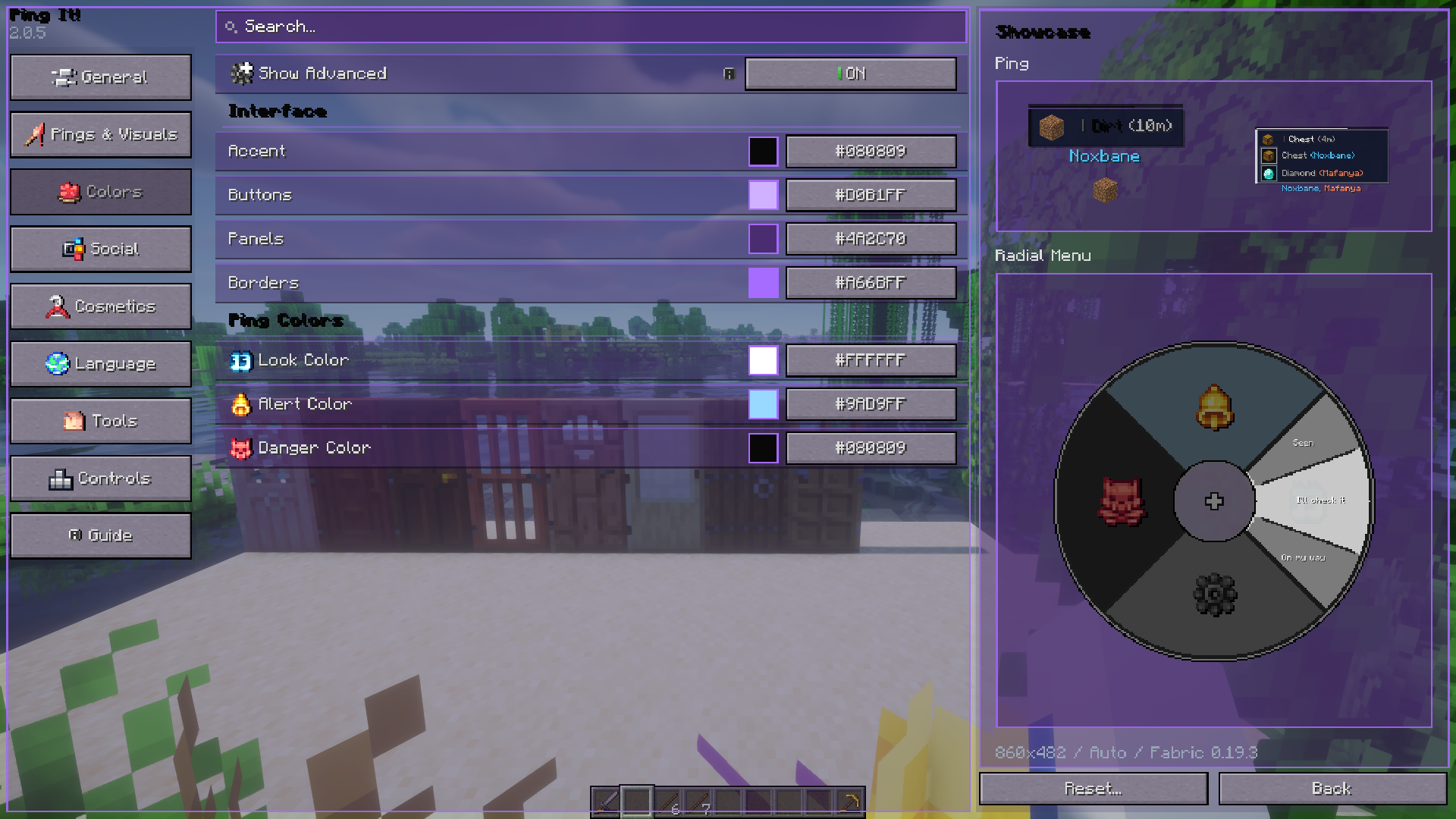 Ping It! #5 — Color Customization Demo
 -
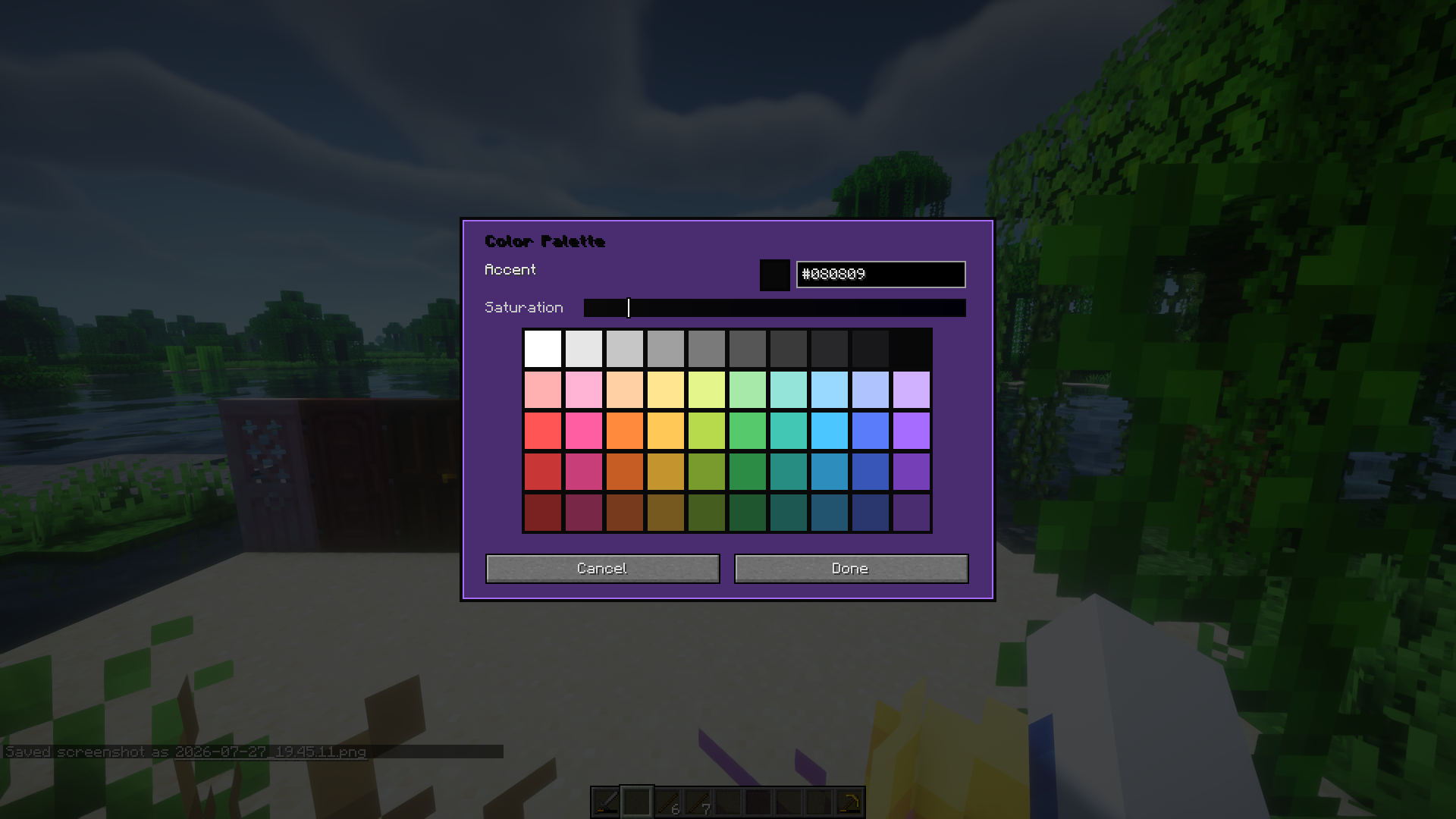 Ping It! #6 — Color palette, lol
 -
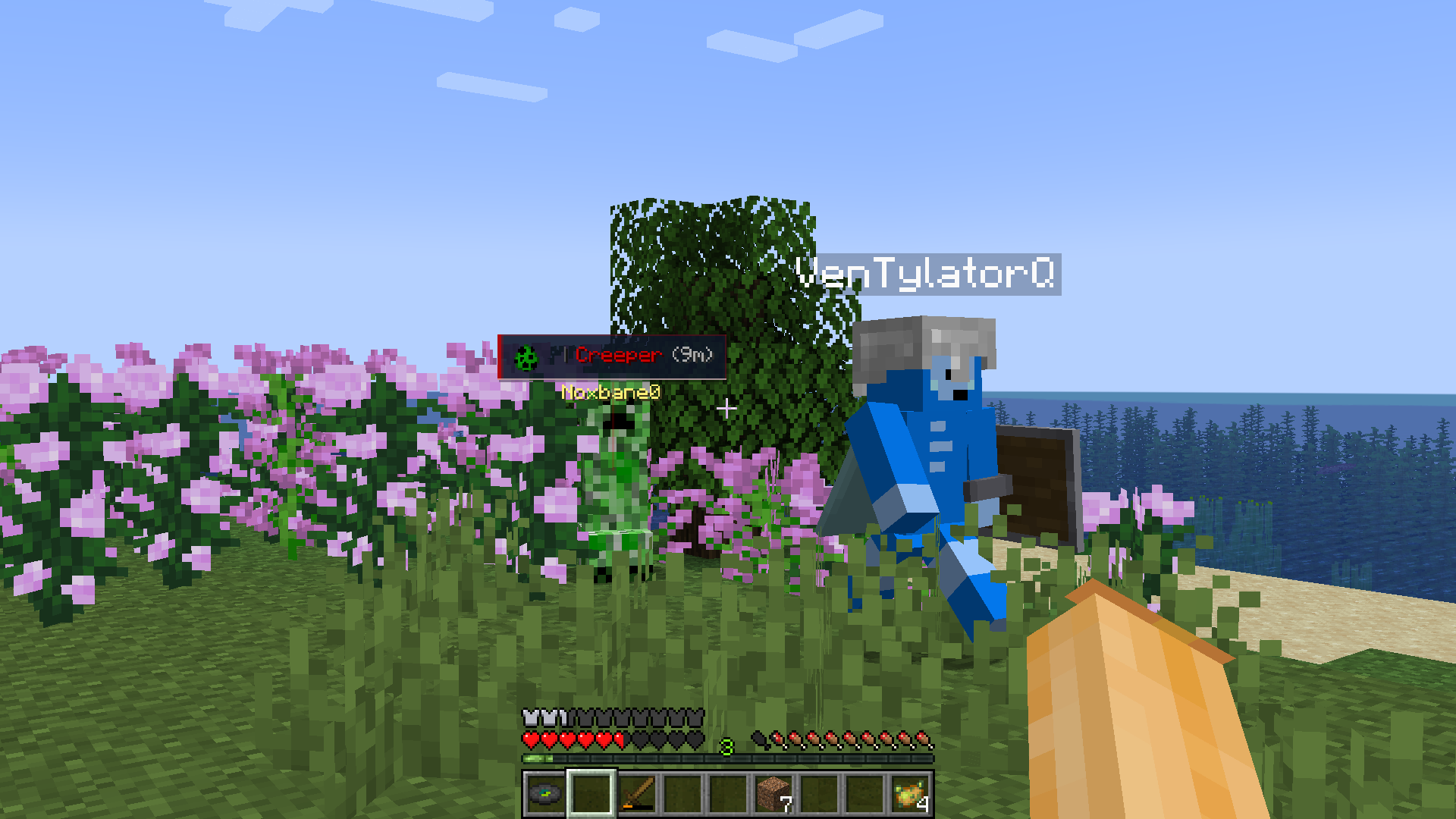 Ping It! Old Showcase 1
 -
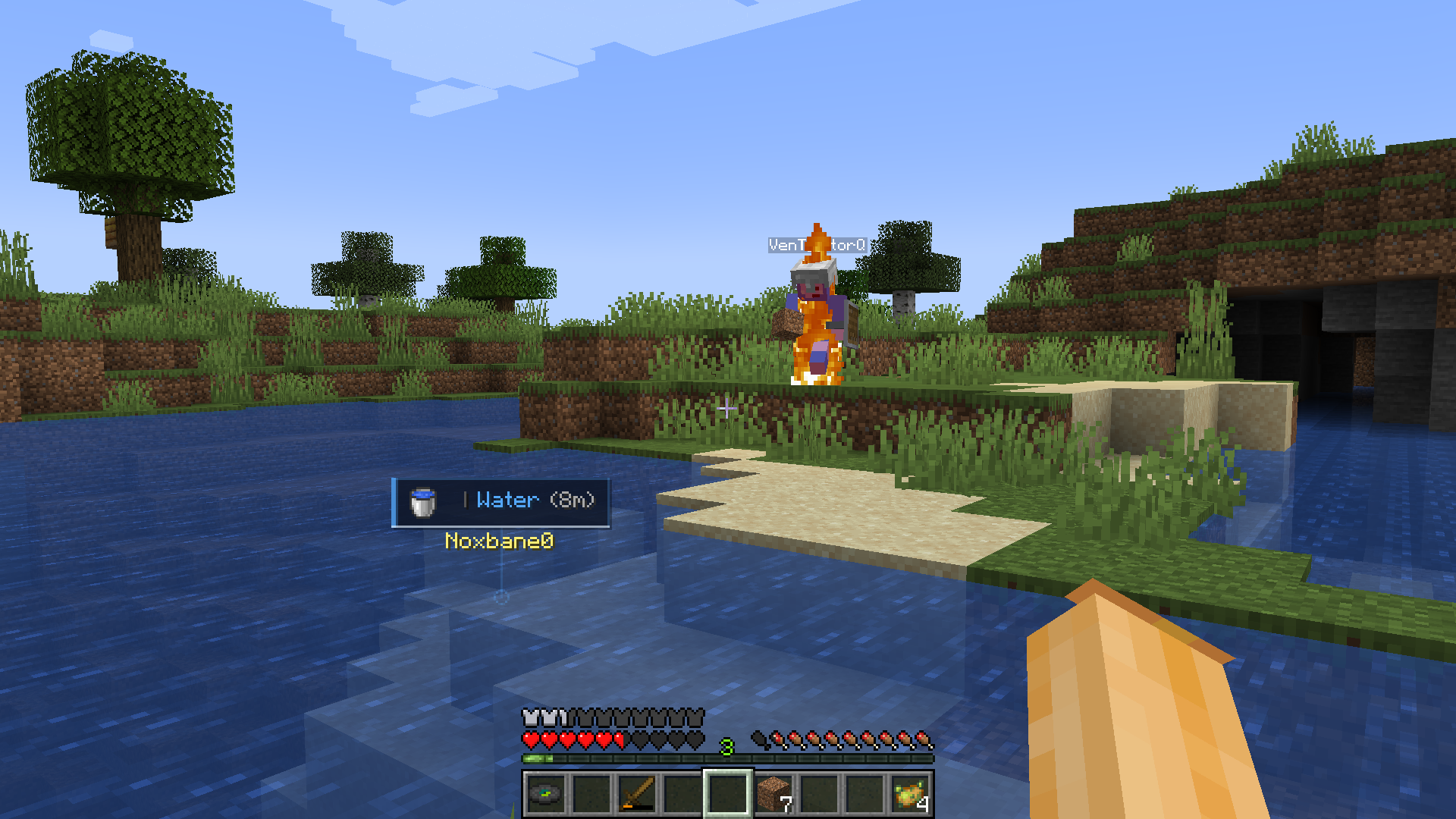 Ping It! Old Showcase 2
 -
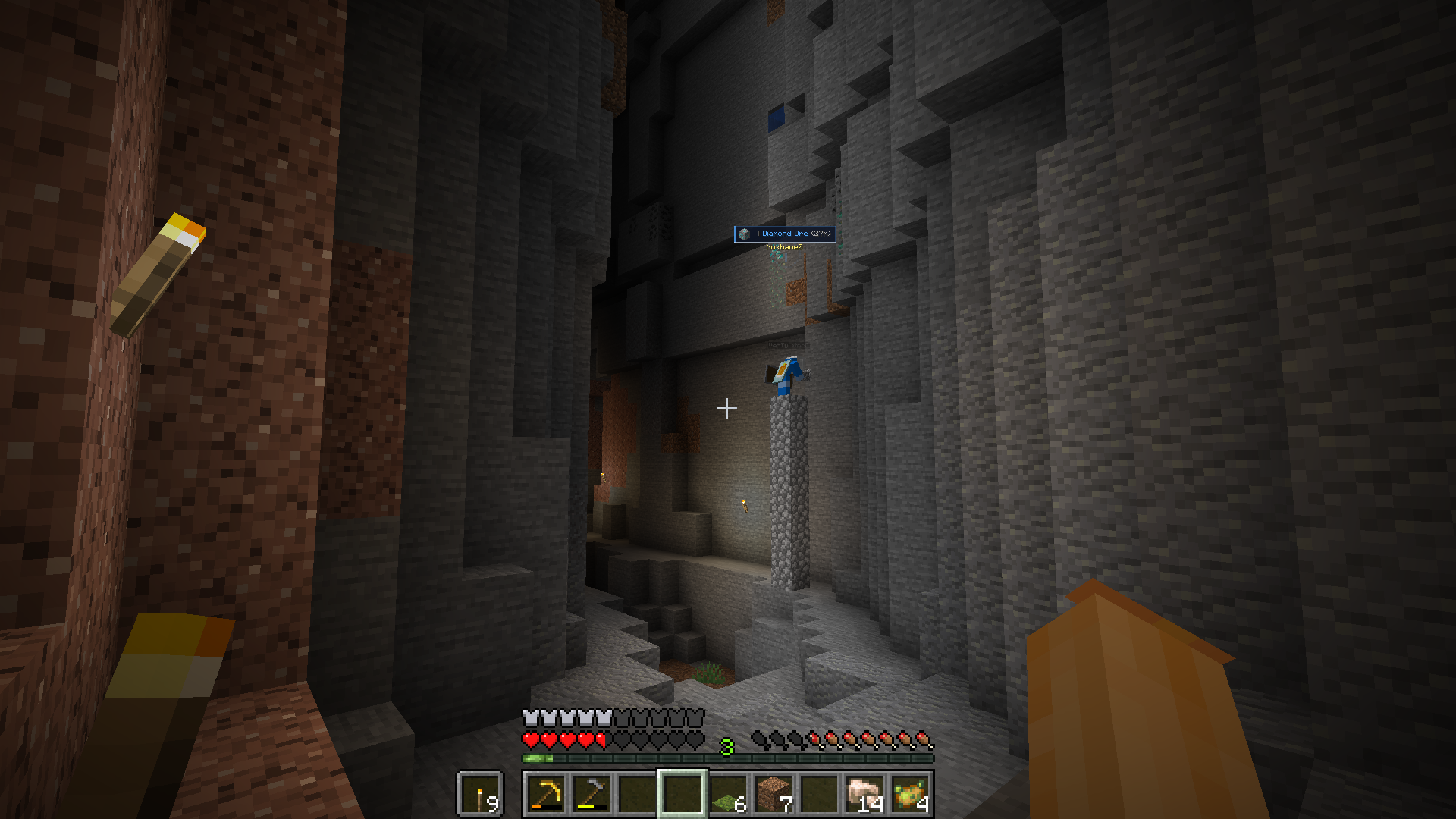 Ping It! Old Showcase 3
 -
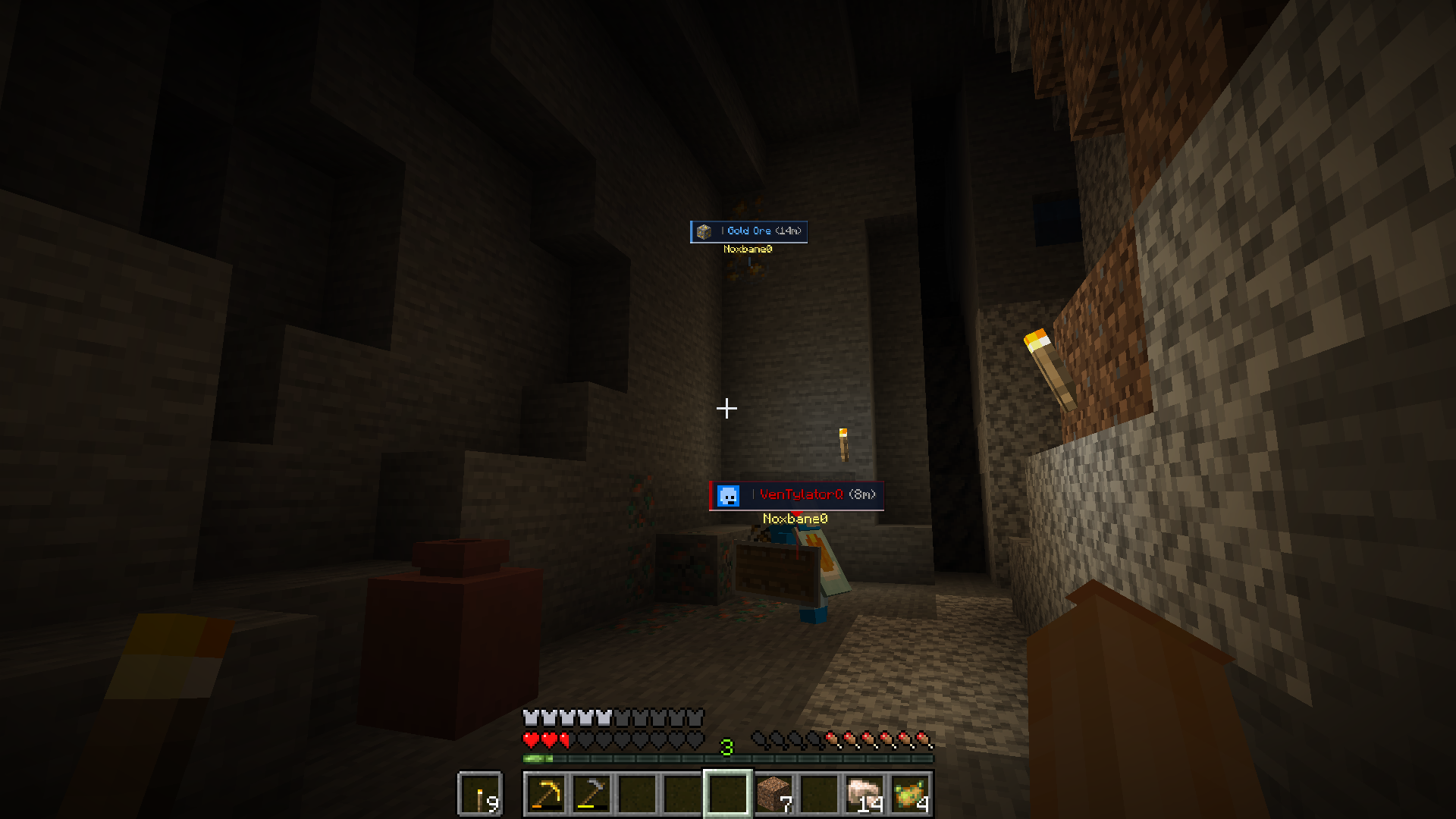 Ping It! Old Showcase 4
 -
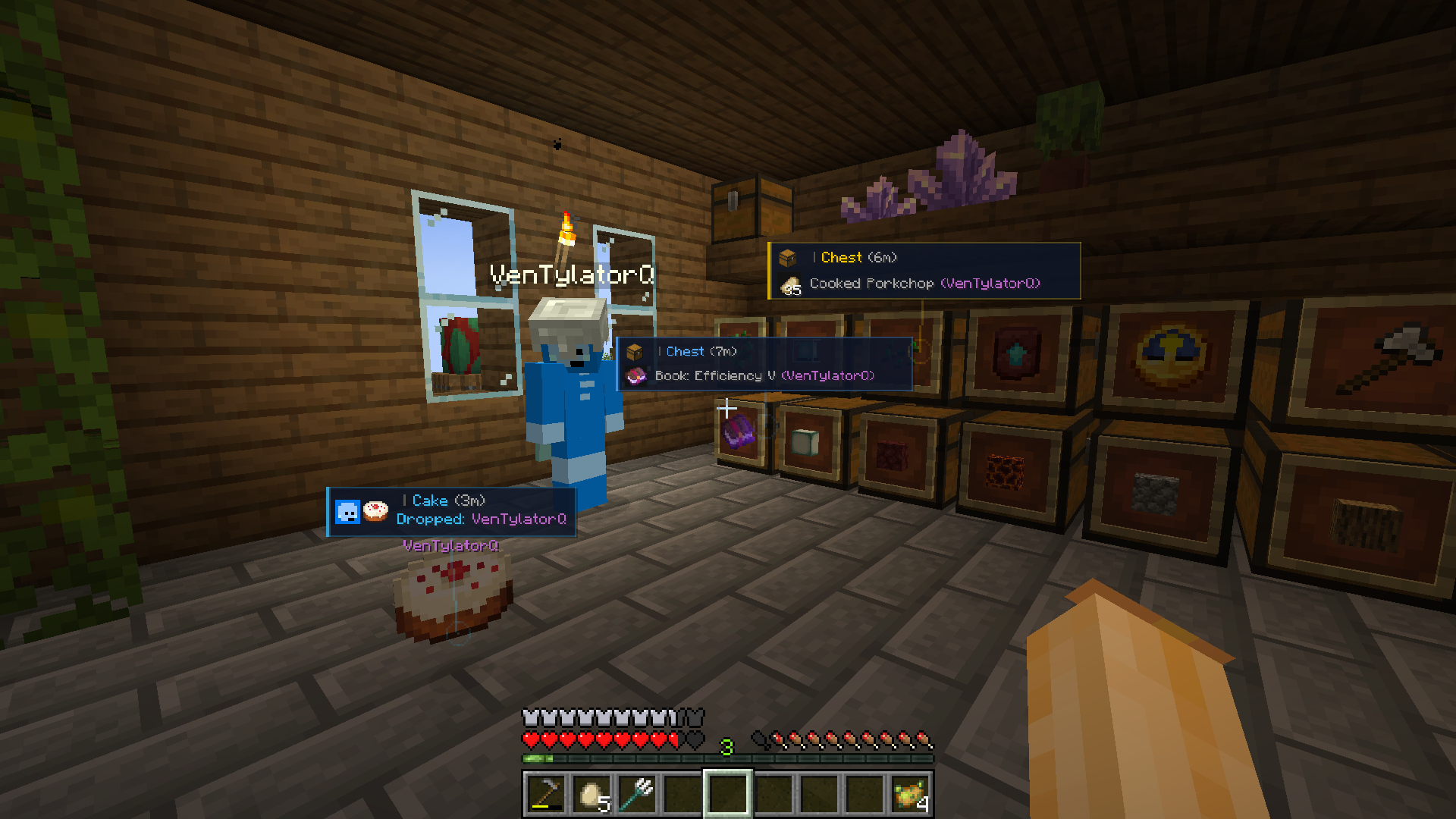 Ping It! Old Showcase 5
 -
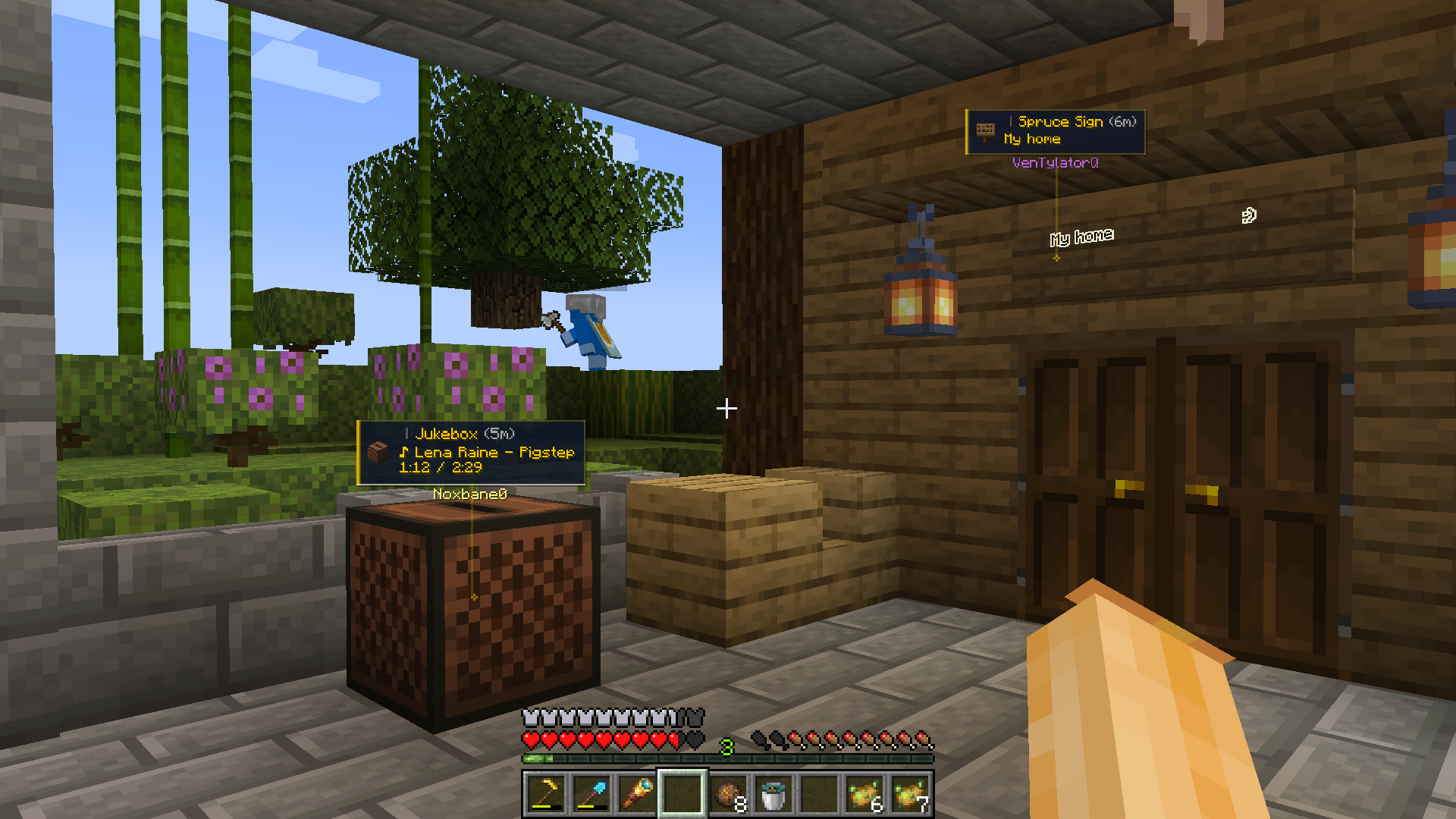 Ping It! Old Showcase 6
 -
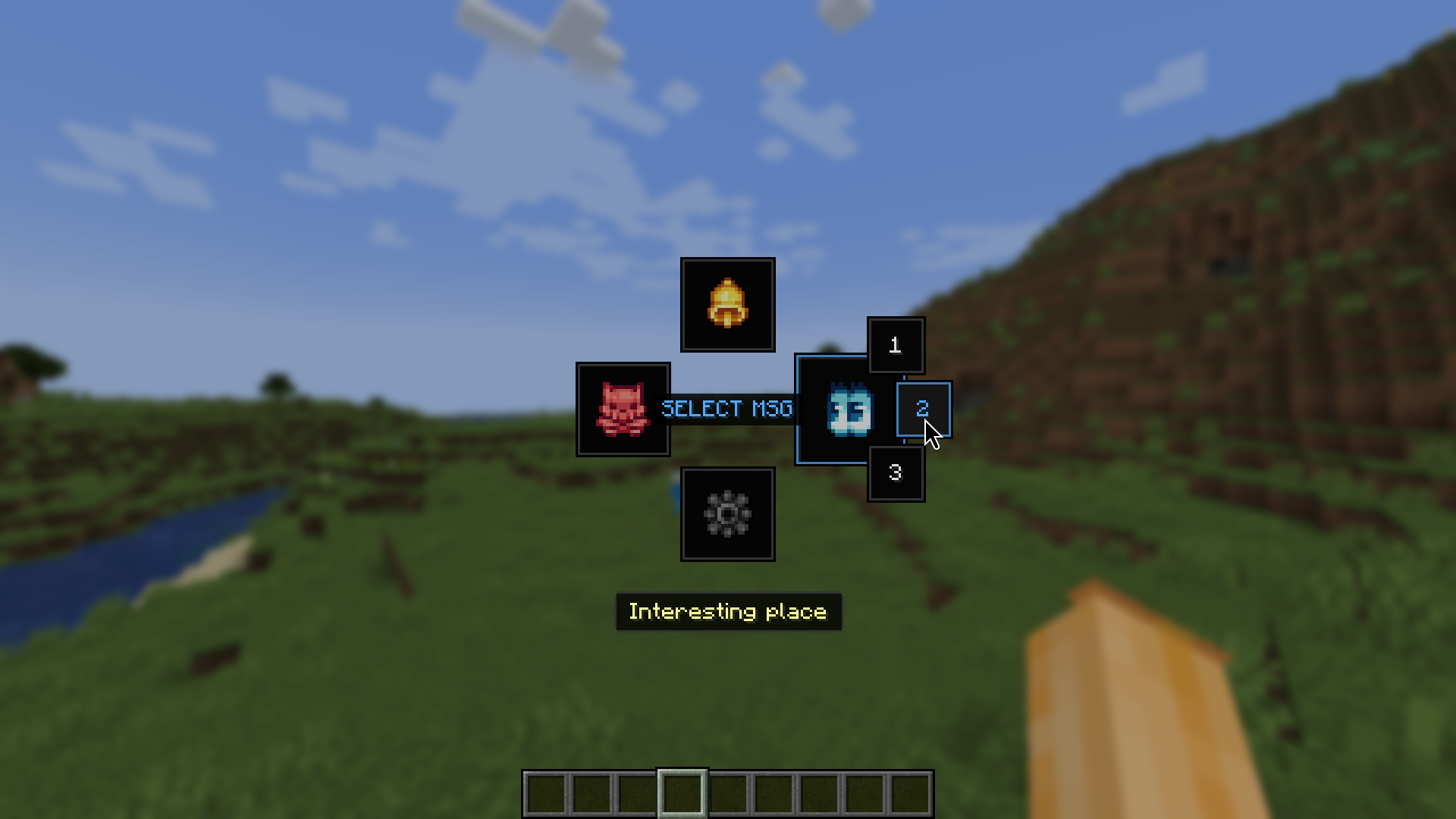 Ping It! Old MSG Showcase 7
 -
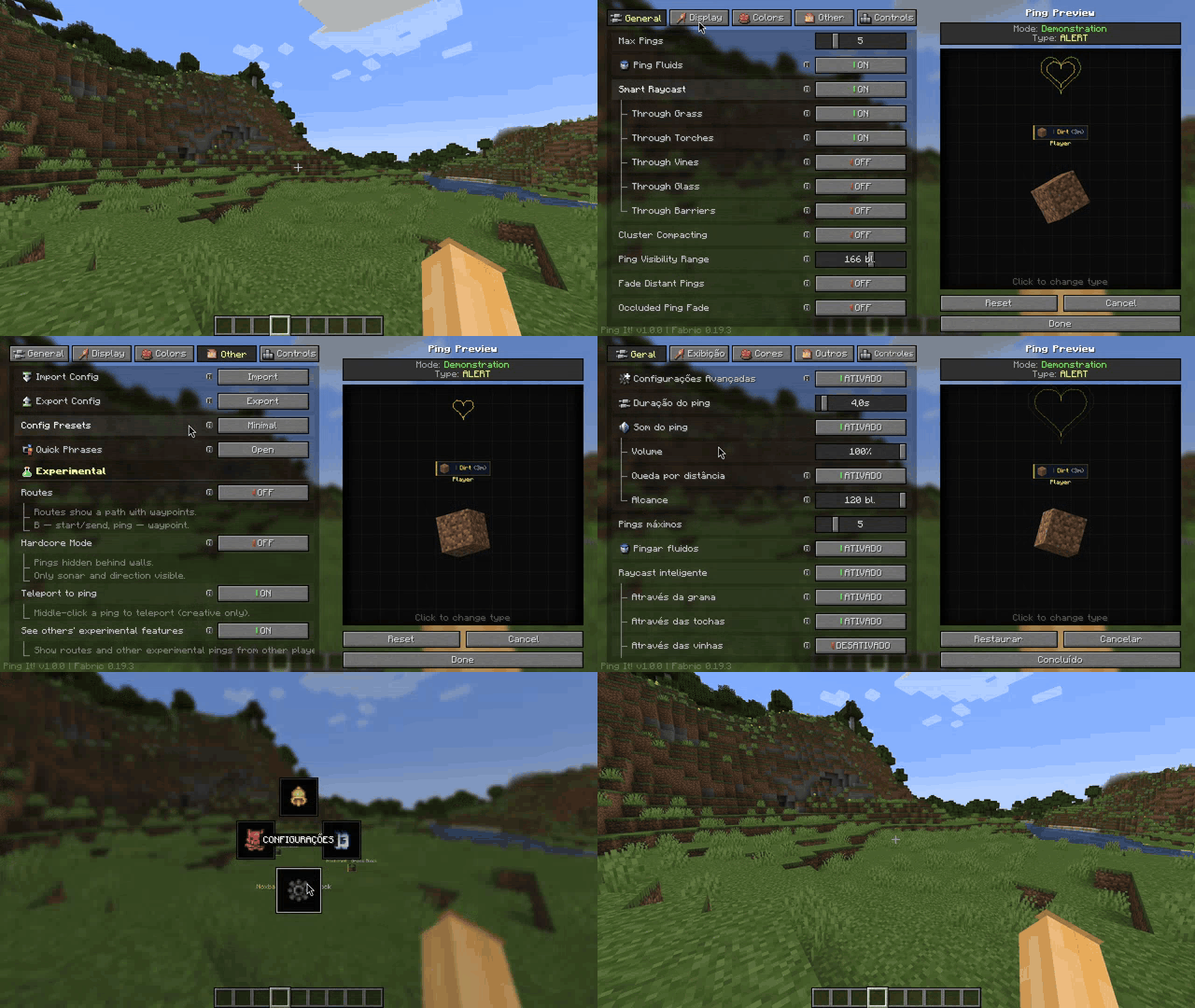 Ping It! Old Settings Showcase 8
Versions
Files
Relations
Project Relations
More like this
Similar Mods
Suggestions use data such as tags, dependencies, dependents, descriptions, titles, and more to rank how much they overlap with this mod.
On ModDex
Community snapshot
By the numbers
Statistics
Want to reach Minecraft players?
We're looking for a server hosting partner to feature here and other parts of the site. Interested? Send us a message!
Get in touchGet it on
Available Platforms
On ModDex
Community snapshot
By the numbers
Statistics
Resources