
Community listing page, reviews here may not be monitored by the author.
Ping Wheel


No reviews yet
Allows players to temporarily mark locations and entities
Community voices
Reviews
No reviews yet. Be the first to review this project!
Get it on
Available Platforms
Compatibility
Supported Environments
Must be installed on both the client and the server.
About
Project Details
For authors
Embed Badge
If you're the author of this project, you can embed a live badge anywhere that supports HTML or Markdown. It updates automatically whenever ratings change.
Use HTML for any page that supports it, or Markdown for README files and Markdown-based descriptions.
Identifiers
Platform IDs
About
Description
About
Modern co-op games often allow players to communicate via "pings" to mark in-game locations.
This simple mod provides such pinging mechanism for the fabric and forge mod loaders.
Default keybind is "Mouse5" aka "Forward" to ping. Hold "Tab" (Player List) to see player names on pings.
The settings can be changed via /pingwheel config or Mod Menu.
Read the Wiki for additional information.
If you are looking to use the mod on Bukkit servers, you can install our official Plugin.
Regarding any issues with the mod, please head over to the GitHub Issues page.
Gallery
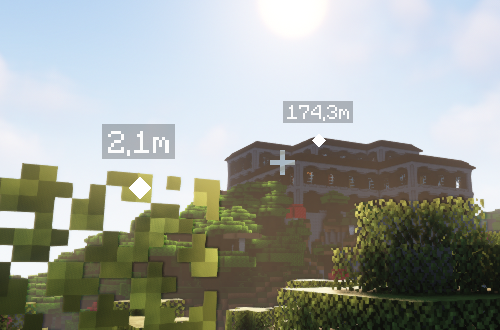
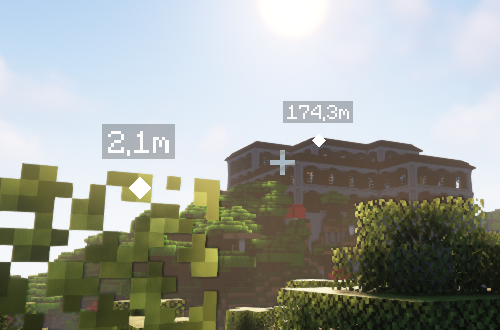
The following screenshot shows two pings in different distances with according scale.
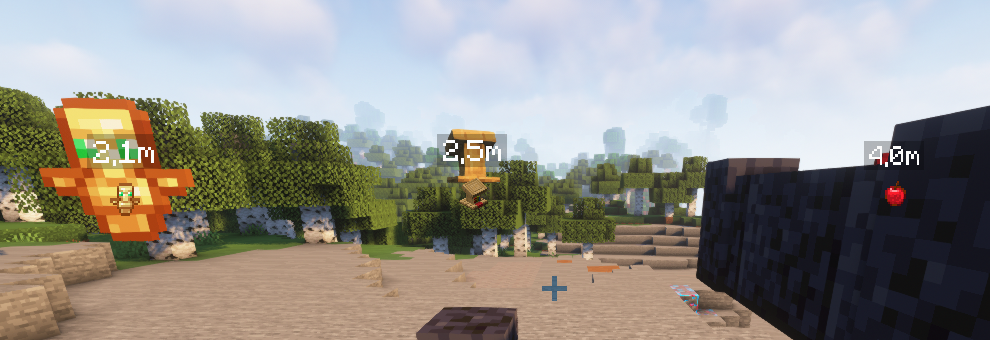
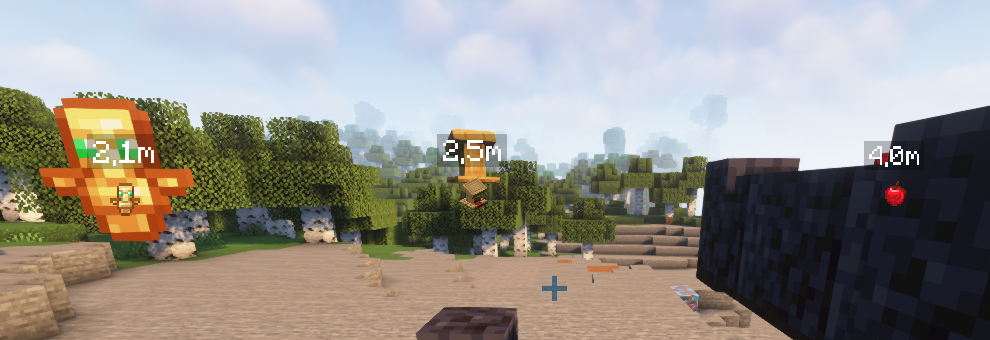
When Item Icons are enabled in the settings, the respective markers reflect the item texture (or model).
Dependencies

About
Modern co-op games often allow players to communicate via "pings" to mark in-game locations.
This simple mod provides such pinging mechanism for the fabric and forge mod loaders.
Default keybind is "Mouse5" aka "Forward" to ping. Hold "Tab" (Player List) to see player names on pings.
The settings can be changed via /pingwheel config or Mod Menu.
Read the Wiki for additional information.
If you are looking to use the mod on Bukkit servers, you can install our official Plugin.
Gallery
The following screenshot shows two pings in different distances with according scale.
When Item Icons are enabled in the settings, the respective markers reflect the item texture (or model).
Dependencies

Screenshots
Gallery
-
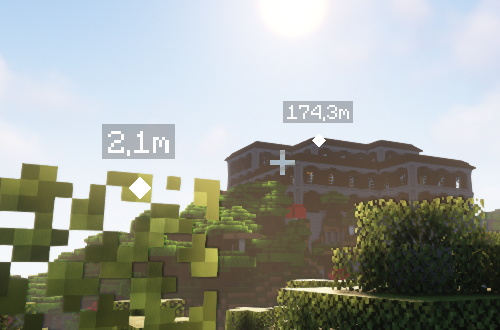 In-Game Screenshot Two location marks. The scale changes relative to the distance.
 -
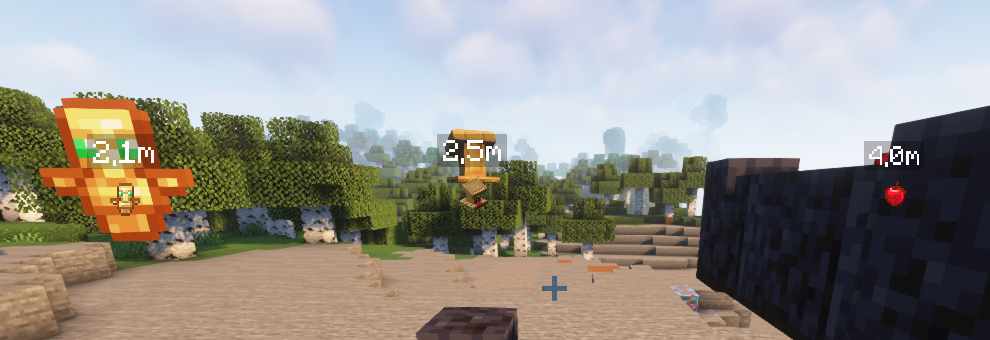 Item Icons When enabled, this feature replaces the ping icon with the respective item texture (or model).
-
 In-Game Screenshot Two location marks. The scale changes relative to the distance.
 -
 Item Icons When enabled, this feature replaces the ping icon with the respective item texture (or model).
Versions
Files
Relations
Project Relations
More like this
Similar Mods
Suggestions use data such as tags, dependencies, dependents, descriptions, titles, and more to rank how much they overlap with this mod.
On ModDex
Community snapshot
By the numbers
Statistics
Want to reach Minecraft players?
We're looking for a server hosting partner to feature here and other parts of the site. Interested? Send us a message!
Get in touchGet it on
Available Platforms
On ModDex
Community snapshot
By the numbers