Community listing page, reviews here may not be monitored by the author.
PinkFont


No reviews yet
Allows you to change the color of text in Minecraft!
Community voices
Reviews
No reviews yet. Be the first to review this project!
Get it on
Available Platforms
Compatibility
Supported Environments
Runs entirely on the client. Works on vanilla servers.
About
Project Details
For authors
Embed Badge
If you're the author of this project, you can embed a live badge anywhere that supports HTML or Markdown. It updates automatically whenever ratings change.
Use HTML for any page that supports it, or Markdown for README files and Markdown-based descriptions.
Identifiers
Platform IDs
About
Description
PinkFont
PinkFont is a Minecraft mod that allows you to tweak the color of the rendered text!

Usage
To install the mod, you need to drop the jar for your version of Minecraft into the mods folder.
Then, you also need to install YACL for your version of the game the same way.
Once the mod is installed, and you boot into the game, you will notice that all previously white text is now of a pinkish tint. You can configure the color of the text yourself using two ways:
Config menu
Fabric
Install the Mod Menu mod by putting it into the mods folder, as you would with any other mod.
After installing the mod, once you are in the game, you will notice that a new button labeled "Mods" appeared on the main menu.

If you press the button, a menu that lists all your mods will open, looking something like this:

Hovering over the PinkFont entry will allow you to open the configuration menu for it

NeoForge
On NeoForge, no additional mods are required for a mod menu, as NeoForge by default ships with one.
When you open the mod menu, you will be presented with a list of all mods installed in your current instance of the game. You will want to find the PinkFont entry in that list and select it by clicking on it, then you will be able to press the Config button, which will open the configuration menu.
Configuration
The configuration menu is the same independent of platform.

Hovering over any of the options will show a description of how they work on the right side of the screen.
From now on, you can experiment with the colors and even add gradient colors like this:

Pretty neat, right?
Config file
If you do not wish to install the Mod Menu mod, you may manually modify the mods configuration file.
For that, you will want to navigate into the config directory in your .minecraft folder.
In there, find a file named pinkfont.json5. This is the PinkFont config file.
Open that file using a text editor of your choice. It will look something like this:
{
    // The color mode defines how the colors get applied. Possible modes: SUBTRACT, SET, SET_KEEP_BRIGHTNESS
    colorMode: "SUBTRACT",
    // Whether dark colors should be made brighter so applied colors can be seen
    brightenDark: false,
    // If the previous option is toggled, this is the brightness value that text will have at least (range: 0.0 - 1.0, values above 0.3 may affect shadow colors)
    minBrightness: 0.2,
    // The amount of time it takes to go from one color to another
    duration: 0.0,
    // A list of colors to smoothly swap between in the format "#RRGGBBAA"
    colors: [
        "#ffccffff"
    ]
}
It is fairly descriptive by itself, so I don't think I need to clarify anything additionally here.
License
PinkFont is licensed under the MIT license.
PinkFont
PinkFont is a Minecraft mod that allows you to tweak the color of the rendered text!
Usage
To install the mod, you need to drop the jar for your version of Minecraft into the mods folder.
Then, you also need to install YACL for your version of the game the same way.
Once the mod is installed, and you boot into the game, you will notice that all previously white text is now of a pinkish tint. You can configure the color of the text yourself using two ways:
Config menu
Fabric
Install the Mod Menu mod by putting it into the mods folder, as you would with any other mod.
After installing the mod, once you are in the game, you will notice that a new button labeled "Mods" appeared on the main menu.
If you press the button, a menu that lists all your mods will open, looking something like this:
Hovering over the PinkFont entry will allow you to open the configuration menu for it
NeoForge
On NeoForge, no additional mods are required for a mod menu, as NeoForge by default ships with one.
When you open the mod menu, you will be presented with a list of all mods installed in your current instance of the game. You will want to find the PinkFont entry in that list and select it by clicking on it, then you will be able to press the Config button, which will open the configuration menu.
Configuration
The configuration menu is the same independent of platform.
Hovering over any of the options will show a description of how they work on the right side of the screen.
From now on, you can experiment with the colors and even add gradient colors like this:
Pretty neat, right?
Config file
If you do not wish to install the Mod Menu mod, you may manually modify the mods configuration file.
For that, you will want to navigate into the config directory in your .minecraft folder.
In there, find a file named pinkfont.json5. This is the PinkFont config file.
Open that file using a text editor of your choice. It will look something like this:
{
	// The color mode defines how the colors get applied. Possible modes: SUBTRACT, SET, SET_KEEP_BRIGHTNESS
	colorMode: "SUBTRACT",
	// Whether dark colors should be made brighter so applied colors can be seen
	brightenDark: false,
	// If the previous option is toggled, this is the brightness value that text will have at least (range: 0.0 - 1.0, values above 0.3 may affect shadow colors)
	minBrightness: 0.2,
	// The amount of time it takes to go from one color to another
	duration: 0.0,
	// A list of colors to smoothly swap between in the format "#RRGGBBAA"
	colors: [
		"#ffccffff"
	]
}
It is fairly descriptive by itself, so I don't think I need to clarify anything additionally here.
License
PinkFont is licensed under the MIT license.
Screenshots
Gallery
-
 Cool rainbow text! (Click to see)
 -
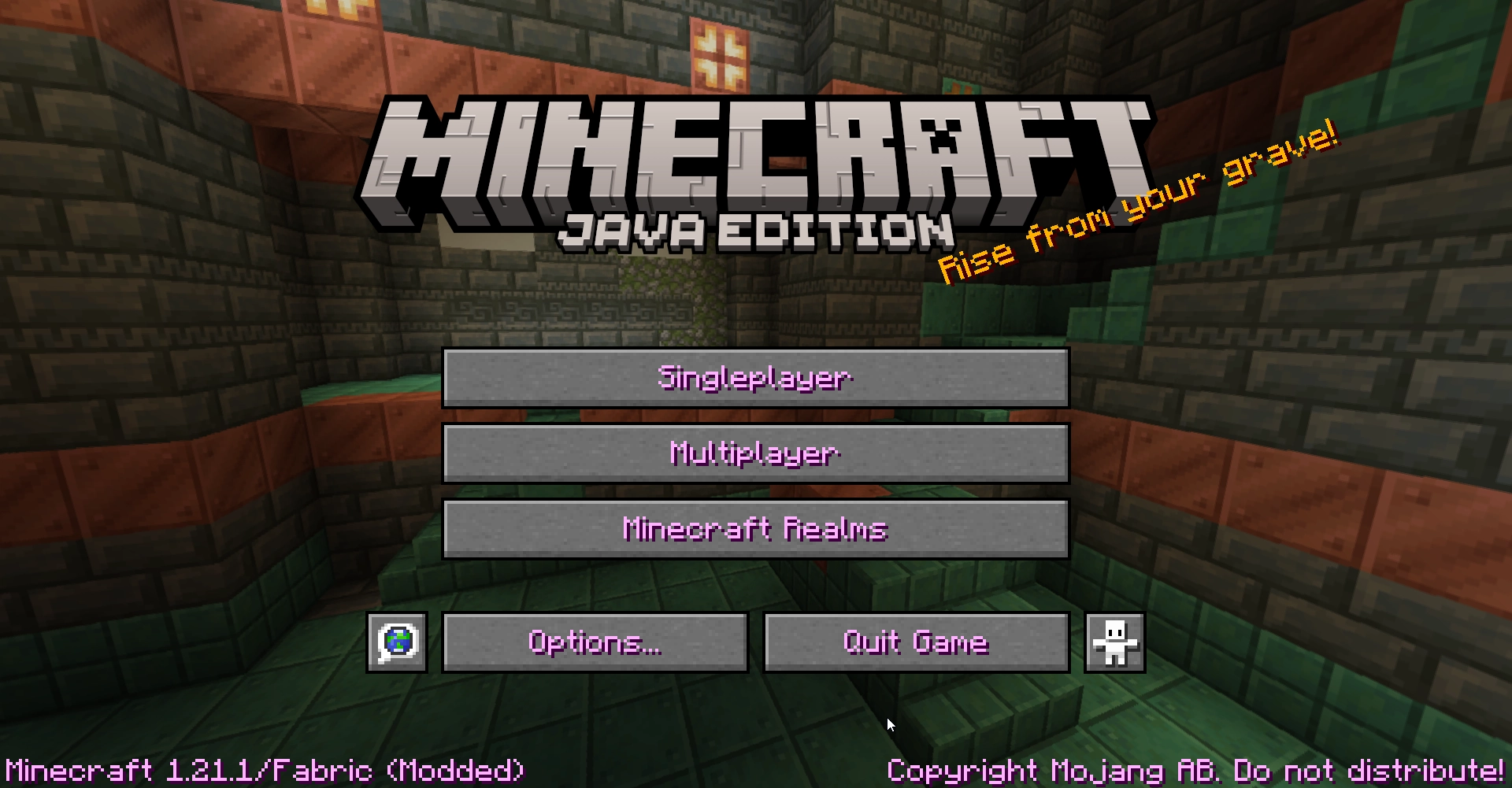 Main menu
 -
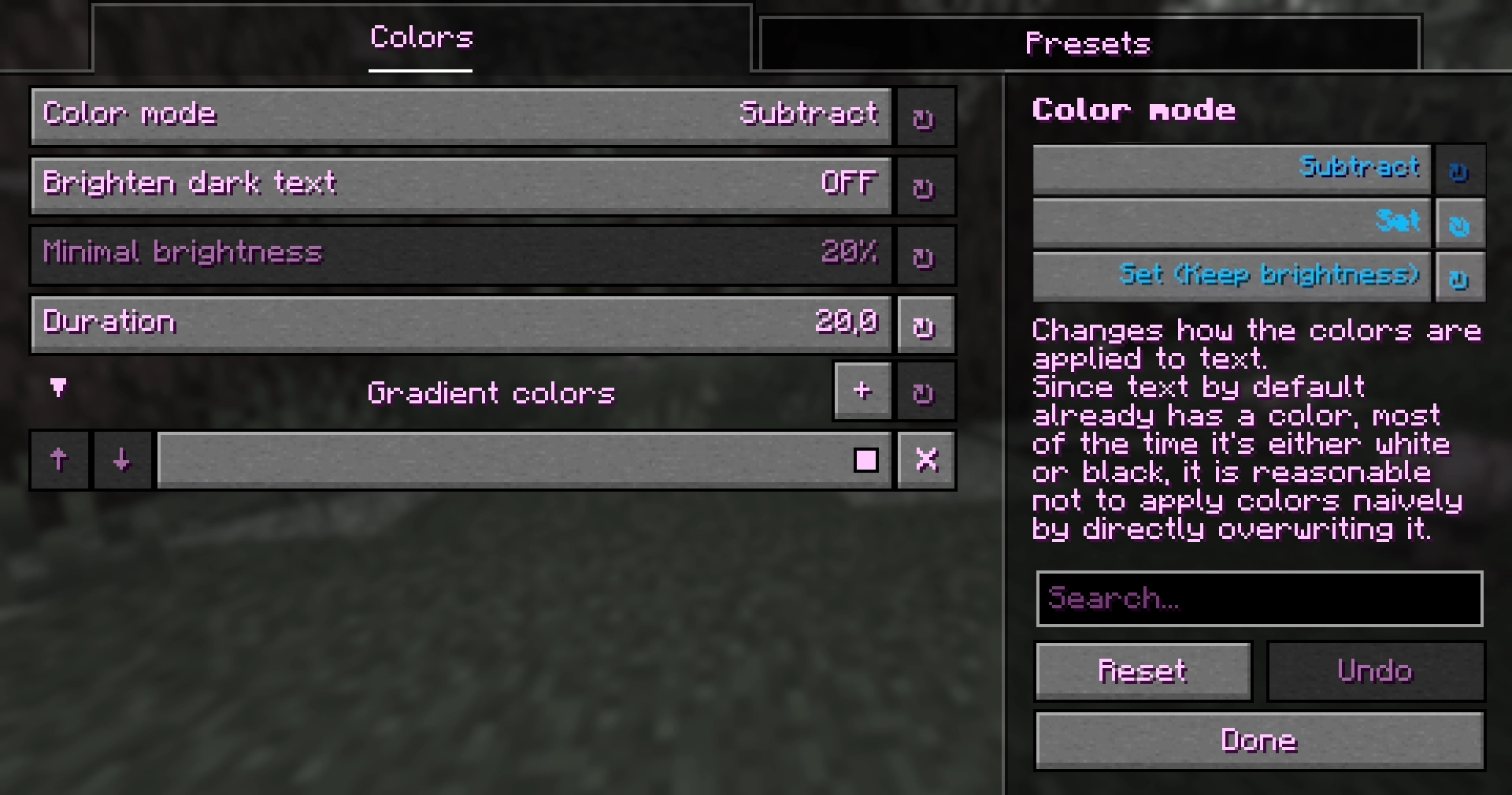 Config screen
Versions
Files
Relations
Project Relations
More like this
Similar Mods
Suggestions use data such as tags, dependencies, dependents, descriptions, titles, and more to rank how much they overlap with this mod.
On ModDex
Community snapshot
By the numbers
Statistics
Want to reach Minecraft players?
We're looking for a server hosting partner to feature here and other parts of the site. Interested? Send us a message!
Get in touchGet it on
Available Platforms
On ModDex
Community snapshot
By the numbers