Community listing page, reviews may not be monitored by the author.
Pixelated Enchants


No reviews yet
Fully customize Minecraft's enchantment glint with per-enchantment colors, custom patterns, per-item overrides, multi-enchant mixing, animated arrows, armor support, and shareable styles.

Community voices
Reviews
No reviews yet. Be the first to review this project!
Get it on
Available Platforms
Compatibility
Supported Environments
Runs entirely on the client. Works on vanilla servers.
About
Project Details
For authors
Embed Badge
If you're the author of this project, you can embed a live badge anywhere that supports HTML or Markdown. It updates automatically whenever ratings change.
Use HTML for any page that supports it, or Markdown for README files and Markdown-based descriptions.
Identifiers
Platform IDs
Resources
External Links
About
Description
✨ Pixelated Enchants
Give your enchanted gear a style of its own.
Customize Minecraft’s enchantment glint with colors, animated patterns, and settings for individual items. Create a matching look for your armor, give your favorite weapon its own effect, or share your setup with friends.
🎨 Your Colors, Your Gear
Choose colors for individual enchantments and combine them on items with multiple enchantments.
Want one item to stand out? Give it its own:
- Glint color — pick a custom HEX color.
- Pattern — choose how the effect moves across the item.
- Animation speed — slow it down or speed it up.
- Brightness — adjust the strength of the effect.
Item overrides can distinguish equipment by its name, enchantments, and relevant item data—useful for named weapons and custom server items.
🌊 Choose Your Glint Pattern
Explore 11 patterns:
Diagonal Wave · Horizontal Sweep · Vertical Sweep · Center Ripple · Random Burst · Random Spark · Flow · Full Glow · Solid · Vanilla · Smooth Fusion
Mix colors, patterns, speed, and brightness to create your own combination.
🏹 Beyond Swords and Tools
Customize glints across:
- Held items
- Armor
- Shields
- Tridents
- Arrows, tipped arrows, and spectral arrows
Tipped arrows can use their potion or effect color, bringing that color into their glint.
🌈 Multiple Enchantments, One Effect
Equipment with multiple enchantments can blend their configured colors into a single animated glint.
Create combinations for your enchanted gear, then use per-item overrides wherever you want a different look.
📋 Share Your Style
Export your configuration as a compact ETG style code.
Copy your setup, share it with another player, or import a style you like. You can also preview and apply another player’s style separately without replacing your personal configuration.
⚙️ Installation & Settings
Minecraft Java Edition · Fabric · Client-side
- Install Fabric Loader and Fabric API for your Minecraft version.
- Download the matching Pixelated Enchants file.
- Place the mod JAR in your
modsfolder. - Launch Minecraft and enter a world.
- Press G to open the settings menu.
You can change the menu shortcut in Options → Controls → Key Binds. If G conflicts with another action, assign an unused key.
💬 Show Your Style & Share Feedback
Made a combination you like? Share a screenshot and your style code in the comments!
For bug reports, include:
- Your Minecraft and mod versions
- Other installed rendering mods or shaders
- What happened and how to reproduce it
- A screenshot or relevant log, when available
Follow the project for new releases, and make your next enchanted item your own.
✨ Pixelated Enchants Give your enchanted gear a style of its own. Customize Minecraft’s enchantment glint with colors, animated patterns, and settings for individual items. Create a matching look for your armor, give your favorite weapon its own effect, or share your setup with friends.
🎨 Your Colors, Your Gear Choose colors for individual enchantments and combine them on items with multiple enchantments.
Want one item to stand out? Give it its own:
Glint color — pick a custom HEX color. Pattern — choose how the effect moves across the item. Animation speed — slow it down or speed it up. Brightness — adjust the strength of the effect. Item overrides can distinguish equipment by its name, enchantments, and relevant item data—useful for named weapons and custom server items.
🌊 Choose Your Glint Pattern Explore 11 patterns:
Diagonal Wave · Horizontal Sweep · Vertical Sweep · Center Ripple · Random Burst · Random Spark · Flow · Full Glow · Solid · Vanilla · Smooth Fusion
Mix colors, patterns, speed, and brightness to create your own combination.
🏹 Beyond Swords and Tools Customize glints across:
Held items Armor Shields Tridents Arrows, tipped arrows, and spectral arrows Tipped arrows can use their potion or effect color, bringing that color into their glint.
🌈 Multiple Enchantments, One Effect Equipment with multiple enchantments can blend their configured colors into a single animated glint.
Create combinations for your enchanted gear, then use per-item overrides wherever you want a different look.
📋 Share Your Style Export your configuration as a compact ETG style code.
Copy your setup, share it with another player, or import a style you like. You can also preview and apply another player’s style separately without replacing your personal configuration.
⚙️ Installation & Settings Minecraft Java Edition · Fabric · Client-side
Install Fabric Loader and Fabric API for your Minecraft version. Download the matching Pixelated Enchants file. Place the mod JAR in your mods folder. Launch Minecraft and enter a world. Press G to open the settings menu. You can change the menu shortcut in Options → Controls → Key Binds. If G conflicts with another action, assign an unused key.
💬 Show Your Style & Share Feedback Made a combination you like? Share a screenshot and your style code in the comments!
For bug reports, include:
Your Minecraft and mod versions Other installed rendering mods or shaders What happened and how to reproduce it A screenshot or relevant log, when available Follow the project for new releases, and make your next enchanted item your own.
Screenshots
Gallery
-
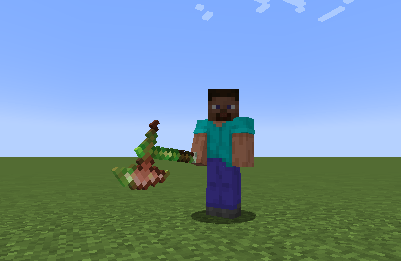 2.png 2.png
-
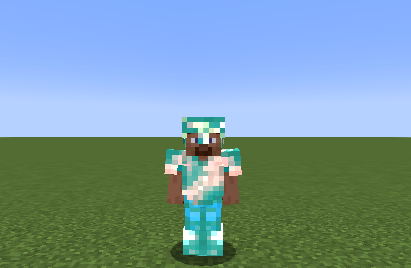 3.png 3.png
-
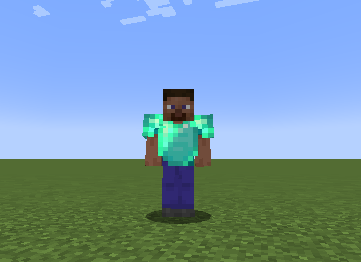 Ekran görüntüsü 2026-09-04 151227.png s.png
-
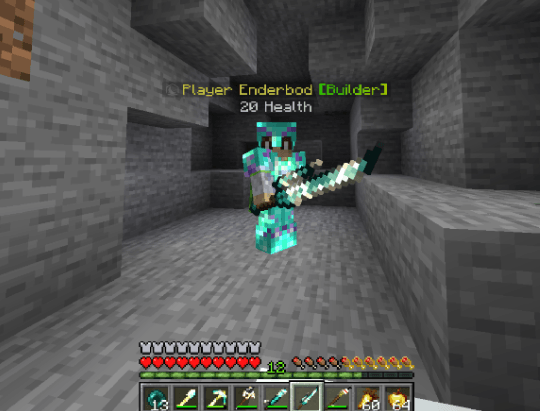 Ekran görüntüsü 2026-09-04 193938.png Ekran görüntüsü 2026-09-04 193938.png
-
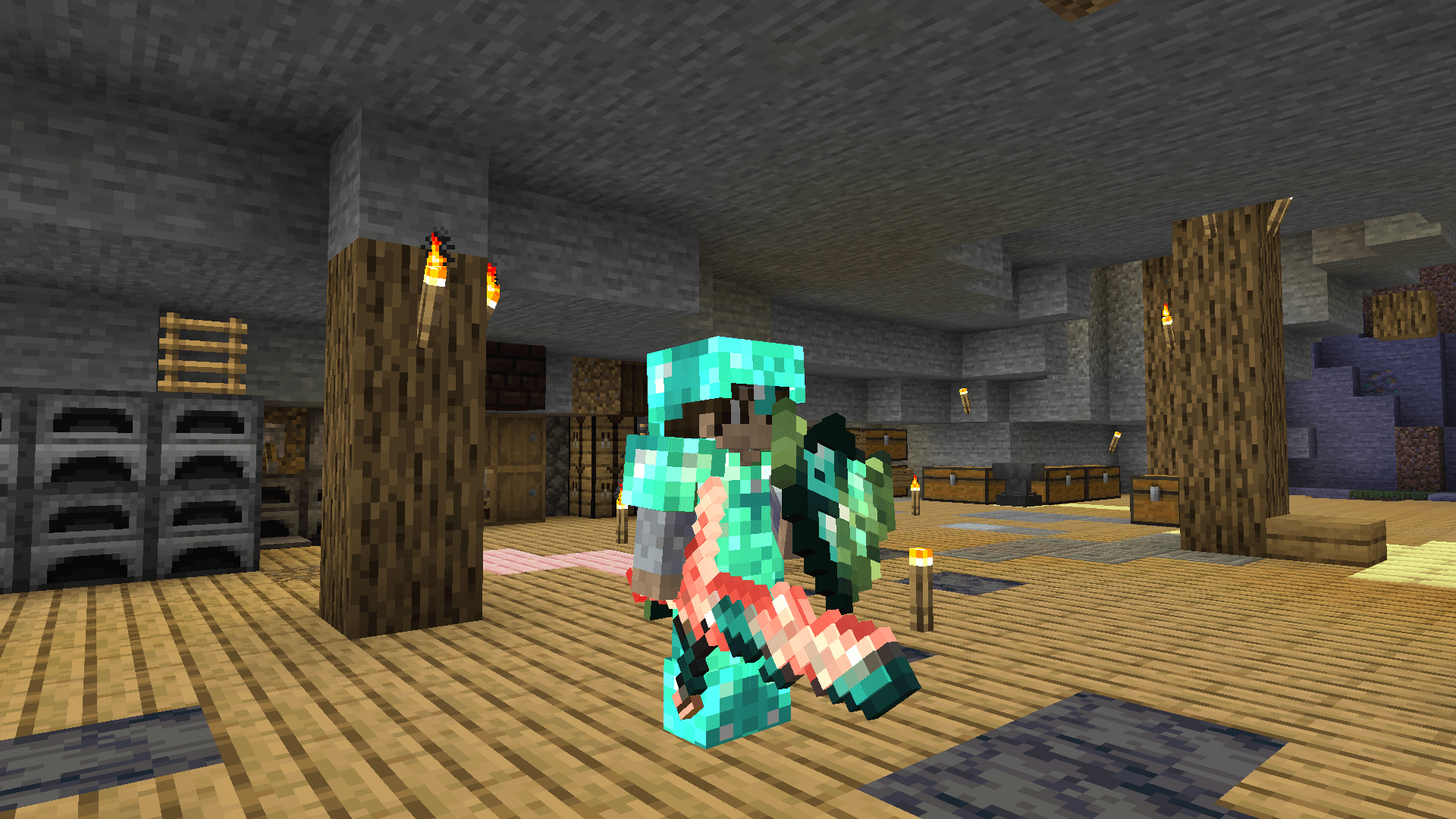 image.png image.png
-
 custom texture support
-
 Customization You can customize color and glint pattern based on items.
-
 Pixelated wohoo
-
 applied to custom textures
-
 applied to custom textures #2
Versions
Files
Relations
Project Relations
More like this
Similar Mods
Suggestions use data such as tags, dependencies, dependents, descriptions, titles, and more to rank how much they overlap with this mod.
On ModDex
Community snapshot
By the numbers
Statistics

Get it on
Available Platforms
On ModDex
Community snapshot
By the numbers
Statistics
Resources