
Community listing page, reviews here may not be monitored by the author.
Twemoji


No reviews yet
Pixelated Twemoji emojis in chat, with a picker, shortcodes, animated emojis, and datapack support.

Community voices
Reviews
No reviews yet. Be the first to review this project!
Get it on
Available Platforms
Compatibility
Supported Environments
The author has not specified where this runs.
About
Project Details
For authors
Embed Badge
If you're the author of this project, you can embed a live badge anywhere that supports HTML or Markdown. It updates automatically whenever ratings change.
Use HTML for any page that supports it, or Markdown for README files and Markdown-based descriptions.
Identifiers
Platform IDs
About
Description
Twemoji
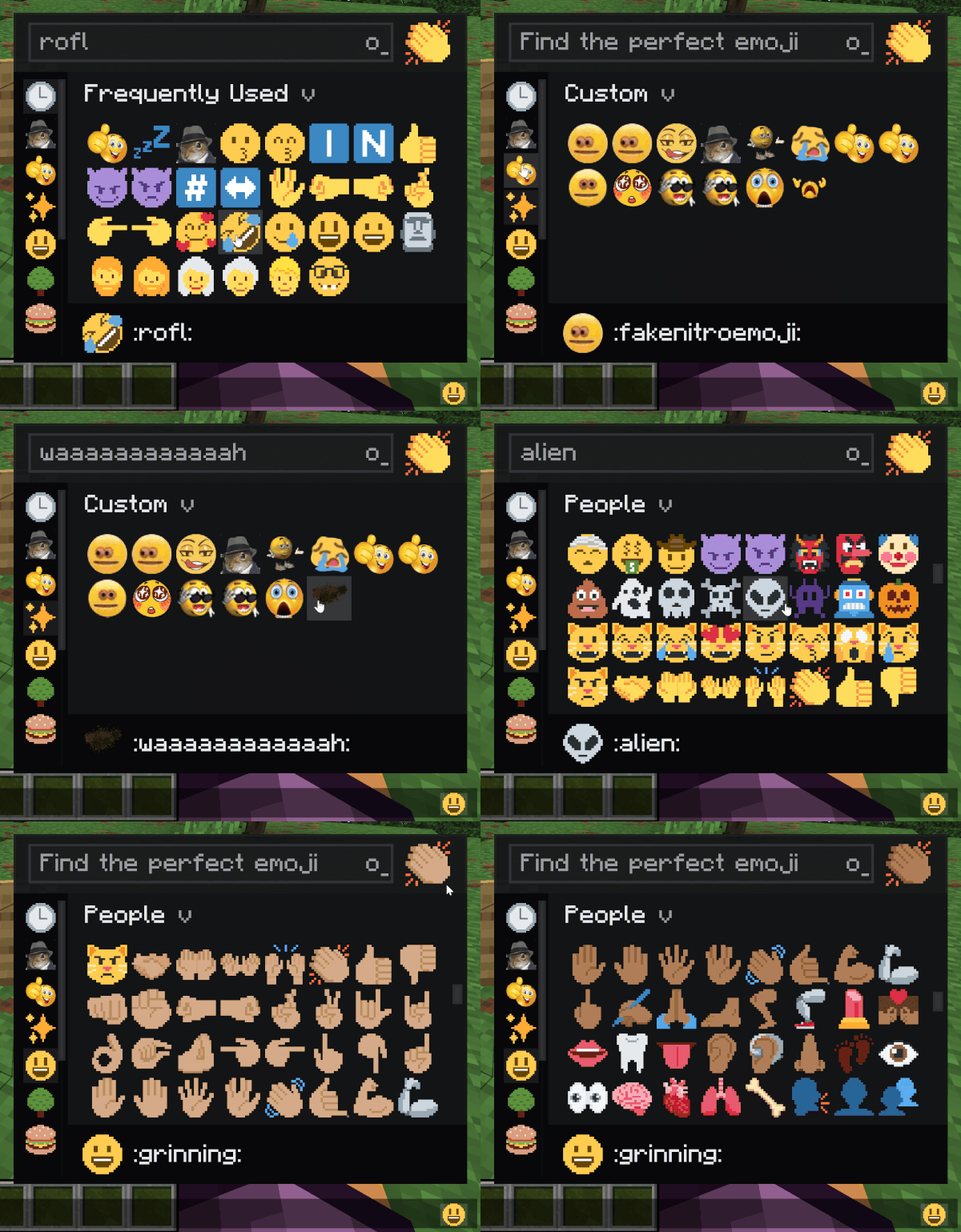
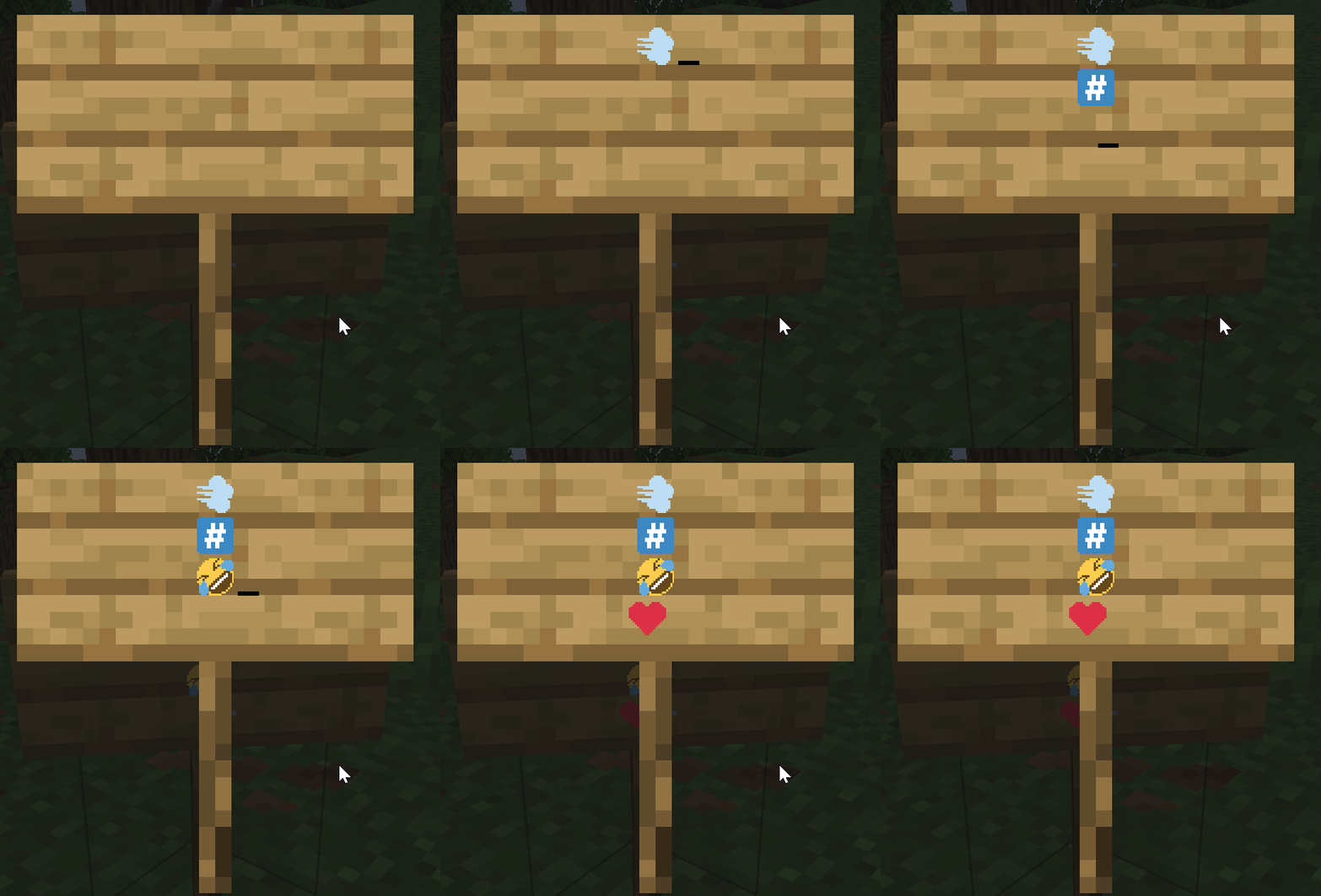
Adds Pixelated Twitter-style emoji to Minecraft chat, signs, books, and tooltips. Type :name: to insert one.
Features
- The full Twemoji set built in : smileys, hands, flags, symbols, all of it.
- Live shortcode conversion: type
:smile:and it pops in as you close the colon or hit space. - Skin tone preference for hand and people emojis.
- Animated emojis via datapack.
- Server datapacks can add custom emojis that sync to every connected client.
- Emoji rain command for fun (
/twemoji rain <emoji>), works in singleplayer and on servers. 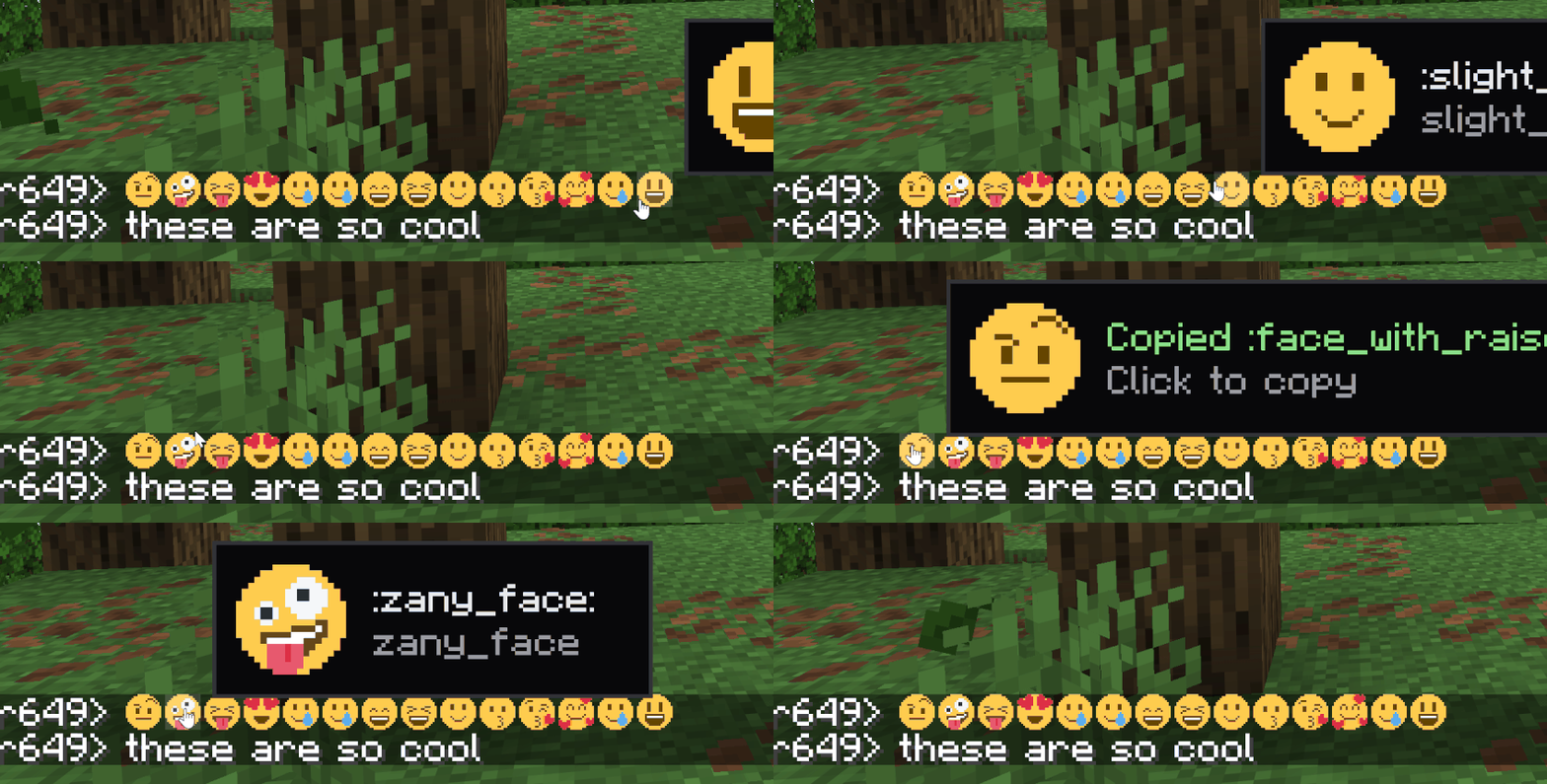
How to type emojis
Open chat, type : and start typing the name. A suggestion list appears. Or open the picker with the keybind (rebindable in Controls).
Custom emojis (server datapacks)
Drop a PNG into a datapack at data/<namespace>/twemoji/emoji/<name>.png. The file name is the shortcode. Static and animated both supported (animated uses the same .png.mcmeta format as vanilla animated textures). Also it has backward compat with emojiful's datpack format
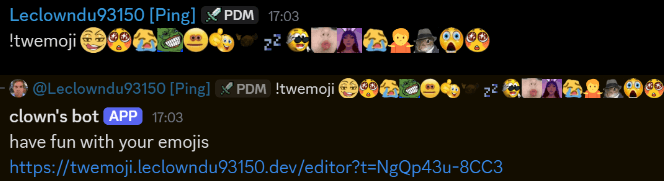
There's also a discord bot and website available in my Discord Server with a built-in datapack editor
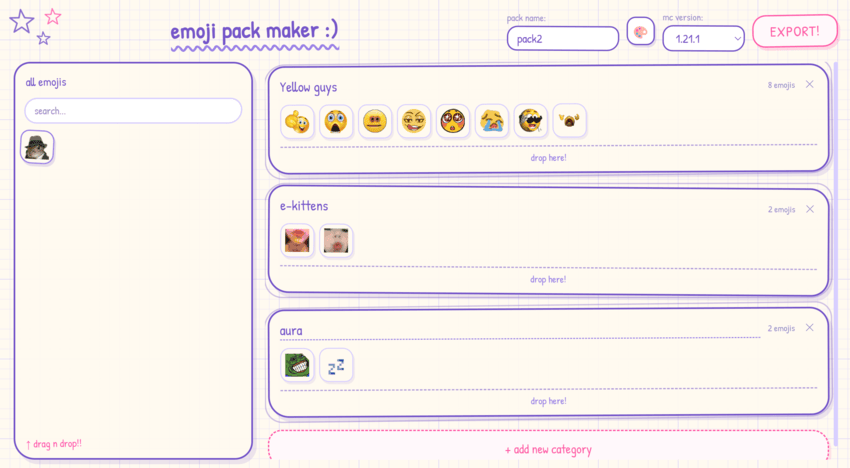
Singleplayer and dedicated servers work the same — the integrated server pushes the set to your client on join.
Full datapack format and examples are in the project README on GitHub.
Commands
/twemoji skin <0-5>- set your skin tone (0 = default) can also be done in the picker./twemoji rain <emoji> [seconds]- emoji rain on your screen./twemoji rain <emoji> [seconds] <players>- admins only, trigger rain for someone else./twemoji button <true|false>- show/hide the picker button next to the chat input./twemoji flags <true|false>- toggle regional indicator flag emoji rendering./twemoji render <size> <emoji>- export an emoji to a PNG file./emoji upload <name> <file>- admin command to add a server-wide emoji at runtime.
License & attribution
Source code is All Rights Reserved. View and fork for PRs only - no redistribution or derivative works without written permission.
Bundled image assets and shortcode data are CC-BY 4.0:
- Twemoji graphics - Copyright © 2018 Twitter, Inc. and other contributors, CC-BY 4.0.
- Pixel art adaptation and resource pack layout - Copyright © 2020 Amber (PixelTwemojiMC), CC-BY 4.0.
When redistributing, the asset attribution above must be preserved.
Support on Discord
If you'd like to support me and the development of my mods, I recommend trying out BisectHosting. Use code "project8gbderam" to get 25% off your first month of a gaming server for new customers. They offer 24/7 support and lightning-fast response times, ensuring you're in great hands and providing exceptional assistance for all your gaming needs. https://www.bisecthosting.com/project8gbderam

Twemoji
Adds Pixelated Twitter-style emoji to Minecraft chat, signs, books, and tooltips. Type :name: to insert one.
Features
- The full Twemoji set built in : smileys, hands, flags, symbols, all of it.
- Live shortcode conversion: type
:smile:and it pops in as you close the colon or hit space. - Skin tone preference for hand and people emojis.
- Animated emojis via datapack.
- Server datapacks can add custom emojis that sync to every connected client.
- Emoji rain command for fun (
/twemoji rain <emoji>), works in singleplayer and on servers.
How to type emojis
Open chat, type : and start typing the name. A suggestion list appears. Or open the picker with the keybind (rebindable in Controls).
Custom emojis (server datapacks)
Drop a PNG into a datapack at data/<namespace>/twemoji/emoji/<name>.png. The file name is the shortcode. Static and animated both supported (animated uses the same .png.mcmeta format as vanilla animated textures).
There's also a discord bot and website available in my Discord Server with a built-in datapack editor
Singleplayer and dedicated servers work the same — the integrated server pushes the set to your client on join.
Full datapack format and examples are in the project README on GitHub.
Commands
/twemoji skin <0-5>- set your skin tone (0 = default) can also be done in the picker./twemoji rain <emoji> [seconds]- emoji rain on your screen./twemoji rain <emoji> [seconds] <players>- admins only, trigger rain for someone else./twemoji button <true|false>- show/hide the picker button next to the chat input./twemoji flags <true|false>- toggle regional indicator flag emoji rendering./twemoji render <size> <emoji>- export an emoji to a PNG file./emoji upload <name> <file>- admin command to add a server-wide emoji at runtime.
License & attribution
Source code is All Rights Reserved. View and fork for PRs only - no redistribution or derivative works without written permission.
Bundled image assets and shortcode data are CC-BY 4.0:
- Twemoji graphics - Copyright © 2018 Twitter, Inc. and other contributors, CC-BY 4.0.
- Pixel art adaptation and resource pack layout - Copyright © 2020 Amber (PixelTwemojiMC), CC-BY 4.0.
When redistributing, the asset attribution above must be preserved.
Support on Discord
If you'd like to support me and the development of my mods, I recommend trying out BisectHosting. Use code "project8gbderam" to get 25% off your first month of a gaming server for new customers. They offer 24/7 support and lightning-fast response times, ensuring you're in great hands and providing exceptional assistance for all your gaming needs. https://www.bisecthosting.com/project8gbderam

Screenshots
Gallery
Versions
Files
Relations
Project Relations
More like this
Similar Mods
Suggestions use data such as tags, dependencies, dependents, descriptions, titles, and more to rank how much they overlap with this mod.
On ModDex
Community snapshot
By the numbers
Statistics
 (opens in a new tab)
Get it on
Available Platforms
On ModDex
Community snapshot
By the numbers