
Community listing page, reviews here may not be monitored by the author.
Pl3xMarkers

No reviews yet
A massive collection of markers for Pl3xMap. Including support for mods like Shopkeepers and Open Parties & Claims
Community voices
Reviews
No reviews yet. Be the first to review this project!
Get it on
Available Platforms
Compatibility
Supported Environments
Runs on a dedicated server only; does not work in singleplayer.
About
Project Details
For authors
Embed Badge
If you're the author of this project, you can embed a live badge anywhere that supports HTML or Markdown. It updates automatically whenever ratings change.
Use HTML for any page that supports it, or Markdown for README files and Markdown-based descriptions.
Identifiers
Platform IDs
About
Description

Added markers
- Open Parties and Claims claimed chunks
- Shopkeepers shops
- Player made areas
- Nether Portals
- End Portals
- End Gateways
- Lightning strikes
- Beacons
- Signs
- Cross-dimensional players
All without the need for any commands and all fully configurable
How to -
Make an area
- Get a lodestone and a banner (all the same color) for all corners of your area.
- Give all banners the name of your area in an anvil.
- Place a lodestone with one of the banners on top on every corner.
- Admire your area on the web map.
- An area can have a max distance of 512 blocks between its furthest points.
- The names on the banners need to be an exact match.
- The placement order does not matter, the points will be connected automatically.
- You can add or remove points as you wish, the area will adapt.
- 2 points in a straight line create a circle.
- 2 points not in a straight line create a rectangle.
Add a portal marker
- Go through a portal.
- Admire your portal on the web map.
Add a beacon marker
- Place a beacon.
- Activate the beacon.
- Admire your b
eacon on the web map.
Add a sign marker
- Place a sign on top of a lodestone.
- Write some text on your sign.
- Admire your sign on the web map.
FAQ
Q: The layers are not showing up on my web map, what do I do?
A: You most likely use custom names for your worlds. Make sure they use the correct suffix structure: {worldname}, {worldname}_nether, {worldname}_the_end
Q: Why are some points not showing up?
A: Areas are made out of the outermost points. If you have points inside the area they will not be used. Or the points are too far apart from the center.
Q: Can I customize area labels?
A: Yes! Area names support basic HTML tags such as <b>, <i>, <u>, <br>, and <span style="color: #RRGGBB;"> {text} </span>.
Q: Why is my area a small triangle?
A: You either have too few points (minimum 3) or your points are too far apart.
Q: How to reload the config?
A: Pl3xMarkers listens to Pl3xMap's reload, so you can reload using /pl3xmap reload
Demo
The Pl3xMarkers mod started out as Helix Markers, for my server; Helix Survival
You can check its webmap at https://map.hexasis.eu/
Screenshots
Gallery
-
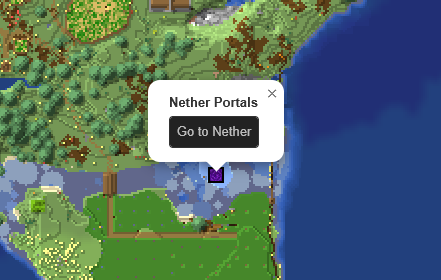 Nether Portal in the Overworld "Urk" on Helix Survival s4
 -
 Nether Portal in The Nether "Admiral Station" on Helix Survival s4
 -
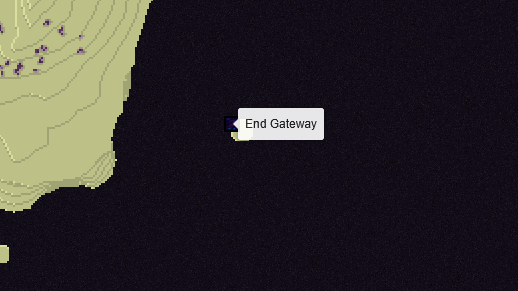 End Gateway in The End
 -
 End Portal in the Overworld
 -
 An area in the Overworld "Schnitzel Peak" on Helix Survival s4
 -
 Beacon in the Overworld "Beans Island" on Helix Survival s4
 -
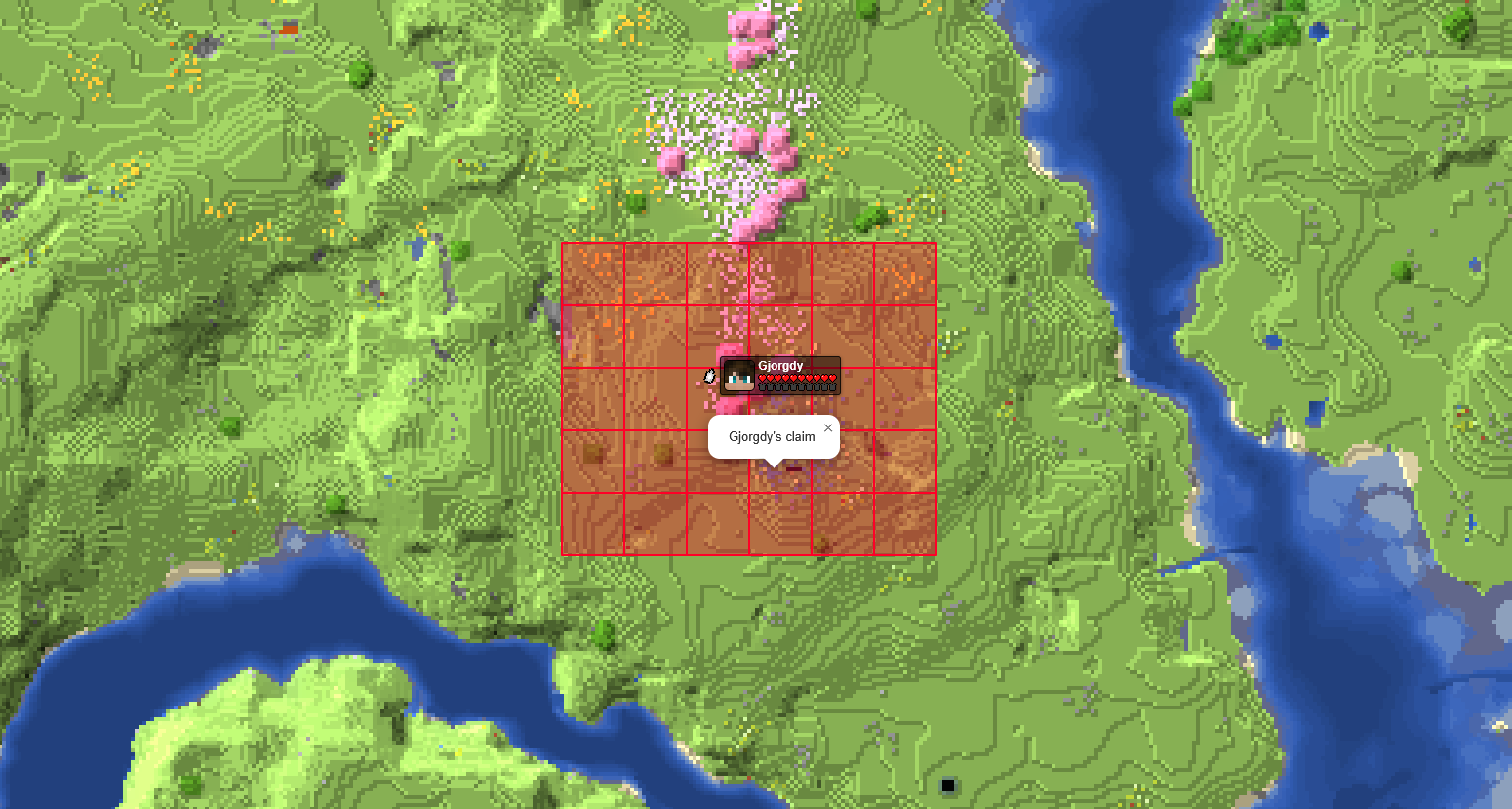 OPAC claimed chunks in the Overworld
 -
 Shopkeepers Players Shop
 -
 Shopkeepers Admin Shop
Versions
Files
Relations
Project Relations
More like this
Similar Mods
Suggestions use data such as tags, dependencies, dependents, descriptions, titles, and more to rank how much they overlap with this mod.
On ModDex
Community snapshot
By the numbers
Statistics

Want to reach Minecraft players?
We're looking for a server hosting partner to feature here and other parts of the site. Interested? Send us a message!
Get in touchGet it on
Available Platforms
On ModDex
Community snapshot
By the numbers