Community listing page, reviews may not be monitored by the author.
Player Guilds

No reviews yet
a guild making mod for you and your friends!

Community voices
Reviews
No reviews yet. Be the first to review this project!
Get it on
Available Platforms
About
Project Details
For authors
Embed Badge
If you're the author of this project, you can embed a live badge anywhere that supports HTML or Markdown. It updates automatically whenever ratings change.
Use HTML for any page that supports it, or Markdown for README files and Markdown-based descriptions.
Identifiers
Platform IDs
About
Description

Version: Forge 1.20.1
Author: OrangeJewce92
Description
Welcome to the Guild's Mod! This mod introduces an immersive guild system to Minecraft, enabling players to create, manage, and participate in guilds. Enhance your multiplayer experience by collaborating with friends, sharing resources, and enjoying guild-exclusive buffs and storage.
Features
- Create and Manage Guilds: Players can create their own guilds, invite others, and assign ranks.
- Guild Ranks: Assign ranks like Owner, Officer, Member, and Recruit to manage permissions within the guild.
- Guild Storage: Share items with guild members using a dedicated guild storage system.
- Guild Buffs: Gain special buffs for all guild members.
- Friendly Fire Config: Toggle friendly fire for guild members.
- Guild Name Display Config: Toggle Guild name to display above player head.
- Guild Leaderboard: View a leaderboard of all guilds and their owners.
- World-Specific Data: Guild data is saved per world to ensure unique experiences.
- Customizable Guild Colors: Specify a color for your guild name upon creation, which will be displayed in both chat and above players' heads. Available colors include:
BLACK,DARK_BLUE,DARK_GREEN,DARK_AQUA,DARK_RED,DARK_PURPLE,GOLD,GRAY,DARK_GRAY,BLUE,GREEN,AQUA,RED,LIGHT_PURPLE,YELLOW,WHITE. - Guild Chat System: Enable or disable guild-only chat using the command
/guild chat on/off. All chat messages will only be visible to members of the same guild when enabled.
Commands
- /guild create <name> <color>
- Description: Creates a new guild with the specified name and color.
- Usage:
/guild create Knights AQUA
- /guild join <name>
- Description: Join an existing guild if you have been invited.
- Usage:
/guild join Knights
- /guild leave
- Description: Leave your current guild.
- Usage:
/guild leave
- /guild status
- Description: Check the name of the guild you are currently in.
- Usage:
/guild status
- /guild invite <playerName>
- Description: Invite a player to join your guild. Only guild members can send invitations.
- Usage:
/guild invite Steve
- /guild accept <guildName>
- Description: Accept an invitation to join a guild.
- Usage:
/guild accept Knights
- /guild deny <guildName>
- Description: Deny an invitation to join a guild.
- Usage:
/guild deny Knights
- /guild list
- Description: List all members of your current guild and their ranks.
- Usage:
/guild list
- /guild leaderboard
- Description: Display a leaderboard of all guilds and their owners.
- Usage:
/guild leaderboard
- /guild additem
- Description: Add the item in your main hand to the guild storage.
- Usage:
/guild additem
- /guild addbuff <effectName> <duration> <amplifier>
- Description: Add a buff to your guild.
- Usage:
/guild addbuff speed 600 1
- /guild storage
- Description: Open the guild storage interface.
- Usage:
/guild storage
- /guild promote <playerName> <rank>
- Description: Promote a guild member to a higher rank.
- Usage:
/guild promote Steve Officer
- /guild demote <playerName> <rank>
- Description: Demote a guild member to a lower rank.
- Usage:
/guild demote Steve Recruit
- /guild info
- Description: View all members of your guild and their ranks.
- Usage:
/guild info
- /guild chat on/off
- Description: Enable or disable guild-only chat.
- Usage:
/guild chat onor/guild chat off
Configuration
- Friendly Fire: Toggle friendly fire for guild members in the config file located at
config/guild_mod-common.toml. - Guild Name Display: Toggle Guild Name in the config file located at
config/guild_mod-common.toml. - Add Buff Command: Toggle in the config file!
Enjoy managing and growing your guilds with the Guild's Mod! For any issues or suggestions, comment below, find me on Discord, join the Discord, or open an issue on the GitHub!
Screenshots
Gallery
-
 Guild Leaderboard Shows what guilds are on the server and who the owner of the guild is
 -
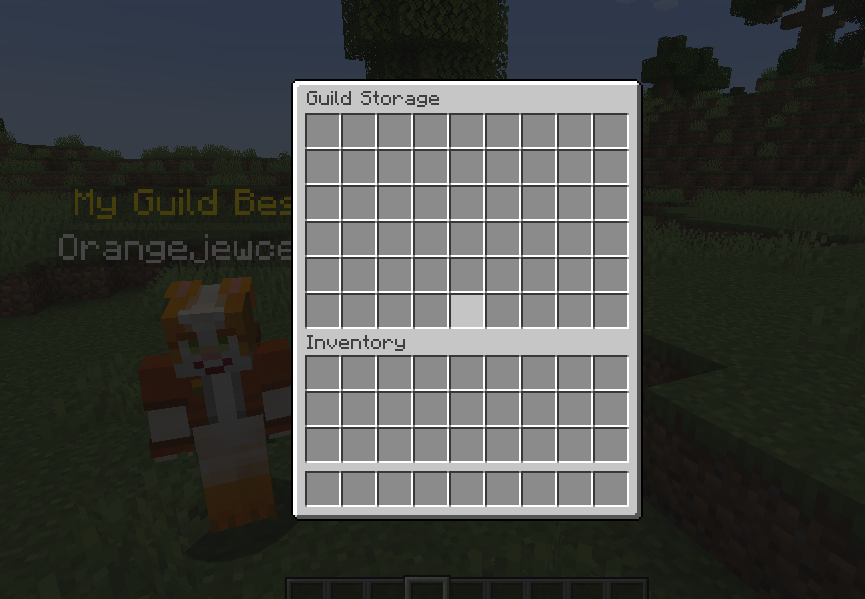 Guild Storage Only usable from owner and officers!
 -
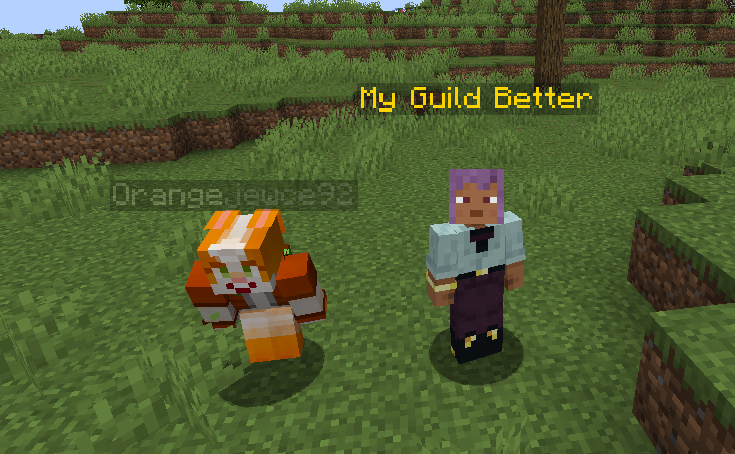 Crouching Hides Guild name
 -
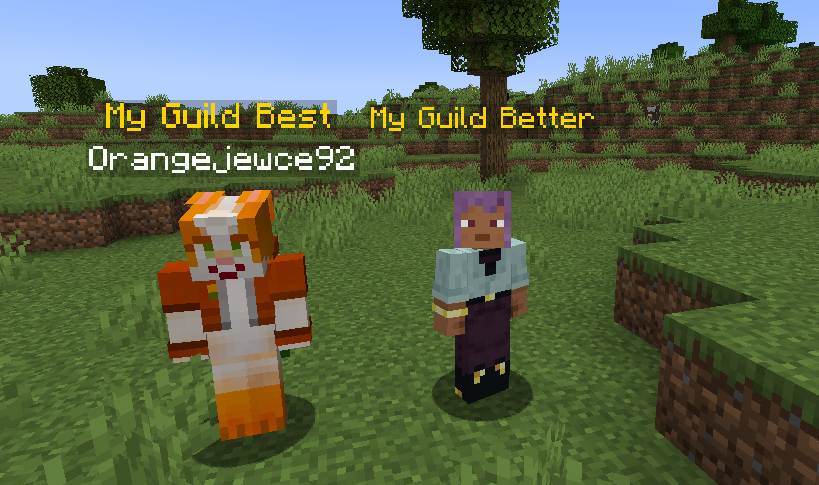 Guild Names Displayed Can be toggled in the config folder file!
Versions
Files
Relations
Project Relations
More like this
Similar Mods
Suggestions use data such as tags, dependencies, dependents, descriptions, titles, and more to rank how much they overlap with this mod.
On ModDex
Community snapshot
By the numbers
Statistics
 (opens in a new tab)
Get it on
Available Platforms
On ModDex
Community snapshot
By the numbers