
Community listing page, reviews here may not be monitored by the author.

Community voices
Reviews
No reviews yet. Be the first to review this project!
Get it on
Available Platforms
About
Project Details
For authors
Embed Badge
If you're the author of this project, you can embed a live badge anywhere that supports HTML or Markdown. It updates automatically whenever ratings change.
Use HTML for any page that supports it, or Markdown for README files and Markdown-based descriptions.
Identifiers
Platform IDs
Resources
External Links
About
Description

- PERM - it means that if you equip the perk once you will be able to equip it again without needing the requirements
- PERK - perk is something like a class that gives you buffs, to unlock perks you need to complete requirements, you can equip only perk at once
Perks
Info about all the perks is in the game but if you don't want to check them in the game here is the list of all perks
Movement
-
Speedy - Gives speed 2, a blue trail appears when you run - You need to purchase with 30 levels (PERM, [Speed/Particles/Run/Slot 2])
-
Slider - This perk lets you slide when you run and sneak at the same time, you have smaller size when sliding - Equip this perk when you are in the boat on the ice (PERM, [Small/Speed/Run+Shift])
-
Levitator - When you crouch you get levitation and speed 3, and you always have slow falling - Equip this perk when you have levitation and slow falling effect at the same time (PERM, [Fly/Shift/Particles/Slot 2], Added in 1.1.0)
Defense
- Sneaky - When you crouch you become invisible - Equip this perk when you have invisibility effect (PERM, [Invis/Shift/Slot 2])
- Block - You can block anything with 5 seconds cooldown when you shift (It gives resistance 5 for 1 second) - You need to have no armor and 15 levels (NON-PERM, [Resistance/Shift/Cooldown/Particles], Added in 1.2.0)
- Turtle - When you crouch you have resistance 5 and slowness 5, when you uncrouch you will still have slowness 5 for 2 seconds - You need to equip this perk when you have resistance and slowness at the same time (PERM, [Resistance/Slowness/Shift/Particles], Added in 1.3.0)
Damage
- Flame - When you crouch you spawn fire beneath you and gives infinite fire resistance - You need to equip this perk while having fire resistance and standing in lava (PERM, Damage/Defense, [Blocks/Shift/Slot 2])
- Evoker - You can summon 8 evoker fangs in front of you and deals 5 damage to nearest entity in 5 blocks distance with a 5 seconds cooldown when you shift - kill atleast 3 evokers (PERM, [Shift/Cooldown/Aura/Particles], Added in 1.4.0)
Utility
- Builder - You can summon a 3x3 stone wall in front of you with 10 seconds cooldown when crouching - Build a 5 block tall pillar out of stone, NOT COBBLESTONE. (PERM. [Shift/Cooldown/Blocks], Added in 2.0.0)
Perks format
Here's an explanation for the perk format
- Parentheses - In () there are Attributes that can say something about the perk, for example (NON-PERM, Defense/Movement, [Jump boost/Aura/Shift], Added in 7.7.7).
- Categories - This attribute looks like this: (Defense/Movement). It shows the categories for the perk, the first category is the main category, then there are subcategories, they are separated with / symbol.
- Tags - This attribute looks like this: ([Speed/Jump boost/Shift]). It shows the tags of the perk, tags are what the perk does, for example levitator perk let's you fly, and this perk has the Fly tag.
Tags
- Shift - This tag says that the perk activates something when you shift, can be combined with run
- Run - This tag says that the perk activates something when you run, can be combined with shift
- Fly - This tag says that you can fly with this perk
- (Effect) - This tag can be any of the effects, it says that the perk can give you that effect
- Aura - This tag says that the perk can do something with something near you
- Cooldown - This tag means that the perk has cooldown, maybe for an ability or something else
- Blocks - This tag says that the perk does something with blocks
- Particles - This tag means that perk emits particles
- Slot 2 - This tag means that the perk is able to equip on second slot
FAQ
- How to access perks? - Press the Perks button in the pause menu
- How to unequip perk? - Press the Unequip button in the Perks menu
Screenshots
Gallery
-
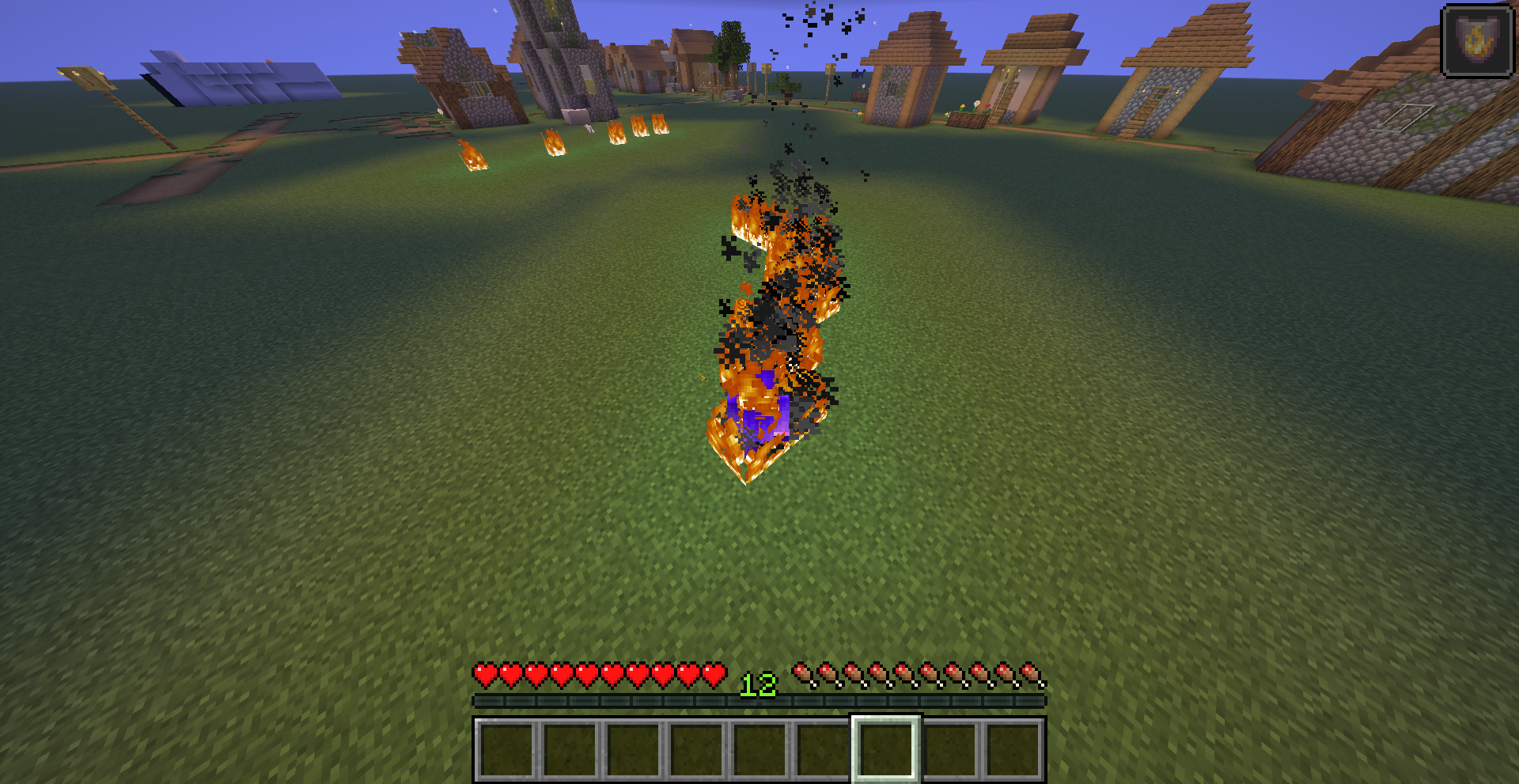 Spawning fire with the flame perk In this image I am crouching with flame perk equipped, that's why I have fire resistance and fire spawns
 -
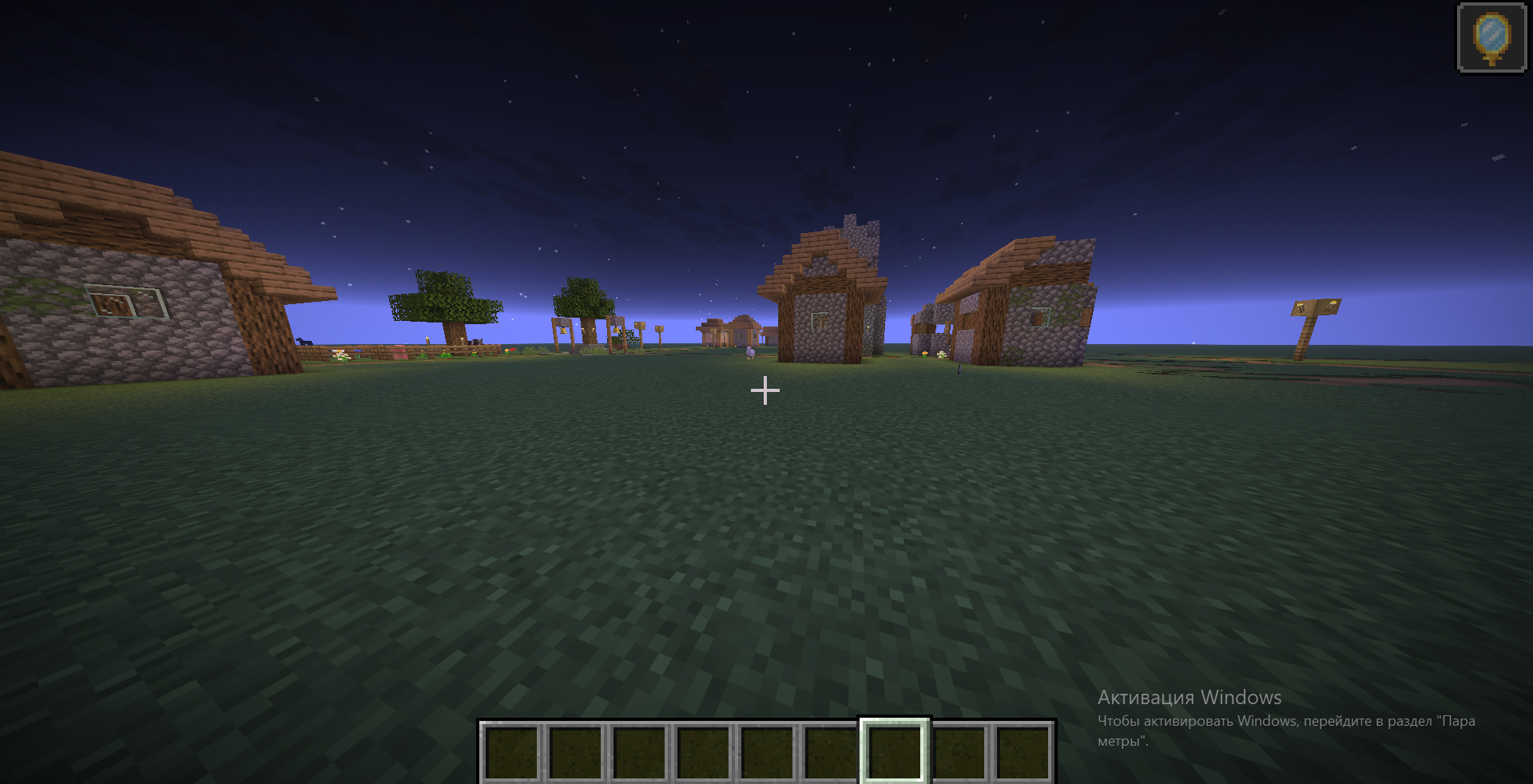 Sneaking with the sneaky perk In this image I am crouching with sneaky perk equipped, that's why I am invisible
Versions
Files
Relations
Project Relations
More like this
Similar Mods
Suggestions use data such as tags, dependencies, dependents, descriptions, titles, and more to rank how much they overlap with this mod.
On ModDex
Community snapshot
By the numbers
Statistics

Want to reach Minecraft players?
We're looking for a server hosting partner to feature here and other parts of the site. Interested? Send us a message!
Get in touchGet it on
Available Platforms
On ModDex
Community snapshot
By the numbers
Statistics
Resources